
1. ആമുഖം
This manual provides essential information for setting up, operating, and maintaining your ASUS Zenbook 14 OLED Laptop. This device is designed for business, multimedia, gaming, and student use, offering a powerful computing experience with its Intel 16-core Ultra 7 255H processor, vibrant 14-inch WUXGA Lumina OLED Touch display, 16GB DDR5 memory, and 512GB SSD storage. Please read this manual thoroughly to ensure proper use and longevity of your laptop.
2. ബോക്സിൽ എന്താണുള്ളത്?
Carefully unpack your ASUS Zenbook 14 OLED Laptop and ensure all items are present:
- ASUS Zenbook 14 OLED Laptop
- പവർ അഡാപ്റ്റർ
- Auth 3-in-1 USB Cable

Image: Packaging for the included Auth 3-in-1 USB Cable.
3. ഉൽപ്പന്നം കഴിഞ്ഞുview
The ASUS Zenbook 14 OLED Laptop combines performance with a sleek design. Key features include:
- പ്രോസസ്സർ: Intel 16-core Ultra 7 255H with up to 5.1 GHz clock speed.
- ഗ്രാഫിക്സ്: Integrated Intel Arc 140T GPU.
- ഡിസ്പ്ലേ: 14-inch WUXGA (1920x1200) Lumina OLED Touch display with 500 nits HDR brightness and 100% DCI-P3 color gamut.
- മെമ്മറി: 16GB DDR5 SDRAM.
- സംഭരണം: 512 ജിബി സോളിഡ് സ്റ്റേറ്റ് ഡ്രൈവ് (എസ്എസ്ഡി).
- ഓപ്പറേറ്റിംഗ് സിസ്റ്റം: വിൻഡോസ് 11 പ്രോ.
- കണക്റ്റിവിറ്റി: Wi-Fi 7, Bluetooth, 2x Thunderbolt 4, 1x USB-A 3.2, 1x HDMI 2.1 TMDS.
- ഓഡിയോ: Harman Kardon speakers with Dolby Atmos support.
- സുരക്ഷ: Fingerprint reader and FHD IR Privacy Camera.
- കീബോർഡ്: Backlit keyboard.

ചിത്രം: കഴിഞ്ഞുview of key features including Intel Ultra 7 255H, Intel Arc 140T GPU, 14" WUXGA OLED Touch, up to 16GB RAM, up to 2TB SSD, Windows 11 Pro, Wi-Fi 7, Dolby Atmos, Harman Kardon, FHD IR Privacy Camera, and Bluetooth 5.4.

ചിത്രം: വിശദമായത് view of the Intel Core Ultra 7 255H processor, highlighting its 16-core, 16-thread architecture with up to 5.1 GHz speed.

Image: The 14-inch OLED Touch display with a 16:10 aspect ratio and 1920 x 1200 resolution.

ചിത്രം: മുകളിൽ നിന്ന് താഴേക്ക് view of the laptop's backlit keyboard and large touchpad.
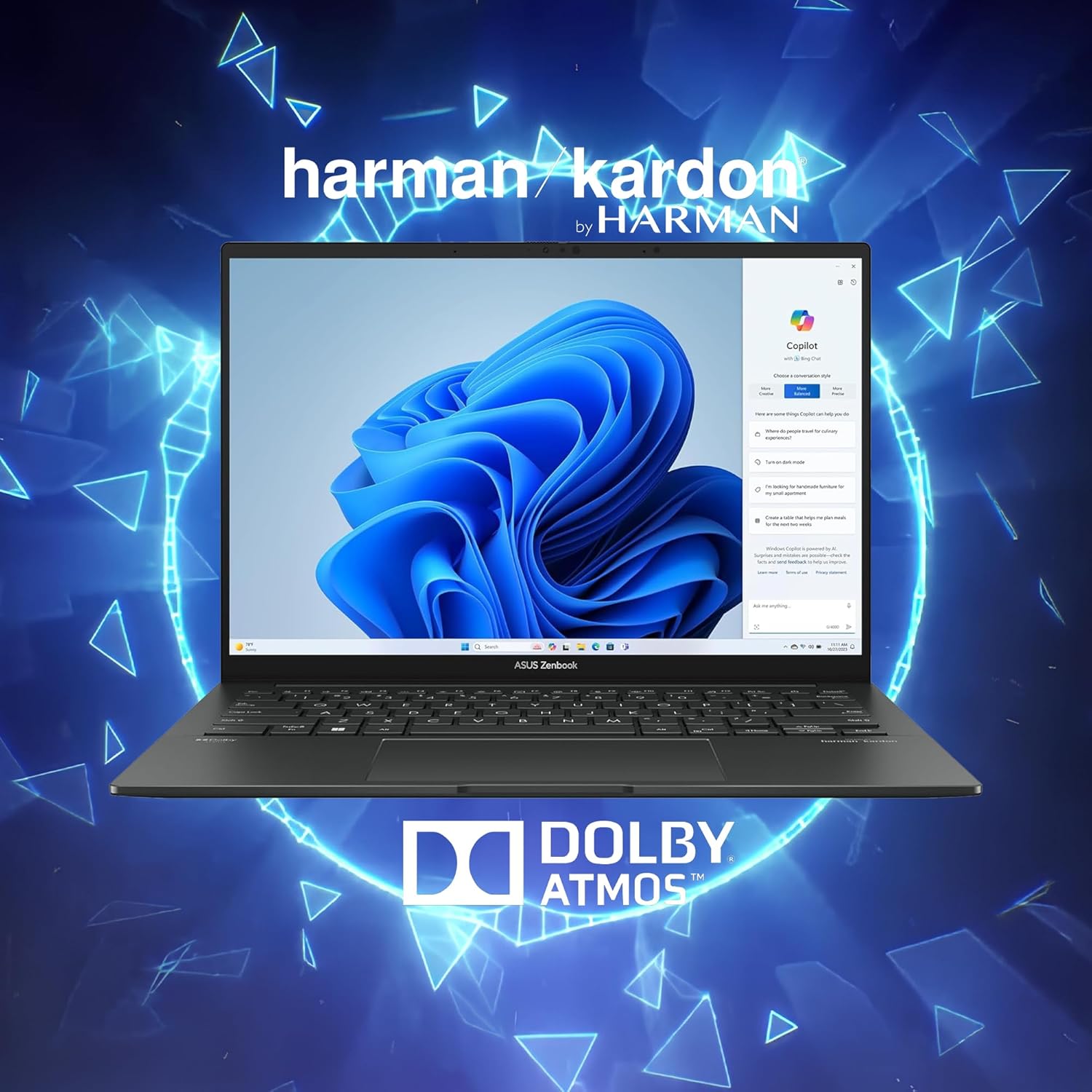
Image: Laptop display showing Windows 11 with Copilot, emphasizing Dolby Atmos and Harman Kardon audio features.
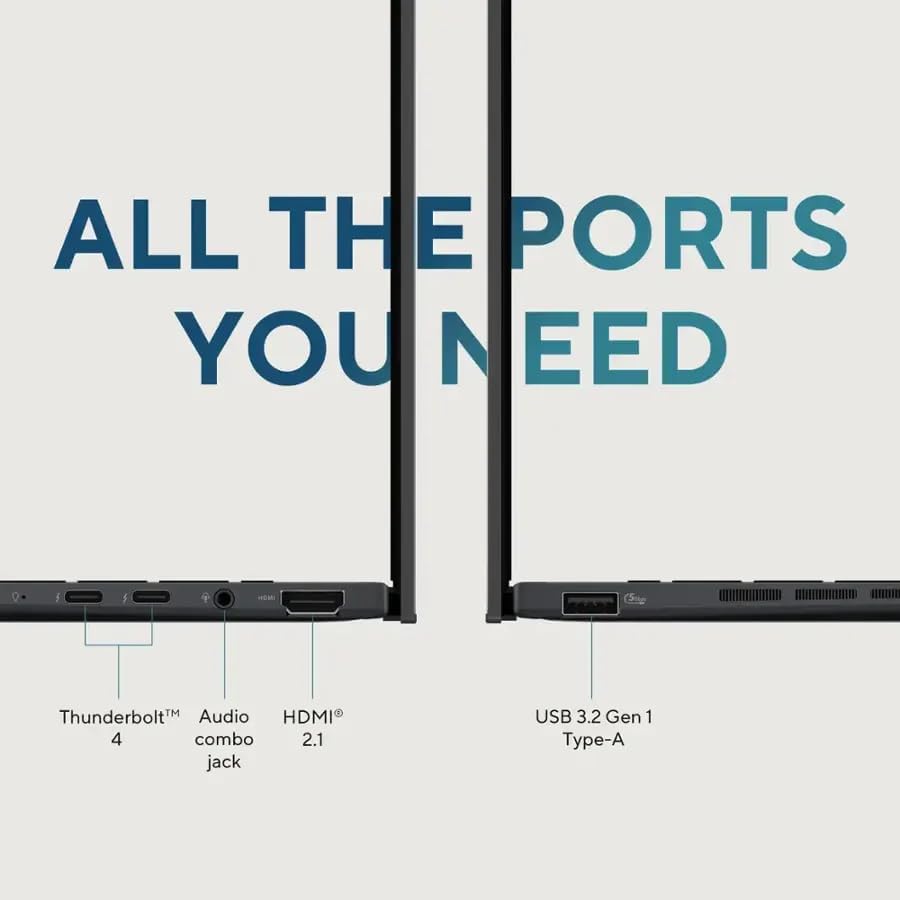
Image: Close-up of the laptop's ports, including Thunderbolt 4, Audio combo jack, HDMI 2.1, and USB 3.2 Gen 1 Type-A.

Image: Laptop showcasing Wi-Fi 7 capabilities for fast connectivity and an FHD IR privacy webcam for clear video conferencing.
4. സജ്ജീകരണം
- ലാപ്ടോപ്പ് ചാർജ് ചെയ്യുക: Connect the power adapter to the laptop's charging port and a power outlet. Allow the battery to charge fully before first use.
- പവർ ഓൺ: ലാപ്ടോപ്പ് ലിഡ് തുറന്ന് പവർ ബട്ടൺ അമർത്തുക, സാധാരണയായി കീബോർഡിന്റെ മുകളിൽ വലതുവശത്തോ വശത്തോ സ്ഥിതിചെയ്യുന്നു.
- പ്രാരംഭ സജ്ജീകരണം: ഭാഷാ തിരഞ്ഞെടുപ്പ്, നെറ്റ്വർക്ക് കണക്ഷൻ, ഉപയോക്തൃ അക്കൗണ്ട് സൃഷ്ടിക്കൽ എന്നിവയുൾപ്പെടെ Windows 11 Pro സജ്ജീകരണം പൂർത്തിയാക്കാൻ ഓൺ-സ്ക്രീൻ നിർദ്ദേശങ്ങൾ പാലിക്കുക.
- പെരിഫറലുകൾ ബന്ധിപ്പിക്കുക: Connect any external devices such as a mouse, external display, or USB drives to the available ports.
5. പ്രവർത്തന നിർദ്ദേശങ്ങൾ
5.1 പവർ ഓൺ/ഓഫ്
- പവർ ഓണാക്കാൻ: പവർ ബട്ടൺ അമർത്തുക.
- ഷട്ട് ഡൗൺ ചെയ്യാൻ: ആരംഭിക്കുക ബട്ടൺ ക്ലിക്കുചെയ്യുക, തുടർന്ന് പവർ > ഷട്ട് ഡൗൺ ചെയ്യുക.
- പുനരാരംഭിക്കാൻ: ആരംഭിക്കുക ബട്ടൺ ക്ലിക്കുചെയ്യുക, തുടർന്ന് പവർ > പുനരാരംഭിക്കുക.
- ഉറങ്ങാൻ: ലിഡ് അടയ്ക്കുക അല്ലെങ്കിൽ ആരംഭിക്കുക ബട്ടൺ ക്ലിക്കുചെയ്യുക, തുടർന്ന് പവർ > സ്ലീപ്പ് ക്ലിക്കുചെയ്യുക.
5.2 കീബോർഡും ടച്ച്പാഡും
The laptop features a full-sized backlit keyboard and a responsive touchpad for navigation.
- ബാക്ക്ലൈറ്റ് കീബോർഡ്: Adjust keyboard backlight brightness using the dedicated function keys (Fn + F7, typically).
- ടച്ച്പാഡ് ആംഗ്യങ്ങൾ: Supports multi-touch gestures for scrolling, zooming, and switching applications. Refer to Windows settings for customization.
5.3 ഡിസ്പ്ലേ
The 14-inch WUXGA OLED Touch display offers vivid colors and deep blacks. It supports touch input for intuitive interaction with Windows 11 Pro.
- ടച്ച് പ്രവർത്തനം: Use your fingers to navigate, select, and interact with applications directly on the screen.
- ഡിസ്പ്ലേ ക്രെമീകരണങ്ങൾ: Adjust resolution, brightness, and color profiles via Windows Display Settings.
5.4 കണക്റ്റിവിറ്റി
Your Zenbook 14 OLED provides various ports and wireless options for connecting to other devices and networks.
- Wi-Fi 7: Connect to high-speed wireless networks. Configure Wi-Fi settings in Windows.
- ബ്ലൂടൂത്ത്: Pair with Bluetooth-enabled devices like headphones or mice.
- തണ്ടർബോൾട്ട് 4: Use these versatile ports for high-speed data transfer, video output, and power delivery.
- USB-A 3.2: Connect standard USB devices.
- എച്ച്ഡിഎംഐ 2.1: ദീർഘനേരം പ്രദർശിപ്പിക്കുന്നതിന് ബാഹ്യ മോണിറ്ററുകളിലേക്കോ ടിവികളിലേക്കോ കണക്റ്റുചെയ്യുക.
6. പരിപാലനം
- വൃത്തിയാക്കൽ: സ്ക്രീനും ഷാസിയും വൃത്തിയാക്കാൻ മൃദുവായ, ലിന്റ് രഹിത തുണി ഉപയോഗിക്കുക. കഠിനമായ രാസവസ്തുക്കൾ ഒഴിവാക്കുക.
- സോഫ്റ്റ്വെയർ അപ്ഡേറ്റുകൾ: Regularly update Windows and ASUS drivers to ensure optimal performance and security.
- ബാറ്ററി കെയർ: To prolong battery life, avoid extreme temperatures and fully discharging the battery frequently.
- സംഭരണം: Keep the laptop in a cool, dry place when not in use.
7. പ്രശ്നപരിഹാരം
- ലാപ്ടോപ്പ് ഓണാക്കുന്നില്ല: പവർ അഡാപ്റ്റർ സുരക്ഷിതമായി ബന്ധിപ്പിച്ചിട്ടുണ്ടെന്നും ബാറ്ററിക്ക് മതിയായ ചാർജ് ഉണ്ടെന്നും ഉറപ്പാക്കുക. മറ്റൊരു പവർ ഔട്ട്ലെറ്റ് പരീക്ഷിക്കുക.
- ഡിസ്പ്ലേ പ്രശ്നങ്ങൾ: If the screen is blank, try connecting an external monitor to check if the issue is with the laptop's display. Adjust brightness settings.
- കണക്റ്റിവിറ്റി പ്രശ്നങ്ങൾ: വൈഫൈ പ്രശ്നങ്ങൾക്ക്, നിങ്ങളുടെ റൂട്ടറും ലാപ്ടോപ്പും പുനരാരംഭിക്കുക. ബ്ലൂടൂത്തിന്, ഉപകരണം കണ്ടെത്താനാകുന്നതാണെന്നും പരിധിക്കുള്ളിലാണെന്നും ഉറപ്പാക്കുക.
- മന്ദഗതിയിലുള്ള പ്രകടനം: Close unnecessary applications, check for malware, and ensure sufficient free storage space.
- Keyboard/Touchpad Unresponsive: Restart the laptop. If the issue persists, check for driver updates.
8 സ്പെസിഫിക്കേഷനുകൾ
| ഫീച്ചർ | വിശദാംശങ്ങൾ |
|---|---|
| ബ്രാൻഡ് | ASUS |
| മോഡലിൻ്റെ പേര് | ASUS Zenbook 14 OLED |
| സ്ക്രീൻ വലിപ്പം | 14 ഇഞ്ച് |
| നിറം | Jasper Gray |
| ഹാർഡ് ഡിസ്ക് വലിപ്പം | 512 ജിബി എസ്എസ്ഡി |
| സിപിയു മോഡൽ | Intel Ultra 7 255H (16-core, 2 GHz) |
| ഇൻസ്റ്റാൾ ചെയ്ത RAM മെമ്മറി വലുപ്പം | 16 GB DDR5 |
| ഓപ്പറേറ്റിംഗ് സിസ്റ്റം | വിൻഡോസ് 11 പ്രോ |
| പ്രത്യേക ഫീച്ചർ | ബാക്ക്ലിറ്റ് കീബോർഡ്, ഫിംഗർപ്രിന്റ് റീഡർ |
| ഗ്രാഫിക്സ് കോപ്രൊസസർ | Intel Arc 140T GPU |
| ഇനത്തിൻ്റെ ഭാരം | 2.7 പൗണ്ട് |
| Dimensions (L x W x Thickness) | 8.67" x 12.3" x 0.59" |
| വീഡിയോ ഔട്ട്പുട്ട് | HDMI, Thunderbolt |
| ഡിസ്പ്ലേ റെസല്യൂഷൻ പരമാവധി | 1920x1200 |
| ഡിസ്പ്ലേ തരം | OLED, Touchscreen (capacitive) |
| മൊത്തം USB പോർട്ടുകൾ | 3 (2x Thunderbolt 4, 1x USB-A 3.2) |
| Total Number of HDMI Ports | 1 |
| കണക്റ്റിവിറ്റി ടെക്നോളജി | Thunderbolt 4, USB-A 3.2, HDMI 2.1 TMDS, Wi-Fi 7, Bluetooth |
| Webക്യാം ശേഷി | FHD IR Privacy Camera |
9. വാറൻ്റിയും പിന്തുണയും
For warranty information and technical support, please refer to the documentation included with your product or visit the official ASUS support webസൈറ്റ്. വാറൻ്റി ക്ലെയിമുകൾക്കായി നിങ്ങളുടെ വാങ്ങൽ രസീത് സൂക്ഷിക്കുക.