
1. ആമുഖം
This manual provides essential information for the safe operation, assembly, maintenance, and troubleshooting of your Gyroor H40 Electric Scooter. Please read this manual thoroughly before first use to ensure proper function and to prevent injury. Keep this manual for future reference.
2. സുരക്ഷാ മുന്നറിയിപ്പുകൾ
Operating an electric scooter carries inherent risks. Always prioritize safety.
- വാഹനമോടിക്കുമ്പോൾ എല്ലായ്പ്പോഴും ഹെൽമെറ്റും ഉചിതമായ സംരക്ഷണ ഗിയറും (മുട്ട് പാഡുകൾ, എൽബോ പാഡുകൾ) ധരിക്കുക.
- Ensure the scooter is fully charged before each use.
- നനഞ്ഞ സാഹചര്യങ്ങളിലോ, അസമമായ പ്രതലങ്ങളിലോ, കനത്ത ഗതാഗതത്തിലോ വാഹനമോടിക്കരുത്.
- Maintain a safe speed and distance from others.
- Children should always be supervised by an adult.
- The maximum weight capacity is 60 kg (132 lbs). Do not exceed this limit.
- This scooter is recommended for children aged 6-12 years.
- Regularly inspect the scooter for any damage or loose parts before each ride.
- Adhere to all local traffic laws and regulations.
3. പാക്കേജ് ഉള്ളടക്കം
പാക്കേജിൽ എല്ലാ ഇനങ്ങളും ഉണ്ടെന്ന് ഉറപ്പാക്കുക:
- Gyroor H40 Electric Scooter
- പവർ അഡാപ്റ്റർ/ചാർജർ
- ഉപയോക്തൃ മാനുവൽ (ഈ പ്രമാണം)
- Necessary tools for assembly (e.g., Allen wrench)
4. സജ്ജീകരണവും അസംബ്ലിയും
4.1 സ്കൂട്ടർ തുറക്കൽ
- സ്കൂട്ടർ അതിന്റെ പാക്കേജിംഗിൽ നിന്ന് ശ്രദ്ധാപൂർവ്വം നീക്കം ചെയ്യുക.
- ഹാൻഡിൽബാർ തണ്ടിന്റെ അടിഭാഗത്ത് മടക്കാനുള്ള സംവിധാനം കണ്ടെത്തുക.
- Release the locking lever and lift the handlebar stem until it clicks securely into the upright position.
- Ensure the locking mechanism is fully engaged before use.
4.2 ഹാൻഡിൽബാർ ഉയരം ക്രമീകരിക്കൽ
The handlebar height is adjustable to three levels (35.4 – 39.4 inches / 90-100 cm) to suit riders aged 6-12 years.
- ദ്രുത-റിലീസ് cl അഴിക്കുകamp ഹാൻഡിൽ ബാർ തണ്ടിൽ.
- Adjust the handlebar to the desired height. Ensure the handlebar is at a comfortable level for the rider, allowing them to maintain proper posture and control.
- ദ്രുത-റിലീസ് cl കർശനമാക്കുകamp ഹാൻഡിൽബാർ ഉറപ്പിക്കാൻ ദൃഢമായി.
- Verify that the handlebar is stable and does not wobble.
4.3 പ്രാരംഭ ചാർജിംഗ്
ആദ്യ ഉപയോഗത്തിന് മുമ്പ്, സ്കൂട്ടറിന്റെ ബാറ്ററി പൂർണ്ണമായും ചാർജ് ചെയ്യുക.
- ചാർജിംഗ് പോർട്ട് കണ്ടെത്തുക, സാധാരണയായി ഡെക്കിന്റെ വശത്ത്.
- സ്കൂട്ടറിന്റെ ചാർജിംഗ് പോർട്ടിലേക്ക് ചാർജർ ബന്ധിപ്പിക്കുക, തുടർന്ന് ചാർജർ ഒരു സാധാരണ വാൾ ഔട്ട്ലെറ്റിൽ പ്ലഗ് ചെയ്യുക.
- The LED indicator on the charger will change color (e.g., red to green) when charging is complete.
- ബാറ്ററി അമിതമായി ചാർജ് ചെയ്യരുത്.

Image: Charging port with indicator light during charging.
5. പ്രവർത്തന നിർദ്ദേശങ്ങൾ
5.1 പവർ ഓൺ/ഓഫ്
- To power on: Press and hold the power button on the handlebar display until the screen illuminates.
- പവർ ഓഫ് ചെയ്യാൻ: ഡിസ്പ്ലേ ഓഫാകുന്നതുവരെ പവർ ബട്ടൺ അമർത്തിപ്പിടിക്കുക.
5.2 സ്കൂട്ടർ ഓടിക്കുക
- സ്കൂട്ടർ ഡെക്കിൽ ഒരു കാൽ ഉറപ്പിച്ചു വയ്ക്കുക.
- പ്രാരംഭ ആക്കം ലഭിക്കാൻ നിങ്ങളുടെ മറ്റേ കാൽ ഉപയോഗിച്ച് തള്ളുക.
- Once moving, gently press the electronic throttle on the handlebar to engage the motor.
- നിങ്ങളുടെ രണ്ടാമത്തെ കാൽ ഡെക്കിൽ വയ്ക്കുക.
- To slow down or stop, use the electronic brake lever or the rear foot brake.

Image: Child riding the Gyroor H40 electric scooter.
5.3 Handlebar Controls and Display
The handlebar features an LED digital display and controls for easy operation.
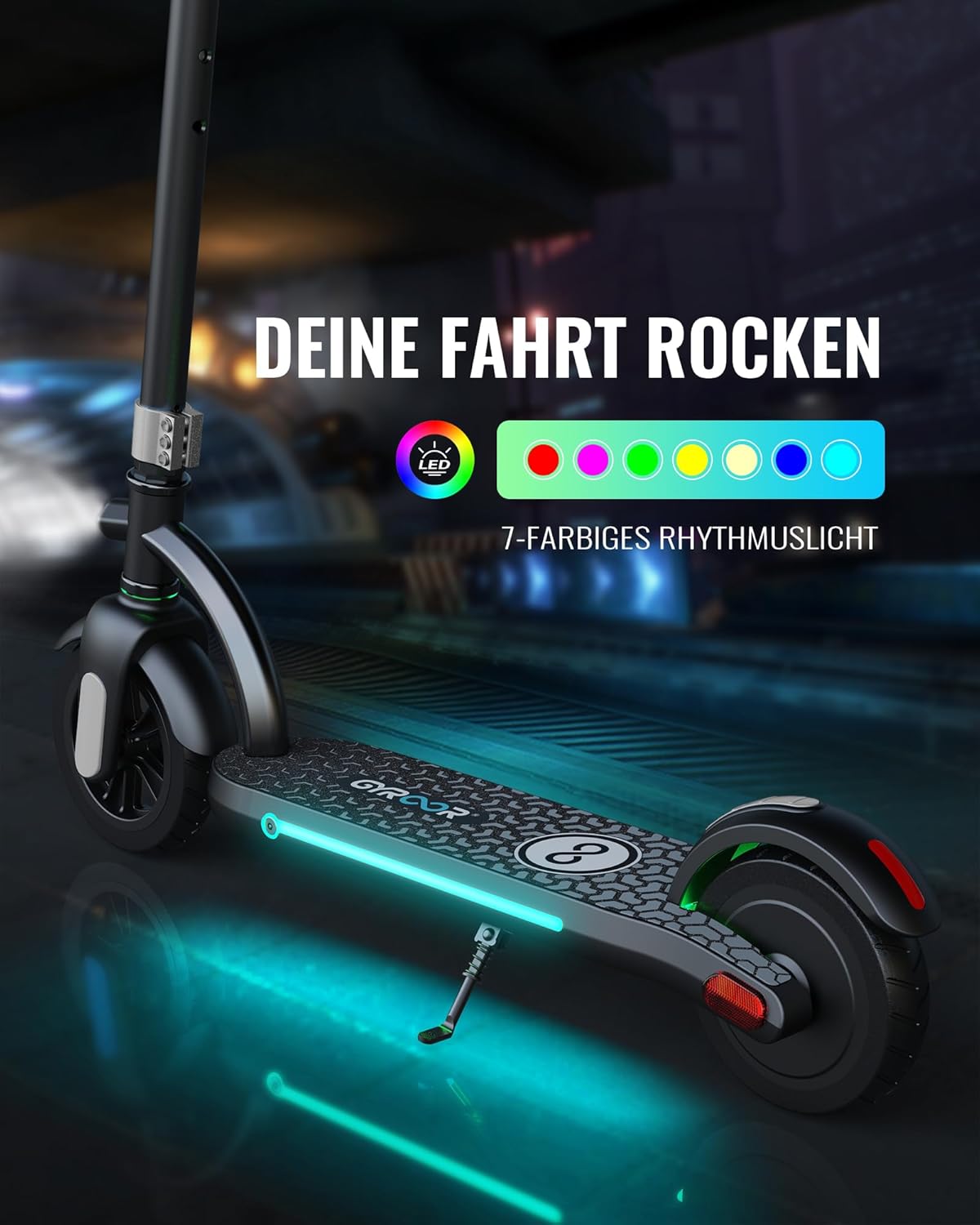
Image: Handlebar controls and LED display.
- LED ഡിജിറ്റൽ ഡിസ്പ്ലേ: Shows real-time speed, current gear mode, and battery level.
- Electronic Throttle: ത്വരണം നിയന്ത്രിക്കുന്നു.
- ഇലക്ട്രോണിക് ബ്രേക്ക്: Provides instant stopping power.
- മണി: കാൽനടയാത്രക്കാർക്കും മറ്റ് യാത്രക്കാർക്കും മുന്നറിയിപ്പ് നൽകുന്നതിന്.
- ഹെഡ്ലൈറ്റ്: Activates the front light for improved visibility.
5.4 ബ്രേക്കിംഗ് സിസ്റ്റം
The Gyroor H40 is equipped with a dual braking system for enhanced safety.
- ഇലക്ട്രോണിക് ബ്രേക്ക്: Activated by the lever on the handlebar for quick stops.
- റിയർ ഫൂട്ട് ബ്രേക്ക്: Press down on the rear fender with your foot for consistent braking, especially useful in wet or muddy conditions.
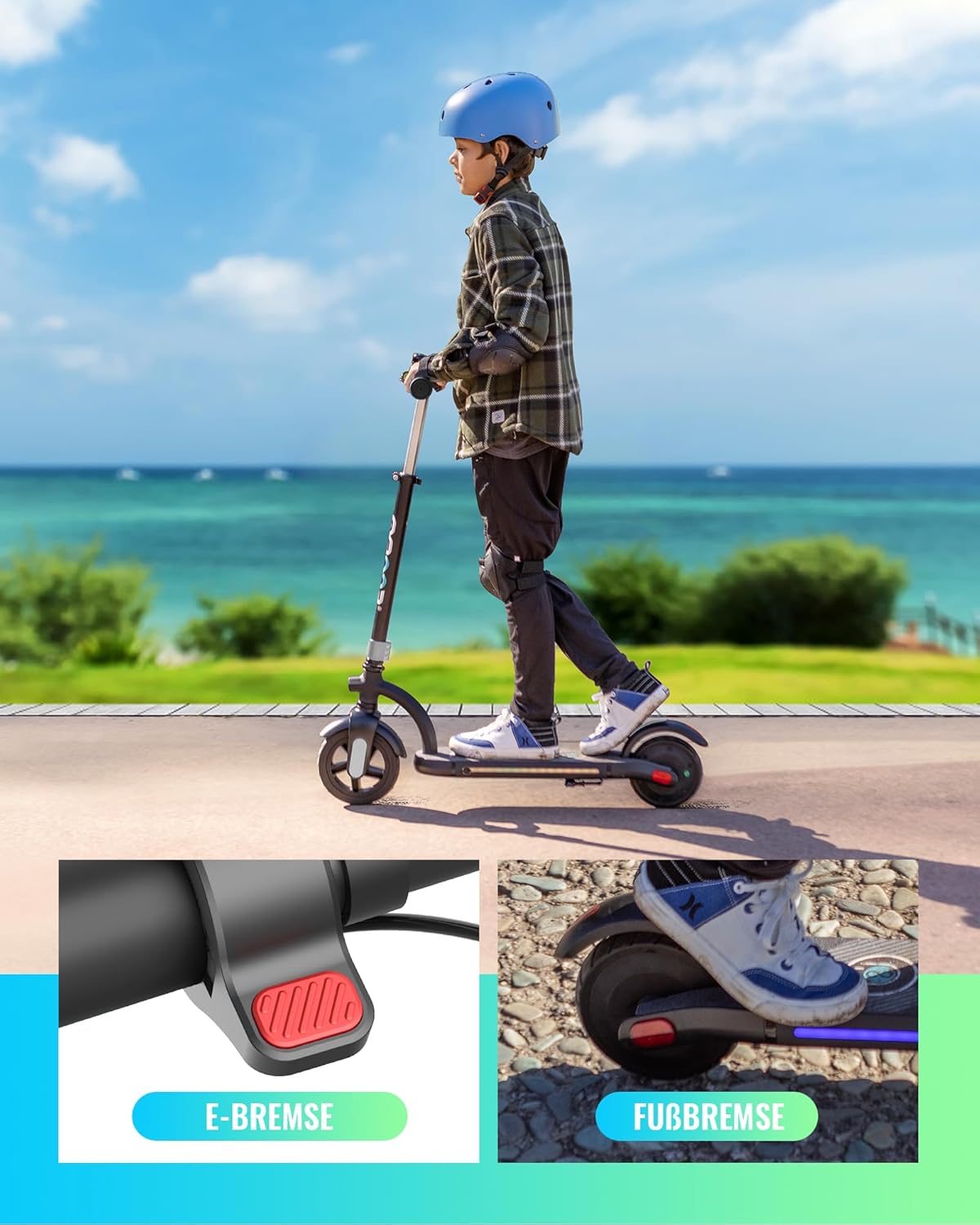
Image: Dual braking system details.
5.5 LED ലൈറ്റുകൾ
The scooter features colorful LED lights under the deck that change with movement, and a bright front headlight for night visibility. Reflective stickers further enhance safety after dark.

Image: Gyroor H40 with illuminated LED deck lights.
6. പരിപാലനം
6.1 വൃത്തിയാക്കൽ
- പരസ്യം ഉപയോഗിച്ച് സ്കൂട്ടർ തുടയ്ക്കുകamp തുണി. കഠിനമായ രാസവസ്തുക്കളോ ഉരച്ചിലുകളുള്ള ക്ലീനറുകളോ ഉപയോഗിക്കരുത്.
- ഇലക്ട്രിക്കൽ ഘടകങ്ങളിലേക്ക് നേരിട്ട് വെള്ളം തളിക്കുന്നത് ഒഴിവാക്കുക.
6.2 ബാറ്ററി കെയർ
- സ്കൂട്ടർ ഉപയോഗത്തിലില്ലെങ്കിൽ പോലും, ബാറ്ററിയുടെ ആരോഗ്യം നിലനിർത്താൻ പതിവായി ബാറ്ററി ചാർജ് ചെയ്യുക.
- നേരിട്ടുള്ള സൂര്യപ്രകാശത്തിൽ നിന്നും കടുത്ത താപനിലയിൽ നിന്നും മാറി തണുത്തതും വരണ്ടതുമായ സ്ഥലത്ത് സ്കൂട്ടർ സൂക്ഷിക്കുക.
- If the scooter will not be used for an extended period, charge it to approximately 50-70% before storage.
6.3 പൊതു പരിശോധന
- Before each ride, check for loose screws, bolts, or damaged parts.
- ബ്രേക്കുകൾ ശരിയായി പ്രവർത്തിക്കുന്നുണ്ടെന്ന് ഉറപ്പാക്കുക.
- Inspect the tires for wear or damage. The H40 uses solid tires, so inflation is not required.
7. പ്രശ്നപരിഹാരം
| പ്രശ്നം | സാധ്യമായ കാരണം | പരിഹാരം |
|---|---|---|
| സ്കൂട്ടർ ഓണാക്കുന്നില്ല. | Low battery; loose connections; power button issue. | Charge the battery fully. Check all visible connections. Contact customer support if the issue persists. |
| Scooter does not accelerate. | Throttle not engaged; low battery; motor issue. | Ensure the throttle is pressed correctly. Check battery level. Push off to gain initial speed before engaging throttle. |
| ബ്രേക്കുകൾ ഫലപ്രദമല്ല. | Brake mechanism issue; worn brake pad (rear foot brake). | Inspect brake levers and cables. For the rear foot brake, check the fender for wear. Contact customer support for repair. |
| LED display is not working. | Loose connection; display damage. | Ensure the scooter is powered on. Check for visible damage. Contact customer support. |
8 സ്പെസിഫിക്കേഷനുകൾ
| ഫീച്ചർ | വിശദാംശങ്ങൾ |
|---|---|
| മോഡൽ | H40 |
| മോട്ടോർ പവർ | 180 W |
| പരമാവധി വേഗത | 10 mph വരെ (16 km/h) |
| ബാറ്ററി | 21.6 V, 2600 mAh |
| പരമാവധി ലോഡ് കപ്പാസിറ്റി | 60 കി.ഗ്രാം (132 പൗണ്ട്) |
| ശുപാർശ ചെയ്യുന്ന പ്രായം | 6-12 വർഷം |
| ഹാൻഡിൽബാർ ഉയരം | Adjustable (35.4 – 39.4 inches / 90-100 cm) |
| ടയർ തരം | Solid (7-inch front, 6.5-inch rear) |
| ബ്രേക്കിംഗ് സിസ്റ്റം | Electronic brake + Rear foot brake |
| ഫ്രെയിം മെറ്റീരിയൽ | അലുമിനിയം |
| ഉൽപ്പന്ന അളവുകൾ | 83.82 x 15.24 x 100.08 സെ.മീ (L x W x H) |
| ഉൽപ്പന്ന ഭാരം | 8 കി.ഗ്രാം |
| സർട്ടിഫിക്കേഷനുകൾ | UL2272 |

Image: Product label with specifications and certifications.
9. വാറൻ്റിയും പിന്തുണയും
9.1 വാറൻ്റി വിവരങ്ങൾ
- Scooter Warranty: 1-year full warranty from the date of purchase.
- ബാറ്ററി വാറൻ്റി: വാങ്ങിയ തീയതി മുതൽ 6 മാസ വാറന്റി.
- റിട്ടേണുകൾ: 30 ദിവസത്തെ തടസ്സരഹിത റിട്ടേൺ പോളിസി.
- The warranty covers manufacturing defects. It does not cover damage caused by misuse, accidents, or unauthorized modifications.
9.2 ഉപഭോക്തൃ പിന്തുണ
For any questions, concerns, or warranty claims, please contact Gyroor customer support.
- ബന്ധപ്പെടാനുള്ള വിവരങ്ങൾ: Refer to the product packaging or the official Gyroor webഏറ്റവും കാലികമായ ബന്ധപ്പെടാനുള്ള വിശദാംശങ്ങൾക്കായി സൈറ്റ്.
- Friendly customer service is available to assist you.