
1. ആമുഖം
Thank you for choosing the PUTRIMS S28 Mini Projector. This manual provides essential information for setting up, operating, and maintaining your projector to ensure optimal performance and longevity. Please read this manual thoroughly before using the product and retain it for future reference.
2. ഉൽപ്പന്നം കഴിഞ്ഞുview
2.1 പാക്കേജ് ഉള്ളടക്കം
പാക്കേജിൽ എല്ലാ ഇനങ്ങളും ഉണ്ടെന്ന് ഉറപ്പാക്കുക:
- PUTRIMS S28 Projector (Note: No built-in battery, requires power connection during use)
- പവർ കോർഡ്
- HDMI കേബിൾ
- റിമോട്ട് കൺട്രോൾ (2 AAA ബാറ്ററികൾ ആവശ്യമാണ്, ഉൾപ്പെടുത്തിയിട്ടില്ല)
- ദ്രുത ആരംഭ ഗൈഡ്
- ലെൻസ് കവർ
2.2 പ്രധാന സവിശേഷതകൾ
- യാന്ത്രിക കീസ്റ്റോൺ തിരുത്തൽ: Automatic vertical keystone adjustment (±30°) and manual correction (±50°) for a perfectly rectangular image.
- ഇലക്ട്രിക് ഫോക്കസ്: One-click focus adjustment for clear images.
- ക്രമീകരിക്കാവുന്ന സ്റ്റാൻഡ്: Integrated 145° rotatable stand for flexible projection angles, including ceiling projection.
- ഡ്യുവൽ-ബാൻഡ് വൈഫൈ: Supports ultra-fast 5G and stable 2.4G WiFi for seamless streaming and screen mirroring (Miracast, Airplay).
- ബ്ലൂടൂത്ത് 5.2: Built-in Bluetooth for connecting external audio devices like headphones or speakers.
- 1080P Support: Supports 1080P Full HD input for high-quality visuals. Native resolution is 1280 x 720.
- 300 ANSI Lumens Brightness: Provides bright and vibrant visuals.
- Fully Enclosed Optical System: Designed to prevent dust accumulation, reducing black or white spots and ensuring long-term clarity.
- സൂം പ്രവർത്തനം: Adjust image size from 100% to 50% without moving the projector.
- ഒന്നിലധികം കണക്റ്റിവിറ്റി: HDMI, USB, and 3.5mm audio output ports for compatibility with various devices (Phone, Laptop, PC, TV Stick, PS5, Switch).
- കോംപാക്റ്റ് ഡിസൈൻ: Lightweight and portable for easy setup in any location.
2.3 ഉൽപ്പന്ന ഡയഗ്രം

ചിത്രം 2.3.1: മുൻഭാഗം view of the PUTRIMS S28 Mini Projector, showcasing the lens and focus adjustment.
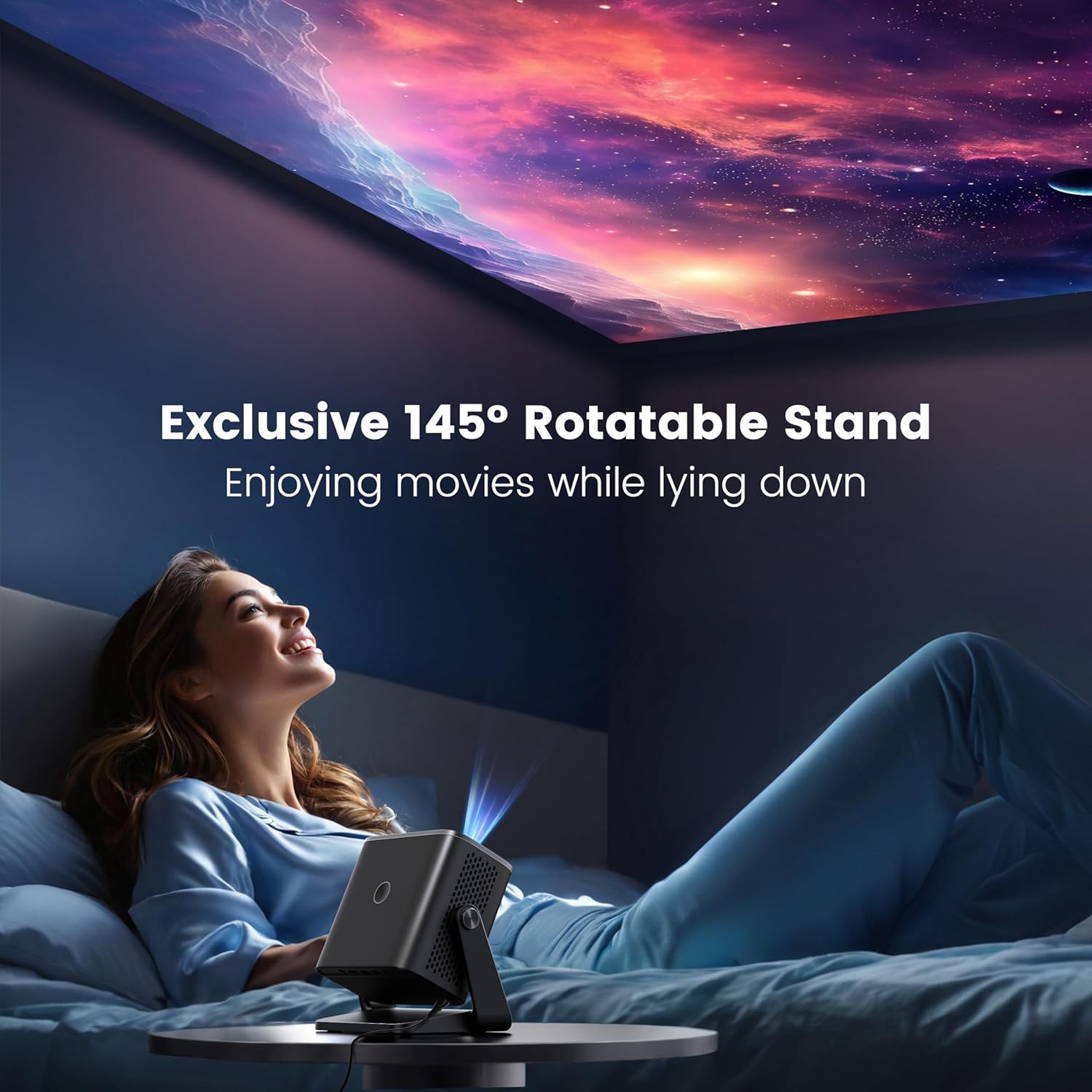
Figure 2.3.2: The projector positioned with its 145-degree rotatable stand, demonstrating its flexibility for various projection angles, including ceiling projection.
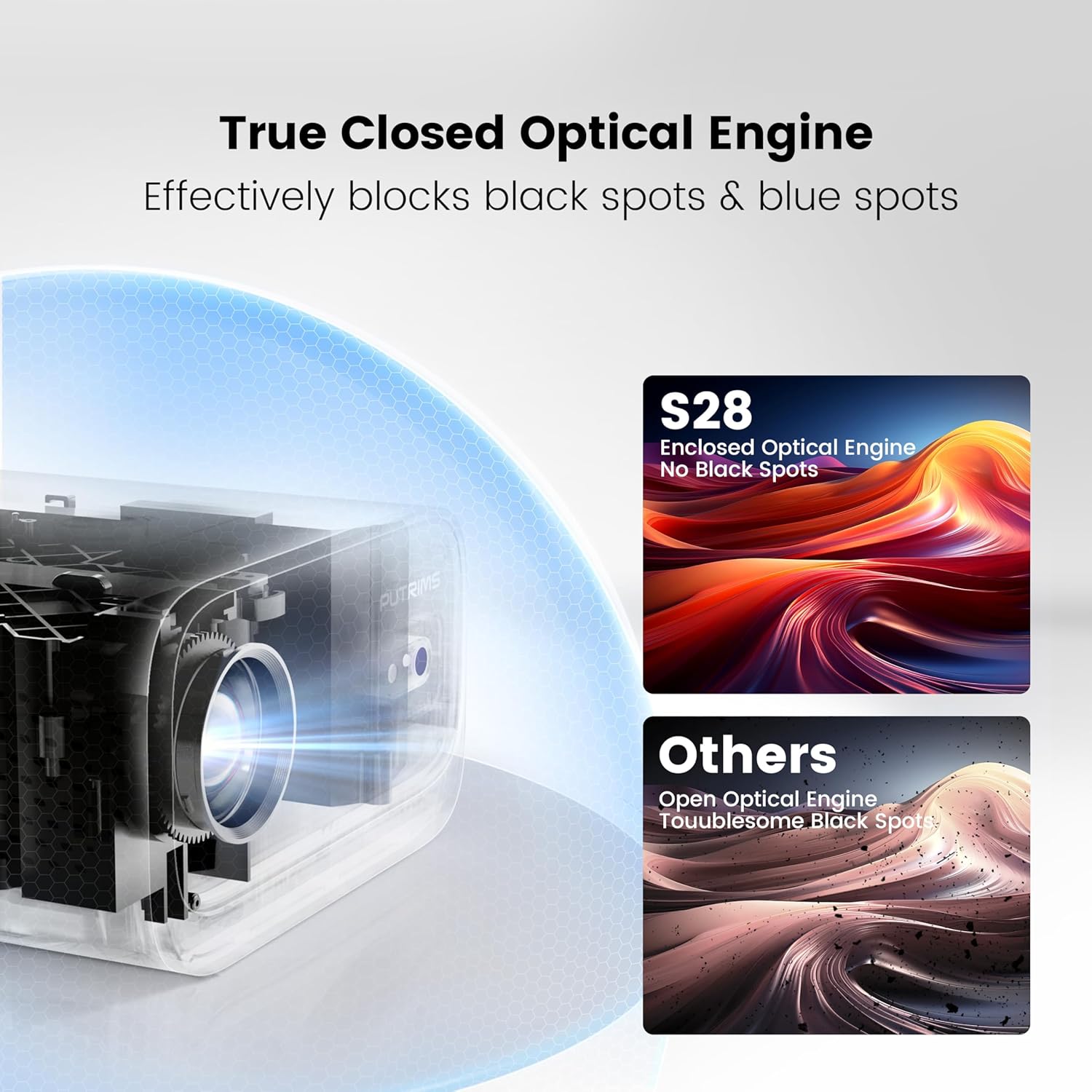
Figure 2.3.3: Diagram illustrating the True Closed Optical Engine, highlighting its design to effectively block black and blue spots, ensuring a clear and consistent image over time.
3. സജ്ജീകരണ ഗൈഡ്
പ്രാരംഭ സജ്ജീകരണത്തിനായി ഈ ഘട്ടങ്ങൾ പാലിക്കുക:
- അൺപാക്ക്: പാക്കേജിംഗിൽ നിന്ന് എല്ലാ ഘടകങ്ങളും ശ്രദ്ധാപൂർവ്വം നീക്കം ചെയ്യുക.
- പവർ കണക്ഷൻ: Connect the power cord to the projector and then to a power outlet. The projector is not battery-powered and must be plugged in during use.
- പ്ലേസ്മെൻ്റ്: Place the projector on a stable, flat surface. Utilize the 145° adjustable stand to achieve your desired projection angle. The optimal projection distance is typically 2-3 meters.
- ലെൻസ് കവർ: Remove the lens cover before powering on the projector.
- പവർ ഓൺ: ഉപകരണം ഓണാക്കാൻ പ്രൊജക്ടറിലോ റിമോട്ട് കൺട്രോളിലോ പവർ ബട്ടൺ അമർത്തുക.
- ഫോക്കസ് അഡ്ജസ്റ്റ്മെന്റ്: Use the electric focus function via the remote control to achieve a clear image. Press the 'F-' or 'F+' buttons on the remote to adjust.

Figure 3.6.1: Adjusting focus using the remote control for a sharp image.
- കീസ്റ്റോൺ തിരുത്തൽ: The projector features automatic vertical keystone correction (±30°). If further adjustment is needed, manual keystone correction (±50°) is available in the settings menu.

Figure 3.7.1: Visual representation of automatic vertical keystone correction, ensuring a rectangular image even when the projector is tilted.
4. പ്രവർത്തന നിർദ്ദേശങ്ങൾ
4.1 ഉപകരണങ്ങൾ ബന്ധിപ്പിക്കുന്നു
The PUTRIMS S28 offers multiple connectivity options:
- എച്ച്ഡിഎംഐ: Connect your laptop, PC, TV Stick, PS5, Switch, or other HDMI-enabled devices using the provided HDMI cable. Select the HDMI input source from the projector's menu.
- USB: മീഡിയ പ്ലേ ചെയ്യാൻ ഒരു USB ഡ്രൈവ് ഇടുക fileനേരിട്ട്.
- 3.5mm ഓഡിയോ ഔട്ട്: മെച്ചപ്പെടുത്തിയ ഓഡിയോയ്ക്കായി ബാഹ്യ സ്പീക്കറുകളോ ഹെഡ്ഫോണുകളോ ബന്ധിപ്പിക്കുക.
4.2 Wireless Connectivity (WiFi)
ഒരു വയർലെസ് നെറ്റ്വർക്കിലേക്ക് കണക്റ്റുചെയ്യാൻ:
- Navigate to the "Settings" menu on the projector.
- Select "Network" or "WiFi Settings".
- Enable WiFi and select your desired 5G or 2.4G network from the list.
- ഓൺ-സ്ക്രീൻ കീബോർഡ് ഉപയോഗിച്ച് നെറ്റ്വർക്ക് പാസ്വേഡ് നൽകി സ്ഥിരീകരിക്കുക.
- Once connected, you can use screen mirroring features like Miracast (for Android) or Airplay (for iOS) to project content from your smartphone or tablet.
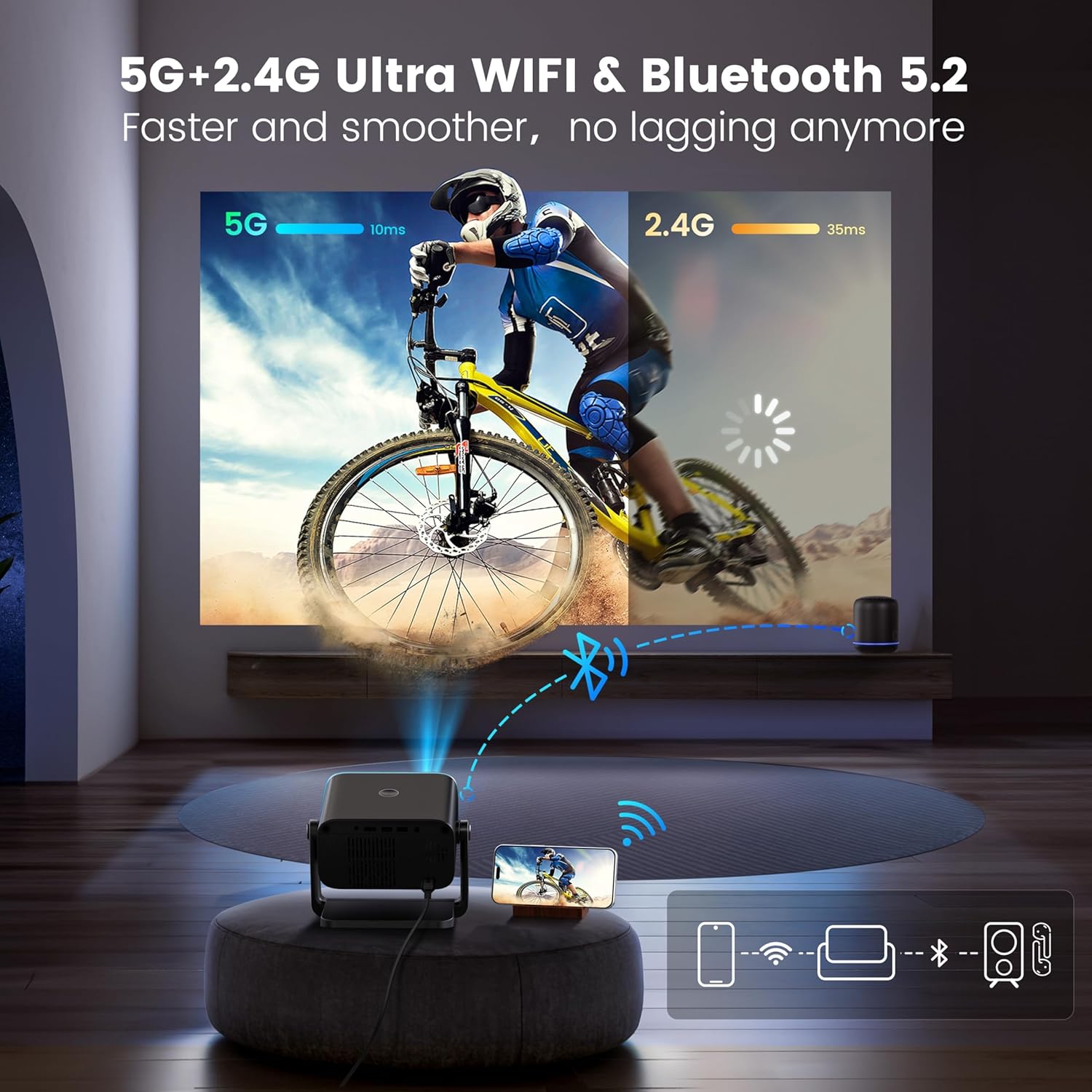
Figure 4.2.1: Demonstrating the dual-band 5G and 2.4G WiFi connectivity for fast and smooth streaming.
Note: Due to HDCP copyright restrictions, streaming services like Netflix and Disney+ require a TV stick (sold separately) for playback. Wired screen mirroring is also supported for seamless YouTube streaming.
4.3 ബ്ലൂടൂത്ത് ജോടിയാക്കൽ
To connect Bluetooth audio devices:
- Go to the "Settings" menu and select "Bluetooth".
- പ്രൊജക്ടറിൽ ബ്ലൂടൂത്ത് പ്രവർത്തനക്ഷമമാക്കുക.
- Put your Bluetooth headphones, speakers, or AirPods into pairing mode.
- Select your device from the list of available devices on the projector screen to pair.
4.4 Adjusting Projection Settings
- സൂം പ്രവർത്തനം: To adjust the image size without moving the projector, use the zoom function. This allows you to scale the image from 100% down to 50%. Access this setting in the projector's display or picture settings menu.
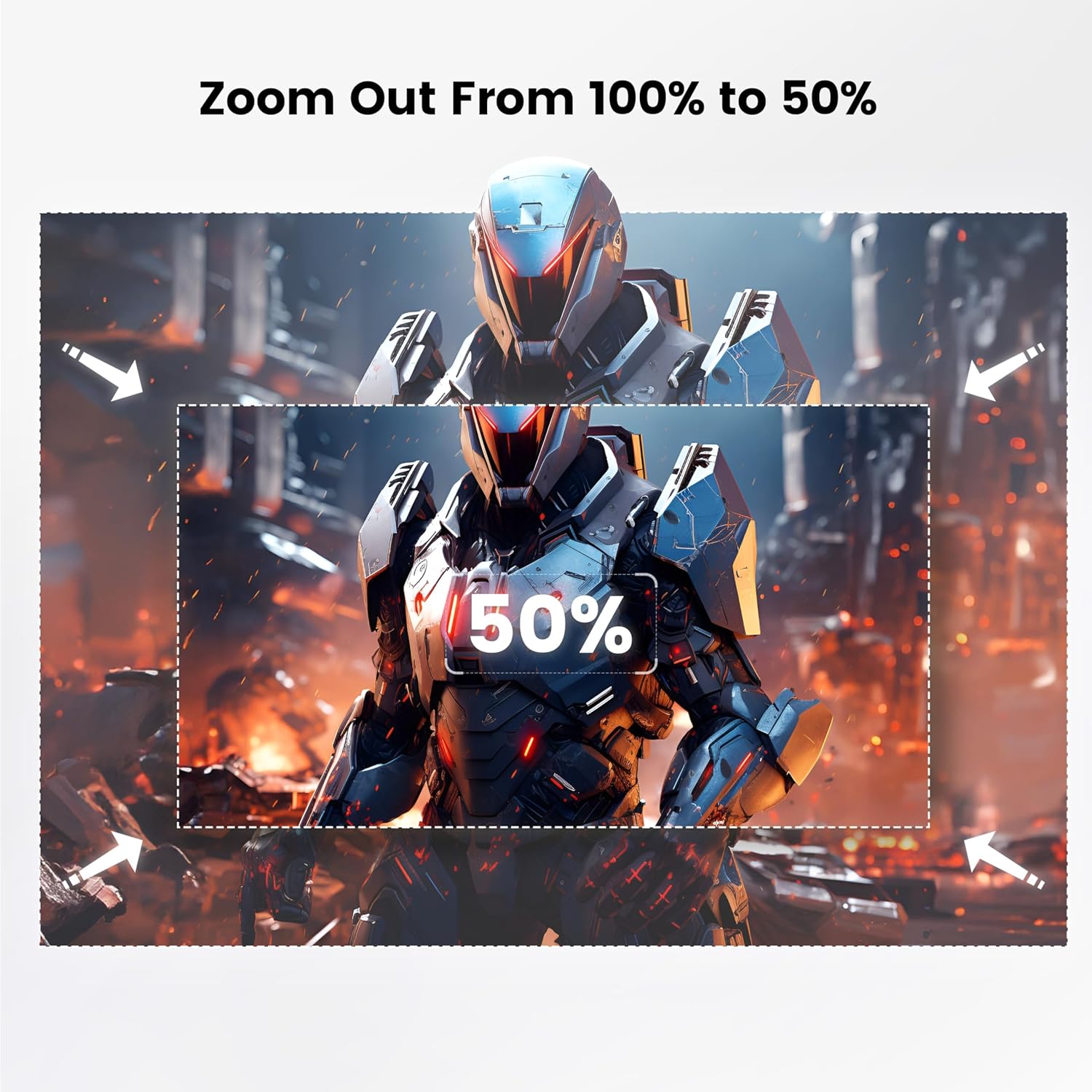
Figure 4.4.1: Visual guide for adjusting the projection size using the 100% to 50% zoom feature.
- ചിത്ര മോഡ്: Adjust brightness, contrast, color, and sharpness settings to optimize picture quality for different content or environments.
- സ്ലീപ്പ് ടൈമർ: Set a sleep timer (60/120/180 minutes) for automatic shutdown.
5. പരിപാലനം
Proper maintenance ensures the longevity and performance of your projector:
- ലെൻസ് ക്ലീനിംഗ്: പ്രൊജക്ടർ ലെൻസ് മൃദുവായി തുടയ്ക്കാൻ ഒപ്റ്റിക്കൽ ലെൻസുകൾക്കായി പ്രത്യേകം രൂപകൽപ്പന ചെയ്ത മൃദുവായ, ലിന്റ് രഹിത തുണി ഉപയോഗിക്കുക. അബ്രസീവ് ക്ലീനറുകളോ അമിത ബലമോ ഉപയോഗിക്കരുത്.
- പൊടി നീക്കം: Regularly clean the projector's vents to prevent dust buildup, which can affect performance and lead to overheating. Use a soft brush or compressed air. The fully enclosed optical system helps minimize internal dust.
- സംഭരണം: When not in use, store the projector in a cool, dry place, away from direct sunlight and extreme temperatures. Use the provided lens cover to protect the lens.
- കൈകാര്യം ചെയ്യൽ: Always handle the projector with care. Avoid dropping or subjecting it to strong impacts.
6. പ്രശ്നപരിഹാരം
നിങ്ങൾക്ക് പ്രശ്നങ്ങൾ നേരിടുകയാണെങ്കിൽ, പൊതുവായ പ്രശ്നങ്ങളും പരിഹാരങ്ങളും കണ്ടെത്താൻ താഴെയുള്ള പട്ടിക പരിശോധിക്കുക:
| പ്രശ്നം | സാധ്യമായ കാരണം | പരിഹാരം |
|---|---|---|
| No image / Power off | Power cord not connected; Projector not powered on. | Ensure power cord is securely connected. Press the power button. Confirm the projector is plugged into a working outlet. |
| മങ്ങിയ ചിത്രം | Incorrect focus; Projector too close/far from screen. | Adjust focus using the remote control. Ensure the projector is within the optimal projection distance (2-3 meters). |
| Image not rectangular | Incorrect keystone setting. | Allow auto keystone correction to adjust. If needed, manually adjust keystone in the settings menu. |
| ശബ്ദമില്ല | Volume too low; External audio device not connected/paired correctly. | Increase projector volume. Check audio cable connections or Bluetooth pairing status. |
| WiFi/Bluetooth connectivity issues | Incorrect password; Device out of range; Interference. | Re-enter password. Ensure devices are within range. Restart projector and router/Bluetooth device. |
| Streaming apps (Netflix, Disney+) not working | HDCP പകർപ്പവകാശ നിയന്ത്രണങ്ങൾ. | A TV stick (sold separately) is required for these services due to copyright protection. |
കൂടുതൽ സഹായത്തിന്, ഞങ്ങളുടെ ഉപഭോക്തൃ പിന്തുണയുമായി ബന്ധപ്പെടുക.
7 സ്പെസിഫിക്കേഷനുകൾ
| ഫീച്ചർ | വിശദാംശങ്ങൾ |
|---|---|
| ബ്രാൻഡ് | PUTRIMS |
| മോഡൽ | എസ് 28 |
| നേറ്റീവ് ഡിസ്പ്ലേ റെസല്യൂഷൻ | 1280 x 720 (1080P ഇൻപുട്ട് പിന്തുണയ്ക്കുന്നു) |
| തെളിച്ചം | 300 ആൻസി ലുമെൻസ് |
| കോൺട്രാസ്റ്റ് റേഷ്യോ | 18,000:1 |
| ത്രോ അനുപാതം | 1.36:1 |
| കീസ്റ്റോൺ തിരുത്തൽ | Auto Vertical (±30°), Manual (±50°) |
| ഫോക്കസ് ചെയ്യുക | ഇലക്ട്രിക് ഫോക്കസ് |
| Adjustable Stand Angle | 145° |
| സൂം പ്രവർത്തനം | 100% - 50% |
| കണക്റ്റിവിറ്റി | 5G+2.4G WiFi, Bluetooth 5.2, HDMI, USB, 3.5mm Audio Out |
| ഇനത്തിൻ്റെ ഭാരം | 1.76 പൗണ്ട് (ഏകദേശം 0.8 കിലോഗ്രാം) |
| അളവുകൾ (L x W x H) | 7.87 x 7.08 x 7.87 ഇഞ്ച് (ഏകദേശം 20 x 18 x 20 സെ.മീ) |
| പവർ ഉറവിടം | AC Power (No built-in battery) |
8. വാറൻ്റിയും പിന്തുണയും
PUTRIMS is committed to providing excellent customer service.
- വാറൻ്റി: The PUTRIMS S28 Mini Projector comes with a 2-year money-back guarantee and 3-year repair coverage.
- സാങ്കേതിക സഹായം: Lifetime technical assistance is available for all customers.
- ഉപഭോക്തൃ പിന്തുണ: For any questions, troubleshooting, or technical support, please contact us 24/7 via email at: support@putrims.com.
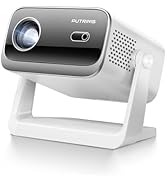
Figure 8.1: Contact information for customer support, including email and service guarantees.