
1. ആമുഖം
The Akko Mineral 02 is a high-performance mechanical keyboard designed for versatility and customization. Featuring a durable aluminum construction, tri-mode connectivity (Bluetooth, 2.4GHz wireless, and wired USB-C), hot-swappable switches, and customizable RGB lighting via QMK/VIA, this keyboard offers a premium typing and gaming experience. This manual provides essential information for setup, operation, and maintenance.
2. പാക്കേജ് ഉള്ളടക്കം
പാക്കേജിൽ എല്ലാ ഇനങ്ങളും ഉണ്ടെന്ന് ഉറപ്പാക്കുക:
- Akko Mineral 02 Mechanical Keyboard
- യുഎസ്ബി-സി കേബിൾ
- 2.4GHz വയർലെസ് റിസീവർ
- കീക്യാപ് പുള്ളർ
- സ്വിച്ച് പുള്ളർ
- Assembly/Disassembly Tools
- ഉപയോക്തൃ മാനുവൽ (ഈ പ്രമാണം)
3. സജ്ജീകരണം
3.1 പ്രാരംഭ ചാർജിംഗ്
Before first use, connect the keyboard to a USB power source using the provided USB-C cable. The keyboard features an 8000mAh battery. The charging indicator will show the charging status.

Image: The keyboard's 8000mAh battery capacity, indicating long-lasting wireless use.
3.2 കണക്റ്റിവിറ്റി മോഡുകൾ
The Akko Mineral 02 supports three connection modes: Wired (USB-C), 2.4GHz Wireless, and Bluetooth.

Image: Visual representation of the keyboard's Type-C wired, 2.4GHz wireless, and Bluetooth connectivity options.
3.2.1 വയേർഡ് മോഡ്
- USB-C കേബിൾ കീബോർഡിലേക്കും കമ്പ്യൂട്ടറിലേക്കും ബന്ധിപ്പിക്കുക.
- Ensure the mode switch on the keyboard is set to 'Wired' or 'USB'.
- നിങ്ങളുടെ ഓപ്പറേറ്റിംഗ് സിസ്റ്റം കീബോർഡ് യാന്ത്രികമായി തിരിച്ചറിയും.
3.2.2 2.4GHz വയർലെസ് മോഡ്
- നിങ്ങളുടെ കമ്പ്യൂട്ടറിൽ ലഭ്യമായ ഒരു USB പോർട്ടിലേക്ക് 2.4GHz വയർലെസ് റിസീവർ പ്ലഗ് ചെയ്യുക.
- കീബോർഡിലെ മോഡ് സ്വിച്ച് '2.4G' ആയി സജ്ജമാക്കുക.
- The keyboard should connect automatically. If not, press and hold Fn + 4 for 3 seconds to initiate pairing.
3.2.3 ബ്ലൂടൂത്ത് മോഡ്
കീബോർഡ് മൂന്ന് ബ്ലൂടൂത്ത് ഉപകരണങ്ങൾ വരെ പിന്തുണയ്ക്കുന്നു.
- കീബോർഡിലെ മോഡ് സ്വിച്ച് 'BT' ആയി സജ്ജമാക്കുക.
- To pair a new device, press and hold Fn + 1 (or Fn + 2, Fn + 3 for other slots) for 3 seconds until the indicator light flashes rapidly.
- On your device (PC, tablet, smartphone), search for Bluetooth devices and select 'Akko Mineral 02'.
- ജോടിയാക്കിക്കഴിഞ്ഞാൽ, ഇൻഡിക്കേറ്റർ ലൈറ്റ് മിന്നുന്നത് നിർത്തും.
- To switch between paired Bluetooth devices, press Fn + 1, Fn + 2, or Fn + 3 briefly.
4. പ്രവർത്തന നിർദ്ദേശങ്ങൾ
4.1 അടിസ്ഥാന കീ പ്രവർത്തനങ്ങൾ
The keyboard features a standard layout with additional function keys accessible via the Fn key. Refer to the keyboard's keycaps for specific legends.
4.2 RGB ലൈറ്റിംഗ് നിയന്ത്രണം
The Akko Mineral 02 features customizable RGB lighting. Use the following key combinations to control the lighting effects:
- എഫ്എൻ + \|: Change RGB lighting effect.
- Fn + <: തെളിച്ചം കുറയ്ക്കുക.
- എഫ്എൻ + >: തെളിച്ചം വർദ്ധിപ്പിക്കുക.
- Fn + മുകളിലേക്കുള്ള അമ്പടയാളം: ആനിമേഷൻ വേഗത വർദ്ധിപ്പിക്കുക.
- Fn + താഴേക്കുള്ള അമ്പടയാളം: ആനിമേഷൻ വേഗത കുറയ്ക്കുക.
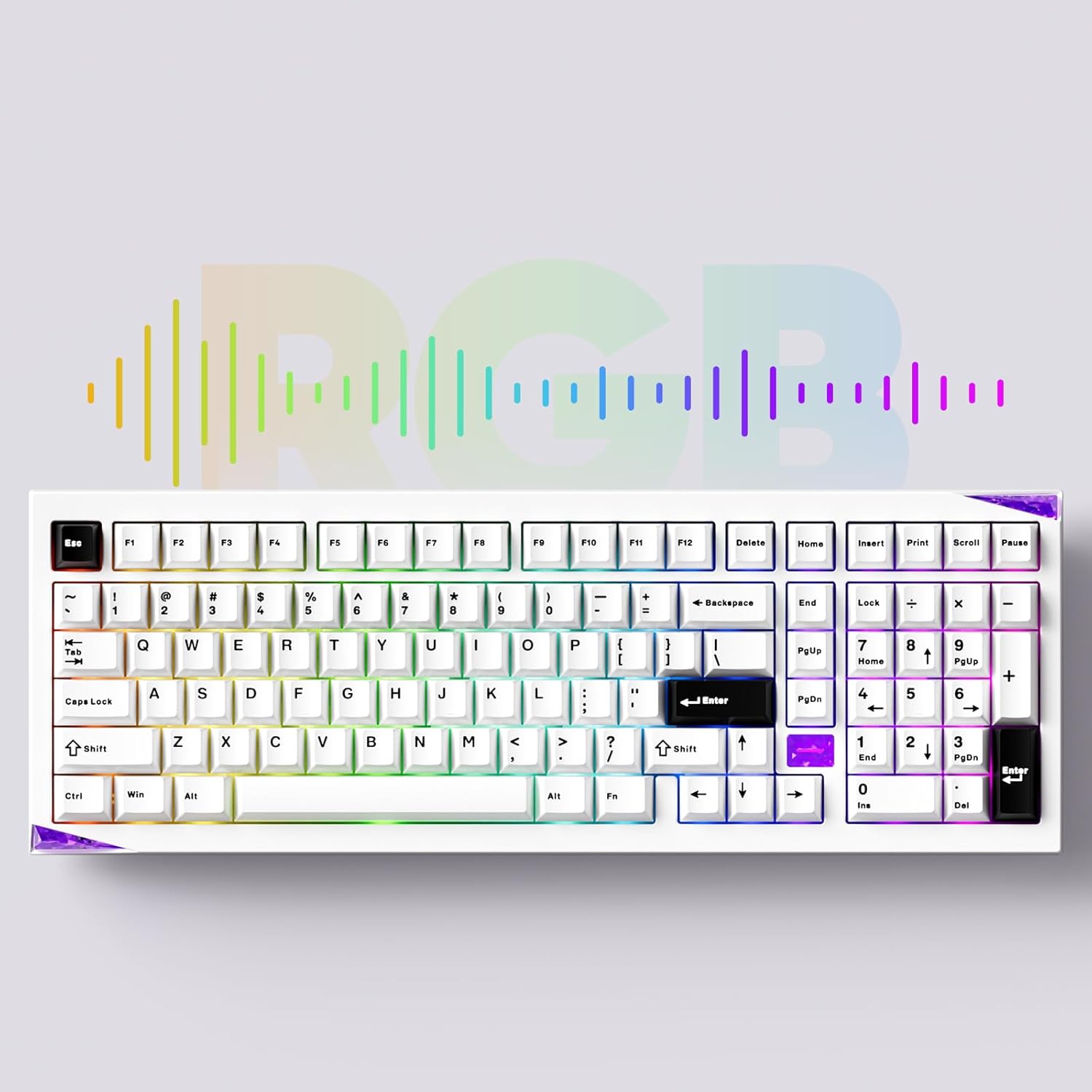
ചിത്രം: കീബോർഡ് ഷോasing its customizable RGB lighting capabilities.
4.3 QMK/VIA ഇഷ്ടാനുസൃതമാക്കൽ
The keyboard supports QMK/VIA for advanced key remapping, macro creation, and lighting customization. Download the VIA software from the official Akko webസൈറ്റ് അല്ലെങ്കിൽ caniusevia.com. Connect the keyboard in wired mode to use VIA.
5. പരിപാലനം
5.1 വൃത്തിയാക്കൽ
To clean the keyboard, disconnect it from all power sources. Use a soft, dry cloth to wipe the surface. For deeper cleaning, remove keycaps using the provided keycap puller and clean with compressed air or a soft brush. Avoid using harsh chemicals or abrasive materials.
5.2 ഹോട്ട്-സ്വാപ്പബിൾ സ്വിച്ചുകൾ
The Akko Mineral 02 features hot-swappable switch sockets, allowing you to change switches without soldering. Use the provided switch puller to carefully remove switches. Align new switches with the pins and press gently until they click into place.

ചിത്രം: ഒരു ക്ലോസ്-അപ്പ് view of the keyboard's hot-swappable sockets, allowing for easy switch replacement.
5.3 Quick Release Design
The keyboard features a quick-release design for tool-free assembly and disassembly of the aluminum top and bottom case. This facilitates customization and maintenance. Refer to the included assembly/disassembly tools for guidance.
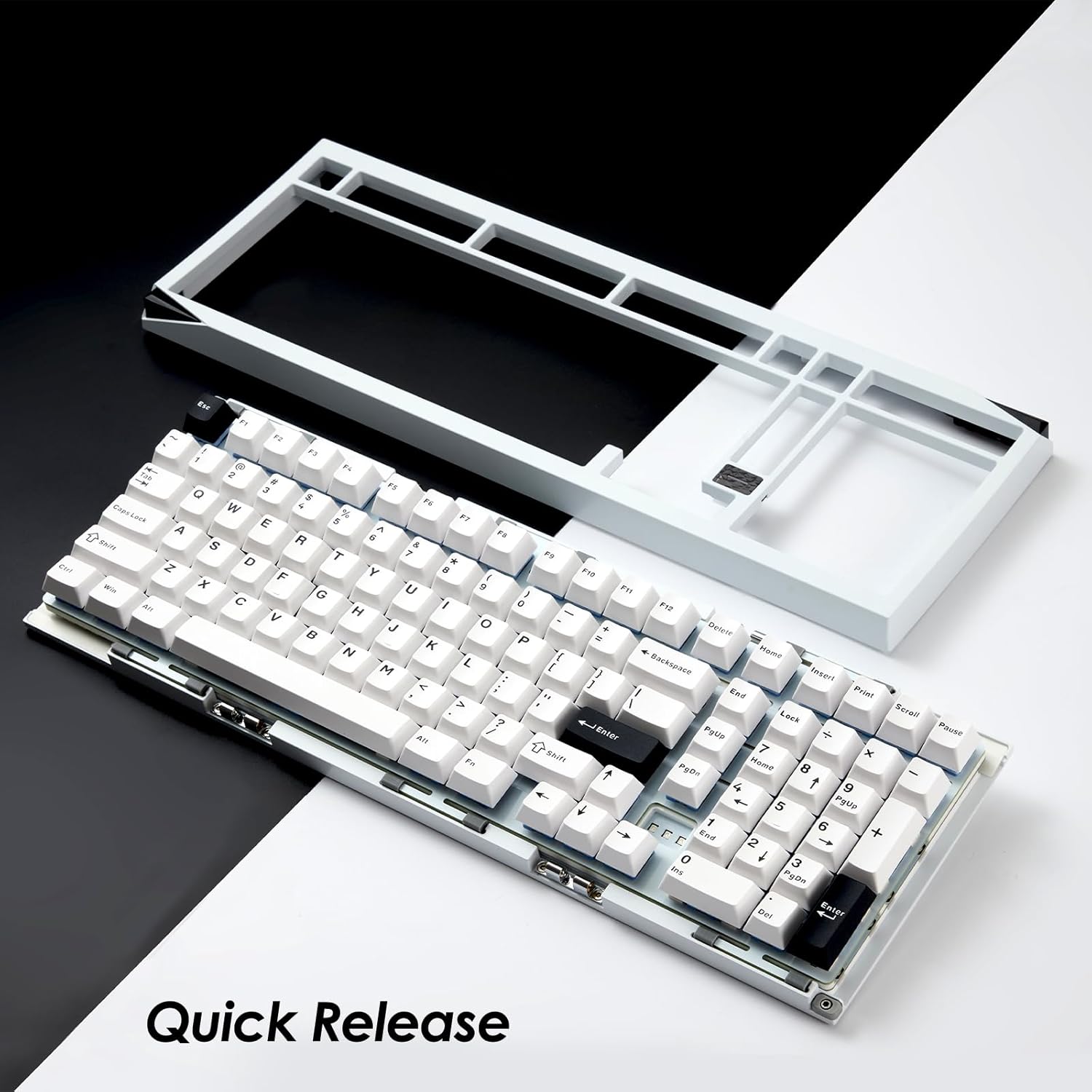
Image: The keyboard with its top case separated, demonstrating the quick-release mechanism for easy customization and maintenance.
6. പ്രശ്നപരിഹാരം
6.1 കീബോർഡ് പ്രതികരിക്കുന്നില്ല
- കീബോർഡ് ചാർജ് ചെയ്തിട്ടുണ്ടെന്ന് ഉറപ്പാക്കുക.
- Check the connection mode switch (Wired, 2.4G, BT) matches your intended connection.
- വയേർഡ് മോഡിനായി, വ്യത്യസ്തമായ ഒരു USB പോർട്ട് അല്ലെങ്കിൽ കേബിൾ പരീക്ഷിക്കുക.
- For 2.4GHz, ensure the receiver is properly plugged in and try re-pairing (Fn + 4 for 3 seconds).
- For Bluetooth, ensure it's paired correctly and try re-pairing (Fn + 1/2/3 for 3 seconds).
- നിങ്ങളുടെ കമ്പ്യൂട്ടറോ ഉപകരണമോ പുനരാരംഭിക്കുക.
6.2 RGB ലൈറ്റിംഗ് പ്രവർത്തിക്കുന്നില്ല
- കീബോർഡ് ഓണാണെന്ന് ഉറപ്പാക്കുക.
- Check brightness settings using Fn + < and Fn + >.
- VIA ഉപയോഗിക്കുകയാണെങ്കിൽ, ലൈറ്റിംഗ് പ്രോ ഇല്ലെന്ന് ഉറപ്പാക്കുക.files are conflicting.
6.3 കീകൾ രജിസ്റ്റർ ചെയ്യുന്നില്ല
- കീക്യാപ്പ് നീക്കം ചെയ്ത് ബാധിച്ച കീയിലേക്ക് മാറുക.
- Inspect the switch pins for bending or damage. Straighten carefully if bent.
- സ്വിച്ച് വീണ്ടും ഉറപ്പിച്ച് വയ്ക്കുക. പ്രശ്നം നിലനിൽക്കുകയാണെങ്കിൽ, പ്രവർത്തിക്കുന്ന മറ്റേതെങ്കിലും സ്വിച്ച് ഉപയോഗിച്ച് അത് മാറ്റിസ്ഥാപിക്കാൻ ശ്രമിക്കുക.
7 സ്പെസിഫിക്കേഷനുകൾ
| ബ്രാൻഡ് | അക്കോ |
| മോഡൽ | ധാതു 02 |
| കണക്റ്റിവിറ്റി | ബ്ലൂടൂത്ത്, 2.4GHz വയർലെസ്, USB-C വയേർഡ് |
| മെറ്റീരിയൽ | അലുമിനിയം |
| ബാറ്ററി ശേഷി | 8000mAh |
| പ്രത്യേക സവിശേഷതകൾ | QMK/VIA Support, Hot-swappable Switches, RGB Lighting, Gasket-mounted Design, Quick Release Case |
| അനുയോജ്യമായ ഉപകരണങ്ങൾ | പിസി, ടാബ്ലെറ്റ്, സ്മാർട്ട്ഫോൺ |
8. വാറൻ്റി വിവരങ്ങൾ
Akko products are covered by a limited warranty. Please refer to the official Akko website or your purchase documentation for specific warranty terms and conditions. Keep your proof of purchase for warranty claims.
9. പിന്തുണ
For further assistance, technical support, or inquiries, please visit the official Akko website or contact Akko customer service through the channels provided on their website. Online resources, FAQs, and driver downloads may also be available.