
ആമുഖം
Thank you for choosing the Silvergear Wireless Weather Station Model 4530. This device provides comprehensive weather information, including indoor and outdoor temperature, humidity, UV index, and atmospheric pressure, along with a 5-day weather forecast. It also features a clock, alarm, and moon phase display. This manual will guide you through the setup, operation, and maintenance of your weather station to ensure optimal performance.
ബോക്സിൽ എന്താണുള്ളത്

Image: The Silvergear Weather Station, instruction manual, power adapter, and outdoor sensor as packaged in the box.
- Weather Station Display Unit
- വയർലെസ് Outട്ട്ഡോർ സെൻസർ
- പവർ അഡാപ്റ്റർ
- ഇൻസ്ട്രക്ഷൻ മാനുവൽ
ഉൽപ്പന്നം കഴിഞ്ഞുview
പ്രധാന സവിശേഷതകൾ

ചിത്രം: ഒരു ഓവർview of the weather station's main features, including real-time monitoring and a 5-day forecast.
- Real-time indoor and outdoor temperature and humidity monitoring.
- Clear display with essential weather data.
- Built-in 5-day weather forecast.
- Flexible placement: stand or wall-mount.
- Dual power modes: batteries or included power adapter.
- Integrated clock, alarm, and moon phase display.
അളവുകൾ

Image: Visual representation of the key weather parameters measured by the device.
The Silvergear Weather Station provides the following detailed measurements:
- താപനില: നിലവിലെ ഇൻഡോർ, ഔട്ട്ഡോർ താപനിലകൾ പ്രദർശിപ്പിക്കുന്നു.
- ഈർപ്പം: Measures indoor and outdoor humidity levels.
- യുവി സൂചിക: Provides information on the current UV radiation level.
- അന്തരീക്ഷമർദ്ദം: Tracks changes in air pressure.
പ്രദർശന ഘടകങ്ങൾ

ചിത്രം: വിശദമായ ഒരു ചിത്രം view of the weather station's display, indicating where each piece of information is shown.
The display unit presents all key weather data at a glance, including time, date, moon phase, barometric pressure, indoor and outdoor temperature and humidity, and a multi-day weather forecast.
സജ്ജമാക്കുക
കാലാവസ്ഥാ സ്റ്റേഷനു ശക്തി പകരുക

Image: The weather station can be powered by the included AC adapter or by batteries.
The weather station can be powered in two ways:
- Using the Power Adapter: Connect the included power adapter to the weather station and plug it into a standard wall outlet.
- ബാറ്ററികൾ ഉപയോഗിക്കുന്നത്: Insert 2 AA batteries (not included) into the battery compartment located on the back of the unit. Ensure correct polarity.
Do ട്ട്ഡോർ സെൻസർ പ്ലെയ്സ്മെന്റ്

Image: The outdoor sensor should be placed within 50 meters of the main unit for optimal signal reception.
Place the wireless outdoor sensor in a suitable location outside your home. For best results:
- Ensure the sensor is within a 50-meter range of the main weather station unit.
- Choose a shaded area to avoid direct sunlight, which can affect temperature readings.
- Protect the sensor from direct rain and snow.
- The sensor transmits updates to the main unit approximately every 60 seconds.
പ്രാരംഭ സജ്ജീകരണവും ജോടിയാക്കലും
Once both the main unit and the outdoor sensor are powered on, they should automatically pair. If pairing does not occur, refer to the troubleshooting section or consult the detailed instructions in the included manual for manual pairing procedures.
സ lex കര്യപ്രദമായ പ്ലേസ്മെന്റ്
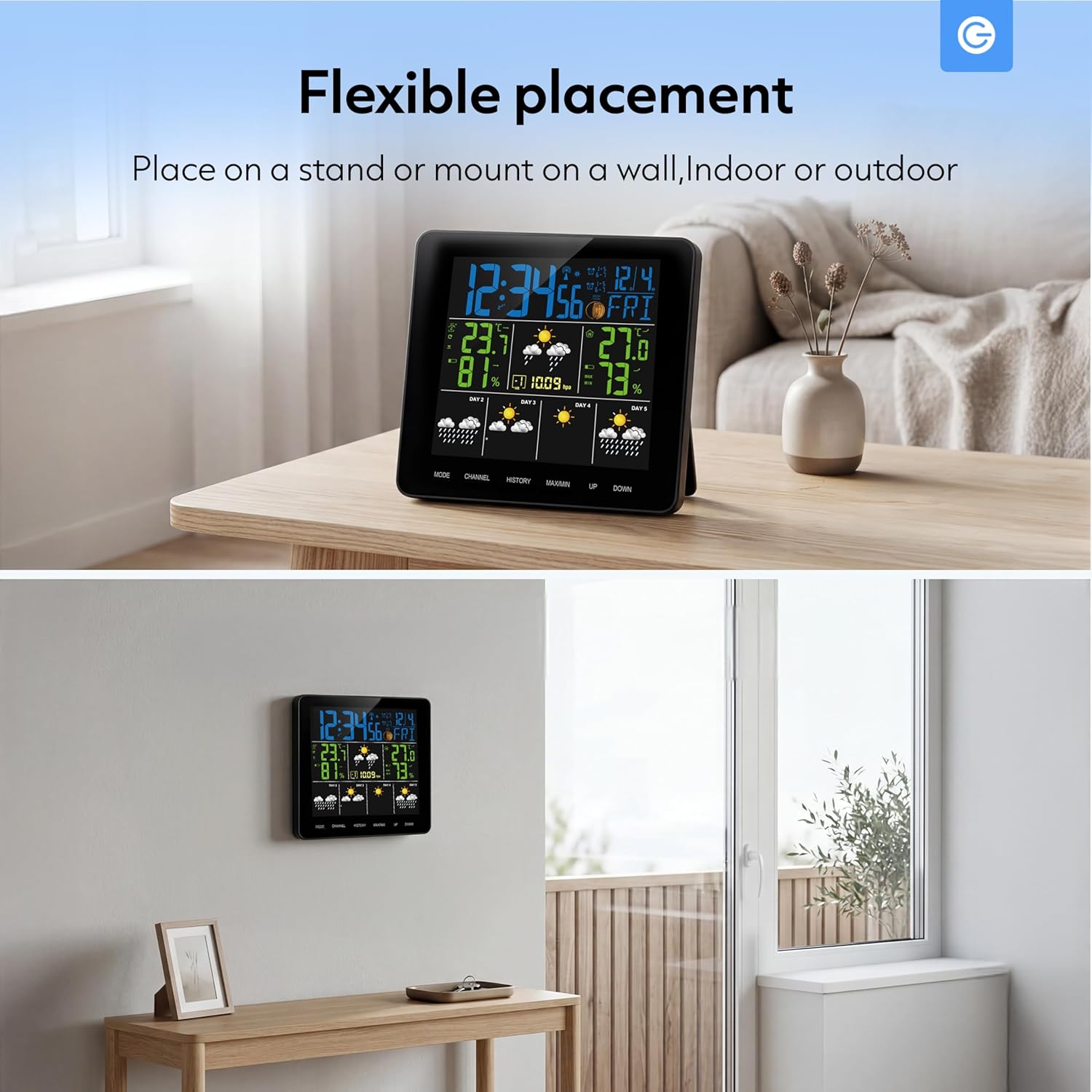
Image: The weather station can be placed on a stand or mounted on a wall, suitable for indoor or outdoor use.
The weather station is designed for flexible placement:
- നിൽക്കുക: Use the integrated stand to place the unit on any flat surface, such as a desk or shelf.
- വാൾ മൗണ്ട്: The unit can also be mounted on a wall using the designated mounting hole on the back.
പ്രവർത്തിക്കുന്നു
ഡിസ്പ്ലേ മനസ്സിലാക്കുന്നു

Image: The display shows real-time temperature data and a 5-day forecast using intuitive icons.
The main display provides a clear overview of current and forecasted weather conditions. Key indicators include:
- Current Time and Date: ഡിസ്പ്ലേയുടെ മുകളിൽ സ്ഥിതിചെയ്യുന്നു.
- Indoor/Outdoor Temperature and Humidity: Clearly labeled sections for current readings.
- കാലാവസ്ഥാ പ്രവചന ഐക്കണുകൾ: Visual representations for sunny, slightly cloudy, cloudy, rainy, and snowy conditions for the next 5 days.
- ചന്ദ്രന്റെ ഘട്ടം: An icon indicating the current lunar phase.
- ബാരോമെട്രിക് മർദ്ദം: Displays the current atmospheric pressure.
ബട്ടൺ പ്രവർത്തനങ്ങൾ
The weather station features several buttons for navigation and settings:
- വഴികൾ: Used to switch between display modes (e.g., time setting, alarm setting) and confirm selections.
- ചാനൽ: Selects between different outdoor sensor channels (if multiple sensors are used).
- ചരിത്രം: Displays historical data for temperature and humidity.
- പരമാവധി/മിനിറ്റ്: Shows maximum and minimum recorded temperature and humidity values.
- അപ് / ഡൗൺ: Adjusts values during setting modes or navigates through options.
Setting Time, Date, and Alarm
To set the time, date, or alarm:
- അമർത്തുക മോഡ് button repeatedly until the desired setting (time, date, or alarm) is flashing.
- ഉപയോഗിക്കുക UP or താഴേക്ക് മൂല്യം ക്രമീകരിക്കാനുള്ള ബട്ടണുകൾ.
- അമർത്തുക മോഡ് ക്രമീകരണം സ്ഥിരീകരിച്ച് അടുത്ത ക്രമീകരിക്കാവുന്ന പാരാമീറ്ററിലേക്ക് നീങ്ങുന്നതിന് വീണ്ടും.
- Continue until all settings are complete, then press മോഡ് ക്രമീകരണ മോഡിൽ നിന്ന് പുറത്തുകടക്കാൻ.
മെയിൻ്റനൻസ്
To ensure the longevity and accuracy of your Silvergear Weather Station, follow these maintenance guidelines:
- വൃത്തിയാക്കൽ: ഡിസ്പ്ലേ യൂണിറ്റും സെൻസറും ഒരു സോഫ്റ്റ്, ഡി ക്ലീനർ ഉപയോഗിച്ച് തുടയ്ക്കുക.amp തുണി. ഉരച്ചിലുകളുള്ള ക്ലീനറുകളോ ലായകങ്ങളോ ഉപയോഗിക്കരുത്.
- ബാറ്ററി മാറ്റിസ്ഥാപിക്കൽ: Replace batteries in both the main unit and the outdoor sensor when the low battery indicator appears on the display. Ensure to use fresh batteries of the correct type (AA for the main unit, typically AAA for the sensor, refer to the specific manual for sensor battery type).
- സെൻസർ സംരക്ഷണം: Periodically check the outdoor sensor for any debris or obstructions that might affect its readings.
ട്രബിൾഷൂട്ടിംഗ്
നിങ്ങളുടെ കാലാവസ്ഥാ സ്റ്റേഷനിൽ പ്രശ്നങ്ങൾ നേരിടുകയാണെങ്കിൽ, ഇനിപ്പറയുന്ന പൊതുവായ പ്രശ്നങ്ങളും പരിഹാരങ്ങളും പരിശോധിക്കുക:
| പ്രശ്നം | സാധ്യമായ കാരണം | പരിഹാരം |
|---|---|---|
| No outdoor temperature/humidity reading | Sensor out of range or low battery; interference. | Move sensor closer to the main unit; replace sensor batteries; avoid placing near electronic devices. |
| കൃത്യമല്ലാത്ത വായനകൾ | Sensor exposed to direct sunlight or moisture; unit not calibrated. | Relocate sensor to a shaded, dry area; consult manual for calibration steps if available. |
| പ്രദർശനം ശൂന്യമാണ് | പവർ ഇല്ല അല്ലെങ്കിൽ ബാറ്ററികൾ കുറവാണ്. | Ensure power adapter is securely connected or replace main unit batteries. |
| Time/Date incorrect | Not set correctly. | Follow the 'Setting Time, Date, and Alarm' instructions. |
സ്പെസിഫിക്കേഷനുകൾ
| ഫീച്ചർ | വിശദാംശങ്ങൾ |
|---|---|
| ബ്രാൻഡ് | സിൽവർഗിയർ |
| മോഡൽ നമ്പർ | 4530 |
| നിറം | കറുപ്പ് |
| കണക്റ്റിവിറ്റി | വയർലെസ് |
| നിർമ്മാതാവിൻ്റെ വാറൻ്റി | 2 വർഷം |
| സ്പെയർ പാർട്സ് ലഭ്യത | വിവരങ്ങൾ ലഭ്യമല്ല |
| വരെ ഗ്യാരണ്ടീഡ് സോഫ്റ്റ്വെയർ അപ്ഡേറ്റുകൾ | വിവരങ്ങൾ ലഭ്യമല്ല |
| ASIN | B0FM3X2T3D |
| ആദ്യ തീയതി ലഭ്യമാണ് | ഓഗസ്റ്റ് 19, 2025 |
വാറൻ്റി വിവരങ്ങൾ
The Silvergear Wireless Weather Station Model 4530 comes with a 2 വർഷത്തെ നിർമ്മാതാവിൻ്റെ വാറൻ്റി. This warranty covers defects in materials and workmanship under normal use. It does not cover damage caused by misuse, accidents, unauthorized modifications, or improper installation. Please retain your proof of purchase for warranty claims.
പിന്തുണ
For further assistance, technical support, or warranty inquiries regarding your Silvergear Wireless Weather Station Model 4530, please refer to the contact information provided in the original product packaging or visit the official Silvergear website. You may also contact the retailer where the product was purchased.