
1. ആമുഖം
Thank you for choosing the ATTACK SHARK R11 Ultra 8K Carbon Fiber Wireless Gaming Mouse. This manual provides detailed instructions for setting up, operating, maintaining, and troubleshooting your new gaming mouse. Please read this manual thoroughly before use to ensure optimal performance and longevity of your device.
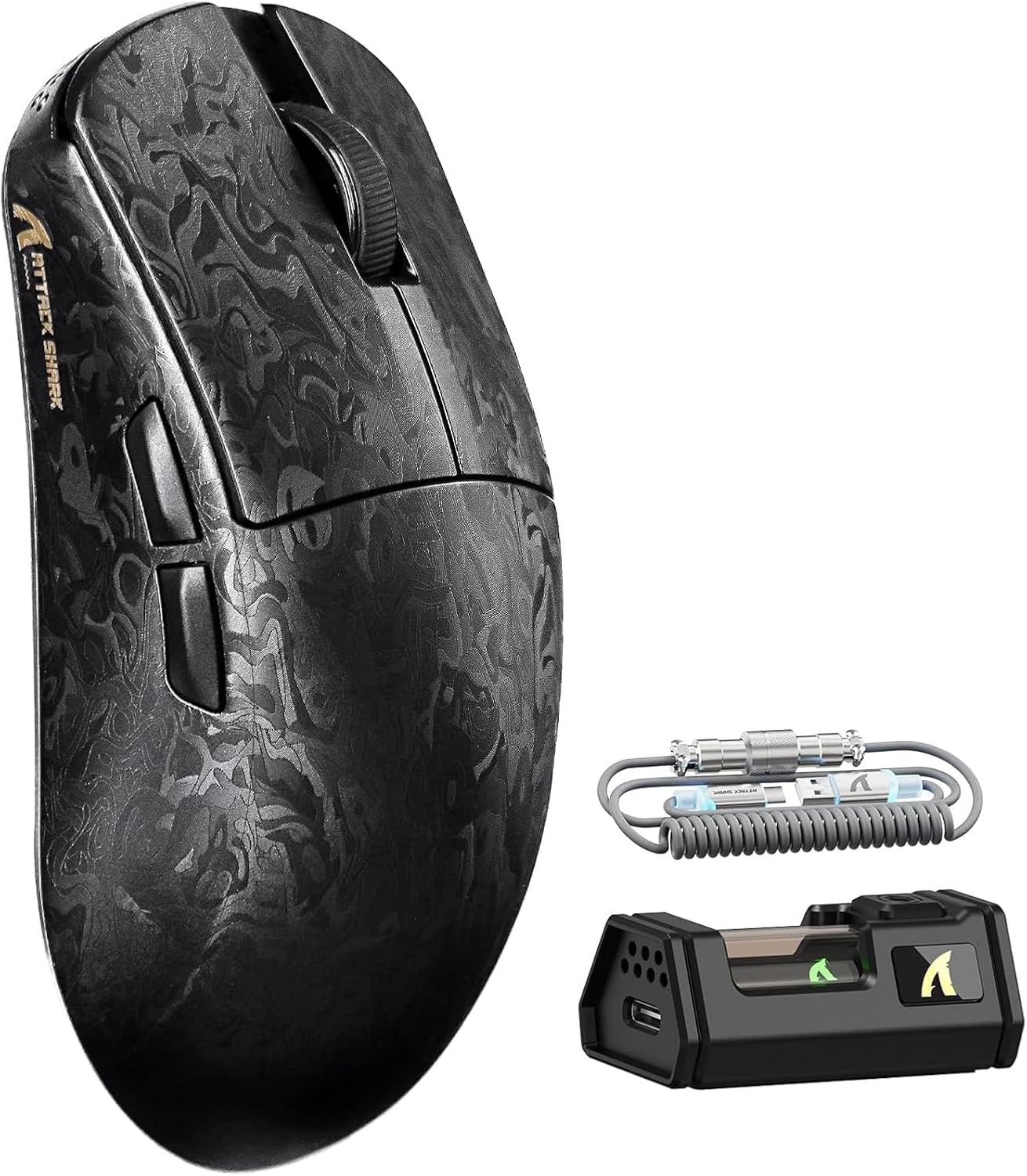
Image 1.1: The ATTACK SHARK R11 Ultra mouse with its 8K receiver and coiled cable.
2. പാക്കേജ് ഉള്ളടക്കം
നിങ്ങളുടെ പാക്കേജിൽ എല്ലാ ഇനങ്ങളും ഉണ്ടെന്ന് ഉറപ്പാക്കുക:
- ATTACK SHARK R11 Ultra Wireless Gaming Mouse
- 8K വയർലെസ് റിസീവർ
- USB-C to USB-A Coiled Cable
- ഉപയോക്തൃ മാനുവൽ (ഈ പ്രമാണം)
- Additional PTFE Mouse Feet (optional)
- Grip Tape (optional)
3. ഉൽപ്പന്നം കഴിഞ്ഞുview
The ATTACK SHARK R11 Ultra is a high-performance gaming mouse designed for precision and speed. It features a lightweight carbon fiber composite shell, a PixArt PAW3950MAX sensor, and a Nordic 52840 MCU for stable, low-latency connectivity across multiple modes.

Image 3.1: Front, top, and side views of the R11 Ultra mouse, highlighting its unique carbon fiber pattern.
പ്രധാന സവിശേഷതകൾ:
- വളരെ ഭാരം കുറഞ്ഞ ഡിസൈൻ: Weighs approximately 49g ± 3g, constructed from injection-molded carbon fiber composite material.
- ഹൈ-പ്രിസിഷൻ സെൻസർ: Equipped with PixArt PAW3950MAX sensor, offering up to 42,000 DPI, 50G acceleration, and 750 IPS tracking speed.
- വിപുലമായ കണക്റ്റിവിറ്റി: Triple-mode connectivity (2.4GHz wireless with 8K polling rate, Bluetooth, and wired mode with 1K polling rate).
- ഈടുനിൽക്കുന്ന സ്വിച്ചുകൾ: Features premium F-switch encoder for scroll wheel (rated 2 million rotations) and Omron optical microswitches for buttons (rated 70 million clicks).
- ദീർഘകാല ബാറ്ററി: Integrated 300mAh battery with low power consumption management.
- ഇഷ്ടാനുസൃതമാക്കൽ: Supports AI-enhanced cloud driver and downloadable software for DPI, polling rate, button mapping, and macro customization.

ചിത്രം 3.2: ഒരു ഓവർview of the R11 Ultra's core technologies and design elements.
4. സജ്ജീകരണ നിർദ്ദേശങ്ങൾ
4.1 മൗസ് ചാർജ് ചെയ്യുന്നു
Before first use, it is recommended to fully charge the mouse. Connect the USB-C end of the coiled cable to the mouse and the USB-A end to a powered USB port on your computer or a USB charger. The transparent 8K receiver has an LED indicator that shows the battery status.

ചിത്രം 4.1: ആന്തരികം view of the R11 Ultra's 300mAh battery, illustrating its power management system.
4.2 കണക്റ്റിവിറ്റി മോഡുകൾ
The R11 Ultra supports three connection modes: 2.4GHz Wireless, Bluetooth, and Wired. A switch on the bottom of the mouse allows you to select the desired mode.

Image 4.2: The bottom of the mouse, indicating the mode selection switch and DPI button.
2.4GHz വയർലെസ് മോഡ്:
- Insert the 8K wireless receiver into an available USB-A port on your computer.
- Slide the mode switch on the bottom of the mouse to the '2.4G' position.
- The mouse should automatically connect. The receiver's LED will indicate connection status.
ബ്ലൂടൂത്ത് മോഡ്:
- മൗസിന്റെ താഴെയുള്ള മോഡ് സ്വിച്ച് 'BT' സ്ഥാനത്തേക്ക് സ്ലൈഡ് ചെയ്യുക.
- നിങ്ങളുടെ കമ്പ്യൂട്ടറിലോ ഉപകരണത്തിലോ, ബ്ലൂടൂത്ത് ക്രമീകരണങ്ങളിലേക്ക് നാവിഗേറ്റ് ചെയ്ത് പുതിയ ഉപകരണങ്ങൾക്കായി തിരയുക.
- Select 'ATTACK SHARK R11 Ultra' from the list of available devices to pair.
വയർഡ് മോഡ്:
- Connect the USB-C end of the coiled cable to the mouse and the USB-A end to your computer.
- മൗസ് യാന്ത്രികമായി വയേർഡ് മോഡിലേക്ക് മാറുകയും ചാർജ് ചെയ്യാൻ തുടങ്ങുകയും ചെയ്യും.
5. പ്രവർത്തന നിർദ്ദേശങ്ങൾ
5.1 ഡിപിഐ അഡ്ജസ്റ്റ്മെന്റ്
The mouse features a dedicated DPI button on its underside (refer to Image 4.2). Press this button to cycle through preset DPI levels. For fine-tuning and a wider range of DPI settings (up to 42,000 DPI), use the official software.
5.2 പോളിംഗ് നിരക്ക്
The 2.4GHz wireless mode supports an 8KHz polling rate for ultra-low latency. Wired mode operates at 1KHz. Polling rate can be adjusted via the software.

Image 5.1: Visual representation of the 8000Hz polling rate capability.
5.3 Button Customization and Macros
The R11 Ultra's buttons are programmable. Utilize the dedicated software to remap buttons, assign macros, and configure other advanced settings to suit your preferences.
6. സോഫ്റ്റ്വെയറും ഡ്രൈവറുകളും
The ATTACK SHARK R11 Ultra mouse utilizes an AI-enhanced cloud driver or downloadable software for comprehensive customization. This intuitive interface allows you to:
- Adjust DPI settings in increments of 50.
- Modify polling rates.
- Customize button assignments.
- Create and manage macros.
- Configure other sensor and performance settings.
The software automatically detects your device and provides access to these settings. Refer to the official ATTACK SHARK website for the latest software downloads and cloud driver access.
Video 6.1: An official product video demonstrating the features and performance of the ATTACK SHARK R11 Ultra 8K Wireless Gaming Mouse, including its high DPI capabilities and responsiveness.
7. പരിപാലനം
7.1 വൃത്തിയാക്കൽ
നിങ്ങളുടെ മൗസിന്റെ പ്രകടനവും രൂപഭംഗിയും നിലനിർത്താൻ:
- മൗസിന്റെ ഉപരിതലം തുടയ്ക്കാൻ മൃദുവായതും ഉണങ്ങിയതുമായ ഒരു തുണി ഉപയോഗിക്കുക.
- കഠിനമായ അഴുക്കിന്, ചെറുതായി dampതുണിയിൽ വെള്ളം അല്ലെങ്കിൽ നേരിയ ക്ലീനിംഗ് ലായനി ഉപയോഗിക്കുക. കഠിനമായ രാസവസ്തുക്കൾ ഒഴിവാക്കുക.
- കൃത്യമായ ട്രാക്കിംഗ് ഉറപ്പാക്കാൻ ഒപ്റ്റിക്കൽ സെൻസർ ഒരു കോട്ടൺ സ്വാബ് ഉപയോഗിച്ച് പതിവായി വൃത്തിയാക്കുക.
7.2 സംഭരണം
When not in use, store the mouse in a cool, dry place away from direct sunlight and extreme temperatures. Avoid placing heavy objects on the mouse.
8. പ്രശ്നപരിഹാരം
If you encounter issues with your ATTACK SHARK R11 Ultra mouse, refer to the following common problems and solutions:
| പ്രശ്നം | സാധ്യമായ കാരണം | പരിഹാരം |
|---|---|---|
| മൗസ് പ്രതികരിക്കുന്നില്ല | Low battery, incorrect mode, connection issue | Charge the mouse. Ensure the mode switch is set correctly (2.4G, BT, or Wired). Re-pair Bluetooth or re-insert 8K receiver. |
| Lag or stuttering | Interference, low battery, outdated firmware | Ensure receiver is close to mouse. Charge mouse. Update mouse firmware via software. Avoid other 2.4GHz devices nearby. |
| DPI മാറുന്നില്ല. | DPI button malfunction, software conflict | Try adjusting DPI via software. Reinstall software if necessary. |
| ബട്ടണുകൾ പ്രവർത്തിക്കുന്നില്ല | Software configuration, physical damage | Check button assignments in software. If issue persists, contact customer support. |
If the problem persists after attempting these solutions, please contact ATTACK SHARK customer support for further assistance.
9 സ്പെസിഫിക്കേഷനുകൾ
| ഫീച്ചർ | സ്പെസിഫിക്കേഷൻ |
|---|---|
| മോഡൽ | R11 അൾട്രാ |
| സെൻസർ | PixArt PAW3950MAX Optical Sensor |
| ഡിപിഐ ശ്രേണി | Up to 42,000 DPI (adjustable in 50 DPI increments) |
| പോളിംഗ് നിരക്ക് | 8000Hz (2.4GHz Wireless), 1000Hz (Wired) |
| ത്വരണം | 50G |
| ട്രാക്കിംഗ് സ്പീഡ് | 750 ഐ.പി.എസ് |
| ഫ്രെയിം റേറ്റ് | 20,000 FPS |
| കണക്റ്റിവിറ്റി | വയേർഡ് (USB-C), 2.4GHz വയർലെസ്, ബ്ലൂടൂത്ത് |
| എം.സി.യു | Nordic 52840 Chipset |
| സ്വിച്ചുകൾ | Omron Optical Microswitches (70 million clicks) |
| എൻകോഡർ | F-switch encoder (2 million rotations) |
| ബാറ്ററി ശേഷി | 300mAh |
| ഭാരം | Approx. 49g ± 3g |
| അളവുകൾ | 6.81 x 4.17 x 2.91 ഇഞ്ച് (പാക്കേജ് അളവുകൾ) |
| പൂശുന്നു | Nano-metallic ice-cool coating |
10. വാറൻ്റിയും പിന്തുണയും
ATTACK SHARK products are designed for quality and performance. For warranty information, technical support, or service inquiries, please refer to the warranty card included with your product or visit the official ATTACK SHARK webസൈറ്റ്. വാറന്റി ക്ലെയിമുകൾക്കായി നിങ്ങളുടെ വാങ്ങലിന്റെ തെളിവ് സൂക്ഷിക്കുക.
വീഡിയോ 10.1: ഒരു ഔദ്യോഗിക ഉൽപ്പന്ന വീഡിയോ ഷോasing the ATTACK SHARK R11 Ultra 8K Carbon Fiber Wireless Gaming Mouse in action, highlighting its design and responsiveness.