
1. ഉൽപ്പന്നം കഴിഞ്ഞുview
The jeeber 816pro is a 1080P WiFi Baby Monitor designed to provide continuous monitoring of your baby. It features a camera with pan-tilt-zoom capabilities, a 4-inch IPS display, HD night vision, and various detection functions including motion and cry detection. The system supports dual control via the dedicated monitor unit and a mobile application, offering flexibility for monitoring both at home and remotely.

Image 1.1: The jeeber 816pro Baby Monitor system, showing the camera unit, the 4-inch IPS display monitor, and a smartphone screen displaying the app interface.
1.1 പ്രധാന സവിശേഷതകൾ
- ഇരട്ട നിയന്ത്രണം: Monitor via the 4-inch IPS display or a smartphone application simultaneously.
- വിശാലമായ കവറേജ്: 340° pan and 70° tilt with 3x zoom for a 360° view നഴ്സറിയുടെ.
- HD നൈറ്റ് വിഷൻ: 5M Auto-IR night vision for clear visibility in low light conditions.
- തത്സമയ അലേർട്ടുകൾ: VOX cry detection and motion detection send instant notifications.
- ദ്വിമുഖ സംസാരം: Built-in microphone and speaker for remote communication with your baby.
- ലാലബികൾ: Pre-set lullabies can be played remotely to soothe your baby.
- താപനില സെൻസർ: Monitors nursery temperature to ensure a comfortable environment.
- നീണ്ട ബാറ്ററി ലൈഫ്: Up to 14 hours of continuous screen use on the monitor unit.
- സുരക്ഷിത പ്രക്ഷേപണം: AES encrypted signal and FHSS technology for privacy and stable connection.
1.2 പാക്കേജ് ഉള്ളടക്കം
- ബേബി ക്യാമറ യൂണിറ്റ്
- Baby Monitor Unit (with 4-inch IPS Screen)
- Charging Cable (for both units)
- ഉപയോക്തൃ മാനുവൽ (ഈ പ്രമാണം)
2 സുരക്ഷാ വിവരങ്ങൾ
Please read and understand all safety instructions before using the jeeber 816pro Baby Monitor. Failure to follow these instructions may result in injury or damage to the product.
- കഴുത്ത് ഞെരിച്ച് കൊല്ലുന്ന അപകടം: Keep all cables and cords out of reach of children (at least 3 feet / 1 meter away). Never place the camera or cords within the crib or playpen.
- ശ്വാസംമുട്ടൽ അപകടം: ഈ ഉൽപ്പന്നത്തിൽ ചെറിയ ഭാഗങ്ങൾ അടങ്ങിയിരിക്കുന്നു. എല്ലാ ഘടകങ്ങളും പാക്കേജിംഗ് വസ്തുക്കളും കുട്ടികളിൽ നിന്ന് അകറ്റി നിർത്തുക.
- അമിത ചൂടാക്കൽ: Do not cover the monitor or camera with clothing, blankets, or any other material. Ensure proper ventilation.
- ജലവും ഈർപ്പവും: Do not expose the product to water or moisture. Do not use near bathtubs, sinks, laundry tubs, swimming pools, or wet basements.
- ഊർജ്ജ സ്രോതസ്സുകൾ: Use only the provided charging cables and power adapters. Using unauthorized chargers may damage the product and void the warranty.
- പ്ലേസ്മെൻ്റ്: Place the camera on a stable, flat surface or securely mount it to a wall. Ensure it is positioned to provide a clear view of the baby without being directly above the crib.
- ഇടപെടൽ: Keep the monitor and camera away from other electronic devices that may cause interference, such as microwaves or Wi-Fi routers.
- താപനില: Operate the device within the recommended temperature range (typically 0°C to 40°C / 32°F to 104°F).
- മുതിർന്നവരുടെ മേൽനോട്ടം: This product is intended to assist in monitoring your baby and should not replace proper adult supervision.
3. സജ്ജീകരണ ഗൈഡ്
3.1 Charging the Monitor Unit
Before first use, fully charge the monitor unit. Connect the provided charging cable to the monitor unit and a power adapter (not always included, but typically a standard USB power adapter). The battery indicator on the screen will show charging status. A full charge provides up to 14 hours of continuous use.
3.2 Positioning the Camera
Place the camera unit on a flat, stable surface in the nursery, ensuring it has a clear, unobstructed view of your baby's crib or play area. Keep the camera and its power cord at least 3 feet (1 meter) away from the crib to prevent strangulation hazards. The camera can also be wall-mounted (mounting hardware not included).

Image 3.1: Proper placement of the camera unit on a surface near the crib, ensuring a clear view.
3.3 Pairing Camera and Monitor
The camera and monitor units are typically pre-paired at the factory. Simply power on both units, and they should automatically connect. If they do not connect, or if you are adding an additional camera (sold separately), follow these steps:
- Turn on the monitor unit.
- Access the monitor's menu and navigate to the "Camera" or "Pairing" option.
- Select "Add Camera" or "Pair".
- Within 10 seconds, press and hold the pairing button on the back of the camera unit until the monitor indicates successful pairing.
3.4 Connecting to Mobile App (Optional)
റിമോട്ടിന് viewing and additional features, you can connect the camera to your home 2.4GHz Wi-Fi network and use the companion mobile application.
- Download the "FeelBaby" app (or specified app name) from your smartphone's app store.
- ഒരു അക്കൗണ്ട് സൃഷ്ടിച്ച് ലോഗിൻ ചെയ്യുക.
- Follow the in-app instructions to add a new device. This typically involves scanning a QR code on the camera or monitor, or manually entering device details.
- സജ്ജീകരണ പ്രക്രിയയിൽ നിങ്ങളുടെ സ്മാർട്ട്ഫോൺ 2.4GHz വൈഫൈ നെറ്റ്വർക്കിലേക്ക് കണക്റ്റ് ചെയ്തിട്ടുണ്ടെന്ന് ഉറപ്പാക്കുക.
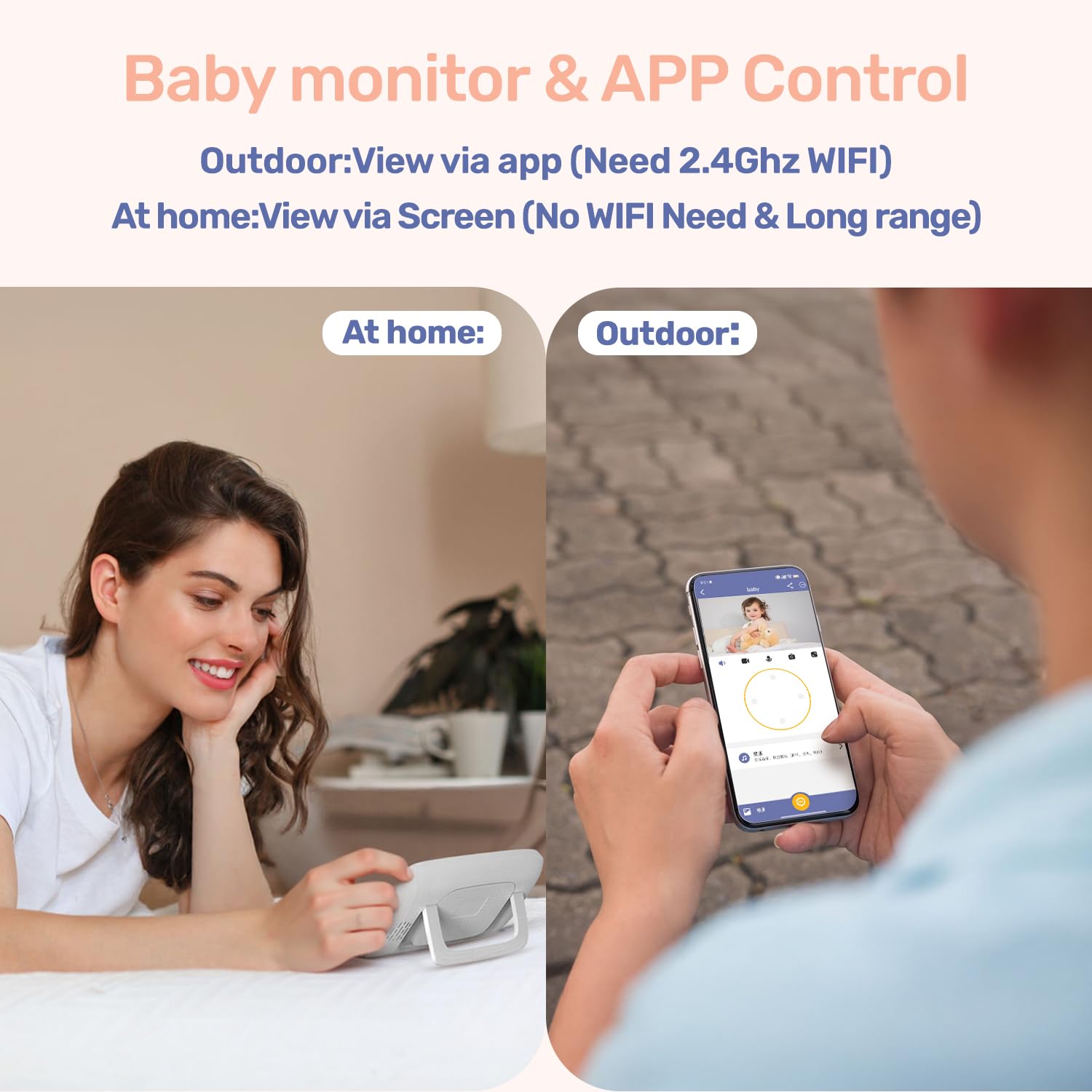
Image 3.2: Illustration of dual control, allowing monitoring via the dedicated screen at home or the mobile app when outdoors (requires 2.4GHz WiFi for app viewing).
4. പ്രവർത്തന നിർദ്ദേശങ്ങൾ
4.1 Monitor Unit Controls
The monitor unit features a 4-inch IPS screen and several buttons for control:
- പവർ ബട്ടൺ: Press and hold to turn on/off. Short press to turn screen on/off.
- മെനു ബട്ടൺ: ക്രമീകരണങ്ങൾക്കായി പ്രധാന മെനു ആക്സസ് ചെയ്യുക.
- നാവിഗേഷൻ ബട്ടണുകൾ (മുകളിലേക്ക്/താഴേക്ക്/ഇടത്/വലത്): Navigate through menus and control camera pan/tilt.
- ശരി ബട്ടൺ: തിരഞ്ഞെടുക്കലുകൾ സ്ഥിരീകരിക്കുക.
- സൂം ബട്ടൺ: Magnify the video feed (up to 3x).
- വോളിയം ബട്ടണുകൾ: ഓഡിയോ വോളിയം ക്രമീകരിക്കുക.
- സംവാദ ബട്ടൺ: Press and hold to activate two-way talk.
- Lullaby Button: Play pre-set lullabies.
4.2 Camera Controls (Pan/Tilt/Zoom)
From the monitor unit, use the navigation buttons to remotely adjust the camera's viewing angle. Press the Up/Down buttons to tilt the camera (70° range) and Left/Right buttons to pan (340° range). Use the Zoom button to digitally zoom in on the image (up to 3x).

Image 4.1: The camera unit demonstrating its 340° pan and 70° tilt capabilities for comprehensive room coverage.
4.3 നൈറ്റ് വിഷൻ
The camera is equipped with 5M Auto-IR night vision. This feature automatically activates in low-light conditions, providing a clear black-and-white image of your baby without disturbing them with visible light. The invisible 940nm infrared light ensures eye-safe operation.

Image 4.2: The camera unit with invisible infrared light, enabling clear night vision for monitoring a sleeping baby.
4.4 ടു-വേ ടോക്ക്
To speak to your baby, press and hold the "Talk" button on the monitor unit. Release the button to listen. This feature allows you to comfort your baby remotely.
4.5 ലാലേട്ടൻ
The monitor unit has a dedicated button to play pre-set lullabies through the camera's speaker. Press the "Lullaby" button to cycle through available melodies or turn them off. Adjust the volume of the lullabies via the monitor's menu.
4.6 താപനില നിരീക്ഷണം
The camera unit includes a temperature sensor that displays the nursery's ambient temperature on the monitor screen. You can set temperature alerts in the monitor's menu to be notified if the room temperature goes above or below a comfortable range.
4.7 VOX (Voice Operated Exchange) Mode
VOX mode conserves battery life by turning off the monitor screen when no sound is detected from the baby's room. The screen will automatically activate when the camera detects sound (e.g., crying). You can adjust the VOX sensitivity level in the monitor's settings.

Image 4.3: The monitor unit displaying its auto-wake feature via VOX sound detection, activating the screen when the baby needs attention.
4.8 Motion and Cry Detection
The monitor can detect both motion and crying sounds. When enabled, these features will trigger alerts on the monitor unit and, if connected, send notifications to your mobile application. Sensitivity levels for both detections can be adjusted in the settings.

Image 4.4: A smartphone screen displaying an instant alert notification for baby motion detection from the FeelBaby app.
4.9 ഫീഡിംഗ് ഓർമ്മപ്പെടുത്തൽ
Set up feeding reminders through the monitor's menu. This feature allows you to program alerts at specific intervals to help maintain a feeding schedule.
5. പരിപാലനം
Proper maintenance ensures the longevity and optimal performance of your jeeber 816pro Baby Monitor.
- വൃത്തിയാക്കൽ: Wipe the camera and monitor units with a soft, dry, lint-free cloth. Do not use cleaning agents, solvents, or abrasive materials.
- സംഭരണം: If storing the device for an extended period, ensure both units are fully charged, then power them off. Store in a cool, dry place away from direct sunlight.
- ബാറ്ററി കെയർ: To maximize battery life, avoid fully discharging the monitor unit frequently. Charge it regularly. Do not expose the battery to extreme temperatures.
- ലെൻസ് കെയർ: Gently clean the camera lens with a lens cleaning cloth if smudges affect image clarity.
6. പ്രശ്നപരിഹാരം
പൊതുവായ പ്രശ്നങ്ങളും അവയുടെ പരിഹാരങ്ങളും അറിയാൻ താഴെയുള്ള പട്ടിക കാണുക.
| പ്രശ്നം | സാധ്യമായ കാരണം | പരിഹാരം |
|---|---|---|
| No image on monitor screen | Camera or monitor is off; out of range; low battery. | Ensure both units are powered on and charged. Move monitor closer to camera. Re-pair units if necessary. |
| ശബ്ദമോ മോശം ശബ്ദ നിലവാരമോ ഇല്ല | Volume too low; interference; microphone blocked. | Increase monitor volume. Move units away from other electronics. Ensure camera microphone is clear. |
| Monitor loses connection frequently | Out of range; interference; weak Wi-Fi signal (for app). | Reduce distance between camera and monitor. Avoid obstacles. Ensure strong 2.4GHz Wi-Fi for app connection. |
| രാത്രി കാഴ്ച വ്യക്തമല്ല | Camera lens dirty; insufficient ambient light for IR activation. | Clean the camera lens gently. Ensure the room is dark enough for automatic IR activation. |
| ആപ്പ് കണക്ഷൻ പ്രശ്നങ്ങൾ | Incorrect Wi-Fi password; 5GHz Wi-Fi network; app not updated. | Verify Wi-Fi password. Ensure connection to a 2.4GHz Wi-Fi network. Update the mobile app to the latest version. |
7 സ്പെസിഫിക്കേഷനുകൾ
| ഫീച്ചർ | വിശദാംശങ്ങൾ |
|---|---|
| മോഡലിൻ്റെ പേര് | VB816 PRO |
| വീഡിയോ ക്യാപ്ചർ റെസല്യൂഷൻ | 1080p (supports 720P feed, up to 1080P display) |
| സ്ക്രീനിന്റെ വലിപ്പം നിരീക്ഷിക്കുക | 4 ഇഞ്ച് ഐ.പി.എസ് |
| പാൻ ആംഗിൾ | 340° |
| ടിൽറ്റ് ആംഗിൾ | 70° |
| സൂം ചെയ്യുക | 3x ഡിജിറ്റൽ സൂം |
| നൈറ്റ് വിഷൻ | 5M Auto-IR (940nm Invisible Light) |
| കണക്റ്റിവിറ്റി ടെക്നോളജി | Wireless (FHSS for monitor, Wi-Fi for app) |
| Wi-Fi ഫ്രീക്വൻസി | 2.4GHz (for app connection) |
| Battery Life (Monitor) | Up to 14 hours (continuous screen use) |
| പ്രത്യേക സവിശേഷതകൾ | 2-Way Audio, Cry Detection, Motion Detection, Temperature Sensor, Lullabies, Feeding Reminder |
| മെറ്റീരിയൽ | അക്രിലോണിട്രൈൽ ബ്യൂട്ടാഡീൻ സ്റ്റൈറൈൻ (എബിഎസ്) |
| ഇനത്തിന്റെ അളവുകൾ (LxWxH) | 14 x 10.9 x 6.9 സെൻ്റീമീറ്റർ |
| ഇനത്തിൻ്റെ ഭാരം | 621 ഗ്രാം |
| മാതൃരാജ്യം | ചൈന |
8. വാറൻ്റിയും പിന്തുണയും
The jeeber 816pro Baby Monitor comes with a manufacturer's warranty. Please refer to the warranty card included in your package or visit the official jeeber website for detailed warranty terms and conditions. Registering your product may extend your warranty period.
For technical support, troubleshooting assistance, or any inquiries regarding your product, please contact jeeber customer service. Contact information can typically be found on the product packaging, the official webസൈറ്റ്, അല്ലെങ്കിൽ മൊബൈൽ ആപ്ലിക്കേഷനിൽ.
When contacting support, please have your product model number (VB816PRO) and purchase details readily available.