
LIGE EF5-A
LIGE EF5-A സ്മാർട്ട് വാച്ച് ഉപയോക്തൃ മാനുവൽ
Model: EF5-A
ആമുഖം
This manual provides detailed instructions for the LIGE EF5-A Smart Watch. Please read it carefully to ensure proper use and optimal performance of your device. This smartwatch is designed to offer a range of features including fitness tracking, communication, and health monitoring.
ബോക്സിൽ എന്താണുള്ളത്
- 1 x LIGE EF5-A Smart Watch
- 1 x Stainless Steel Strap
- 1 x Black Silicone Strap
- 1 x Camouflage Silicone Strap
- 1 x ചാർജിംഗ് കേബിൾ
- 1 x ഇൻസ്ട്രക്ഷൻ മാനുവൽ (ഈ ഡോക്യുമെന്റ്)
സജ്ജമാക്കുക
1 ഉപകരണം ചാർജ് ചെയ്യുന്നു
Before first use, fully charge your LIGE EF5-A Smart Watch. Connect the magnetic charging cable to the charging contacts on the back of the watch and plug the USB end into a power adapter (not included) or a computer USB port. A full charge typically takes approximately 3 hours.

Image: The smartwatch displaying its charging status and battery capacity of 530mAh.
2. ആപ്പ് ഡൗൺലോഡും ഇൻസ്റ്റാളേഷനും
To unlock the full functionality of your smartwatch, download the FitCloudPro നിങ്ങളുടെ സ്മാർട്ട്ഫോണിലെ ആപ്ലിക്കേഷൻ. ആപ്പ് Android 4.4+, iOS 8.0+ ഉപകരണങ്ങളുമായി പൊരുത്തപ്പെടുന്നു.
- Scan the QR code below using your phone's camera or a QR code scanner app.
- Alternatively, search for "FitCloudPro" in the Apple App Store or Google Play Store.
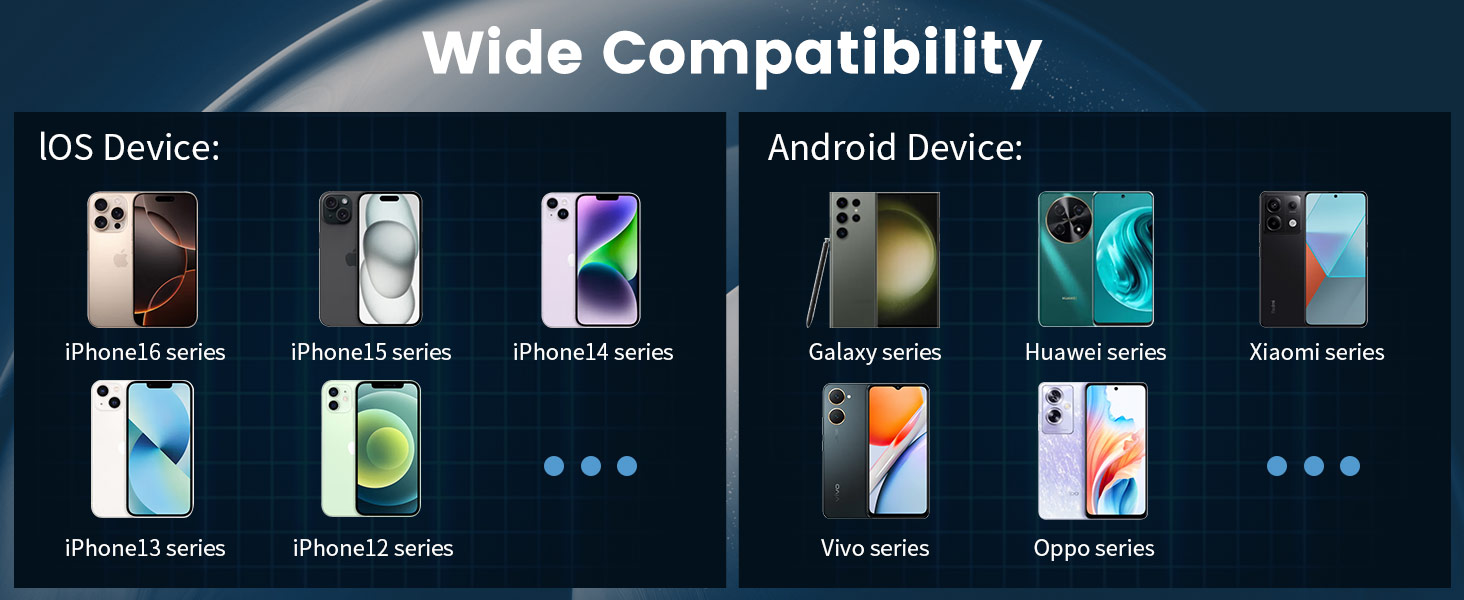
Image: Connection method diagram with QR code for FitCloudPro app. The QR code links to http://fitcloud.hetangsmart.com/qrcode/_cn/.
3. ഉപകരണ ജോടിയാക്കൽ
Follow these steps to pair your smartwatch with the FitCloudPro app:
- നിങ്ങളുടെ സ്മാർട്ട്ഫോണിൽ ബ്ലൂടൂത്ത് പ്രവർത്തനക്ഷമമാക്കിയിട്ടുണ്ടെന്ന് ഉറപ്പാക്കുക.
- FitCloudPro ആപ്പ് തുറക്കുക.
- Navigate to the "Device" section and select "Add Device."
- The app will search for nearby devices. Select "EF5" from the list.
- A pairing request will appear on your phone. Confirm by selecting "Pair."
- After successful connection, you can enable or disable "Call audio" and "Media audio" from the watch settings or phone's Bluetooth settings.
പ്രവർത്തന നിർദ്ദേശങ്ങൾ
അടിസ്ഥാന നാവിഗേഷൻ
The LIGE EF5-A Smart Watch features a 1.43-inch AMOLED HD touchscreen for intuitive interaction. Swipe across the screen to access different functions and menus. Physical buttons on the side provide additional control, such as power on/off and quick access to certain features.

Image: The smartwatch's 1.43-inch AMOLED HD display with 466x466 resolution, offering a clear view and always-on screen option.
Bluetooth Calling and Notifications
Once paired with your smartphone, the watch allows you to make and receive calls directly from your wrist using its built-in microphone and speaker. You will also receive smart notifications for messages, emails, and app alerts (e.g., WhatsApp, Facebook, Instagram) via discreet vibrations.

Image: The smartwatch showing an incoming call interface and various app notification icons.
ഫ്ലാഷ്ലൈറ്റ് ഫംഗ്ഷൻ
The smartwatch includes a built-in LED flashlight. This feature can be activated for convenience in low-light conditions, such as unlocking a door at night or navigating in the dark.

Image: The smartwatch's integrated flashlight illuminating a path in the dark.
ഇഷ്ടാനുസൃതമാക്കാവുന്ന വാച്ച് ഫെയ്സുകൾ
Personalize your smartwatch with over 200 available watch faces through the FitCloudPro app. You can also upload your own photos to create custom dials.

Image: A selection of customizable watch faces and other features like stopwatch, remote photography, music control, and weather forecast.
അധിക സവിശേഷതകൾ
- സംഗീത നിയന്ത്രണം: നിങ്ങളുടെ കണക്റ്റുചെയ്ത സ്മാർട്ട്ഫോണിൽ സംഗീത പ്ലേബാക്ക് നിയന്ത്രിക്കുക.
- കാലാവസ്ഥാ പ്രവചനം: View നിലവിലെ കാലാവസ്ഥയും പ്രവചനങ്ങളും.
- വോയ്സ് അസിസ്റ്റന്റ്: Interact with your phone's voice assistant.
- റിമോട്ട് ഫോട്ടോഗ്രഫി: നിങ്ങളുടെ ഫോണിന്റെ ക്യാമറയ്ക്ക് റിമോട്ട് ഷട്ടറായി വാച്ച് ഉപയോഗിക്കുക.
- ഫോൺ കണ്ടെത്തുക: നിങ്ങളുടെ നഷ്ടപ്പെട്ട സ്മാർട്ട്ഫോൺ എവിടെയാണെന്ന് കണ്ടെത്തുക.
- ഉദാസീനമായ ഓർമ്മപ്പെടുത്തൽ: നിഷ്ക്രിയത്വ കാലയളവിനുശേഷം ചലനം പ്രോത്സാഹിപ്പിക്കുന്നതിന് അലേർട്ടുകൾ സ്വീകരിക്കുക.
- വെള്ളം കുടിക്കാനുള്ള ഓർമ്മപ്പെടുത്തൽ: Get reminders to stay hydrated.
- എപ്പോഴും ഡിസ്പ്ലേയിൽ: Keep the time visible without needing to activate the screen.
ആരോഗ്യ നിരീക്ഷണം
The LIGE EF5-A Smart Watch provides continuous health monitoring features to help you stay informed about your well-being. These features are for informational purposes and should not be used for medical diagnosis.
ഹൃദയമിടിപ്പ് മോണിറ്റർ
The watch continuously tracks your heart rate throughout the day, providing data on your resting and active heart rate zones. View trends and detailed reports in the FitCloudPro app.
സ്ലീപ്പ് മോണിറ്റർ
Monitor your sleep patterns, including deep sleep, light sleep, and awake times. The app provides insights into your sleep quality to help you improve your rest.
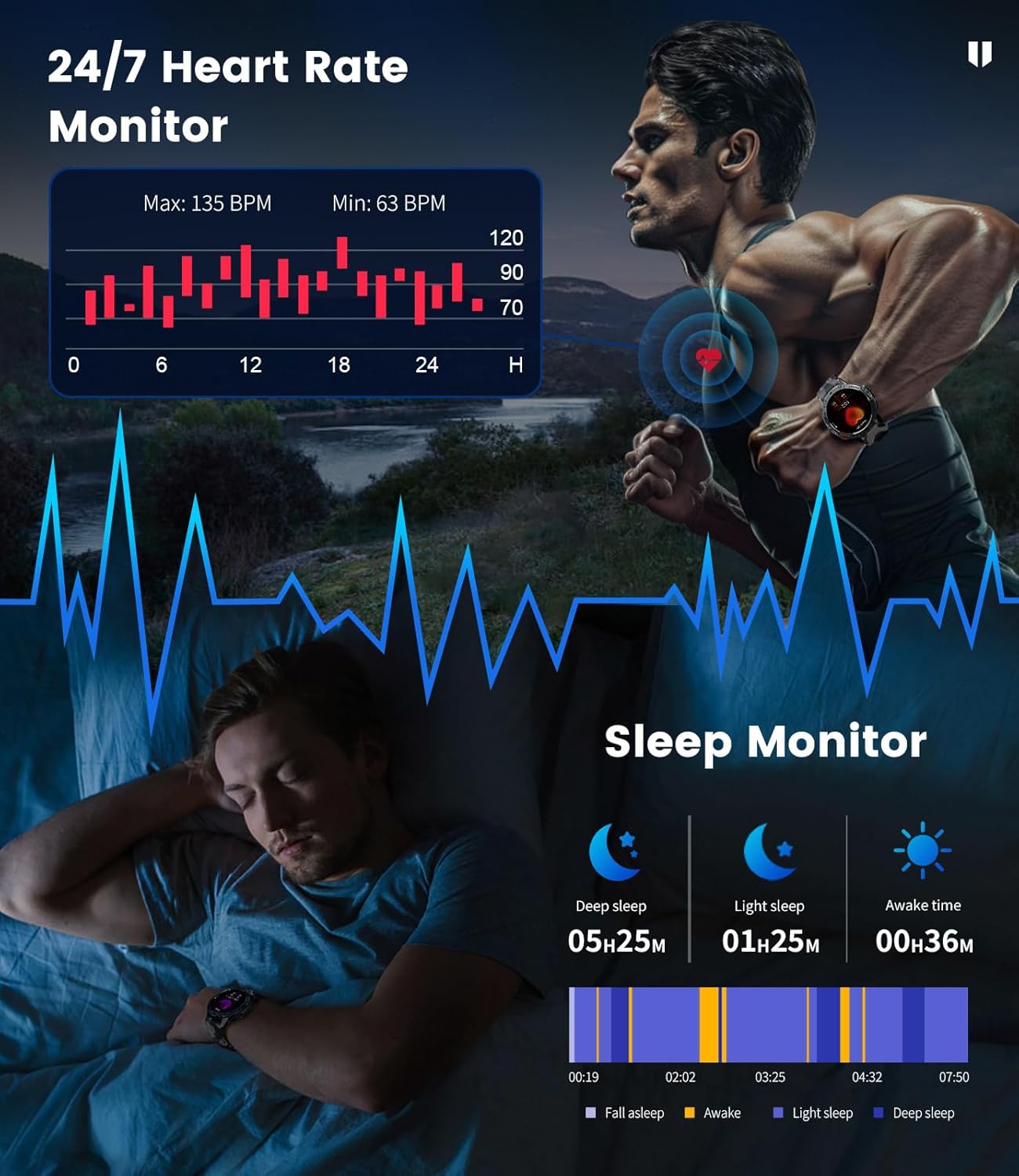
Image: The smartwatch showing heart rate monitoring data and a breakdown of sleep stages.
Blood Oxygen and Stress Levels
The watch can track blood oxygen saturation (SpO2) and estimate daily stress levels, offering a broader view of your physiological state.
കായിക മോഡുകൾ
With over 100 built-in professional sport modes, the LIGE EF5-A Smart Watch is designed to track a wide range of physical activities. It accurately records metrics such as calorie consumption, heart rate, distance, and exercise duration for each activity, helping you optimize your training.

Image: The smartwatch showing activity tracking data for distance, calories, and steps during a sport mode.
ഈടുനിൽപ്പും ജല പ്രതിരോധവും
The LIGE EF5-A Smart Watch is built to military standards (MIL-STD-810G), ensuring robust performance in challenging environments. It features shock resistance and is IP68 waterproof, making it suitable for various outdoor activities and daily wear.

Image: Visual representation of the smartwatch's military-grade durability, including water resistance and shock protection.
The IP68 rating means the watch is resistant to dust and can withstand immersion in water up to 1.5 meters for 30 minutes. It is suitable for swimming, showering, and handwashing, but avoid hot water or saltwater exposure.
ബാറ്ററി ലൈഫ്
Equipped with a 530mAh battery, the LIGE EF5-A Smart Watch offers extended usage. Expect up to 10-14 days of working time on a single charge and approximately 45 days in standby mode, depending on usage patterns.
Image: The smartwatch displaying its charging status and battery capacity of 530mAh.
സ്പെസിഫിക്കേഷനുകൾ
| ഫീച്ചർ | സ്പെസിഫിക്കേഷൻ |
|---|---|
| ബ്രാൻഡ് | ലൈഗ് |
| മോഡൽ നമ്പർ | EF5-A |
| സ്ക്രീൻ വലിപ്പം | 1.43 ഇഞ്ച് |
| ഡിസ്പ്ലേ തരം | AMOLED HD |
| റെസലൂഷൻ | 466x466 |
| ബാറ്ററി ശേഷി | 530 mAh |
| ജോലി സമയം | Up to 10-14 Days |
| സ്റ്റാൻഡ്ബൈ സമയം | 45 ദിവസം വരെ |
| ജല പ്രതിരോധം | IP68 (5ATM) |
| സൈനിക നിലവാരം | MIL-STD-810G |
| കണക്റ്റിവിറ്റി | ബ്ലൂടൂത്ത് |
| ഓപ്പറേറ്റിംഗ് സിസ്റ്റം | FitCloudPro App (Android 4.4+, iOS 8.0+) |
| മെമ്മറി സ്റ്റോറേജ് കപ്പാസിറ്റി | 256 MB |
| ഇനത്തിൻ്റെ ഭാരം | 180 ഗ്രാം (6.3 ഔൺസ്) |
| പാക്കേജ് അളവുകൾ | 8.11 x 3.82 x 0.94 ഇഞ്ച് |
മെയിൻ്റനൻസ്
To ensure the longevity and optimal performance of your LIGE EF5-A Smart Watch, follow these maintenance guidelines:
- വൃത്തിയാക്കൽ: Regularly wipe the watch screen and straps with a soft, dry cloth. For stubborn dirt, a slightly damp തുണി ഉപയോഗിക്കാം. കഠിനമായ രാസവസ്തുക്കളോ ഉരച്ചിലുകളോ ഉള്ള വസ്തുക്കൾ ഒഴിവാക്കുക.
- വാട്ടർ എക്സ്പോഷർ: While IP68 waterproof, avoid prolonged exposure to hot water (e.g., hot showers, saunas) or saltwater, as this can degrade seals over time. Rinse with fresh water and dry thoroughly if exposed to chlorinated water.
- താപനില: Do not expose the watch to extreme temperatures (very hot or very cold) for extended periods, as this can affect battery life and internal components.
- ചാർജിംഗ്: നൽകിയിരിക്കുന്ന ചാർജിംഗ് കേബിൾ മാത്രം ഉപയോഗിക്കുക. ചാർജ് ചെയ്യുന്നതിന് മുമ്പ് ചാർജിംഗ് കോൺടാക്റ്റുകൾ വൃത്തിയുള്ളതും ഉണങ്ങിയതുമാണെന്ന് ഉറപ്പാക്കുക.
- സംഭരണം: When not in use for an extended period, store the watch in a cool, dry place.
ട്രബിൾഷൂട്ടിംഗ്
If you encounter issues with your LIGE EF5-A Smart Watch, refer to the following common solutions:
| പ്രശ്നം | പരിഹാരം |
|---|---|
| വാച്ച് ഓണാകുന്നില്ല. | Ensure the watch is fully charged. Press and hold the power button for several seconds. |
| ഫോണുമായി ജോടിയാക്കാൻ കഴിയില്ല | 1. Ensure Bluetooth is enabled on your phone and the watch is within range. 2. Restart both the watch and your phone. 3. Make sure the FitCloudPro app is installed and open. 4. നിങ്ങളുടെ ഫോണിന്റെ ബ്ലൂടൂത്ത് ക്രമീകരണങ്ങളിൽ ഉപകരണം മറന്ന് വീണ്ടും ജോടിയാക്കാൻ ശ്രമിക്കുക. |
| അറിയിപ്പുകൾ ലഭിച്ചിട്ടില്ല | 1. Check if notifications are enabled in the FitCloudPro app settings. 2. Ensure the app has necessary permissions on your phone (e.g., notification access). 3. Verify that the watch is successfully connected via Bluetooth. |
| കൃത്യമല്ലാത്ത ആരോഗ്യ ഡാറ്റ | 1. Ensure the watch is worn snugly on your wrist, not too tight or too loose. 2. Clean the sensor on the back of the watch. 3. Note that environmental factors and individual physiology can affect readings. This device is not a medical instrument. |
| ചെറിയ ബാറ്ററി ലൈഫ് | 1. Reduce screen brightness. 2. Limit the use of power-intensive features like continuous heart rate monitoring or frequent calls. 3. Ensure the watch is fully charged. |
വാറൻ്റിയും പിന്തുണയും
For warranty information and customer support, please refer to the documentation included with your purchase or contact LIGE customer service through their official channels. Keep your proof of purchase for warranty claims.
Ask a question about this manual
Ask about setup, troubleshooting, compatibility, parts, safety, or missing instructions. Manuals+ will review the question and use this page’s manual context to help answer it.