
Alxum W3104
Alxum W3104 Wireless HDMI Transmitter and Receiver User Manual
മോഡൽ: W3104
ആമുഖം
The Alxum W3104 Wireless HDMI Transmitter and Receiver system allows you to wirelessly display content from small screen smart devices such as computers, tablets, laptops, and Mac devices onto larger screens like high-definition televisions, monitors, and projectors. This system is designed for ease of use, offering a plug-and-play experience without the need for complex installations or network configurations. It is ideal for various applications including large screen presentations, game streaming, live broadcasting, conferences, and sharing screen content in a stable and high-quality manner.


ഉൽപ്പന്ന സവിശേഷതകൾ
- പ്ലഗ് ആൻഡ് പ്ലേ പ്രവർത്തനം: No driver installation, Bluetooth, or Wi-Fi connection required. Simply connect and use. This eliminates signal instability and cable clutter, maintaining audio and video synchronization.
- 4K 1080P Decoder Output with LED Display: Supports 4K decoding and outputs high-definition 1080P video and audio. The integrated LED display provides clear and stable connection status. High-performance signal processing ensures transmission even through walls, reducing response time and device instability.
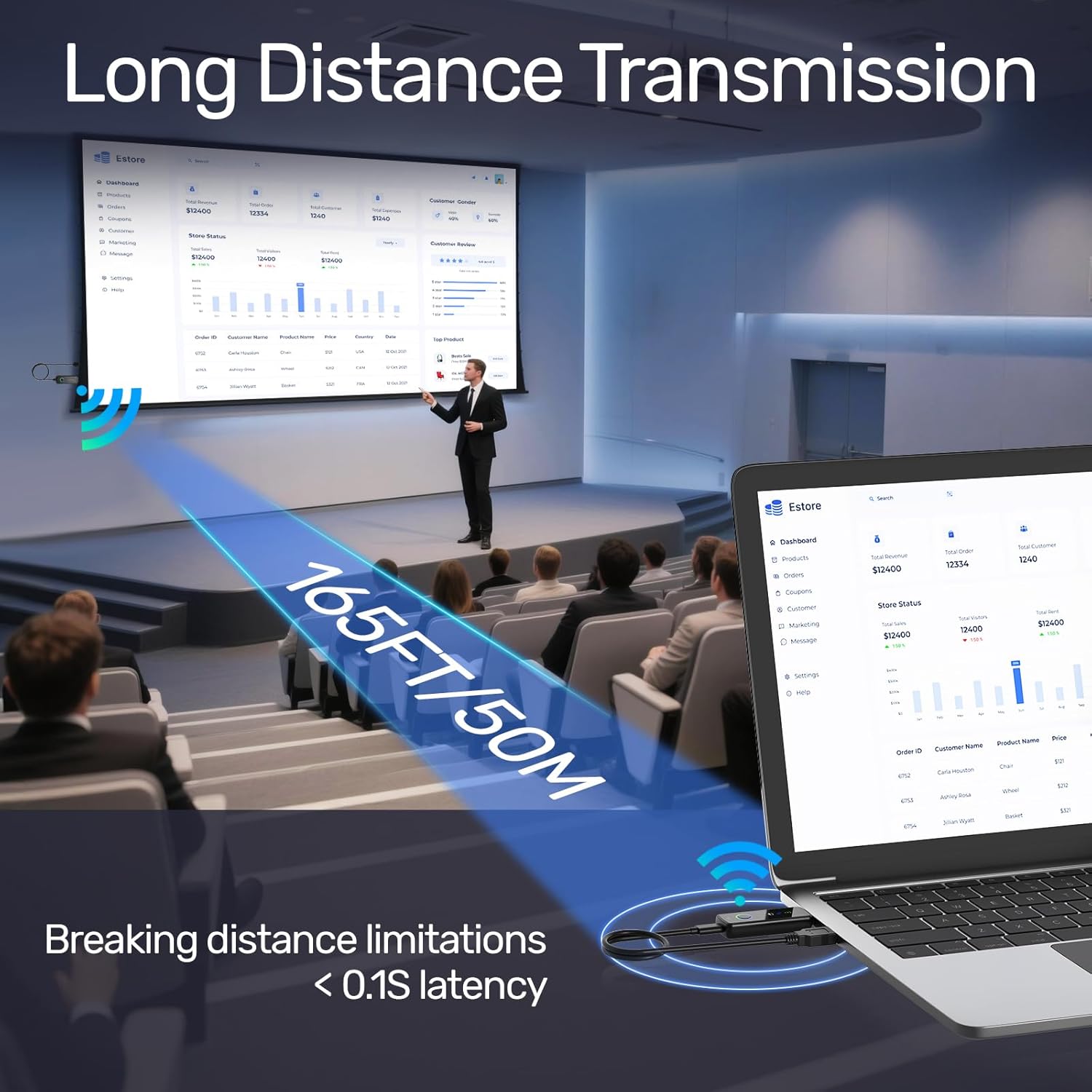
- 165ft/50m Wireless Transmission: Utilizes dual-frequency technology (2.4GHz/5GHz) for wireless transmission up to 50 meters (165 feet) using HDMI 1.3 transmission protocol, ensuring stronger and more stable signals. (Note: Transmission distance and speed may be affected when the product passes through walls or encounters obstacles.)
- Wireless Mirroring and Extended Display: Supports both mirror (copy) and extended display functions, allowing content from laptops, cameras, or decoders to be shown on HDTVs, projectors, and monitors. This provides a versatile application experience. (Pro Tip: Before connecting your phone/tablet/computer, ensure the device has HDMI output capabilities.)
- Compact, Powerful, and Portable: The pocket-sized wireless HDMI extender is small and lightweight, making it easy to carry anywhere. It is perfect for business trips, outdoor teaching, holidays, or family gatherings, enabling quick setup for client presentations, rentals, or large screen displays.
പാക്കേജ് ഉള്ളടക്കം
The Alxum W3104 package typically includes:
- 1 x Alxum W3104 Wireless HDMI Transmitter (TX)
- 1 x Alxum W3104 Wireless HDMI Receiver (RX)
- 2 x USB-C പവർ കേബിളുകൾ
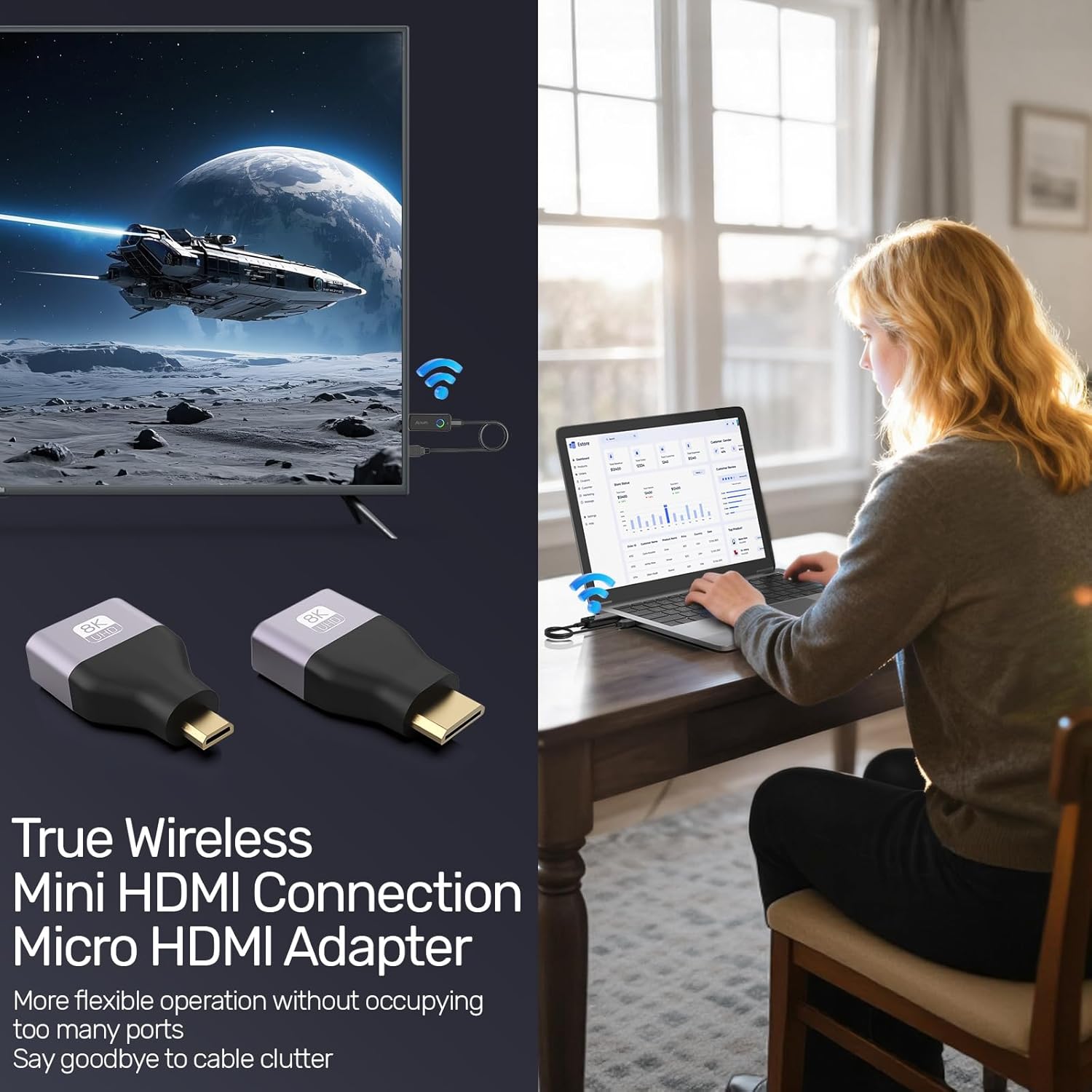
- 1 x HDMI (female) to Mini-HDMI (male) Adapter
- 1 x HDMI (female) to Micro-HDMI (male) Adapter
- 1 x ഉപയോക്തൃ മാനുവൽ
സജ്ജീകരണ നിർദ്ദേശങ്ങൾ
Follow these steps to set up your Alxum W3104 Wireless HDMI system:
1. Connect the Transmitter (TX)
- Connect the Transmitter (TX unit) to the HDMI output port of your source device (e.g., laptop, PC, camera, TV box).
- If your source device's HDMI port does not provide sufficient power, connect one of the provided USB-C power cables to the TX unit and a USB power source (e.g., laptop USB port, USB wall adapter).
- Use the included Mini-HDMI or Micro-HDMI adapters if your source device requires a smaller HDMI form factor.

2. Connect the Receiver (RX)
- Connect the Receiver (RX unit) to the HDMI input port of your display device (e.g., TV, monitor, projector).
- Connect the second USB-C power cable to the RX unit and a USB power source (e.g., TV USB port, USB wall adapter). The receiver typically requires external power.

3. Pairing and Display
- Once both TX and RX units are powered on and connected, the LED indicators on both devices will blink as they attempt to pair.
- After a few seconds, the devices should automatically pair, and the LED indicators will show a stable connection. Your source device's screen will then be mirrored or extended to the display device.
- The LED display on the units will show the connection status, helping you confirm successful pairing.
പ്രവർത്തന നിർദ്ദേശങ്ങൾ
മിറർ, എക്സ്റ്റെൻഡഡ് ഡിസ്പ്ലേ മോഡുകൾ
The Alxum W3104 supports both screen mirroring and extended display modes. The mode can typically be switched via a button on the transmitter or through your source device's display settings.
- Mirror Mode (Copy Mode): Duplicates your source device's screen onto the larger display. This is useful for presentations or sharing content directly.
- വിപുലീകരിച്ച മോഡ്: Extends your desktop across both screens, allowing you to have different content on each display. This is beneficial for multitasking.

സിഗ്നൽ ട്രാൻസ്മിഷൻ
The device automatically selects the optimal frequency (2.4GHz or 5GHz) for stable transmission. 5GHz offers faster speeds and lower latency, while 2.4GHz provides broader compatibility and range, though potentially slower speeds.

ട്രബിൾഷൂട്ടിംഗ്
- സിഗ്നൽ ഇല്ല/കറുത്ത സ്ക്രീൻ:
- Ensure both the Transmitter (TX) and Receiver (RX) units are properly powered via their respective USB-C cables. Check if the LED indicators are lit.
- Verify that the HDMI cables are securely connected to both the source device and the display device.
- Confirm that your source device has active HDMI output and your display device is set to the correct HDMI input.
- രണ്ട് യൂണിറ്റുകളും വീണ്ടും ബന്ധിപ്പിക്കാൻ ശ്രമിക്കുക.
- Unstable Connection/Flickering Screen:
- TX, RX യൂണിറ്റുകൾ തമ്മിലുള്ള ദൂരം കുറയ്ക്കുക.
- Ensure there are no significant physical obstructions (e.g., thick walls, metal objects) between the units.
- Minimize interference from other wireless devices operating on 2.4GHz or 5GHz frequencies.
- Check the LED indicators on the RX unit for signal strength. If weak, reposition the units.
- ഓഡിയോ ഇല്ല:
- Ensure your display device's audio is not muted and volume is up.
- Check your source device's audio output settings to ensure HDMI audio is selected.
- Reconnect the HDMI cables.
- Image Quality Issues (Blurry/Low Resolution):
- While the device supports 4K decoding, the output resolution is 1080P. Ensure your display device is set to 1080P for optimal clarity.
- Ensure your source device's HDMI output capabilities are compatible.
സ്പെസിഫിക്കേഷനുകൾ
| ഫീച്ചർ | സ്പെസിഫിക്കേഷൻ |
|---|---|
| മോഡൽ നമ്പർ | W3104 |
| ബ്രാൻഡ് | അൽക്സം |
| കണക്റ്റിവിറ്റി ടെക്നോളജി | Wireless (2.4G/5G Dual-band) |
| കണക്റ്റർ തരം | HDMI |
| പ്രത്യേക ഫീച്ചർ | Miracast, Plug and Play, LED Display |
| റെസലൂഷൻ | 1080p (Supports 4K decoding) |
| വയർലെസ് ട്രാൻസ്മിഷൻ ദൂരം | 50 മീറ്റർ വരെ (165 അടി) |
| ഉൽപ്പന്ന അളവുകൾ | 7.24 x 2.43 x 1.1 സെ.മീ |
| ഇനത്തിൻ്റെ ഭാരം | 140 ഗ്രാം |
| നിറം | കറുപ്പ് |
മെയിൻ്റനൻസ്
To ensure the longevity and optimal performance of your Alxum W3104 Wireless HDMI system, follow these maintenance guidelines:
- വൃത്തിയാക്കൽ: യൂണിറ്റുകളുടെ പുറംഭാഗം വൃത്തിയാക്കാൻ മൃദുവായതും ഉണങ്ങിയതുമായ തുണി ഉപയോഗിക്കുക. ദ്രാവക ക്ലീനറുകളോ ഉരച്ചിലുകളുള്ള വസ്തുക്കളോ ഉപയോഗിക്കുന്നത് ഒഴിവാക്കുക.
- സംഭരണം: When not in use, store the devices in a cool, dry place away from direct sunlight and extreme temperatures.
- കൈകാര്യം ചെയ്യൽ: യൂണിറ്റുകൾ ശ്രദ്ധയോടെ കൈകാര്യം ചെയ്യുക. അവ താഴെയിടുകയോ ശക്തമായ ആഘാതങ്ങൾക്ക് വിധേയമാക്കുകയോ ചെയ്യുന്നത് ഒഴിവാക്കുക.
- ശക്തി: Always use the provided USB-C power cables and ensure a stable power supply.
വാറൻ്റിയും പിന്തുണയും
Alxum products are designed for reliability and performance. For warranty information, technical support, or service inquiries, please refer to the contact information provided with your product packaging or visit the official Alxum webസൈറ്റ്. വാറന്റി ക്ലെയിമുകൾക്കായി നിങ്ങളുടെ വാങ്ങലിന്റെ തെളിവ് സൂക്ഷിക്കുക.
Ask a question about this manual
Ask about setup, troubleshooting, compatibility, parts, safety, or missing instructions. Manuals+ will review the question and use this page’s manual context to help answer it.