
ആമുഖം
The CORBOBO LINGBAO K75 is a 75% wireless mechanical keyboard designed for versatility and performance. It features multiple connection modes, hot-swappable switches, RGB backlighting, and a durable design. This manual provides detailed instructions for setting up, operating, and maintaining your keyboard.
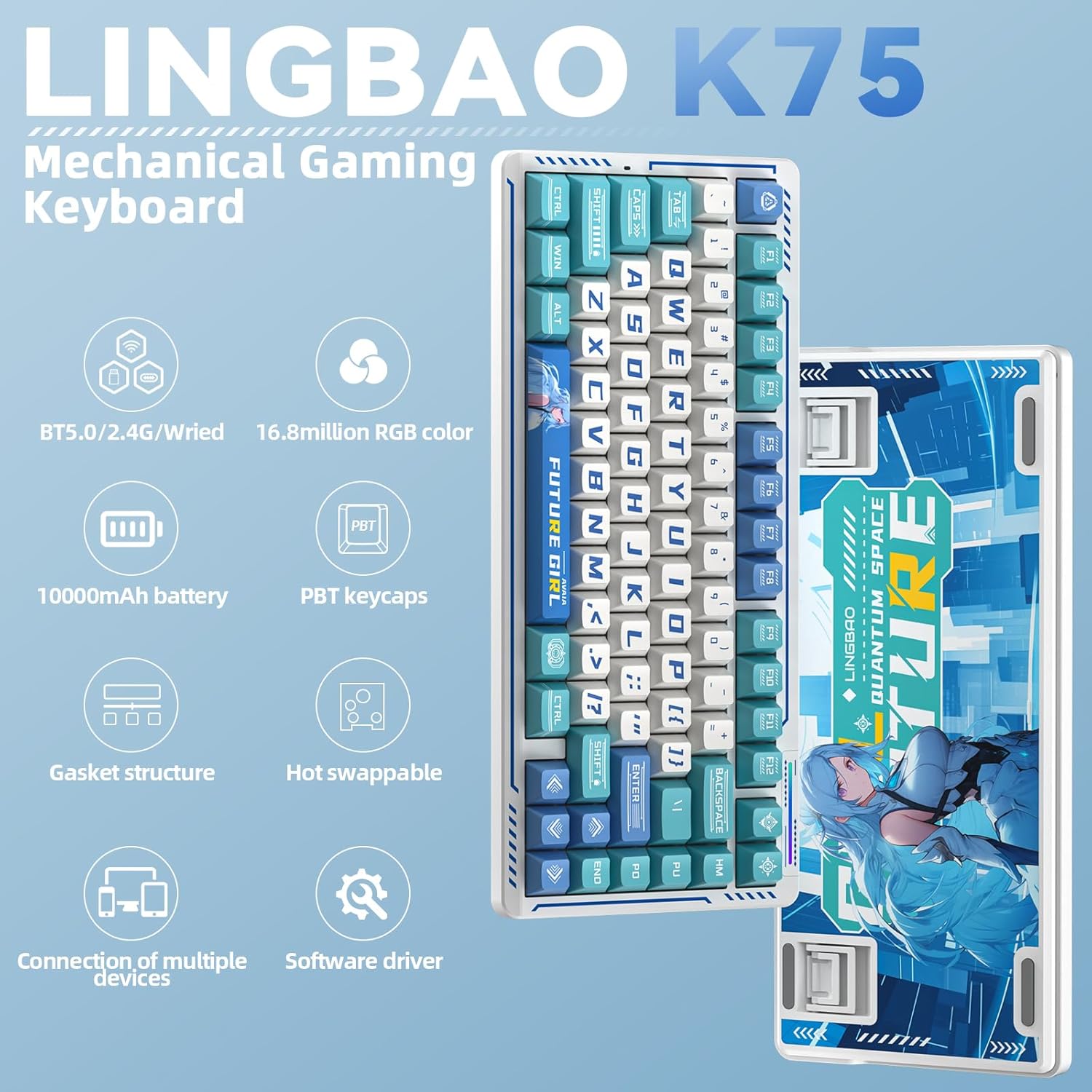
ചിത്രം: കഴിഞ്ഞുview of the LINGBAO K75 Mechanical Gaming Keyboard highlighting its key features.
ബോക്സിൽ എന്താണുള്ളത്
- കീബോർഡ് x 1
- ഉപയോക്തൃ മാനുവൽ
- USB-C കേബിൾ x 1
- കീക്യാപ് പുള്ളർ
- Extra Switch x 2
സജ്ജമാക്കുക
കണക്ഷൻ മോഡുകൾ
The K75 keyboard supports three connection modes: 2.4GHz wireless, Bluetooth (BT), and wired (USB-C). You can seamlessly switch between these modes to connect to up to 5 different devices. The mode can be easily switched using the power button located on the top of the keyboard.
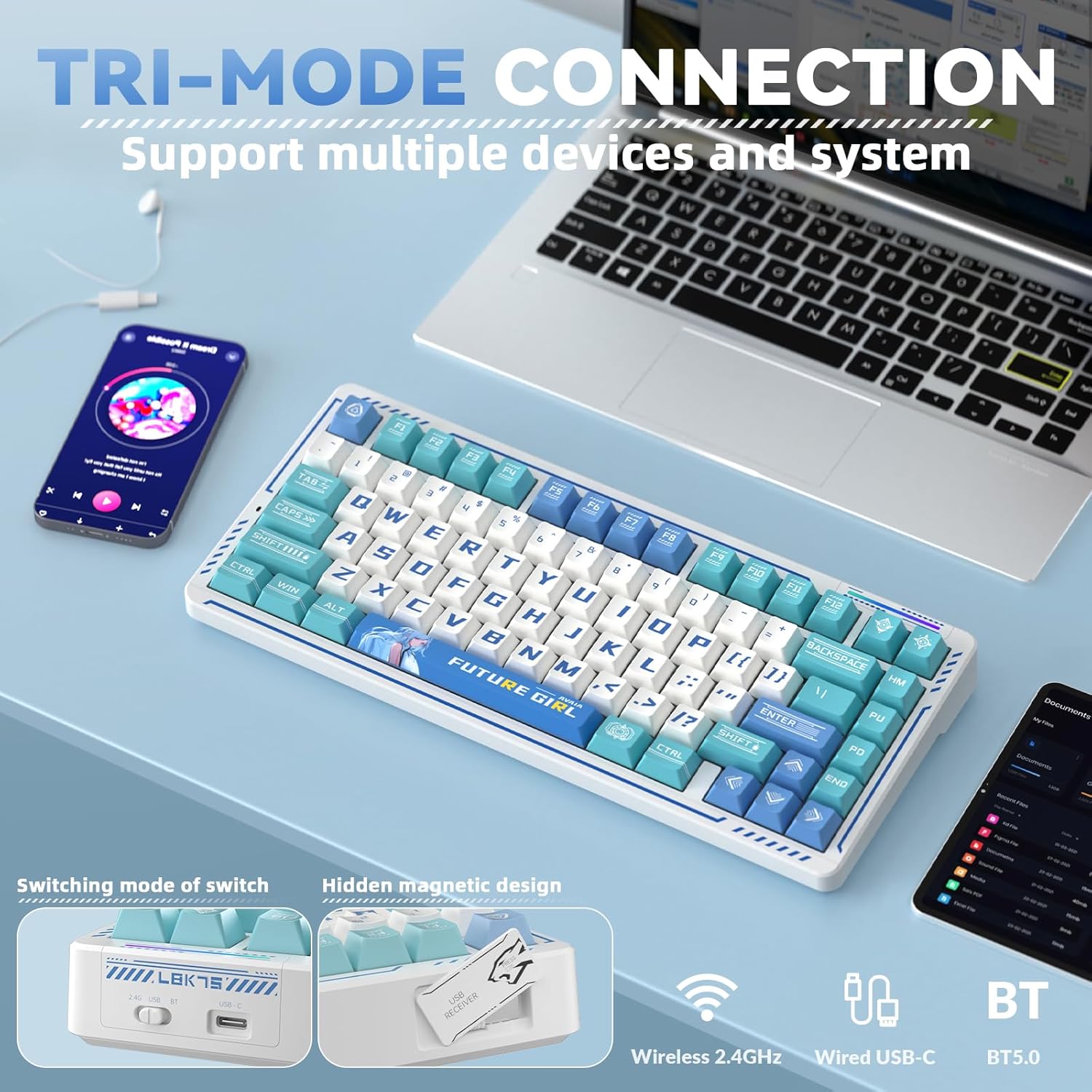
Image: The keyboard demonstrating its tri-mode connection capability with various devices.
Video: Demonstrates the LINGBAO K75 keyboard's features, including its tri-mode connection, hot-swappable switches, and RGB lighting effects.
ഡ്രൈവർ ഇൻസ്റ്റാളേഷൻ
For comprehensive customization, including full-key macro command programming and advanced lighting effects, install the dedicated driver software. The driver can only be set via a wired connection on Windows systems. Download the driver from: bit.ly/m/corbobo.

Image: The software driver interface for customizing keyboard settings and RGB lighting.
പ്രവർത്തന നിർദ്ദേശങ്ങൾ
Key Functions and Customization
The 75% layout retains independent arrow keys. Utilize the programmable driver for full-key macro commands to enhance efficiency in work or gaming. Refer to the driver software for detailed key remapping and macro creation.
RGB ബാക്ക്ലൈറ്റിംഗ് നിയന്ത്രണം
The keyboard offers 16.8 million RGB colors and various lighting effects. You can adjust the backlight using keyboard shortcuts or through the driver software. A unique music rhythm lighting effect mode allows the keyboard's RGB backlight to synchronize with audio played on your computer.

ചിത്രം: കീബോർഡ് ഷോasing its 16.8 million RGB backlight with control shortcuts.
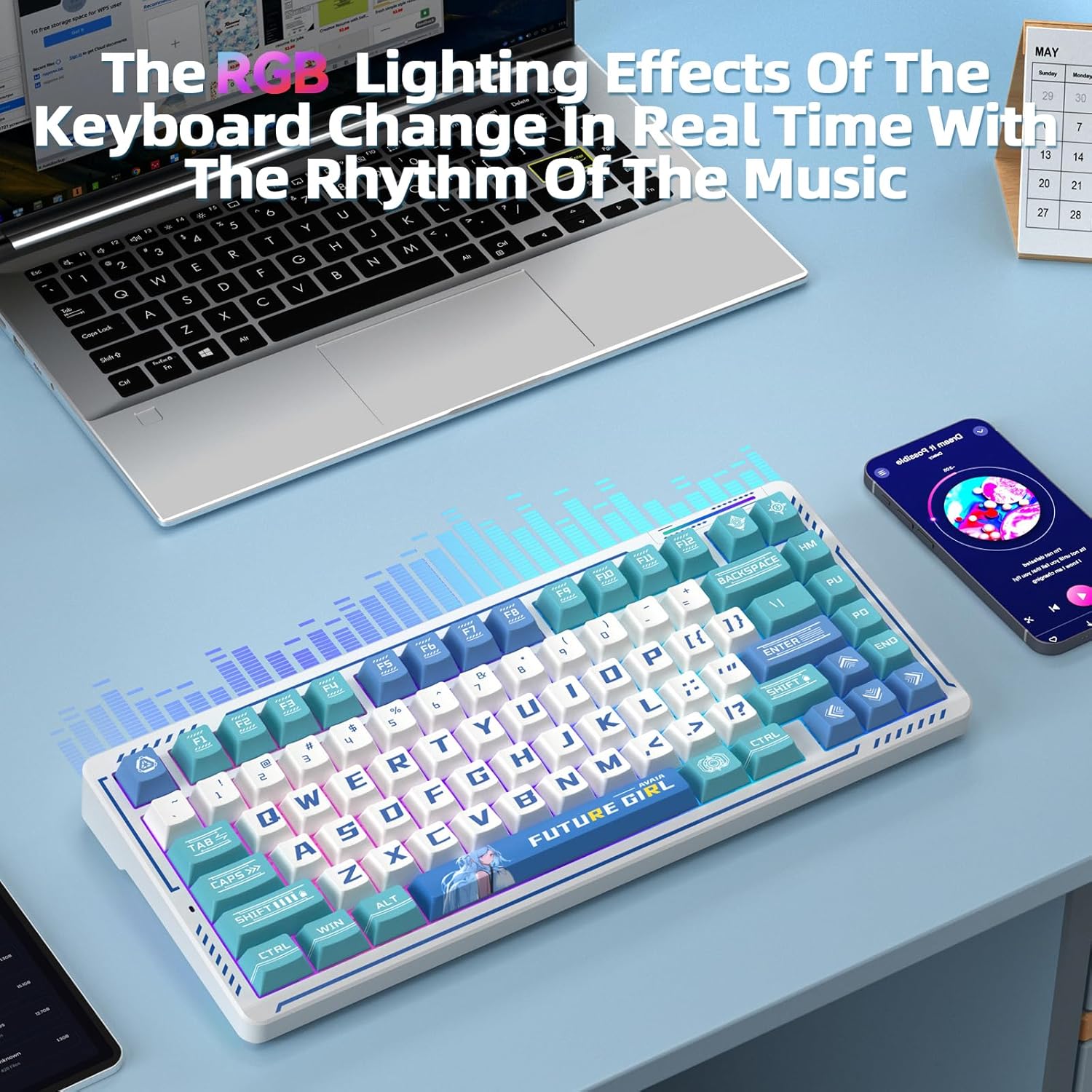
Image: The keyboard's RGB lighting effects dynamically changing with music rhythm.
ഹോട്ട്-സ്വാപ്പ് ചെയ്യാവുന്ന സ്വിച്ചുകൾ
The keyboard features a hot-swappable base compatible with 3-pin or 5-pin mechanical switches. This allows for easy replacement and customization of switches without soldering, providing a personalized typing experience.
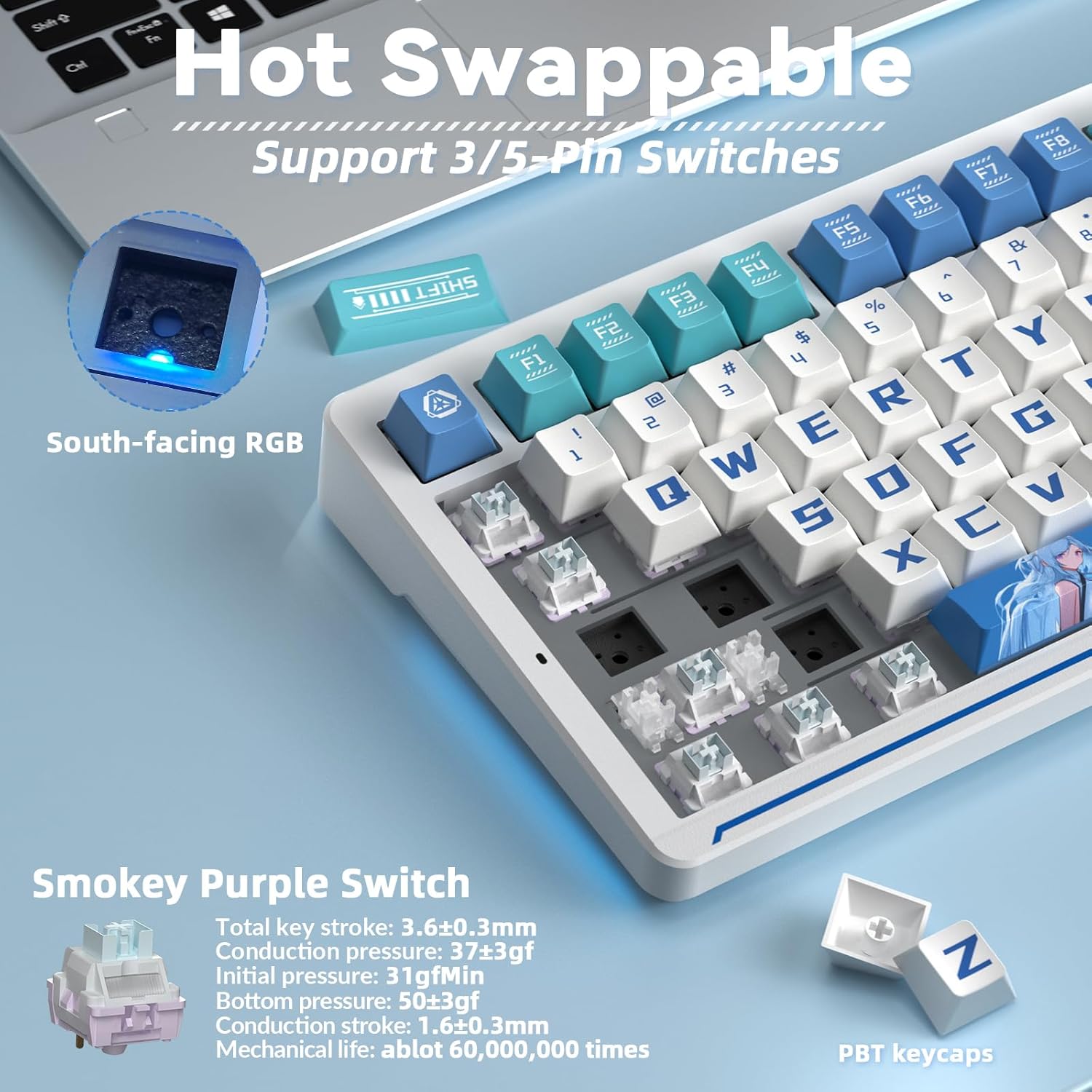
Image: Illustration of the hot-swappable switch functionality.
മെയിൻ്റനൻസ്
ബാറ്ററി ചാർജിംഗ്
The keyboard is equipped with a 10000mAh battery. For optimal battery health and longevity, charge the keyboard exclusively via a computer's USB port. Avoid using mobile phone fast chargers or overcurrent/overvoltagഇ ചാർജറുകൾ.
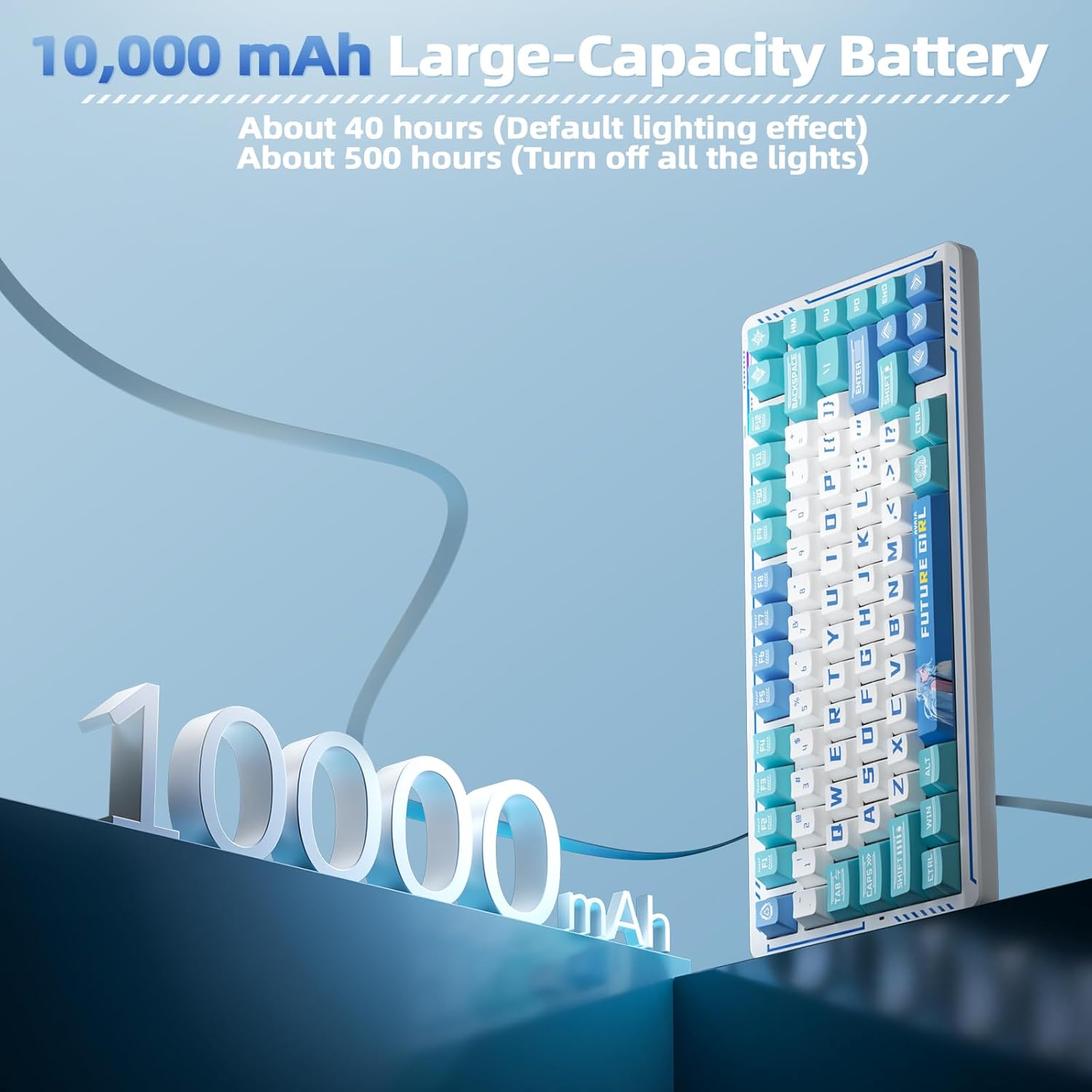
Image: Visual representation of the keyboard's 10000mAh battery capacity.
PBT Keycaps and Gasket Structure
The keyboard features two-color injection-molded PBT keycaps, known for their wear resistance and durability, ensuring characters do not fade. The five-layer gasket structure reduces noise and provides a comfortable typing experience. Regular cleaning with a soft, dry cloth is recommended to maintain the keyboard's appearance.

ചിത്രം: പൊട്ടിത്തെറിച്ചു view of the keyboard's gasket structure and PBT keycaps.
ട്രബിൾഷൂട്ടിംഗ്
കണക്റ്റിവിറ്റി പ്രശ്നങ്ങൾ
- കീബോർഡ് ചാർജ് ചെയ്തിട്ടുണ്ടെന്ന് ഉറപ്പാക്കുക.
- Verify the correct connection mode (2.4G, BT, or wired) is selected on the keyboard.
- For 2.4G wireless, ensure the USB receiver is securely plugged into your device.
- For Bluetooth, ensure the keyboard is in pairing mode and visible to your device.
- നിങ്ങളുടെ കമ്പ്യൂട്ടറോ ഉപകരണമോ പുനരാരംഭിക്കാൻ ശ്രമിക്കുക.
Driver Software Issues
- The driver software is compatible with Windows systems only.
- Ensure the keyboard is connected via USB-C cable when using the driver for customization.
- If issues persist, reinstall the driver software from the official download link.
സ്പെസിഫിക്കേഷനുകൾ
| ഫീച്ചർ | വിശദാംശങ്ങൾ |
|---|---|
| ഉൽപ്പന്ന അളവുകൾ | 13.77 x 7.08 x 1.88 ഇഞ്ച് |
| ഇനത്തിൻ്റെ ഭാരം | 3.14 പൗണ്ട് |
| നിർമ്മാതാവ് | കോർബോബോ |
| ഇനം മോഡൽ നമ്പർ | K75 |
| ബാറ്ററികൾ | 2 നിലവാരമില്ലാത്ത ബാറ്ററി ബാറ്ററികൾ ആവശ്യമാണ് (ഉൾപ്പെടുത്തിയിരിക്കുന്നു) |
| അനുയോജ്യമായ ഉപകരണങ്ങൾ | Gaming Console, Laptop, PC, Smartphone |
| കണക്റ്റിവിറ്റി ടെക്നോളജി | 2.4G Wireless, BT5.0, USB-C |
| കീബോർഡ് വിവരണം | മെക്കാനിക്കൽ ഗെയിമിംഗ് കീബോർഡ് |
| പ്രത്യേക ഫീച്ചർ | Anime, Hot-Swappable, Mechanical keyboard, Programmable Keys |
| കീബോർഡ് ബാക്ക്ലൈറ്റിംഗ് | RGB |
വാറൻ്റിയും പിന്തുണയും
For warranty information, technical support, or further assistance, please refer to the official CORBOBO webസൈറ്റിൽ നൽകുകയോ അവരുടെ ഉപഭോക്തൃ സേവനവുമായി നേരിട്ട് ബന്ധപ്പെടുകയോ ചെയ്യുക. വിശദാംശങ്ങൾ സാധാരണയായി ഉൽപ്പന്ന പാക്കേജിംഗിലോ നിർമ്മാതാവിന്റെയോ webസൈറ്റ്.