
പ്രധാനപ്പെട്ട സുരക്ഷാ വിവരങ്ങൾ
Please read all instructions carefully before using this product. Failure to follow these instructions may result in electric shock, fire, or other hazards.
- ഉപകരണം ദ്രാവകങ്ങൾ, ഈർപ്പം അല്ലെങ്കിൽ തീവ്രമായ താപനില എന്നിവയിൽ തുറന്നുകാട്ടരുത്.
- ഉൽപ്പന്നം ഡിസ്അസംബ്ലിംഗ് ചെയ്യരുത്, നന്നാക്കരുത് അല്ലെങ്കിൽ പരിഷ്ക്കരിക്കുക.
- കുട്ടികൾക്ക് ലഭ്യമാകാതെ സൂക്ഷിക്കുക.
- Use only the provided 45W USB-C GaN Adapter and USB-C Charging Cable.
- ഉപയോഗ സമയത്ത് ശരിയായ വായുസഞ്ചാരം ഉറപ്പാക്കുക.
പാക്കേജ് ഉള്ളടക്കം
നിങ്ങളുടെ പാക്കേജിൽ എല്ലാ ഇനങ്ങളും ഉണ്ടെന്ന് ഉറപ്പാക്കുക:
- X40 Turbo 3-in-1 Charging Station ×1
- 45W USB-C GaN Adapter ×1
- USB-C ചാർജിംഗ് കേബിൾ × 1
- സ്റ്റോറേജ് പൗച്ച് × 1
- ഉപയോക്തൃ മാനുവൽ × 1
ഉൽപ്പന്നം കഴിഞ്ഞുview
The KU XIU X40 Turbo is a versatile 3-in-1 magnetic wireless charging station designed for Apple devices. It features Qi2.2 fast charging for compatible iPhones, along with dedicated charging spots for Apple Watch and AirPods. Its foldable design enhances portability and allows for various viewകോണുകൾ.
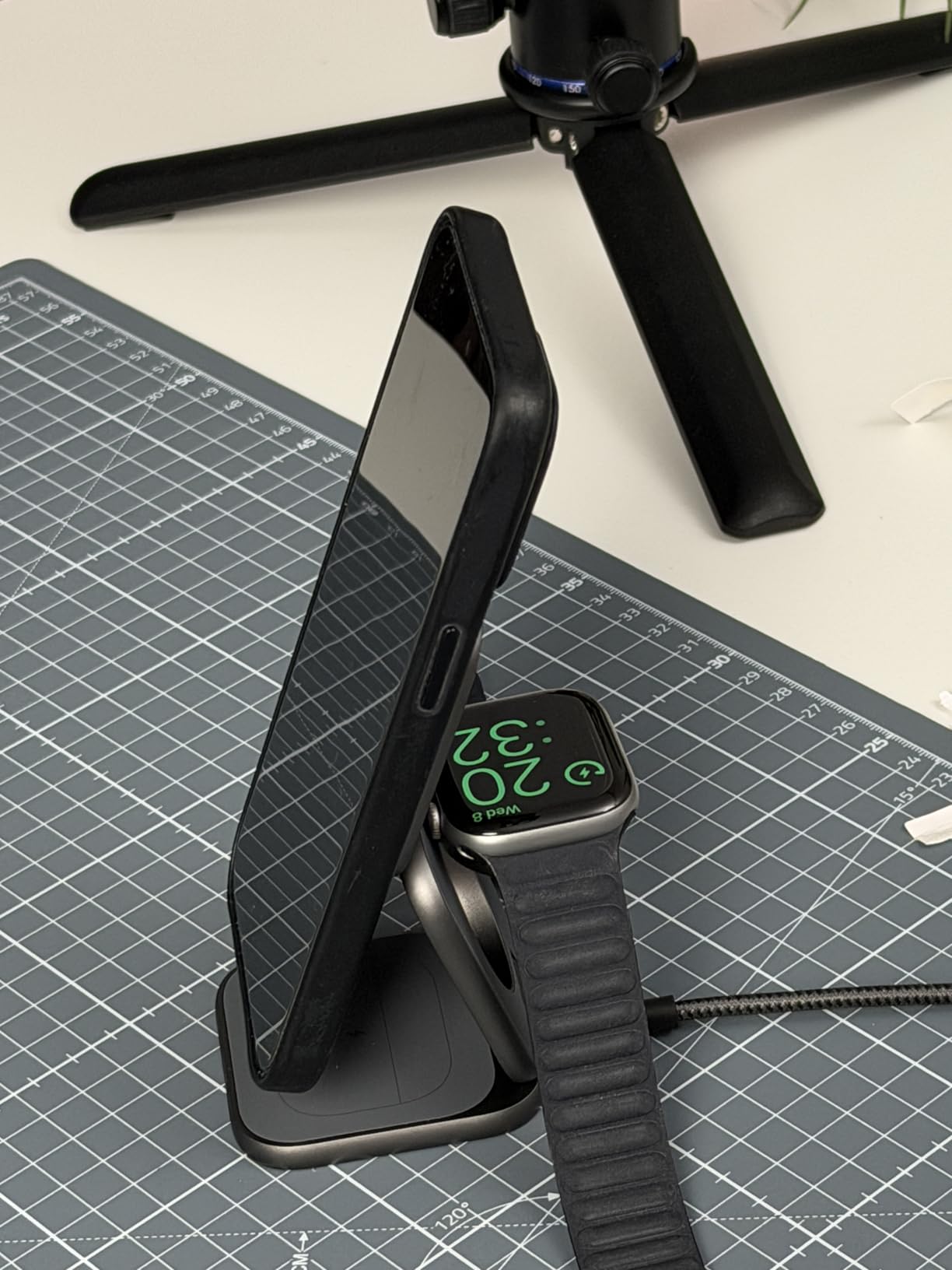
Image: The X40 Turbo charging station shown in both its compact, folded state and its expanded, upright charging configuration, highlighting its portability and versatility.
സജ്ജീകരണ നിർദ്ദേശങ്ങൾ
- പവർ അഡാപ്റ്റർ ബന്ധിപ്പിക്കുക: Insert the USB-C end of the provided charging cable into the USB-C port on the X40 Turbo charging station. Plug the other end of the cable into the provided 45W USB-C GaN Adapter, then plug the adapter into a wall outlet.
- ചാർജർ തുറക്കുക: Gently unfold the charging station to your desired configuration. It can be used in a flat mode or an upright stand mode for optimal viewing.
- പ്ലേസ്മെൻ്റ്: Place the charging station on a stable, flat surface.
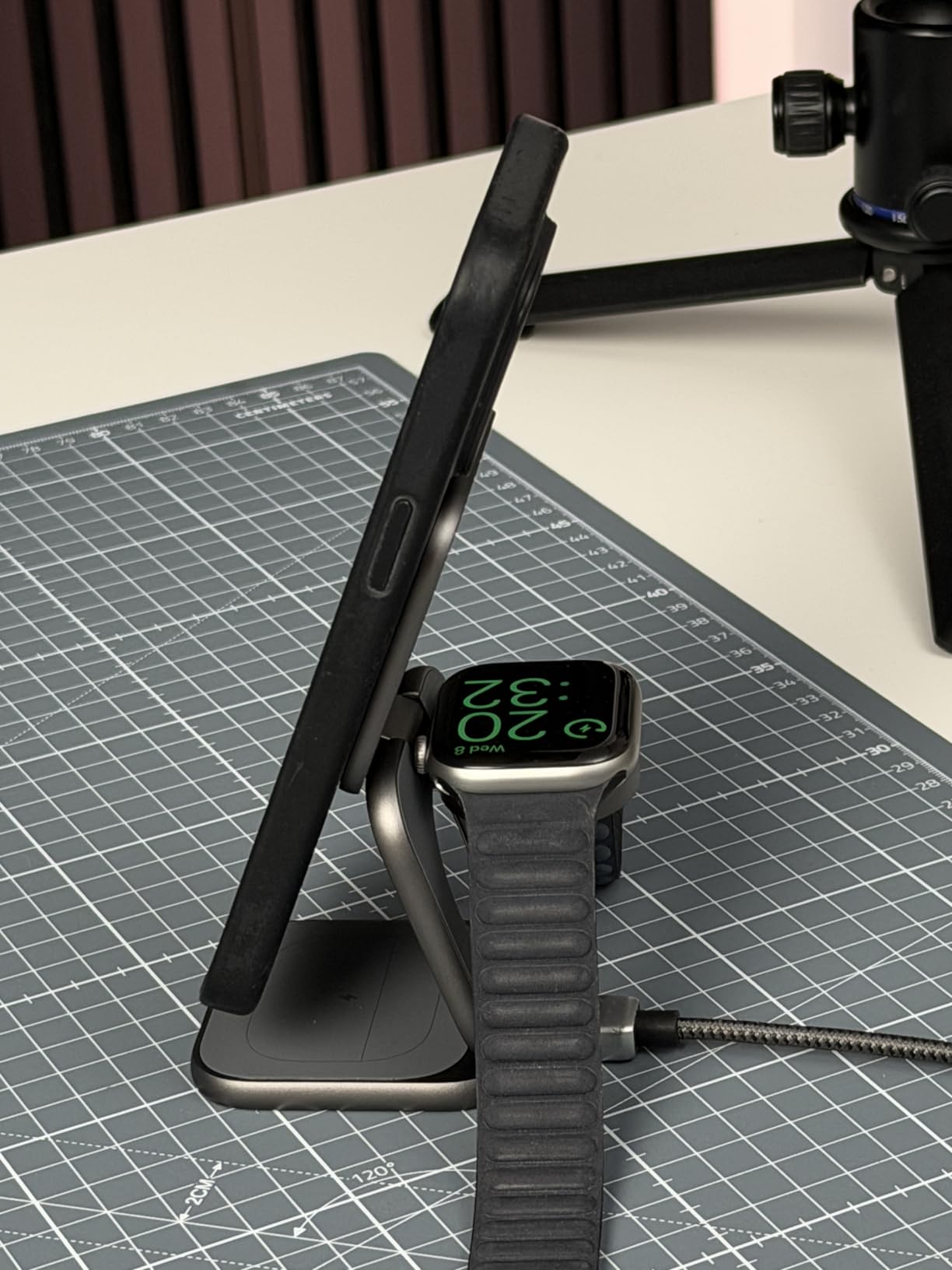
Image: The X40 Turbo charging station with the USB-C cable connected to the power adapter, illustrating the initial setup step.
പ്രവർത്തന നിർദ്ദേശങ്ങൾ
നിങ്ങളുടെ ഉപകരണങ്ങൾ ചാർജ് ചെയ്യുന്നു
- For iPhone (Magnetic Charging Pad): Align your compatible iPhone (iPhone 12-17 series) with the magnetic charging pad. The strong N52 magnets will ensure precise alignment. Charging will begin automatically.
- For Apple Watch (Watch Charging Module): Place your Apple Watch on the dedicated watch charging module. Ensure the watch is properly seated for charging to initiate.
- For AirPods (Base Charging Pad): Place your AirPods (with wireless charging case) on the base charging pad.
The charging station allows simultaneous charging of all three devices. An LED indicator (if present, refer to product for specific location) typically illuminates to confirm charging status.
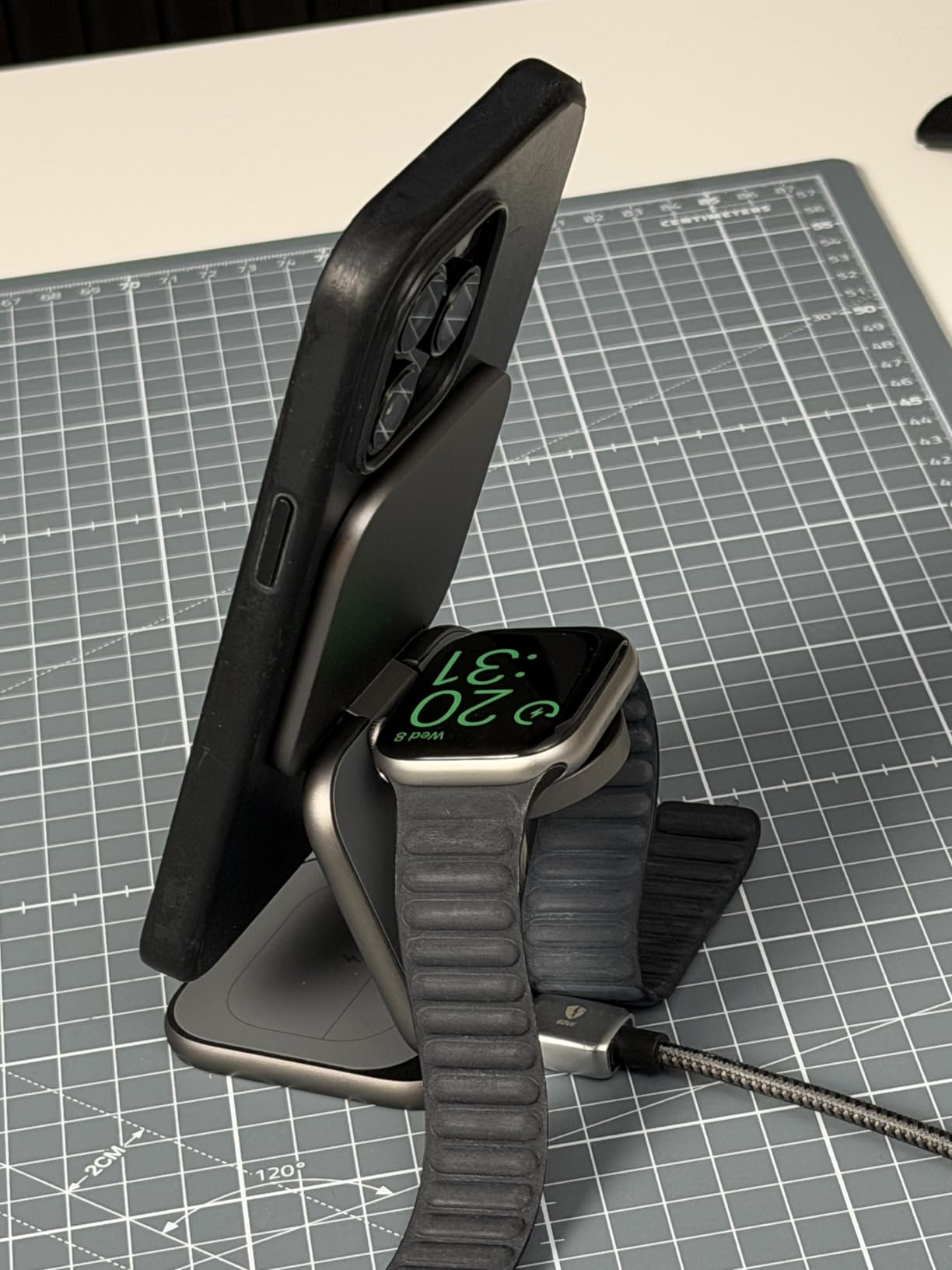
Image: The X40 Turbo charging station actively charging an iPhone, Apple Watch, and AirPods simultaneously, demonstrating its 3-in-1 functionality.
ക്രമീകരിക്കാവുന്ന ഡിസൈൻ
The X40 Turbo features an adjustable hinge, allowing it to be used in various orientations:
- ഫ്ലാറ്റ് മോഡ്: For compact storage or when a low profile അഭികാമ്യമാണ്.
- സ്റ്റാൻഡ് മോഡ്: For upright viewing of your iPhone in portrait or landscape orientation while charging.
അനുയോജ്യത
The KU XIU X40 Turbo is compatible with a wide range of devices:
- iPhone:
- Qi2.2 25W: iPhone 17/16 Series, Pixel 10 Pro XL
- Qi2.2 20W: iPhone Air (2025)
- Qi2 15W: iPhone 12-15 Series (including mini, Pro, Pro Max models), Pixel 10/10 Pro/10 Pro Fold
- Apple Watch (Max 5W): Ultra 3/2/1, SE 1-3, Series 4-11
- AirPods (Max 5W): 2/3/4/Pro/Pro 2 (with Wireless Charging Case/ANC)
മെയിൻ്റനൻസ്
- വൃത്തിയാക്കൽ: Disconnect the charger from the power source before cleaning. Use a soft, dry, lint-free cloth to wipe the surface. Do not use abrasive cleaners, solvents, or chemical sprays.
- സംഭരണം: When not in use, store the charging station in a cool, dry place, preferably in its original storage pouch to protect it from dust and scratches.
- കൈകാര്യം ചെയ്യൽ: Avoid dropping or subjecting the device to strong impacts. The aluminum construction is durable but can be damaged by excessive force.
ട്രബിൾഷൂട്ടിംഗ്
| പ്രശ്നം | സാധ്യമായ പരിഹാരം |
|---|---|
| ഉപകരണം ചാർജ് ചെയ്യുന്നില്ല. |
|
| സ്ലോ ചാർജിംഗ്. |
|
| LED ഇൻഡിക്കേറ്റർ പ്രവർത്തിക്കുന്നില്ല. |
|
| Device gets warm during charging. |
|
സ്പെസിഫിക്കേഷനുകൾ
| മോഡൽ നമ്പർ | X40 Turbo (YSEU-X40T-HEI) |
| ബ്രാൻഡ് | KU XIU |
| വയർലെസ് ചാർജിംഗ് സ്റ്റാൻഡേർഡ് | Qi2.2 |
| Max iPhone Output | 25W (Qi2.2) |
| Max Apple Watch Output | 5W |
| Max AirPods Output | 5W |
| അഡാപ്റ്റർ ഉൾപ്പെടുത്തിയിട്ടുണ്ട് | 45W USB-C GaN Adapter |
| കണക്റ്റർ തരം | യുഎസ്ബി ടൈപ്പ് സി |
| മെറ്റീരിയൽ | അലുമിനിയം, സിലിക്കൺ |
| ഇനത്തിൻ്റെ ഭാരം | 210 ഗ്രാം |
| പ്രത്യേക ഫീച്ചർ | Magsafe Compatible, Foldable |
വാറൻ്റിയും പിന്തുണയും
The KU XIU X40 Turbo 3-in-1 Charging Station comes with a 24 മാസ വാറൻ്റി from the date of purchase. This warranty covers manufacturing defects and ensures reliable performance under normal use.
For technical support, warranty claims, or any questions regarding your product, please contact KU XIU customer service through the retailer where you purchased the product or visit the official KU XIU webബന്ധപ്പെടാനുള്ള വിവരങ്ങൾക്കുള്ള സൈറ്റ്.
വാറന്റി സേവനത്തിനായി നിങ്ങളുടെ വാങ്ങിയതിന്റെ തെളിവ് സൂക്ഷിക്കുക.