
1. ആമുഖം
This manual provides comprehensive instructions for the VILTROX AF 20mm F2.8 E-Mount Lens. It covers setup, operation, maintenance, and technical specifications to ensure optimal performance and longevity of your lens. Please read this manual thoroughly before using the product.
2. ഉൽപ്പന്ന സവിശേഷതകൾ
- Wide-Angle Prime Lens: 20mm focal length with a bright F2.8 aperture, ideal for landscapes, architecture, and astrophotography.
- Autofocus (AF) System: Equipped with a precise and quiet autofocus motor for quick and accurate focusing.
- ഇ-മൗണ്ട് അനുയോജ്യത: Designed specifically for Sony E-mount mirrorless cameras, including full-frame and APS-C models.
- ഒതുക്കമുള്ളതും ഭാരം കുറഞ്ഞതുമായ ഡിസൈൻ: Facilitates portability and comfortable handling.
- ഇന്റഗ്രേറ്റഡ് USB-C പോർട്ട്: Allows for firmware updates.
- 52mm Filter Thread: Compatible with standard 52mm filters for creative control and lens protection.
- നീണ്ടുനിൽക്കുന്ന നിർമ്മാണം: Features a robust metal mount for secure attachment.
3. പാക്കേജ് ഉള്ളടക്കം
താഴെ ലിസ്റ്റ് ചെയ്തിരിക്കുന്ന എല്ലാ ഇനങ്ങളും നിങ്ങളുടെ പാക്കേജിൽ ഉൾപ്പെടുത്തിയിട്ടുണ്ടെന്ന് ഉറപ്പാക്കുക:
- VILTROX AF 20mm F2.8 E-Mount Lens
- ഫ്രണ്ട് ലെൻസ് ക്യാപ്
- പിൻ ലെൻസ് തൊപ്പി
- ലെൻസ് ഹുഡ്
- 52mm UV Filter
- നിർദ്ദേശ മാനുവൽ (ഈ പ്രമാണം)
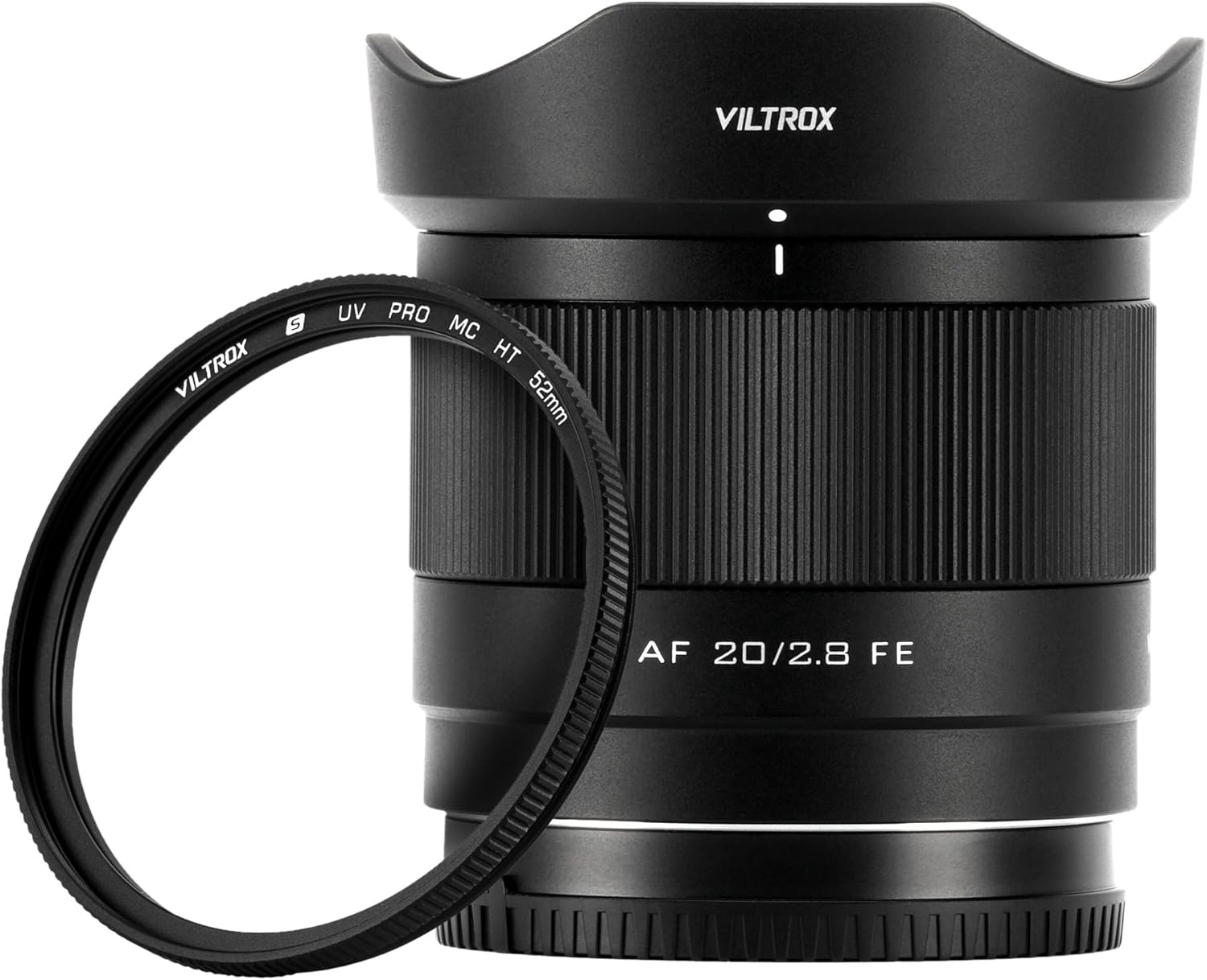
Image: The VILTROX AF 20mm F2.8 E-Mount lens shown with its included 52mm UV filter and lens hood.
4. ഭാഗങ്ങൾ തിരിച്ചറിയൽ
Familiarize yourself with the various parts of your VILTROX AF 20mm F2.8 E-Mount Lens.
ഫ്രണ്ട് View

ചിത്രം: മുൻഭാഗം view of the lens, highlighting the front optical element, 52mm filter thread, and the focus ring. Markings for focal length (AF 20mm 1:2.8) and minimum focusing distance (0.19m/0.62ft) are visible.
പിൻഭാഗം View (Mount Side)

ചിത്രം: പിൻഭാഗം view of the lens, displaying the Sony E-mount, electrical contacts for communication with the camera body, and the rear optical element.
Close-up of Front Element

ചിത്രം: വിശദമായ ഒരു ചിത്രം view of the lens's front element, showing the multi-coating and aperture blades within.
Close-up of Mount and USB Port

Image: A close-up of the lens mount, clearly showing the gold-plated electrical contacts for camera communication and the USB-C port for firmware updates.
5. സജ്ജീകരണം
5.1 Attaching the Lens to the Camera
- ക്യാമറയും ലെൻസും ഓഫ് ചെയ്തിട്ടുണ്ടെന്ന് ഉറപ്പാക്കുക.
- ലെൻസിൽ നിന്ന് പിൻ ലെൻസ് കാപ്പും ക്യാമറയിൽ നിന്ന് ബോഡി കാപ്പും നീക്കം ചെയ്യുക.
- Align the white index mark on the lens barrel with the corresponding index mark on the camera body.
- ക്യാമറയുടെ മൗണ്ടിലേക്ക് ലെൻസ് തിരുകുക, അത് സ്ഥലത്ത് ക്ലിക്ക് ആകുന്നതുവരെ ഘടികാരദിശയിൽ തിരിക്കുക. ലെൻസിനെ ബലമായി അമർത്തരുത്.
- നിങ്ങളുടെ ക്യാമറ ഓൺ ചെയ്യുക.
5.2 Attaching the 52mm UV Filter
- Carefully remove the front lens cap from the lens.
- Align the threads of the 52mm UV filter with the filter thread on the front of the lens.
- Gently rotate the filter clockwise until it is securely attached. Avoid overtightening.

Image: A hand demonstrating the placement of the 52mm UV filter onto the front of the lens. The filter is designed to protect the lens and enhance light transmission.
5.3 ലെൻസ് ഹുഡ് ഘടിപ്പിക്കൽ
- Align the lens hood with the front of the lens, ensuring the alignment mark on the hood matches the mark on the lens.
- Rotate the hood clockwise until it locks into place.
- The lens hood helps to prevent flare and provides additional protection to the front element.

Image: The VILTROX AF 20mm F2.8 E-Mount lens with its petal-shaped lens hood securely attached, ready for use.
6. ലെൻസ് പ്രവർത്തിപ്പിക്കൽ
6.1 ഓട്ടോഫോക്കസ് പ്രവർത്തനം
When attached to a compatible Sony E-mount camera, the lens will automatically engage the camera's autofocus system. Select your desired AF mode (e.g., AF-S, AF-C, DMF) on your camera body. The lens's internal focusing motor will provide fast and accurate focusing.
6.2 മാനുവൽ ഫോക്കസ് പ്രവർത്തനം
To use manual focus, set your camera to Manual Focus (MF) mode. Rotate the focus ring on the lens barrel to adjust focus. Your camera's focus peaking and magnification features can assist in achieving precise manual focus.
6.3 അപ്പർച്ചർ നിയന്ത്രണം
The aperture of the lens is controlled electronically through the camera body. Adjust the aperture setting (f-stop) using your camera's controls in Aperture Priority (A), Manual (M), or Program (P) modes.
6.4 ഫേംവെയർ അപ്ഡേറ്റുകൾ
The integrated USB-C port allows for firmware updates to improve lens performance and compatibility. Visit the official VILTROX website for the latest firmware and instructions on how to update your lens.
7. പരിപാലനവും പരിചരണവും
- Cleaning the Lens Elements: Use a lens blower to remove dust, then a soft lens brush. For smudges, use a clean microfiber lens cloth with a small amount of lens cleaning solution. Apply solution to the cloth, not directly to the lens.
- ലെൻസ് ബോഡി വൃത്തിയാക്കൽ: Wipe the lens body with a soft, dry cloth. Do not use organic solvents like paint thinner or benzene.
- സംഭരണം: Store the lens in a cool, dry, and well-ventilated place away from direct sunlight. Avoid storing in areas with high humidity to prevent mold growth. Attach both front and rear lens caps when not in use.
- സംരക്ഷണം: The included 52mm UV filter provides an additional layer of protection for the front lens element against dust, scratches, and impacts.

Image: The lens with a UV filter in a snowy mountain setting, demonstrating protection against environmental elements.

ചിത്രം: ഉദാamples of the lens with a UV filter providing protection in challenging conditions such as snow and sand.
8. പ്രശ്നപരിഹാരം
| പ്രശ്നം | സാധ്യമായ കാരണം / പരിഹാരം |
|---|---|
| ക്യാമറയ്ക്ക് ലെൻസ് തിരിച്ചറിയാൻ കഴിയുന്നില്ല. |
|
| ഓട്ടോഫോക്കസ് മന്ദഗതിയിലാണ് അല്ലെങ്കിൽ കൃത്യമല്ല. |
|
| ചിത്രങ്ങൾ അവ്യക്തമാണ്. |
|
9 സ്പെസിഫിക്കേഷനുകൾ
| പരാമീറ്റർ | മൂല്യം |
|---|---|
| ഫോക്കൽ ലെങ്ത് | 20 മി.മീ |
| പരമാവധി അപ്പേർച്ചർ | F2.8 |
| മിനിമം അപ്പർച്ചർ | F16 |
| ലെൻസ് മൗണ്ട് | സോണി ഇ-മൗണ്ട് |
| ഫോർമാറ്റ് അനുയോജ്യത | പൂർണ്ണ-ഫ്രെയിം |
| ന്റെ ആംഗിൾ View | 94.7° |
| ഏറ്റവും കുറഞ്ഞ ഫോക്കസിംഗ് ദൂരം | 0.19 മീ (0.62 അടി) |
| പരമാവധി മാഗ്നിഫിക്കേഷൻ | 0.17x |
| ഒപ്റ്റിക്കൽ ഡിസൈൻ | 10 ഗ്രൂപ്പുകളിലെ 8 ഘടകങ്ങൾ |
| ഡയഫ്രം ബ്ലേഡുകൾ | 7 |
| ഓട്ടോഫോക്കസ് | അതെ |
| ഫിൽട്ടർ വലുപ്പം | 52 മി.മീ |
| Dimensions (ø x L) | Approx. 65mm x 59.5mm (2.56" x 2.34") |
| ഭാരം | ഏകദേശം. 157 ഗ്രാം (5.54 ഔൺസ്) |
| ഫേംവെയർ അപ്ഡേറ്റ് പോർട്ട് | USB-C |
10. വാറൻ്റിയും പിന്തുണയും
VILTROX products are covered by a limited warranty against defects in materials and workmanship. The specific terms and duration of the warranty may vary by region and product. Please retain your proof of purchase for warranty claims.
For technical support, service, or warranty inquiries, please visit the official VILTROX website or contact your local authorized VILTROX dealer. You can find contact information and frequently asked questions on the VILTROX support page.
Official VILTROX Webസൈറ്റ്: www.viltrox.com