
1. ആമുഖം
This manual provides comprehensive instructions for the setup, operation, and maintenance of your LIGE EF18-A Smart Watch. Please read this manual thoroughly before using the device to ensure proper function and longevity.
2. പാക്കേജ് ഉള്ളടക്കം
പാക്കേജിൽ എല്ലാ ഇനങ്ങളും ഉണ്ടെന്ന് ഉറപ്പാക്കുക:
- LIGE EF18-A Smart Watch (with 1 stainless steel band)
- 2 Silicone Straps
- യുഎസ്ബി ചാർജിംഗ് കേബിൾ
- ടൈപ്പ്-സി ചാർജിംഗ് കേബിൾ
- Watchband Tool
- ഉപയോക്തൃ മാനുവൽ
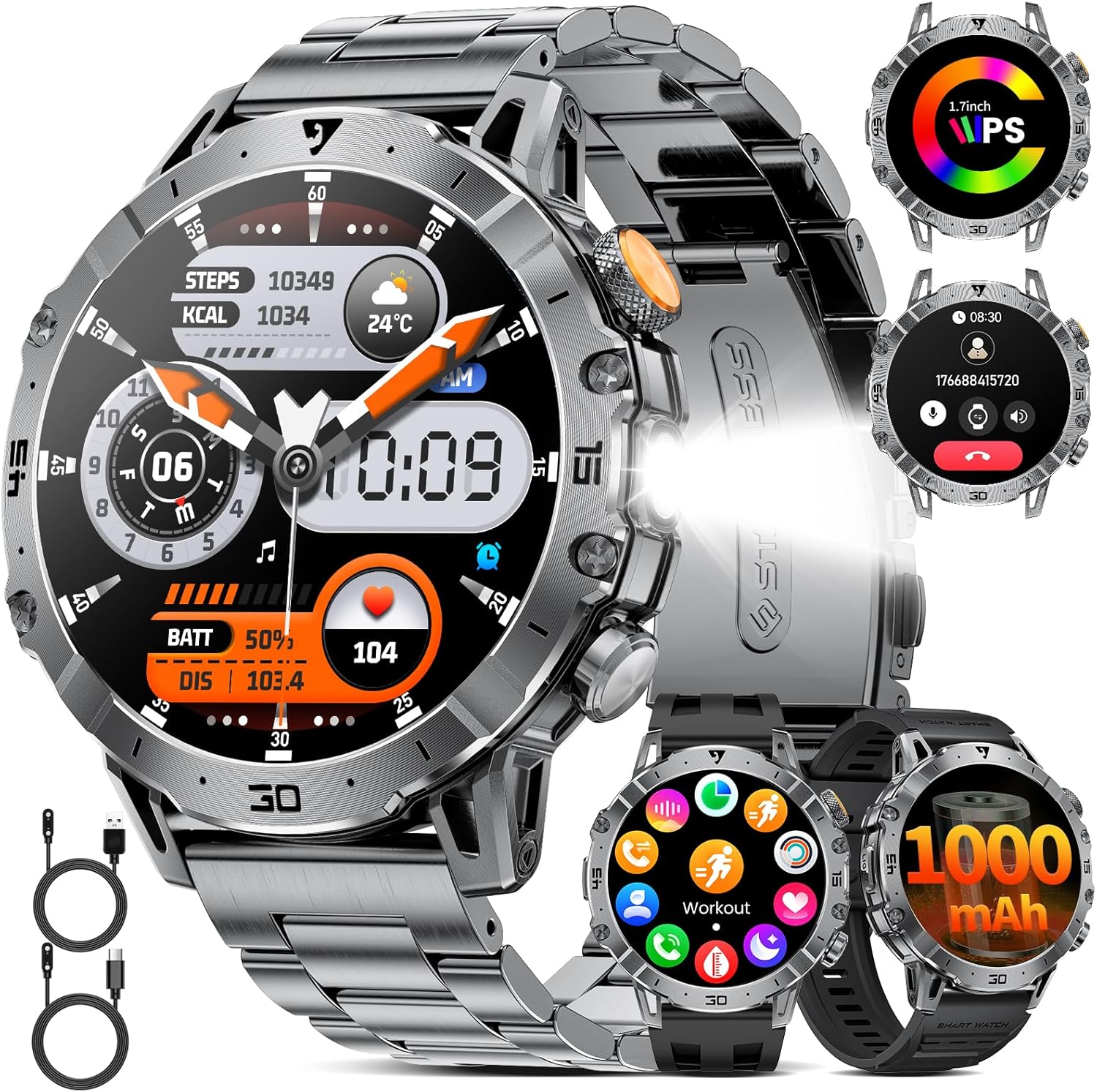
Image: LIGE EF18-A Smart Watch with stainless steel band, two silicone straps, and charging cables.

Image: Diagram illustrating the contents of the LIGE EF18-A Smart Watch package, including the watch, three straps, two charging cables, and the user manual.
3. സജ്ജീകരണം
3.1 ഉപകരണം ചാർജ് ചെയ്യുന്നു
Before first use, fully charge the smart watch. Connect the magnetic charging cable to the charging points on the back of the watch and the USB/Type-C end to a power adapter (not included) or a computer's USB port. A full charge typically takes approximately 2.5 hours.
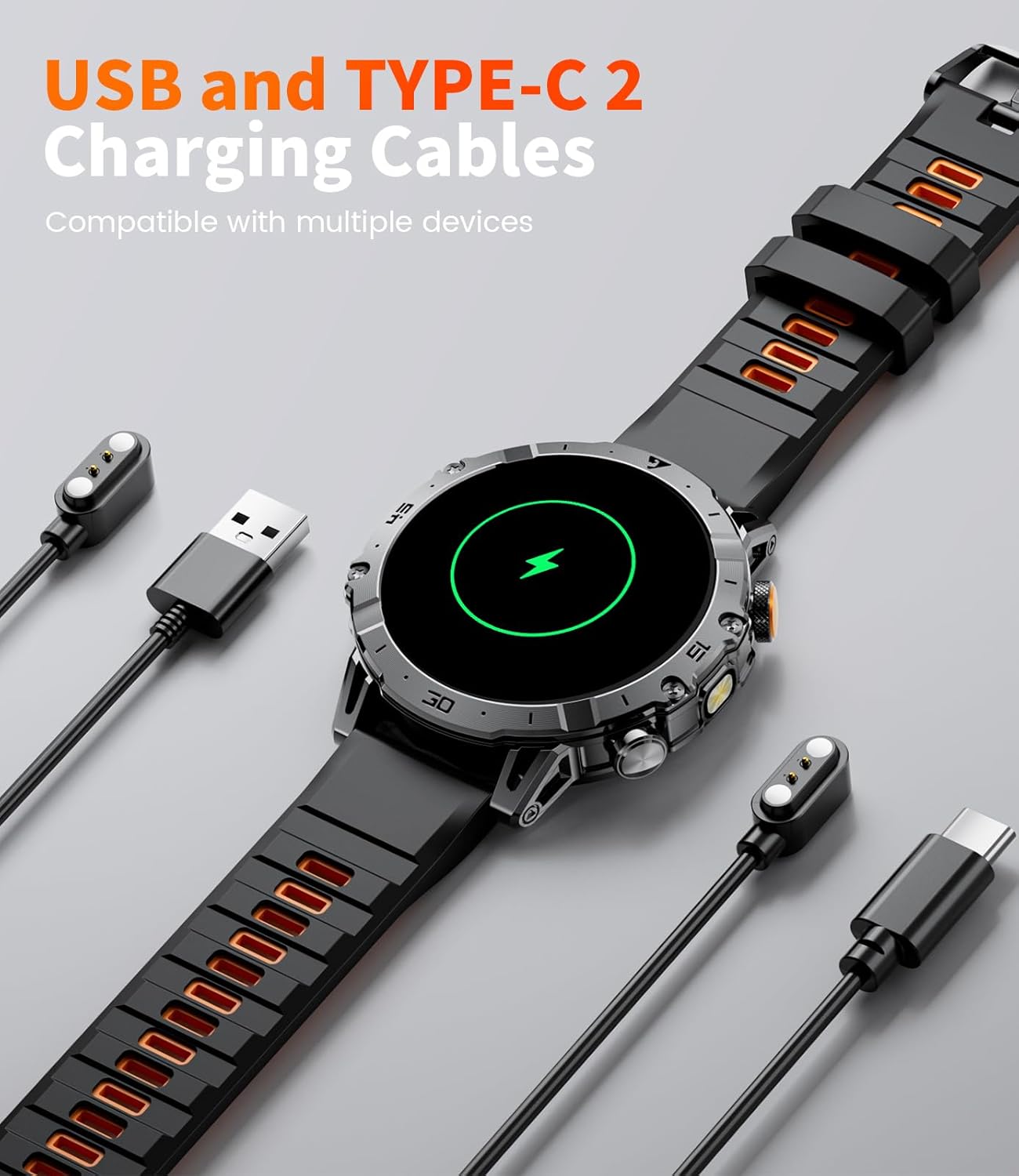
Image: The LIGE EF18-A Smart Watch connected to both USB and Type-C charging cables, illustrating the charging process.

Image: The LIGE EF18-A Smart Watch being charged, highlighting the inclusion of both USB and Type-C charging cables for compatibility.
3.2 ആപ്പ് ഇൻസ്റ്റാളേഷനും ജോടിയാക്കലും
To unlock the full functionality of your smart watch, download and install the "FitCloudPro" app on your smartphone.
- അപ്ലിക്കേഷൻ ഡൗൺലോഡുചെയ്യുക: ഇതിനായി തിരയുക ആപ്പിൾ ആപ്പ് സ്റ്റോറിൽ (iOS ഉപകരണങ്ങൾക്ക്) അല്ലെങ്കിൽ ഗൂഗിൾ പ്ലേ സ്റ്റോറിൽ (ആൻഡ്രോയിഡ് ഉപകരണങ്ങൾക്ക്) "FitCloudPro" ഡൗൺലോഡ് ചെയ്ത് ഇൻസ്റ്റാൾ ചെയ്യുക.
- ബ്ലൂടൂത്ത് പ്രവർത്തനക്ഷമമാക്കുക: നിങ്ങളുടെ സ്മാർട്ട്ഫോണിൽ ബ്ലൂടൂത്ത് പ്രവർത്തനക്ഷമമാക്കിയിട്ടുണ്ടെന്ന് ഉറപ്പാക്കുക.
- Open App & Pair: Open the FitCloudPro app, navigate to the device section, and search for "EF18". Select it to initiate the pairing process.
- ജോടിയാക്കൽ സ്ഥിരീകരിക്കുക: Follow the on-screen prompts on both your phone and watch to confirm the Bluetooth pairing.
- അനുമതികൾ നൽകുക: Allow necessary permissions for notifications, health data access, and other features as requested by the app.

Image: Visual guide demonstrating the steps to connect the LIGE EF18-A Smart Watch to a smartphone using the FitCloudPro application, including app download, Bluetooth pairing, and notification settings.
3.3 Strap Installation/Replacement
The LIGE EF18-A Smart Watch comes with three interchangeable straps: one stainless steel and two silicone. Use the provided watchband tool to easily change straps in approximately one minute.
- Remove Current Strap: Locate the quick-release pins on the underside of the watch where the strap connects. Use the tool to depress the pin and gently pull the strap away from the watch body.
- Attach New Strap: Insert one end of the new strap's pin into the lug hole on the watch. Depress the quick-release pin and align the other end with the opposite lug hole. Release the pin to secure the strap. Gently tug on the strap to ensure it is properly locked in place.
4. പ്രവർത്തന നിർദ്ദേശങ്ങൾ
4.1 അടിസ്ഥാന നാവിഗേഷൻ
- ടച്ച് സ്ക്രീൻ: മെനുകളിലൂടെയും സവിശേഷതകളിലൂടെയും നാവിഗേറ്റ് ചെയ്യാൻ ഇടത്തേക്ക്/വലത്തേക്ക്, മുകളിലേക്കും താഴേക്കും സ്വൈപ്പ് ചെയ്യുക. തിരഞ്ഞെടുക്കാൻ ടാപ്പ് ചെയ്യുക.
- സൈഡ് ബട്ടണുകൾ: The watch features side buttons for quick access to functions or to return to the home screen. Refer to the watch's interface for specific button assignments.

Image: The LIGE EF18-A Smart Watch displaying its 1.7-inch Ultra HD touch screen with multiple personalized watch faces, demonstrating the visual clarity and customization options.
4.2 ആശയവിനിമയ സവിശേഷതകൾ
- ബ്ലൂടൂത്ത് കോളിംഗ്: Once paired with your smartphone, you can answer, make, or end calls directly from the watch. The watch is equipped with a 60dB speaker and noise-cancelling microphone for clear audio.
- സന്ദേശ അലേർട്ടുകൾ: Receive notifications from SMS, Facebook, WhatsApp, Twitter, TikTok, and other applications directly on your watch. This feature can be toggled on or off in the FitCloudPro app.
- വോയ്സ് അസിസ്റ്റന്റ്: Activate the voice assistant feature to control your phone or get information hands-free.

Image: The LIGE EF18-A Smart Watch displaying an incoming call interface and various social media notification icons, illustrating its Bluetooth calling and message alert capabilities.

ചിത്രം: ഒരു സമഗ്രമായ view of the LIGE EF18-A Smart Watch's communication features, including Bluetooth calling, voice assistant interaction, and message notifications from various apps.
4.3 ഫ്ലാഷ്ലൈറ്റ് പ്രവർത്തനം
The watch is equipped with a powerful side-mounted LED flashlight, offering a lighting range of 6-8 meters. This feature is useful for outdoor activities, power outages, or locating items in low light conditions. It can also function as a signal light in emergencies.
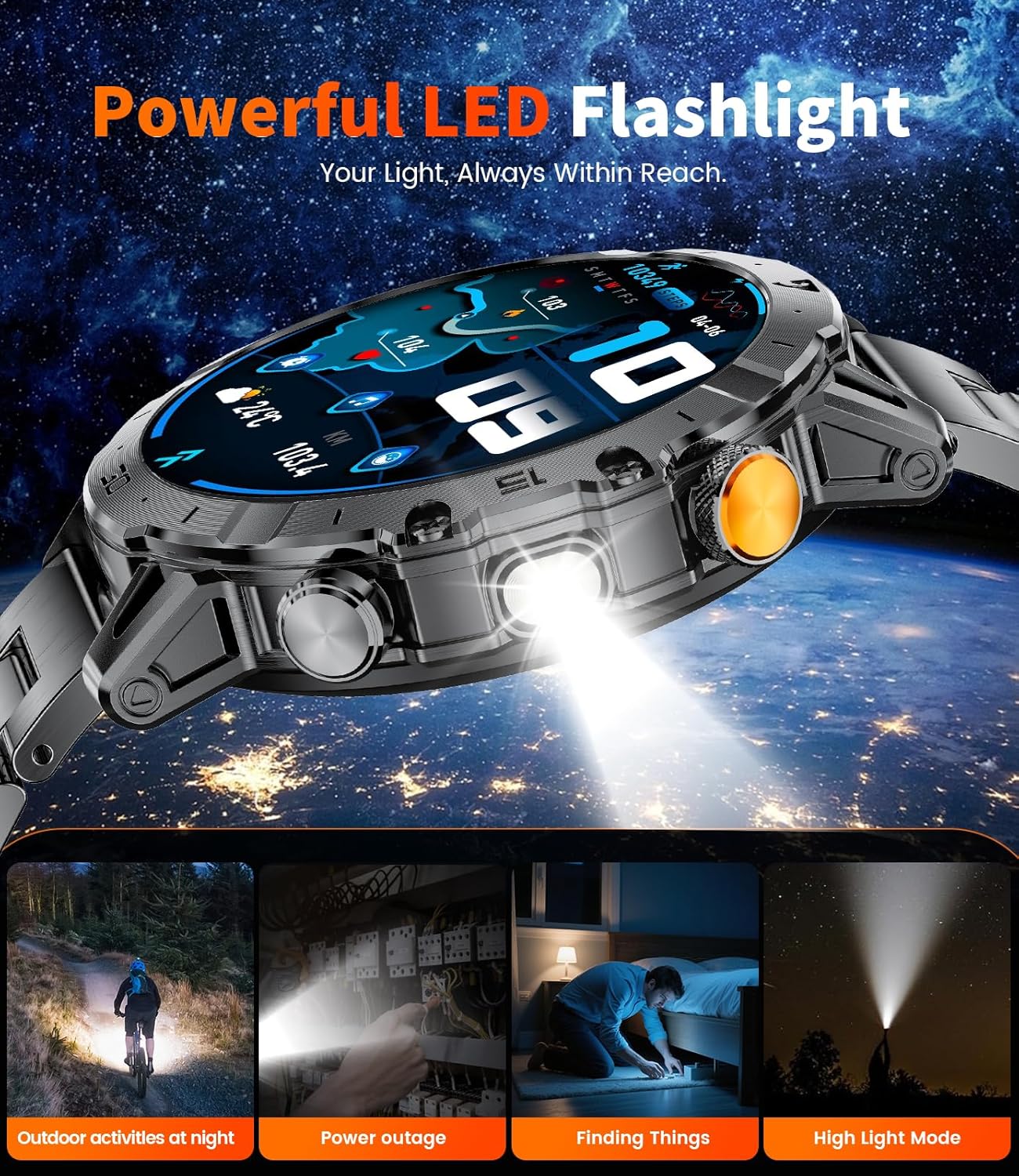
Image: The LIGE EF18-A Smart Watch with its integrated flashlight illuminated, demonstrating its utility in various low-light scenarios such as outdoor activities, power outages, and finding objects.

Image: The LIGE EF18-A Smart Watch highlighting its super bright flashlight feature, useful for night runs, camping, emergencies, and general outdoor adventures.
4.4 Customization and Utilities
- മുഖങ്ങൾ കാണുക: Choose from over 200 online watch faces or upload your own images via the FitCloudPro app to personalize your device.
- സംഗീത നിയന്ത്രണം: Control music playback on your connected smartphone (play, pause, skip tracks).
- ക്യാമറ നിയന്ത്രണം: നിങ്ങളുടെ സ്മാർട്ട്ഫോൺ ക്യാമറയ്ക്കായി വാച്ച് ഒരു റിമോട്ട് ഷട്ടറായി ഉപയോഗിക്കുക.
- കാലാവസ്ഥാ പ്രവചനം: View നിലവിലെ കാലാവസ്ഥയും പ്രവചനങ്ങളും.
- ഫോൺ കണ്ടെത്തുക: Locate your misplaced smartphone by triggering an alert sound from the watch.
- Alarm Clock, Stopwatch, Timer, Calculator: Access these utility functions directly from the watch.
- Sedentary & Water Reminders: Set reminders to move or drink water throughout the day.
- ശ്വസന പരിശീലനം: വിശ്രമത്തിനായി ഗൈഡഡ് ശ്വസന വ്യായാമങ്ങൾ.
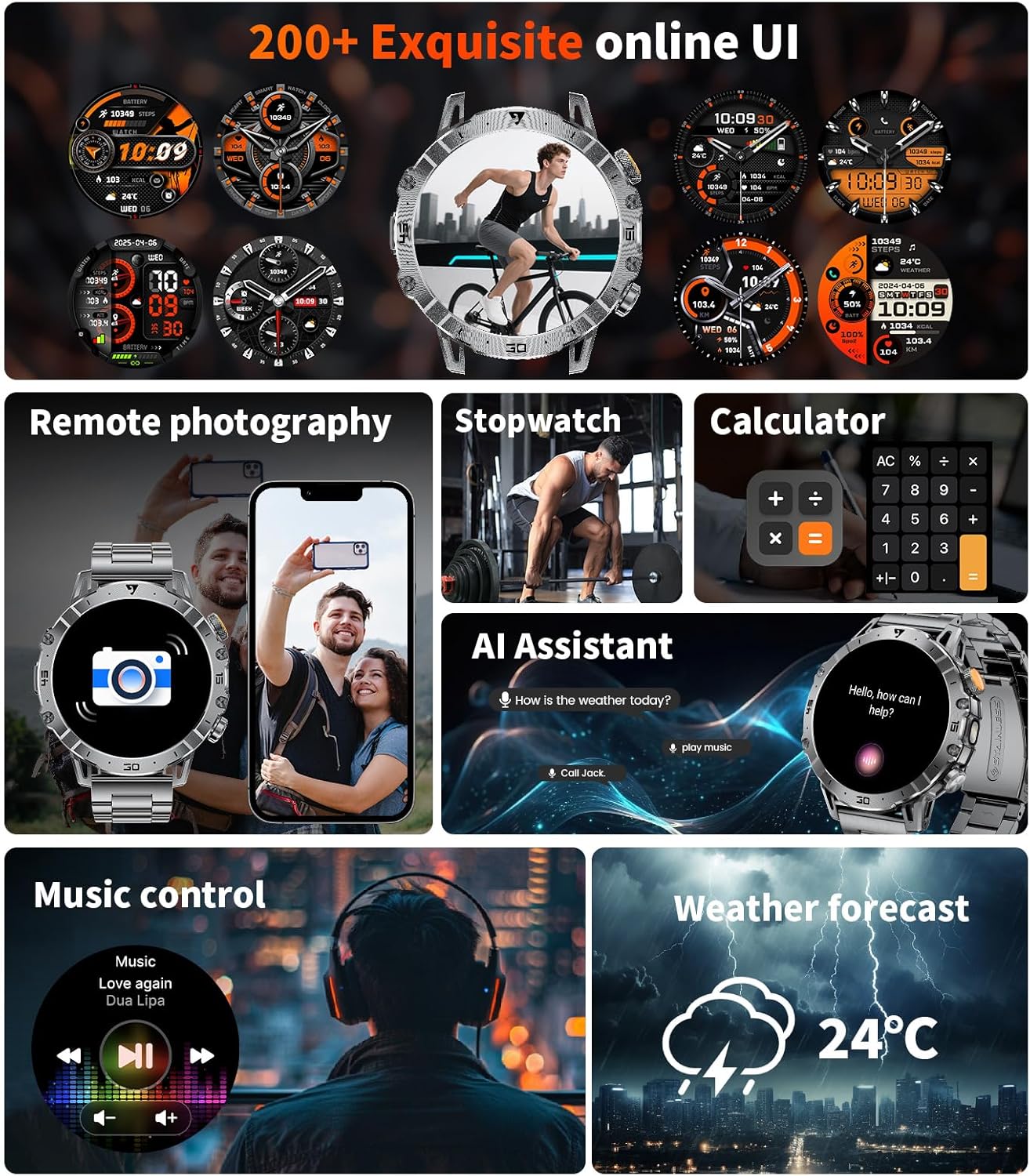
Image: The LIGE EF18-A Smart Watch showcasing a selection of its 200+ online watch faces and various utility functions like remote photography, stopwatch, calculator, AI assistant, music control, and weather forecast.

Image: The LIGE EF18-A Smart Watch highlighting its extensive collection of over 200 personalized watch faces, allowing users to customize the display to match their style.

Image: The LIGE EF18-A Smart Watch showcasing a range of smart features including weather updates, mobile phone search, remote photo taking, a calculator, water drinking reminders, and breathing training exercises.
5. ആരോഗ്യ നിരീക്ഷണം
The LIGE EF18-A Smart Watch is equipped with high-precision sensors for continuous health monitoring.
- ഹൃദയമിടിപ്പ് നിരീക്ഷണം: Tracks your heart rate 24/7, providing real-time data and historical trends in the FitCloudPro app.
- രക്തത്തിലെ ഓക്സിജൻ (SpO2) നിരീക്ഷണം: Measures your blood oxygen saturation levels to help you understand your physical condition.
- ഉറക്ക ട്രാക്കിംഗ്: Analyzes your sleep patterns, including deep sleep, light sleep, and awake times, to help improve sleep quality.
- പ്രവർത്തന ട്രാക്കിംഗ്: Automatically records steps, calories burned, and distance traveled.
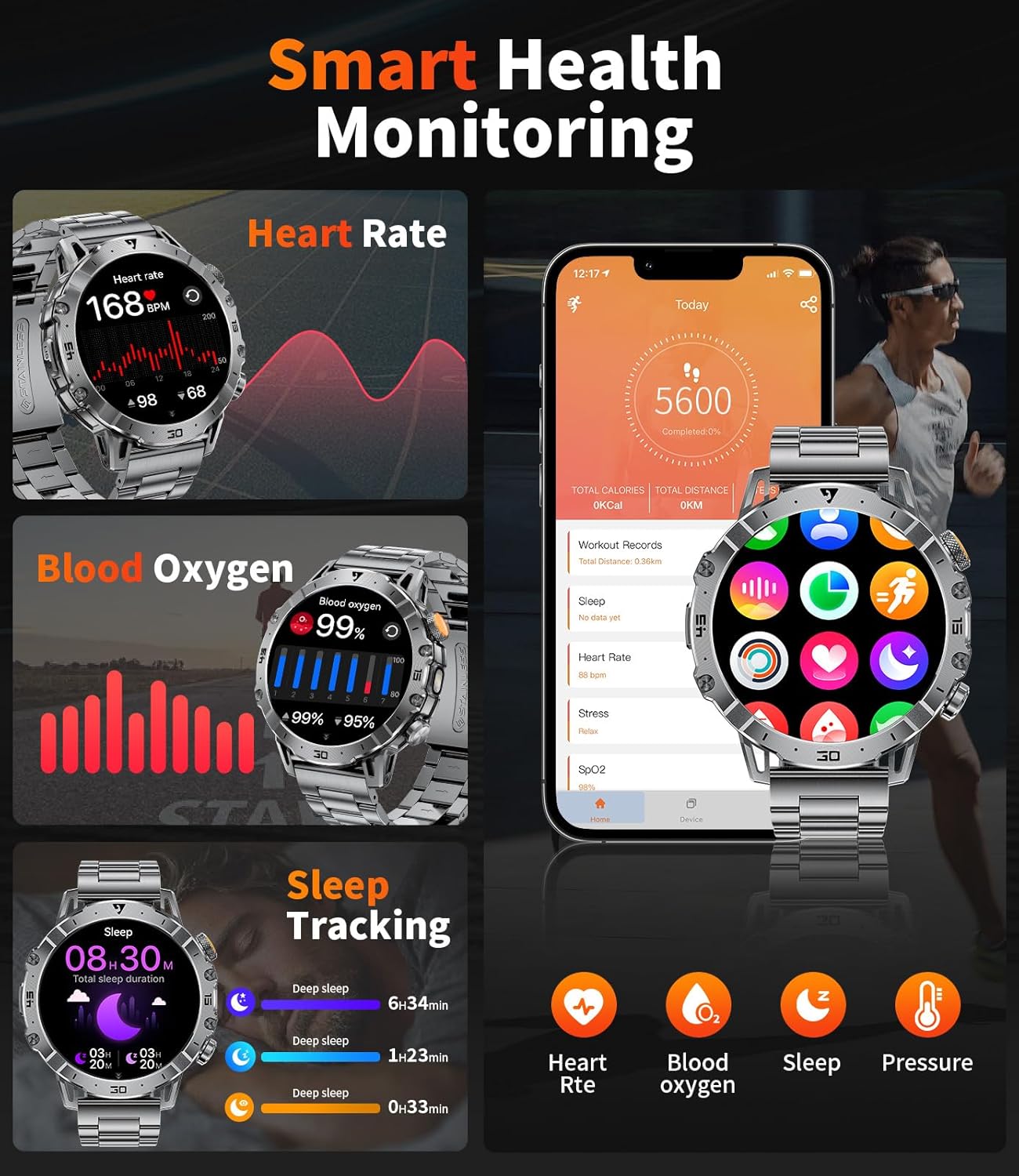
Image: The LIGE EF18-A Smart Watch showing its smart health monitoring capabilities, including real-time heart rate, blood oxygen levels, and detailed sleep tracking data.

Image: The LIGE EF18-A Smart Watch illustrating its comprehensive health monitoring and fitness management features, including heart rate, blood oxygen, sleep, and activity tracking.

Image: The LIGE EF18-A Smart Watch displaying its blood oxygen monitoring function, showing SpO2 data and trends to help users understand their physical condition.

Image: The LIGE EF18-A Smart Watch demonstrating its sleep quality tracking feature, showing bedtime, wake-up time, and duration of deep sleep, light sleep, awake, and REM stages.
6. സ്പോർട്സ് മോഡുകൾ
The smart watch offers over 100 workout modes, including running, cycling, walking, hiking, fitness, yoga, and HIIT. It accurately tracks steps, heart rate, workout time, and calories burned during your activities. All fitness data is stored in the FitCloudPro app for analysis and progress tracking.

Image: The LIGE EF18-A Smart Watch showcasing its 114 sports modes, with an example of exercise record display including duration, distance, and calories burned, alongside a cyclist.

Image: The LIGE EF18-A Smart Watch highlighting its 110+ sports modes, including cycling, running, and mountaineering, with data monitoring during exercise to help achieve fitness goals.
7. പരിപാലനം
- വൃത്തിയാക്കൽ: Regularly clean the watch screen and straps with a soft, dry cloth. For silicone straps, a mild soap and water solution can be used, followed by thorough rinsing and drying.
- ജല പ്രതിരോധം: The watch is 5ATM waterproof, suitable for swimming and showering. Avoid hot water, steam, or prolonged submersion in deep water. Do not operate buttons underwater.
- ബാറ്ററി കെയർ: To prolong battery life, avoid extreme temperatures. Charge the watch fully before long periods of inactivity.
8. പ്രശ്നപരിഹാരം
| ഇഷ്യൂ | സാധ്യമായ പരിഹാരം |
|---|---|
| വാച്ച് ഓണാകുന്നില്ല | വാച്ച് പൂർണ്ണമായും ചാർജ് ചെയ്തിട്ടുണ്ടെന്ന് ഉറപ്പാക്കുക. കുറഞ്ഞത് 30 മിനിറ്റെങ്കിലും ചാർജറുമായി ബന്ധിപ്പിക്കുക. |
| ഫോണുമായി ജോടിയാക്കാനായില്ല |
|
| അറിയിപ്പുകൾ ദൃശ്യമാകുന്നില്ല |
|
| കൃത്യമല്ലാത്ത ആരോഗ്യ ഡാറ്റ | വാച്ച് നിങ്ങളുടെ കൈത്തണ്ടയിൽ നന്നായി ധരിച്ചിട്ടുണ്ടെന്ന് ഉറപ്പാക്കുക, അധികം അയഞ്ഞതോ അധികം ഇറുകിയതോ അല്ല. വാച്ചിന്റെ പിൻഭാഗത്തുള്ള സെൻസർ വൃത്തിയാക്കുക. |
| ചെറിയ ബാറ്ററി ലൈഫ് | Reduce screen brightness, disable continuous heart rate monitoring if not needed, and limit frequent notifications. |
9 സ്പെസിഫിക്കേഷനുകൾ
| ഫീച്ചർ | വിശദാംശങ്ങൾ |
|---|---|
| മോഡൽ നമ്പർ | EF18-A |
| സ്ക്രീൻ വലിപ്പം | 1.7 Inches Ultra HD IPS (360x360 resolution) |
| ബാറ്ററി ശേഷി | 1000 mAh |
| ചാർജിംഗ് സമയം | ഏകദേശം 2.5 മണിക്കൂർ |
| ജല പ്രതിരോധം | 5എടിഎം |
| കണക്റ്റിവിറ്റി | ബ്ലൂടൂത്ത് 5.0 |
| ഓപ്പറേറ്റിംഗ് സിസ്റ്റം | Android (compatible with Android 5.1 & above), iOS (compatible with iOS 9.0 & above) |
| മെമ്മറി സ്റ്റോറേജ് കപ്പാസിറ്റി | 256 MB |
| പ്രത്യേക സവിശേഷതകൾ | Built-in Flashlight, 111+ Sports Modes, Heart Rate Monitor, Blood Oxygen Monitor, Sleep Monitor, Bluetooth Call & Notifications, Multiple Watch Straps Included |
| ഉൽപ്പന്ന അളവുകൾ | 10 x 1.97 x 0.98 ഇഞ്ച് |
| ഇനത്തിൻ്റെ ഭാരം | 0.035 ഔൺസ് (ഏകദേശം 1 ഗ്രാം) |

Image: A visual comparison highlighting the 1.7-inch screen size of the LIGE EF18-A Smart Watch against smaller (1.3") and larger (1.9") smartwatches, emphasizing its balanced display size.

Image: Details about the LIGE EF18-A Smart Watch's 1000mAh large battery, including charging time (2 hours), daily usage (10-20 days), and standby time (50+ days).
10. വാറൻ്റിയും പിന്തുണയും
LIGE provides a 365-day after-sales service for the EF18-A Smart Watch. If you encounter any issues or have questions, please contact customer support for assistance. A satisfactory response will be provided within 24 hours.
For support, please refer to the contact information provided with your purchase or visit the official LIGE webസൈറ്റ്.
11 അനുയോജ്യത
The LIGE EF18-A Smart Watch is compatible with smartphones running Android 5.1 and above, and iOS 9.0 and above. Ensure your device meets these requirements for optimal performance and connectivity with the FitCloudPro app.