
1. ആമുഖം
The AYANEO Pocket ACE is a high-performance handheld retro video game console designed for an immersive gaming experience. Powered by the Snapdragon G3x Gen 2 platform and running Android 13, it offers a blend of classic and modern mobile gaming capabilities. This manual provides essential information for setting up, operating, and maintaining your device.
2. ഉൽപ്പന്നം കഴിഞ്ഞുview
Familiarize yourself with the physical components and controls of your AYANEO Pocket ACE.
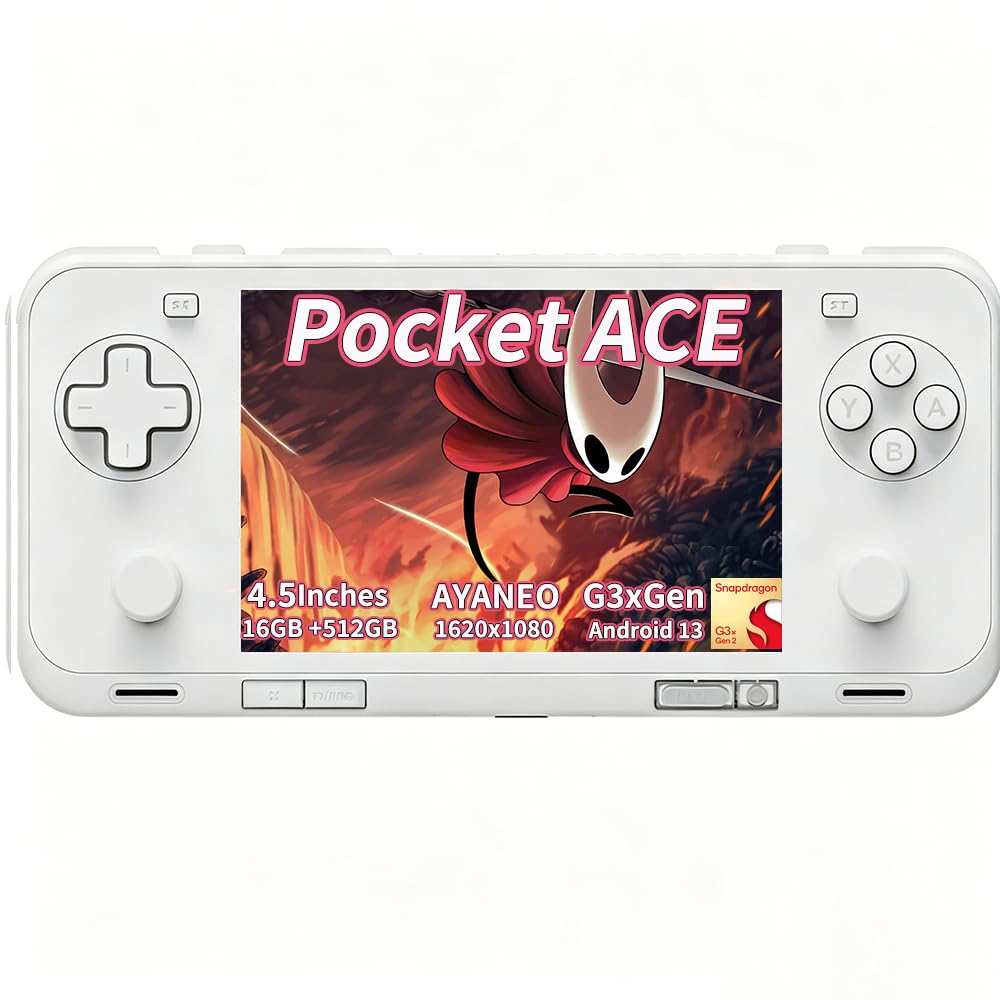
ചിത്രം 2.1: മുൻഭാഗം view of the AYANEO Pocket ACE, showcasing the display and primary controls.

ചിത്രം 2.2: പിന്നിലേക്ക് view of the AYANEO Pocket ACE, highlighting the cooling vents and AYANEO branding.
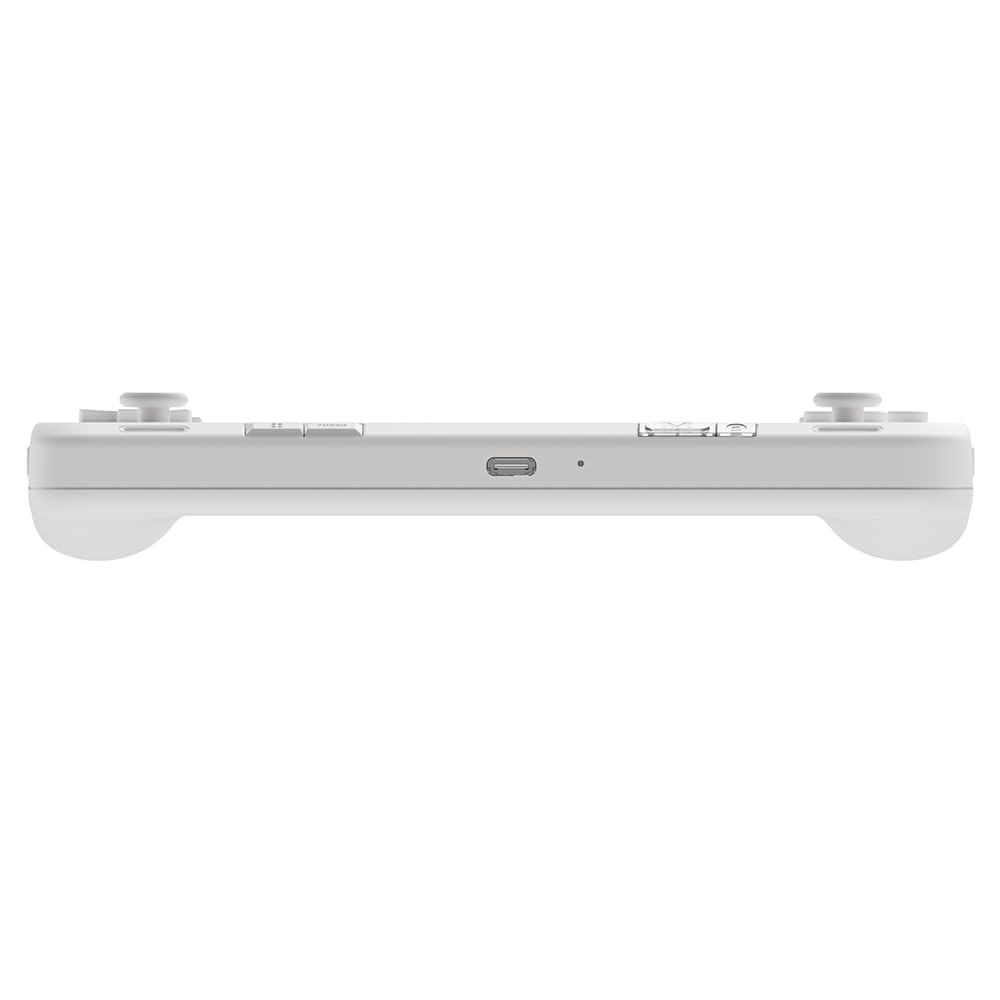
ചിത്രം 2.3: മുകളിൽ view of the AYANEO Pocket ACE, showing the USB-C port, volume buttons, and power button.

ചിത്രം 2.4: വശം view of the AYANEO Pocket ACE, illustrating the Micro SD card slot for expandable storage.
നിയന്ത്രണങ്ങളും തുറമുഖങ്ങളും:
- ഡിസ്പ്ലേ: 4.5-inch IPS touch screen (1620x1080 resolution, 3:2 aspect ratio).
- ഇടത് വശം: D-pad, Left Analog Stick, L1/L2 buttons.
- വലത് വശം: A/B/X/Y buttons, Right Analog Stick, R1/R2 buttons.
- മുകളിൽ: USB-C port, Volume Up/Down, Power button (with integrated fingerprint sensor).
- താഴെ: Cooling vents, additional function buttons.
- വശം: മൈക്രോ എസ്ഡി കാർഡ് സ്ലോട്ട്.
3. പ്രാരംഭ സജ്ജീകരണം
Follow these steps to set up your AYANEO Pocket ACE for the first time:
- ഉപകരണം ചാർജ് ചെയ്യുക: Before first use, fully charge the device using the provided USB-C cable and a compatible 40W PD charger.
- പവർ ഓൺ: Press and hold the Power button until the AYANEO logo appears on the screen.
- പ്രാരംഭ കോൺഫിഗറേഷൻ: Follow the on-screen prompts to select your language, connect to a Wi-Fi network, and complete the Android 13 setup process.
- സിസ്റ്റം അപ്ഡേറ്റുകൾ: It is recommended to check for and install any available system updates to ensure optimal performance and access to the latest features. Navigate to Settings > System > System Update.
4. പ്രവർത്തന നിർദ്ദേശങ്ങൾ
4.1 പവർ മാനേജ്മെൻ്റ്
- പവർ ഓൺ: പവർ ബട്ടൺ 2-3 സെക്കൻഡ് അമർത്തിപ്പിടിക്കുക.
- പവർ ഓഫ്: Press and hold the Power button for 2-3 seconds, then select 'Power Off' from the menu.
- പുനരാരംഭിക്കുക: Press and hold the Power button for 2-3 seconds, then select 'Restart' from the menu.
- സ്ലീപ്പ് മോഡ്: Briefly press the Power button to put the device into sleep mode. Press it again to wake the device.
4.2 അടിസ്ഥാന നാവിഗേഷൻ
The AYANEO Pocket ACE features a responsive touchscreen for navigation. You can also use the D-pad and analog sticks to navigate menus and select options.
4.3 ഗെയിമിംഗ്
The device is optimized for both retro and modern Android games. Launch games from the home screen or through the AYASpace application.
Video 4.1: Official product video demonstrating the AYANEO Pocket ACE's gaming performance, features, and user interface.
4.4 AYASpace Software
AYASpace is the proprietary management software for your AYANEO Pocket ACE. It allows you to:
- Manage your game library.
- Adjust performance modes (Saving, Balance, Game, Max) to optimize for battery life or raw power.
- Customize key mappings for various games.
- Access quick settings and system information.

Figure 4.1: Screenshot of AYASpace showing different performance modes available for selection.
5. ചാർജിംഗും ബാറ്ററിയും
The AYANEO Pocket ACE is equipped with a 6000mAh battery and supports 40W PD fast charging. To charge the device, connect the USB-C cable to the console's USB-C port and a compatible power adapter.
- A full charge provides extended gameplay sessions.
- The battery indicator on the screen will show the current charge level.
6. തണുപ്പിക്കൽ സംവിധാനം
The device features an advanced cooling system with an ultra-thin fan and a large copper heat spreader to maintain optimal performance during intensive gaming. The fan speed can be adjusted via AYASpace settings.

Figure 6.1: Illustration of the cooling system and various adjustable settings for joysticks, triggers, and fan speed.
7. Customization and Features
The AYANEO Pocket ACE offers several features for a personalized gaming experience:
- ഹാൾ ഇഫക്റ്റ് ജോയ്സ്റ്റിക്കുകളും ട്രിഗറുകളും: Experience precise control and zero latency with Hall effect components.
- HD Haptic Feedback: A wide-frequency linear motor provides immersive vibration feedback, enhancing gameplay.
- Gyro Support: Utilize motion sensing for assisted aiming in compatible games.
- കീ റീമാപ്പിംഗ്: Customize button functions through AYASpace to suit your preferences.
- ഫിംഗർപ്രിന്റ് പവർ ബട്ടൺ: Securely unlock your device with a touch.
8 സ്പെസിഫിക്കേഷനുകൾ
| ഫീച്ചർ | വിവരണം |
|---|---|
| മോഡലിൻ്റെ പേര് | Pocket ACE |
| പ്ലാറ്റ്ഫോം | ആൻഡ്രോയിഡ് 13 |
| പ്രോസസ്സർ | Qualcomm Snapdragon G3x Gen 2 |
| പ്രദർശിപ്പിക്കുക | 4.5-inch IPS Touch Screen, 1620x1080 resolution, 3:2 aspect ratio, 550 nits brightness, 130% sRGB |
| റാം | 16GB LPDDR5X |
| സംഭരണം | 512 ജിബി യുഎഫ്എസ് 4.0 |
| ബാറ്ററി | 6000mAh, 40W PD Fast Charging |
| കണക്റ്റിവിറ്റി | ബ്ലൂടൂത്ത് 5.3, വൈ-ഫൈ |
| നിയന്ത്രണങ്ങൾ | Hall Effect Joysticks, Hall Effect Linear Triggers, D-pad, A/B/X/Y buttons, L1/L2/R1/R2 buttons, Gyro Sensor |
| ഹാപ്റ്റിക്സ് | Wide-frequency Linear Motor |
| തണുപ്പിക്കൽ | Ultra-thin fan, Large copper heat spreader |
9. പ്രശ്നപരിഹാരം
If you encounter issues with your AYANEO Pocket ACE, consider the following common solutions:
- ഉപകരണം പവർ ചെയ്യുന്നില്ല: Ensure the device is fully charged. If the battery is completely depleted, it may take a few minutes of charging before it can power on.
- വൈഫൈ കണക്റ്റിവിറ്റി പ്രശ്നങ്ങൾ: Verify your Wi-Fi password and network settings. Try restarting your router and the Pocket ACE. Ensure the device's time and timezone settings are correct, as incorrect settings can sometimes cause SSL errors or connectivity problems.
- പ്രതികരിക്കാത്ത നിയന്ത്രണങ്ങൾ: Check if the device is in a specific performance mode that might affect input. Restarting the device can often resolve temporary control issues.
- സോഫ്റ്റ്വെയർ തകരാറുകൾ: Perform a system update. If the issue persists, a factory reset may be necessary (back up your data first).
- അമിത ചൂടാക്കൽ: Ensure the cooling vents are not obstructed. Adjust fan speed settings in AYASpace to a higher mode if needed.
For persistent issues, please refer to the official AYANEO support resources.
10 സുരക്ഷാ വിവരങ്ങൾ
നിങ്ങളുടെ ഉപകരണത്തിന് കേടുപാടുകൾ സംഭവിക്കാതിരിക്കാനോ നിങ്ങൾക്ക് തന്നെ പരിക്കേൽക്കാതിരിക്കാനോ ഈ സുരക്ഷാ മാർഗ്ഗനിർദ്ദേശങ്ങൾ വായിച്ച് പാലിക്കുക:
- ഉപകരണത്തെ തീവ്രമായ താപനിലയിലോ, നേരിട്ടുള്ള സൂര്യപ്രകാശത്തിലോ, ഈർപ്പത്തിലോ തുറന്നുകാട്ടരുത്.
- ശക്തമായ ആഘാതങ്ങൾക്ക് ഉപകരണം ഇടുകയോ ഇടുകയോ ചെയ്യുന്നത് ഒഴിവാക്കുക.
- അംഗീകൃത ചാർജറുകളും അനുബന്ധ ഉപകരണങ്ങളും മാത്രം ഉപയോഗിക്കുക.
- Do not attempt to disassemble or repair the device yourself. This may void your warranty and cause damage.
- കുട്ടികളിൽ നിന്നും വളർത്തുമൃഗങ്ങളിൽ നിന്നും ഉപകരണം അകറ്റി നിർത്തുക.
- Take breaks during extended gaming sessions to prevent eye strain and repetitive stress injuries.
11. വാറൻ്റിയും പിന്തുണയും
Your AYANEO Pocket ACE comes with a manufacturer's warranty. Please refer to the warranty card included in your product packaging or visit the official AYANEO webവിശദമായ വാറന്റി നിബന്ധനകൾക്കും വ്യവസ്ഥകൾക്കും സൈറ്റ്.
For technical support, product inquiries, or service requests, please contact AYANEO customer service through their official channels. Keep your purchase receipt and product serial number handy when contacting support.