
LIGE EF21-I
LIGE EF21-I Smartwatch User Manual
Model: EF21-I
ആമുഖം
This manual provides detailed instructions for the setup, operation, and maintenance of your LIGE EF21-I Smartwatch. Please read this manual thoroughly before using the device to ensure proper function and to maximize its features.
സുരക്ഷാ വിവരങ്ങൾ
- വാച്ച് ഡിസ്അസംബ്ലിംഗ് ചെയ്യാനോ പരിഷ്ക്കരിക്കാനോ ശ്രമിക്കരുത്.
- ഉയർന്ന താപനിലയിൽ നിന്നും നേരിട്ടുള്ള സൂര്യപ്രകാശത്തിൽ നിന്നും വാച്ച് സൂക്ഷിക്കുക.
- ശക്തമായ ആഘാതങ്ങൾക്കോ വീഴ്ചകൾക്കോ വാച്ച് വിധേയമാകുന്നത് ഒഴിവാക്കുക.
- Do not use corrosive chemicals to clean the watch.
- This device is not a medical device. Health data is for reference only and should not be used for medical diagnosis or treatment.
- Ensure charging contacts are clean and dry before charging.
പാക്കേജ് ഉള്ളടക്കം
നിങ്ങളുടെ പാക്കേജിൽ എല്ലാ ഇനങ്ങളും ഉണ്ടെന്ന് ഉറപ്പാക്കുക:
- LIGE EF21-I Smartwatch
- യുഎസ്ബി മാഗ്നെറ്റിക് ചാർജിംഗ് കേബിൾ
- ടൈപ്പ്-സി ചാർജിംഗ് കേബിൾ
- ഉപയോക്തൃ മാനുവൽ

Image: The package includes both a USB magnetic charging cable and a Type-C charging cable for versatile power options.
സജ്ജീകരണ ഗൈഡ്
1. പ്രാരംഭ ചാർജിംഗ്
Before first use, fully charge your smartwatch. Connect the magnetic charging cable to the charging contacts on the back of the watch and the USB end to a power adapter (not included) or a computer USB port. The watch display will show the charging status.

Image: The smartwatch connected to its magnetic charger, indicating its 800 mAh battery capacity.
2. ആപ്പ് ഇൻസ്റ്റാളേഷനും ജോടിയാക്കലും
To unlock all features, download and install the "Fit CloudPro" app on your smartphone.
- Scan the QR code in the manual or on the watch (if available) or search for "Fit CloudPro" in your phone's app store (compatible with Android 8.0+ and iOS 12.0+).
- ആപ്പ് തുറന്ന് ഒരു അക്കൗണ്ട് സൃഷ്ടിക്കുക അല്ലെങ്കിൽ ലോഗിൻ ചെയ്യുക.
- നിങ്ങളുടെ സ്മാർട്ട്ഫോണിൽ ബ്ലൂടൂത്ത് പ്രവർത്തനക്ഷമമാക്കിയിട്ടുണ്ടെന്ന് ഉറപ്പാക്കുക.
- ആപ്പിൽ, ഉപകരണ വിഭാഗത്തിലേക്ക് നാവിഗേറ്റ് ചെയ്ത് "ഉപകരണം ചേർക്കുക" അല്ലെങ്കിൽ സമാനമായ ഓപ്ഷൻ തിരഞ്ഞെടുക്കുക.
- Select "EF21-I" from the list of available devices to pair.
- ജോടിയാക്കൽ പ്രക്രിയ പൂർത്തിയാക്കാൻ ഓൺ-സ്ക്രീൻ നിർദ്ദേശങ്ങൾ പാലിക്കുക.
ജോടിയാക്കിക്കഴിഞ്ഞാൽ, വാച്ച് നിങ്ങളുടെ ഫോണുമായി സമയവും ഡാറ്റയും സമന്വയിപ്പിക്കും.
പ്രവർത്തന നിർദ്ദേശങ്ങൾ
അടിസ്ഥാന നാവിഗേഷൻ
- ടച്ച് സ്ക്രീൻ: മെനുകളിലൂടെയും സവിശേഷതകളിലൂടെയും നാവിഗേറ്റ് ചെയ്യാൻ ഇടത്തേക്ക്/വലത്തേക്ക്, മുകളിലേക്കും താഴേക്കും സ്വൈപ്പ് ചെയ്യുക. തിരഞ്ഞെടുക്കാൻ ടാപ്പ് ചെയ്യുക.
- സൈഡ് ബട്ടണുകൾ: Typically, one button acts as a power/back button, while others may be customizable shortcuts. Refer to the on-screen prompts for specific functions.

Image: The 1.43-inch AMOLED display offers brilliant colors and a fluid, efficient user experience.
ബ്ലൂടൂത്ത് കോൾ പ്രവർത്തനം
The EF21-I Smartwatch supports Bluetooth calls, allowing you to make and receive calls directly from your wrist.
- Ensure the watch is connected to your smartphone via Bluetooth.
- Access the "Call" or "Phone" function on your watch.
- You can use the dial pad, access your contacts, or view കോൾ ചരിത്രം.
- Advanced noise cancellation ensures clear audio during calls.
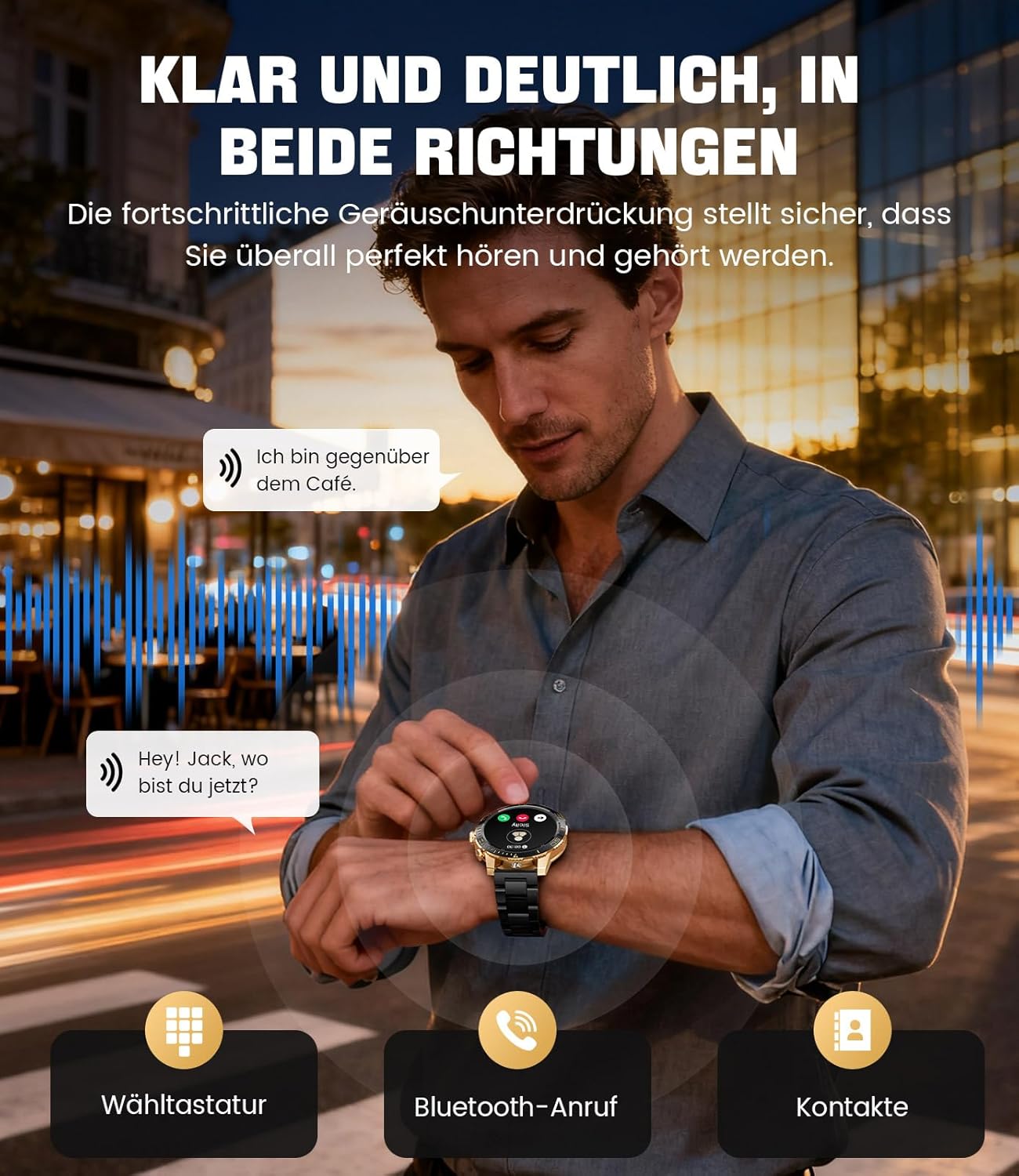
Image: The smartwatch allows clear two-way communication with advanced noise cancellation, featuring a dial pad, Bluetooth call option, and contacts access.
അറിയിപ്പുകൾ
Receive real-time notifications from your smartphone apps directly on your watch.
- Enable app notifications in the "Fit CloudPro" app settings.
- The watch will display incoming calls, SMS, and messages from social media apps (e.g., Facebook, Twitter, Instagറാം, വാട്ട്സ്ആപ്പ്).
- A quick glance at your wrist allows you to stay informed discreetly.

Image: The smartwatch displays real-time notifications from various social media applications, keeping you informed discreetly.
ആരോഗ്യ നിരീക്ഷണം
The EF21-I Smartwatch acts as your 24/7 health guardian, providing continuous monitoring of key health metrics.
- ഹൃദയമിടിപ്പ്: ദിവസം മുഴുവൻ നിങ്ങളുടെ ഹൃദയമിടിപ്പ് നിരീക്ഷിക്കുന്നു.
- രക്ത ഓക്സിജൻ (SpO2): നിങ്ങളുടെ രക്തത്തിലെ ഓക്സിജൻ സാച്ചുറേഷൻ അളവ് അളക്കുന്നു.
- ഉറക്ക ട്രാക്കിംഗ്: Analyzes your sleep patterns, distinguishing between deep sleep, light sleep, and awake times.
- സ്ട്രെസ് മോണിറ്ററിംഗ്: Tracks stress levels.
- ഉദാസീനമായ ഓർമ്മപ്പെടുത്തലുകൾ: നിഷ്ക്രിയത്വ കാലയളവുകൾക്ക് ശേഷം നീങ്ങാൻ നിങ്ങളെ അറിയിക്കുന്നു.
View detailed health data and trends in the "Fit CloudPro" app.
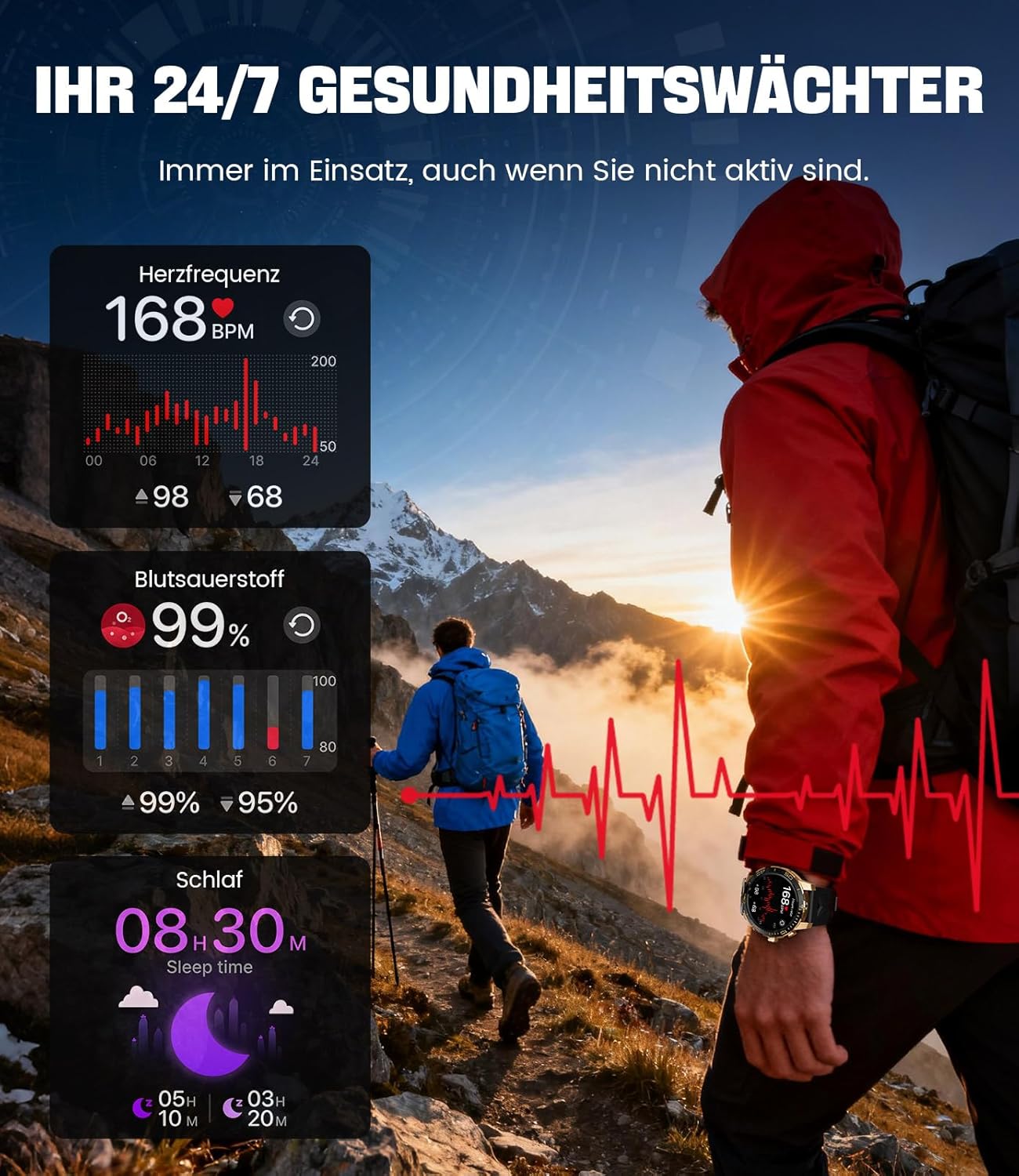
Image: The smartwatch functions as a 24/7 health guardian, monitoring heart rate, blood oxygen, and sleep patterns, even when you are not actively engaged in exercise.
സ്പോർട്സ് മോഡുകൾ
With over 200 sports modes, the watch helps you track your workouts and achieve your fitness goals.
- Select your desired sport mode from the watch menu.
- The watch records data such as heart rate, calories burned, and steps taken.
- Automatic recognition for walking, running, and cycling is supported.
- Review your activity data in the "Fit CloudPro" app for performance analysis.

Image: The smartwatch supports over 200 training modes, tracking heart rate, calories, and steps for various activities.
ഇഷ്ടാനുസൃതമാക്കാവുന്ന വാച്ച് ഫെയ്സുകൾ
Personalize your smartwatch with a variety of watch faces.
- The watch comes with several pre-installed classic watch faces.
- Access over 200 additional designs through the "Fit CloudPro" app.
- You can also upload your own photos to create custom watch faces.
അധിക സവിശേഷതകൾ
- കാലാവസ്ഥാ പ്രവചനം: തത്സമയ കാലാവസ്ഥാ അപ്ഡേറ്റുകൾ നേടുക.
- അലാറം ക്ലോക്ക്: നിങ്ങളുടെ കൈത്തണ്ടയിൽ നിന്ന് നേരിട്ട് അലാറങ്ങൾ സജ്ജമാക്കുക.
- റിമോട്ട് ക്യാമറ കൺട്രോൾ: Use your watch to trigger your phone's camera.
- ഫ്ലാഷ്ലൈറ്റ്: Activate a flashlight function on your wrist.
- Phone Locator: Find your misplaced smartphone using the watch.

Image: The smartwatch features a wrist flashlight function, providing illumination for outdoor activities.
മെയിൻ്റനൻസ്
വൃത്തിയാക്കൽ
- മൃദുവായ, ലിന്റ് രഹിത തുണി ഉപയോഗിച്ച് വാച്ച് സ്ക്രീനും ബോഡിയും തുടയ്ക്കുക.
- മുരടിച്ച പാടുകൾക്ക്, ഡിampen the cloth slightly with water.
- Avoid using harsh chemicals, abrasive materials, or ultrasonic cleaners.
- ചാർജിംഗ് കോൺടാക്റ്റുകൾ വൃത്തിയുള്ളതും അവശിഷ്ടങ്ങൾ ഇല്ലാത്തതുമാണെന്ന് ഉറപ്പാക്കുക.
ജല പ്രതിരോധം (IP68)
The LIGE EF21-I Smartwatch is IP68 water-resistant, meaning it can withstand immersion in water up to 1.5 meters for up to 30 minutes. It is suitable for daily use, hand washing, and swimming.
- Do not use the watch in hot water, saunas, or steam rooms.
- വെള്ളത്തിനടിയിൽ ബട്ടണുകൾ അമർത്തുന്നത് ഒഴിവാക്കുക.
- After exposure to water, especially saltwater, dry the watch thoroughly.
ട്രബിൾഷൂട്ടിംഗ്
വാച്ച് ഓണാക്കുന്നില്ല
- വാച്ച് പൂർണ്ണമായും ചാർജ് ചെയ്തിട്ടുണ്ടെന്ന് ഉറപ്പാക്കുക. കുറഞ്ഞത് 30 മിനിറ്റെങ്കിലും ചാർജറുമായി ബന്ധിപ്പിക്കുക.
- കുറച്ച് സെക്കൻഡ് നേരത്തേക്ക് പവർ ബട്ടൺ അമർത്തിപ്പിടിക്കുക.
Unable to Pair with App
- നിങ്ങളുടെ സ്മാർട്ട്ഫോണിൽ ബ്ലൂടൂത്ത് പ്രവർത്തനക്ഷമമാക്കിയിട്ടുണ്ടെന്ന് ഉറപ്പാക്കുക.
- വാച്ച് ആവശ്യത്തിന് ചാർജ് ചെയ്തിട്ടുണ്ടെന്ന് ഉറപ്പാക്കുക.
- നിങ്ങളുടെ സ്മാർട്ട്ഫോണും സ്മാർട്ട് വാച്ചും പുനരാരംഭിക്കുക.
- Try unpairing and re-pairing the device through the "Fit CloudPro" app.
- നിങ്ങളുടെ ഫോണിൽ ആപ്പിന് ആവശ്യമായ അനുമതികൾ ഉണ്ടോ എന്ന് പരിശോധിക്കുക.
കൃത്യമല്ലാത്ത ആരോഗ്യ ഡാറ്റ
- വാച്ച് നിങ്ങളുടെ കൈത്തണ്ടയിൽ നന്നായി ധരിക്കുന്നുണ്ടെന്ന് ഉറപ്പാക്കുക, അധികം അയഞ്ഞതോ അധികം ഇറുകിയതോ അല്ല.
- വാച്ചിന്റെ പിൻഭാഗത്തുള്ള സെൻസർ വൃത്തിയാക്കുക.
- അളക്കുമ്പോൾ അമിതമായ ചലനം ഒഴിവാക്കുക.
- Remember that health data is for reference and not for medical use.
Notifications Not Received
- Verify that the watch is connected to your phone via Bluetooth.
- Check notification settings in the "Fit CloudPro" app.
- നിങ്ങളുടെ ഫോണിന്റെ അറിയിപ്പ് ക്രമീകരണങ്ങൾ ആപ്പിനെ അറിയിപ്പുകൾ അയയ്ക്കാൻ അനുവദിക്കുന്നുണ്ടെന്ന് ഉറപ്പാക്കുക.
- Disable any battery optimization settings for the "Fit CloudPro" app on your phone.
സ്പെസിഫിക്കേഷനുകൾ
| ഫീച്ചർ | വിശദാംശങ്ങൾ |
|---|---|
| ബ്രാൻഡ് | ലൈഗ് |
| മോഡൽ നമ്പർ | EF21-I |
| ഡിസ്പ്ലേ വലിപ്പം | 1.43 ഇഞ്ച് |
| ഡിസ്പ്ലേ തരം | അമോലെഡ് |
| ബാറ്ററി ശേഷി | 800 mAh (ലിഥിയം-പോളിമർ) |
| കണക്റ്റിവിറ്റി | ബ്ലൂടൂത്ത് |
| ഓപ്പറേറ്റിംഗ് സിസ്റ്റം അനുയോജ്യത | ആൻഡ്രോയിഡ് 8.0+ & iOS 12.0+ |
| വാട്ടർ റെസിസ്റ്റൻസ് റേറ്റിംഗ് | IP68 |
| മെമ്മറി സ്റ്റോറേജ് കപ്പാസിറ്റി | 256 MB |
| പ്രത്യേക സവിശേഷതകൾ | Weather forecast, Sedentary reminder, Alarm clock, Touch screen, Always-on display, Bluetooth calling, Heart rate monitor, SpO2 monitor, Sleep monitor, 200+ sports modes, Phone locator |
| ജിപിഎസ് | സ്മാർട്ട്ഫോൺ വഴി ജിപിഎസ് |

Image: The smartwatch features impact resistance, indicated by a 'Military Grade Drop-Tested' badge.
വാറൻ്റിയും പിന്തുണയും
വാറൻ്റി വിവരങ്ങൾ
The product is supported by a 12-month warranty. Please retain your proof of purchase for warranty claims.
ഉപഭോക്തൃ പിന്തുണ
For technical assistance, troubleshooting, or warranty inquiries, please contact LIGE customer support. Refer to the contact information provided with your purchase or visit the official LIGE webസൈറ്റ്.
Ask a question about this manual
Ask about setup, troubleshooting, compatibility, parts, safety, or missing instructions. Manuals+ will review the question and use this page’s manual context to help answer it.