
1. ആമുഖം
This manual provides essential information for the safe and efficient operation of your Dangbei MP1 MAX 4K Projector. Please read this manual thoroughly before using the product and retain it for future reference.

Figure 1: Dangbei MP1 MAX 4K Projector and optional floor stand.
2. ഉൽപ്പന്നം കഴിഞ്ഞുview
The Dangbei MP1 MAX is a high-performance 4K projector designed for immersive home entertainment. It features a hybrid Triple Laser & LED engine, delivering impressive brightness and professional color accuracy. The projector integrates smart AI optimization for easy setup and a flexible built-in stand for versatile placement.
പ്രധാന സവിശേഷതകൾ:
- True 4K Integration: Hybrid Triple Laser & LED engine with 3100 ISO Lumens brightness. Supports 110% BT.2020 color gamut and professional color accuracy.
- Adaptive AI Optimization: Powered by InstanPro AI, featuring auto focus, auto keystone correction, screen fit, obstacle avoidance, and AI brightness adjustment.
- ഫ്ലെക്സിബിൾ പ്ലേസ്മെൻ്റ്: Built-in stand with 360° horizontal rotation and 135° vertical tilt.
- ഇമ്മേഴ്സീവ് ഓഡിയോ: Dual 12W speakers, 750cc acoustic chamber, bass-reflex system, Dolby Audio, and DTS:X support.
- ഗൂഗിൾ ടിവി: Access to 10,000+ apps including Netflix, YouTube, Prime Video. Voice control via Google Assistant and smart casting.
- കണക്റ്റിവിറ്റി: HDMI 2.1 (eARC), USB, Bluetooth 5.2, Wi-Fi 6.
3. സജ്ജീകരണം
3.1 അൺപാക്കിംഗും പ്ലേസ്മെന്റും
- പാക്കേജിംഗിൽ നിന്ന് പ്രൊജക്ടറും എല്ലാ അനുബന്ധ ഉപകരണങ്ങളും ശ്രദ്ധാപൂർവ്വം നീക്കം ചെയ്യുക.
- Place the projector on a stable, flat surface. The built-in stand allows for flexible positioning.

Figure 2: The projector's built-in stand offers 360° horizontal rotation and 135° vertical tilt for flexible projection angles.

Figure 3: The optional floor stand provides adjustable height for optimal viewing.
3.2 പവർ കണക്ഷൻ
- പ്രൊജക്ടറിന്റെ പവർ ഇൻപുട്ട് പോർട്ടിലേക്ക് പവർ അഡാപ്റ്റർ ബന്ധിപ്പിക്കുക.
- ഒരു മതിൽ ഔട്ട്ലെറ്റിലേക്ക് പവർ അഡാപ്റ്റർ പ്ലഗ് ചെയ്യുക.

Figure 4: The projector features integrated cable management to keep your setup tidy.
3.3 പ്രാരംഭ പവർ ഓൺ
Press the power button on the projector or the remote control to turn on the device. Follow the on-screen instructions for initial setup, including language selection and network connection.
4. പ്രൊജക്ടർ പ്രവർത്തിപ്പിക്കൽ
4.1 Image Adjustment (InstanPro AI)
The projector is equipped with InstanPro AI for automatic image setup. This includes:
- ഓട്ടോ ഫോക്കസ്: Automatically adjusts the image clarity.
- യാന്ത്രിക കീസ്റ്റോൺ തിരുത്തൽ: Automatically corrects image distortion to create a rectangular shape.
- സ്ക്രീൻ ഫിറ്റ്: Automatically aligns the image with the screen.
- തടസ്സം ഒഴിവാക്കൽ: പ്രൊജക്ഷൻ പാതയിലെ തടസ്സങ്ങൾ കണ്ടെത്തി ഒഴിവാക്കുന്നു.
- AI Brightness Adjustment: Adjusts brightness based on ambient light conditions.
These features ensure an optimized projection experience with minimal manual intervention.
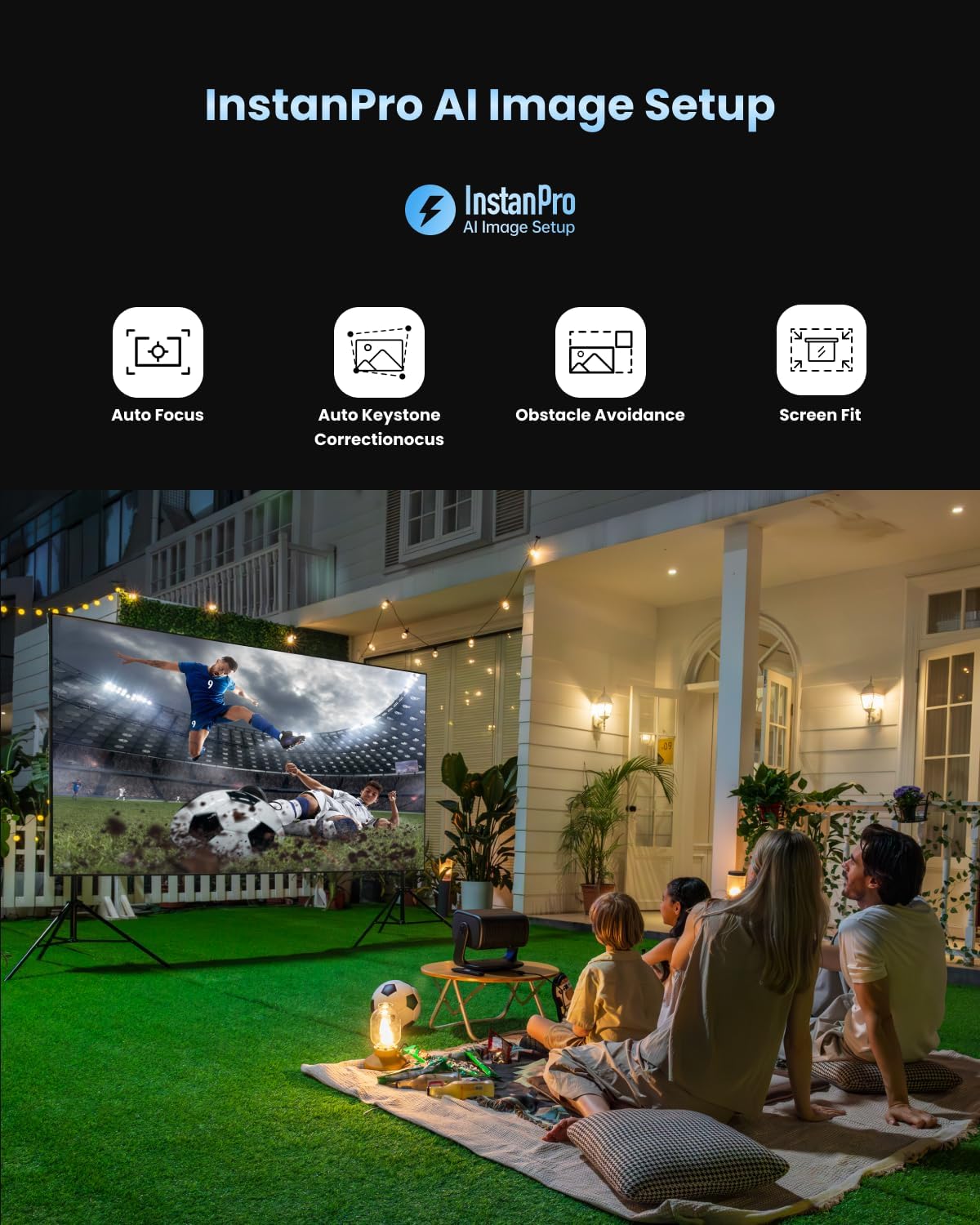
Figure 5: InstanPro AI Image Setup features for automatic optimization.
4.2 ഗൂഗിൾ ടിവി ഇന്റർഫേസ്
Navigate the Google TV interface using the remote control. Access your favorite streaming apps, movies, shows, and more.

Figure 6: The Google TV home screen with access to popular applications.
4.3 വിദൂര നിയന്ത്രണം
The remote control provides quick access to essential functions. It includes dedicated buttons for popular streaming services like YouTube, Netflix, and Prime Video, as well as buttons for focus and keystone correction adjustments.
5. കണക്റ്റിവിറ്റി
The Dangbei MP1 MAX offers various connectivity options:
- HDMI 2.1 (eARC): For connecting external devices like gaming consoles, Blu-ray players, or sound systems. The eARC port supports enhanced audio return channel functionality.
- USB: USB ഡ്രൈവുകളിൽ നിന്നുള്ള മീഡിയ പ്ലേബാക്കിനായി.
- ബ്ലൂടൂത്ത് 5.2: For connecting wireless audio devices.
- Wi-Fi 6: For high-speed wireless internet connection.
6. Image Quality & Performance
The projector delivers a vibrant and bright 4K image. It supports HDR10+, HDR10, and HLG for enhanced contrast and color. The 3100 ISO Lumens brightness allows for clear viewing even in well-lit environments, though optimal viewing is achieved in darker conditions.

Figure 7: Visual comparison demonstrating the impressive brightness of the MP1 MAX.
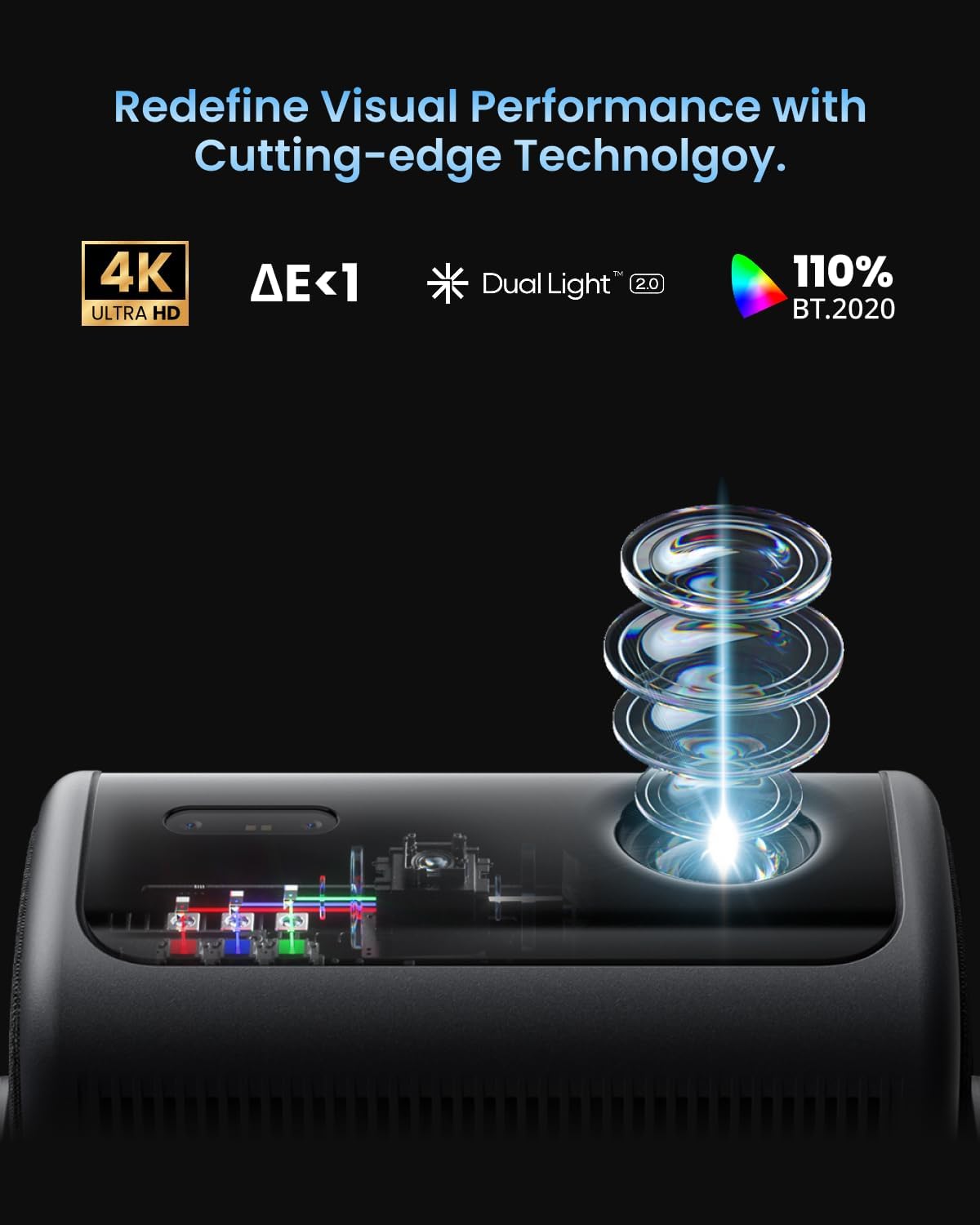
Figure 8: The Dual Light 2.0 engine combines Triple Laser and LED technology for superior visual performance.
7. ഓഡിയോ
Equipped with dual 12W speakers, a 750cc acoustic chamber, and a bass-reflex system, the MP1 MAX provides powerful surround sound down to 45Hz. It supports Dolby Audio and DTS:X for a cinema-grade audio experience.
8. ഗെയിമിംഗ്
For casual gaming, the projector offers a responsive experience. While not designed for professional competitive gaming due to its refresh rate, it provides an immersive large-screen gaming experience with its bright and clear visuals.
9. പരിപാലനം
To ensure the longevity and optimal performance of your projector:
- Keep the projector clean and free from dust. Use a soft, dry cloth for cleaning.
- അമിതമായി ചൂടാകുന്നത് തടയാൻ പ്രൊജക്ടറിന് ചുറ്റും ശരിയായ വായുസഞ്ചാരം ഉറപ്പാക്കുക.
- പ്രൊജക്ടറെ തീവ്രമായ താപനിലയിലോ ഈർപ്പത്തിലോ തുറന്നുകാട്ടുന്നത് ഒഴിവാക്കുക.
10. പ്രശ്നപരിഹാരം
പൊതുവായ പ്രശ്നങ്ങളും പരിഹാരങ്ങളും:
| ഇഷ്യൂ | സാധ്യമായ പരിഹാരം |
|---|---|
| ചിത്രമൊന്നും പ്രദർശിപ്പിച്ചിട്ടില്ല | Check power connection, input source, and ensure the lens cap is removed. |
| ചിത്രം മങ്ങിയതാണ് | Allow auto-focus to run or manually adjust focus using the remote control. |
| ചിത്രം വികലമാണ് (ട്രപസോയിഡ് ആകൃതി) | Allow auto keystone correction to run or manually adjust keystone settings. |
| ശബ്ദമില്ല | Check volume levels, audio output settings, and external audio device connections. |
| റിമോട്ട് കൺട്രോൾ പ്രതികരിക്കുന്നില്ല | Replace batteries, ensure no obstacles between remote and projector. |
11 സ്പെസിഫിക്കേഷനുകൾ
- തെളിച്ചം: 3100 ISO ല്യൂമെൻസ്
- റെസലൂഷൻ: 4K UHD
- പ്രകാശ സ്രോതസ്സ്: Hybrid Triple Laser & LED
- വർണ്ണ ഗാമറ്റ്: 110% BT.2020
- HDR പിന്തുണ: HDR10+, HDR10, HLG
- പ്രൊജക്ഷൻ വലുപ്പം: 40"-300"
- ത്രോ അനുപാതം: 1.2:1 (Fixed)
- സ്പീക്കറുകൾ: Dual 12W, Dolby Audio, DTS:X
- ഓപ്പറേറ്റിംഗ് സിസ്റ്റം: Google TV
- കണക്റ്റിവിറ്റി: HDMI 2.1 (eARC), USB, Bluetooth 5.2, Wi-Fi 6
- AI സവിശേഷതകൾ: InstanPro AI (Auto Focus, Auto Keystone, Screen Fit, Obstacle Avoidance, AI Brightness)
12. വാറണ്ടിയും പിന്തുണയും
For warranty information and technical support, please refer to the official Dangbei webസൈറ്റിൽ ബന്ധപ്പെടുക അല്ലെങ്കിൽ അവരുടെ ഉപഭോക്തൃ സേവനവുമായി നേരിട്ട് ബന്ധപ്പെടുക. വാങ്ങിയതിന്റെ തെളിവായി നിങ്ങളുടെ വാങ്ങൽ രസീത് സൂക്ഷിക്കുക.