
1. ആമുഖം
Welcome to the DOOGEE Anywise W1 Pro Smart Watch instruction manual. This guide provides essential information for setting up, operating, and maintaining your new smartwatch. The Anywise W1 Pro is a rugged and versatile device designed for active lifestyles, featuring dual-band GPS, offline maps, comprehensive health monitoring, and a durable 5ATM waterproof design.
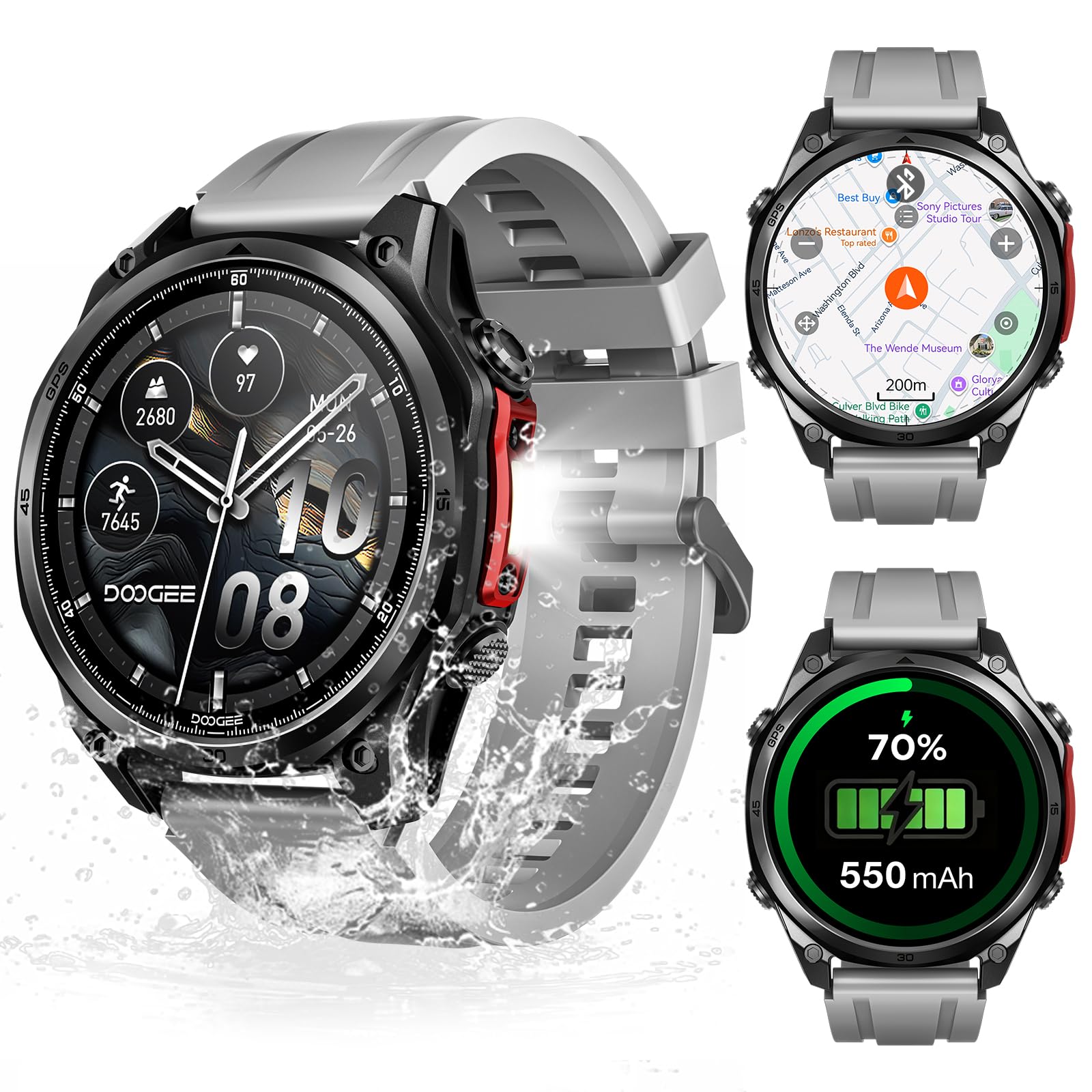
Figure 1: DOOGEE Anywise W1 Pro Smart Watch overview.
2. സജ്ജീകരണം
2.1 ബോക്സിൽ എന്താണുള്ളത്
- ചാർജിംഗ് കേബിൾ
- ഉപയോക്തൃ മാനുവൽ
- Watch Band (Note: Product includes two watch straps: silicone and braided)
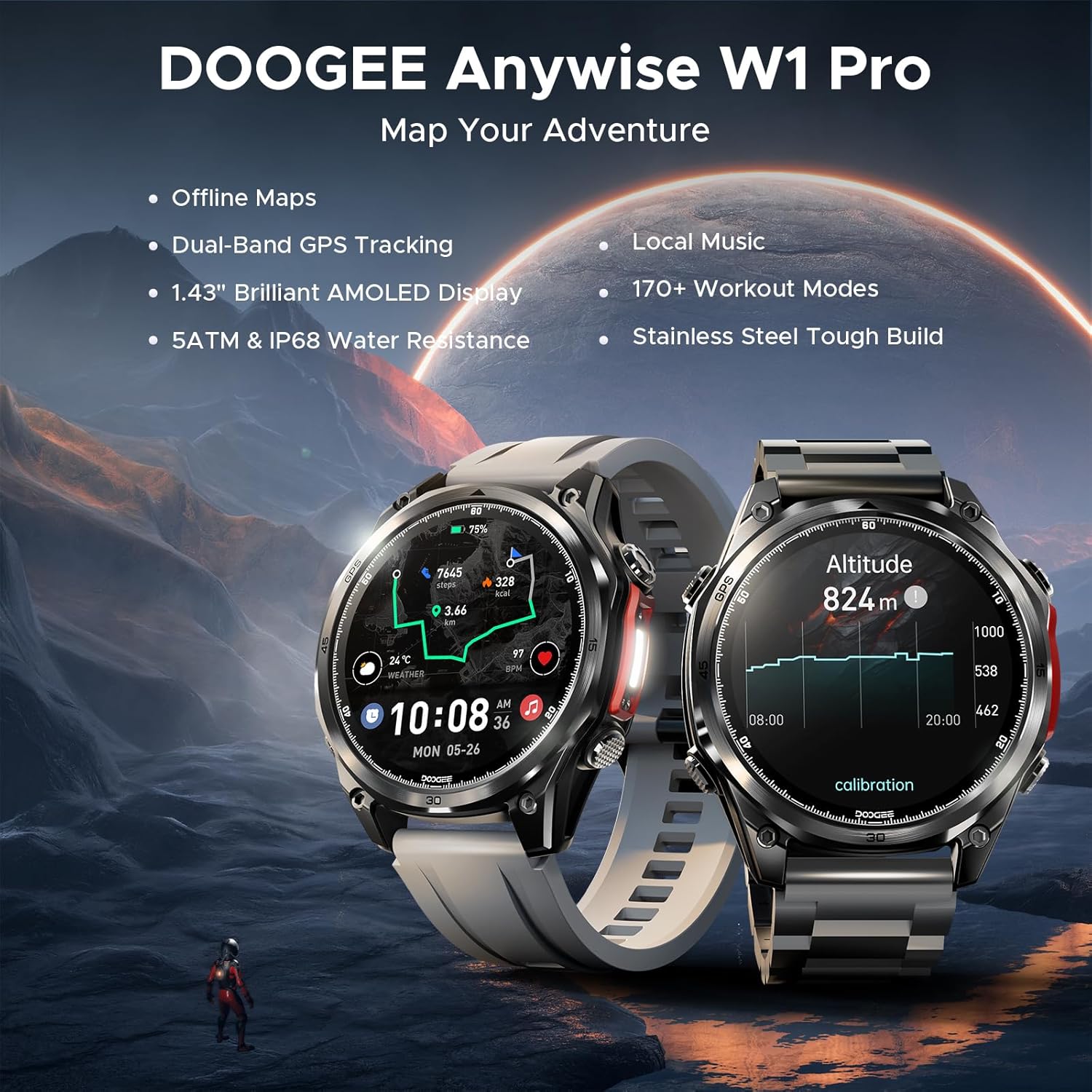
Figure 2: Package Contents of the Anywise W1 Pro Smart Watch.
2.2 പ്രാരംഭ ചാർജിംഗ്
Before first use, fully charge your smartwatch using the provided magnetic charging cable. Connect the USB end of the cable to a power adapter (not included) or a computer's USB port. Align the magnetic end with the charging contacts on the back of the watch until it snaps into place. The watch display will indicate charging status.
2.3 ആപ്പ് ഇൻസ്റ്റാളേഷനും ജോടിയാക്കലും
To unlock the full potential of your DOOGEE Anywise W1 Pro, you need to install the companion app on your smartphone (compatible with iOS 13+ or Android 5.0+). The app allows for data synchronization, additional sports modes, watch face customization, and more.
- Scan the QR code provided in the user manual or search for the official app in your phone's app store.
- ആവശ്യപ്പെടുകയാണെങ്കിൽ ആപ്പ് ഇൻസ്റ്റാൾ ചെയ്ത് ഒരു അക്കൗണ്ട് സൃഷ്ടിക്കുക.
- നിങ്ങളുടെ സ്മാർട്ട്ഫോണിൽ ബ്ലൂടൂത്ത് പ്രവർത്തനക്ഷമമാക്കിയിട്ടുണ്ടെന്ന് ഉറപ്പാക്കുക.
- Open the app, navigate to the device section, and select "Add Device" or "Scan for Device".
- Select "Anywise W1 Pro" from the list of available devices to initiate pairing.
- നിങ്ങളുടെ ഫോണിലും സ്മാർട്ട് വാച്ചിലും പെയറിംഗ് അഭ്യർത്ഥന സ്ഥിരീകരിക്കുക.
Video 1: Unboxing and initial setup of the DOOGEE Anywise W1 Pro Smart Watch, demonstrating the contents and basic power-on sequence.
3. നിങ്ങളുടെ സ്മാർട്ട് വാച്ച് പ്രവർത്തിപ്പിക്കുക
3.1 ഡിസ്പ്ലേയും നാവിഗേഷനും
The DOOGEE Anywise W1 Pro features a 1.43-inch AMOLED high-definition touch screen for clear visibility. Navigate through menus by swiping left, right, up, or down. The physical buttons on the side provide quick access to functions and can be used for navigation, especially when wearing gloves.

Figure 3: The vibrant 1.43" AMOLED display.
3.2 Dual-Band GPS & Offline Maps
The smartwatch is equipped with built-in Dual-Band GPS (L1+L5) and supports six satellite systems (GPS, GLONASS, Beidou, Galileo, QZSS, AGPS) for fast and accurate location tracking. It also supports pre-loaded offline maps, ensuring you stay on track even without network connectivity. A built-in compass, altimeter, and barometer provide real-time environmental data.

Figure 4: Dual-Band GPS and Offline Map functionality.
3.3 സ്പോർട്സ് മോഡുകൾ
With over 170 sports modes, the Anywise W1 Pro is a comprehensive fitness tracker. It monitors critical data such as workout heart rate, distance, speed, and calories in real-time. More sports modes can be downloaded via the companion app.

ചിത്രം 5: ഓവർview of 170+ Sports Modes.
Video 2: Demonstration of various fitness tracking capabilities and sports modes on the smartwatch.
3.4 Comprehensive Health Monitoring
Monitor your health with real-time heart rate, sleep, stress, and blood oxygen tracking. The data collected helps you understand your body's metrics and build healthier habits.

Figure 6: Advanced Health Monitoring features.
3.5 Bluetooth Calling & AI Voice Assistant
The watch supports Bluetooth calling, allowing you to answer calls directly through its speaker. It also features AI functions for dialing, Q&A, and real-time translation, acting as a personal assistant on your wrist.
- Up to 100 contacts can be imported via the app.
- Answer calls directly from the watch.
- The watch only alerts you to messages; it cannot reply.
- Real-time translation converts voice input into text displayed on the watch and provides voice announcements.
3.6 LED Flashlight & Compass
A 60 LM LED flashlight with 4 brightness levels is integrated for convenience in low-light conditions. The compass function is ideal for outdoor activities like campഇംഗും ഹൈക്കിംഗും.

Figure 7: Additional features including Flashlight and AI Assistant.
4. പരിപാലനം
4.1 ജല പ്രതിരോധം
The DOOGEE Anywise W1 Pro has a 5ATM waterproof rating, making it suitable for swimming, showering, and various harsh environments. It is designed to withstand water immersion up to 50 meters.

Figure 8: 5ATM & IP68 Waterproofing.
4.2 ബാറ്ററി ലൈഫ്
Equipped with a 550mAh high-capacity battery and advanced power management, the smartwatch offers ultra-long battery life. Expect up to 12 days of daily use and 40 hours of continuous GPS positioning. Battery life may vary based on settings and usage.

ചിത്രം 9: ബാറ്ററി ലൈഫ് കഴിഞ്ഞുview.
5. പ്രശ്നപരിഹാരം
- ജോടിയാക്കൽ പ്രശ്നങ്ങൾ: നിങ്ങളുടെ ഫോണിൽ ബ്ലൂടൂത്ത് പ്രവർത്തനക്ഷമമാക്കിയിട്ടുണ്ടെന്നും വാച്ച് പരിധിക്കുള്ളിലാണെന്നും ഉറപ്പാക്കുക. രണ്ട് ഉപകരണങ്ങളും പുനരാരംഭിച്ച് വീണ്ടും ജോടിയാക്കാൻ ശ്രമിക്കുക.
- Contact Sync: Up to 100 contacts can be imported via the app. Open the app, select your device, then tap "Contacts" to import.
- Message Replies: The watch only alerts you to incoming messages; it does not support replying to messages directly.
- വോയ്സ് അസിസ്റ്റന്റ്: The watch's voice assistant cannot read/reply to messages or handle calls. Calls can be answered/ended by tapping the watch screen.
- തത്സമയ വിവർത്തനം: This feature converts voice input into text displayed on the watch and provides voice announcements.
6 സ്പെസിഫിക്കേഷനുകൾ
| ഫീച്ചർ | വിശദാംശങ്ങൾ |
|---|---|
| മോഡൽ നമ്പർ | Anywise W1 Pro |
| സ്ക്രീൻ വലിപ്പം | 1.43 ഇഞ്ച് AMOLED |
| ജിപിഎസ് | Dual-Band (L1+L5), 6-satellite support, Built-in GPS |
| ജല പ്രതിരോധം | 5എടിഎം |
| ബാറ്ററി ശേഷി | 550 മില്ലിamp മണിക്കൂറുകൾ |
| Battery Life (Daily Use) | 12 ദിവസം വരെ |
| Battery Life (GPS Navigation) | 40 മണിക്കൂർ |
| മെമ്മറി സ്റ്റോറേജ് കപ്പാസിറ്റി | 2 ജിബി |
| ഓപ്പറേറ്റിംഗ് സിസ്റ്റം | Android Wear 2.0 (Compatible with iOS 13+ / Android 5.0+) |
| കണക്റ്റിവിറ്റി ടെക്നോളജി | ബ്ലൂടൂത്ത് |
| പ്രത്യേക സവിശേഷതകൾ | Offline Maps, 170+ Sports Modes, Health Monitoring (Heart Rate, Sleep, Stress, Blood Oxygen), Bluetooth Calling, AI Voice Assistant, 60 LM LED Flashlight, Compass, Altimeter, Barometer |
| മെറ്റീരിയൽ | Zinc alloy (case) |
7. വാറൻ്റിയും പിന്തുണയും
For warranty information, technical support, or any inquiries regarding your DOOGEE Anywise W1 Pro Smart Watch, please refer to the official DOOGEE website or contact the seller directly. Keep your purchase receipt for warranty claims.