
പ്രധാനപ്പെട്ട സുരക്ഷാ വിവരങ്ങൾ
Read all instructions carefully before using the microwave oven. Always follow basic safety precautions to reduce the risk of fire, electric shock, injury to persons, or exposure to excessive microwave energy.
- വാതിൽ തുറന്നിട്ടുകൊണ്ട് ഈ ഓവൻ പ്രവർത്തിപ്പിക്കാൻ ശ്രമിക്കരുത്, കാരണം ഇത് മൈക്രോവേവ് ഊർജ്ജത്തിന് ദോഷകരമായ എക്സ്പോഷർ ഉണ്ടാക്കും.
- അടുപ്പിൻ്റെ മുൻഭാഗത്തിനും വാതിലിനുമിടയിൽ ഒരു വസ്തുവും സ്ഥാപിക്കരുത് അല്ലെങ്കിൽ സീലിംഗ് പ്രതലങ്ങളിൽ മണ്ണ് അല്ലെങ്കിൽ ക്ലീനർ അവശിഷ്ടങ്ങൾ അടിഞ്ഞുകൂടാൻ അനുവദിക്കരുത്.
- ഓവൻ കേടായെങ്കിൽ അത് പ്രവർത്തിപ്പിക്കരുത്. അടുപ്പ് വാതിൽ ശരിയായി അടയ്ക്കുകയും പ്രത്യേകിച്ച് കേടുപാടുകൾ സംഭവിക്കാതിരിക്കുകയും ചെയ്യേണ്ടത് വളരെ പ്രധാനമാണ്:
- ശരിയായ യോഗ്യതയുള്ള സേവന ഉദ്യോഗസ്ഥർ ഒഴികെ മറ്റാരും അടുപ്പ് ക്രമീകരിക്കാനോ നന്നാക്കാനോ പാടില്ല.
സജ്ജീകരണവും ഇൻസ്റ്റാളേഷനും
അൺപാക്ക് ചെയ്യുന്നു
Carefully remove all packaging materials from inside and outside the microwave oven. Ensure all components are present and undamaged. Keep packaging materials away from children.
പ്ലേസ്മെൻ്റ്
Place the microwave oven on a flat, stable surface that can support its weight and the heaviest food item likely to be cooked in it. Ensure adequate ventilation by leaving at least 4 inches (10 cm) of space around the sides, back, and top of the oven. Do not block air vents.
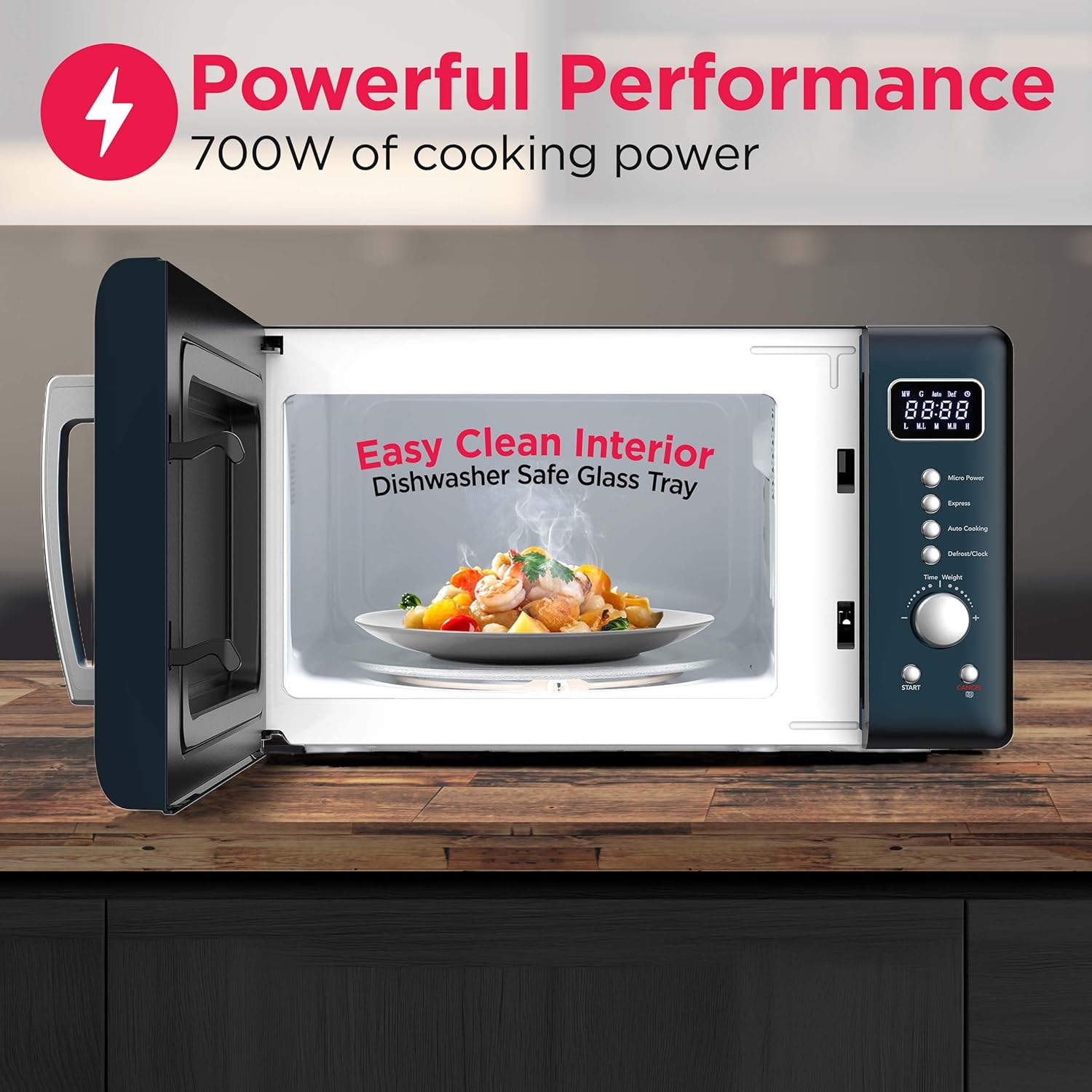
Image: Microwave dimensions showing 17.8 inches width, 13.5 inches depth, and 10.2 inches height.
പവർ കണക്ഷൻ
Plug the microwave oven into a dedicated 120V, 60Hz AC outlet. Do not use extension cords or adapters. Ensure the electrical circuit is properly grounded.
ടേൺടേബിൾ അസംബ്ലി
Place the turntable ring inside the oven cavity, then position the glass turntable plate securely on top of the ring. Ensure it rotates freely.
പ്രവർത്തന നിർദ്ദേശങ്ങൾ
നിയന്ത്രണ പാനൽ ഓവർview
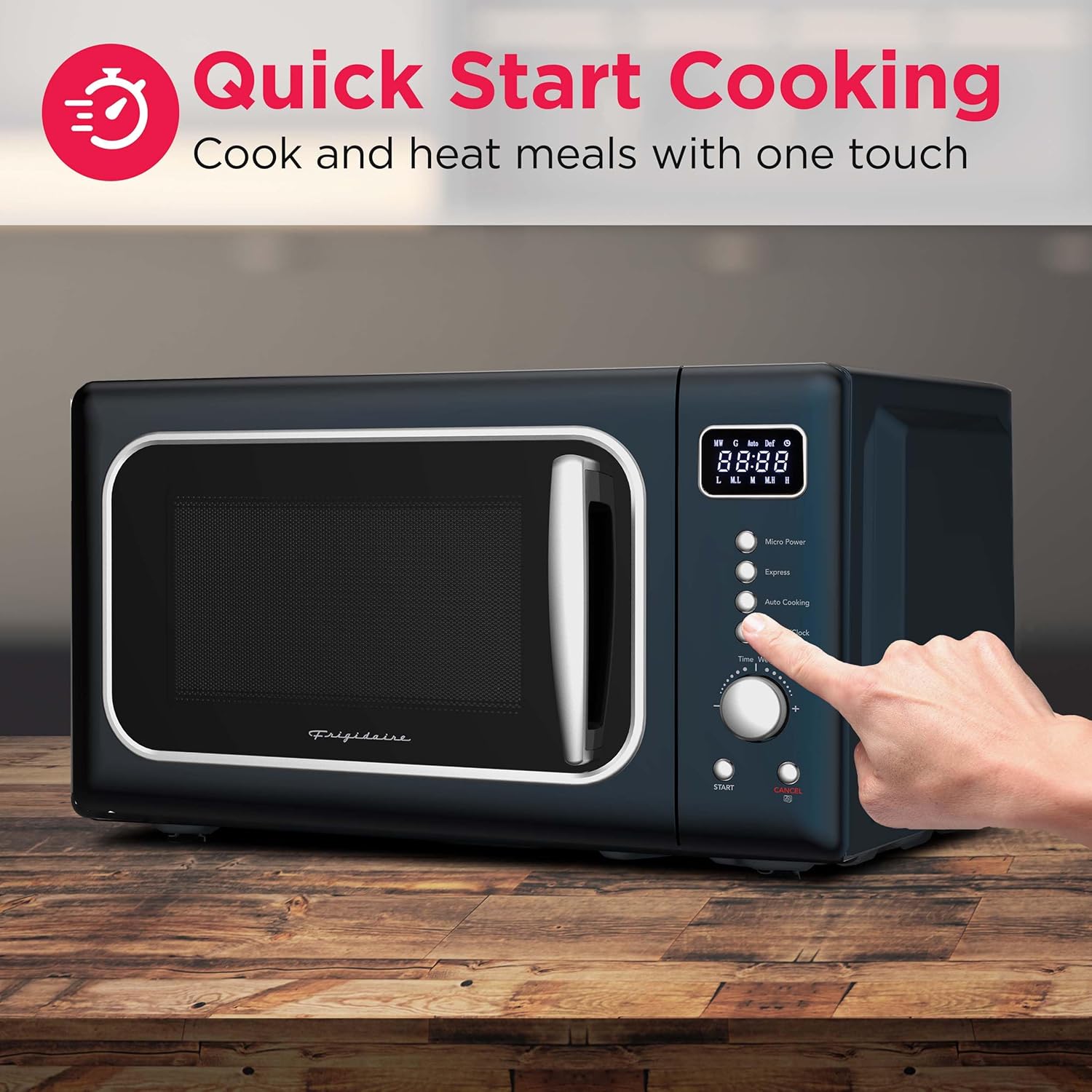
Image: Close-up of the microwave control panel, highlighting the LED display, cooking power buttons, express cooking, auto cook menus, auto defrost, and time/weight dial.
The control panel features an easy-to-read LED display, buttons for various functions, and a rotary dial for time and weight adjustments.
അടിസ്ഥാന പാചകം
- Place food in a microwave-safe container on the glass turntable. Close the door securely.
- To set cooking time, rotate the സമയം/ഭാരം ഡയൽ ചെയ്യുക
- To adjust power level, press the മൈക്രോ പവർ button repeatedly to cycle through 10 power levels.
- അമർത്തുക ആരംഭിക്കുക പാചകം ആരംഭിക്കുന്നതിനുള്ള ബട്ടൺ.
എക്സ്പ്രസ് കുക്ക്
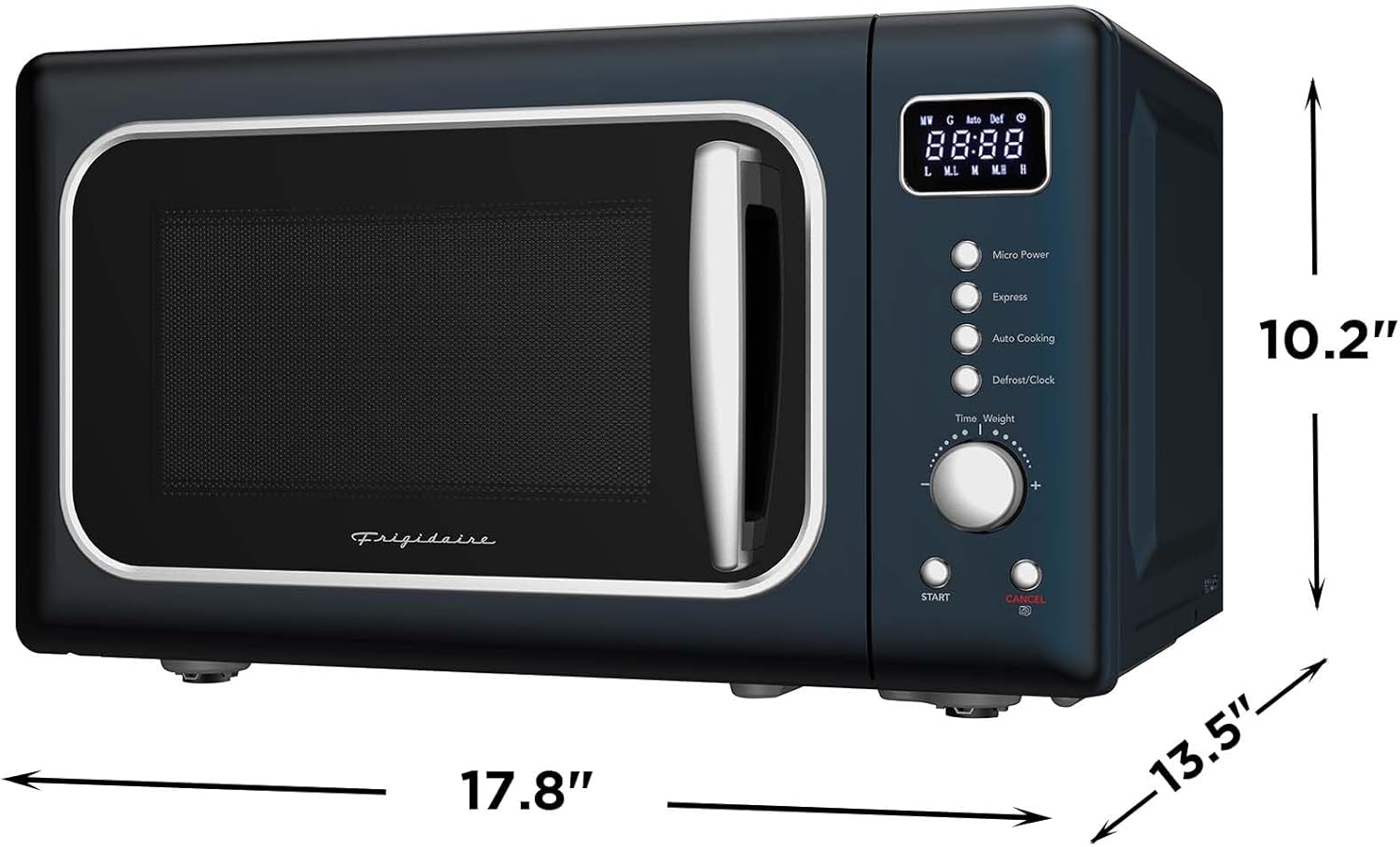
Image: A hand pressing the 'Express' button on the microwave control panel, indicating quick start cooking.
വേഗത്തിൽ ചൂടാക്കാൻ, അമർത്തുക എക്സ്പ്രസ് button. Each press adds 30 seconds of cooking time at full power. You can also press the ആരംഭിക്കുക button once to immediately begin cooking for 30 seconds at full power, then rotate the dial to add more time.
ഓട്ടോ കുക്ക് മെനുകൾ

Image: A collage showing six different food items (popcorn, potato wedges, pizza, frozen vegetables, hot beverage, chicken wings) representing the automatic cooking menus.
The microwave includes 6 pre-programmed settings for common food items. Press the ഓട്ടോ പാചകം button repeatedly to select the desired menu, then press ആരംഭിക്കുക.
ഡിഫ്രോസ്റ്റിംഗ്
The microwave offers speed/weight defrost functions. Press the ഡിഫ്രോസ്റ്റ്/ക്ലോക്ക് ബട്ടൺ, തുടർന്ന് ഉപയോഗിക്കുക സമയം/ഭാരം dial to select the appropriate defrost setting and weight. Press ആരംഭിക്കുക ആരംഭിക്കാൻ.
കുട്ടികളുടെ സുരക്ഷാ ലോക്ക്
ചൈൽഡ് സേഫ്റ്റി ലോക്ക് സജീവമാക്കാൻ, അമർത്തിപ്പിടിക്കുക റദ്ദാക്കുക button for 3 seconds until "LOC" appears on the display. To deactivate, press and hold the റദ്ദാക്കുക ബട്ടൺ വീണ്ടും 3 സെക്കൻഡ്.
പരിപാലനവും ശുചീകരണവും
ഇൻ്റീരിയർ ക്ലീനിംഗ്
The microwave features an easy-clean interior. For light spills, wipe with a damp cloth. For stubborn stains, place a bowl of water with lemon slices inside and microwave for 2-3 minutes to loosen residue, then wipe clean. The glass turntable tray is dishwasher safe for convenient cleaning.
Image: The interior of the microwave showing a plate of food and text indicating "Easy Clean Interior" and "Dishwasher Safe Glass Tray".
ബാഹ്യ ശുചീകരണം
ഒരു മൃദുവായ, ഡി ഉപയോഗിച്ച് ബാഹ്യ പ്രതലങ്ങൾ തുടയ്ക്കുകamp തുണി. ഉപരിതലത്തിൽ പോറൽ വീഴ്ത്താൻ സാധ്യതയുള്ള ഉരച്ചിലുകളുള്ള ക്ലീനറുകളോ സ്കോറിംഗ് പാഡുകളോ ഒഴിവാക്കുക.
വാതിൽ മുദ്രകൾ
Regularly clean the door seals and adjacent parts with a mild detergent and a soft cloth to ensure proper sealing and operation.
ട്രബിൾഷൂട്ടിംഗ്
If you experience issues with your microwave, consult the following common problems and solutions:
| പ്രശ്നം | സാധ്യമായ കാരണം | പരിഹാരം |
|---|---|---|
| ഓവൻ ആരംഭിക്കുന്നില്ല | പവർ കോർഡ് പ്ലഗ് ഇൻ ചെയ്തിട്ടില്ല; വാതിൽ ശരിയായി അടച്ചിട്ടില്ല; ഫ്യൂസ് പൊട്ടിത്തെറിച്ചു അല്ലെങ്കിൽ സർക്യൂട്ട് ബ്രേക്കർ ട്രിപ്പുചെയ്തു. | പ്ലഗ് സുരക്ഷിതമാണെന്ന് ഉറപ്പാക്കുക; വാതിൽ കർശനമായി അടയ്ക്കുക; വീട്ടിലെ ഫ്യൂസ്/സർക്യൂട്ട് ബ്രേക്കർ പരിശോധിക്കുക. |
| ഭക്ഷണം ചൂടാക്കുന്നില്ല | Door not closed properly; Cooking time/power level set incorrectly; Metal objects in oven. | Close door firmly; Adjust time/power; Remove any metal objects. |
| ടേൺടേബിൾ കറങ്ങുന്നില്ല | ടേൺടേബിൾ ശരിയായി ഇട്ടിട്ടില്ല; ടേൺടേബിളിനടിയിൽ അവശിഷ്ടങ്ങൾ. | Re-seat turntable and ring; Clean under turntable. |
| ചൈൽഡ് ലോക്ക് സജീവമാക്കി | Child lock feature is engaged. | അമർത്തിപ്പിടിക്കുക റദ്ദാക്കുക നിർജ്ജീവമാക്കാൻ 3 സെക്കൻഡ് നേരത്തേക്ക് ബട്ടൺ അമർത്തിപ്പിടിക്കുക. |
ഈ പരിഹാരങ്ങൾ പരീക്ഷിച്ചതിനുശേഷവും പ്രശ്നം നിലനിൽക്കുകയാണെങ്കിൽ, ദയവായി ഉപഭോക്തൃ പിന്തുണയുമായി ബന്ധപ്പെടുക.
സ്പെസിഫിക്കേഷനുകൾ
| ഫീച്ചർ | വിശദാംശങ്ങൾ |
|---|---|
| ബ്രാൻഡ് | ഫ്രിജിഡെയർ |
| മോഡലിൻ്റെ പേര് | EMW788BLUARGENT |
| ശേഷി | 0.7 ക്യുബിക് അടി |
| വാട്ട്tage | 700 വാട്ട്സ് |
| വാല്യംtage | 120 വോൾട്ട് |
| ഉൽപ്പന്ന അളവുകൾ (D x W x H) | 13.27"D x 18.9"W x 11.52"H |
| ഇനത്തിൻ്റെ ഭാരം | 14.5 പൗണ്ട് |
| നിറം | നീല |
| മെറ്റീരിയൽ | Painted Metal (Exterior), Stainless Steel (Inner) |
| പവർ ലെവലുകളുടെ എണ്ണം | 5 |
| പ്രത്യേക സവിശേഷതകൾ | Child Safety Lock, Digital Kitchen Timer, Express Cook, One-Touch Cooking Menus |
| ഇൻസ്റ്റലേഷൻ തരം | കൗണ്ടർടോപ്പ് |
വാറൻ്റിയും പിന്തുണയും
വാറൻ്റി വിവരങ്ങൾ
This FRIGIDAIRE EMW788RETRO microwave oven comes with a 1-വർഷ പരിമിത വാറൻ്റി വാങ്ങിയ തീയതി മുതൽ. സാധാരണ ഉപയോഗത്തിലുള്ള മെറ്റീരിയലുകളിലെയും ജോലികളിലെയും വൈകല്യങ്ങൾ ഈ വാറന്റി ഉൾക്കൊള്ളുന്നു. വാറന്റി ക്ലെയിമുകൾക്കായി നിങ്ങളുടെ വാങ്ങിയതിന്റെ തെളിവ് സൂക്ഷിക്കുക.
ഉപഭോക്തൃ പിന്തുണ
For technical assistance, troubleshooting beyond this manual, or warranty service, please contact Frigidaire customer support. Refer to the contact information provided with your product packaging or visit the official Frigidaire website for current support details.