
ആമുഖം
The iLive Cinema Pop-up Movie Kit is a comprehensive portable entertainment solution designed to transform any space into a personal cinema. This kit includes a 720p projector, a 120-inch ultra-bright projector screen, an adjustable tripod, and a powerful Bluetooth 5.0 speaker system. Enjoy crisp images and rich audio for both indoor and outdoor movie nights.
എന്താണ് ഉൾപ്പെടുത്തിയിരിക്കുന്നത്
- 720p പ്രൊജക്ടർ
- 120-inch Anti-Wrinkle Polyester Projector Screen (16:9 aspect ratio, 1.3 gain)
- Professional-Grade Tripod with integrated bubble level (360-degree pan, ±180-degree tilt, 41.73-inch max height, 4 kg capacity)
- Bluetooth 5.0 Speaker System (dual 4-inch full-range speakers, 16W peak output, LED light effects, rechargeable battery)
- റിമോട്ട് കൺട്രോൾ
- പവർ കേബിൾ
- HDMI കേബിൾ
- 3.5 എംഎം ഓഡിയോ കേബിൾ
- USB കേബിൾ
- ചുമക്കുന്ന കേസ്
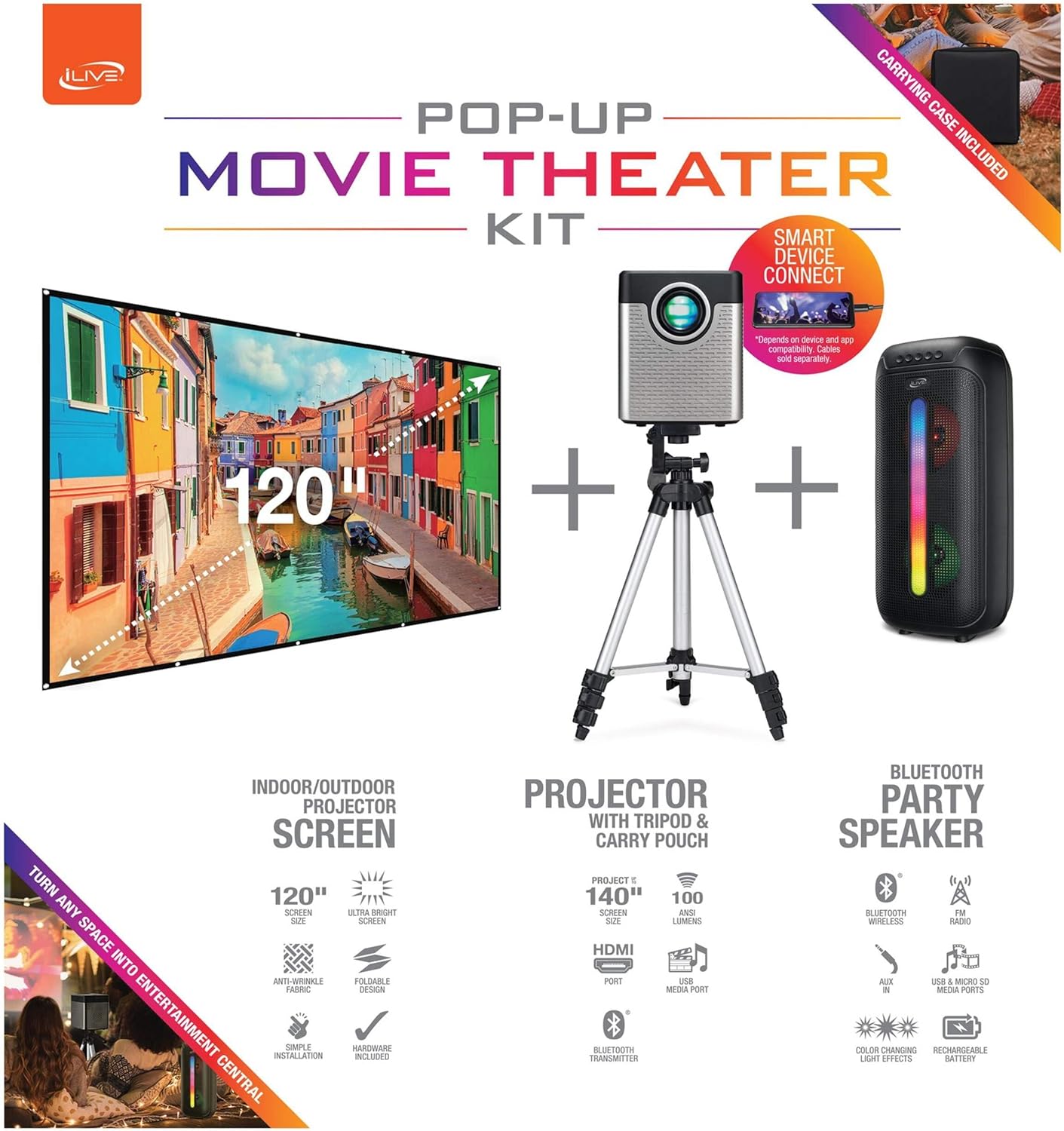
Figure 1: Diagram of the iLive Cinema Pop-up Movie Kit components.

Figure 2: The complete kit packed in its carrying case.
സജ്ജമാക്കുക
- ഘടകങ്ങൾ അൺപാക്ക് ചെയ്യുക: ചുമക്കുന്ന കേസിൽ നിന്ന് എല്ലാ ഇനങ്ങളും ശ്രദ്ധാപൂർവ്വം നീക്കം ചെയ്യുക.
- ട്രൈപോഡ് കൂട്ടിച്ചേർക്കുക: Extend the legs of the tripod and secure them. Adjust the height to your desired viewing level. The integrated bubble level assists in ensuring a stable and level base.
- മൗണ്ട് പ്രൊജക്ടർ: Securely attach the projector to the tripod mount. Ensure it is stable and facing the desired projection area.
- Set Up Screen: Unfold the 120-inch anti-wrinkle screen. If using the tripod, attach the screen to the tripod frame using the provided fasteners. Ensure the screen is taut and wrinkle-free for optimal viewing. For alternative mounting, use the grommets along the screen's edges with appropriate wall hooks (not included).
- സ്പീക്കർ സ്ഥാനം: Place the Bluetooth speaker in a location that provides optimal sound distribution for your viewing ഏരിയ.
- പവർ ബന്ധിപ്പിക്കുക: പ്രൊജക്ടറിലേക്കും അനുയോജ്യമായ ഒരു പവർ ഔട്ട്ലെറ്റിലേക്കും പവർ കേബിൾ ബന്ധിപ്പിക്കുക.
- ഉപകരണങ്ങൾ ബന്ധിപ്പിക്കുക (ഓപ്ഷണൽ): Connect your media source (e.g., laptop, gaming console, Blu-ray player) to the projector using an HDMI or USB cable. For external audio, use the 3.5mm audio input or connect wirelessly via Bluetooth to the speaker.

Figure 3: Projector mounted on the tripod.

ചിത്രം 4: ഉദാample outdoor setup with the projector and screen.
പ്രവർത്തന നിർദ്ദേശങ്ങൾ
പ്രൊജക്ടർ ഓപ്പറേഷൻ
- പവർ ഓൺ/ഓഫ്: Press the power button on the projector or remote control to turn the unit on or off.
- ഇൻപുട്ട് ഉറവിടം: Use the remote control to select the desired input source (HDMI, USB, etc.).
- ഫോക്കസ് അഡ്ജസ്റ്റ്മെന്റ്: ചിത്രം വ്യക്തമാകുന്നതുവരെ പ്രൊജക്ടർ ലെൻസിലെ ഫോക്കസ് റിംഗ് ക്രമീകരിക്കുക.
- കീസ്റ്റോൺ തിരുത്തൽ: If the projected image appears trapezoidal, use the keystone correction feature (manual or automatic, if available) to adjust the image to a rectangular shape. The projector supports vertical keystone correction.
- വീക്ഷണ അനുപാതം: Select between 16:9 and 4:3 aspect ratios based on your content and preference.
- പ്രൊജക്ഷൻ ദൂരം: The projector has a flexible projection range of 2.6 to 12.5 feet. Adjust the distance to achieve the desired screen size.
ബ്ലൂടൂത്ത് സ്പീക്കർ ഓപ്പറേഷൻ
- പവർ ഓൺ/ഓഫ്: Press and hold the power button on the speaker to turn it on or off.
- ബ്ലൂടൂത്ത് ജോടിയാക്കൽ: നിങ്ങളുടെ ഉപകരണത്തിൽ (ഉദാ: സ്മാർട്ട്ഫോൺ, ടാബ്ലെറ്റ്) ബ്ലൂടൂത്ത് സജീവമാക്കുക. ഇതിനായി തിരയുക the iLive speaker in the list of available devices and pair.
- വോളിയം നിയന്ത്രണം: സ്പീക്കറിലെയോ നിങ്ങളുടെ കണക്റ്റ് ചെയ്ത ഉപകരണത്തിലെയോ നിയന്ത്രണങ്ങൾ ഉപയോഗിച്ച് വോളിയം ക്രമീകരിക്കുക.
- LED ലൈറ്റ് ഇഫക്റ്റുകൾ: The speaker features LED light effects. Refer to the speaker's specific controls for adjusting or disabling these effects.
- ട്രൂ വയർലെസ് സ്റ്റീരിയോ (TWS): If you have two iLive Bluetooth speakers, you can pair them together for a True Wireless Stereo experience. Follow the instructions provided with the speaker for TWS pairing.
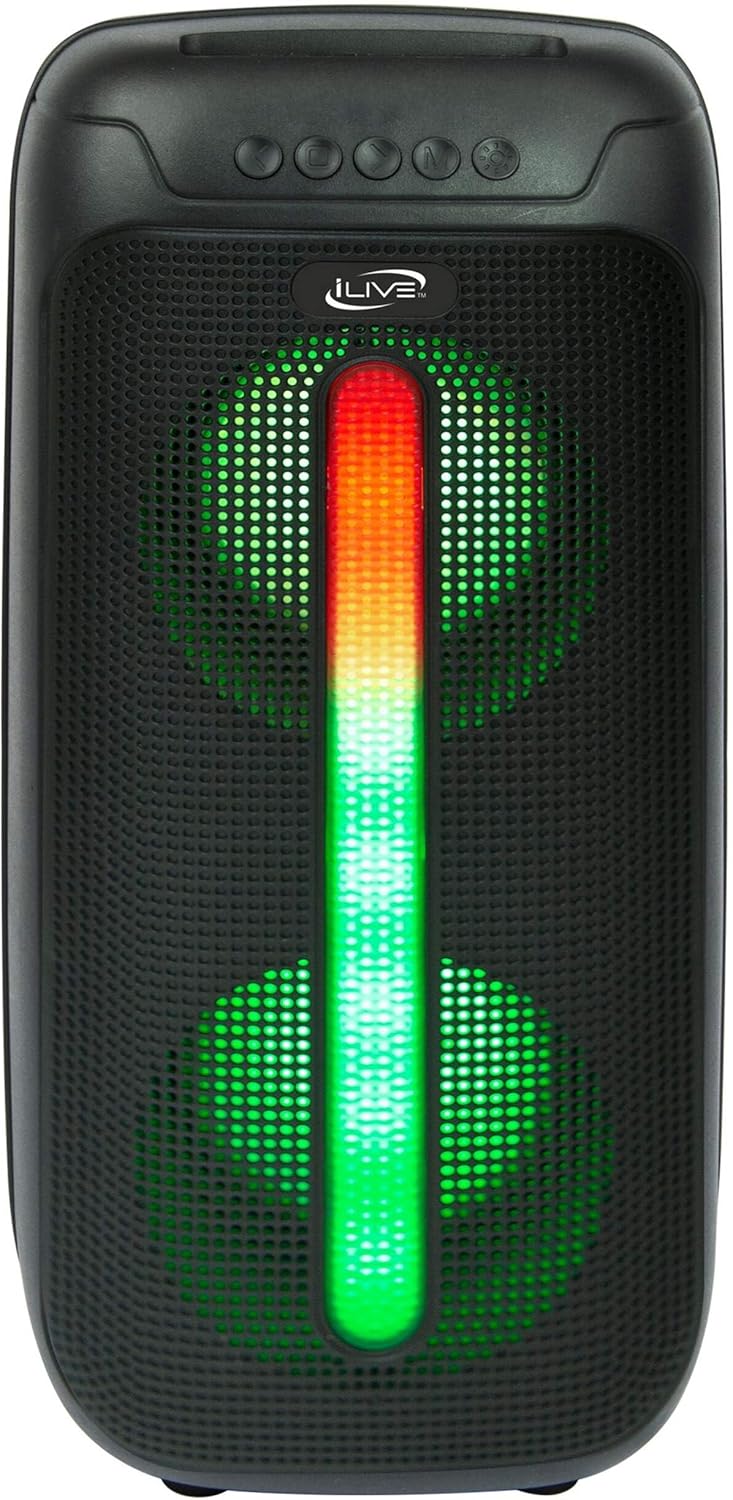
Figure 5: iLive Bluetooth 5.0 Speaker.
മെയിൻ്റനൻസ്
- പ്രൊജക്ടർ ലെൻസ്: Use a soft, lint-free cloth to gently clean the projector lens. Avoid abrasive materials or harsh chemicals.
- Projector Vents: Ensure the projector's ventilation openings are clear of dust and debris to prevent overheating.
- സ്ക്രീൻ ക്ലീനിംഗ്: The anti-wrinkle polyester screen can be gently wiped with a damp cloth if necessary. Allow it to air dry completely before folding or storing.
- സ്പീക്കർ കെയർ: Keep the speaker dry and clean. Avoid exposing it to extreme temperatures or direct sunlight.
- സംഭരണം: When not in use, store all components in the provided carrying case in a cool, dry place to protect them from dust and damage.
ട്രബിൾഷൂട്ടിംഗ്
- സ്ക്രീനിൽ ചിത്രമില്ല:
- പ്രൊജക്ടർ ഓണാക്കിയിട്ടുണ്ടെന്നും ലെൻസ് ക്യാപ്പ് നീക്കം ചെയ്തിട്ടുണ്ടെന്നും ഉറപ്പാക്കുക.
- Verify the correct input source is selected on the projector.
- Check all cable connections (HDMI, USB) are secure.
- മങ്ങിയ ചിത്രം:
- പ്രൊജക്ടർ ലെൻസിൽ ഫോക്കസ് റിംഗ് ക്രമീകരിക്കുക.
- Ensure the projection distance is within the recommended range (2.6-12.5 ft).
- Distorted Image (Trapezoidal):
- Use the keystone correction feature to adjust the image geometry.
- Ensure the projector is placed on a level surface or the tripod is properly adjusted.
- സ്പീക്കറിൽ നിന്ന് ശബ്ദമില്ല:
- Ensure the speaker is powered on and charged.
- Verify Bluetooth pairing or 3.5mm audio cable connection.
- Check volume levels on both the speaker and the connected device.
- ബ്ലൂടൂത്ത് ജോടിയാക്കൽ പ്രശ്നങ്ങൾ:
- സ്പീക്കർ ജോടിയാക്കൽ മോഡിൽ ആണെന്ന് ഉറപ്പാക്കുക.
- സ്പീക്കർ നിങ്ങളുടെ ഉപകരണത്തിന് അടുത്തേക്ക് നീക്കുക.
- Disconnect and re-pair the device.
സ്പെസിഫിക്കേഷനുകൾ
| ഫീച്ചർ | സ്പെസിഫിക്കേഷൻ |
|---|---|
| മോഡൽ നമ്പർ | THE2024BDL |
| ഡിസ്പ്ലേ റെസല്യൂഷൻ | 1280 x 720 (720p) |
| ഡിസ്പ്ലേ തരം | എൽഇഡി |
| തെളിച്ചം | 3000 ല്യൂമെൻ |
| കോൺട്രാസ്റ്റ് റേഷ്യോ | 1000:1 |
| വീക്ഷണാനുപാതങ്ങൾ | 16:9, 4:3 |
| ലൈറ്റ് സോഴ്സ് ലൈഫ് | 20,000 മണിക്കൂർ |
| പ്രൊജക്ഷൻ ശ്രേണി | 2.6 - 12.5 അടി |
| പരമാവധി ഇമേജ് വലുപ്പം | 120 ഇഞ്ച് |
| കണക്റ്റിവിറ്റി | HDMI, USB, 3.5mm Audio, Bluetooth 5.0 |
| സ്പീക്കർ ഔട്ട്പുട്ട് | 16W Peak (Dual 4-inch drivers) |
| Speaker Battery Life | 4 മണിക്കൂർ വരെ (50% വോളിയത്തിൽ) |
| ട്രൈപോഡ് സവിശേഷതകൾ | Integrated bubble level, 360-degree pan, ±180-degree tilt, 41.73-inch max height, 4 kg capacity |
| വീഡിയോ എൻകോഡിംഗ് പിന്തുണ | H.264, H.265 |
| നിയന്ത്രണ രീതി | റിമോട്ട് കൺട്രോൾ |
ഔദ്യോഗിക ഉൽപ്പന്ന വീഡിയോകൾ
ഈ ഉൽപ്പന്നത്തിന് ഇപ്പോൾ ഔദ്യോഗിക വിൽപ്പനക്കാരുടെ വീഡിയോകളൊന്നും ലഭ്യമല്ല.
വാറൻ്റിയും പിന്തുണയും
For warranty information or technical support, please contact iLive customer service at 1-888-999-4215. Please have your model number (THE2024BDL) and proof of purchase ready when contacting support.