
1. ആമുഖം
Welcome to the NIMO N15A 15.6" Laptop User Manual. This guide provides essential information for setting up, operating, maintaining, and troubleshooting your new laptop. Please read this manual thoroughly to ensure optimal performance and longevity of your device.
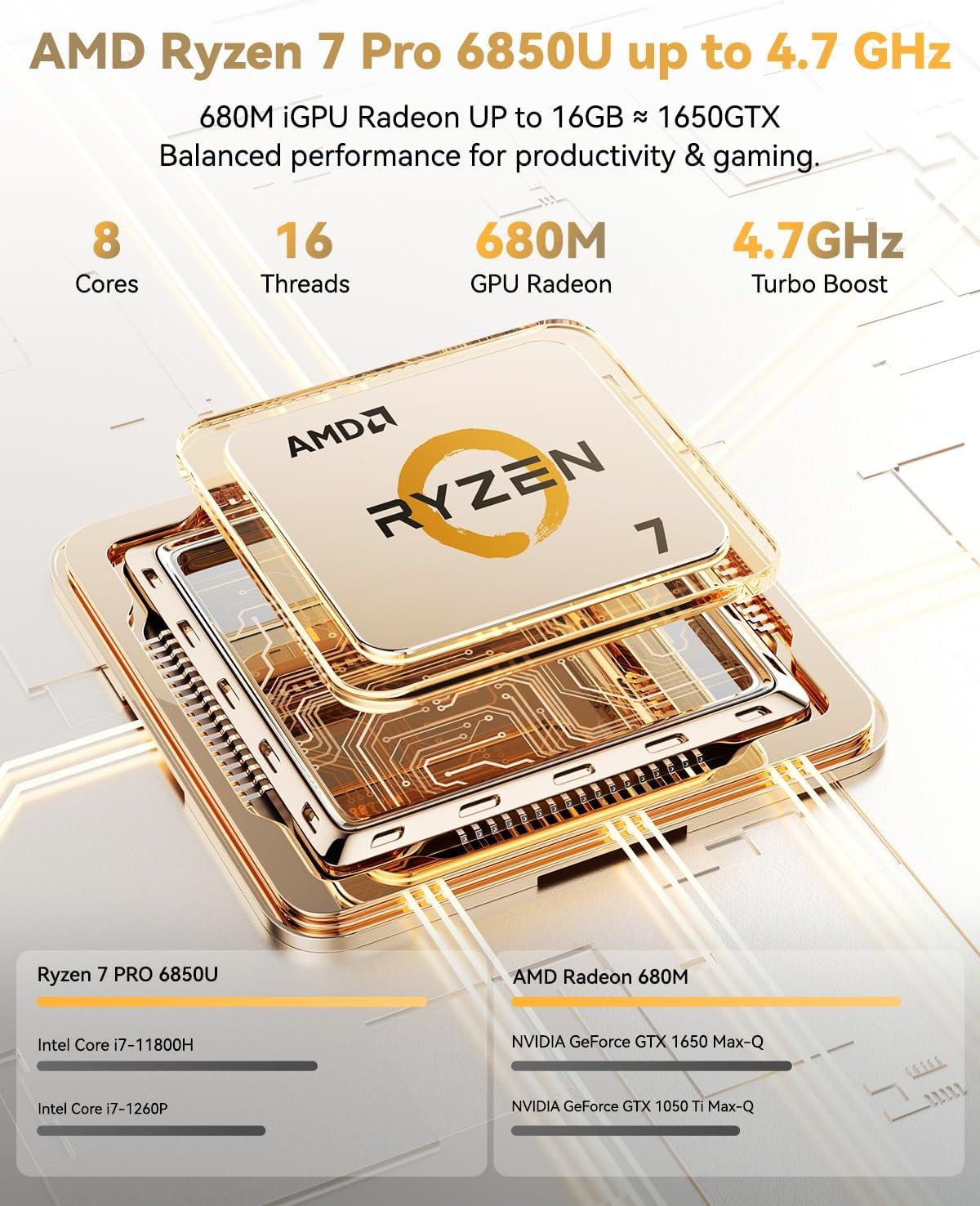
Figure 1: NIMO N15A 15.6" Laptop
2 സുരക്ഷാ വിവരങ്ങൾ
To prevent damage to your NIMO N15A laptop and ensure your safety, please observe the following guidelines:
- Use only original chargers and regularly inspect cables for any signs of damage.
- Handle the laptop by its base and consider using a protective case to prevent physical damage.
- ലാപ്ടോപ്പിൽ ഭാരമുള്ള വസ്തുക്കൾ വയ്ക്കുന്നത് ഒഴിവാക്കുക.
- Ensure the laptop is placed on a hard, flat surface to allow for proper ventilation and prevent overheating.
- ഉപകരണം കടുത്ത താപനിലയിൽ നിന്നും ഈർപ്പത്തിൽ നിന്നും അകറ്റി നിർത്തുക.
- Do not overcharge the battery. Discontinue use immediately if the battery shows signs of swelling or damage.
- Set strong passwords, keep your software updated, use antivirus protection, and regularly back up your data.
- In case of liquid spills, immediately unplug the laptop and allow it to dry completely before attempting to power it on.
- For any issues, consult qualified professionals. Do not attempt to disassemble or repair the laptop yourself, as this may void the warranty and cause further damage.
3. ബോക്സിൽ എന്താണുള്ളത്?
Your NIMO N15A laptop package includes the following items:
- 1 x NIMO N15A Laptop
- 1 x Type-C 100W PD Fast Charger
- 1 x ഉപയോക്തൃ മാനുവൽ (ഈ പ്രമാണം)
- Windows 11 Home (pre-installed)
- Warranty Information (2 Years Warranty, 90 Days Return)
Video 1: Unboxing and Initial Setup of the NIMO 15.6" Laptop. This video demonstrates the contents of the package and the first steps to power on the device.
4. ഉൽപ്പന്നം കഴിഞ്ഞുview
4.1. ഭൗതിക സവിശേഷതകൾ
The NIMO N15A laptop features a durable metal shell, combining a sleek aesthetic with robust protection. Its slim profile and lightweight design (3.75 lbs) make it highly portable.
4.2. തുറമുഖങ്ങളും കണക്റ്റിവിറ്റിയും
വൈവിധ്യമാർന്ന കണക്റ്റിവിറ്റിക്കായി ലാപ്ടോപ്പിൽ വൈവിധ്യമാർന്ന പോർട്ടുകൾ സജ്ജീകരിച്ചിരിക്കുന്നു:
- മൈക്രോ എസ്ഡി കാർഡ് റീഡർ
- USB 2.0 പോർട്ട്
- USB 3.2 Ports (multiple)
- ഹെഡ്ഫോൺ ജാക്ക്
- കെൻസിംഗ്ടൺ ലോക്ക് സ്ലോട്ട്
- HDMI പോർട്ട്
- Type-C (Multifunction) Ports (multiple, supporting 100W PD fast charging)
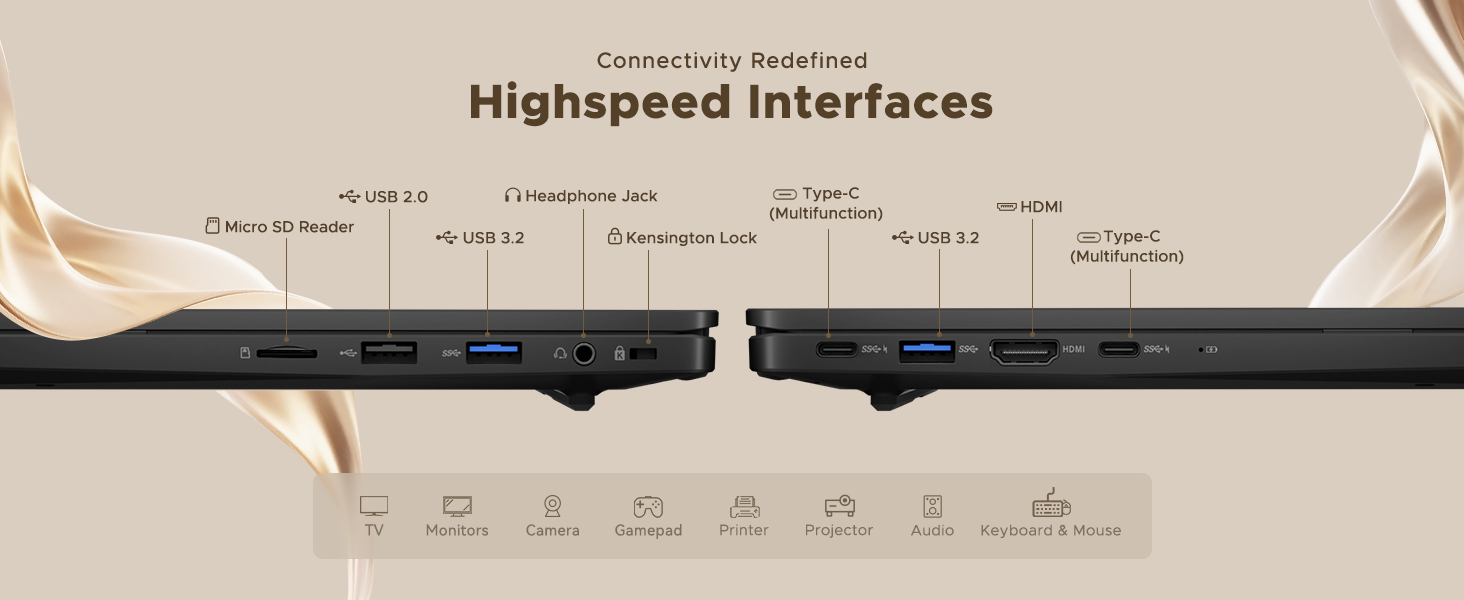
Figure 2: High-Speed Interfaces and Ports
Video 2: NIMO Laptop Overview. This video highlights the laptop's design, display, camera, keyboard, and various ports.
5. സജ്ജീകരണം
5.1. പ്രാരംഭ പവർ ഓൺ
- Unpack your NIMO N15A laptop and all accessories from the box.
- Connect the 100W Type-C PD Fast Charger to the laptop's Type-C port and a power outlet.
- ലാപ്ടോപ്പ് ലിഡ് തുറക്കുക. ലാപ്ടോപ്പ് യാന്ത്രികമായി പവർ ഓൺ ആയേക്കാം, അല്ലെങ്കിൽ നിങ്ങൾ പവർ ബട്ടൺ അമർത്തേണ്ടി വന്നേക്കാം.
- ഭാഷ, പ്രദേശം, നെറ്റ്വർക്ക് കണക്ഷൻ, ഉപയോക്തൃ അക്കൗണ്ട് സൃഷ്ടിക്കൽ എന്നിവയുൾപ്പെടെ Windows 11 ഹോം സജ്ജീകരണം പൂർത്തിയാക്കാൻ ഓൺ-സ്ക്രീൻ നിർദ്ദേശങ്ങൾ പാലിക്കുക.
5.2. Wi-Fi-ലേക്ക് ബന്ധിപ്പിക്കുന്നു
During the initial setup or at any time, you can connect to a Wi-Fi network:
- Click the Wi-Fi icon in the taskbar (bottom right corner of the screen).
- ലിസ്റ്റിൽ നിന്ന് നിങ്ങൾക്ക് ആവശ്യമുള്ള വൈഫൈ നെറ്റ്വർക്ക് തിരഞ്ഞെടുക്കുക.
- ആവശ്യപ്പെടുകയാണെങ്കിൽ നെറ്റ്വർക്ക് പാസ്വേഡ് നൽകി 'കണക്റ്റ്' ക്ലിക്ക് ചെയ്യുക.
6. നിങ്ങളുടെ ലാപ്ടോപ്പ് പ്രവർത്തിപ്പിക്കുക
6.1. ഡിസ്പ്ലേ
The NIMO N15A features a 15.6" Full HD (1920x1080) IPS anti-glare display with an 85% screen-to-body ratio, providing clear and vibrant visuals for work, entertainment, and light gaming.
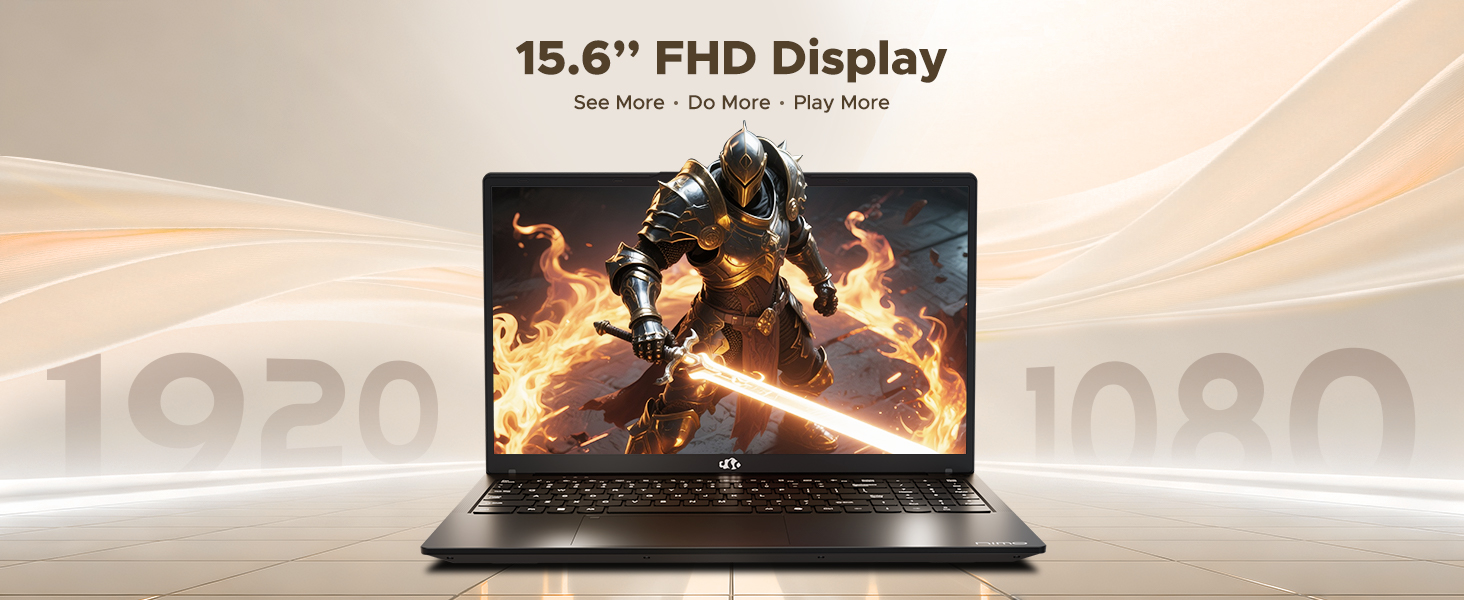
Figure 3: 15.6" FHD IPS Display
6.2. കീബോർഡും ടച്ച്പാഡും
The laptop includes an ergonomic backlit keyboard for comfortable typing in various lighting conditions and a precision gesture touchpad for smooth navigation.
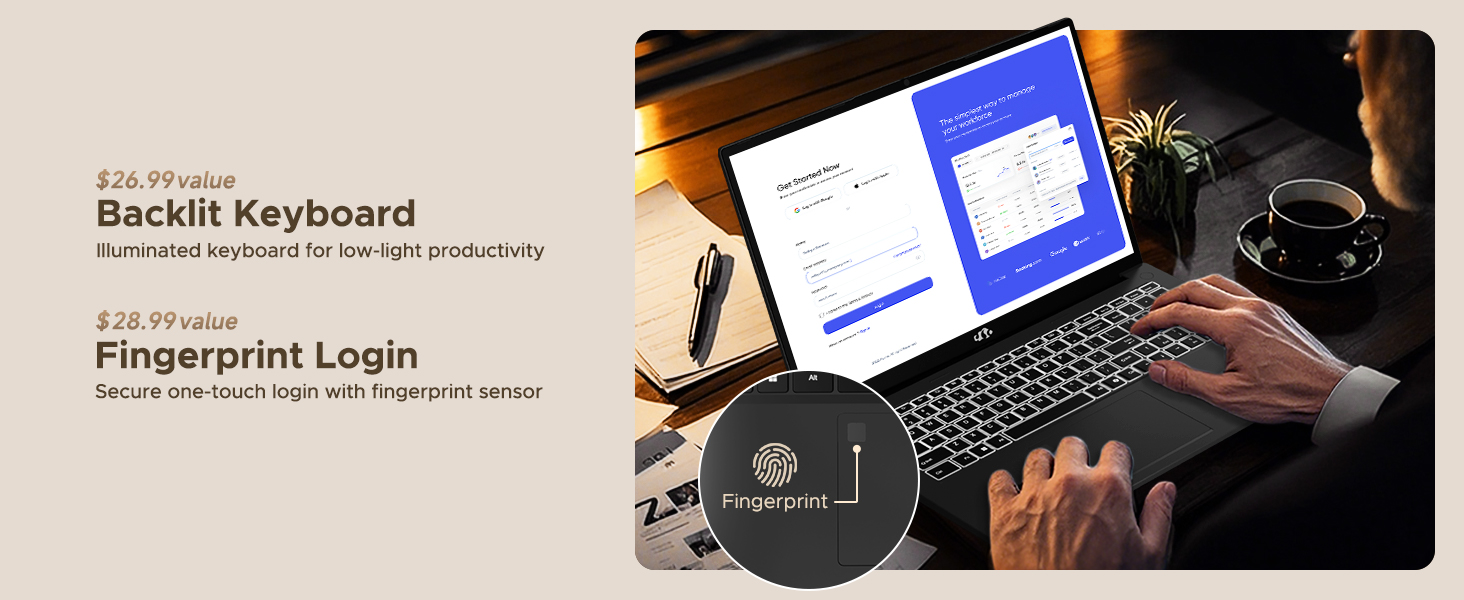
Figure 4: Backlit Keyboard and Fingerprint Sensor
6.3. Fingerprint Login
For enhanced security and convenience, the laptop features a fingerprint reader integrated into the touchpad. You can set up fingerprint login through Windows Settings for quick and secure access.
6.4. ക്യാമറ
The integrated 2MP front camera is suitable for video calls and online meetings. It includes a privacy shutter for when the camera is not in use.

Figure 5: Privacy-Focused Camera Convenience
6.5. പ്രകടനം
Powered by the AMD Ryzen 7 Pro 6850U processor (8 cores, 16 threads, up to 4.7GHz) and AMD Radeon 680M GPU, the NIMO N15A delivers balanced performance for productivity, content creation, and light gaming.
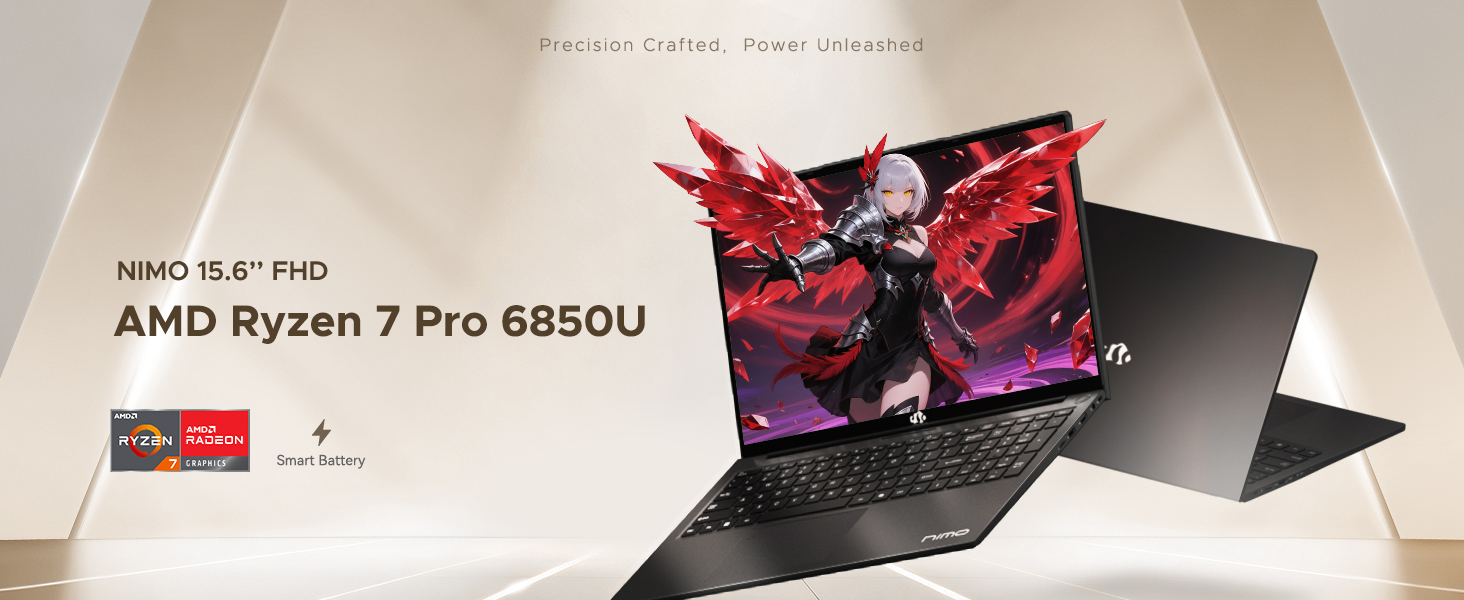
Figure 6: AMD Ryzen 7 Pro 6850U Processor Details
Video 3: NIMO Gaming Laptop Demonstration. This video showcases the laptop's performance in gaming and creative applications.
7. ചാർജിംഗും ബാറ്ററിയും
The NIMO N15A is equipped with a 53.58 Watt-Hour Lithium Polymer battery, offering up to 9 hours of typical use and 12.75 hours of standby time. It supports 100W USB-C PD fast charging, allowing for approximately 2 hours of use from just a 15-minute charge.
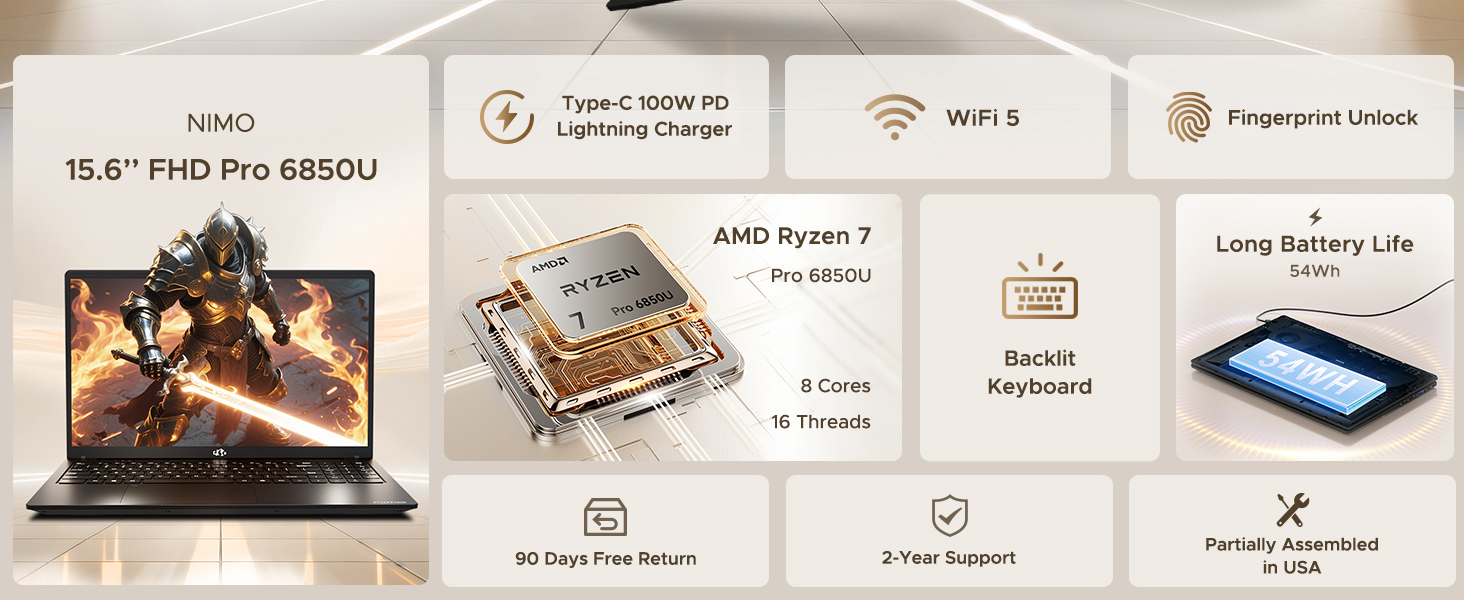
Figure 7: 100W USB-C Fast Charging
8. സംഭരണവും മെമ്മറിയും
The laptop features 16GB of lightning-fast LPDDR5 RAM (6400 MHz) for seamless multitasking and a pre-installed 1TB PCIe 4.0 SSD for rapid boot times and file കൈമാറ്റങ്ങൾ.
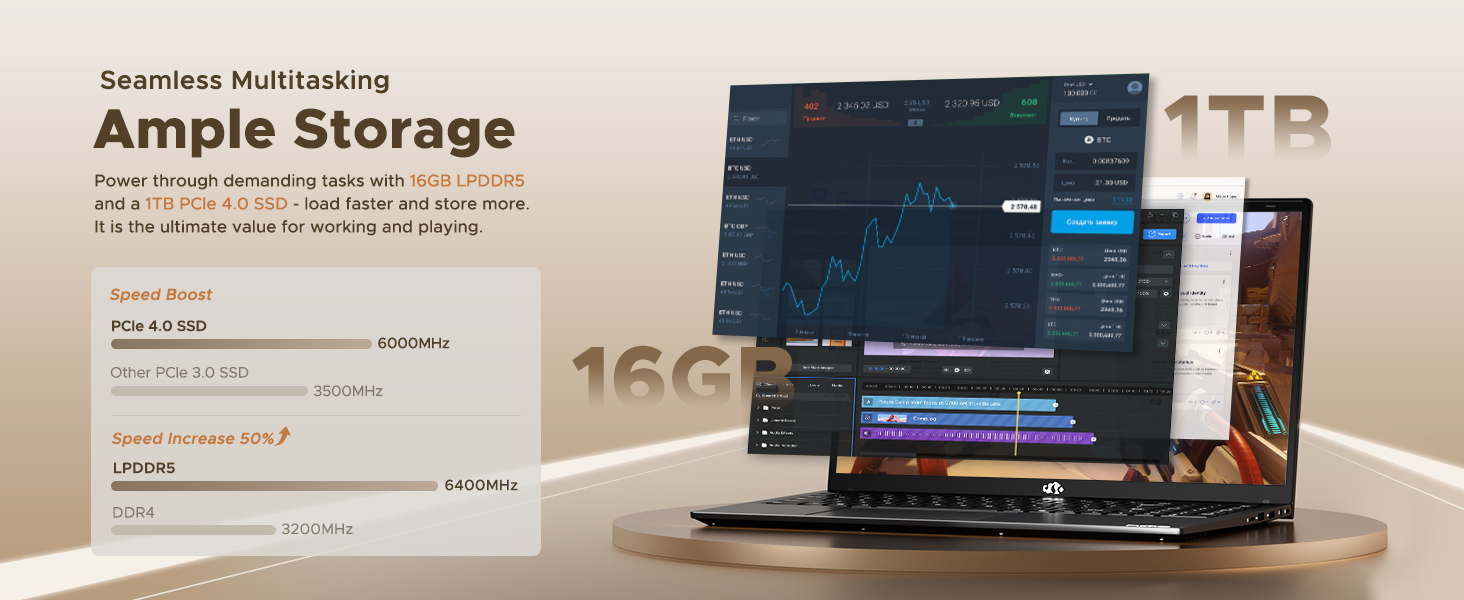
Figure 8: 16GB LPDDR5 RAM and 1TB PCIe 4.0 SSD
9. പരിപാലനം
Regular maintenance helps ensure the longevity and optimal performance of your NIMO N15A laptop:
- വൃത്തിയാക്കൽ: സ്ക്രീനും പുറംഭാഗവും വൃത്തിയാക്കാൻ മൃദുവായ, ലിന്റ് രഹിത തുണി ഉപയോഗിക്കുക. കഠിനമായ പാടുകൾക്ക്, ചെറുതായി dampതുണിയിൽ വെള്ളം അല്ലെങ്കിൽ സ്ക്രീൻ-സേഫ് ക്ലീനർ ഉപയോഗിക്കുക. കഠിനമായ രാസവസ്തുക്കൾ ഒഴിവാക്കുക.
- സോഫ്റ്റ്വെയർ അപ്ഡേറ്റുകൾ: Regularly install operating system and driver updates to ensure security and performance improvements.
- വെൻ്റിലേഷൻ: Keep the ventilation openings clear of obstructions to prevent overheating. Avoid using the laptop on soft surfaces like beds or couches for extended periods.
- ബാറ്ററി കെയർ: To prolong battery life, avoid fully discharging the battery frequently. If storing the laptop for a long time, charge it to about 50-60%.
- ഡാറ്റ ബാക്കപ്പ്: Periodically back up your important fileഡാറ്റ നഷ്ടം തടയാൻ ഒരു ബാഹ്യ ഡ്രൈവിലേക്കോ ക്ലൗഡ് സംഭരണത്തിലേക്കോ ഡാറ്റ കൈമാറുക.
10. പ്രശ്നപരിഹാരം
If you encounter issues with your NIMO N15A laptop, try the following basic troubleshooting steps:
- ലാപ്ടോപ്പ് ഓണാക്കുന്നില്ല: Ensure the charger is securely connected and the power outlet is functional. Try a different outlet or charger if available.
- സ്ക്രീൻ ശൂന്യമാണ്: Connect an external monitor to check if the display is the issue. If the external monitor works, the laptop's screen may require service.
- മന്ദഗതിയിലുള്ള പ്രകടനം: അനാവശ്യ ആപ്ലിക്കേഷനുകൾ അടയ്ക്കുക, മാൽവെയർ പരിശോധിക്കുക, മതിയായ സംഭരണ സ്ഥലം ഉറപ്പാക്കുക, ഡ്രൈവറുകൾ അപ്ഡേറ്റ് ചെയ്യുക.
- വൈഫൈ കണക്റ്റിവിറ്റി പ്രശ്നങ്ങൾ: Restart your router and modem. Ensure Wi-Fi is enabled on your laptop and try reconnecting to the network.
- കീബോർഡോ ടച്ച്പാഡോ പ്രതികരിക്കുന്നില്ല: Restart the laptop. If the issue persists, check for driver updates.
For more complex issues, please refer to the support section or contact NIMO customer service.
11 സ്പെസിഫിക്കേഷനുകൾ
Below are the detailed specifications for the NIMO N15A laptop:
| ഫീച്ചർ | സ്പെസിഫിക്കേഷൻ |
|---|---|
| ബ്രാൻഡ് | NIMO |
| മോഡലിൻ്റെ പേര് | NIMO N15A |
| സ്ക്രീൻ വലിപ്പം | 15.6 ഇഞ്ച് |
| റെസലൂഷൻ | 1920x1080 പിക്സലുകൾ (FHD IPS) |
| നിറം | കറുപ്പ് |
| സിപിയു മോഡൽ | AMD Ryzen 7 Pro 6850U (8 Cores, 16 Threads, up to 4.7 GHz) |
| ഗ്രാഫിക്സ് കോപ്രൊസസർ | എഎംഡി റേഡിയൻ 680എം (ഇന്റഗ്രേറ്റഡ്) |
| ഇൻസ്റ്റാൾ ചെയ്ത RAM മെമ്മറി വലുപ്പം | 16 ജിബി എൽപിഡിഡിആർ5 (6400 മെഗാഹെട്സ്) |
| ഹാർഡ് ഡിസ്ക് വലിപ്പം | 1024 GB (1TB PCIe 4.0 SSD) |
| ഓപ്പറേറ്റിംഗ് സിസ്റ്റം | വിൻഡോസ് 11 ഹോം |
| പ്രത്യേക സവിശേഷതകൾ | Backlit Keyboard, Fingerprint Reader, HD Audio, Numeric Keypad |
| കണക്റ്റിവിറ്റി ടെക്നോളജി | Bluetooth, Wi-Fi (802.11a/b/g/n/ac) |
| മൊത്തം USB പോർട്ടുകൾ | 5 |
| ആകെ HDMI പോർട്ടുകൾ | 1 |
| ബാറ്ററി ലൈഫ് | 9 Hours (typical use), 12.75 Hours (standby) |
| ബാറ്ററി എനർജി ഉള്ളടക്കം | 53.58 വാട്ട് മണിക്കൂർ |
| Webക്യാം ശേഷി | Yes (2 MP Front Camera) |
| ഇനത്തിൻ്റെ ഭാരം | 3.75 പൗണ്ട് |
| Item Dimensions L x W x Thickness | 14.07"L x 8.98"W x 0.76"Th |
12. വാറൻ്റിയും പിന്തുണയും
12.1. വാറൻ്റി വിവരങ്ങൾ
Your NIMO N15A laptop comes with a 2 വർഷത്തെ നിർമ്മാതാവിന്റെ വാറന്റി from NIMO Direct Inc. This warranty covers manufacturing defects and ensures peace of mind for your purchase.
12.2. റിട്ടേൺ പോളിസി
A 90-day hassle-free return policy is provided, allowing you to return the product if you are not completely satisfied.
12.3. ഉപഭോക്തൃ പിന്തുണ
For any technical assistance, warranty claims, or support inquiries, please contact NIMO customer service. Our dedicated support team is ready to provide quick and effective assistance.
Please visit the official NIMO website or refer to the contact information provided with your product for the most up-to-date support details.