
MEETION K9880
MEETION K9880 Foldable Bluetooth Keyboard User Manual
മോഡൽ: K9880
ആമുഖം
Thank you for choosing the MEETION K9880 Foldable Bluetooth Keyboard. This ultra-thin, portable keyboard is designed for business travel and compatible with iOS, Android, Windows, and macOS devices. Its ergonomic split-key layout and multi-device connectivity enhance productivity on the go. Please read this manual carefully to ensure proper use and optimal performance of your device.
ബോക്സിൽ എന്താണുള്ളത്
- 1 x MEETION K9880 Foldable Bluetooth Keyboard
- 1 x യുഎസ്ബി-സി ചാർജിംഗ് കേബിൾ
- 1 x ഉപയോക്തൃ മാനുവൽ
- 1 x വെൽവെറ്റ് ബാഗ്
ഉൽപ്പന്നം കഴിഞ്ഞുview
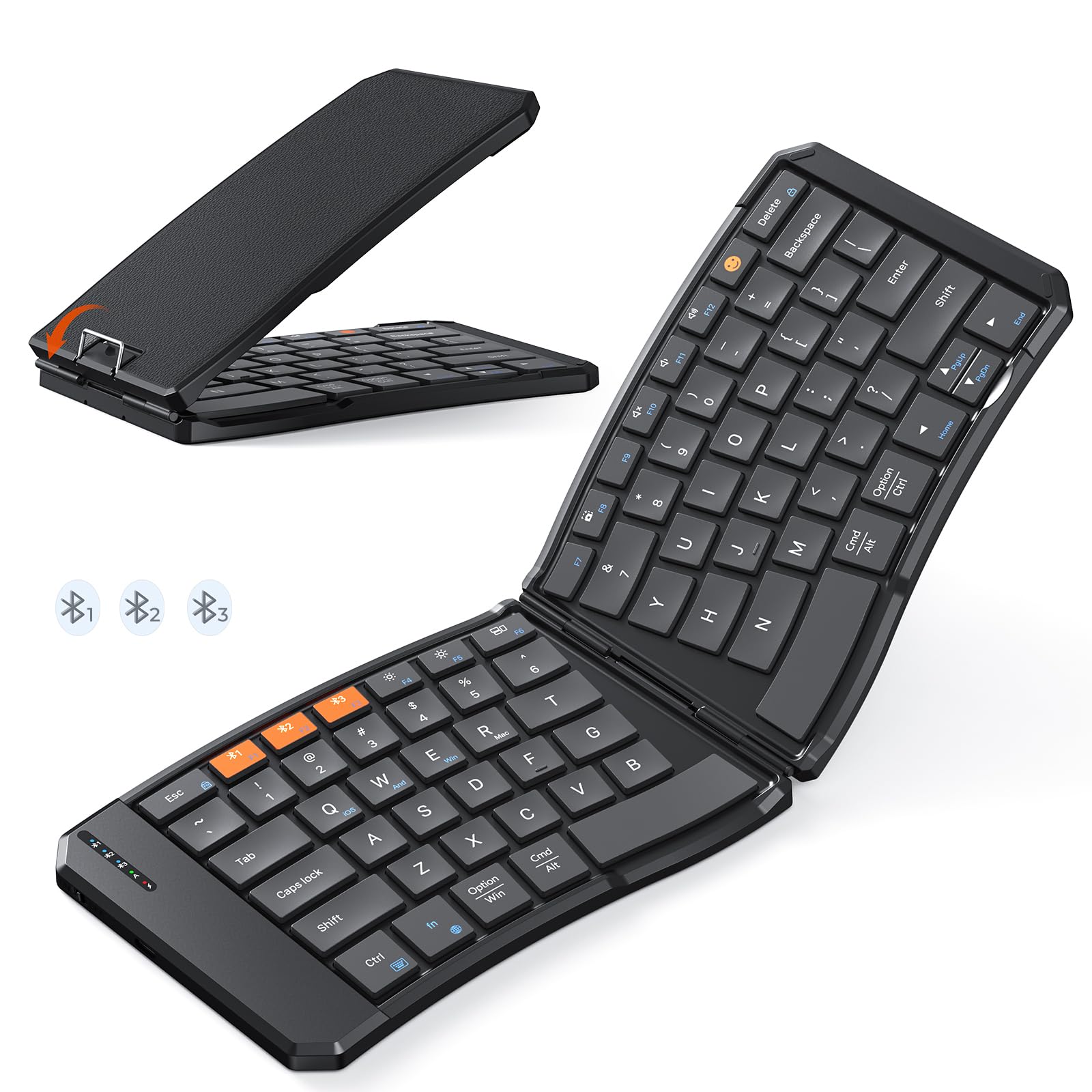
The MEETION K9880 Foldable Bluetooth Keyboard in its compact, folded state, ready for travel.

The keyboard unfolded, showcasing its ergonomic 166-degree V-shaped split-key layout for comfortable typing.

വിശദമായി view of the scissor-switch keys, designed for quiet and responsive typing.

The keyboard being charged via its USB-C port, with indicator lights for Bluetooth, Caps Lock, and Power.
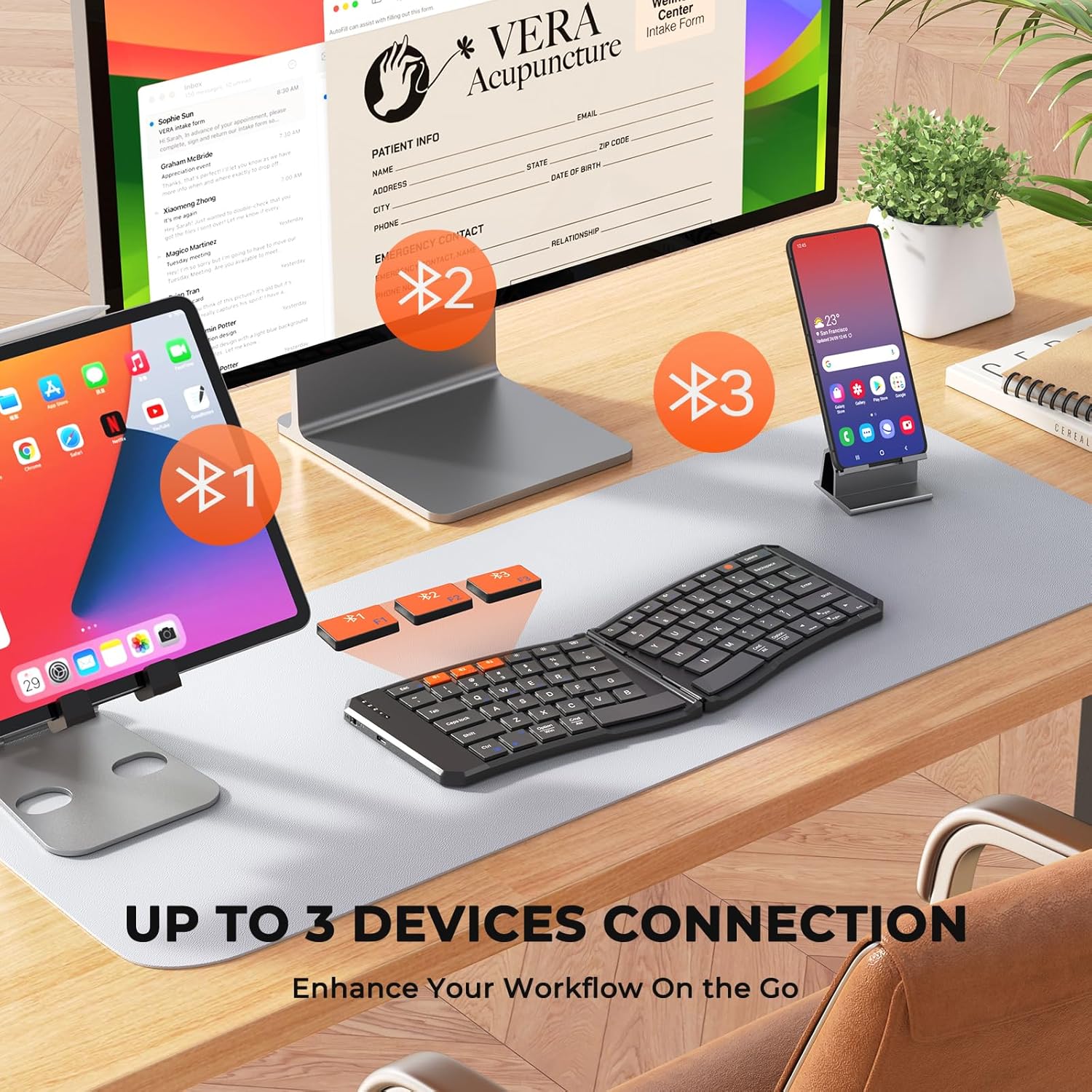
The keyboard's multi-device connectivity, allowing simultaneous connection to up to three devices.

Visual guide for establishing a Bluetooth connection with the keyboard.

Instructions for switching keyboard layouts to match iOS, Android, Windows, or macOS operating systems.
സജ്ജമാക്കുക
1. പവർ ഓൺ/ഓഫ്
- To power on the keyboard, slide the power switch located on the side to the 'ON' position.
- പവർ ഓഫ് ചെയ്യാൻ, സ്വിച്ച് 'ഓഫ്' സ്ഥാനത്തേക്ക് സ്ലൈഡ് ചെയ്യുക.
- The keyboard features a 20-minute auto-sleep mode to conserve power. Press any key to wake it up.
2. കീബോർഡ് ചാർജ് ചെയ്യുന്നു
- Connect the provided USB-C charging cable to the keyboard's charging port and the other end to a USB power source.
- The red light will flash rapidly when the battery is low.
- The green light will flash during charging and stay solid green when fully charged.
- A full charge provides up to 60 hours of standby time.
3. Bluetooth Pairing (Multi-Device Connection)
- കീബോർഡ് ഓണാണെന്ന് ഉറപ്പാക്കുക.
- Press and hold the Bluetooth button (labeled #1, #2, അല്ലെങ്കിൽ #3) for 3 seconds to enter pairing mode. The corresponding blue indicator light will blink rapidly.
- On your device (computer, phone, tablet), enable Bluetooth and search for available devices.
- Select "Meetion-KB-BT1", "Meetion-KB-BT2", or "Meetion-KB-BT3" from the list to connect.
- Once connected, the blue light will stay on for 5 seconds and then turn off.
- To switch between paired devices, simply press the corresponding Bluetooth button (#1, #2, അല്ലെങ്കിൽ #3). The blue light will stay on for 5 seconds to indicate the active connection.
4. സിസ്റ്റം സ്വിച്ചിംഗ്
To optimize keyboard functionality for your specific operating system, use the following key combinations:
- Fn + Q: Switch to iOS system
- Fn + W: Switch to Android system
- Fn + E: Switch to Windows system
- എഫ്എൻ + ആർ: Switch to macOS system
കീബോർഡ് പ്രവർത്തിപ്പിക്കുന്നു
1. ടൈപ്പിംഗ് അനുഭവം
- The keyboard features X-shaped scissor-switch keys for quiet, precise input with responsive feedback.
- The V-shaped 166° angle and split-key layout promote a natural typing posture, reducing strain on hands and wrists.
- The 6-row layout provides a laptop-like typing experience.
2. പ്രത്യേക ഫംഗ്ഷൻ കീകൾ
The keyboard includes several shortcut keys for enhanced productivity:
- Fn + Esc: Toggle between multimedia functions (F1-F12) and standard F-key functionality.
- Emoji Key: Access emoji input (supports Windows, MacBook (macOS), iPad (iPadOS), and Android Samsung devices; does not support iPhone (iOS)).
- ലോക്ക് സ്ക്രീൻ: Lock your device's screen.
- വെർച്വൽ കീബോർഡ്: Enable or disable the virtual keyboard on your device.
- തെളിച്ചം +/-: സ്ക്രീൻ തെളിച്ചം ക്രമീകരിക്കുക.
- ടാസ്ക് സ്വിച്ചർ: Switch between open applications.
- തിരയൽ: Open the search function.
- സ്ക്രീൻഷോട്ട്: Capture a screenshot.
- Play/Pause, Mute, Volume +/-: Control media playback and volume.
3. Foldable Design and Stability
- The keyboard folds compactly for easy portability. Magnetic adsorption keeps it securely closed when folded.
- A built-in rear metal support wire ensures stability when unfolded, allowing for typing on uneven surfaces like your lap.
മെയിൻ്റനൻസ്
1. വൃത്തിയാക്കൽ
- The keyboard features a scratch-resistant, easy-to-clean PU leather exterior.
- മൃദുവായ, ഡി ഉപയോഗിച്ച് ഉപരിതലം തുടയ്ക്കുകamp തുണി. കഠിനമായ രാസവസ്തുക്കളോ ഉരച്ചിലുകളോ ഉള്ള വസ്തുക്കൾ ഒഴിവാക്കുക.
- For cleaning between keys, use compressed air or a soft brush.
2. ബാറ്ററി പരിചരണം
- ബാറ്ററി ലൈഫ് വർദ്ധിപ്പിക്കാൻ, കീബോർഡ് ഇടയ്ക്കിടെ പൂർണ്ണമായും ഡിസ്ചാർജ് ചെയ്യുന്നത് ഒഴിവാക്കുക.
- ദീർഘനേരം ഉപയോഗിക്കാത്തപ്പോൾ കീബോർഡ് തണുത്തതും വരണ്ടതുമായ സ്ഥലത്ത് സൂക്ഷിക്കുക.
- Utilize the auto-sleep mode by ensuring the keyboard is idle for 20 minutes to save power.
ട്രബിൾഷൂട്ടിംഗ്
- കീബോർഡ് ബ്ലൂടൂത്ത് വഴി ബന്ധിപ്പിക്കുന്നില്ല: Ensure the keyboard is powered on and in pairing mode (blue light blinking). Check your device's Bluetooth settings to confirm it's discoverable and try re-pairing.
- പ്രതികരിക്കാത്ത കീകൾ: Check the battery level. If the red light is flashing, charge the keyboard. Ensure the keyboard is properly connected to your device.
- Incorrect key layout: Verify that the keyboard is set to the correct operating system mode (Fn + Q/W/E/R).
- ഇടവിട്ടുള്ള കണക്ഷൻ: Ensure there are no obstructions between the keyboard and your device. Try moving closer to your device. Avoid using the keyboard near strong electromagnetic interference.
- Keyboard not folding/unfolding properly: Check for any debris or obstructions in the hinge mechanism. Do not force the keyboard.
സ്പെസിഫിക്കേഷനുകൾ
| ഫീച്ചർ | വിശദാംശങ്ങൾ |
|---|---|
| ബ്രാൻഡ് | മീറ്റിംഗ് |
| മോഡൽ നമ്പർ | K9880 |
| കണക്റ്റിവിറ്റി ടെക്നോളജി | ബ്ലൂടൂത്ത് |
| അനുയോജ്യമായ ഉപകരണങ്ങൾ | PC, iOS, Android, Windows, macOS devices |
| പ്രത്യേക സവിശേഷതകൾ | Ergonomic, Foldable, Low-Profile Key, Portable, Rechargeable, Multi-device connection (up to 3) |
| കീബോർഡ് വിവരണം | മൾട്ടിമീഡിയ |
| മെറ്റീരിയൽ | Plastic (with PU leather exterior) |
| ബാറ്ററി ശേഷി | 140mAh ലിഥിയം ബാറ്ററി |
| സ്റ്റാൻഡ്ബൈ സമയം | 60 മണിക്കൂർ വരെ |
| ചാർജിംഗ് പോർട്ട് | USB-C |
വാറൻ്റി
The MEETION K9880 Foldable Bluetooth Keyboard comes with a 1 വർഷത്തെ നിർമ്മാതാവിൻ്റെ വാറൻ്റി. Please retain your proof of purchase for any warranty claims. This warranty covers manufacturing defects and does not cover damage caused by misuse, accidents, or unauthorized modifications.
പിന്തുണ
For further assistance, technical support, or warranty inquiries, please contact MEETION customer service through the official brand website or your retailer's support channels. You may also refer to the included user manual for additional information.
Ask a question about this manual
Ask about setup, troubleshooting, compatibility, parts, safety, or missing instructions. Manuals+ will review the question and use this page’s manual context to help answer it.