
ആമുഖം
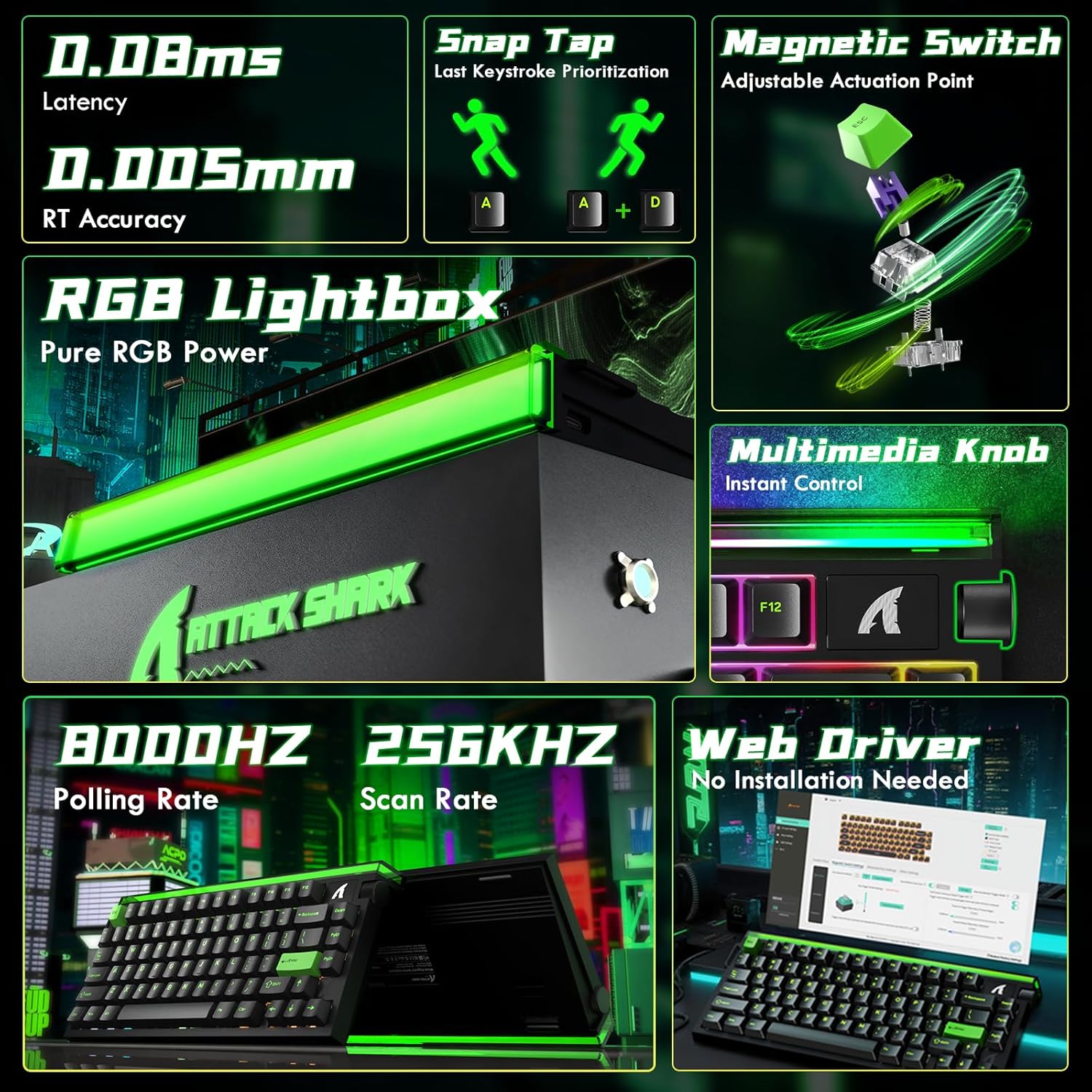
The ATTACK SHARK R85 HE is a high-performance wired 75% mechanical gaming keyboard designed for speed and precision. It features Hall Effect magnetic switches with adjustable actuation points, an 8000Hz polling rate, 0.05mm RT accuracy, and 0.08ms ultra-low latency. The keyboard includes a 5-layer sound dampening system for an optimal typing experience and customizable RGB lighting. It is compatible with both PC and Mac systems.
സജ്ജമാക്കുക
To set up your ATTACK SHARK R85 HE keyboard, follow these steps:
- കീബോർഡ് ബന്ധിപ്പിക്കുക: Connect the keyboard to your computer using the provided USB-C cable. The keyboard is plug-and-play compatible with Windows and Mac operating systems.
- സോഫ്റ്റ്വെയർ ഇൻസ്റ്റാളേഷൻ: For full customization and advanced features, download the dedicated software from the official ATTACK SHARK website or access the web-based driver. This software allows for key remapping, macro creation, RGB lighting adjustments, and magnetic switch settings.
- പ്രാരംഭ കാലിബ്രേഷൻ: After connecting and installing the software, it is recommended to perform a calibration. Refer to the 'Quick Calibration Guide' image below for detailed steps.

പ്രവർത്തന നിർദ്ദേശങ്ങൾ
The ATTACK SHARK R85 HE keyboard offers a range of features for an enhanced gaming and typing experience.
1. Rapid Trigger and Magnetic Switches
The Hall Effect magnetic switches provide adjustable actuation points, allowing you to customize the key sensitivity from 0.1mm to 3.3mm. This feature, combined with Rapid Trigger technology, enables keys to activate and reset based on movement rather than a fixed point, offering unparalleled speed and precision in competitive gaming.
- ക്രമീകരിക്കാവുന്ന ആക്ച്വേഷൻ പോയിന്റ്: Use the software to set individual key actuation points.
- സ്നാപ്പ് കീ (SOCD): Enables one keystroke to trigger multiple actions.
- ഡൈനാമിക് കീസ്ട്രോക്ക് (DKS): Allows for advanced key functionalities.


2. RGB Lighting and Media Knob
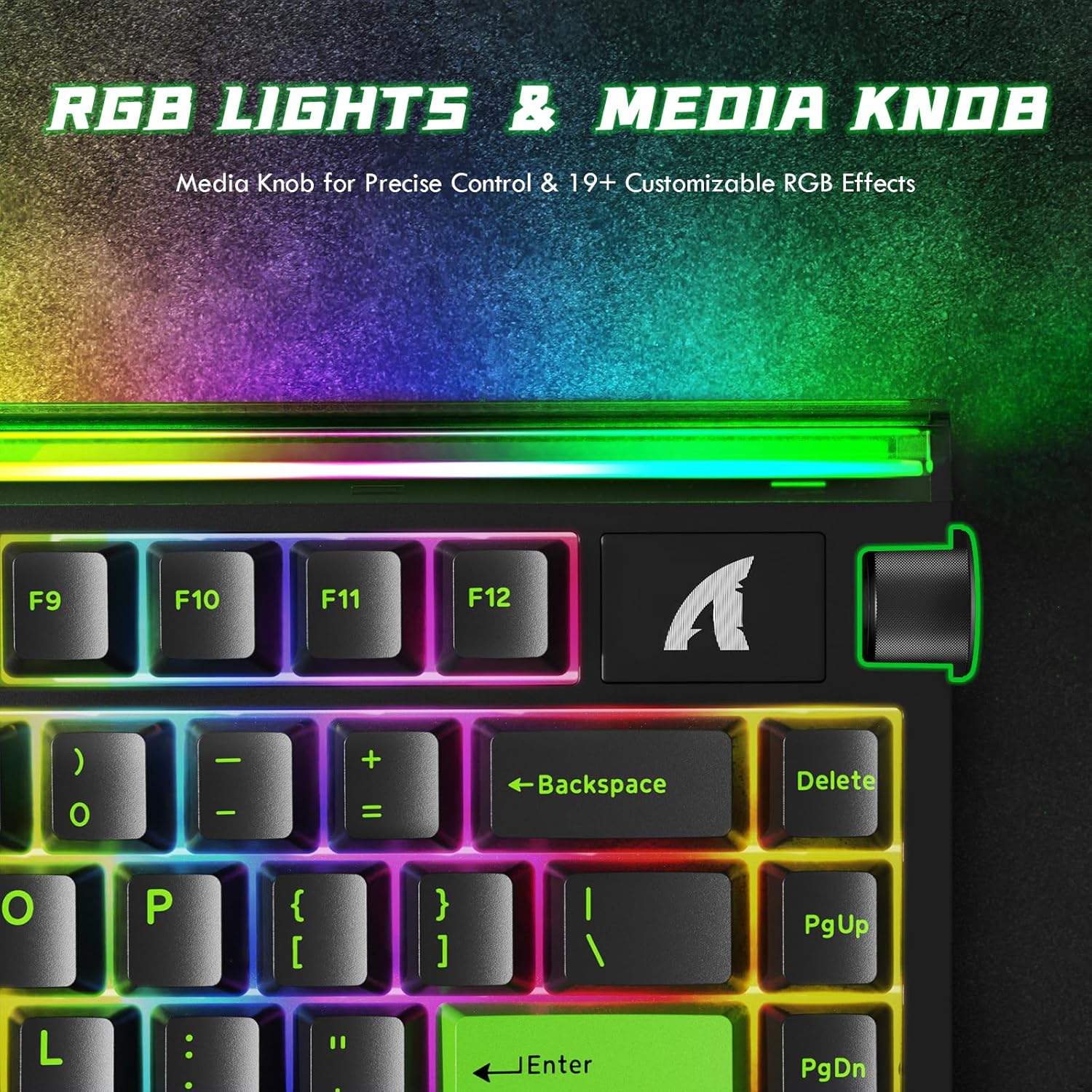
The keyboard features 19 dynamic backlight modes and a unique front-facing RGB light bar, offering 16.8 million colors for a personalized setup. A convenient volume roller is integrated for instant media control.
3. Sound Dampഎനേജിംഗ് സിസ്റ്റം
The keyboard incorporates a 5-layer sound-dampening system (PE Foam, IXPE, PET, Foam, Silicone) designed to absorb metallic ping and rattle, producing a satisfying "thock" sound with each keystroke.

4. Performance Metrics
Experience near-zero input delay with an 8000Hz polling rate and a 256K scanning rate, ensuring rapid response and precise control.

5. ഉൽപ്പന്നം കഴിഞ്ഞുview
6. ഔദ്യോഗിക ഉൽപ്പന്ന വീഡിയോകൾ
Video: ATTACK SHARK RGB Rapid Trigger Mechanical Gaming Keyboard. This video showcases the RGB lighting effects and rapid trigger functionality of the keyboard.
Video: ATTACK SHARK R85HE RT Mechanical Keyboard. This video demonstrates the rapid trigger features and overall mechanical performance.
Video: ATTACK SHARK R85HE Magnetic Switch Mechanical Keyboard. This video focuses on the magnetic switch technology and its benefits.
Video: ATTACK SHARK R85 HE Wired RT 8K Polling Mechanical Keyboard. This video provides a detailed overview of the keyboard's wired connectivity, rapid trigger, and 8K polling rate.
മെയിൻ്റനൻസ്
ശരിയായ അറ്റകുറ്റപ്പണി നിങ്ങളുടെ കീബോർഡിന്റെ ദീർഘായുസ്സും പ്രകടനവും ഉറപ്പാക്കുന്നു.
- വൃത്തിയാക്കൽ: Regularly clean the keycaps and chassis with a soft, dry cloth. For deeper cleaning, you may use a slightly damp cloth with mild soap, ensuring no liquid enters the keyboard.
- കീക്യാപ്പ് നീക്കംചെയ്യൽ: The keyboard features hot-swappable switches. If you need to remove keycaps for cleaning or replacement, use a keycap puller to gently lift them straight up to avoid damaging the switches.
- കേബിൾ കെയർ: കേടുപാടുകൾ ഒഴിവാക്കാൻ USB-C കേബിളിൽ മൂർച്ചയുള്ള വളവുകളോ അമിതമായി വലിക്കലോ ഒഴിവാക്കുക.
ട്രബിൾഷൂട്ടിംഗ്
If you encounter issues with your keyboard, consider the following:
- കീബോർഡ് പ്രതികരിക്കുന്നില്ല: Ensure the USB-C cable is securely connected to both the keyboard and the computer. Try connecting to a different USB port or a different computer to rule out port issues.
- RGB ലൈറ്റിംഗ് പ്രശ്നങ്ങൾ: If the RGB lighting is not functioning correctly, check the software settings to ensure the desired effects are selected. You may also try resetting the keyboard's lighting profiles.
- Key Input Problems: If specific keys are not registering or are double-typing, ensure the magnetic switches are properly seated. If the issue persists, perform a calibration through the software as described in the Setup section.
- കീബോർഡ് കണ്ടെത്താത്ത സോഫ്റ്റ്വെയർ: Reinstall the keyboard software or web driver. Ensure your operating system is up to date.
സ്പെസിഫിക്കേഷനുകൾ
| ഫീച്ചർ | വിശദാംശങ്ങൾ |
|---|---|
| ബ്രാൻഡ് | അറ്റാക്ക് സ്രാവ് |
| മോഡൽ | R85 ഹെ |
| കണക്റ്റിവിറ്റി ടെക്നോളജി | USB-C വയേർഡ് |
| കീബോർഡ് വിവരണം | മെക്കാനിക്കൽ |
| സ്വിച്ച് തരം | ഹാൾ ഇഫക്റ്റ് മാഗ്നറ്റിക് സ്വിച്ച് |
| പോളിംഗ് നിരക്ക് | 8KHz |
| ആർടി കൃത്യത | 0.05 മി.മീ |
| ലേറ്റൻസി | 0.08മി.എസ് |
| സ്കാനിംഗ് നിരക്ക് | 256KHz |
| പ്രവർത്തന ശ്രേണി | 0.1-3.3 മിമി (ക്രമീകരിക്കാവുന്നത്) |
| ശബ്ദം ഡിampening | 5-Layer Filling (PE Foam, IXPE, PET, Foam, Silicone) |
| കീകാപ്പുകൾ | ചെറി പ്രോfile PBT കീക്യാപ്സ് |
| ബാക്ക്ലൈറ്റിംഗ് | RGB (19+ modes, front-facing light bar) |
| കീകളുടെ എണ്ണം | 84 |
| അനുയോജ്യമായ ഉപകരണങ്ങൾ | പിസി, മാക് |
| മെറ്റീരിയൽ | Aluminum, Plastic (PBT) |
| പ്രത്യേക സവിശേഷതകൾ | പ്രോഗ്രാമബിൾ Web Driver, RGB Lightbox, Hot-Swappable |
വാറൻ്റിയും പിന്തുണയും
For warranty information, technical support, or to access the latest drivers and software, please visit the official ATTACK SHARK webസൈറ്റിൽ ബന്ധപ്പെടുക അല്ലെങ്കിൽ അവരുടെ ഉപഭോക്തൃ സേവനവുമായി നേരിട്ട് ബന്ധപ്പെടുക. വാറന്റി ക്ലെയിമുകൾക്കായി നിങ്ങളുടെ വാങ്ങൽ രസീത് സൂക്ഷിക്കുക.