
1. ആമുഖം
This manual provides detailed instructions for the proper use and care of your 7artisans AF 10mm F2.8 autofocus lens for Fujifilm FX Mount cameras. Please read this manual thoroughly before using the lens to ensure optimal performance and longevity.
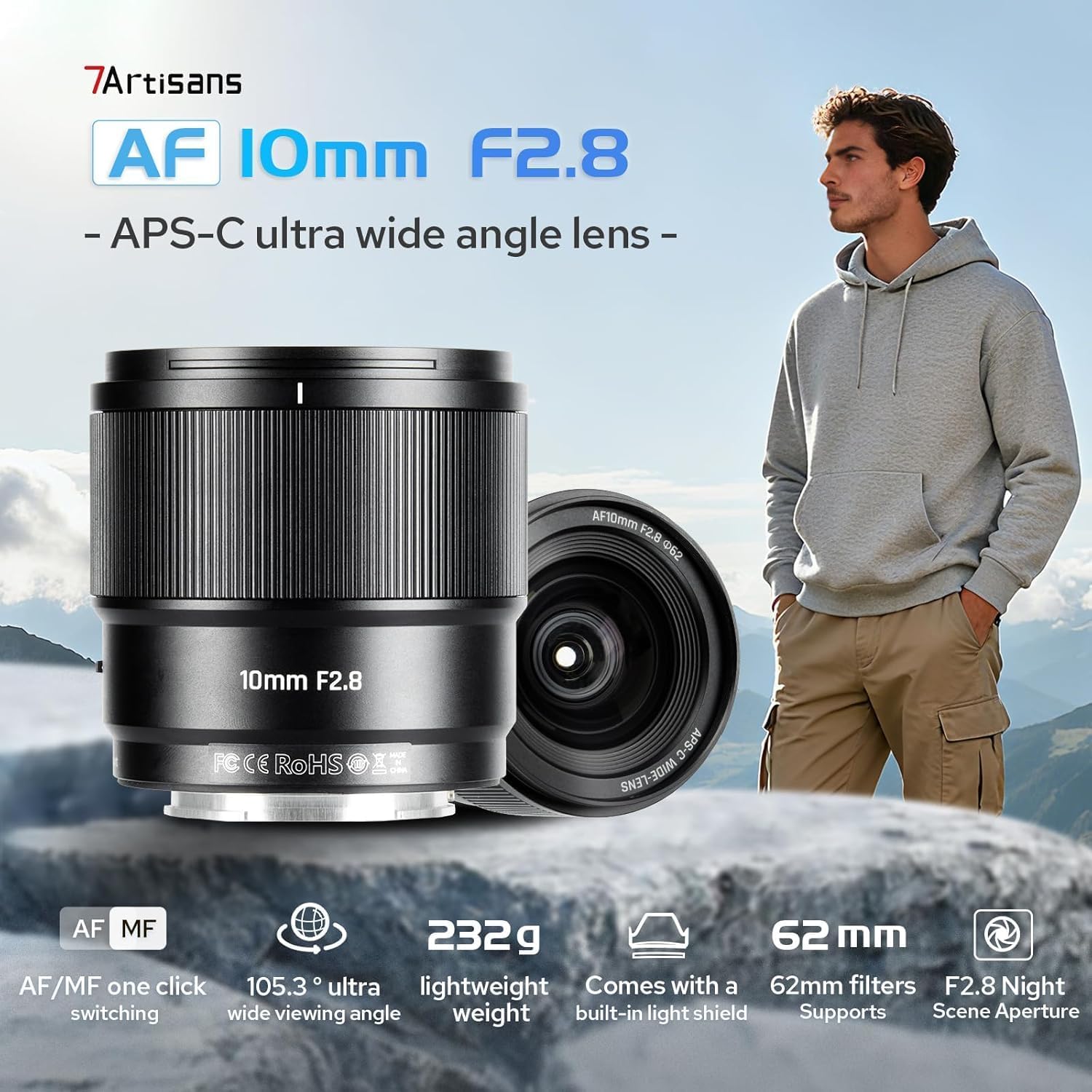
Image: The 7artisans AF 10mm F2.8 lens, a compact and lightweight ultra-wide-angle lens designed for Fujifilm FX mount cameras.
2. ഉൽപ്പന്ന സവിശേഷതകൾ
- Extremely Wide Field of View: The AF 10mm F2.8 lens captures exceptionally wide scenes, making it suitable for vast natural landscapes, architectural photography, and documentary work requiring environmental context.
- Excellent Low Light and Starry Sky Performance: With a wide F2.8 aperture, the lens gathers more light, enabling clear and bright images in low-light conditions, including night scenes, starry skies, and auroras. It also allows for sharp handheld shots in dim environments like interiors or cityscapes at dusk.
- One-Click Focus Mode Switching: Easily switch between autofocus (AF) for quick response and manual focus (MF) for precise adjustments. In AF mode, accidental contact with the focus ring does not affect focus.
- Superior Optical Design: Features two aspherical glass lenses for sharper, clearer images with reduced distortion. A minimum focusing distance of 0.3m allows for dynamic close-up shots.
- Durable and User-Friendly Design:
- Lotus-shaped lens hood resists glare and protects against collisions.
- Metal mirror body ensures durability for outdoor use.
- Checkpoint rubber ring provides dust and splash protection.
- Waterproof and anti-fouling coating benefits outdoor shooting.
- USB-C interface supports firmware updates.
3. സജ്ജീകരണവും ഇൻസ്റ്റാളേഷനും
3.1 ലെൻസ് ഘടിപ്പിക്കൽ
- Ensure your camera is turned off before attaching or detaching the lens.
- ലെൻസിൽ നിന്ന് പിൻ ലെൻസ് കാപ്പും ക്യാമറയിൽ നിന്ന് ബോഡി കാപ്പും നീക്കം ചെയ്യുക.
- Align the mounting mark on the lens with the corresponding mark on your camera body.
- ക്യാമറ മൗണ്ടിലേക്ക് ലെൻസ് തിരുകുക, അത് സ്ഥലത്ത് ക്ലിക്ക് ചെയ്യുന്നത് വരെ ഘടികാരദിശയിൽ തിരിക്കുക. ലെൻസിനെ ബലമായി അമർത്തരുത്.
3.2 ലെൻസ് ഹുഡ് ഘടിപ്പിക്കൽ
The included lotus-shaped lens hood helps to prevent flare and provides physical protection for the front element of the lens.
- ലെൻസിന്റെ മുൻവശത്തുമായി ലെൻസ് ഹുഡ് വിന്യസിക്കുക.
- Rotate the hood until it locks securely into position.

Image: The lens with its hood, demonstrating the AF/MF switch for focus mode selection.
4. ലെൻസ് പ്രവർത്തിപ്പിക്കൽ
4.1 Focus Mode Switching (AF/MF)
The lens features a switch to toggle between Autofocus (AF) and Manual Focus (MF) modes.
- ഓട്ടോഫോക്കസ് (AF): Slide the switch to AF for automatic focusing. This mode is ideal for quickly capturing moments.
- മാനുവൽ ഫോക്കസ് (MF): Slide the switch to MF for manual focusing. In this mode, rotate the focus ring to achieve precise focus. Accidental contact with the focus ring in AF mode will not alter the focus.
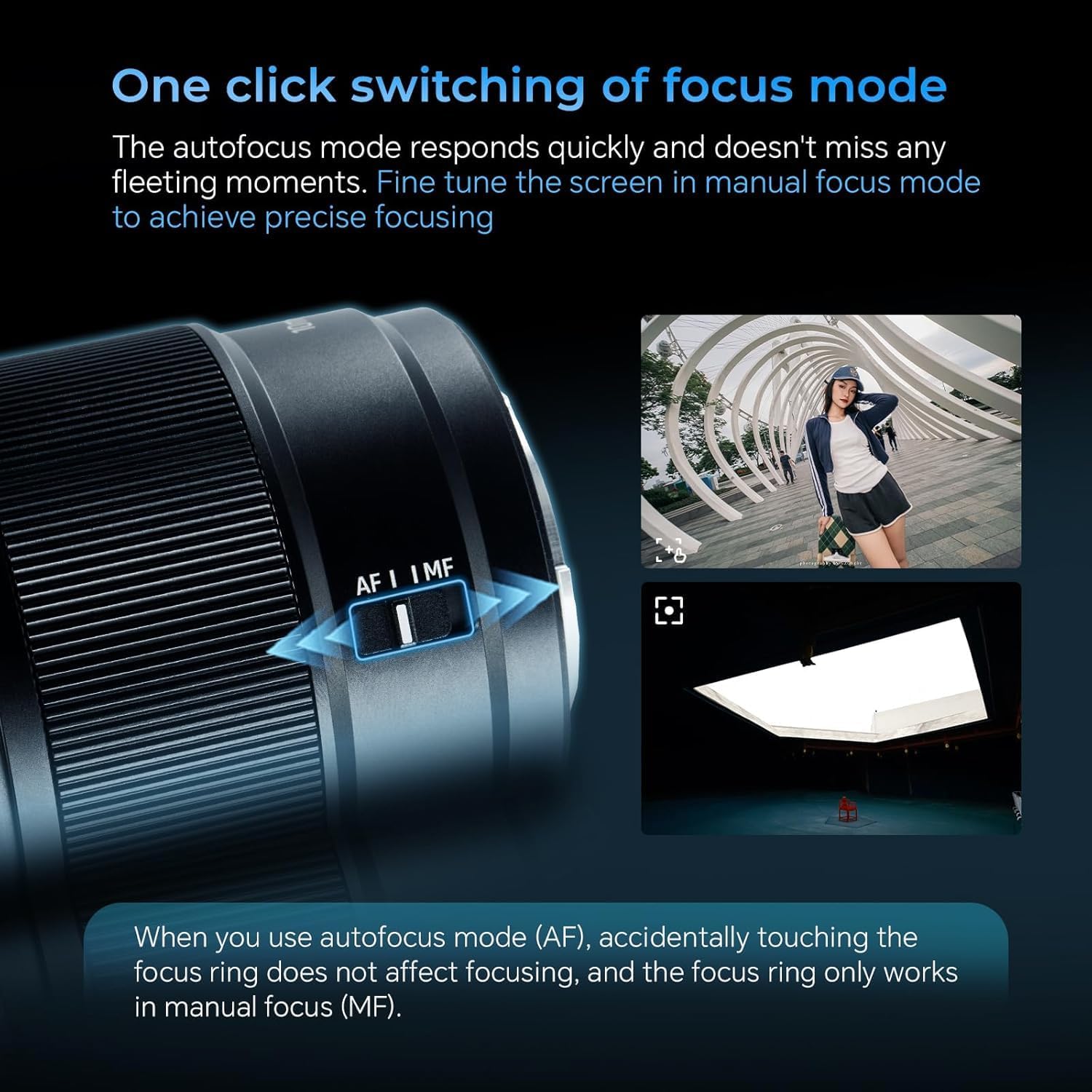
Image: Detail of the lens barrel highlighting the AF/MF switch for easy mode selection.
4.2 അപ്പർച്ചർ നിയന്ത്രണം
The lens has a maximum aperture of F2.8 and a minimum aperture of F16. The aperture can be controlled via your camera body settings.
- F2.8 Aperture: Allows for excellent low-light performance and shallow depth of field.
- F16 Aperture: Provides greater depth of field, suitable for landscapes where more of the scene needs to be in focus.
4.3 ഫേംവെയർ അപ്ഡേറ്റുകൾ
The lens is equipped with a USB-C interface for firmware updates. Connect the lens to a computer using a Type-C cable and follow the instructions provided on the 7artisans official website for the latest firmware and update procedures.
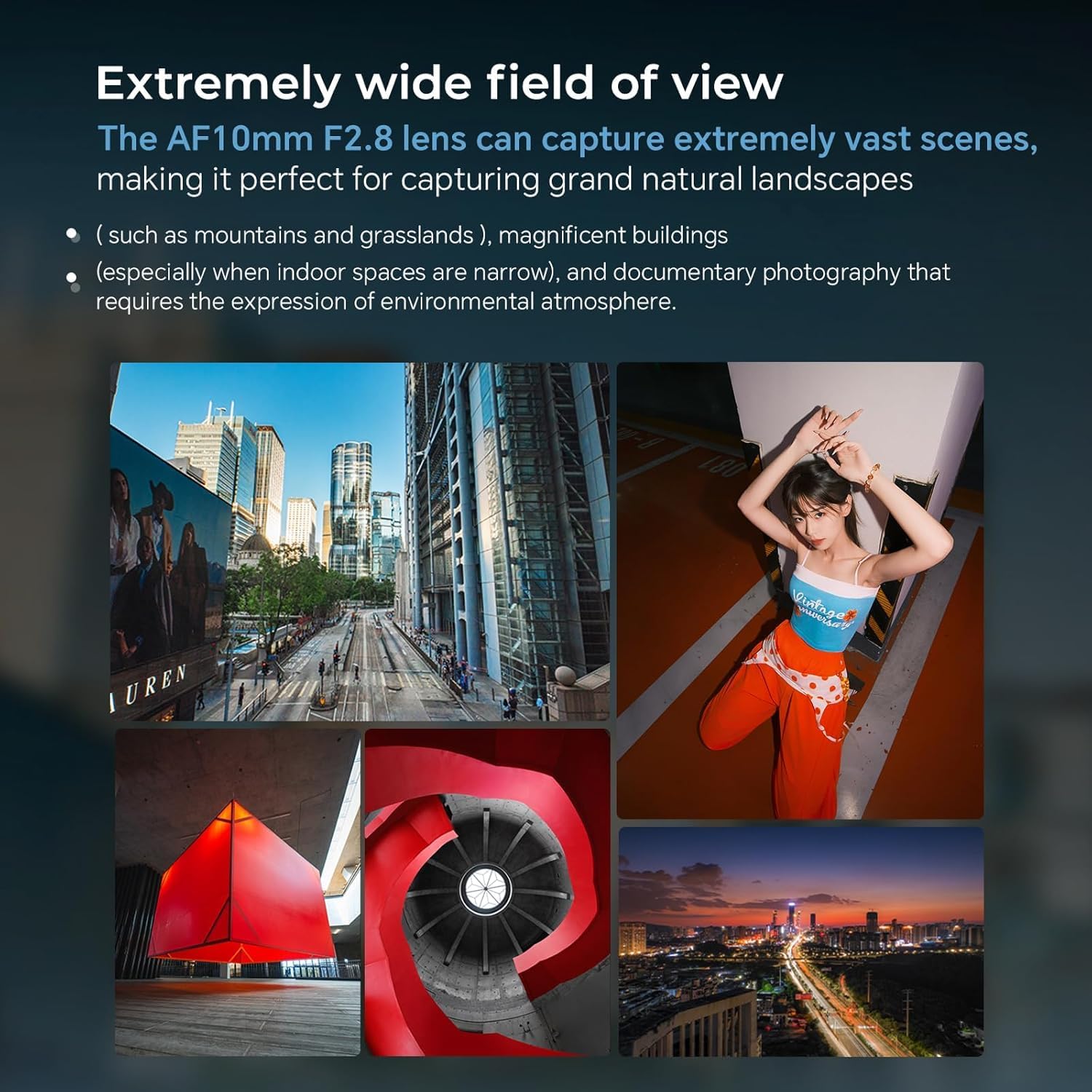
Image: The lens mount with electronic contacts and the USB-C port for firmware updates.
4.4 Shooting Tips
- ലാൻഡ്സ്കേപ്പ് ഫോട്ടോഗ്രാഫി: Utilize the ultra-wide field of view to capture expansive scenes. Consider using a smaller aperture (e.g., F8-F16) for maximum depth of field.
- Night and Starry Sky Photography: Use the F2.8 aperture to gather sufficient light. A tripod is recommended for long exposures.
- വാസ്തുവിദ്യാ ഫോട്ടോഗ്രാഫി: The wide angle is excellent for capturing large buildings, especially in confined spaces. Pay attention to vertical lines to minimize distortion.
- Creative Portraits: Experiment with close-up portraits to create exaggerated perspectives and dynamic compositions.
വീഡിയോ: ഒരു ഓവർview of the 7artisans AF 10mm F2.8 lens, demonstrating its features and capabilities in various shooting scenarios.
5. പരിപാലനവും പരിചരണവും
- ലെൻസ് വൃത്തിയാക്കൽ: Use a soft, lint-free cloth and a specialized lens cleaning solution to clean the glass elements. Avoid touching the glass with your fingers.
- Dust and Splash Protection: The lens features a checkpoint rubber ring for dust and splash resistance. While it offers protection, avoid exposing the lens to heavy rain or dusty environments.
- സംഭരണം: When not in use, store the lens with both front and rear caps attached in a dry, cool place, away from direct sunlight and extreme temperatures.
- കൈകാര്യം ചെയ്യൽ: Always handle the lens carefully. Avoid dropping or subjecting it to strong impacts.
6. പ്രശ്നപരിഹാരം
| പ്രശ്നം | സാധ്യമായ കാരണം | പരിഹാരം |
|---|---|---|
| ക്യാമറയ്ക്ക് ലെൻസ് തിരിച്ചറിയാൻ കഴിയുന്നില്ല. | Improper mounting; dirty electronic contacts. | Re-attach the lens securely. Clean the electronic contacts on both the lens and camera with a clean, dry cloth. |
| ഓട്ടോഫോക്കസ് പ്രവർത്തിക്കുന്നില്ല | Lens is in MF mode; camera settings incorrect; insufficient light. | Ensure the AF/MF switch is set to AF. Check camera focus settings. Try shooting in better light or switch to manual focus. |
| ചിത്രങ്ങൾ അവ്യക്തമാണ് | തെറ്റായ ഫോക്കസ്; ക്യാമറ കുലുക്കം; വൃത്തികെട്ട ലെൻസ് ഘടകം. | Verify focus. Use a faster shutter speed or tripod. Clean the front lens element. |
| Lens hood loose | Not properly attached. | Re-attach the lens hood, rotating until it clicks firmly into place. |
7 സ്പെസിഫിക്കേഷനുകൾ
| ഫീച്ചർ | വിശദാംശങ്ങൾ |
|---|---|
| ബ്രാൻഡ് | 7 കരകൗശല തൊഴിലാളികൾ |
| മോഡലിൻ്റെ പേര് | AF 10mm F2.8 |
| ഫോക്കൽ ലെങ്ത് | 10 മി.മീ |
| ലെൻസ് തരം | Wide-angle, Fixed Prime Lens |
| അനുയോജ്യമായ മൗണ്ടുകൾ | ഫ്യൂജിഫിലിം എക്സ് |
| പരമാവധി അപ്പേർച്ചർ | F2.8 |
| മിനിമം അപ്പർച്ചർ | F16 |
| ഒപ്റ്റിക്കൽ നിർമ്മാണം | 11 elements in 10 groups (including 2 aspherical lenses) |
| ഡയഫ്രം ബ്ലേഡുകൾ | 7 |
| ന്റെ ആംഗിൾ View | 103.5 ഡിഗ്രി |
| ഏറ്റവും കുറഞ്ഞ ഫോക്കസിംഗ് ദൂരം | 0.3 മീറ്റർ |
| ഫോക്കസ് തരം | Autofocus/Manual |
| ഫിൽട്ടർ വലുപ്പം | 62 മി.മീ |
| ഇമേജ് സ്റ്റെബിലൈസേഷൻ | No image stabilization |
| ഭാരം | ഏകദേശം 232 ഗ്രാം |
| മെറ്റീരിയൽ | മെറ്റൽ ബോഡി |
| കണക്റ്റിവിറ്റി | ഫേംവെയർ അപ്ഡേറ്റുകൾക്കായി USB-C |

Image: Optical diagram and MTF chart illustrating the lens's internal structure and performance.
8. ബോക്സിൽ എന്താണുള്ളത്?
- 7artisans AF 10mm F2.8 Lens
- ഫ്രണ്ട് ലെൻസ് ക്യാപ്
- പിൻ ലെൻസ് തൊപ്പി
- ഇൻസ്ട്രക്ഷൻ മാനുവൽ
- ലെൻസ് ഹുഡ്
- ടൈപ്പ്-സി കേബിൾ

Image: Contents of the product package, including the lens and accessories.
9. വാറൻ്റിയും പിന്തുണയും
This 7artisans AF 10mm F2.8 lens comes with a 1 വർഷത്തെ ഉൽപ്പന്ന വാറൻ്റി വാങ്ങിയ തീയതി മുതൽ.
For technical support, warranty claims, or further inquiries, please contact your retailer or visit the official 7artisans webസൈറ്റ്. വാറന്റി സേവനത്തിനായി നിങ്ങളുടെ വാങ്ങിയതിന്റെ തെളിവ് സൂക്ഷിക്കുക.