
ആമുഖം
The Nobsound NS-05P PRO is a versatile bi-directional audio converter designed to bridge the gap between consumer Hi-Fi equipment and professional audio systems. It facilitates seamless conversion between RCA (unbalanced) and XLR (balanced) signals in both directions, ensuring high-fidelity audio transmission with minimal interference. This manual provides detailed instructions for the setup, operation, and maintenance of your NS-05P PRO converter.
പ്രധാന സവിശേഷതകൾ
- Bi-Directional RCA & XLR Conversion: Transforms RCA to XLR and XLR to RCA, offering full flexibility for various audio setups.
- True Balanced Circuitry: Converts RCA signals to true balanced XLR, effectively reducing hum, buzz, and ground loop noise for a cleaner sound.
- Dual-Path with Independent Control: Features two independent conversion paths, each with its own volume knob for precise level matching. Both paths can operate simultaneously.
- Wide Audio Compatibility: Integrates with mixers, audio interfaces, active studio monitors, power amplifiers, DACs, and more.
- Premium Aluminum Build: Constructed from a solid aluminum chassis for durability, effective shielding against interference, and a sleek design.
പാക്കേജ് ഉള്ളടക്കം
പാക്കേജിൽ എല്ലാ ഇനങ്ങളും ഉണ്ടെന്ന് ഉറപ്പാക്കുക:
- NS-05P PRO Converter × 1
- യുഎസ്ബി കേബിൾ × 1
- ഉപയോക്തൃ മാനുവൽ × 1

Figure 1: Contents of the NS-05P PRO package, including the converter unit, USB cable, and user manual.
ഉപകരണ ലേഔട്ടും നിയന്ത്രണങ്ങളും
Familiarize yourself with the various inputs, outputs, and controls on the NS-05P PRO unit.

ചിത്രം 2: മുന്നിലെയും പിന്നിലെയും പാനൽ മുകളിൽview of the NS-05P PRO.
- Volume Knob (XLR input → RCA output): Adjusts the output level for the XLR to RCA conversion path.
- പവർ ബട്ടൺ: യൂണിറ്റ് ഓണാക്കുകയോ ഓഫാക്കുകയോ ചെയ്യുന്നു.
- Volume Knob (RCA input → XLR output): Adjusts the output level for the RCA to XLR conversion path.
- RCA ഇൻപുട്ട്: Connect RCA source devices for conversion to XLR output.
- XLR putട്ട്പുട്ട്: Connect XLR receiving devices from RCA input.
- XLR ഇൻപുട്ട്: Connect XLR source devices for conversion to RCA output.
- ആർസിഎ putട്ട്പുട്ട്: Connect RCA receiving devices from XLR input.
- DC 5V (≥1A) Power Interface (USB Type-C): Connect the provided USB cable to a 5V power source.
- GND Terminal: Connect to an earth ground or metal chassis of other equipment to reduce hum or noise.
സജ്ജമാക്കുക
Follow these steps to set up your Nobsound NS-05P PRO converter:
- പവർ കണക്ഷൻ: Connect the supplied USB cable to the USB Type-C power interface on the NS-05P PRO. Connect the other end of the USB cable to a DC 5V (≥1A) power adapter (not included) or a suitable USB power source. The unit requires power to function.
- Audio Input/Output Connections:
- RCA to XLR Conversion: Connect your RCA source device (e.g., CD player, PC) to the RCA Input ports on the left side of the unit. Connect your XLR receiving device (e.g., active speaker, amplifier) to the XLR Output ports on the left side.
- XLR to RCA Conversion: Connect your XLR source device (e.g., mixer, audio interface) to the XLR Input ports on the right side of the unit. Connect your RCA receiving device (e.g., preampലൈഫയർ, amplifier) to the RCA Output ports on the right side.
പ്രധാനപ്പെട്ടത്: The NS-05P PRO does not support RCA-to-RCA or XLR-to-XLR connections. Ensure connections are made correctly for the desired conversion path.
- Grounding (Optional but Recommended): If you experience hum or background noise, connect a wire from the GND terminal on the NS-05P PRO to a real earth ground or to the metal chassis of another audio component in your system.
- പവർ ഓൺ: Press the power button to turn on the NS-05P PRO.
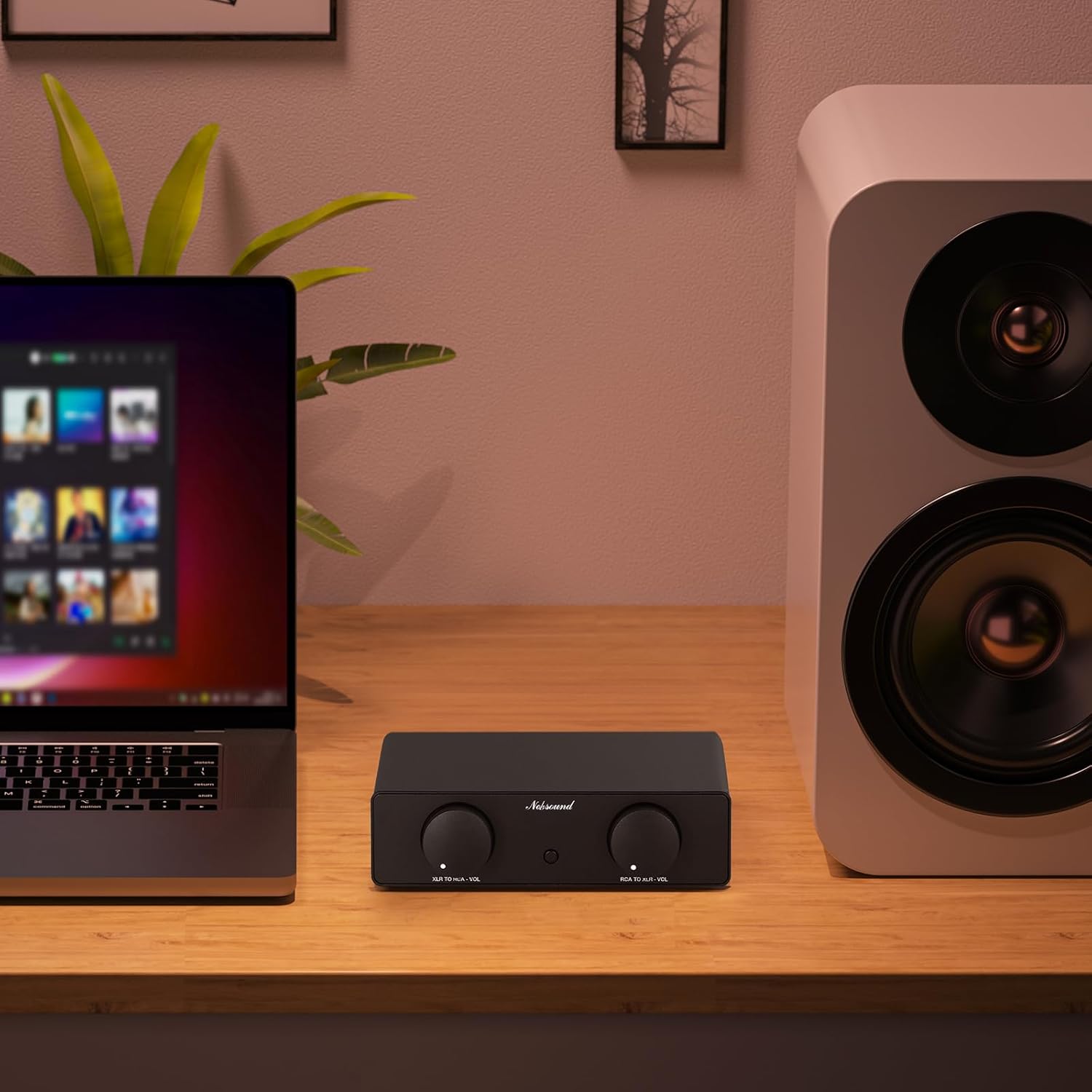
ചിത്രം 3: ഉദാample setup with the NS-05P PRO integrating a laptop and an active speaker.
പ്രവർത്തന നിർദ്ദേശങ്ങൾ
Once the NS-05P PRO is set up and powered on, you can begin using it to convert audio signals.
- വോളിയം ക്രമീകരണം: Use the dedicated volume knobs for each conversion path (XLR input → RCA output and RCA input → XLR output) to adjust the audio level. These knobs act as mini-preamps, allowing for precise level matching between your connected devices.
- ഒരേസമയം പ്രവർത്തനം: The two conversion paths are fully independent. You can use both RCA to XLR and XLR to RCA conversions simultaneously without interference.
- Gain Characteristics: Note that the maximum gain differs between modes:
- XLR to RCA Mode: Provides a maximum gain of +5dB when the volume knob is turned to maximum, resulting in a potentially louder output.
- RCA to XLR Mode: Provides a maximum gain of 0dB.
മെയിൻ്റനൻസ്
To ensure the longevity and optimal performance of your NS-05P PRO:
- മൃദുവായതും ഉണങ്ങിയതുമായ തുണി ഉപയോഗിച്ച് തുടച്ച് യൂണിറ്റ് വൃത്തിയായി സൂക്ഷിക്കുക. കഠിനമായ രാസവസ്തുക്കളോ ഉരച്ചിലുകളുള്ള ക്ലീനറുകളോ ഉപയോഗിക്കുന്നത് ഒഴിവാക്കുക.
- Do not expose the unit to excessive moisture, direct sunlight, or extreme temperatures.
- അമിതമായി ചൂടാക്കുന്നത് തടയാൻ യൂണിറ്റിന് ചുറ്റും ശരിയായ വായുസഞ്ചാരം ഉറപ്പാക്കുക.
- ശാരീരികമായ കേടുപാടുകൾ ഒഴിവാക്കാൻ ശ്രദ്ധയോടെ കൈകാര്യം ചെയ്യുക.
ട്രബിൾഷൂട്ടിംഗ്
If you encounter issues with your NS-05P PRO, refer to the following common problems and solutions:
- Unit is not working / No signal output:
- Ensure the NS-05P PRO is properly powered by a DC 5V (≥1A) supply via the USB Type-C port. Check if the power supply is functional.
- Verify that the RCA and XLR ports are connected correctly for the desired conversion path (RCA IN → XLR OUT or XLR IN → RCA OUT). Incorrect connections (e.g., RCA-to-RCA or XLR-to-XLR) will result in no signal.
- Hum or background noise:
- Connect a wire from the GND terminal on the NS-05P PRO to a real earth ground or to the metal chassis of another piece of equipment in your audio chain. This can help eliminate ground loop issues.
- Ensure all audio cables are of good quality and properly shielded.
- Output volume difference between RCA-to-XLR and XLR-to-RCA modes:
- This is normal behavior due to differing gain structures. XLR-to-RCA mode has a maximum gain of +5dB, while RCA-to-XLR mode has a maximum gain of 0dB. Adjust the independent volume knobs to achieve desired levels.
If the issue persists after attempting these solutions, please contact Nobsound customer support for further assistance.
സ്പെസിഫിക്കേഷനുകൾ
| പരാമീറ്റർ | മൂല്യം |
|---|---|
| ബ്രാൻഡ് | നോബ്സൗണ്ട് |
| മോഡൽ | NS-05P PRO |
| ഓഡിയോ ഇൻപുട്ട് | RCA / XLR |
| ഓഡിയോ ഔട്ട്പുട്ട് | XLR / RCA |
| വർക്ക് മോഡുകൾ | RCA IN → XLR OUT / XLR IN → RCA OUT |
| പവർ ആവശ്യമാണ് | അതെ |
| Gain (XLR → RCA) | 5dB |
| Gain (RCA → XLR) | 0dB |
| THD+N | 0.008% |
| THD | 0.00007% |
| എസ്.എൻ.ആർ | ≥89dB |
| Channel Balance (L/R) | ≤0.01dB |
| ഫ്രീക്വൻസി പ്രതികരണം | 20Hz-20kHz |
| ഇൻപുട്ട് ഇംപെഡൻസ് | 20kΩ |
| ഔട്ട്പുട്ട് ഇംപെഡൻസ് | 100Ω |
| RCA Output Level (max) | 2Vms |
| Separate Volume Control | പിന്തുണച്ചു |
| ഇൻപുട്ട് വോളിയംtage | DC 5V (≥1A) |
| പവർ ഇന്റർഫേസ് | യുഎസ്ബി ടൈപ്പ്-സി |
| അളവുകൾ (W*D*H) | 155*70*42mm / 6.10*2.76*1.65in |
| മൊത്തം ഭാരം | 420g / 0.92lb |
| പാക്കേജ് ഭാരം | 600g / 1.32lb |
വാറൻ്റിയും പിന്തുണയും
Nobsound products are designed for reliability and performance. For warranty information, technical support, or any questions not covered in this manual, please refer to the official Nobsound webസൈറ്റ് അല്ലെങ്കിൽ നിങ്ങളുടെ അംഗീകൃത ഡീലറെ ബന്ധപ്പെടുക. നിങ്ങൾക്ക് സന്ദർശിക്കാനും കഴിയും Nobsound Store on Amazon കൂടുതൽ വിവരങ്ങൾക്കും പിന്തുണാ ഉറവിടങ്ങൾക്കും.