
1. ആമുഖം
This manual provides essential information for the proper use and maintenance of your XIAOMI Redmi Note 15 Pro 5G smartphone. Please read this guide thoroughly before using your device to ensure optimal performance and longevity.
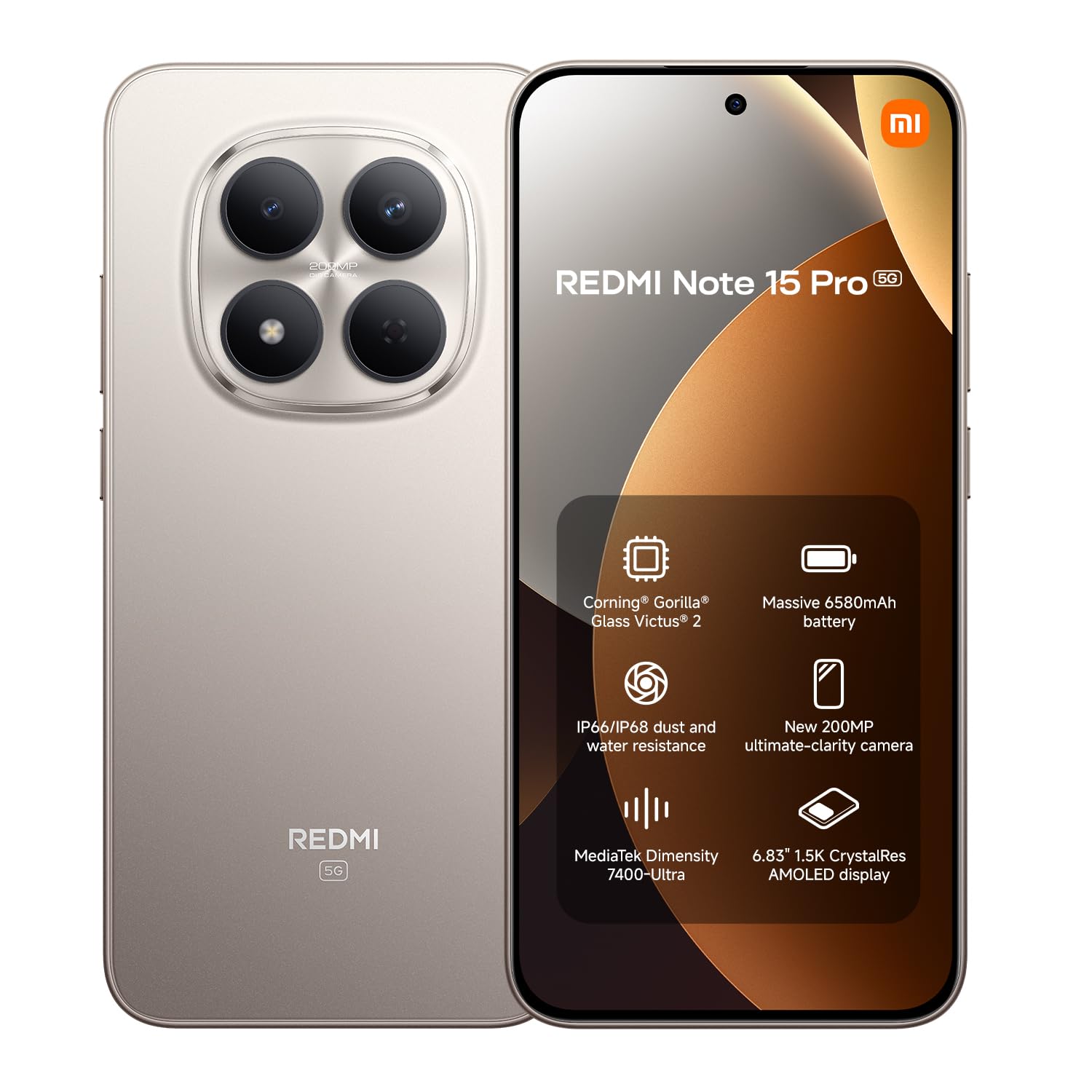
ചിത്രം: മുൻഭാഗം view of the XIAOMI Redmi Note 15 Pro 5G smartphone.
2. ഡിവൈസ് ഓവർview
The Redmi Note 15 Pro 5G features a large AMOLED display, a powerful processor, and a high-resolution camera system. Familiarize yourself with the physical components of your device.
2.1. ഫ്രണ്ട് View
ചിത്രം: മുൻഭാഗം view of the Redmi Note 15 Pro 5G, highlighting the display and punch-hole front camera.
2.2. പിൻഭാഗം View

ചിത്രം: പിൻഭാഗം view റെഡ്മി നോട്ട് 15 പ്രോ 5G യുടെ, കാണിക്കുകasing the circular camera module and Redmi branding.
3. സജ്ജീകരണം
Follow these steps to set up your new Redmi Note 15 Pro 5G.
3.1 സിം കാർഡുകൾ ചേർക്കുന്നു
- നിങ്ങളുടെ ഉപകരണത്തിന്റെ വശത്ത് സിം കാർഡ് ട്രേ കണ്ടെത്തുക.
- ട്രേയുടെ അടുത്തുള്ള ചെറിയ ദ്വാരത്തിലേക്ക് സിം എജക്റ്റർ ഉപകരണം തിരുകുക, ട്രേ പുറത്തേക്ക് വരുന്നത് വരെ ദൃഢമായി അമർത്തുക.
- Place your Nano-SIM cards (up to two) into the designated slots on the tray. Ensure the gold contacts face downwards.
- സിം ട്രേ ശ്രദ്ധാപൂർവ്വം ഉപകരണത്തിലേക്ക് വീണ്ടും ചേർക്കുക.
3.2. പ്രാരംഭ പവർ ഓണും സജ്ജീകരണവും
- XIAOMI ലോഗോ ദൃശ്യമാകുന്നതുവരെ പവർ ബട്ടൺ അമർത്തിപ്പിടിക്കുക.
- നിങ്ങളുടെ ഭാഷ, പ്രദേശം, വൈ-ഫൈ കണക്റ്റ്, ഗൂഗിൾ അക്കൗണ്ട് സജ്ജീകരിക്കൽ എന്നിവ തിരഞ്ഞെടുക്കാൻ ഓൺ-സ്ക്രീൻ നിർദ്ദേശങ്ങൾ പാലിക്കുക.
- You may be prompted to transfer data from an old device or set up a new device.
3.3 ഉപകരണം ചാർജ് ചെയ്യുന്നു
Your Redmi Note 15 Pro 5G comes with a USB cable. Please note that a power adapter is not included. Use a compatible USB-C power adapter (sold separately) to charge your device. Connect the USB cable to the phone's USB-C port and to the power adapter, then plug the adapter into a wall outlet.

Image: Redmi Note 15 Pro 5G shown with a USB-C cable and a power adapter (adapter not included with product).
4. പ്രവർത്തന നിർദ്ദേശങ്ങൾ
This section covers the basic operation of your smartphone.
4.1. ഡിസ്പ്ലേയും നാവിഗേഷനും
The device features a 6.83-inch 1.5K CrystalRes AMOLED display with a 120Hz refresh rate for smooth visuals. Navigate using gestures or on-screen buttons, configurable in settings.

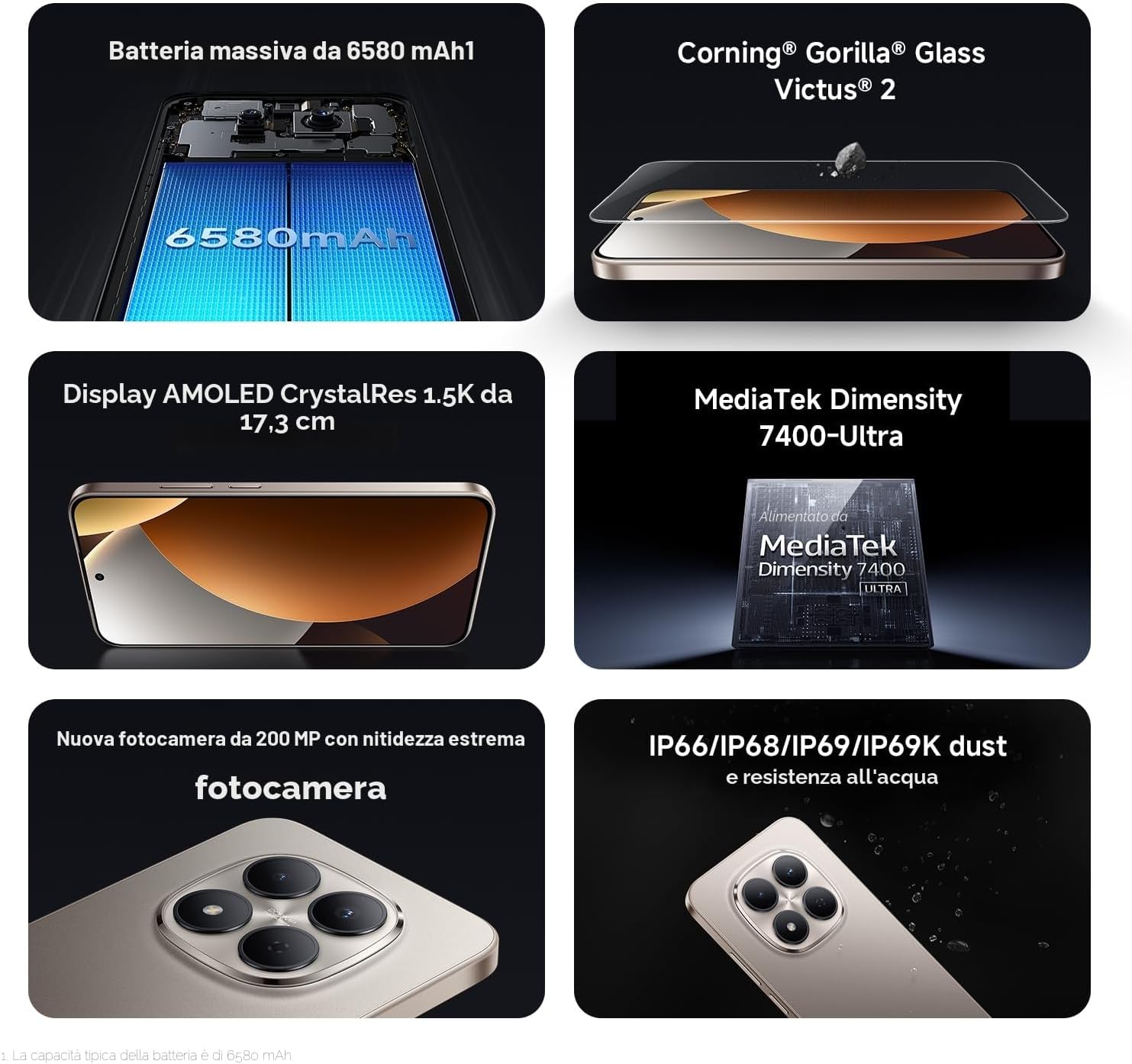
Image: The 6.83-inch 1.5K CrystalRes AMOLED display of the Redmi Note 15 Pro 5G.
4.2. ക്യാമറ ഉപയോഗം
Your Redmi Note 15 Pro 5G is equipped with a 200 MP rear camera and a 20 MP front camera. Open the Camera app to access various modes like Photo, Video, Portrait, and Night mode. Tap to focus and use the zoom controls for desired framing.

Image: Close-up of the 200 MP rear camera system on the Redmi Note 15 Pro 5G.
4.3. പ്രകടനവും കണക്റ്റിവിറ്റിയും
Powered by the MediaTek Dimensity 7400 processor and running Android 15, the device offers smooth performance. It supports 5G cellular networks, Bluetooth, NFC for contactless payments, and Wi-Fi for internet connectivity.

Image: Graphic representation of the MediaTek Dimensity 7400-Ultra processor.
4.4. ബാറ്ററി മാനേജ്മെന്റ്
The 6580 mAh battery provides extended usage. To optimize battery life, manage background app activity, reduce screen brightness, and enable power-saving modes when needed.

Image: Illustration of the 6580 mAh battery capacity.
5. പരിപാലനം
Proper care ensures the longevity and optimal functioning of your Redmi Note 15 Pro 5G.
5.1. നിങ്ങളുടെ ഉപകരണം വൃത്തിയാക്കൽ
നിങ്ങളുടെ ഫോണിന്റെ സ്ക്രീനും ബോഡിയും വൃത്തിയാക്കാൻ മൃദുവായ, ലിന്റ് രഹിത തുണി ഉപയോഗിക്കുക. ഉരച്ചിലുകളുള്ള വസ്തുക്കളോ കഠിനമായ രാസവസ്തുക്കളോ ഒഴിവാക്കുക. കഠിനമായ കറകൾക്ക്, ചെറുതായി ഡി.ampവെള്ളം കൊണ്ട് തുണി.
5.2. സോഫ്റ്റ്വെയർ അപ്ഡേറ്റുകൾ
നിങ്ങളുടെ ഉപകരണത്തിന് ഏറ്റവും പുതിയ ഫീച്ചറുകൾ, സുരക്ഷാ പാച്ചുകൾ, പ്രകടന മെച്ചപ്പെടുത്തലുകൾ എന്നിവ ഉണ്ടെന്ന് ഉറപ്പാക്കാൻ സിസ്റ്റം അപ്ഡേറ്റുകൾ പതിവായി പരിശോധിച്ച് ഇൻസ്റ്റാൾ ചെയ്യുക. പോകുക ക്രമീകരണങ്ങൾ > ഫോണിനെക്കുറിച്ച് > MIUI പതിപ്പ് അപ്ഡേറ്റുകൾ പരിശോധിക്കാൻ.
5.3. സ്ക്രീൻ സംരക്ഷണം
The display is protected by Corning Gorilla Glass Victus 2, offering enhanced durability against drops and scratches. For additional protection, consider using a screen protector.

Image: Representation of Corning Gorilla Glass Victus 2 protecting the display.
5.4. വെള്ളത്തിനും പൊടിക്കും പ്രതിരോധം
The device features IP68/IP69K dust and water resistance. While designed to withstand splashes and dust, avoid intentional submersion in water or exposure to high-pressure water jets. Damage caused by liquid exposure is not covered under warranty.

Image: Redmi Note 15 Pro 5G demonstrating its IP68/IP69K dust and water resistance.
6. പ്രശ്നപരിഹാരം
നിങ്ങൾ നേരിട്ടേക്കാവുന്ന പൊതുവായ പ്രശ്നങ്ങൾക്കുള്ള പരിഹാരങ്ങൾ ഇതാ.
6.1. ഉപകരണം ഓണാക്കുന്നില്ല
- ബാറ്ററി ചാർജ്ജ് ചെയ്തിട്ടുണ്ടെന്ന് ഉറപ്പാക്കുക. കുറഞ്ഞത് 30 മിനിറ്റെങ്കിലും ഉപകരണം ചാർജറുമായി ബന്ധിപ്പിക്കുക.
- റീസ്റ്റാർട്ട് ചെയ്യാൻ പവർ ബട്ടൺ 10-15 സെക്കൻഡ് അമർത്തിപ്പിടിക്കുക.
6.2. ആപ്പുകൾ ക്രാഷാകുകയോ മരവിപ്പിക്കുകയോ ചെയ്യുന്നു
- ആപ്പ് അടച്ച് വീണ്ടും തുറക്കുക.
- ആപ്പിന്റെ കാഷെയും ഡാറ്റയും മായ്ക്കുക (ക്രമീകരണങ്ങൾ > ആപ്പുകൾ > ആപ്പുകൾ നിയന്ത്രിക്കുക > [ആപ്പ് നാമം] > ഡാറ്റ മായ്ക്കുക).
- ആപ്പ് അതിന്റെ ഏറ്റവും പുതിയ പതിപ്പിലേക്ക് അപ്ഡേറ്റ് ചെയ്തിട്ടുണ്ടെന്ന് ഉറപ്പാക്കുക.
6.3. Connectivity Issues (Wi-Fi/Bluetooth/5G)
- Toggle Wi-Fi/Bluetooth/Mobile Data off and on.
- നിങ്ങളുടെ ഉപകരണം പുനരാരംഭിക്കുക.
- For Wi-Fi, forget the network and reconnect. For 5G, ensure your SIM card and plan support 5G and you are in a 5G coverage area.
6.4. ഫാക്ടറി റീസെറ്റ്
If issues persist, you may perform a factory reset. മുന്നറിയിപ്പ്: ഇത് നിങ്ങളുടെ ഉപകരണത്തിലെ എല്ലാ ഡാറ്റയും മായ്ക്കും. തുടരുന്നതിന് മുമ്പ് പ്രധാനപ്പെട്ട ഡാറ്റയുടെ ബാക്കപ്പ് എടുക്കുക. പോകുക ക്രമീകരണം > ഫോണിനെക്കുറിച്ച് > ഫാക്ടറി റീസെറ്റ് നിർദ്ദേശങ്ങൾ പാലിക്കുക.
7 സ്പെസിഫിക്കേഷനുകൾ
Detailed technical specifications for the Redmi Note 15 Pro 5G.
| ഫീച്ചർ | സ്പെസിഫിക്കേഷൻ |
|---|---|
| ബ്രാൻഡ് | XIAOMI |
| മോഡലിൻ്റെ പേര് | റെഡ്മി നോട്ട് 15 പ്രോ 5 ജി |
| ഓപ്പറേറ്റിംഗ് സിസ്റ്റം | ആൻഡ്രോയിഡ് 15 |
| പ്രോസസ്സർ | മീഡിയടെക് ഡൈമെൻസിറ്റി 7400 (2.6 GHz) |
| റാം | 12 ജിബി |
| ആന്തരിക സംഭരണം | 256 ജിബി |
| ഡിസ്പ്ലേ വലിപ്പം | 6.83 ഇഞ്ച് |
| ഡിസ്പ്ലേ തരം | അമോലെഡ് |
| റെസലൂഷൻ | 1920 x 1080 (1080p ഫുൾ എച്ച്ഡി) |
| പുതുക്കിയ നിരക്ക് | 120 Hz |
| പിൻ ക്യാമറ | 200 എം.പി |
| മുൻ ക്യാമറ | 20 എം.പി |
| ബാറ്ററി ശേഷി | 6580 mAh |
| സിം കാർഡ് സ്ലോട്ടുകൾ | Dual SIM (eSIM) |
| കണക്റ്റിവിറ്റി | 5G, Bluetooth, NFC, Wi-Fi |
| ജല പ്രതിരോധം | IP68/IP69K (Not water resistant for intentional submersion) |
| അളവുകൾ | 19 x 9 x 4 സെ.മീ |
| ഭാരം | 406 ഗ്രാം |
| ബോക്സിൽ ഉൾപ്പെടുത്തിയിട്ടുണ്ട് | USB Cable (Power adapter not included) |
8. വാറൻ്റിയും പിന്തുണയും
8.1. ഉൽപ്പന്ന വാറൻ്റി
Your XIAOMI Redmi Note 15 Pro 5G is covered by a 2 വർഷത്തെ നിർമ്മാതാവിന്റെ വാറന്റി. Please retain your proof of purchase for warranty claims. The availability of spare parts in the EU is guaranteed for 6 years.
8.2. ഉപഭോക്തൃ പിന്തുണ
For further assistance, technical support, or warranty inquiries, please visit the official XIAOMI support website or contact their customer service. You can also find additional information and FAQs on the ആമസോണിലെ XIAOMI സ്റ്റോർ.
Additional documents: