
1. ആമുഖം
വാങ്ങിയതിന് നന്ദി.asing the Aiwa BST-130RD Bluetooth Speaker. This portable speaker features Bluetooth 5.3 connectivity, vibrant RGB lighting, FM radio, and multiple playback options including USB and TF card. This manual provides essential information for the safe and efficient use of your device. Please read it thoroughly before operation and retain it for future reference.
2. പാക്കേജ് ഉള്ളടക്കം
പാക്കേജിൽ എല്ലാ ഇനങ്ങളും ഉണ്ടെന്ന് ഉറപ്പാക്കുക:
- Aiwa BST-130RD Bluetooth Speaker
- യുഎസ്ബി ടൈപ്പ്-സി ചാർജിംഗ് കേബിൾ
- ഇൻസ്ട്രക്ഷൻ മാനുവൽ
3. ഉൽപ്പന്നം കഴിഞ്ഞുview
സ്പീക്കറിന്റെ നിയന്ത്രണങ്ങളും പോർട്ടുകളും ഉപയോഗിച്ച് സ്വയം പരിചയപ്പെടുക.
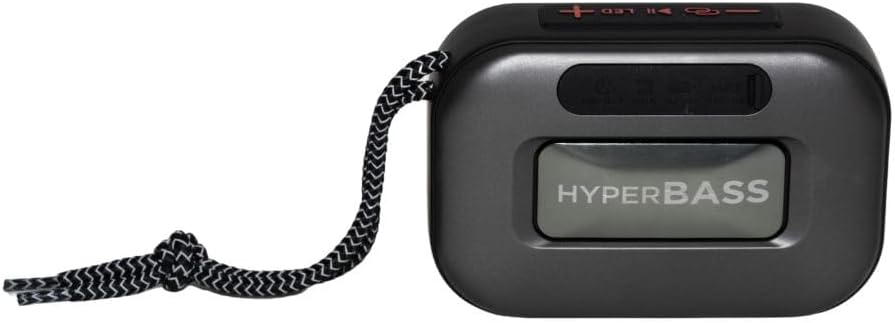
ചിത്രം 3.1: ഫ്രണ്ട് view of the Aiwa BST-130RD Bluetooth Speaker, showcasing the speaker grille and RGB light ring.

ചിത്രം 3.2: Close-up of the tactile control buttons located on the top panel of the speaker. These include power, play/pause, volume, mode, and LED light controls.

ചിത്രം 3.3: പിൻഭാഗം view of the speaker, illustrating the USB-A port, Micro SD (TF) card slot, AUX-IN port, and USB Type-C charging port.
നിയന്ത്രണങ്ങൾ:
- പവർ ബട്ടൺ: സ്പീക്കർ ഓൺ/ഓഫ് ചെയ്യാൻ അമർത്തിപ്പിടിക്കുക.
- പ്ലേ/താൽക്കാലികമായി നിർത്തുക ബട്ടൺ: Play or pause audio. Answer/end calls in Bluetooth mode.
- വോളിയം കൂട്ടുക (+): Increase volume. Long press for next track/FM station.
- വോളിയം ഡൗൺ (-): Decrease volume. Long press for previous track/FM station.
- മോഡ് ബട്ടൺ (M): Switch between Bluetooth, FM Radio, USB, TF Card, and AUX-IN modes.
- LED ബട്ടൺ: RGB ലൈറ്റിംഗ് മോഡുകൾ മാറ്റുക.
തുറമുഖങ്ങൾ:
- USB-A പോർട്ട്: യുഎസ്ബി ഫ്ലാഷ് ഡ്രൈവ് പ്ലേബാക്കിനായി.
- ടിഎഫ് കാർഡ് സ്ലോട്ട്: മൈക്രോ എസ്ഡി കാർഡ് പ്ലേബാക്കിനായി.
- AUX-IN Port (3.5mm): വയർഡ് ഓഡിയോ കണക്ഷന്.
- യുഎസ്ബി ടൈപ്പ്-സി ചാർജിംഗ് പോർട്ട്: സ്പീക്കർ ചാർജ് ചെയ്തതിന്.
4. സജ്ജീകരണം
4.1 സ്പീക്കർ ചാർജ് ചെയ്യുന്നു
- നൽകിയിരിക്കുന്ന USB ടൈപ്പ്-സി ചാർജിംഗ് കേബിൾ സ്പീക്കറിന്റെ ചാർജിംഗ് പോർട്ടുമായി ബന്ധിപ്പിക്കുക.
- Connect the other end of the cable to a 5V DC USB power adapter (not included).
- ചാർജ് ചെയ്യുമ്പോൾ ചാർജിംഗ് ഇൻഡിക്കേറ്റർ ലൈറ്റ് പ്രകാശിക്കുകയും പൂർണ്ണമായും ചാർജ്ജ് ചെയ്യുമ്പോൾ ഓഫാകുകയും ചെയ്യും.
- സാധാരണയായി ഒരു പൂർണ്ണ ചാർജ് ഏകദേശം 2-3 മണിക്കൂർ എടുക്കും.
4.2 പവർ ഓൺ/ഓഫ്
- പവർ ഓണാക്കാൻ: Press and hold the Power button for 2-3 seconds until you hear an audible prompt and the RGB lights activate.
- പവർ ഓഫ് ചെയ്യാൻ: Press and hold the Power button for 2-3 seconds until you hear an audible prompt and the RGB lights deactivate.
5. പ്രവർത്തന നിർദ്ദേശങ്ങൾ
5.1 ബ്ലൂടൂത്ത് ജോടിയാക്കൽ
- Ensure the speaker is powered on and in Bluetooth mode (indicated by an audible prompt or LED status). If not, press the Mode button to switch to Bluetooth mode.
- നിങ്ങളുടെ സ്മാർട്ട്ഫോണിലോ, ടാബ്ലെറ്റിലോ, അല്ലെങ്കിൽ മറ്റ് ബ്ലൂടൂത്ത് പ്രവർത്തനക്ഷമമാക്കിയ ഉപകരണത്തിലോ ബ്ലൂടൂത്ത് പ്രവർത്തനക്ഷമമാക്കുക.
- ഇതിനായി തിരയുക available devices and select "AIWA BST-130RD" from the list.
- Once paired, the speaker will emit an audible confirmation.
- ഇപ്പോൾ നിങ്ങളുടെ ഉപകരണത്തിൽ നിന്ന് സ്പീക്കറിലൂടെ ഓഡിയോ പ്ലേ ചെയ്യാൻ കഴിയും.
5.2 ട്രൂ വയർലെസ് സ്റ്റീരിയോ (TWS) ജോടിയാക്കൽ
The TWS function allows you to connect two Aiwa BST-130RD speakers for a stereo sound experience.
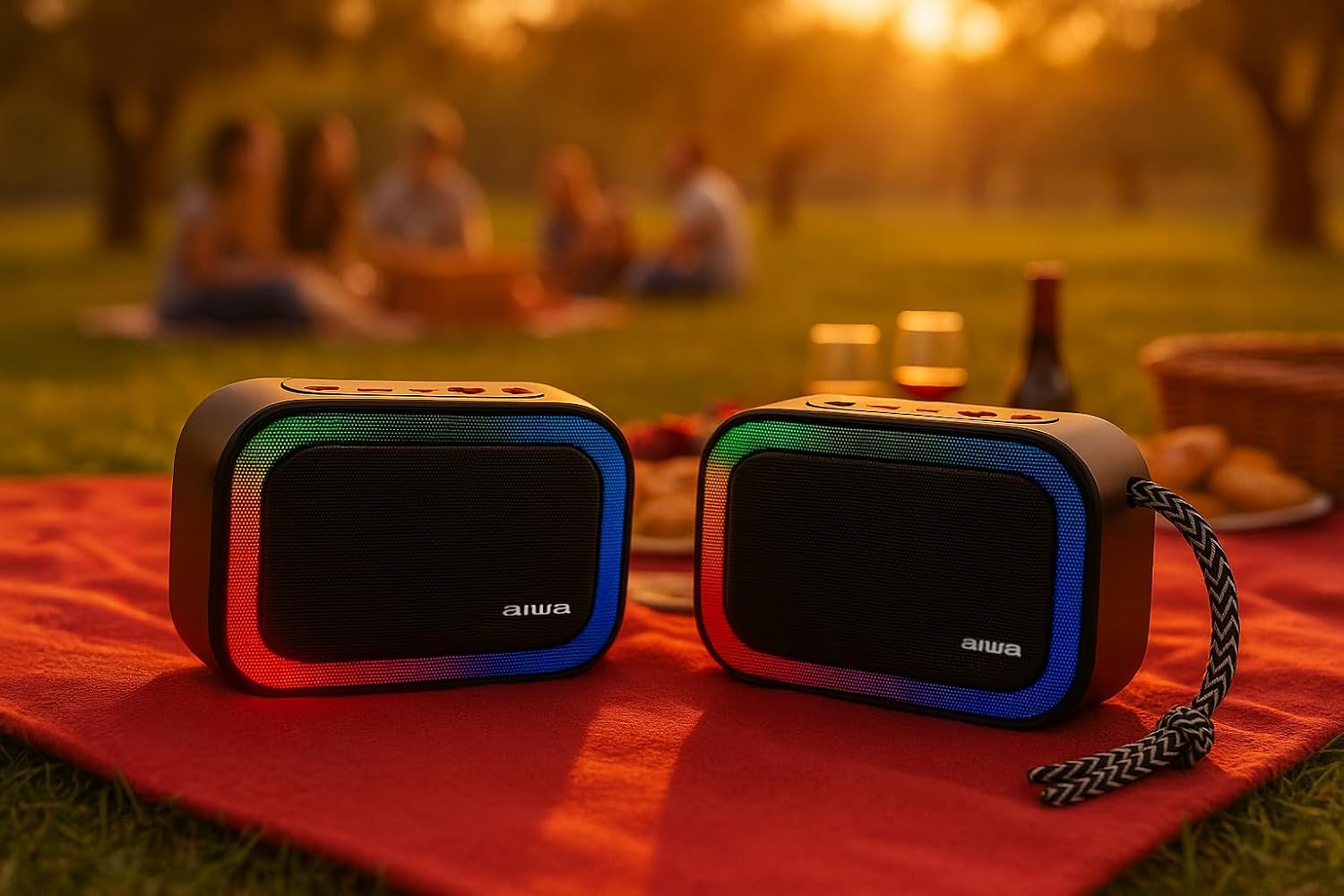
ചിത്രം 5.1: Two Aiwa BST-130RD speakers operating in True Wireless Stereo (TWS) mode, providing a wider soundstage.
- Ensure both BST-130RD speakers are powered on and in Bluetooth mode, but not yet paired to any device.
- On one of the speakers (this will be the primary speaker), double-press the Play/Pause button. The speaker will search for another BST-130RD.
- Once connected, you will hear an audible confirmation. The primary speaker will act as the left channel, and the secondary speaker as the right channel.
- Now, pair your Bluetooth device to the primary speaker as described in Section 5.1.
5.3 എഫ്എം റേഡിയോ പ്രവർത്തനം
- Press the Mode button repeatedly until you enter FM Radio mode.
- Press the Play/Pause button once to initiate an automatic station scan. The speaker will scan and save available FM stations.
- സേവ് ചെയ്ത സ്റ്റേഷനുകൾക്കിടയിൽ നാവിഗേറ്റ് ചെയ്യാൻ വോളിയം അപ്പ് (+), വോളിയം ഡൗൺ (-) ബട്ടണുകൾ ഉപയോഗിക്കുക (ദീർഘനേരം അമർത്തുക).
5.4 USB / TF Card Playback
- Insert a USB flash drive into the USB-A port or a TF (Micro SD) card into the TF card slot.
- The speaker will automatically switch to the corresponding mode and begin playing MP3 files. If not, press the Mode button to select USB or TF mode.
- Use the Play/Pause button to control playback. Use the Volume Up (+) and Volume Down (-) buttons (long press) to skip tracks.
5.5 AUX-IN Mode
- Connect one end of a 3.5mm audio cable (not included) to the speaker's AUX-IN port.
- മറ്റേ അറ്റം നിങ്ങളുടെ ബാഹ്യ ഉപകരണത്തിന്റെ (ഉദാ: MP3 പ്ലെയർ, കമ്പ്യൂട്ടർ) ഓഡിയോ ഔട്ട്പുട്ടുമായി ബന്ധിപ്പിക്കുക.
- Press the Mode button to switch to AUX-IN mode.
- Audio will now play through the speaker. Control playback from your external device.
5.6 ഹാൻഡ്സ്-ഫ്രീ ഫംഗ്ഷൻ
ബ്ലൂടൂത്ത് വഴി സ്മാർട്ട്ഫോണുമായി ബന്ധിപ്പിക്കുമ്പോൾ, ഹാൻഡ്സ് ഫ്രീ കോളുകൾക്കായി സ്പീക്കർ ഉപയോഗിക്കാം.
- മറുപടി കോൾ: Play/Pause ബട്ടൺ ഒരിക്കൽ അമർത്തുക.
- കോൾ അവസാനിപ്പിക്കുക: ഒരു കോൾ സമയത്ത് പ്ലേ/പോസ് ബട്ടൺ ഒരിക്കൽ അമർത്തുക.
- കോൾ നിരസിക്കുക: പ്ലേ/പോസ് ബട്ടൺ 2 സെക്കൻഡ് അമർത്തിപ്പിടിക്കുക.
5.7 RGB ലൈറ്റിംഗ് നിയന്ത്രണം
The speaker features a dynamic RGB lighting system.

ചിത്രം 5.2: The Aiwa BST-130RD speaker displaying its vibrant RGB lighting effects.
- വ്യത്യസ്ത RGB ലൈറ്റിംഗ് മോഡുകളിലൂടെ കടന്നുപോകാൻ LED ബട്ടൺ അമർത്തുക.
- Press and hold the LED button to turn the RGB lighting On/Off.
6. പരിപാലനം
- മൃദുവായതും ഉണങ്ങിയതുമായ തുണി ഉപയോഗിച്ച് സ്പീക്കർ വൃത്തിയാക്കുക. അബ്രസീവ് ക്ലീനറുകളോ ലായകങ്ങളോ ഉപയോഗിക്കരുത്.
- Avoid exposing the speaker to extreme temperatures, direct sunlight, or high humidity.
- Do not immerse the speaker in water. It is not waterproof.
- When not in use for extended periods, charge the battery at least once every three months to prolong its lifespan.
7. പ്രശ്നപരിഹാരം
| പ്രശ്നം | സാധ്യമായ കാരണം | പരിഹാരം |
|---|---|---|
| സ്പീക്കർ പവർ ഓൺ ചെയ്യുന്നില്ല. | കുറഞ്ഞ ബാറ്ററി. | നൽകിയിരിക്കുന്ന യുഎസ്ബി ടൈപ്പ്-സി കേബിൾ ഉപയോഗിച്ച് സ്പീക്കർ ചാർജ് ചെയ്യുക. |
| ശബ്ദമില്ല. | ശബ്ദം വളരെ കുറവാണ്; തെറ്റായ മോഡ്; ഉപകരണം ജോടിയാക്കിയിട്ടില്ല. | Increase volume on speaker and connected device. Ensure correct mode is selected. Re-pair Bluetooth device. |
| ബ്ലൂടൂത്ത് ജോടിയാക്കൽ പരാജയപ്പെട്ടു. | സ്പീക്കർ ജോടിയാക്കൽ മോഡിലല്ല; ഉപകരണം വളരെ അകലെയാണ്; ഇടപെടൽ. | സ്പീക്കർ ബ്ലൂടൂത്ത് ജോടിയാക്കൽ മോഡിലാണെന്ന് ഉറപ്പാക്കുക. ഉപകരണം സ്പീക്കറിന് അടുത്തേക്ക് നീക്കുക. മറ്റ് ബ്ലൂടൂത്ത് ഉപകരണങ്ങൾ ഓഫാക്കുക. |
| എഫ്എം റേഡിയോ റിസപ്ഷൻ മോശമാണ്. | ദുർബലമായ സിഗ്നൽ; പരിസ്ഥിതി ഇടപെടൽ. | Move the speaker to a different location. Perform an auto-scan again. |
8 സ്പെസിഫിക്കേഷനുകൾ
- മോഡൽ: BST-130RD
- ബ്ലൂടൂത്ത് പതിപ്പ്: V5.3
- ഔട്ട്പുട്ട് പവർ: 5W RMS (10% THD)
- സ്പീക്കർ ഡ്രൈവർ: 5 cm (Full Range), 3 Ohm Impedance
- ഫ്രീക്വൻസി പ്രതികരണം: 80 ഹെർട്സ് - 18 കിലോ ഹെർട്സ്
- സിഗ്നൽ-ടു-നോയിസ് അനുപാതം: ≥ 85 ഡിബി
- സംവേദനക്ഷമത: 490 mV (1 kHz)
- ഇൻപുട്ടുകൾ: Bluetooth, USB MP3, TF MP3, FM Scanner, AUX-IN (3.5mm Stereo)
- പവർ ഇൻപുട്ട്: 5V DC USB Type-C
- ബാറ്ററി: 1200mAh, 3.7V Lithium (with protection circuit)
- ചാർജ് ചെയ്യുന്നു വോളിയംtage: 5V 1A
- ഫീച്ചറുകൾ: TWS (True Wireless Stereo), RGB Lighting, Hands-free Function
- അളവുകൾ: 133 x 89 x 47.5 മിമി
- ഭാരം: 0.314 കി.ഗ്രാം
9 സുരക്ഷാ വിവരങ്ങൾ
- ഉപകരണം ഡിസ്അസംബ്ലിംഗ് ചെയ്യുകയോ റിപ്പയർ ചെയ്യുകയോ പരിഷ്കരിക്കുകയോ ചെയ്യരുത്.
- Keep the device away from water, moisture, and flammable substances.
- കേൾവിക്ക് കേടുപാടുകൾ സംഭവിക്കാതിരിക്കാൻ ഉയർന്ന ശബ്ദത്തിൽ ദീർഘനേരം കേൾക്കുന്നത് ഒഴിവാക്കുക.
- പ്രാദേശിക നിയന്ത്രണങ്ങൾ അനുസരിച്ച് ബാറ്ററിയും ഉപകരണവും ഉത്തരവാദിത്തത്തോടെ നിർമാർജനം ചെയ്യുക.
10. വാറൻ്റിയും പിന്തുണയും
Aiwa products are designed and manufactured to the highest quality standards. For warranty information and technical support, please refer to the warranty card included in your package or visit the official Aiwa webനിങ്ങളുടെ പ്രദേശത്തിനായുള്ള സൈറ്റ്.