
ആമുഖം
Thank you for choosing the Jesebang BD86 Wireless Earbuds. These earbuds are designed to provide a high-quality audio experience with advanced Bluetooth 5.3 technology, environmental noise cancellation (ENC), and a comfortable, waterproof design. This manual will guide you through the setup, operation, and maintenance of your new earbuds.
പാക്കേജ് ഉള്ളടക്കം
പാക്കേജിൽ എല്ലാ ഇനങ്ങളും ഉണ്ടെന്ന് ഉറപ്പാക്കുക:
- 1 x ഫാസ്റ്റ് ചാർജിംഗ് കേസ്
- 2 x Wireless Headsets (Left and Right Earbuds)
- 1 x ടൈപ്പ്-സി ചാർജിംഗ് കേബിൾ
- 1 x ഇൻസ്ട്രക്ഷൻ മാനുവൽ
ഉൽപ്പന്നം കഴിഞ്ഞുview
The Jesebang BD86 earbuds feature a compact design with advanced audio components and intuitive controls.

Image: Earbud Internal Components. This image displays an exploded view of the earbud, highlighting its internal structure including 14.2mm drivers, components for ENC Noise Cancelling, and HD Call functionality.

Image: Lightweight Design. This image shows the Jesebang BD86 earbuds in their charging case, emphasizing their tiny size and lightweight build for comfortable wear.
സജ്ജമാക്കുക
1. ഇയർബഡുകളും കേസും ചാർജ് ചെയ്യുന്നു
ആദ്യമായി ഉപയോഗിക്കുന്നതിന് മുമ്പ്, ഇയർബഡുകളും ചാർജിംഗ് കേസും പൂർണ്ണമായും ചാർജ് ചെയ്യുക.
- നൽകിയിരിക്കുന്ന ടൈപ്പ്-സി ചാർജിംഗ് കേബിൾ കേസിലെ ചാർജിംഗ് പോർട്ടിലേക്കും ഒരു യുഎസ്ബി പവർ സ്രോതസ്സിലേക്കും ബന്ധിപ്പിക്കുക.
- The dual LED display on the charging case will show the battery level. It takes approximately 1 hour for a full charge.
- Place the earbuds into the charging case. They will automatically begin charging. The LED indicators on the earbuds will show charging status.
A single charge provides over 6 hours of playback time, and the charging case offers a total of 30 hours of music playback.
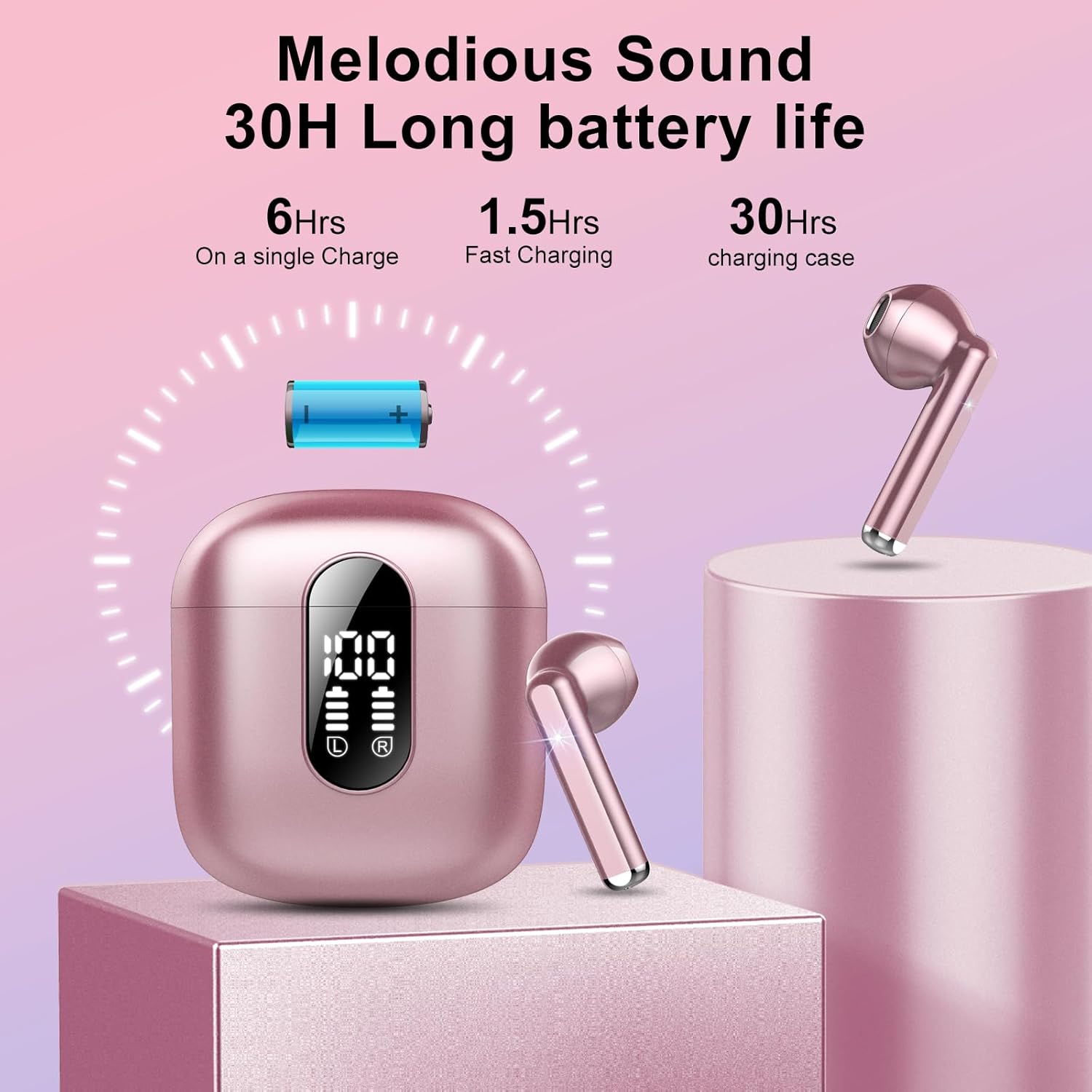
Image: Battery Life and Charging. This image illustrates the 30-hour total battery life with the charging case, including 6 hours on a single earbud charge and 1.5 hours for fast charging.
2. നിങ്ങളുടെ ഉപകരണവുമായി ജോടിയാക്കുന്നു
The earbuds utilize Bluetooth 5.3 for a stable connection.
- പ്രാരംഭ ജോടിയാക്കൽ: ചാർജിംഗ് കേസ് തുറക്കുക. ഇയർബഡുകൾ സ്വയമേവ ജോടിയാക്കൽ മോഡിലേക്ക് പ്രവേശിക്കും.
- നിങ്ങളുടെ ഉപകരണത്തിൽ (സ്മാർട്ട്ഫോൺ, ടാബ്ലെറ്റ് മുതലായവ), ബ്ലൂടൂത്ത് പ്രവർത്തനക്ഷമമാക്കി ലഭ്യമായ ഉപകരണങ്ങൾക്കായി തിരയുക.
- Select "BD86" from the list of devices. Once connected, you will hear a confirmation sound.
- യാന്ത്രിക പുനഃസംയോജനം: After initial pairing, the earbuds will automatically connect to the last paired device when removed from the charging case.
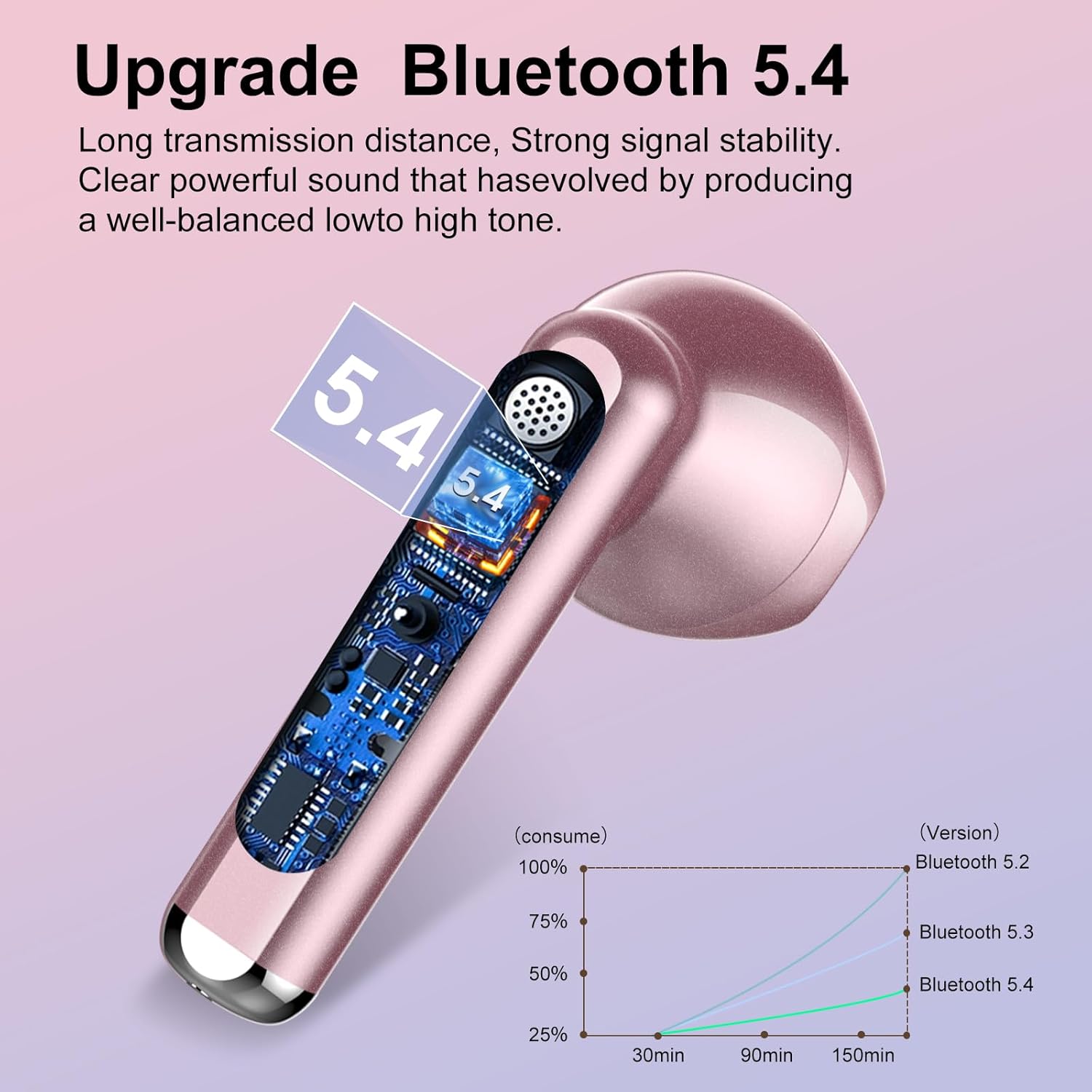
Image: Bluetooth Technology. This image visually represents the Bluetooth 5.3 technology integrated into the earbuds, indicating enhanced signal stability and transmission distance.
പ്രവർത്തന നിർദ്ദേശങ്ങൾ
The BD86 earbuds feature smart touch controls for various functions.
ടച്ച് നിയന്ത്രണ പ്രവർത്തനങ്ങൾ:
- സംഗീതം പ്ലേ ചെയ്യുക/താൽക്കാലികമായി നിർത്തുക: ഇയർബഡുകളിൽ ഏതെങ്കിലുമൊന്നിൽ ഒറ്റ ടാപ്പ് ചെയ്യുക.
- അടുത്ത ട്രാക്ക്: വലത് ഇയർബഡിൽ രണ്ടുതവണ ടാപ്പ് ചെയ്യുക.
- മുമ്പത്തെ ട്രാക്ക്: ഇടത് ഇയർബഡിൽ രണ്ടുതവണ ടാപ്പ് ചെയ്യുക.
- ഉത്തരം/അവസാന കോൾ: ഇയർബഡുകളിൽ ഏതെങ്കിലുമൊന്നിൽ ഒറ്റ ടാപ്പ് ചെയ്യുക.
- കോൾ നിരസിക്കുക: ഏതെങ്കിലും ഇയർബഡിൽ 2 സെക്കൻഡ് അമർത്തിപ്പിടിക്കുക.
- വോളിയം കൂട്ടുക: വലത് ഇയർബഡിൽ മൂന്ന് തവണ ടാപ്പ് ചെയ്യുക.
- വോളിയം താഴേക്ക്: ഇടത് ഇയർബഡിൽ മൂന്ന് തവണ ടാപ്പ് ചെയ്യുക.
- വോയ്സ് അസിസ്റ്റന്റിനെ സജീവമാക്കുക: ഏതെങ്കിലും ഇയർബഡിൽ 3 സെക്കൻഡ് അമർത്തിപ്പിടിക്കുക.
മെയിൻ്റനൻസ്
നിങ്ങളുടെ ഇയർബഡുകളുടെ ദീർഘായുസ്സും മികച്ച പ്രകടനവും ഉറപ്പാക്കാൻ:
- വൃത്തിയാക്കൽ: ഇയർബഡുകളും ചാർജിംഗ് കെയ്സും മൃദുവായതും ഉണങ്ങിയതുമായ തുണി ഉപയോഗിച്ച് പതിവായി വൃത്തിയാക്കുക. കഠിനമായ രാസവസ്തുക്കളോ ഉരച്ചിലുകളോ ഉള്ള വസ്തുക്കൾ ഉപയോഗിക്കുന്നത് ഒഴിവാക്കുക.
- ജല പ്രതിരോധം: The earbuds have an IP7 waterproof rating, providing protection against sweat and rain. Do not submerge them in water or expose them to high-pressure water jets.
- സംഭരണം: ഇയർബഡുകൾ ഉപയോഗിക്കാത്തപ്പോൾ ചാർജിംഗ് കേസിൽ തന്നെ സൂക്ഷിക്കുക, അങ്ങനെ അവ സംരക്ഷിക്കപ്പെടുകയും ചാർജ്ജ് ആയി നിലനിർത്തുകയും ചെയ്യും. ഉയർന്ന താപനില ഒഴിവാക്കുക.
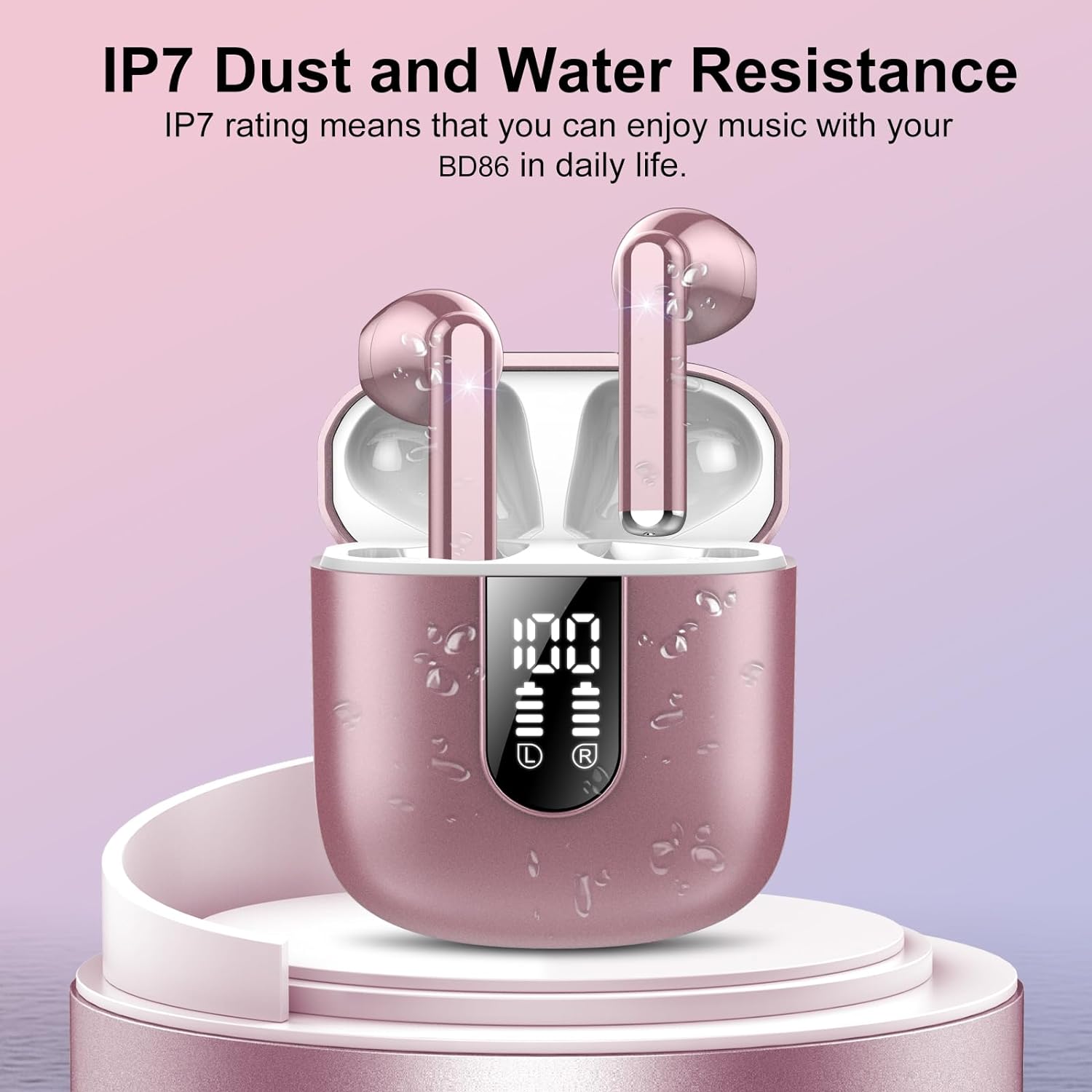
Image: IP7 Water Resistance. This image shows the earbuds and charging case with water droplets, illustrating their IP7 dust and water resistance, suitable for daily use and workouts.
ട്രബിൾഷൂട്ടിംഗ്
എന്തെങ്കിലും പ്രശ്നങ്ങൾ നേരിടുകയാണെങ്കിൽ, ഇനിപ്പറയുന്ന പൊതുവായ പരിഹാരങ്ങൾ പരിശോധിക്കുക:
- ഇയർബഡുകൾ ജോടിയാക്കുന്നില്ല:
- രണ്ട് ഇയർബഡുകളും ചാർജ്ജ് ചെയ്തിട്ടുണ്ടെന്ന് ഉറപ്പാക്കുക.
- നിങ്ങളുടെ ഉപകരണത്തിലെ ബ്ലൂടൂത്ത് ഓഫാക്കി വീണ്ടും ഓണാക്കുക.
- Delete "BD86" from your device's Bluetooth list and try pairing again.
- Place earbuds back in the case, close it, wait a few seconds, then open to re-enter pairing mode.
- ഒരു ഇയർബഡ് മാത്രമേ പ്രവർത്തിക്കുന്നുള്ളൂ:
- രണ്ട് ഇയർബഡുകളും ചാർജ്ജ് ചെയ്തിട്ടുണ്ടെന്ന് ഉറപ്പാക്കുക.
- Try resetting the earbuds (refer to the full manual for specific reset instructions if needed).
- ചാർജിംഗ് പ്രശ്നങ്ങൾ:
- ചാർജിംഗ് കേബിളും പവർ അഡാപ്റ്ററും പരിശോധിക്കുക.
- ഇയർബഡുകളിലെയും കേസിലെയും ചാർജിംഗ് കോൺടാക്റ്റുകൾ വൃത്തിയുള്ളതും അവശിഷ്ടങ്ങളില്ലാത്തതുമാണെന്ന് ഉറപ്പാക്കുക.
- മോശം ശബ്ദ നിലവാരം:
- ഇയർബഡുകൾ നിങ്ങളുടെ ചെവിയിൽ ശരിയായി ഘടിപ്പിച്ചിട്ടുണ്ടെന്ന് ഉറപ്പാക്കുക.
- Check the audio source device's volume and sound settings.
- തടസ്സങ്ങൾ ഒഴിവാക്കാൻ നിങ്ങളുടെ കണക്റ്റുചെയ്ത ഉപകരണത്തിന് അടുത്തേക്ക് നീങ്ങുക.
സ്പെസിഫിക്കേഷനുകൾ
| മോഡലിൻ്റെ പേര് | BD86 |
| കണക്റ്റിവിറ്റി ടെക്നോളജി | വയർലെസ്സ് (ബ്ലൂടൂത്ത് 5.3) |
| ഓഡിയോ ഡ്രൈവർ തരം | ഡൈനാമിക് ഡ്രൈവർ (14.2mm) |
| ബാറ്ററി ലൈഫ് (ഇയർബഡുകൾ) | 6 മണിക്കൂർ വരെ |
| ആകെ പ്ലേടൈം (കേസിനൊപ്പം) | 30 മണിക്കൂർ വരെ |
| ചാർജിംഗ് സമയം | ഏകദേശം 1 മണിക്കൂർ (ഒരു സാഹചര്യത്തിന്) |
| ജല പ്രതിരോധ നില | IP7 വാട്ടർപ്രൂഫ് |
| ശബ്ദ നിയന്ത്രണ സവിശേഷതകൾ | പരിസ്ഥിതി ശബ്ദം റദ്ദാക്കൽ (ENC) |
| നിയന്ത്രണ രീതി | സ്പർശിക്കുക |
| ഭാരം (ഓരോ ഇയർബഡിനും) | 3.3 ഗ്രാം |
| ഉൾപ്പെടുത്തിയ ഘടകങ്ങൾ | Charging Case, Earbuds, Type-C Cable, Manual |
വാറൻ്റിയും പിന്തുണയും
For warranty information or technical support, please refer to the contact details provided with your purchase or visit the official Jesebang webസൈറ്റ്. ഏതെങ്കിലും വാറന്റി ക്ലെയിമുകൾക്ക് വാങ്ങിയതിന്റെ തെളിവായി നിങ്ങളുടെ വാങ്ങൽ രസീത് സൂക്ഷിക്കുക.