
1. ആമുഖം
Thank you for choosing the Aokeo AK-223P3 Wireless Microphone System. This manual provides essential information for the proper setup, operation, and maintenance of your new wireless microphone system. Please read this manual thoroughly before use to ensure optimal performance and longevity of the product.
2. പാക്കേജ് ഉള്ളടക്കം
Carefully unpack the box and ensure all items listed below are present and in good condition. If any items are missing or damaged, please contact customer support.
- മൈക്രോഫോൺ x 2
- റിസീവർ x 1
- 3.5mm അഡാപ്റ്റർ x 1
- Anti-slip Ring x 2
- Anti-wind Cap x 2
- Charging Cable x 1 (for receiver)
- 18650 Battery x 1 (for receiver)
- ഉപയോക്തൃ മാനുവൽ x 1

Image: Contents of the Aokeo AK-223P3 Wireless Microphone System package, including two microphones, one receiver, a 3.5mm adapter, anti-slip rings, anti-wind caps, a charging cable, an 18650 battery, and the user manual.
3. സജ്ജീകരണ നിർദ്ദേശങ്ങൾ
Follow these steps to set up your Aokeo AK-223P3 Wireless Microphone System.
3.1 ബാറ്ററി ഇൻസ്റ്റാളേഷൻ
- മൈക്രോഫോണുകൾ: Unscrew the bottom part of each microphone. Insert two AA batteries (not included) into each microphone, ensuring correct polarity (+/-). Screw the bottom part back on securely.
- റിസീവർ: The receiver uses one 18650 rechargeable battery (included). Open the battery compartment on the receiver and insert the 18650 battery, observing correct polarity.
3.2 റിസീവർ ചാർജ് ചെയ്യുന്നു
Before first use, fully charge the receiver. Connect the provided USB charging cable to the receiver's charging port and plug the other end into a standard USB power adapter (not included).

Image: Two Aokeo wireless microphones and a receiver, with the receiver connected to a USB charging cable. The image indicates a 2-hour charging time and 6-8 hours of battery life after a full charge.
3.3 റിസീവറിനെ ബന്ധിപ്പിക്കുന്നു
- Identify the audio input port on your compatible device (e.g., speaker, mixer, karaoke machine). This is typically a 6.35mm (1/4 inch) jack.
- Plug the receiver directly into the 6.35mm input jack of your audio device.
- If your device has a 3.5mm input jack, attach the included 3.5mm adapter to the receiver before plugging it into your device.
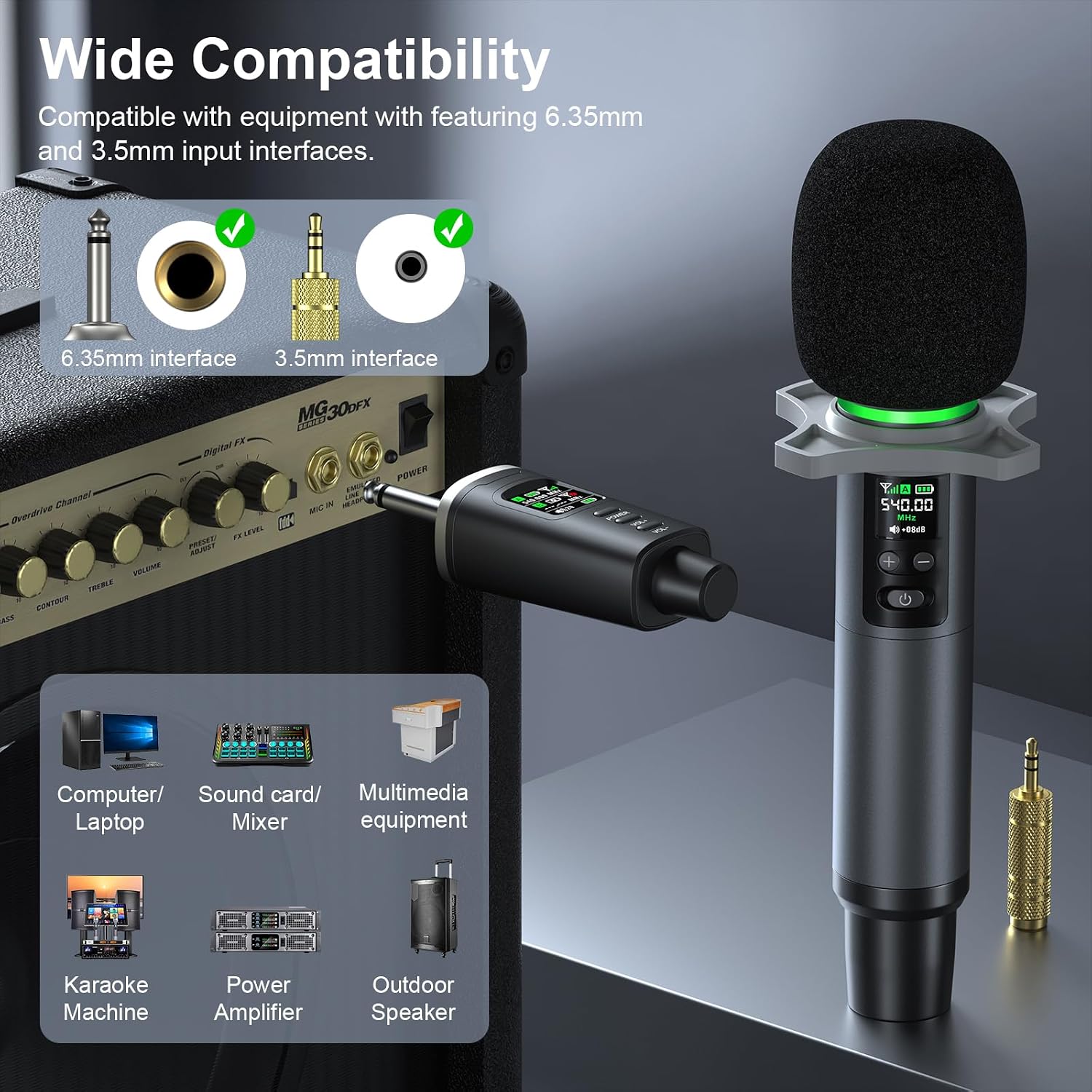
Image: The Aokeo wireless microphone receiver connected to various devices, illustrating compatibility with 6.35mm and 3.5mm input interfaces. Compatible devices shown include computers, sound cards, mixers, multimedia equipment, karaoke machines, power amplifiers, and outdoor speakers.
4. പ്രവർത്തന നിർദ്ദേശങ്ങൾ
4.1 പവർ ഓൺ/ഓഫ്
- മൈക്രോഫോൺ: Press and hold the power button on the microphone for approximately 3 seconds to turn it on or off. The display will illuminate.
- റിസീവർ: Press and hold the power button on the receiver for approximately 3 seconds to turn it on or off.
4.2 ഓട്ടോമാറ്റിക് ജോടിയാക്കൽ
The microphones and receiver are designed to pair automatically upon power-on. Ensure both the microphones and receiver are powered on and within range for a stable connection. The display on the microphone and receiver will show connection status.
4.3 നിശബ്ദ പ്രവർത്തനം
To mute the microphone during operation:
- Press the power button on the microphone once. The ring light on the microphone will turn red, indicating mute mode is active.
- Press the power button again to exit mute mode. The ring light will return to its normal operating color (green).

Image: Aokeo wireless microphone illustrating the mute function and TFT display. It shows the microphone in 'Working Mode' (green light), 'Mute Mode' (red light), and 'Power Off' states. Instructions for long press (Power On/Off) and short press (Mute/Working mode) are also visible.
4.4 വോളിയം ക്രമീകരണം
You can adjust the volume directly on the microphone. Use the '+' and '-' buttons located below the display to increase or decrease the microphone's output volume.
4.5 Smart Display Information
The microphone's display provides real-time information:
- ബാറ്ററി നില: ശേഷിക്കുന്ന ബാറ്ററി പവർ സൂചിപ്പിക്കുന്നു.
- സിഗ്നൽ ശക്തി: Shows the quality of the wireless connection.
- വോളിയം നില: Displays the current microphone volume setting.
- ആവൃത്തി: Shows the operating frequency of the microphone.

ചിത്രം: വിശദമായത് view of the Aokeo wireless microphone and receiver. It highlights the receiver's TFT display and volume controls, the 6.35mm receiver with a 3.5mm adapter, the frequency display, and the 18650 battery compartment.
4.6 വയർലെസ് ശ്രേണി
The system offers a reliable wireless operating range of up to 40 meters (130 feet) in open spaces. Performance may vary depending on environmental factors and obstacles.
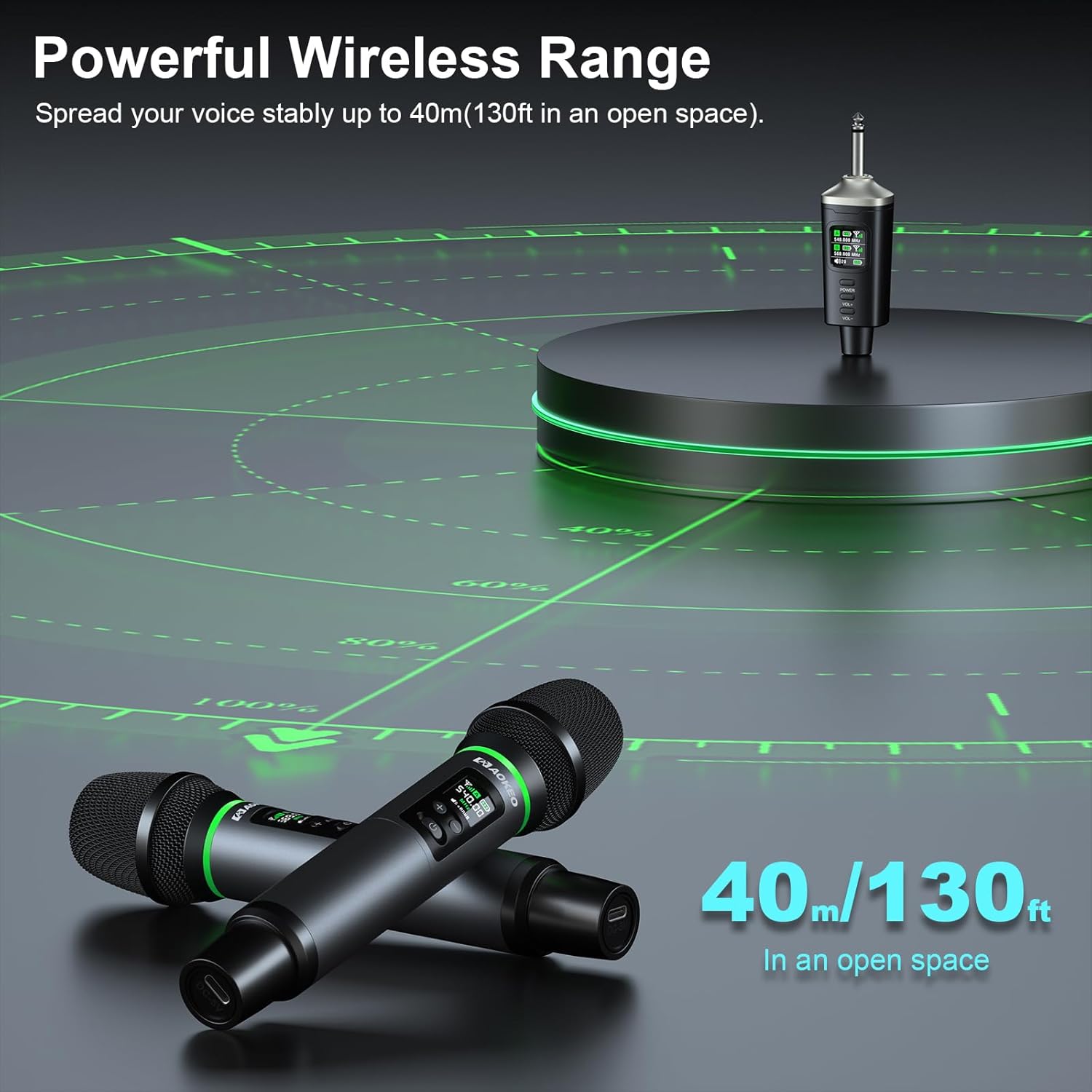
Image: Illustration of the Aokeo wireless microphone system's powerful wireless range, showing a microphone and receiver operating stably up to 40 meters (130 feet) in an open space.
5. പരിപാലനം
5.1 വൃത്തിയാക്കൽ
- മൃദുവായതും ഉണങ്ങിയതുമായ തുണി ഉപയോഗിച്ച് മൈക്രോഫോണും റിസീവറും തുടയ്ക്കുക.
- അബ്രാസീവ് ക്ലീനറുകൾ, ലായകങ്ങൾ, കഠിനമായ രാസവസ്തുക്കൾ എന്നിവ ഉപയോഗിക്കരുത്.
- Ensure no liquids enter the microphone grille or receiver ports.
5.2 ബാറ്ററി കെയർ
- Remove AA batteries from the microphones if not used for an extended period to prevent leakage.
- For the receiver's 18650 battery, recharge it regularly to maintain battery health, even if not in frequent use.
- Turn off the receiver after using to save battery life.
5.3 സംഭരണം
Store the microphone system in a cool, dry place away from direct sunlight, extreme temperatures, and high humidity. Use the provided case for protection during transport and storage.
6. പ്രശ്നപരിഹാരം
If you encounter issues with your Aokeo AK-223P3 Wireless Microphone System, refer to the following common problems and solutions:
| പ്രശ്നം | സാധ്യമായ കാരണം | പരിഹാരം |
|---|---|---|
| മൈക്രോഫോണിൽ നിന്ന് ശബ്ദമില്ല | Microphone or receiver not powered on; Low batteries; Receiver not connected correctly; Microphone muted. | Ensure both microphone and receiver are powered on. Replace AA batteries in microphones or charge receiver. Check receiver connection to audio device. Press microphone power button once to unmute. |
| മോശം ശബ്ദ നിലവാരം / ഡ്രോപ്പ്ഔട്ടുകൾ | Interference; Out of range; Low batteries. | Move closer to the receiver. Avoid obstacles between microphone and receiver. Check for other wireless devices operating on similar frequencies. Replace AA batteries or charge receiver. |
| മൈക്രോഫോൺ ജോടിയാക്കുന്നില്ല | Microphone or receiver not powered on; Out of range. | Ensure both microphone and receiver are powered on. Bring microphone closer to receiver. Power cycle both devices. |
| Microphone display not working | കുറഞ്ഞതോ ചത്തതോ ആയ ബാറ്ററികൾ. | Replace AA batteries in the microphone. |
7 സ്പെസിഫിക്കേഷനുകൾ
| ഫീച്ചർ | വിശദാംശങ്ങൾ |
|---|---|
| മോഡൽ നമ്പർ | AK-223P3 |
| കണക്റ്റിവിറ്റി ടെക്നോളജി | UHF |
| കണക്റ്റർ തരം | 6.35 mm ജാക്ക് |
| മൈക്രോഫോൺ ഫോം ഫാക്ടർ | ഹാൻഡ്ഹെൽഡ് |
| പവർ സ്രോതസ്സ് (മൈക്രോഫോൺ) | 2 x AA ബാറ്ററികൾ |
| പവർ സ്രോതസ്സ് (റിസീവർ) | 18650 റീചാർജ് ചെയ്യാവുന്ന ബാറ്ററി |
| പ്രവർത്തന ശ്രേണി | തുറസ്സായ സ്ഥലത്ത് 40 മീറ്റർ (130 അടി) വരെ |
| പ്രത്യേക ഫീച്ചർ | Volume Control, One-Touch Mute, Smart Display |
| അനുയോജ്യമായ ഉപകരണങ്ങൾ | Speaker, Computer, Laptop, Sound Card, Mixer, Karaoke Machine, Power Amplifier, Outdoor Speaker |
| നിർമ്മാതാവ് | Aokeo |
| യു.പി.സി | 859830006139 |
8. വാറൻ്റിയും പിന്തുണയും
This Aokeo product comes with a 1 വർഷത്തെ വാറൻ്റി from the date of purchase, as specified in the product description. Additionally, Aokeo provides 12 months of after-sales service.
If you experience any problems with your product, please contact Aokeo customer support. We are committed to replacing your product with a new one if issues arise within the warranty period.
For support, please refer to the contact information provided on the Aokeo official webസൈറ്റ് അല്ലെങ്കിൽ നിങ്ങളുടെ വാങ്ങൽ പ്ലാറ്റ്ഫോം.