
1. ആമുഖം
Welcome to the DOOGEE Blade 20 Pro Rugged Phone user manual. This guide provides essential information to help you set up, operate, and maintain your device. The DOOGEE Blade 20 Pro is designed for durability and high performance, featuring a robust build, powerful specifications, and advanced camera capabilities, making it suitable for demanding environments and everyday use.
2. പാക്കേജ് ഉള്ളടക്കം
Upon opening your DOOGEE Blade 20 Pro package, please verify that all items listed below are present and in good condition:
- 1 x Cellphone (DOOGEE Blade 20 Pro)
- 1 x ടൈപ്പ്-സി യുഎസ്ബി കേബിൾ
- 1 x Charger (18W)
- 1 x Screen-printed Protective Film (Pre-applied)
- 1 x Anti-explosion film
- 1 x വാറൻ്റി കാർഡ്
- 1 x ഉപയോക്തൃ മാനുവൽ
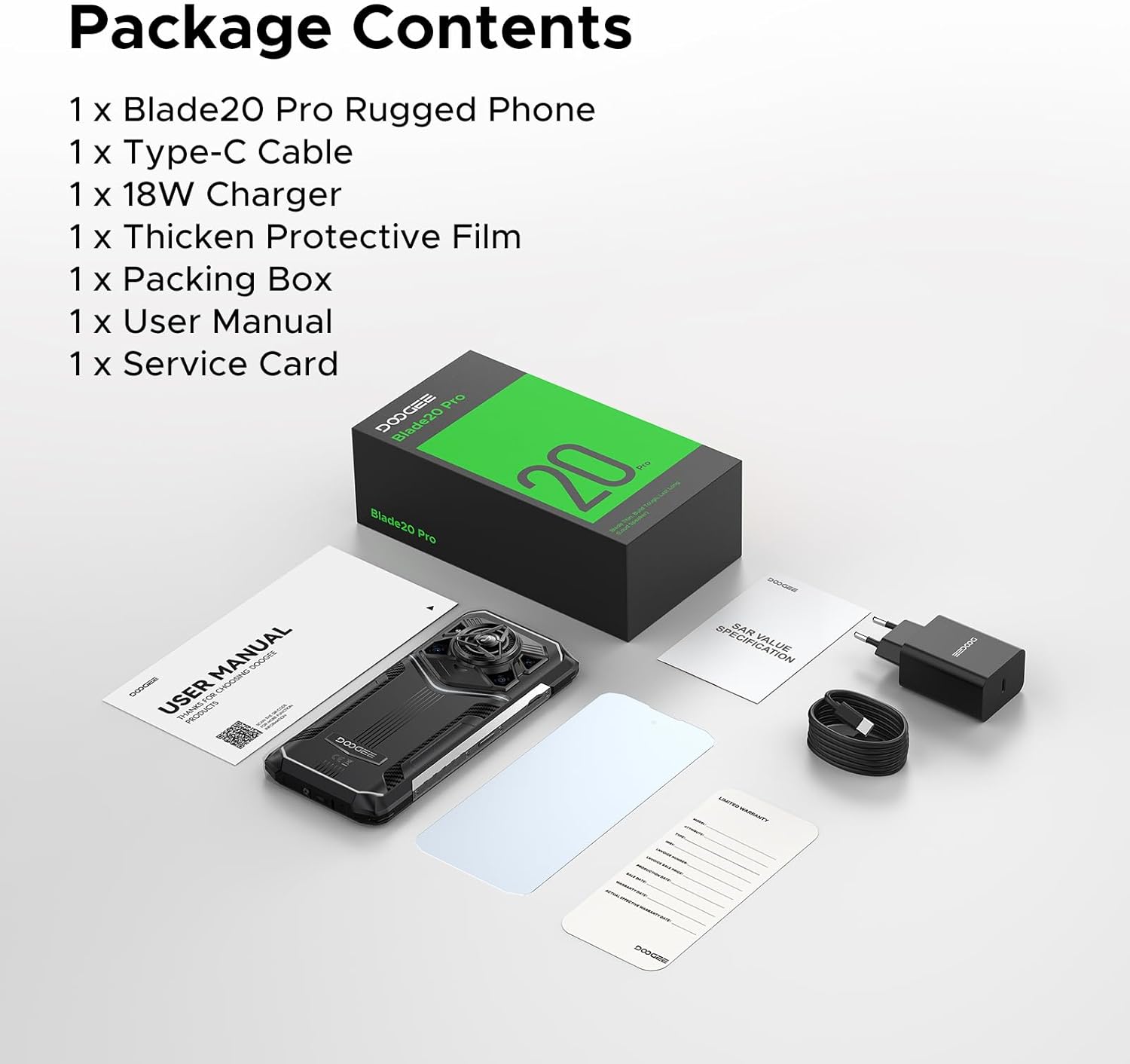
Image: Contents of the DOOGEE Blade 20 Pro retail box.
3. ഉൽപ്പന്നം കഴിഞ്ഞുview
The DOOGEE Blade 20 Pro is engineered for resilience and performance. Key features include:
- പ്രോസസ്സർ: Unisoc T7200 Octa-Core Processor
- മെമ്മറി: 24 ജിബി റാം (6 ജിബി ഫിസിക്കൽ + 18 ജിബി വെർച്വൽ)
- സംഭരണം: 256GB ROM, expandable up to 2TB via microSD (sold separately)
- ഓപ്പറേറ്റിംഗ് സിസ്റ്റം: ആൻഡ്രോയിഡ് 15
- ഡിസ്പ്ലേ: 6.6-inch HD+ IPS punch-hole screen with 90Hz refresh rate
- ബാറ്ററി: 11800mAh Silicon Anode Battery with 18W fast charging and 5W OTG reverse charging
- ക്യാമറകൾ: 50MP AI Main Camera, 20MP Infrared Night Vision Camera, 8MP Front Camera
- ഓഡിയോ: 125dB Thunder Speaker with 3.5W peak wattage and 36mm giant driver
- ഈട്: IP68, IP69K, MIL-STD-810H certified for water, dust, and shock resistance
- കണക്റ്റിവിറ്റി: Dual 4G SIM, Wi-Fi 6, NFC, GPS, Glonass, Beidou, Galileo
- സുരക്ഷ: Face ID and Fingerprint Unlock
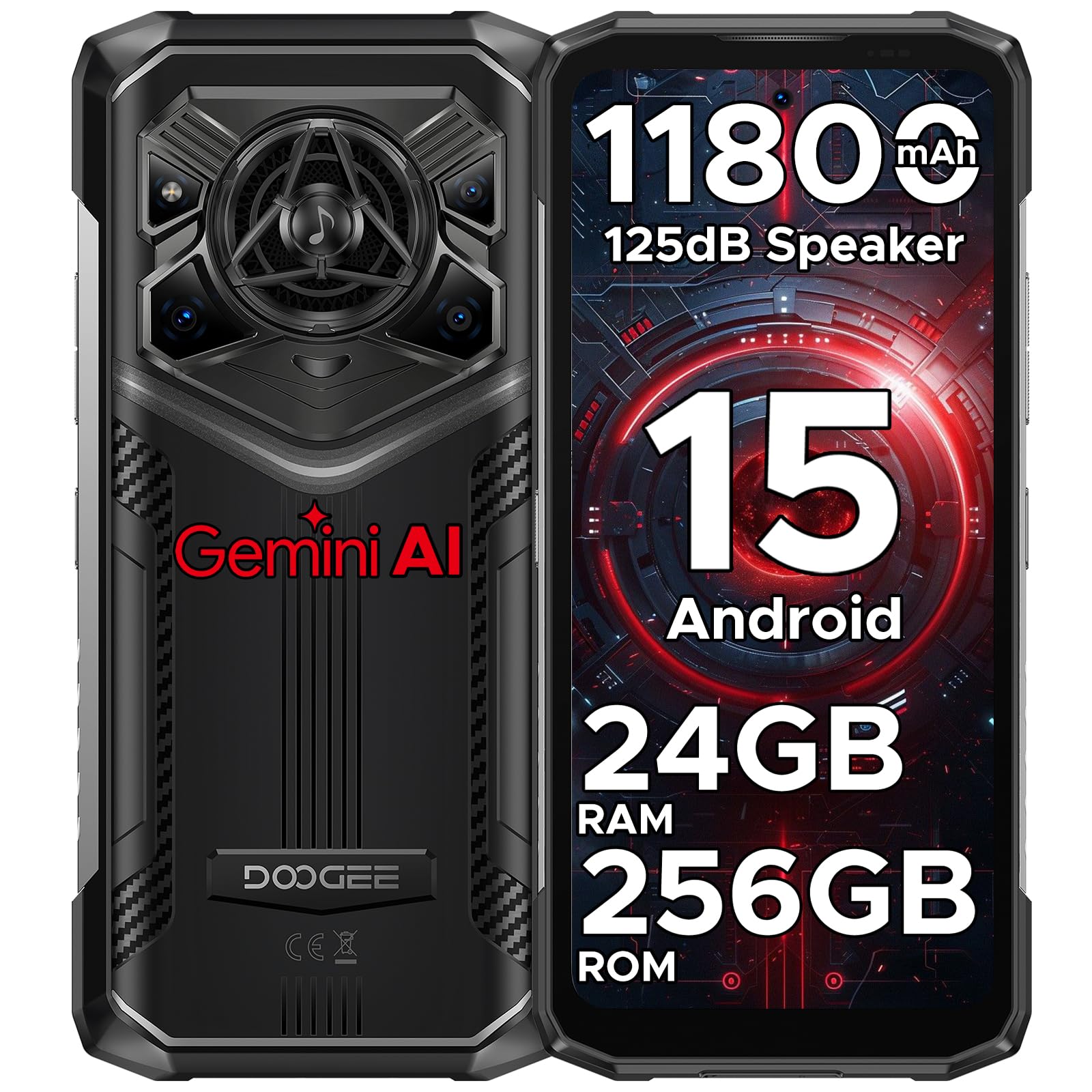
ചിത്രം: മുന്നിലും പിന്നിലും view of the DOOGEE Blade 20 Pro, showcasing അതിന്റെ രൂപകൽപ്പനയും സവിശേഷതകളും.

Image: Diagram illustrating the Unisoc T7200 Octa-core Processor, 24GB RAM, and 256GB ROM.

ചിത്രം: വിശദമായത് view of the 125dB Thunder Speaker technology.
4. സജ്ജീകരണം
4.1 സിം കാർഡുകളും മൈക്രോ എസ്ഡി കാർഡും ചേർക്കൽ
- ഫോണിന്റെ വശത്ത് സിം കാർഡ് ട്രേ കണ്ടെത്തുക.
- ട്രേ തുറക്കാൻ നൽകിയിരിക്കുന്ന സിം എജക്റ്റർ ഉപകരണം ഉപയോഗിക്കുക.
- Carefully place your Nano-SIM cards and/or microSD card into the designated slots. Ensure the gold contacts are facing down.
- ഉപകരണ ബോഡിയുമായി ഫ്ലഷ് ആകുന്നതുവരെ ട്രേ ഫോണിലേക്ക് പതുക്കെ തിരികെ തള്ളുക.
4.2 പ്രാരംഭ പവർ ഓണും സജ്ജീകരണ വിസാർഡും
- Press and hold the Power button (located on the right side) until the DOOGEE logo appears.
- Follow the on-screen instructions to complete the initial setup, including language selection, Wi-Fi connection, Google account login, and security settings (Face ID/Fingerprint).
5. പ്രവർത്തന നിർദ്ദേശങ്ങൾ
5.1 അടിസ്ഥാന നാവിഗേഷൻ
- സ്പർശിക്കുക: ഒരു ആപ്പ് തുറക്കാൻ ഒരു ഐറ്റം തിരഞ്ഞെടുക്കാനോ ഐക്കണിൽ ടാപ്പ് ചെയ്യാനോ.
- സ്വൈപ്പ്: Move your finger across the screen to scroll, switch screens, or close apps.
- പിഞ്ച്: ഫോട്ടോകളിൽ സൂം ഇൻ അല്ലെങ്കിൽ ഔട്ട് ചെയ്യാൻ രണ്ട് വിരലുകൾ ഉപയോഗിക്കുക, web പേജുകൾ.
- ലോംഗ് പ്രസ്സ്: കൂടുതൽ ഓപ്ഷനുകൾക്കായി അല്ലെങ്കിൽ നീക്കാൻ ഒരു ഇനം അമർത്തിപ്പിടിക്കുക.
5.2 ആൻഡ്രോയിഡ് 15 സവിശേഷതകൾ
Your DOOGEE Blade 20 Pro runs on Android 15, offering enhanced privacy, improved performance, and new features:
- Enhanced Privacy Controls: Granular permissions for apps, privacy dashboard.
- Smoother UI: Optimized animations and transitions for a fluid experience.
- Smart Assistant (Gemini AI): Integrated AI for various tasks, content creation, image analysis, and more.
- ആപ്പ് ക്ലോണിംഗ്: Run multiple instances of the same app.
- സ്പ്ലിറ്റ് സ്ക്രീൻ: Use two apps simultaneously.
- ഗ്ലൗ മോഡ്: കയ്യുറകൾക്കൊപ്പം ഉപയോഗിക്കുമ്പോൾ സ്പർശന സംവേദനക്ഷമത മെച്ചപ്പെടുത്തി.
ചിത്രം: കഴിഞ്ഞുview of Android 15 operating system features.

Image: Visual representation of the integrated Gemini AI capabilities.
6. ക്യാമറ സവിശേഷതകൾ
The DOOGEE Blade 20 Pro is equipped with a versatile camera system to capture moments in various conditions:
- 50MP AI പ്രധാന ക്യാമറ: For high-resolution photos with AI scene recognition.
- 20MP ഇൻഫ്രാറെഡ് നൈറ്റ് വിഷൻ ക്യാമറ: പൂർണ്ണമായ ഇരുട്ടിൽ വ്യക്തമായ ചിത്രങ്ങൾ പകർത്തുക.
- 8MP മുൻ ക്യാമറ: സെൽഫികൾക്കും വീഡിയോ കോളുകൾക്കും.
6.1 ക്യാമറ മോഡുകൾ
Explore various camera modes for optimal photography:
- രാത്രി മോഡ്: കുറഞ്ഞ വെളിച്ചത്തിലും ഫോട്ടോഗ്രാഫി മെച്ചപ്പെടുത്തുന്നു.
- EIS Anti-shake: Electronic Image Stabilization for smoother videos and sharper photos.
- AI തിരിച്ചറിയൽ: Automatically adjusts settings based on the scene.
- Multi-frame Noise Reduction: Improves image clarity by combining multiple shots.
- ആന്റി ഫ്ലിക്കർ: Reduces flickering in photos and videos under artificial lighting.
- പ്രോ മോഡ്: Manual control over camera settings like ISO, white balance, and exposure.
- Panoramic Mode: Capture wide-angle landscape shots.
- ബർസ്റ്റ് മോഡ്: Take a rapid sequence of photos.
- ബ്യൂട്ടി മോഡ്: പോർട്രെയ്റ്റുകൾക്കായി മുഖ സവിശേഷതകൾ മെച്ചപ്പെടുത്തുന്നു.
- പോർട്രെയിറ്റ് മോഡ്: Creates a depth-of-field effect with blurred backgrounds.
- HDR: High Dynamic Range for balanced exposure in challenging lighting.

ചിത്രം: കഴിഞ്ഞുview of the phone's camera setup and capabilities.
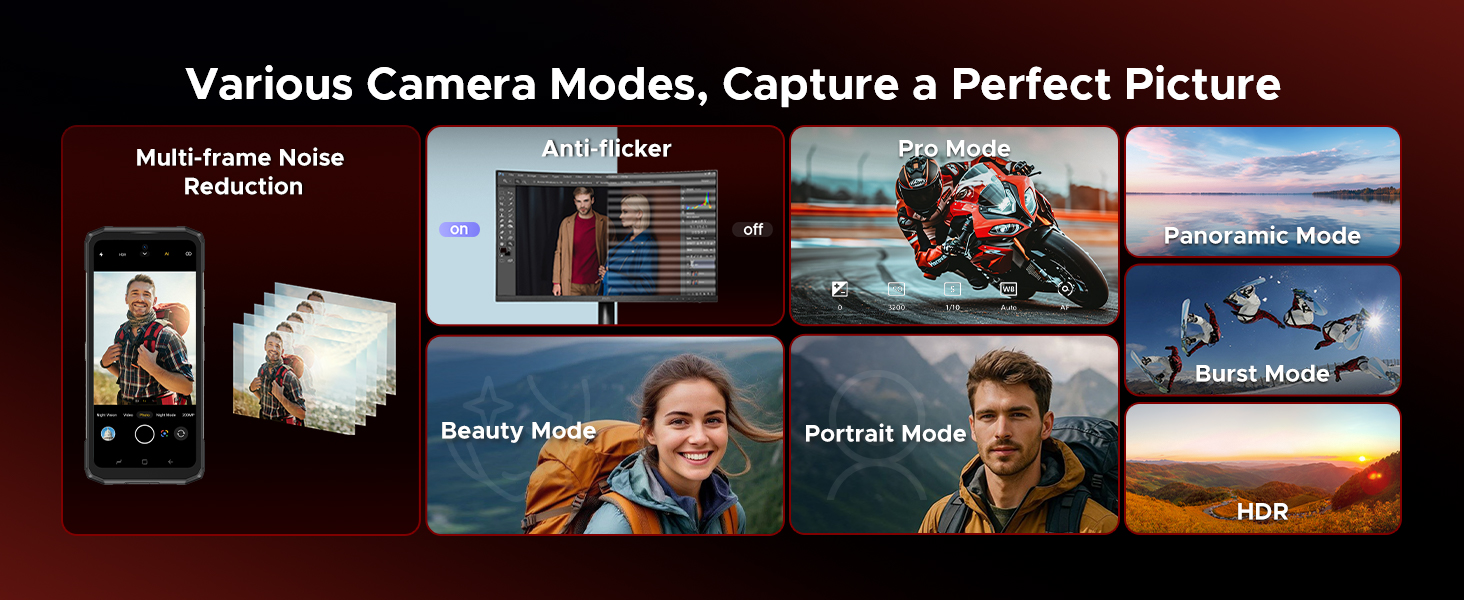
Image: Demonstrations of advanced camera features like Night Mode and EIS.

Image: Selection of camera modes for diverse photographic needs.
7. ബാറ്ററിയും ചാർജിംഗും
The DOOGEE Blade 20 Pro features an 11800mAh Silicon Anode Battery for extended usage.
- ചാർജിംഗ്: Use the provided 18W charger and Type-C USB cable for optimal charging speed.
- OTG റിവേഴ്സ് ചാർജിംഗ്: The phone can act as a power bank to charge other devices using an OTG cable (not included).
- ബാറ്ററി ലൈഫ്: Expect up to 58 days of standby time, 52.7 hours of calling, 38.3 hours of video watching, or 19.3 hours of web browsing on a single charge.
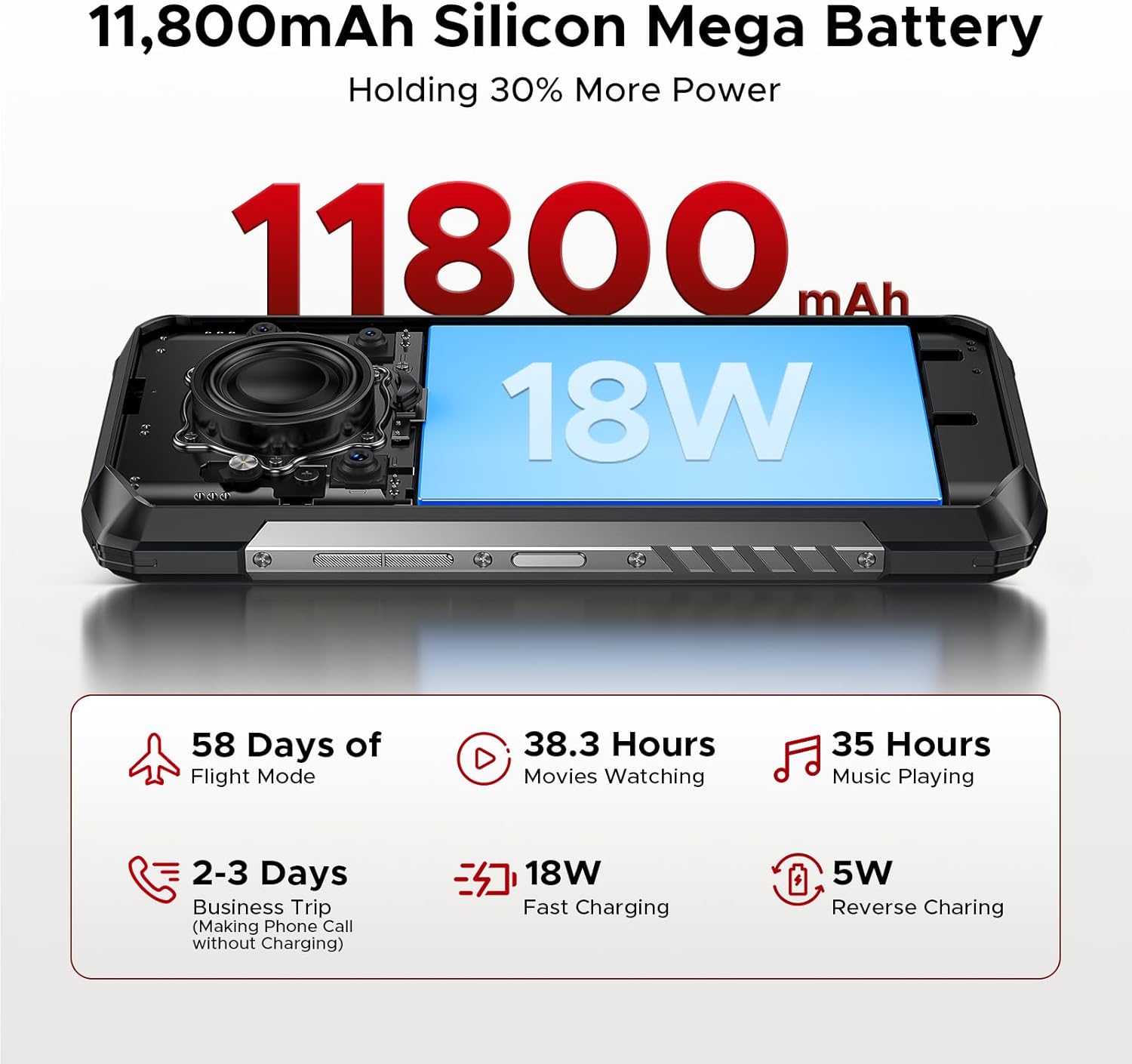
Image: Visualizing the large battery capacity and charging features.
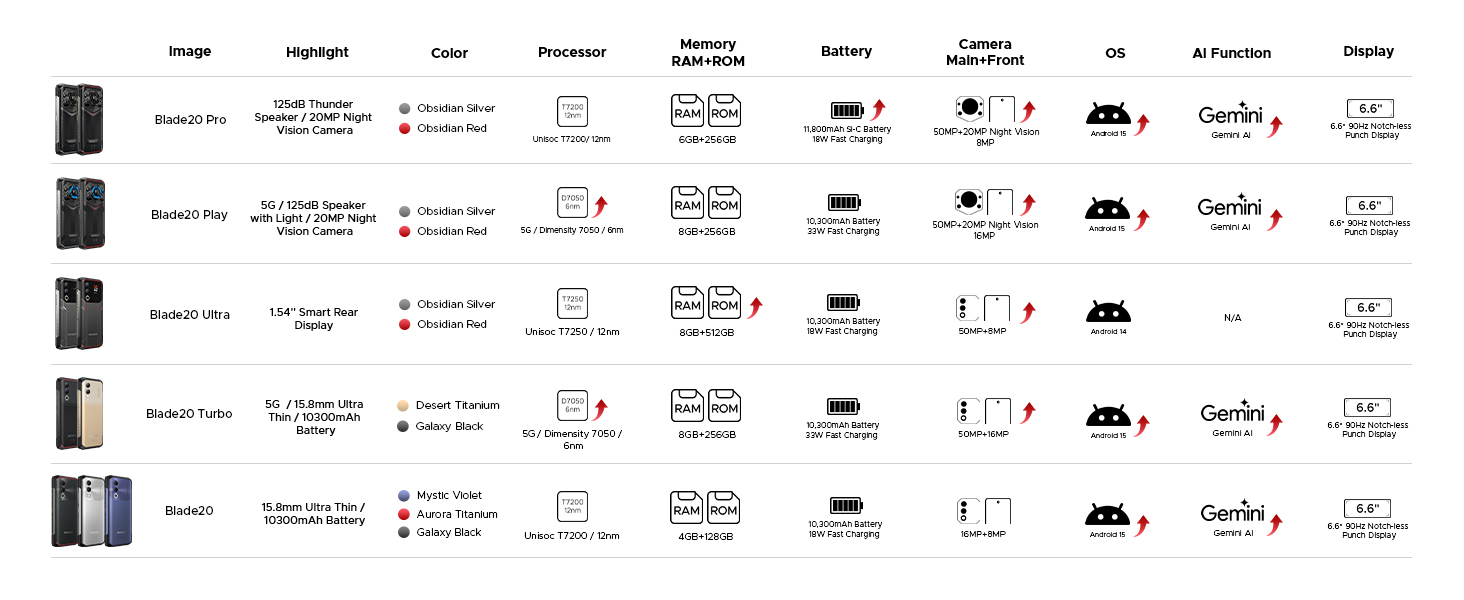
Image: Detailed battery usage statistics.
8. ഈടുനിൽപ്പും സർട്ടിഫിക്കേഷനുകളും
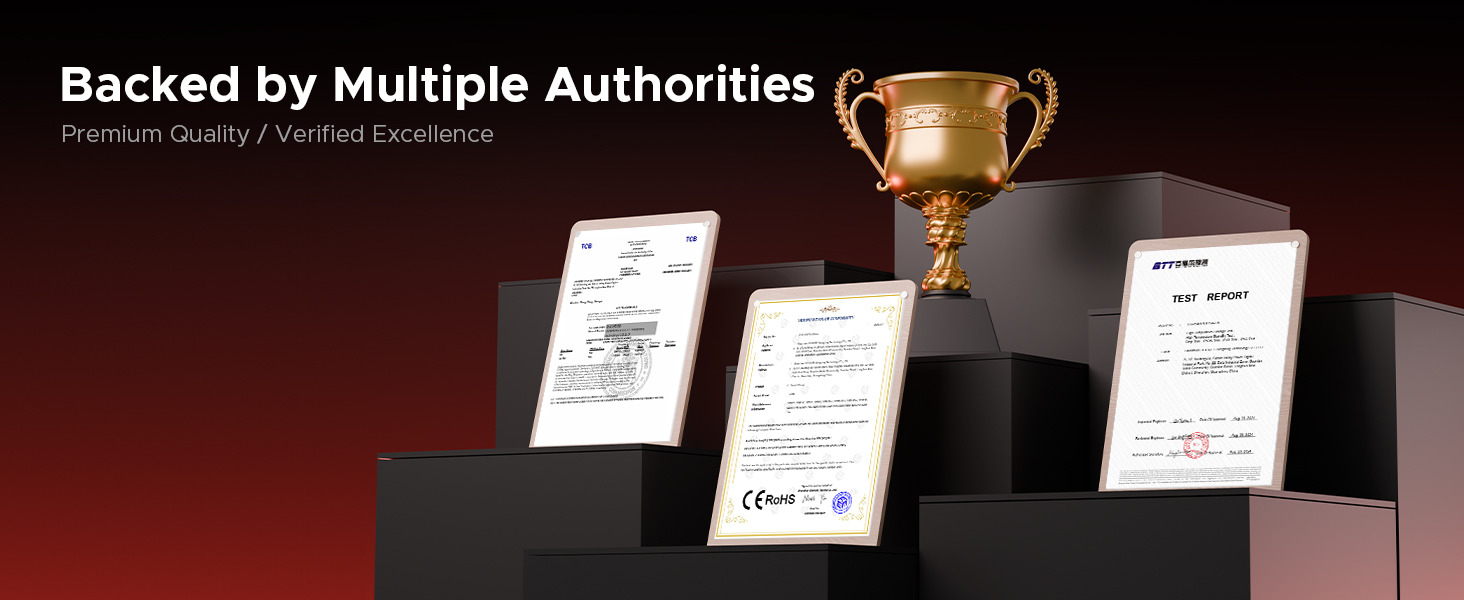
The DOOGEE Blade 20 Pro is built to withstand harsh conditions, certified with industry-leading durability standards:
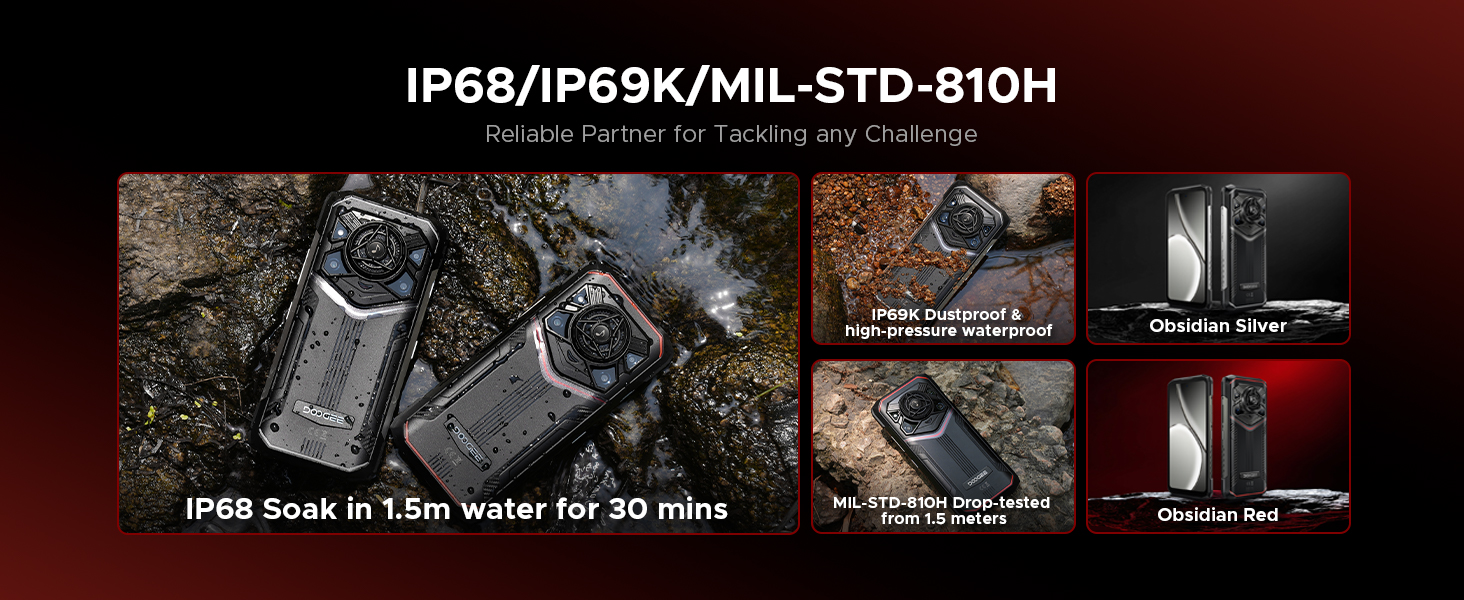
- IP68: 1.5 മീറ്റർ വരെ 30 മിനിറ്റ് നേരത്തേക്ക് ജല പ്രതിരോധം.
- IP69K: Resistant to high-pressure, high-temperature water jets and dust ingress.
- മിൽ-എസ്ടിഡി-810എച്ച്: Military-grade standard for shock, drop, vibration, and extreme temperature resistance.
Video: Demonstration of the DOOGEE Blade 20 Pro's ruggedness and water resistance.

Image: The phone submerged in water, showcasing അതിന്റെ വാട്ടർപ്രൂഫ് ഡിസൈൻ.

Image: Infographic detailing the rigorous durability tests the phone undergoes.
9. കണക്റ്റിവിറ്റി
The DOOGEE Blade 20 Pro offers robust connectivity options:
- ഡ്യുവൽ 4G സിം: Supports two 4G SIM cards for flexible network usage.
- Wi-Fi 6: Provides faster and more stable wireless internet connections.
- NFC: കോൺടാക്റ്റ്ലെസ് പേയ്മെന്റുകൾക്കും ഡാറ്റ കൈമാറ്റത്തിനും.
- ജിപിഎസ്: Integrated GPS, Glonass, Beidou, and Galileo for accurate navigation.
9.1 കാരിയർ അനുയോജ്യത
This unlocked rugged smartphone supports various frequency bands. Please note: Verizon and AT&T are not supported. Confirm compatibility with your local carrier's frequency bands before use.
പിന്തുണയ്ക്കുന്ന ബാൻഡുകളിൽ ഇവ ഉൾപ്പെടുന്നു:
- GSM: B2/B3/B5/B8
- WCDMA: B1/B2/B4/B5/B8
- FDD: B1/2/3/4/5/7/8/18/19/20/25/26/28AB/66
- TDD-LTE: B34/B38/B39/B40/B41
ചിത്രം: കഴിഞ്ഞുview of connectivity and security features.
10. പരിപാലനം
To ensure the longevity and optimal performance of your DOOGEE Blade 20 Pro, follow these maintenance guidelines:
- വൃത്തിയാക്കൽ: ഒരു സോഫ്റ്റ്, ഡി ക്ലീനർ ഉപയോഗിച്ച് ഫോൺ തുടയ്ക്കുക.amp തുണി. കഠിനമായ രാസവസ്തുക്കളോ ഉരച്ചിലുകളോ ഉള്ള വസ്തുക്കൾ ഒഴിവാക്കുക.
- വാട്ടർ എക്സ്പോഷർ: While waterproof, ensure all ports are dry before charging to prevent damage.
- താപനില: Avoid exposing the phone to extreme temperatures (below -40°C or above 70°C) for prolonged periods.
- സോഫ്റ്റ്വെയർ അപ്ഡേറ്റുകൾ: സുരക്ഷയും പ്രകടനവും മെച്ചപ്പെടുത്തുന്നതിന് സിസ്റ്റം അപ്ഡേറ്റുകൾ പതിവായി പരിശോധിച്ച് ഇൻസ്റ്റാൾ ചെയ്യുക.
- ബാറ്ററി കെയർ: Avoid fully discharging the battery frequently. Charge the phone before it drops below 20% to prolong battery health.
11. പ്രശ്നപരിഹാരം
If you encounter issues with your DOOGEE Blade 20 Pro, try the following common troubleshooting steps:
- Phone Not Responding: റീസ്റ്റാർട്ട് ചെയ്യാൻ പവർ ബട്ടൺ ഏകദേശം 10-15 സെക്കൻഡ് അമർത്തിപ്പിടിക്കുക.
- ആപ്പ് ക്രാഷിംഗ്: ക്രമീകരണം > ആപ്പുകൾ എന്നതിൽ പ്രശ്നമുള്ള ആപ്പിന്റെ കാഷെയും ഡാറ്റയും മായ്ക്കുക. പ്രശ്നം നിലനിൽക്കുകയാണെങ്കിൽ, ആപ്പ് അൺഇൻസ്റ്റാൾ ചെയ്ത് വീണ്ടും ഇൻസ്റ്റാൾ ചെയ്യുക.
- മോശം നെറ്റ്വർക്ക് സിഗ്നൽ: Ensure your SIM card is correctly inserted. Try restarting the phone or toggling Airplane Mode on and off. Verify carrier compatibility.
- ബാറ്ററി വേഗത്തിൽ തീർന്നു: Check battery usage in Settings > Battery to identify power-hungry apps. Reduce screen brightness and disable unnecessary features like GPS or Wi-Fi when not in use.
- സ്ക്രീൻ പ്രശ്നങ്ങൾ: If the screen is unresponsive, try a forced restart. If physical damage is suspected, contact support.
- ഫാക്ടറി പുന et സജ്ജമാക്കുക: As a last resort, you can perform a factory reset (Settings > System > Reset options > Erase all data). മുന്നറിയിപ്പ്: ഇത് നിങ്ങളുടെ ഫോണിലെ എല്ലാ ഡാറ്റയും മായ്ക്കും. തുടരുന്നതിന് മുമ്പ് പ്രധാനപ്പെട്ട വിവരങ്ങൾ ബാക്കപ്പ് ചെയ്യുക.
12 സ്പെസിഫിക്കേഷനുകൾ
| ഫീച്ചർ | സ്പെസിഫിക്കേഷൻ |
|---|---|
| ഉൽപ്പന്ന അളവുകൾ | 6.85 x 3.2 x 0.62 ഇഞ്ച് |
| ഇനത്തിൻ്റെ ഭാരം | 1 പൗണ്ട് |
| ഇനം മോഡൽ നമ്പർ | ബ്ലേഡ് 20 പ്രോ |
| ഓപ്പറേറ്റിംഗ് സിസ്റ്റം | ആൻഡ്രോയിഡ് 15 |
| സിപിയു വേഗത | 1.6 GHz (Octa-Core) |
| ഇൻസ്റ്റാൾ ചെയ്ത RAM മെമ്മറി വലുപ്പം | 24 ജിബി (6 ജിബി ഫിസിക്കൽ + 18 ജിബി വെർച്വൽ) |
| മെമ്മറി സ്റ്റോറേജ് കപ്പാസിറ്റി | 256 ജിബി (2 ടിബി വരെ വികസിപ്പിക്കാം) |
| സ്റ്റാൻഡിംഗ് സ്ക്രീൻ ഡിസ്പ്ലേ വലുപ്പം | 6.6 ഇഞ്ച് |
| റെസലൂഷൻ | 1612 x 720 |
| പുതുക്കിയ നിരക്ക് | 90 Hz |
| ബാറ്ററി പവർ റേറ്റിംഗ് | 11800 മില്ലിamp മണിക്കൂറുകൾ |
| കണക്റ്റിവിറ്റി ടെക്നോളജികൾ | വയർലെസ് |
| പ്രത്യേക സവിശേഷതകൾ | Dual SIM, Expandable Memory, Rugged Body, Water Resistant, NFC, GPS |
| മറ്റ് ക്യാമറ സവിശേഷതകൾ | Front, Rear (50MP Main, 20MP Night Vision, 8MP Front) |
| ഓഡിയോ ജാക്ക് | ടൈപ്പ്-സി |
| ഫോം ഫാക്ടർ | ബാർ |
| നിറം | വെള്ളി |
| നിർമ്മാതാവ് | ഡോഗി |
13. വാറൻ്റിയും പിന്തുണയും
DOOGEE is committed to providing quality products and customer satisfaction.
- പരിമിത വാറൻ്റി: Your DOOGEE Blade 20 Pro comes with a 2-year limited warranty. Please refer to the included Warranty Card for detailed terms and conditions.
- പണം തിരികെ നൽകാനുള്ള ഗ്യാരണ്ടി: A 30-day money-back guarantee and free return policy are available for eligible purchases.
- ഉപഭോക്തൃ പിന്തുണ: For technical assistance, warranty claims, or other inquiries, please contact DOOGEE customer service. You can typically find support contact information on the official DOOGEE webസൈറ്റ് അല്ലെങ്കിൽ നിങ്ങളുടെ റീട്ടെയിലർ വഴി.