
ആമുഖം
Thank you for choosing the Yanosaku 55" W Vanity Desk with Mirror and Lights. This manual provides detailed instructions for assembly, operation, maintenance, and troubleshooting to ensure safe and efficient use of your new vanity desk. Please read this manual thoroughly before beginning assembly or operation.
സുരക്ഷാ മാർഗ്ഗനിർദ്ദേശങ്ങൾ
ഉൽപ്പന്നത്തിന് പരിക്കോ കേടുപാടുകളോ ഉണ്ടാകാതിരിക്കാൻ ഇനിപ്പറയുന്ന സുരക്ഷാ മുൻകരുതലുകൾ പാലിക്കുക:
- അസംബ്ലി: Ensure all parts are correctly assembled according to the instructions. Do not overtighten screws.
- സ്ഥിരത: Place the vanity desk on a flat, stable surface. Consider securing the unit to a wall using anti-tip hardware (if included) to prevent tipping, especially in households with children or pets.
- ഇലക്ട്രിക്കൽ സുരക്ഷ: The vanity includes a charging station and lighted mirror. Do not expose electrical components to water or excessive moisture. Unplug the unit from the power outlet before cleaning or performing any maintenance.
- ഭാരം ശേഷി: Do not overload drawers or the tabletop. Refer to specifications for weight limits.
- ഗ്ലാസ് കെയർ: The vanity features a tempered glass tabletop. Handle with care to avoid breakage. Clean with appropriate glass cleaner.
പാക്കേജ് ഉള്ളടക്കം
Your Yanosaku Vanity Desk may arrive in multiple packages. Please ensure all boxes have been received before beginning assembly. Verify all components against the included parts list.
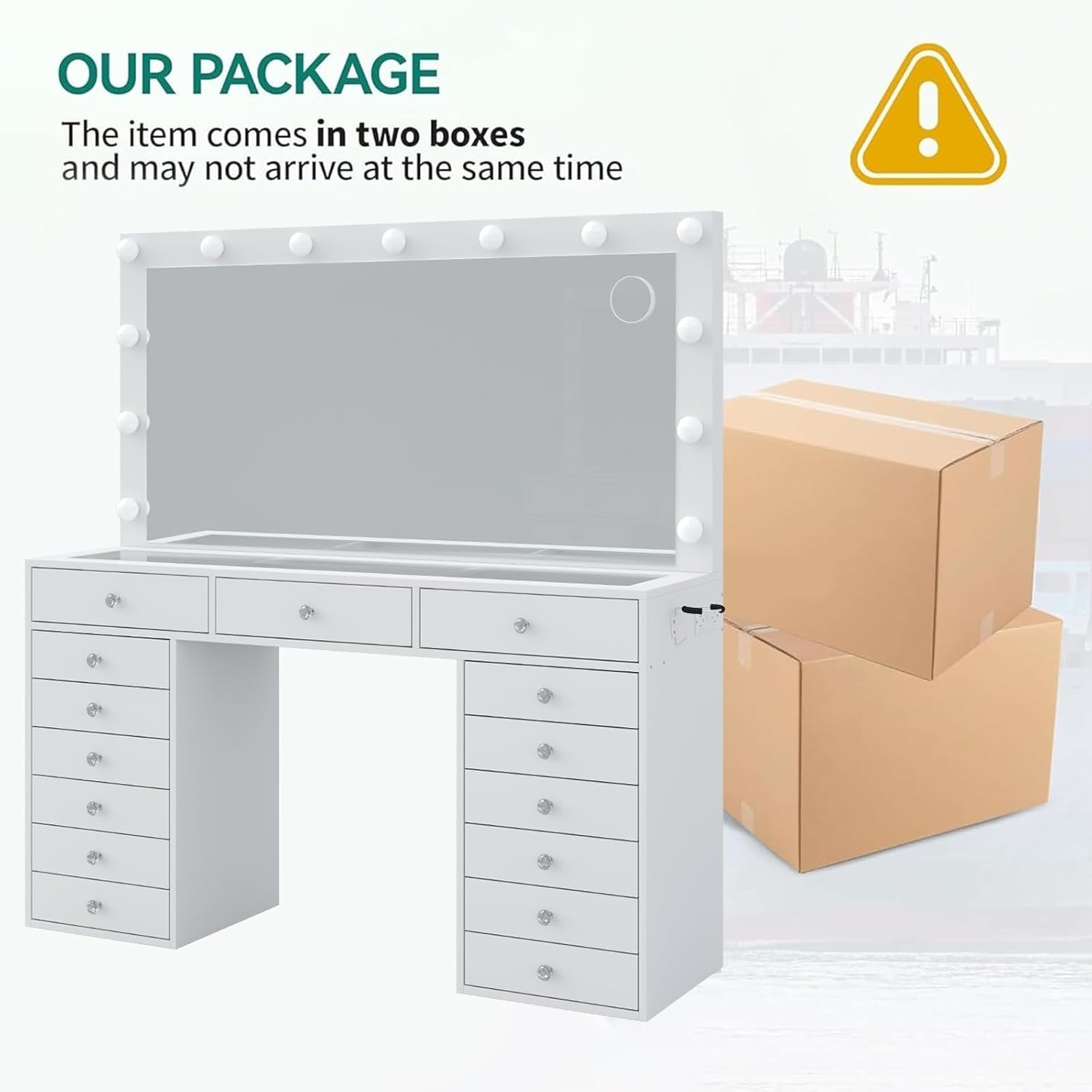
Image: Illustration showing the vanity desk and two separate shipping boxes, indicating that the item may arrive in multiple shipments.
പാക്കേജിൽ സാധാരണയായി ഉൾപ്പെടുന്നു:
- Vanity Desk Panels and Hardware
- എൽഇഡി ലൈറ്റുകളുള്ള മിറർ
- Vanity Stool Components
- ചാർജിംഗ് സ്റ്റേഷൻ യൂണിറ്റ്
- Assembly Instructions and Tools
സജ്ജീകരണവും അസംബ്ലിയും
Assembly is required for this vanity desk. Follow the step-by-step guide provided with your product. Ensure you have adequate space and the necessary tools (usually included) before starting.

Image: Product dimensions diagram for the 55-inch wide vanity desk and accompanying stool.
- അൺപാക്ക് ചെയ്യുന്നു: എല്ലാ ഘടകങ്ങളും ശ്രദ്ധാപൂർവ്വം അൺപാക്ക് ചെയ്ത് പോറലുകൾ ഉണ്ടാകാതിരിക്കാൻ വൃത്തിയുള്ളതും മൃദുവായതുമായ ഒരു പ്രതലത്തിൽ വയ്ക്കുക.
- ഘടകം തിരിച്ചറിയൽ: Match each part to its corresponding number or letter as indicated in the assembly manual.
- ഡെസ്ക് ഫ്രെയിം അസംബ്ലി: Begin by assembling the main desk frame, including the side cabinets and central section. Secure all connections firmly.
- ഡ്രോയർ അസംബ്ലി: Assemble the 15 drawers according to the instructions. Install drawer slides into the desk frame and then insert the assembled drawers.
- Mirror and Lighting Installation: Attach the mirror unit to the desk. Connect the LED lights and charging station power cable as directed.
- സ്റ്റൂൾ അസംബ്ലി: Assemble the padded stool.
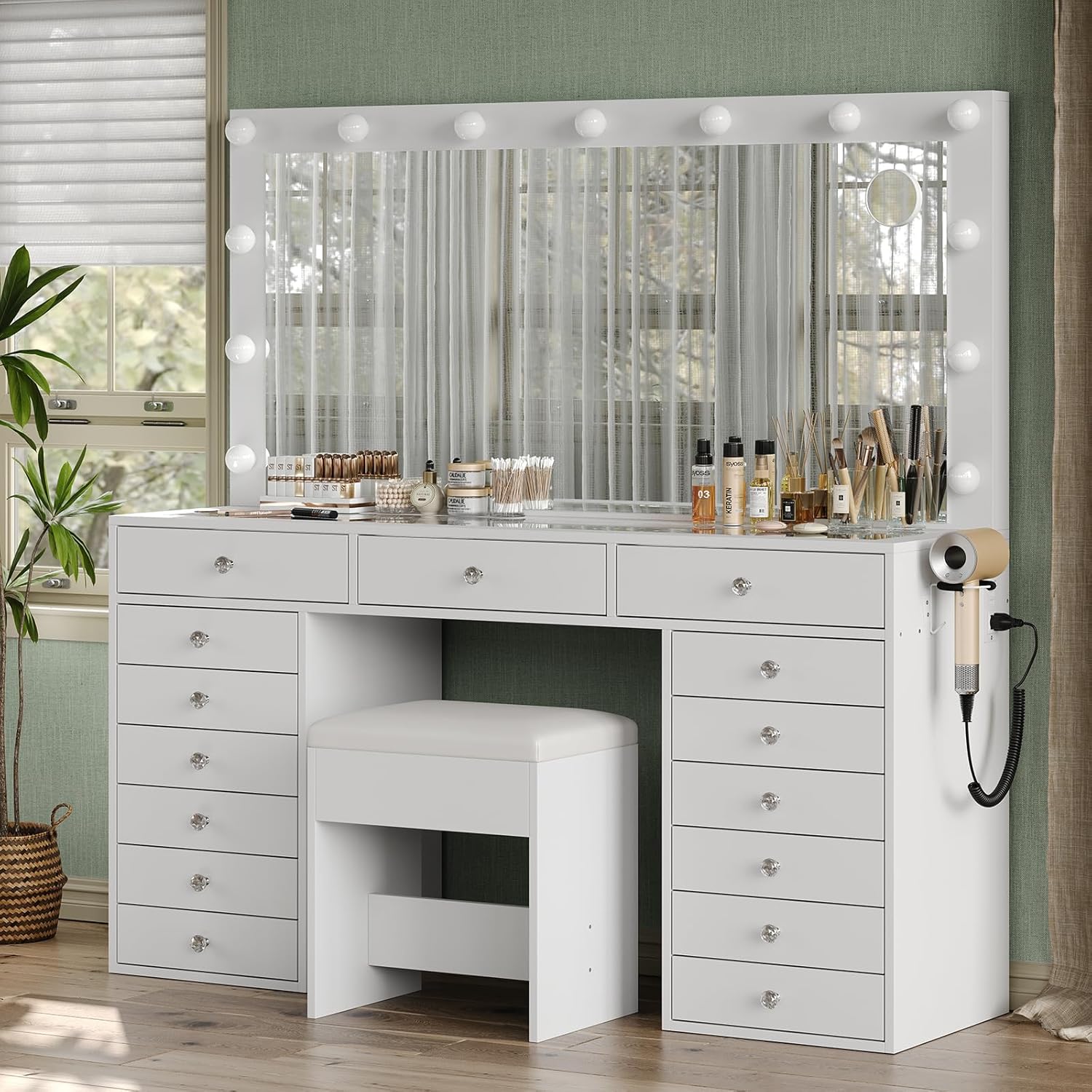
ചിത്രം: ഒരു സമ്പൂർണ്ണ view of the Yanosaku vanity desk, showcasing its mirror with lights, multiple drawers, and the included stool.
പ്രവർത്തന നിർദ്ദേശങ്ങൾ
ലൈറ്റിംഗ് സിസ്റ്റം
The vanity mirror is equipped with 13 LED Hollywood-style bulbs offering three color modes and adjustable brightness.
- പവർ ഓൺ/ഓഫ്: Press the touch switch on the mirror to turn the lights on or off.
- കളർ മോഡ് മാറ്റുക: Short press the touch switch to cycle through the three color modes: warm, natural, and cool light.
- തെളിച്ചം ക്രമീകരിക്കുക: Long press the touch switch to adjust the brightness level for the selected color mode. Release when the desired brightness is reached.
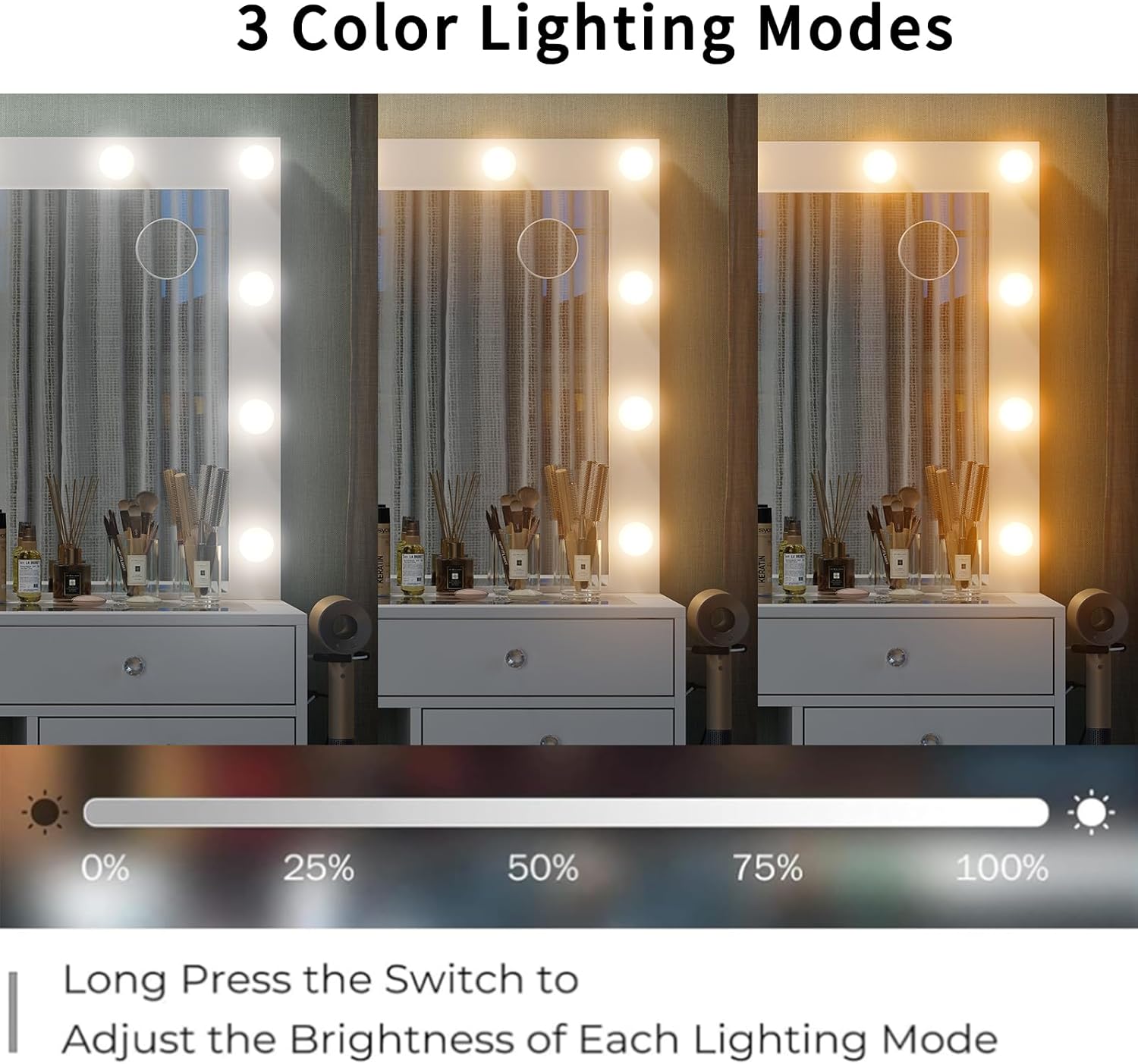
Image: Visual representation of the three distinct lighting modes (warm, natural, cool) and the brightness adjustment feature of the vanity mirror.
ചാർജിംഗ് സ്റ്റേഷൻ
സംയോജിത ചാർജിംഗ് സ്റ്റേഷൻ നിങ്ങളുടെ ഉപകരണങ്ങൾക്ക് സൗകര്യപ്രദമായ പവർ ആക്സസ് നൽകുന്നു.
- എസി ഔട്ട്ലെറ്റുകൾ: Two standard 125V/12A AC outlets are available for powering hair dryers, curlഇരുമ്പുകൾ, അല്ലെങ്കിൽ മറ്റ് ചെറിയ ഉപകരണങ്ങൾ.
- USB പോർട്ടുകൾ: Two 5V/2A USB ports are provided for charging smartphones, tablets, or other USB-powered devices.
- പവർ കോർഡ്: Ensure the vanity's main power cord is securely plugged into a wall outlet for the charging station to function.

Image: Detail of the vanity's built-in power strip, highlighting the two AC outlets, two USB ports, and a dedicated holder for a hair dryer.
മെയിൻ്റനൻസ്
വൃത്തിയാക്കൽ
- ഡെസ്ക് ഉപരിതലം: മൃദുവായ, ഡി ഉപയോഗിച്ച് ഉപരിതലങ്ങൾ തുടയ്ക്കുകamp cloth. Avoid harsh chemicals or abrasive cleaners that may damage the engineered wood finish.
- കണ്ണാടി: Clean the mirror with a glass cleaner and a lint-free cloth. Do not spray cleaner directly onto the mirror; apply it to the cloth first.
- ഡ്രോയറുകൾ: Periodically empty and wipe the inside of drawers to remove dust or cosmetic residue.
Care for Glass Top
The embedded tempered glass tabletop provides a durable and easy-to-clean surface for organizing cosmetics and accessories.

ചിത്രം: വിശദമായ ഒരു ചിത്രം view of the tempered glass tabletop, designed for visible storage and easy access to beauty essentials.
ഇലക്ട്രിക്കൽ ഘടകങ്ങൾ
Ensure the power cord and connections are free from damage. If any electrical component malfunctions, discontinue use and contact customer support.
ട്രബിൾഷൂട്ടിംഗ്
| ഇഷ്യൂ | സാധ്യമായ കാരണം | പരിഹാരം |
|---|---|---|
| കണ്ണാടിയിലെ ലൈറ്റുകൾ കത്തുന്നില്ല. | Power cord not plugged in; loose connection; faulty bulb/switch. | Ensure the vanity is plugged into a working outlet. Check all electrical connections. If issue persists, contact customer support. |
| Charging station (AC/USB) is not working. | Vanity not powered; device not compatible; faulty port. | Verify the vanity is plugged in. Test with a different device or cable. If still not working, contact customer support. |
| ഡ്രോയറുകൾ തുറക്കാനും അടയ്ക്കാനും പ്രയാസമാണ്. | Improper assembly of drawer slides; obstruction; overloaded drawer. | Check drawer slide alignment and ensure they are installed correctly. Remove items to reduce weight. Clear any obstructions. |
| ഡെലിവറി ചെയ്യുമ്പോൾ ഭാഗങ്ങൾ നഷ്ടപ്പെട്ടു. | Item shipped in multiple boxes; packaging error. | Check if additional packages are expected. Refer to the parts list and contact customer support with details of missing components. |
സ്പെസിഫിക്കേഷനുകൾ
| ഫീച്ചർ | വിശദാംശങ്ങൾ |
|---|---|
| ഉൽപ്പന്ന അളവുകൾ (D x W x H) | 15.75"D x 55"W x 56"H |
| മെറ്റീരിയൽ | എഞ്ചിനീയറിംഗ് വുഡ് |
| നിറം | വെള്ള |
| ഡ്രോയറുകളുടെ എണ്ണം | 15 |
| ലൈറ്റിംഗ് മോഡുകൾ | 3 (Warm, Natural, Cool) with adjustable brightness |
| ചാർജിംഗ് സ്റ്റേഷൻ | 2 എസി ഔട്ട്ലെറ്റുകൾ (125V/12A), 2 യുഎസ്ബി പോർട്ടുകൾ (5V/2A) |
| ഉൾപ്പെടുത്തിയ ഘടകങ്ങൾ | Vanity Desk, Mirror with Lights, Stool, Instructions, Assembly Tools |
| അസംബ്ലി ആവശ്യമാണ് | അതെ |
| ഇനത്തിൻ്റെ ഭാരം | 152 പൗണ്ട് |
വാറൻ്റിയും പിന്തുണയും
Yanosaku is committed to providing satisfactory solutions. If you encounter any questions or issues with your vanity desk, please do not hesitate to contact our dedicated customer support. Refer to your purchase documentation for specific warranty details and contact information. There is no need to return the product immediately; our support team can assist with troubleshooting and part replacement.