
1. ആമുഖം
This manual provides detailed instructions for the LIGE FV21-F Smart Watch. Please read this guide thoroughly to ensure proper usage, optimal performance, and longevity of your device. This smartwatch is designed to enhance your daily life with health monitoring, fitness tracking, and smart communication features.
2. ബോക്സിൽ എന്താണുള്ളത്?
Upon unboxing your LIGE FV21-F Smart Watch, verify that all the following items are included:
- Smartwatch (LIGE FV21-F)
- ചാർജിംഗ് കേബിൾ
- Watch Strap (Black Mesh)
- Additional Watch Strap (Apricot Silicone)
- Watch Setting Tools
- Smartwatch Manuals (this document)
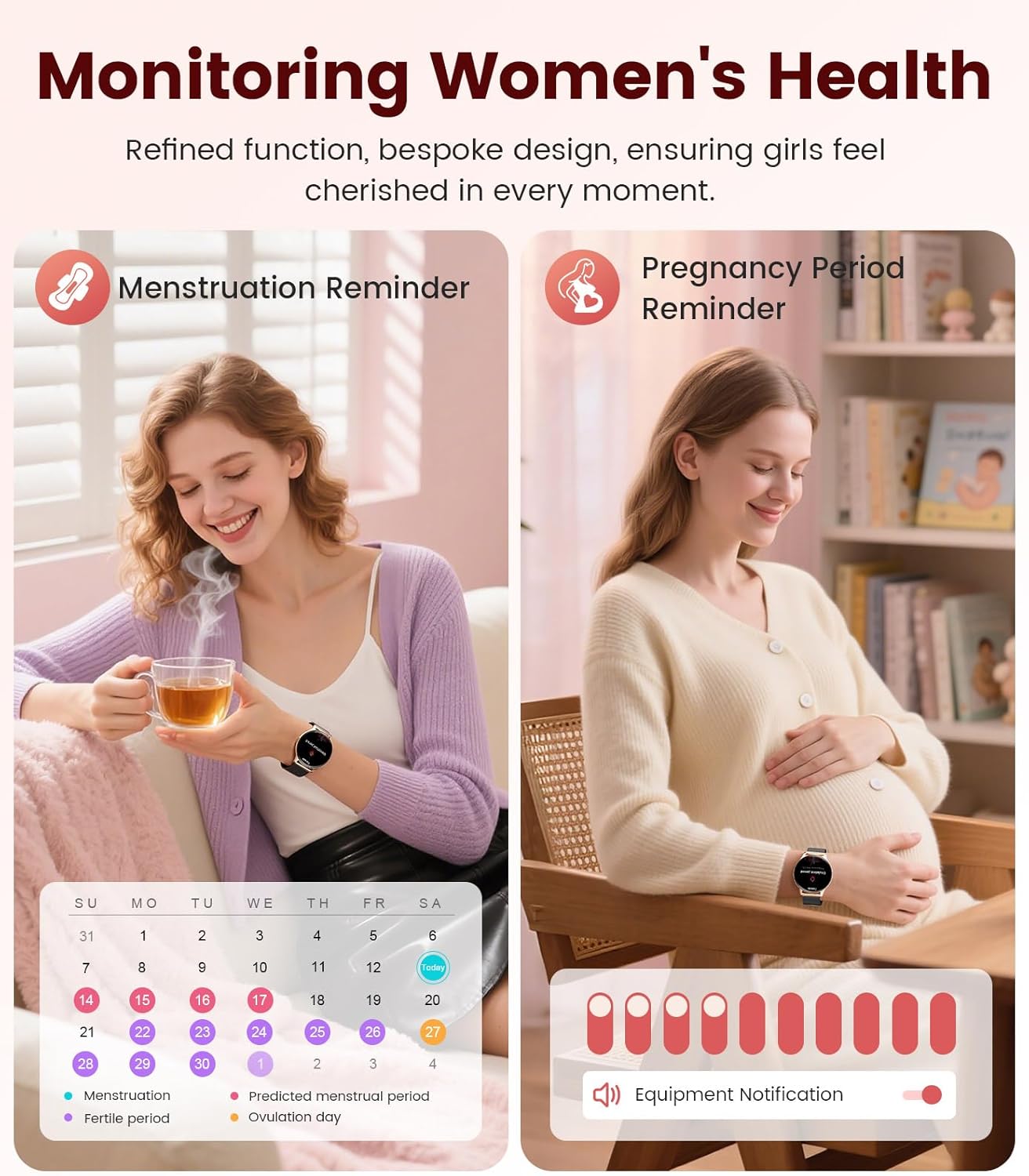
Image: Contents of the LIGE FV21-F Smart Watch package, showing the watch, charging cable, and two interchangeable bands.
3. സജ്ജീകരണ ഗൈഡ്
3.1 Attaching the Watch Straps
Your LIGE FV21-F Smart Watch comes with two interchangeable straps: a black mesh band and an apricot silicone band. To attach a strap:
- Locate the spring bar on the back of the watch strap.
- Align one end of the spring bar with the lug hole on the watch case.
- Push the spring bar inward and slide the strap into place between the lugs.
- Release the spring bar, ensuring both ends are securely seated in the lug holes.
- Gently pull the strap to confirm it is firmly attached.
Video: Demonstrates how to attach and change the watch straps, as well as initial setup and pairing with a smartphone.
3.2 സ്മാർട്ട് വാച്ച് ചാർജ് ചെയ്യുന്നു
Before first use, fully charge your smartwatch. Use the provided magnetic charging cable.
- ചാർജിംഗ് കേബിളിന്റെ USB അറ്റം ഒരു പവർ അഡാപ്റ്ററുമായി (ഉൾപ്പെടുത്തിയിട്ടില്ല) അല്ലെങ്കിൽ കമ്പ്യൂട്ടറിന്റെ USB പോർട്ടുമായി ബന്ധിപ്പിക്കുക.
- Place the magnetic end of the charging cable onto the charging contacts on the back of the smartwatch. The magnets will align it correctly.
- The watch screen will display a charging indicator. A full charge typically takes approximately 2-3 hours.
Image: The LIGE FV21-F Smart Watch being charged using its magnetic charging cable.
3.3 ആപ്പ് ഡൗൺലോഡും ജോടിയാക്കലും
To unlock the full functionality of your smartwatch, download the companion app, "FitCloudPro," and pair it with your smartphone.
- ആപ്പ് ഡൗൺലോഡ് ചെയ്യുക: Scan the QR code displayed on the watch screen (access via Settings > QR Code) or search for "FitCloudPro" in your smartphone's app store (App Store for iOS, Google Play Store for Android).
- ബ്ലൂടൂത്ത് പ്രവർത്തനക്ഷമമാക്കുക: നിങ്ങളുടെ സ്മാർട്ട്ഫോണിൽ ബ്ലൂടൂത്ത് പ്രവർത്തനക്ഷമമാക്കിയിട്ടുണ്ടെന്ന് ഉറപ്പാക്കുക.
- ആപ്പ് തുറന്ന് ജോടിയാക്കുക: Open the FitCloudPro app, navigate to the "Device" section, and tap "Add Device" or "Search Now". Select "FV21" from the list of discovered devices.
- ജോടിയാക്കൽ സ്ഥിരീകരിക്കുക: A pairing request will appear on both your phone and watch. Confirm the pairing on both devices.
- അറിയിപ്പുകൾ അനുവദിക്കുക: Grant necessary permissions for notifications (calls, messages, apps) when prompted by the app.

Image: The FitCloudPro app interface on a smartphone and the QR code on the smartwatch for easy app download and pairing.
4. പ്രവർത്തന നിർദ്ദേശങ്ങൾ
4.1 അടിസ്ഥാന നാവിഗേഷൻ
- ടച്ച് സ്ക്രീൻ: Swipe left/right, up/down to navigate menus and screens. Tap to select.
- സൈഡ് ബട്ടൺ: സ്ക്രീൻ ഉണർത്താനോ ഹോം സ്ക്രീനിലേക്ക് മടങ്ങാനോ ആപ്പ് ലിസ്റ്റ് ആക്സസ് ചെയ്യാനോ അമർത്തുക.
- വേക്ക് സ്ക്രീൻ: Raise your wrist or press the side button to activate the display.
4.2 വാച്ച് ഫെയ്സുകൾ ഇഷ്ടാനുസൃതമാക്കൽ
The LIGE FV21-F offers over 200 customizable watch faces. You can also upload your own photos.
- On the watch, long-press the home screen to access watch face options, then swipe to select.
- In the FitCloudPro app, go to "Watch Face Store" to browse and sync new faces.
- To use a custom photo, select "Watch Face DIY" in the app, choose a photo, adjust its position, and sync to your watch.

Image: The smartwatch displaying a custom watch face, demonstrating the personalization options available through the app.
4.3 ആശയവിനിമയ സവിശേഷതകൾ
- ഉത്തരം / കോളുകൾ ചെയ്യുക: Once paired via Bluetooth, you can answer incoming calls directly from your watch or dial numbers using the watch's dial pad.
- സന്ദേശ അറിയിപ്പുകൾ: Receive notifications for SMS, emails, and various social media apps (WhatsApp, Facebook, Instagram, etc.) directly on your wrist. Ensure app permissions are granted.
- വോയ്സ് അസിസ്റ്റന്റ്: Utilize the integrated voice assistant for quick commands and information.

Image: The smartwatch displaying an incoming call and message notifications, highlighting its communication capabilities.
5. ആരോഗ്യ നിരീക്ഷണം
The LIGE FV21-F Smart Watch provides comprehensive health tracking features to help you monitor your well-being.
- ഹൃദയമിടിപ്പ് നിരീക്ഷണം: ദിവസം മുഴുവൻ നിങ്ങളുടെ ഹൃദയമിടിപ്പ് തുടർച്ചയായി ട്രാക്ക് ചെയ്യുന്നു.
- ഉറക്ക നിരീക്ഷണം: ഗാഢനിദ്ര, നേരിയ ഉറക്കം, ഉണർന്നിരിക്കുന്ന സമയങ്ങൾ എന്നിവയുൾപ്പെടെ നിങ്ങളുടെ ഉറക്ക പാറ്റേണുകൾ വിശകലനം ചെയ്യുന്നു.
- രക്തത്തിലെ ഓക്സിജൻ (SpO2) നിരീക്ഷണം: നിങ്ങളുടെ രക്തത്തിലെ ഓക്സിജൻ സാച്ചുറേഷൻ അളവ് അളക്കുന്നു.
- Women's Physiological Cycle Monitor: Provides reminders and tracking for menstrual and pregnancy periods.
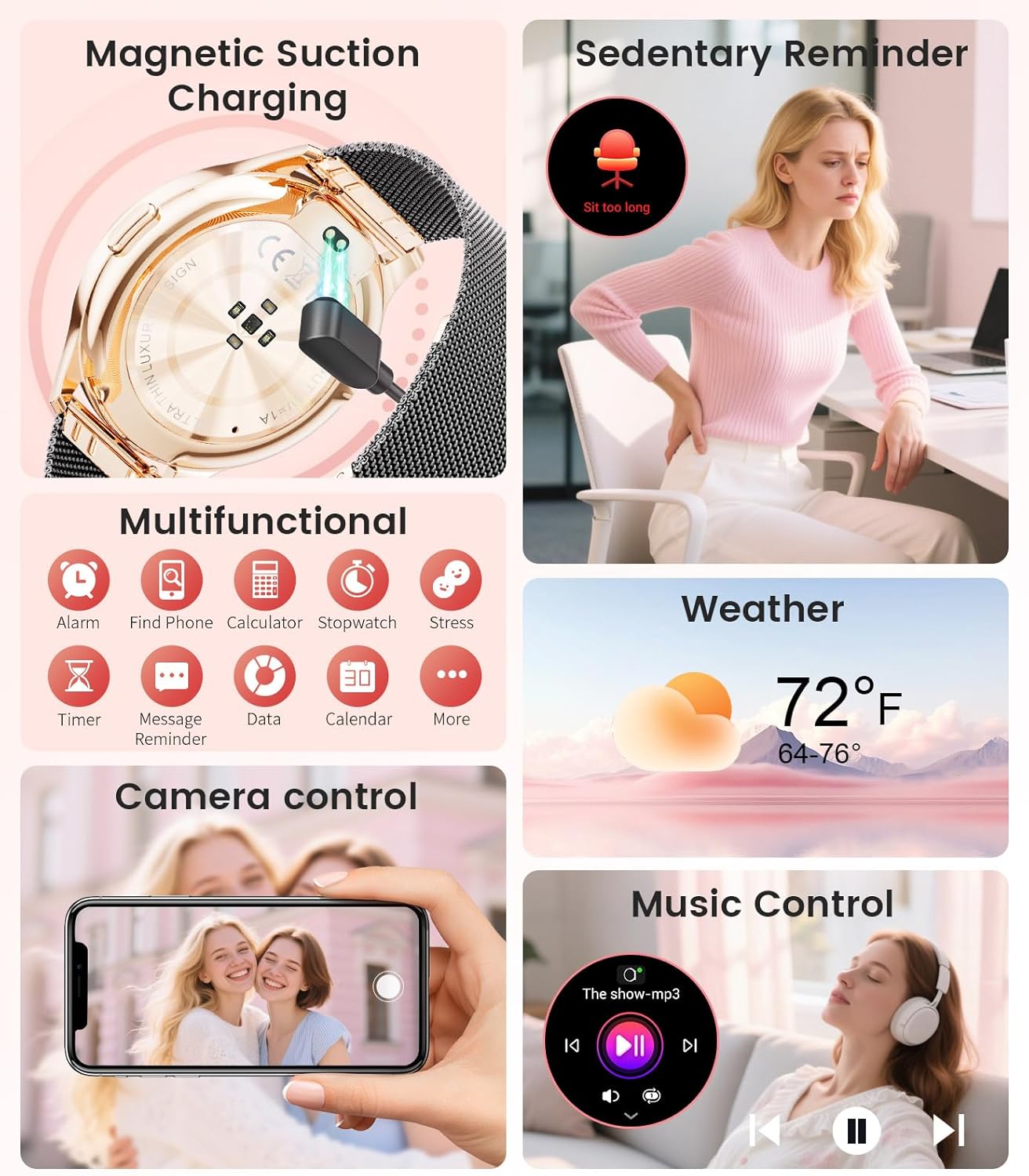
Image: The smartwatch interface showing women's health tracking features, including menstruation and pregnancy reminders.

Image: A user sleeping while wearing the smartwatch, with an inset showing the sleep tracking data on the watch face.
6. Fitness Tracking (120+ Sport Modes)
The LIGE FV21-F Smart Watch supports over 120 sport modes to track your activities, including walking, running, cycling, yoga, and more. It records steps, distance, calories burned, and heart rate during workouts.
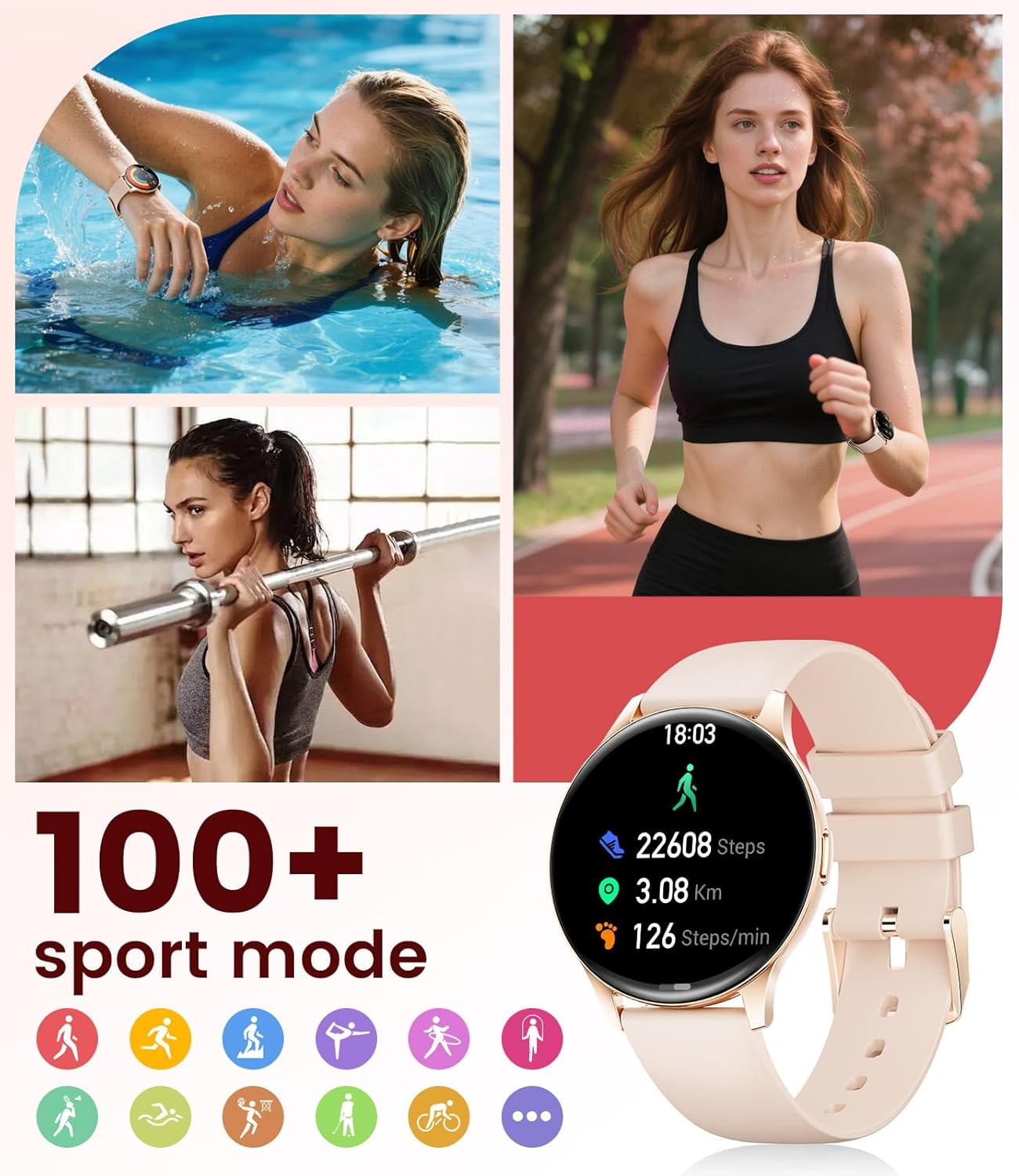
Image: The smartwatch showing different sport modes and real-time fitness data like steps, distance, and calories.
7. Other Smart Features
Beyond health and fitness, your smartwatch offers several convenient smart features:
- സംഗീത നിയന്ത്രണം: നിങ്ങളുടെ വാച്ചിൽ നിന്ന് നേരിട്ട് സ്മാർട്ട്ഫോണിൽ സംഗീത പ്ലേബാക്ക് നിയന്ത്രിക്കുക.
- ക്യാമറ നിയന്ത്രണം: നിങ്ങളുടെ ഫോണിന്റെ ക്യാമറയ്ക്ക് റിമോട്ട് ഷട്ടറായി വാച്ച് ഉപയോഗിക്കുക.
- കാലാവസ്ഥാ പ്രദർശനം: തത്സമയ കാലാവസ്ഥാ അപ്ഡേറ്റുകൾ നേടുക.
- അലാറങ്ങളും ഓർമ്മപ്പെടുത്തലുകളും: Set alarms, sedentary reminders, and drink water reminders.
- ഫോൺ കണ്ടെത്തുക: നിങ്ങളുടെ വാച്ചിൽ നിന്ന് ഒരു അലാറം ട്രിഗർ ചെയ്തുകൊണ്ട് നിങ്ങളുടെ തെറ്റായ ഫോൺ കണ്ടെത്തുക.
- Calculator & Stopwatch: Basic utility tools available on your wrist.

Image: The smartwatch screen showing icons for music control, weather forecast, camera remote, and other utility features.
8 സ്പെസിഫിക്കേഷനുകൾ
Detailed technical specifications for the LIGE FV21-F Smart Watch:
| ഫീച്ചർ | വിശദാംശങ്ങൾ |
|---|---|
| മോഡലിൻ്റെ പേര് | FV21-F |
| പ്രദർശിപ്പിക്കുക | 1.43" HD Curved AMOLED (466x466) |
| ഓപ്പറേറ്റിംഗ് സിസ്റ്റം അനുയോജ്യത | Android 4.4+, iOS 9.0+ |
| കണക്റ്റിവിറ്റി | ബ്ലൂടൂത്ത് |
| ബാറ്ററി ശേഷി | 1000 മില്ലിamp മണിക്കൂർ (ലിഥിയം പോളിമർ) |
| ജല പ്രതിരോധം | IP68 Waterproof (up to 50 meters) |
| മെമ്മറി സ്റ്റോറേജ് കപ്പാസിറ്റി | 256 MB |
| ബാൻഡ് മെറ്റീരിയൽ തരം | സ്റ്റെയിൻലെസ്സ് സ്റ്റീൽ, സിലിക്കൺ |
| അളന്ന അളവുകൾ | Heart Rate, Sleep Duration, Blood Oxygen |
| ഹ്യൂമൻ ഇന്റർഫേസ് ഇൻപുട്ട് | ടച്ച് സ്ക്രീൻ |
| ജിപിഎസ് | സ്മാർട്ട്ഫോൺ വഴി |
9. പരിപാലനം
To ensure the longevity and optimal performance of your LIGE FV21-F Smart Watch, follow these maintenance guidelines:
- വൃത്തിയാക്കൽ: Regularly wipe the watch screen and straps with a soft, dry cloth. For silicone straps, a mild soap and water solution can be used, ensuring to rinse thoroughly and dry completely.
- കഠിനമായ രാസവസ്തുക്കൾ ഒഴിവാക്കുക: Do not use abrasive cleaners, solvents, or strong chemicals, as these can damage the watch's finish and internal components.
- ചാർജിംഗ്: Use only the provided magnetic charging cable. Avoid exposing the charging contacts to moisture or corrosive substances.
- സംഭരണം: ദീർഘനേരം ഉപയോഗിക്കാത്തപ്പോൾ, വാച്ച് നേരിട്ട് സൂര്യപ്രകാശം ഏൽക്കാത്തതും കടുത്ത താപനില ഏൽക്കാത്തതുമായ ഒരു തണുത്ത വരണ്ട സ്ഥലത്ത് സൂക്ഷിക്കുക.
- വാട്ടർ എക്സ്പോഷർ: While IP68 waterproof, avoid prolonged submersion in hot water, steam, or high-pressure water jets. Dry the watch thoroughly after exposure to water.
Video: The smartwatch being rinsed under tap water, showcasing its IP68 water resistance. Ensure to dry the watch after such exposure.
10. പ്രശ്നപരിഹാരം
If you encounter issues with your LIGE FV21-F Smart Watch, refer to the following common solutions:
- വാച്ച് ഓണാക്കുന്നില്ല: വാച്ച് പൂർണ്ണമായും ചാർജ് ചെയ്തിട്ടുണ്ടെന്ന് ഉറപ്പാക്കുക. കുറഞ്ഞത് 30 മിനിറ്റെങ്കിലും ചാർജറുമായി ബന്ധിപ്പിക്കുക.
- ഫോണുമായി ജോടിയാക്കാൻ കഴിയില്ല:
- നിങ്ങളുടെ ഫോണിൽ ബ്ലൂടൂത്ത് പ്രവർത്തനക്ഷമമാക്കിയിട്ടുണ്ടെന്നും വാച്ച് പരിധിക്കുള്ളിലാണെന്നും ഉറപ്പാക്കുക.
- നിങ്ങളുടെ ഫോണും വാച്ചും പുനരാരംഭിക്കുക.
- Clear the Bluetooth cache on your phone and try pairing again.
- Ensure the FitCloudPro app has all necessary permissions.
- അറിയിപ്പുകൾ ലഭിച്ചിട്ടില്ല:
- Check app permissions for notifications in your phone settings and within the FitCloudPro app.
- വാച്ച് ബ്ലൂടൂത്ത് വഴി ശരിയായി ബന്ധിപ്പിച്ചിട്ടുണ്ടെന്ന് ഉറപ്പാക്കുക.
- Disable and re-enable notifications in the FitCloudPro app.
- കൃത്യമല്ലാത്ത ആരോഗ്യ ഡാറ്റ:
- വാച്ച് നിങ്ങളുടെ കൈത്തണ്ടയിൽ നന്നായി ധരിക്കുന്നുണ്ടെന്ന് ഉറപ്പാക്കുക, അധികം ഇറുകിയതോ അധികം അയഞ്ഞതോ അല്ല.
- വാച്ചിന്റെ പിൻഭാഗത്തുള്ള സെൻസർ വൃത്തിയാക്കുക.
- Note that health data is for reference and not for medical diagnosis.
- ഹ്രസ്വ ബാറ്ററി ലൈഫ്:
- സ്ക്രീൻ തെളിച്ചവും സ്ക്രീൻ ഓൺ സമയവും കുറയ്ക്കുക.
- ആവശ്യമില്ലെങ്കിൽ തുടർച്ചയായ ഹൃദയമിടിപ്പ് നിരീക്ഷണം പ്രവർത്തനരഹിതമാക്കുക.
- വാച്ചിലേക്ക് അറിയിപ്പുകൾ അയയ്ക്കുന്ന ആപ്പുകളുടെ എണ്ണം പരിമിതപ്പെടുത്തുക.
പ്രശ്നം നിലനിൽക്കുകയാണെങ്കിൽ, ദയവായി ഉപഭോക്തൃ പിന്തുണയുമായി ബന്ധപ്പെടുക.
11. വാറൻ്റിയും പിന്തുണയും
The LIGE FV21-F Smart Watch comes with a 2 വർഷത്തെ വാറൻ്റി from the date of purchase, covering manufacturing defects. This warranty does not cover damage caused by misuse, accidents, unauthorized modifications, or normal wear and tear.
For technical support, warranty claims, or any other inquiries, please contact LIGE customer service through the retailer where you purchased the product or visit the official LIGE webബന്ധപ്പെടാനുള്ള വിവരങ്ങൾക്കുള്ള സൈറ്റ്.
We are committed to ensuring your satisfaction and providing a delightful experience with your LIGE Smart Watch.