
GOBOULT Tuff Hawk Smart Watch User Manual
Model: Tuff Hawk
ആമുഖം
This manual provides essential instructions for setting up, operating, and maintaining your GOBOULT Tuff Hawk Smart Watch. Please read this guide thoroughly before using your device to ensure optimal performance and longevity.

Image: The GOBOULT Tuff Hawk Smart Watch, highlighting its design and features.
ബോക്സിൽ എന്താണുള്ളത്
നിങ്ങളുടെ ഉൽപ്പന്ന പാക്കേജിംഗിൽ എല്ലാ ഇനങ്ങളും ഉണ്ടെന്ന് ഉറപ്പാക്കുക:
- GOBOULT Tuff Hawk Smart Watch
- ചാർജിംഗ് കേബിൾ
- ഉപയോക്തൃ മാനുവൽ (ഈ പ്രമാണം)
സജ്ജമാക്കുക
1. സ്മാർട്ട് വാച്ച് ചാർജ് ചെയ്യുന്നു
Before initial use, fully charge your GOBOULT Tuff Hawk Smart Watch. Connect the provided charging cable to the charging port on the watch and a compatible USB power source. A full charge takes approximately 150 minutes.

Image: The GOBOULT Tuff Hawk Smart Watch connected to its charging cable, illustrating the charging process and battery indicator.
2. പവർ ഓൺ/ഓഫ്
To power on the watch, press and hold the Power button until the screen illuminates. To power off, press and hold the Power button, then select "Power Off" on the screen.
3. നിങ്ങളുടെ സ്മാർട്ട്ഫോണുമായി ജോടിയാക്കൽ
The GOBOULT Tuff Hawk Smart Watch uses Bluetooth 5.3 for connectivity. Follow these steps to pair your watch with your smartphone:
- Ensure your watch is charged and powered on.
- നിങ്ങളുടെ സ്മാർട്ട്ഫോണിൽ ബ്ലൂടൂത്ത് പ്രവർത്തനക്ഷമമാക്കുക.
- Download and install the companion application (refer to the watch screen or packaging for app name) from your phone's app store.
- Open the app and follow the on-screen instructions to add your device.
- Select "GOBOULT Tuff Hawk" from the list of available Bluetooth devices in the app to establish a one-click connection.

Image: The GOBOULT Tuff Hawk Smart Watch showing an incoming call notification, demonstrating its Bluetooth calling feature with a dedicated speaker and microphone.
സ്മാർട്ട് വാച്ച് പ്രവർത്തിപ്പിക്കൽ
1. ഡിസ്പ്ലേയും നാവിഗേഷനും
The watch features a 1.39-inch TFT HD display with a 240x240 resolution and 450 nits brightness for clear visuals. Navigate the interface using the touchscreen or the working crown.
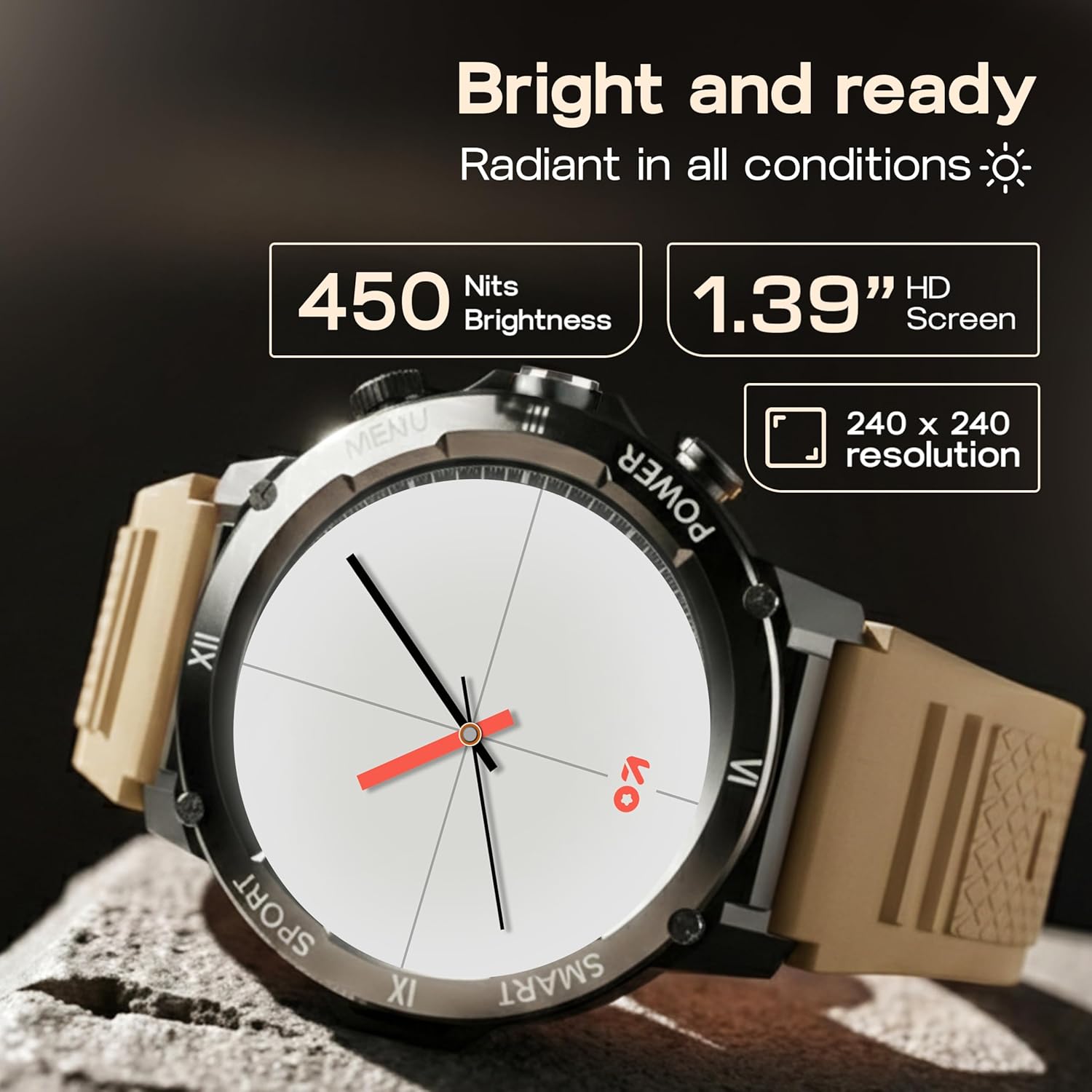
Image: Close-up of the GOBOULT Tuff Hawk Smart Watch display, highlighting its 1.39-inch HD screen, 240x240 resolution, and 450 nits brightness.
2. Using the Working Crown
Rotate the working crown to scroll through menus, lists, and adjust settings effortlessly. Press the crown to select items or return to the home screen.

Image: The GOBOULT Tuff Hawk Smart Watch interface with app icons, demonstrating how to use the rotating working crown for navigation.
3. ബ്ലൂടൂത്ത് കോളിംഗ്
With Bluetooth 5.3 and a single-chip design, the Tuff Hawk Smart Watch allows you to make and receive calls directly from your wrist. It includes a dedicated speaker and microphone for clear communication.
4. AI വോയ്സ് അസിസ്റ്റന്റ്
Access your AI Voice Assistant (compatible with Google Assistant and Siri) directly from your watch. Simply activate the feature and speak your commands for hands-free assistance.
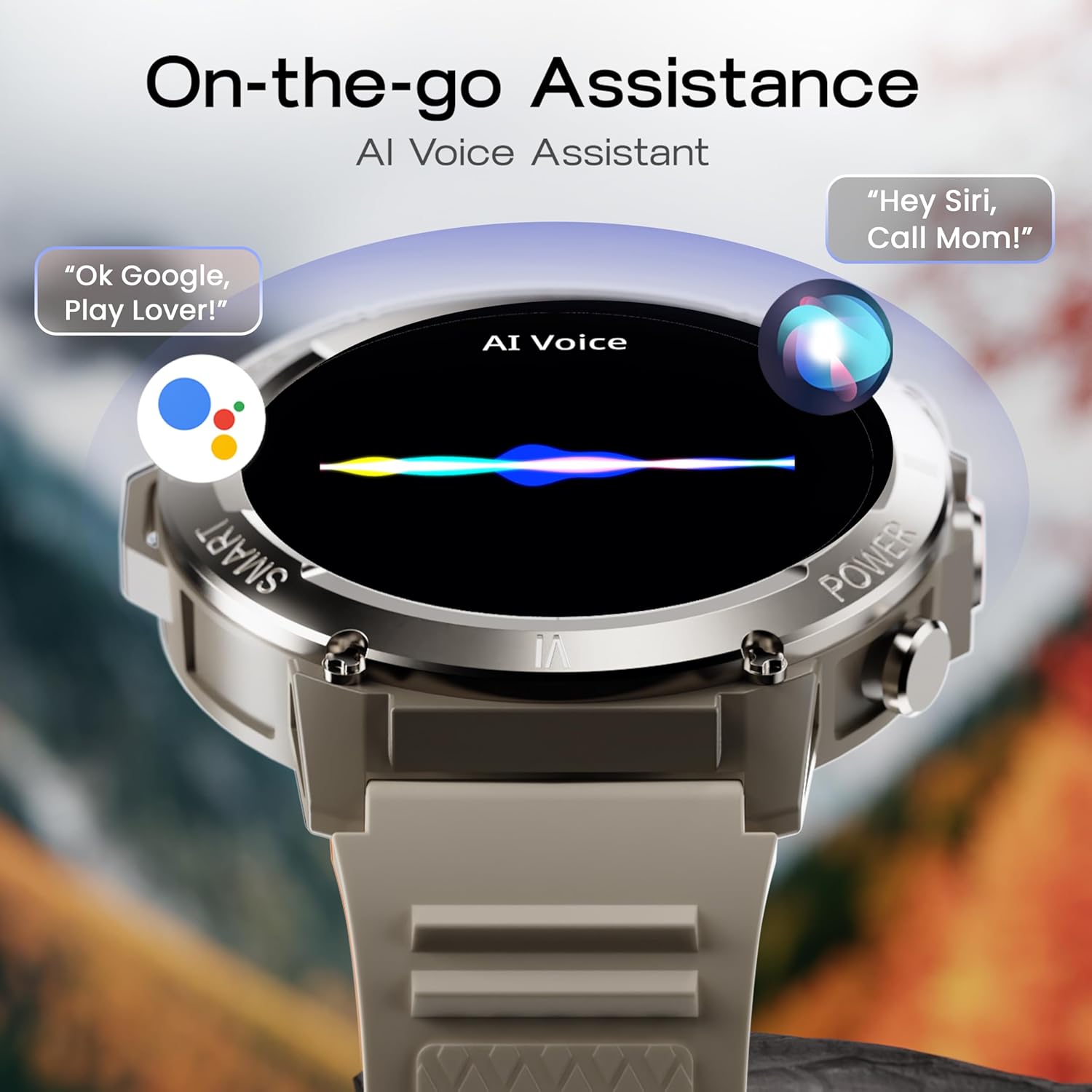
Image: The GOBOULT Tuff Hawk Smart Watch screen showing the AI Voice Assistant in action, with examples of voice commands for Google Assistant and Siri.
5. Sports Modes and Health Tracking
The watch supports over 120 sports modes for various activities. It also provides comprehensive health monitoring features:
- രക്തസമ്മർദ്ദ മോണിറ്റർ: നിങ്ങളുടെ രക്തസമ്മർദ്ദ നിലകൾ ട്രാക്ക് ചെയ്യുക.
- ഹൃദയമിടിപ്പ് നിരീക്ഷണം: Continuously monitor your heart rate.
- സ്ലീപ്പ് മോണിറ്റർ: Analyze your sleep patterns.
- SpO2 മോണിറ്റർ: നിങ്ങളുടെ രക്തത്തിലെ ഓക്സിജൻ സാച്ചുറേഷൻ അളക്കുക.
- പ്രവർത്തന ട്രാക്കർ: Records steps taken, calories burned, and distance covered.
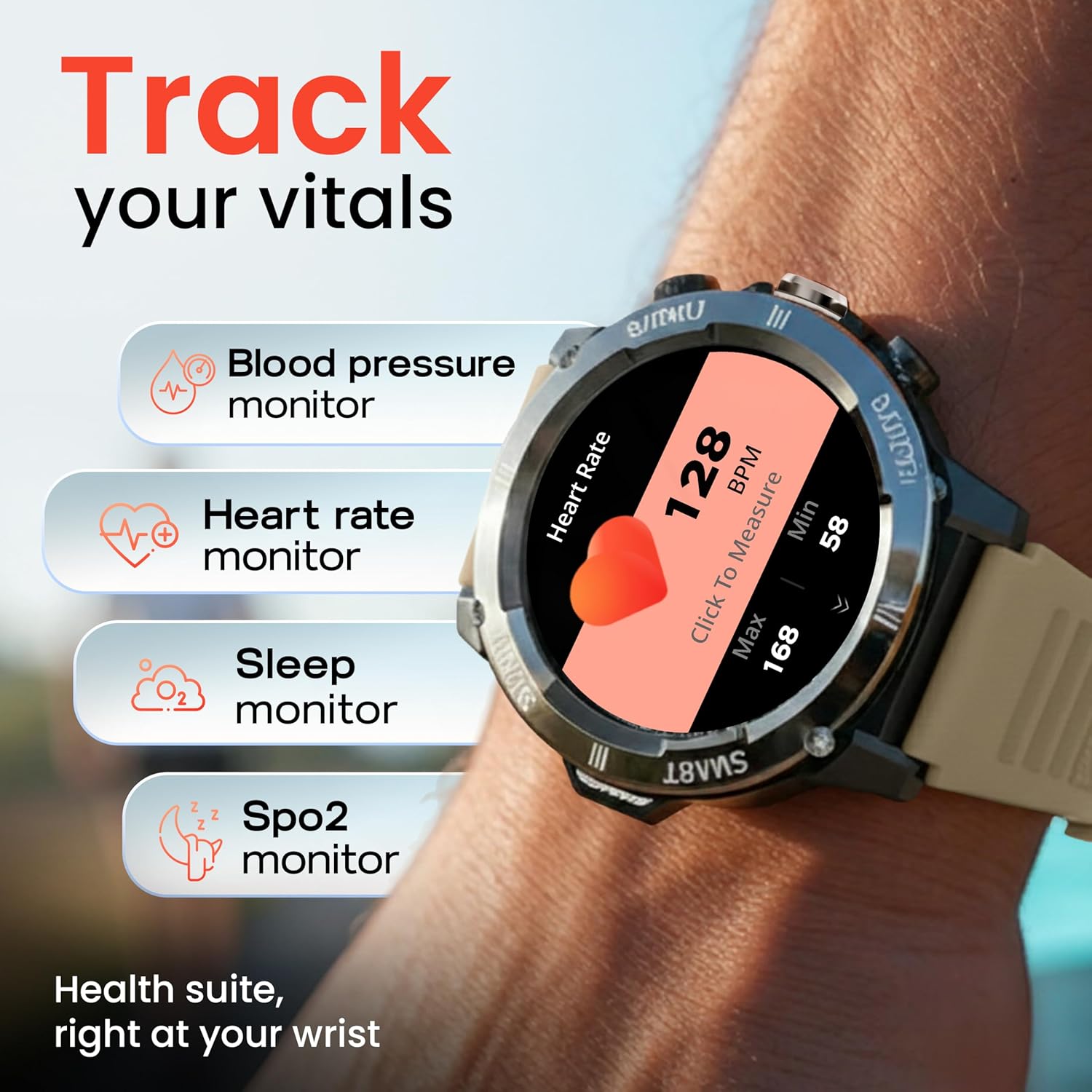
Image: The GOBOULT Tuff Hawk Smart Watch displaying various health tracking features such as blood pressure, heart rate, sleep, and SpO2 monitoring.

Image: The GOBOULT Tuff Hawk Smart Watch on a user's wrist, illustrating the availability of over 120 sports modes for diverse activities.
6. വാച്ച് ഫെയ്സുകൾ
Personalize your watch with over 150 available watch faces to match your style or activity.

Image: The GOBOULT Tuff Hawk Smart Watch showcasing a selection of over 150 customizable watch faces.
7. Dedicated Flashlight
Activate the quick access flashlight feature for instant illumination when needed.

ചിത്രം: ഒരു ക്ലോസ്-അപ്പ് view of the GOBOULT Tuff Hawk Smart Watch demonstrating its dedicated flashlight feature, providing instant light.
8. അധിക സവിശേഷതകൾ
The watch includes several utility features:
- എൻ്റെ ഫോൺ കണ്ടെത്തുക: Locate your paired smartphone.
- ലോക ഘടികാരം: View വ്യത്യസ്ത സമയ മേഖലകളിലെ സമയം.
- Weather Details: Get current weather information.
- റിമോട്ട് ക്യാമറ കൺട്രോൾ: നിങ്ങളുടെ ഫോണിന്റെ ക്യാമറ വിദൂരമായി നിയന്ത്രിക്കുക.
- കാൽക്കുലേറ്റർ: അടിസ്ഥാന കണക്കുകൂട്ടലുകൾ നടത്തുക.

Image: The GOBOULT Tuff Hawk Smart Watch screen showing the 'Find My Phone' feature, alongside icons for world clock, weather details, remote camera, and calculator.
മെയിൻ്റനൻസ്
1. ജല പ്രതിരോധം
The GOBOULT Tuff Hawk Smart Watch is IP68 water resistant, making it suitable for rain, dust, and rugged outdoor conditions. It can withstand immersion up to 1.5 meters. Avoid prolonged exposure to hot water or steam.

Image: The GOBOULT Tuff Hawk Smart Watch partially submerged in water, highlighting its IP68 water resistance for protection against rain and dust.
2. വൃത്തിയാക്കൽ
മൃദുവായതും ഉണങ്ങിയതുമായ തുണി ഉപയോഗിച്ച് വാച്ചും സ്ട്രാപ്പും പതിവായി തുടയ്ക്കുക. ആവശ്യമെങ്കിൽ, അല്പം ഡി-ക്ലിപ്പർ ഉപയോഗിക്കുക.amp തുണിയും വീര്യം കുറഞ്ഞ സോപ്പും ഉപയോഗിച്ച് നന്നായി ഉണക്കുക. കഠിനമായ രാസവസ്തുക്കളോ ഉരച്ചിലുകളോ ഉള്ള വസ്തുക്കൾ ഒഴിവാക്കുക.
3. സംഭരണം
When not in use for extended periods, store the watch in a cool, dry place. Ensure it is partially charged to prevent battery degradation.
ട്രബിൾഷൂട്ടിംഗ്
1. Watch Not Powering On
- വാച്ച് പൂർണ്ണമായും ചാർജ് ചെയ്തിട്ടുണ്ടെന്ന് ഉറപ്പാക്കുക. ചാർജിംഗ് കേബിളുമായി ബന്ധിപ്പിച്ച് വീണ്ടും പവർ ഓൺ ചെയ്യാൻ ശ്രമിക്കുന്നതിന് മുമ്പ് കുറഞ്ഞത് 30 മിനിറ്റെങ്കിലും ചാർജ് ചെയ്യാൻ അനുവദിക്കുക.
- നിർബന്ധിതമായി റീബൂട്ട് ചെയ്യാൻ പവർ ബട്ടൺ 10-15 സെക്കൻഡ് അമർത്തിപ്പിടിക്കുക.
2. Unable to Pair with Smartphone
- നിങ്ങളുടെ സ്മാർട്ട്ഫോണിലും വാച്ചിലും ബ്ലൂടൂത്ത് പ്രവർത്തനക്ഷമമാക്കിയിട്ടുണ്ടെന്ന് ഉറപ്പാക്കുക.
- Make sure the watch is within the Bluetooth range of your phone (typically 10 meters).
- നിങ്ങളുടെ സ്മാർട്ട്ഫോണും വാച്ചും പുനരാരംഭിക്കുക.
- Clear the Bluetooth cache on your phone or forget the device and try pairing again.
- കമ്പാനിയൻ ആപ്പ് ഏറ്റവും പുതിയ പതിപ്പിലേക്ക് അപ്ഡേറ്റ് ചെയ്തിട്ടുണ്ടെന്ന് ഉറപ്പാക്കുക.
3. കൃത്യമല്ലാത്ത ആരോഗ്യ ഡാറ്റ
- വാച്ച് നിങ്ങളുടെ കൈത്തണ്ടയിൽ നന്നായി ധരിച്ചിട്ടുണ്ടെന്ന് ഉറപ്പാക്കുക, പക്ഷേ വളരെ ഇറുകിയതല്ല.
- വാച്ചിന്റെ പിൻഭാഗത്തുള്ള സെൻസർ വൃത്തിയാക്കുക.
- അളക്കുമ്പോൾ അമിതമായ ചലനം ഒഴിവാക്കുക.
- വാച്ച് ഒരു മെഡിക്കൽ ഉപകരണമല്ലെന്ന് ശ്രദ്ധിക്കുക; റീഡിംഗുകൾ റഫറൻസിനായി മാത്രമാണ്.
4. കുറഞ്ഞ ബാറ്ററി ലൈഫ്
- സ്ക്രീൻ തെളിച്ചം കുറയ്ക്കുക.
- അനാവശ്യ അറിയിപ്പുകൾ പ്രവർത്തനരഹിതമാക്കുക.
- Limit continuous heart rate monitoring or other intensive features.
- ഓരോ തവണയും വാച്ച് പൂർണ്ണമായും ചാർജ് ചെയ്തിട്ടുണ്ടെന്ന് ഉറപ്പാക്കുക.
സ്പെസിഫിക്കേഷനുകൾ
| ഫീച്ചർ | വിശദാംശങ്ങൾ |
|---|---|
| മോഡലിൻ്റെ പേര് | Tuff Hawk |
| ഡിസ്പ്ലേ വലിപ്പം | 1.39 ഇഞ്ച് |
| ഡിസ്പ്ലേ തരം | ടി.എഫ്.ടി |
| റെസലൂഷൻ | 240x240 |
| Maximum Display Brightness | 450 നിറ്റുകൾ |
| കണക്റ്റിവിറ്റി ടെക്നോളജി | ബ്ലൂടൂത്ത് 5.3 |
| ബാറ്ററി സെൽ കോമ്പോസിഷൻ | ലിഥിയം പോളിമർ |
| ബാറ്ററി ചാർജ് സമയം | 150 മിനിറ്റ് |
| ബാറ്ററി ലൈഫ് | 7 ദിവസം വരെ |
| വാട്ടർ റെസിസ്റ്റൻസ് റേറ്റിംഗ് | IP68 (1.5 Metres depth) |
| കേസ് മെറ്റീരിയൽ | Zink Alloy |
| ബാൻഡ് മെറ്റീരിയൽ | സിലിക്കൺ |
| ഭാരം | 48 ഗ്രാം |
| ഹ്യൂമൻ ഇന്റർഫേസ് ഇൻപുട്ട് | Touchscreen, Working Crown |
| കൺട്രോളർ തരം | ഗൂഗിൾ അസിസ്റ്റന്റ്, സിരി |
| അളന്ന അളവുകൾ | Blood Oxygen (SpO2), Calories Burned, Sleep Duration, Step Count |
| അനുയോജ്യമായ ഉപകരണങ്ങൾ | ആൻഡ്രോയിഡ്, ഐഒഎസ് സ്മാർട്ട്ഫോണുകൾ |
| ബോക്സ് ഉള്ളടക്കം | ചാർജിംഗ് കേബിൾ, ഉപയോക്തൃ മാനുവൽ |
വാറൻ്റിയും പിന്തുണയും
വാറൻ്റി വിവരങ്ങൾ
Your GOBOULT Tuff Hawk Smart Watch comes with a 1 വർഷത്തെ നിർമ്മാതാവിന്റെ വാറന്റി വാങ്ങിയ തീയതി മുതൽ. ഈ വാറന്റി നിർമ്മാണ വൈകല്യങ്ങൾ ഉൾക്കൊള്ളുന്നു. വാറന്റി ക്ലെയിമുകൾക്കായി നിങ്ങളുടെ വാങ്ങിയതിന്റെ തെളിവ് സൂക്ഷിക്കുക.
ഉപഭോക്തൃ പിന്തുണ
For technical assistance, warranty claims, or product inquiries, please contact GOBOULT customer support. Refer to the product packaging or the official GOBOULT webഏറ്റവും പുതിയ ബന്ധപ്പെടാനുള്ള വിവരങ്ങൾക്കായി സൈറ്റ്.
നിർമ്മാതാവ്: എക്സോട്ടിക് മൈൽ പ്രൈവറ്റ് ലിമിറ്റഡ്, ബോൾട്ട് ഓഡിയോ, ബി-67 വസീർപൂർ ഇൻഡസ്ട്രിയൽ ഏരിയ, ന്യൂഡൽഹി 110052