
1. ആമുഖം
Welcome to the user manual for your VBESTLIFE 4G Mini Phone. This compact and lightweight device is designed for essential communication, offering 4G network support, quick dialing, and emergency SOS features. It also includes multimedia functions such as an MP3 player and FM radio, making it a versatile companion for various situations.

Image 1.1: The VBESTLIFE 4G Mini Phone, highlighting its compact size and key features like 4G connectivity, MP3 player, and silent/ringtone modes.
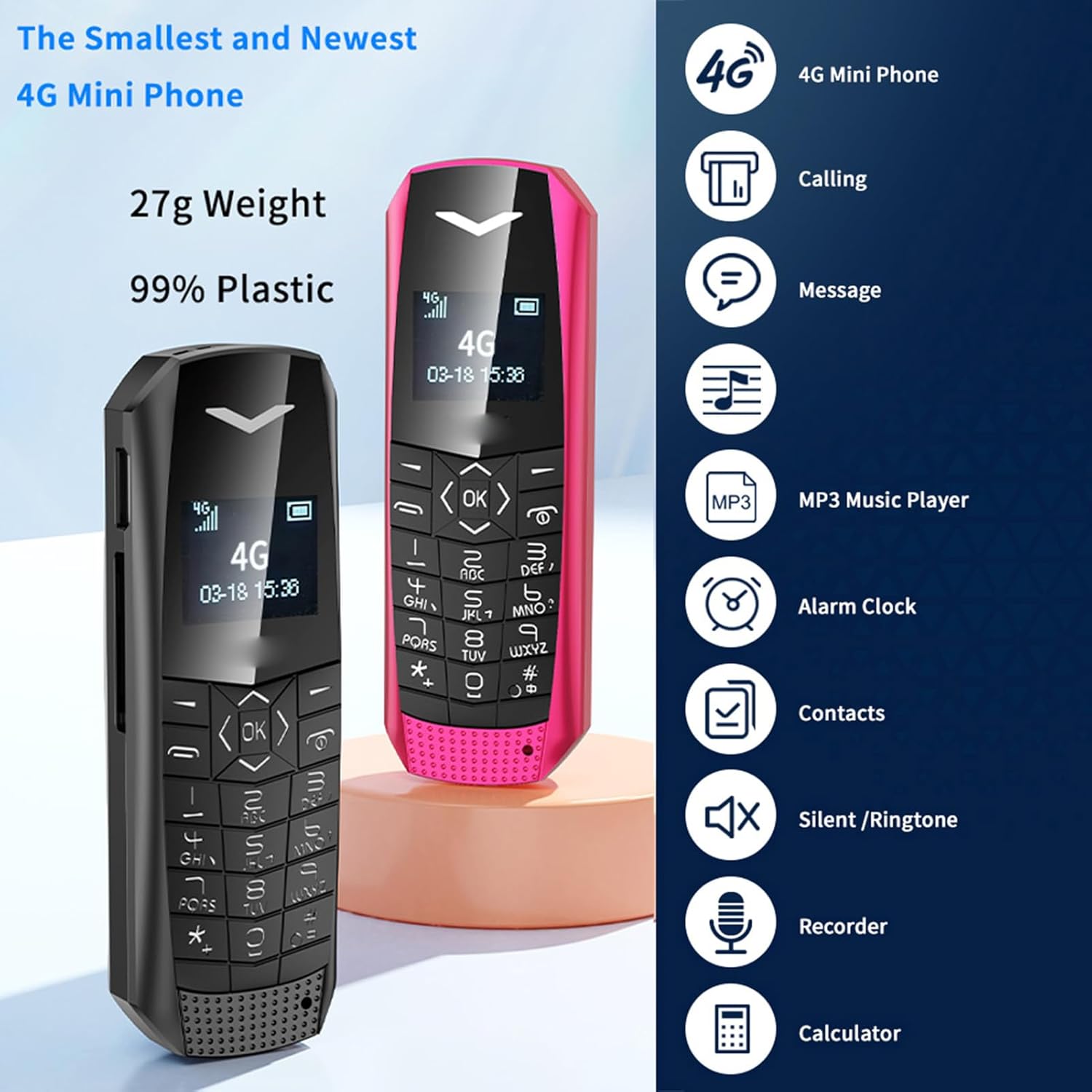
Image 1.2: Two VBESTLIFE 4G Mini Phones (black and pink) demonstrating their small form factor, alongside icons representing features such as calling, messaging, MP3 player, alarm clock, contacts, silent/ringtone, recorder, and calculator.
2. പാക്കേജ് ഉള്ളടക്കം
താഴെ പറയുന്ന ഇനങ്ങൾക്കായി ബോക്സ് ചെക്ക് ചെയ്യുക:
- 1 x VBESTLIFE 4G Mini Phone
- 1 x SIM Card Tray
- 1 x SIM Ejection Tool
- 1 x Charging Cable (USB 2.0)
- 1 x ഉപയോക്തൃ മാനുവൽ
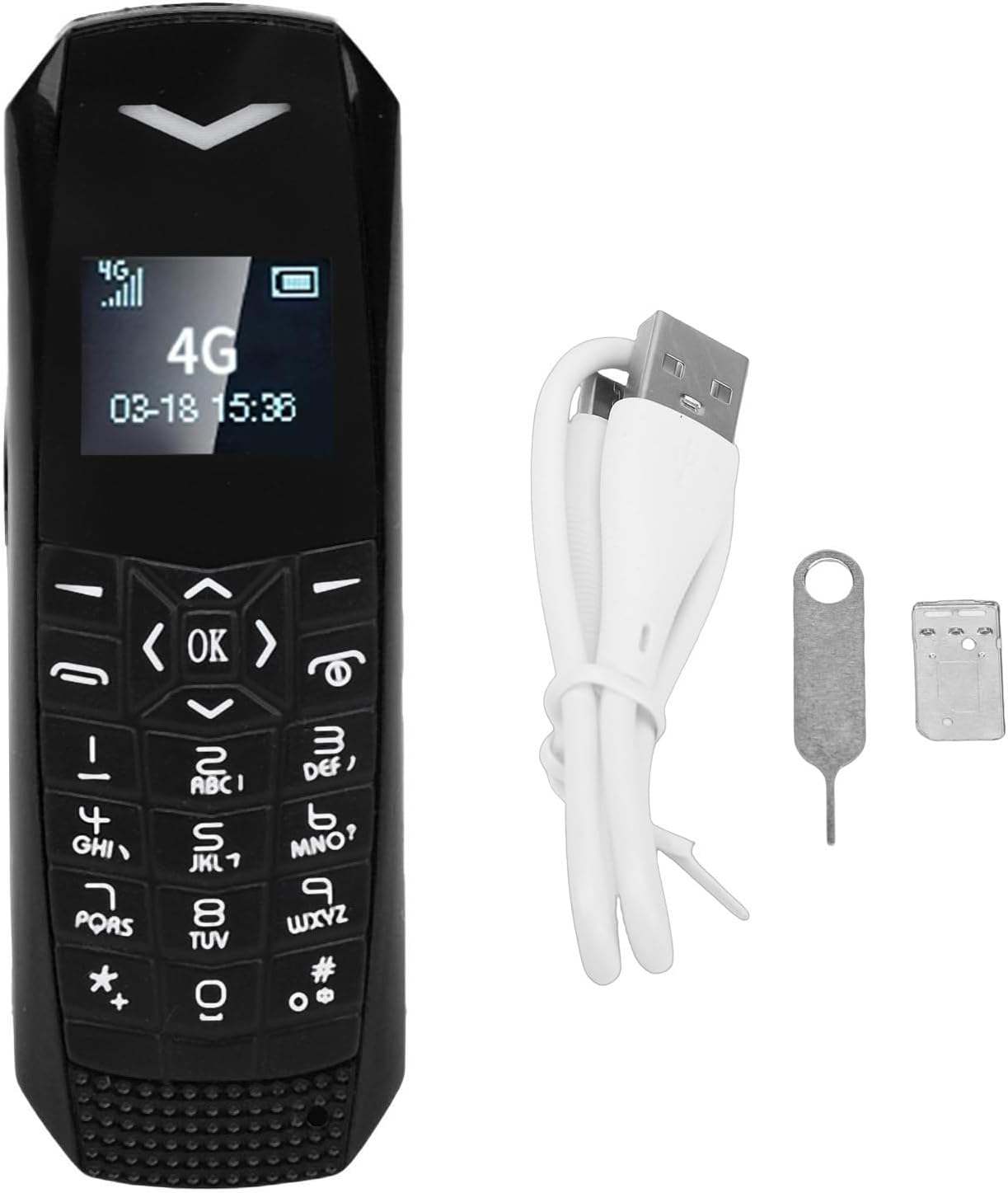
Image 2.1: The VBESTLIFE 4G Mini Phone displayed with its included accessories: a SIM card tray, a SIM ejection tool, and a USB charging cable.
3. പ്രാരംഭ സജ്ജീകരണം
3.1. സിം കാർഡ് ഇൻസ്റ്റാളേഷൻ
- ഫോണിന്റെ വശത്ത് സിം കാർഡ് ട്രേ കണ്ടെത്തുക.
- Insert the SIM ejection tool into the small hole next to the tray to eject it.
- Place your Nano SIM card into the tray, ensuring it is correctly oriented.
- Carefully reinsert the SIM card tray into the phone until it clicks into place.
Note: The SIM card is not included and must be purchased separately.
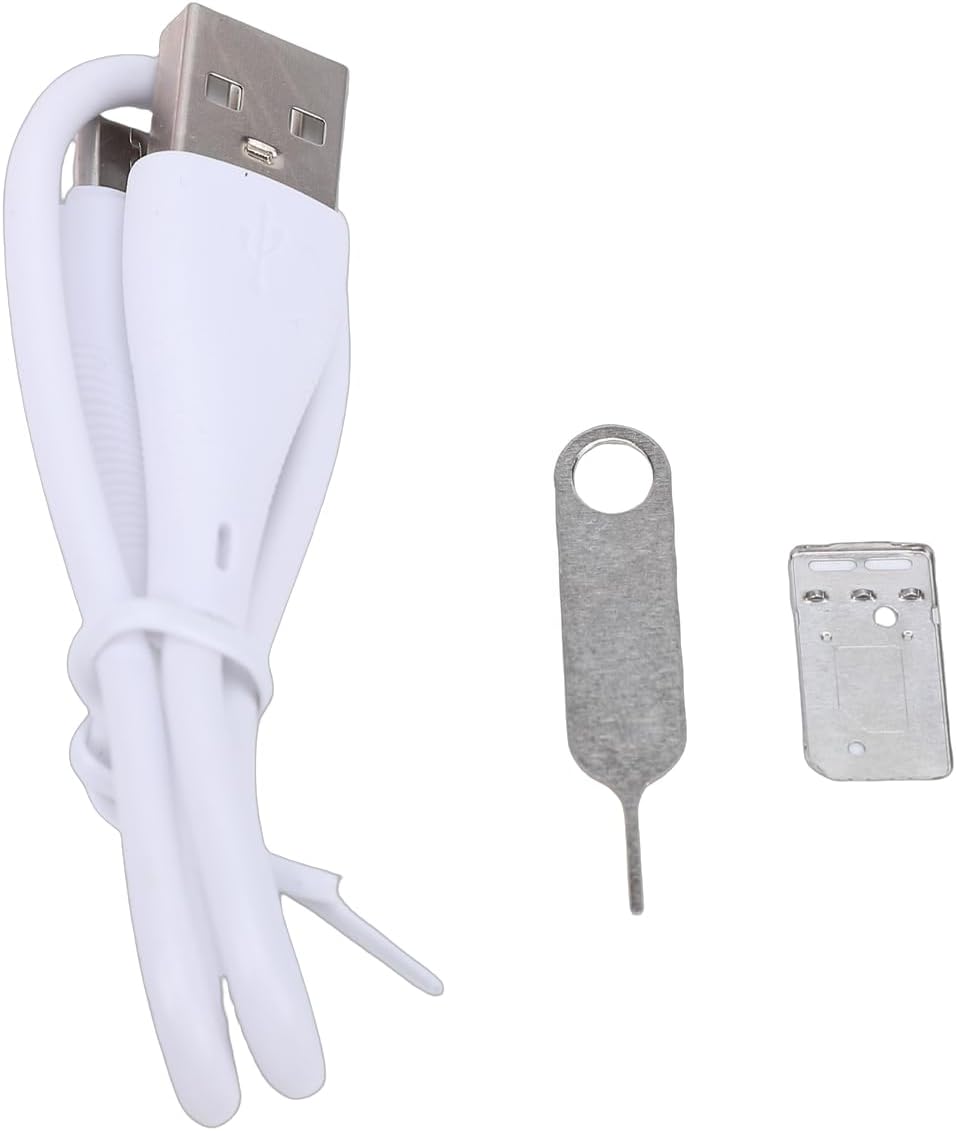
ചിത്രം 3.1: ക്ലോസ്-അപ്പ് view of the SIM ejection tool and the SIM card tray, used for installing the Nano SIM card.
3.2. ഫോൺ ചാർജ് ചെയ്യുന്നു
ആദ്യ ഉപയോഗത്തിന് മുമ്പ്, ഫോൺ ബാറ്ററി പൂർണ്ണമായും ചാർജ് ചെയ്യുക.
- Connect the small end of the provided USB charging cable to the phone's charging port.
- Connect the larger end of the USB cable to a compatible USB power adapter (not included) or a computer's USB port.
- The phone will indicate that it is charging. A full charge typically takes approximately 1 hour.
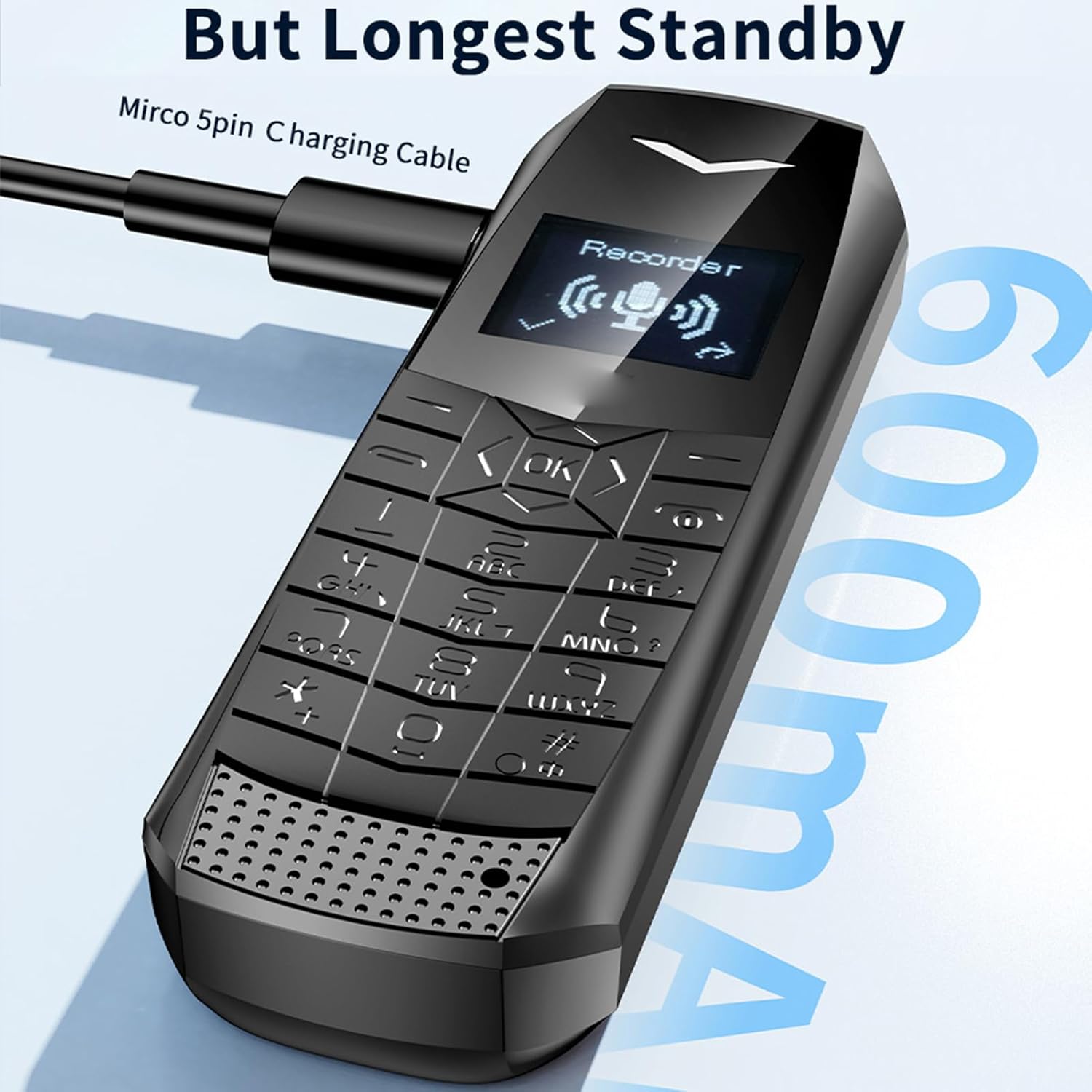
Image 3.2: The VBESTLIFE 4G Mini Phone being charged via its Micro USB port, with the charging cable connected.
4. പ്രവർത്തന നിർദ്ദേശങ്ങൾ
4.1. പവർ ഓൺ/ഓഫ്
- പവർ ഓൺ ചെയ്യാൻ: സ്ക്രീൻ പ്രകാശിക്കുന്നത് വരെ പവർ/എൻഡ് കോൾ ബട്ടൺ അമർത്തിപ്പിടിക്കുക.
- To power off: Press and hold the Power/End Call button until the power-off options appear, then select 'Power Off'.
4.2. കോളുകൾ ചെയ്യലും സ്വീകരിക്കലും
- To make a call: Enter the phone number using the keypad and press the Call button (green icon).
- To answer a call: Press the Call button when the phone rings.
- To end a call: Press the Power/End Call button (red icon).
4.3. സന്ദേശങ്ങൾ അയയ്ക്കലും സ്വീകരിക്കലും
- 'സന്ദേശങ്ങൾ' മെനുവിലേക്ക് നാവിഗേറ്റ് ചെയ്യുക.
- ഒരു ടെക്സ്റ്റ് സന്ദേശം രചിക്കാൻ 'പുതിയ സന്ദേശം' തിരഞ്ഞെടുക്കുക.
- Enter the recipient's number and your message.
- 'അയയ്ക്കുക' അമർത്തുക.
4.4. SOS Emergency Dialing
മുൻകൂട്ടി സജ്ജീകരിച്ച അടിയന്തര നമ്പറുകളിലേക്ക് വേഗത്തിൽ ബന്ധപ്പെടാൻ SOS ഫംഗ്ഷൻ നിങ്ങളെ അനുവദിക്കുന്നു.
- SOS കോൺടാക്റ്റുകൾ സജ്ജീകരിക്കുന്നു: Access the SOS settings in the phone's menu. Add up to 5 emergency contacts.
- Using SOS: In an emergency, press and hold the dedicated SOS button (if available) or a pre-assigned key. The phone will automatically dial the emergency contacts in sequence until one answers.

Image 4.1: The VBESTLIFE 4G Mini Phone displaying its SOS calling feature, showing how to set up and activate emergency contacts.
4.5. MP3 പ്ലെയർ
The phone supports MP3 playback. Transfer MP3 files to the phone's memory (if expandable) or internal storage. Access the MP3 player from the main menu to play your music.
4.6. ബ്ലൂടൂത്ത്
Enable Bluetooth in the phone's settings to connect to compatible devices such as headsets or other phones for file കൈമാറ്റം.
4.7. എഫ്എം റേഡിയോ
To use the FM radio, ensure headphones are connected as they act as the antenna. Access the FM radio application from the menu and scan for available stations.
5. പരിപാലനവും പരിചരണവും
- ഉണക്കി സൂക്ഷിക്കുക: Protect your phone from moisture and liquids.
- സൌമ്യമായി വൃത്തിയാക്കുക: Use a soft, dry cloth to clean the phone. Avoid harsh chemicals.
- തീവ്രമായ താപനില ഒഴിവാക്കുക: Do not expose the phone to very high or low temperatures.
- ശ്രദ്ധയോടെ കൈകാര്യം ചെയ്യുക: Avoid dropping or subjecting the phone to strong impacts.
- ബാറ്ററി കെയർ: Do not attempt to replace the battery yourself. Dispose of batteries properly.
6. പ്രശ്നപരിഹാരം
If you encounter issues with your phone, please refer to the following common solutions:
| പ്രശ്നം | സാധ്യമായ പരിഹാരം |
|---|---|
| ഫോൺ ഓൺ ആകുന്നില്ല. | ബാറ്ററി ചാർജ് ചെയ്തിട്ടുണ്ടെന്ന് ഉറപ്പാക്കുക. ചാർജർ കണക്റ്റ് ചെയ്ത് വീണ്ടും ശ്രമിക്കുക. |
| കോളുകൾ വിളിക്കാനോ സ്വീകരിക്കാനോ കഴിയില്ല | Check if the SIM card is correctly inserted and activated. Verify network signal strength. |
| നെറ്റ്വർക്ക് സിഗ്നൽ ഇല്ല | Move to an area with better network coverage. Restart the phone. |
| കോളുകൾക്കിടെ മോശം ഓഡിയോ നിലവാരം | Check the volume settings. Ensure there is no obstruction to the speaker or microphone. |
| ബാറ്ററി പെട്ടെന്ന് തീരുന്നു | സ്ക്രീൻ തെളിച്ചം കുറയ്ക്കുക. ഉപയോഗിക്കാത്ത ആപ്ലിക്കേഷനുകൾ അടയ്ക്കുക. പശ്ചാത്തല ഡാറ്റ ഉപയോഗം പരിമിതപ്പെടുത്തുക. |
7 സ്പെസിഫിക്കേഷനുകൾ
| ഫീച്ചർ | വിശദാംശങ്ങൾ |
|---|---|
| മോഡലിൻ്റെ പേര് | VBESTLIFE817oqtu920-11 |
| സെല്ലുലാർ ടെക്നോളജി | 4G LTE (FDD LTE: B1 B2 B3 B5 B7 B8 B20, TDD LTE: B38 B40 B411), WCDMA: B1 B5, GSM: 900-1800 |
| സിം കാർഡ് സ്ലോട്ട് | നാനോ സിം (ഉൾപ്പെടുത്തിയിട്ടില്ല) |
| റാം | 1 ജിബി |
| ROM | 64 MB |
| ഡിസ്പ്ലേ സ്ക്രീൻ | 0.66" Organic LED HD screen |
| ഉൽപ്പന്ന വലുപ്പം | Approx. 70 x 23 x 12 mm / 2.76 x 0.91 x 0.47 inches |
| ബാറ്ററി | 600 mAh ലിഥിയം-അയൺ ബാറ്ററി |
| സ്റ്റാൻഡ്ബൈ സമയം | 2-3 ദിവസം |
| ബ്ലൂടൂത്ത് | 5.0 |
| കണക്റ്റർ തരം | USB 2.0 |
| ഓപ്പറേറ്റിംഗ് സിസ്റ്റം | Windows (Note: This likely refers to a basic OS, not Microsoft Windows) |
| ഫോം ഫാക്ടർ | കൈത്തലം |
| നിറം | കറുപ്പ് |
8. വാറൻ്റി വിവരങ്ങൾ
This VBESTLIFE 4G Mini Phone comes with a warranty period of 90 ദിവസം വാങ്ങിയ തീയതി മുതൽ. ഏതെങ്കിലും വാറൻ്റി ക്ലെയിമുകൾക്കായി നിങ്ങളുടെ വാങ്ങലിൻ്റെ തെളിവ് സൂക്ഷിക്കുക.
9. ഉപഭോക്തൃ പിന്തുണ
For further assistance, technical support, or warranty inquiries, please contact your retailer or the manufacturer directly. Refer to the contact information provided with your purchase documentation or visit the official VBESTLIFE webസൈറ്റ്.