
ആമുഖം
Thank you for choosing the Aiwa AW-TR102 Bluetooth Trolley Party Speaker. This manual provides essential information for the safe and efficient operation of your speaker. Please read it thoroughly before use and retain it for future reference.
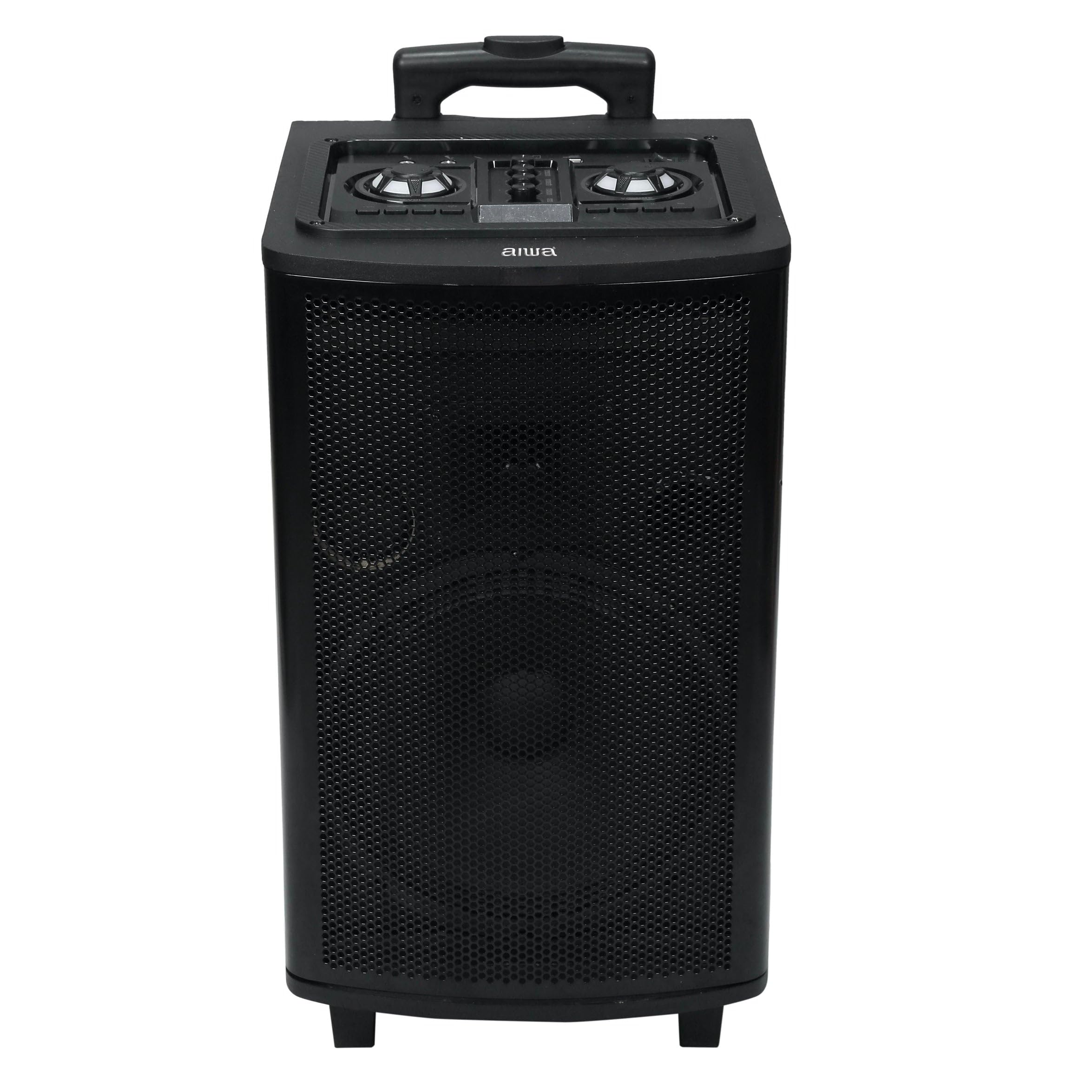
Image: Aiwa AW-TR102 Bluetooth Trolley Party Speaker, showcasing its portable design with an extended handle and wheels.
The Aiwa AW-TR102 is a powerful 150W speaker featuring a 12-inch subwoofer, dual wireless microphones, RGB LED lights, and multiple connectivity options including Bluetooth, USB, AUX, and FM radio. Its trolley design ensures easy portability for various events.
പാക്കേജ് ഉള്ളടക്കം
- Aiwa AW-TR102 Trolley Party Speaker
- 2 വയർലെസ് മൈക്രോഫോണുകൾ
- റിമോട്ട് കൺട്രോൾ
- പവർ അഡാപ്റ്റർ
- ഉപയോക്തൃ മാനുവൽ (ഈ പ്രമാണം)
സജ്ജമാക്കുക
1. സ്പീക്കറിൽ നിന്ന് നിരക്ക് ഈടാക്കുന്നു
- Connect the provided power adapter to the speaker's charging port.
- Plug the adapter into a 220V AC power outlet.
- ചാർജിംഗ് ഇൻഡിക്കേറ്റർ ലൈറ്റ് പ്രകാശിക്കും. പൂർണ്ണമായി ചാർജ് ചെയ്യാൻ ഏകദേശം 4-6 മണിക്കൂർ എടുക്കും.
- A fully charged battery provides up to 6 hours of playback time, depending on usage volume and LED light activity.
2. പ്രാരംഭ പവർ ഓൺ
- Locate the Power button on the control panel.
- Press and hold the Power button for a few seconds until the speaker powers on.
3. മൈക്രോഫോൺ സജ്ജീകരണം
- Insert two AA batteries (not included) into each wireless microphone, observing polarity.
- മൈക്രോഫോണുകൾ അവയുടെ പവർ സ്വിച്ചുകൾ ഉപയോഗിച്ച് ഓണാക്കുക.
- The microphones will automatically pair with the speaker.

Image: Top control panel of the Aiwa AW-TR102 speaker, showing various input ports and control knobs for volume, echo, and mode selection.
പ്രവർത്തന നിർദ്ദേശങ്ങൾ
1. മോഡ് തിരഞ്ഞെടുക്കൽ
അമർത്തുക മോഡ് button on the control panel or remote control to switch between Bluetooth, USB, AUX, and FM radio modes.
2. ബ്ലൂടൂത്ത് കണക്റ്റിവിറ്റി
- Power on the speaker and select Bluetooth mode. The speaker will indicate it is ready for pairing.
- നിങ്ങളുടെ മൊബൈൽ ഉപകരണത്തിലോ കമ്പ്യൂട്ടറിലോ ബ്ലൂടൂത്ത് പ്രവർത്തനക്ഷമമാക്കുക.
- ഇതിനായി തിരയുക "AW-TR102" in the list of available devices and select it to pair.
- Once paired, the speaker will confirm the connection, and you can begin playing audio from your device.
- ബ്ലൂടൂത്ത് ശ്രേണി ഏകദേശം 10 മീറ്ററാണ്.
3. USB പ്ലേബാക്ക്
- MP3 ഓഡിയോ അടങ്ങിയ ഒരു USB ഫ്ലാഷ് ഡ്രൈവ് ഇടുക. fileയുഎസ്ബി പോർട്ടിലേക്ക് എസ്.
- The speaker will automatically switch to USB mode and begin playback.
- പ്ലേബാക്ക് നിയന്ത്രിക്കാൻ പ്ലേ/താൽക്കാലികമായി നിർത്തുക, അടുത്തത്, മുമ്പത്തെ ബട്ടണുകൾ ഉപയോഗിക്കുക.
4. AUX ഇൻപുട്ട്
- Connect an external audio device (e.g., smartphone, MP3 player) to the AUX input port using a 3.5mm audio cable (not included).
- Select AUX mode on the speaker.
- Audio will play from the connected device. Control playback from the external device.
5. എഫ്എം റേഡിയോ
- എഫ്എം മോഡ് തിരഞ്ഞെടുക്കുക.
- അമർത്തുക പ്ലേ/താൽക്കാലികമായി നിർത്തുക button to initiate an automatic scan for available FM stations.
- ഉപയോഗിക്കുക അടുത്തത് ഒപ്പം മുമ്പത്തെ സംരക്ഷിച്ച സ്റ്റേഷനുകൾക്കിടയിൽ നാവിഗേറ്റ് ചെയ്യാനുള്ള ബട്ടണുകൾ.
6. Karaoke Function and Recording
- Ensure wireless microphones are connected and powered on.
- Adjust microphone volume and echo levels using the dedicated knobs on the control panel.
- To record, insert a USB drive. Press the രേഖപ്പെടുത്തുക button (if available on the control panel or remote) to start recording. Press again to stop.
7. ആർജിബി എൽഇഡി ലൈറ്റുകൾ
- The speaker features dynamic RGB LED lights that sync with the music.
- ഉപയോഗിക്കുക ലൈറ്റ് മോഡ് button (if available) on the control panel or remote to cycle through different light patterns or turn them off.
8. Dynamic Bass Boost (DBB)
- The Dynamic Bass Boost feature enhances low-frequency audio.
- Activate or deactivate DBB using the dedicated button on the control panel or remote control for a deeper bass experience.
9. ട്രൂ വയർലെസ് സ്റ്റീരിയോ (TWS) ഫംഗ്ഷൻ
The TWS function allows you to pair two AW-TR102 speakers for a stereo sound experience.
- Ensure both speakers are powered on and in Bluetooth mode, without being connected to any device.
- ഒരു സ്പീക്കറിൽ (ഇതായിരിക്കും പ്രാഥമിക സ്പീക്കർ), അമർത്തിപ്പിടിക്കുക ടി.ഡബ്ല്യു.എസ് കുറച്ച് നിമിഷങ്ങൾക്കുള്ള ബട്ടൺ.
- The speakers will attempt to pair with each other. Once successfully paired, you will hear an audible confirmation.
- Connect your mobile device to the primary speaker via Bluetooth. Audio will now play in stereo through both speakers.
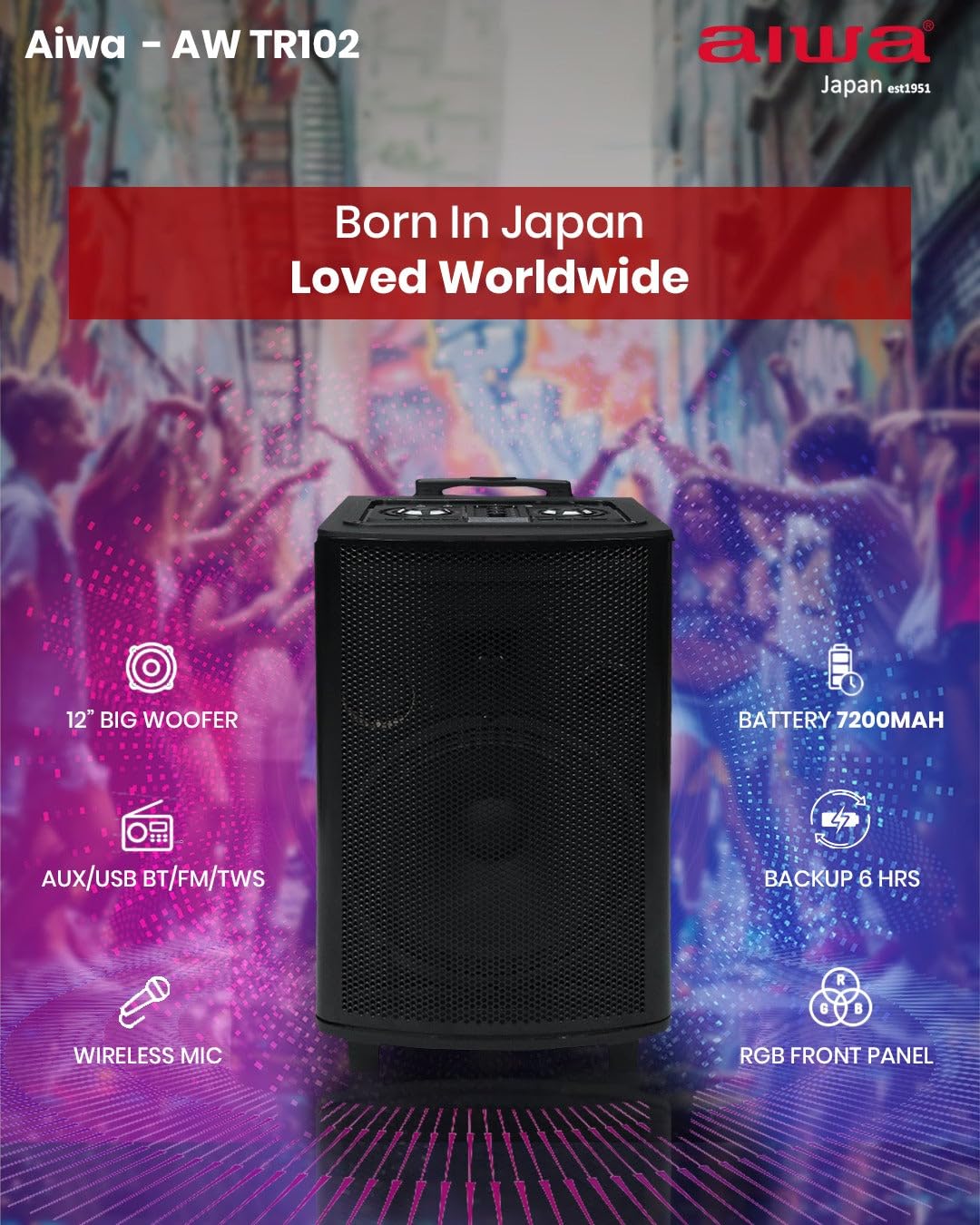
ചിത്രം: ഫീച്ചർ മുകളിലാണ്view of the Aiwa AW-TR102, illustrating key components and capabilities such as the 12" woofer, 7200mAh battery, wireless microphone, RGB front panel, and multi-connectivity options.
മെയിൻ്റനൻസ്
- വൃത്തിയാക്കൽ: സ്പീക്കറിന്റെ പുറംഭാഗം വൃത്തിയാക്കാൻ മൃദുവായതും ഉണങ്ങിയതുമായ തുണി ഉപയോഗിക്കുക. അബ്രസീവ് ക്ലീനറുകൾ, മെഴുക് അല്ലെങ്കിൽ ലായകങ്ങൾ ഉപയോഗിക്കരുത്.
- സംഭരണം: ദീർഘനേരം ഉപയോഗിക്കാത്തപ്പോൾ, നേരിട്ടുള്ള സൂര്യപ്രകാശത്തിൽ നിന്നും കടുത്ത താപനിലയിൽ നിന്നും മാറി തണുത്തതും വരണ്ടതുമായ സ്ഥലത്ത് സ്പീക്കർ സൂക്ഷിക്കുക.
- ബാറ്ററി കെയർ: ബാറ്ററി ലൈഫ് വർദ്ധിപ്പിക്കാൻ, ബാറ്ററി ഇടയ്ക്കിടെ പൂർണ്ണമായും ഡിസ്ചാർജ് ചെയ്യുന്നത് ഒഴിവാക്കുക. ഉപയോഗത്തിലില്ലെങ്കിൽ പോലും സ്പീക്കർ പതിവായി ചാർജ് ചെയ്യുക.
- ജല പ്രതിരോധം: ഈ സ്പീക്കർ വെള്ളത്തെ പ്രതിരോധിക്കുന്നില്ലവെള്ളത്തിലോ ഉയർന്ന ആർദ്രതയിലോ സമ്പർക്കം ഒഴിവാക്കുക.
ട്രബിൾഷൂട്ടിംഗ്
| പ്രശ്നം | സാധ്യമായ പരിഹാരം |
|---|---|
| സ്പീക്കർ പവർ ഓൺ ചെയ്യുന്നില്ല. | Ensure the speaker is charged. Connect the power adapter and try again. |
| സ്പീക്കറിൽ നിന്ന് ശബ്ദമൊന്നുമില്ല. | Check the volume level on both the speaker and the connected device. Ensure the correct input mode (Bluetooth, USB, AUX, FM) is selected. |
| ബ്ലൂടൂത്ത് ജോടിയാക്കൽ പരാജയപ്പെട്ടു. | Ensure the speaker is in Bluetooth pairing mode. Disable and re-enable Bluetooth on your device. Move your device closer to the speaker (within 10 meters). |
| Microphones are not working. | Check if the microphones are powered on and have fresh batteries. Adjust the microphone volume knob on the speaker. |
| മോശം എഫ്എം റേഡിയോ സ്വീകരണം. | Extend the antenna fully. Try repositioning the speaker to improve signal. |
| TWS ജോടിയാക്കൽ പ്രശ്നങ്ങൾ. | Ensure both speakers are in Bluetooth mode and not connected to any other device before initiating TWS pairing. Try resetting both speakers. |
സ്പെസിഫിക്കേഷനുകൾ
| ഫീച്ചർ | വിശദാംശങ്ങൾ |
|---|---|
| മോഡൽ നമ്പർ | AW-TR102 |
| ഔട്ട്പുട്ട് പവർ | 150 വാട്ട്സ് |
| വൂഫർ വലിപ്പം | 12 ഇഞ്ച് |
| ട്വീറ്റർ വലുപ്പം | 3 ഇഞ്ച് |
| കണക്റ്റിവിറ്റി | Bluetooth 5.0, USB, AUX, FM, Mic, TWS |
| ബ്ലൂടൂത്ത് ശ്രേണി | 10 മീറ്റർ വരെ |
| ബാറ്ററി ശേഷി | 7200mAh |
| പ്ലേബാക്ക് സമയം | 6 മണിക്കൂർ വരെ (മിതമായ അളവിൽ) |
| ഇൻപുട്ട് വോളിയംtage | 220 വോൾട്ട് |
| അളവുകൾ (D x W x H) | 35D x 30W x 65H സെന്റീമീറ്ററുകൾ |
| ഭാരം | 12 കിലോഗ്രാം (12000 ഗ്രാം) |
| ഫീച്ചറുകൾ | Karaoke Function, Recording, Dynamic Bass Boost, RGB LED Lights |
| നിയന്ത്രണ രീതി | റിമോട്ട് കൺട്രോൾ |
| എൻക്ലോഷർ മെറ്റീരിയൽ | മരം |
വാറൻ്റി വിവരങ്ങൾ
The Aiwa AW-TR102 speaker comes with a 1-വർഷ പരിമിത വാറൻ്റി from the date of purchase. This warranty covers manufacturing defects under normal use. Please retain your purchase receipt as proof of purchase for warranty claims. The warranty does not cover damage caused by misuse, accidents, unauthorized modifications, or normal wear and tear.
പിന്തുണ
For technical assistance, warranty claims, or product inquiries, please contact Aiwa customer support:
- ഫോൺ: 1800-120-5619
- ഇമെയിൽ: getintouch@aiwaindia.com
- നിർമ്മാതാവ്: AIWA INDIA SALES & SERVICES PRIVATE LIMITED