
1. ആമുഖം
Thank you for choosing the BESTTEN GaN 65W USB C Wall Outlet. This device integrates two USB Type-C ports, one USB Type-A port, and a 15A tamper-resistant electrical outlet into a single unit, providing versatile power delivery for various electronic devices. This manual provides essential information for safe installation, operation, and maintenance of your new wall outlet.
2 പ്രധാനപ്പെട്ട സുരക്ഷാ വിവരങ്ങൾ
Please read and understand all instructions before installing or using this product. Failure to follow these instructions may result in electric shock, fire, or property damage.
- മുന്നറിയിപ്പ്: തീപിടുത്തം, ഷോക്ക് അല്ലെങ്കിൽ മരണം എന്നിവ ഒഴിവാക്കാൻ, സർക്യൂട്ട് ബ്രേക്കറിലോ ഫ്യൂസ് ബോക്സിലോ വൈദ്യുതി ഓഫാക്കി വയറിംഗ് നടത്തുന്നതിന് മുമ്പ് വൈദ്യുതി ഓഫാണോ എന്ന് പരിശോധിക്കുക.
- Installation must be performed by a qualified electrician or a person with electrical knowledge.
- Use only with copper or copper-clad wire. Do not use with aluminum wire.
- എല്ലാ വയർ കണക്ഷനുകളും സുരക്ഷിതമാണെന്നും ശരിയായി ഇൻസുലേറ്റ് ചെയ്തിട്ടുണ്ടെന്നും ഉറപ്പാക്കുക.
- Do not exceed the maximum electrical ratings of the device.
- ഈ ഉപകരണം ഇൻഡോർ ഉപയോഗത്തിന് മാത്രമുള്ളതാണ്.
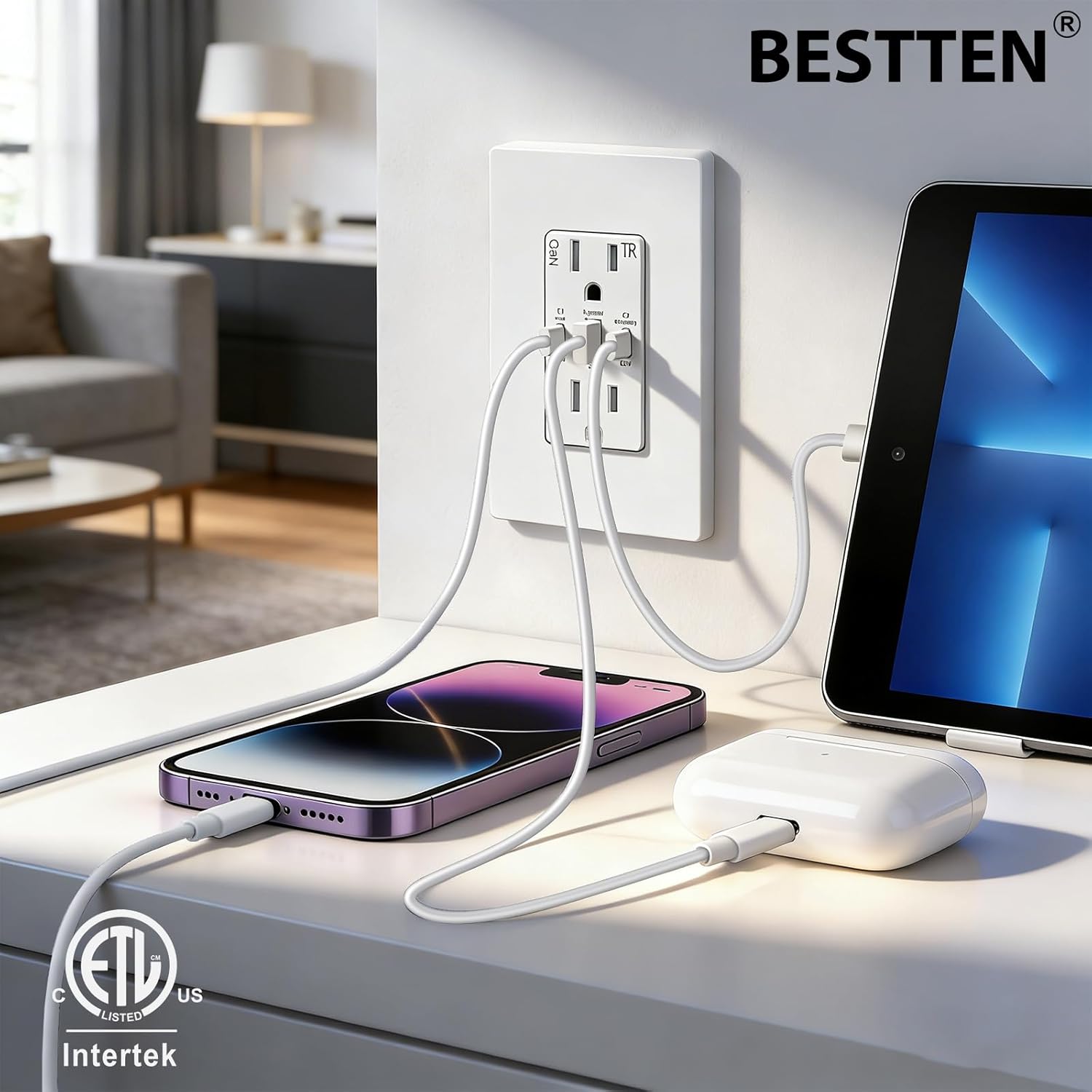
ചിത്രം 1: The BESTTEN GaN 65W USB C Wall Outlet features multiple built-in safety protections to ensure stable current output and device safety.
3. പാക്കേജ് ഉള്ളടക്കം
ഇൻസ്റ്റാളേഷൻ ആരംഭിക്കുന്നതിന് മുമ്പ് എല്ലാ ഘടകങ്ങളും നിലവിലുണ്ടെന്ന് ഉറപ്പാക്കുക:
- BESTTEN GaN 65W USB C Wall Outlet
- Screwless Wallplate
- മൗണ്ടിംഗ് സ്ക്രൂകൾ
4. ഉൽപ്പന്ന സവിശേഷതകൾ
- ഹൈ-സ്പീഡ് ചാർജിംഗ്: Features 2 PD 3.0 & PPS USB-C ports (65W max per port) and 1 Quick Charger 3.0 USB-A port (30W max). The main USB-C port delivers a stable 45W output even during simultaneous charging.
- GaN ടെക്നോളജി: Gallium Nitride (GaN) technology enables efficient power delivery, preventing overheating, overcurrent, and overvoltage while boosting charging efficiency to over 90%.
- സാർവത്രിക അനുയോജ്യത: Supports charging for laptops, smartphones, tablets, headphones, and other USB-C and USB-A devices.
- Tampഎർ-റെസിസ്റ്റന്റ് ഔട്ട്ലെറ്റുകൾ: Built-in shutters prevent foreign objects from being inserted into the AC outlets, enhancing safety.
- എളുപ്പമുള്ള ഇൻസ്റ്റാളേഷൻ: Designed for both back and side wiring for flexible installation.
- ETL/cETL Listed: സുരക്ഷയ്ക്കും ഗുണനിലവാര മാനദണ്ഡങ്ങൾക്കും സാക്ഷ്യപ്പെടുത്തി.

ചിത്രം 2: ടിamper-Resistant (TR) shutters provide an additional layer of safety, preventing accidental insertion of objects into the AC outlets.
5 സ്പെസിഫിക്കേഷനുകൾ

ചിത്രം 3: ഉൽപ്പന്ന അളവുകളും വിശദമായ സ്പെസിഫിക്കേഷനുകളും.
| സ്പെസിഫിക്കേഷൻ | മൂല്യം |
|---|---|
| റിസപ്റ്റാക്കിൾ റേറ്റിംഗ് | 15 Amp, 125VAC, 60Hz |
| USB പോർട്ടുകൾ | 2 USB Type-C (C1 main, C2 secondary), 1 USB Type-A |
| പരമാവധി USB ഔട്ട്പുട്ട് | 65W |
| USB Agreement | PD3.0/PPS/QC3.0/QC2.0/QC4+/FCP SCF AFC/Apple2.4/BC1.2/PE+ |
| പ്രവർത്തന താപനില | -4°F മുതൽ 104°F വരെ (-20°C മുതൽ 40°C വരെ) |
| വയർ ടെർമിനലുകൾ | #14 - #12 AWG |
| സർട്ടിഫിക്കേഷൻ | ETL/cETL ലിസ്റ്റ് ചെയ്തു |
| അളവുകൾ (L x W) | 4.69"L x 2.91"W (11.9cm x 7.39cm) |
| മെറ്റീരിയൽ | പോളികാർബണേറ്റ് (PC) |
| ഉൾപ്പെടുത്തിയ ഘടകങ്ങൾ | USB outlet, wallplate, screws |
6. ഇൻസ്റ്റലേഷൻ നിർദ്ദേശങ്ങൾ
6.1 പ്രീ-ഇൻസ്റ്റലേഷൻ പരിശോധന
- Ensure the electrical box has sufficient depth. For this outlet, the electrical box depth should be at least 2 inches (5.08 cm).
- Turn off power at the circuit breaker or fuse box before starting.
6.2 വയറിംഗ് ഘട്ടങ്ങൾ
This outlet supports both side wiring and back wiring for 12 AWG and 14 AWG wires.
- Strip approximately 0.5 inches (1.27 cm) of insulation from the ends of the electrical wires.
- ബന്ധിപ്പിക്കുക ചൂട് wire (typically black) to the terminal with the brass screw.
- ബന്ധിപ്പിക്കുക നിഷ്പക്ഷ wire (typically white) to the terminal with the silver screw.
- ബന്ധിപ്പിക്കുക ഗ്രൗണ്ട് wire (typically green or bare copper) to the പച്ച ടെർമിനൽ.
- എല്ലാ കണക്ഷനുകളും ഇറുകിയതും സുരക്ഷിതവുമാണെന്ന് ഉറപ്പാക്കുക.
- Carefully push the wired outlet into the electrical box.
- Secure the outlet to the electrical box using the provided mounting screws.
- Attach the screwless wallplate.
- സർക്യൂട്ട് ബ്രേക്കറിൽ വൈദ്യുതി പുനഃസ്ഥാപിക്കുക.
6.3 മുന്നറിയിപ്പുകൾ
- Do not unscrew the terminal screws too far or with excessive force.
- Do not use power tools to loosen the terminal screws.
- The USB receptacle can only be wired to one circuit.

ചിത്രം 4: Wiring instructions for the BESTTEN GaN 65W USB C Wall Outlet.
7. പ്രവർത്തന നിർദ്ദേശങ്ങൾ
7.1 Using the AC Outlets
The two standard AC outlets provide 15A, 125VAC power for your electrical appliances. Insert plugs firmly into the outlets. The tamper-resistant shutters may require a slight increase in force to insert a plug, which is normal operation for safety.
7.2 യുഎസ്ബി ചാർജിംഗ് പോർട്ടുകൾ ഉപയോഗിക്കുന്നു
The outlet features two USB Type-C ports (C1 main, C2 secondary) and one USB Type-A port for charging compatible devices. The built-in smart detection system automatically identifies your device's power needs and optimizes the charging current.
7.2.1 വൈദ്യുതി വിതരണം
The total power output is dynamically distributed based on the number of connected devices:
- സിംഗിൾ-പോർട്ട് ചാർജിംഗ്:
- USB-C1: Up to 65W
- USB-A: Up to 30W
- USB-C2: Up to 65W - രണ്ട്-പോർട്ട് ചാർജിംഗ്:
- USB-C1 + USB-C2: USB-C1 (45W Max), USB-C2 (20W Max)
- USB-C1 + USB-A: USB-C1 (45W Max), USB-A (18W Max)
- USB-C2 + USB-A: 15W Max (shared) - ത്രീ-പോർട്ട് ചാർജിംഗ്:
- USB-C1 + USB-A + USB-C2: USB-C1 (45W Max), USB-A + USB-C2 (15W Max shared)

ചിത്രം 5: Multi-Port Charging power distribution diagram.
7.2.2 ഉപകരണ അനുയോജ്യത
The USB ports are compatible with a wide range of devices, including but not limited to:
- ലാപ്ടോപ്പുകൾ: MacBook Pro, MacBook Air, Thinkpad, Microsoft Surface Book, etc.
- ഫോണുകൾ: iPhone series, Samsung Galaxy, Motorola, Google Pixel, etc.
- ഗുളികകൾ: iPad Pro, Samsung Galaxy Tab, Huawei Mate Pad, etc.
- മറ്റ് യുഎസ്ബി ഉപകരണങ്ങൾ: Air Pods, smartwatches, digital cameras, gaming consoles (e.g., Nintendo Switch), headphones.

ചിത്രം 6: Wide compatibility with various devices and charging protocols.
8. പരിപാലനം
The BESTTEN GaN 65W USB C Wall Outlet requires minimal maintenance.
- വൃത്തിയാക്കൽ: Disconnect power at the circuit breaker before cleaning. Wipe the surface with a soft, dry cloth. Do not use abrasive cleaners or solvents.
- പരിശോധന: Periodically inspect the outlet and wallplate for any signs of damage, such as cracks or discoloration. If damage is observed, discontinue use and consult a qualified electrician for replacement.
9. പ്രശ്നപരിഹാരം
If you experience issues with your BESTTEN GaN 65W USB C Wall Outlet, refer to the following common problems and solutions:
| പ്രശ്നം | സാധ്യമായ കാരണം | പരിഹാരം |
|---|---|---|
| എസി ഔട്ട്ലെറ്റുകളിൽ നിന്നോ യുഎസ്ബി പോർട്ടുകളിൽ നിന്നോ വൈദ്യുതിയില്ല. | Circuit breaker tripped, loose wiring, or faulty unit. | Check your circuit breaker and reset if tripped. Verify wiring connections are secure (turn off power first). If problem persists, consult a qualified electrician. |
| USB device not charging or charging slowly. | Incompatible cable, device not supported, multiple devices drawing power, or device requires higher wattage. | Ensure you are using a compatible charging cable. Check device compatibility. Refer to the power distribution section (7.2.1) for expected output with multiple devices. Some devices may require higher wattage than available when multiple ports are in use. |
| Outlet feels warm during use. | Normal operation under heavy load, or potential overload. | A slight warmth is normal during heavy use due to power conversion. If the outlet becomes excessively hot, disconnect devices immediately and check for overloading. Ensure proper ventilation. |
| Plug difficult to insert into AC outlet. | Tampഎർ-റെസിസ്റ്റൻ്റ് ഷട്ടറുകൾ. | This is normal for tamper-resistant outlets. Apply firm, even pressure to insert the plug. |
10. വാറൻ്റിയും പിന്തുണയും
BESTTEN products are designed and manufactured to high-quality standards. For information regarding warranty coverage, please refer to the warranty card included with your purchase or visit the official BESTTEN webസൈറ്റ്.
If you require technical assistance or have questions not covered in this manual, please contact BESTTEN customer support through their official website or the retailer where the product was purchased. Please have your model number (USP-2C1A-15-65) available when contacting support.