
1. സജ്ജീകരണം
This section guides you through the initial setup of your ATTACK SHARK R68 HE keyboard.
1.1 കീബോർഡ് ബന്ധിപ്പിക്കുന്നു
The R68 HE keyboard is a wired device. Connect the provided USB-C cable to the keyboard's port and the other end to an available USB port on your PC or Mac. The keyboard will be automatically recognized by your operating system.
1.2 ഡ്രൈവറും സോഫ്റ്റ്വെയർ ഇൻസ്റ്റാളേഷനും
For full customization and advanced features, it is recommended to use the dedicated software. You can access the web-based driver or download the software from the official ATTACK SHARK webസൈറ്റ്.
Quick Calibration Guide
Follow these steps to calibrate your keyboard for optimal performance:
- തുറക്കുക web driver or the downloaded software.
- In the "Keyboard Setting" panel, find "Travel Calibration" on the right side and click it.
- In the pop-up window, select "Start Calibration."
- Follow the on-screen instructions, then click "Calibration Complete" to finish.

Image: Software interface showing the steps for quick calibration, including selecting 'Travel Calibration' and 'Start Calibration'.
2. പ്രവർത്തന നിർദ്ദേശങ്ങൾ
Understand the advanced features and controls of your R68 HE keyboard.
2.1 പ്രകടന സവിശേഷതകൾ
The R68 HE is engineered for high-performance gaming:
- Rapid Trigger (RT) Technology: Features 0.005mm adjustable RT technology for ultra-fast keystroke registration and lightning-fast stops.
- അൾട്രാ ലോ ലേറ്റൻസി: Achieves 0.08ms latency with an 8000Hz polling rate.
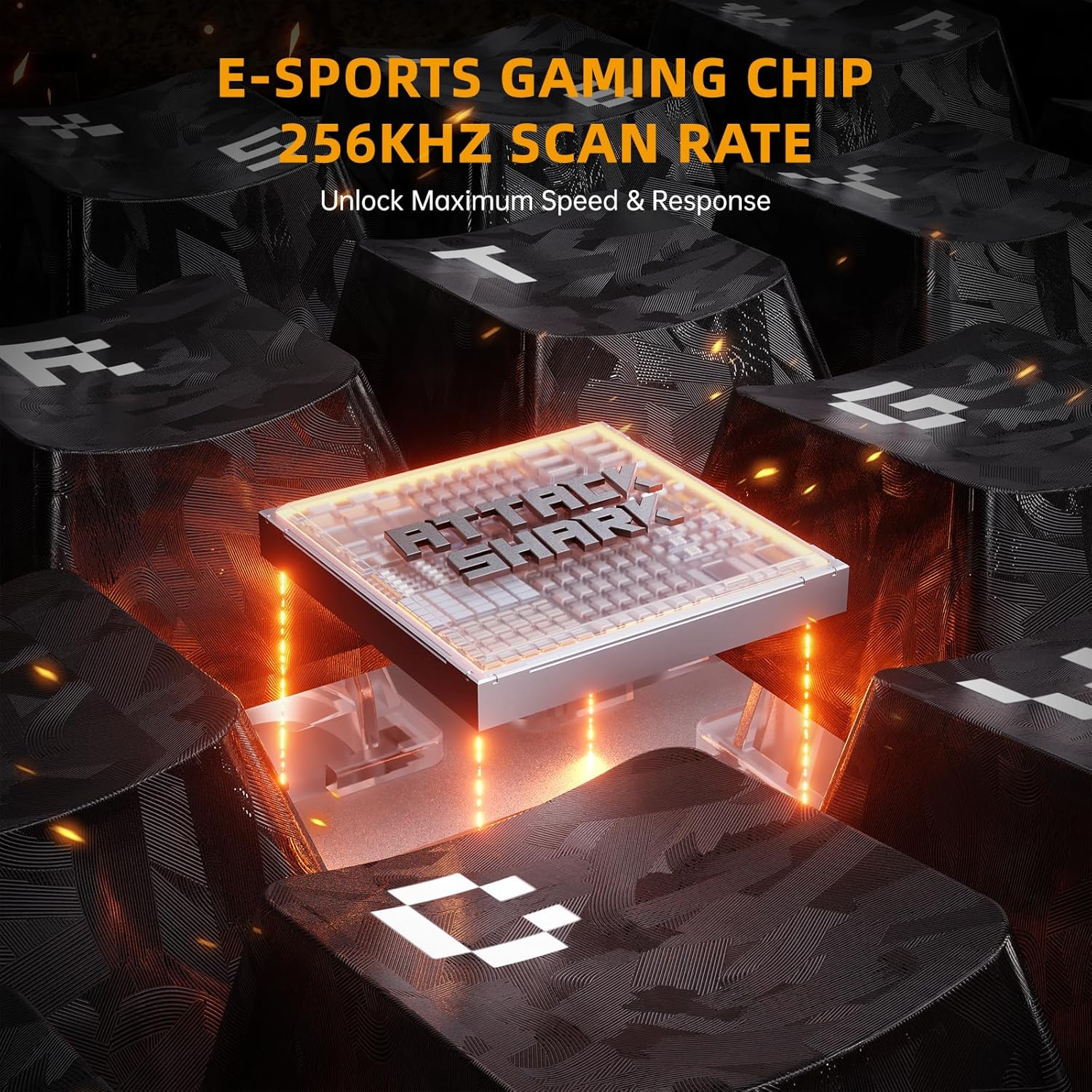
- ഉയർന്ന സ്കാൻ നിരക്ക്: Equipped with a 256K scan rate for maximum speed and response.
- ക്രമീകരിക്കാവുന്ന ആക്ച്വേഷൻ പോയിന്റ്: Customize the actuation distance from 0.1mm to 3.4mm across the entire key travel.
- Dynamic Keystrokes: Supports advanced functions like DKS (Dynamic Key Stroke), MT (Macro Trigger), and TGL (Toggle).

Image: A composite image highlighting key features such as 8000Hz polling rate, 0.005mm RT accuracy, 256K scan rate, and adjustable actuation point.
2.2 Hall Effect Magnetic Switches
The keyboard features pre-installed custom magnetic switches that offer a smooth feel and precise actuation. These switches are hot-swappable, allowing you to replace them with 8 types of high-performance magnetic switches to suit your playstyle.
ചിത്രം: വിശദമായത് view of a magnetic switch, illustrating its components and specifications.
2.3 RGB ലൈറ്റിംഗ് കസ്റ്റമൈസേഷൻ
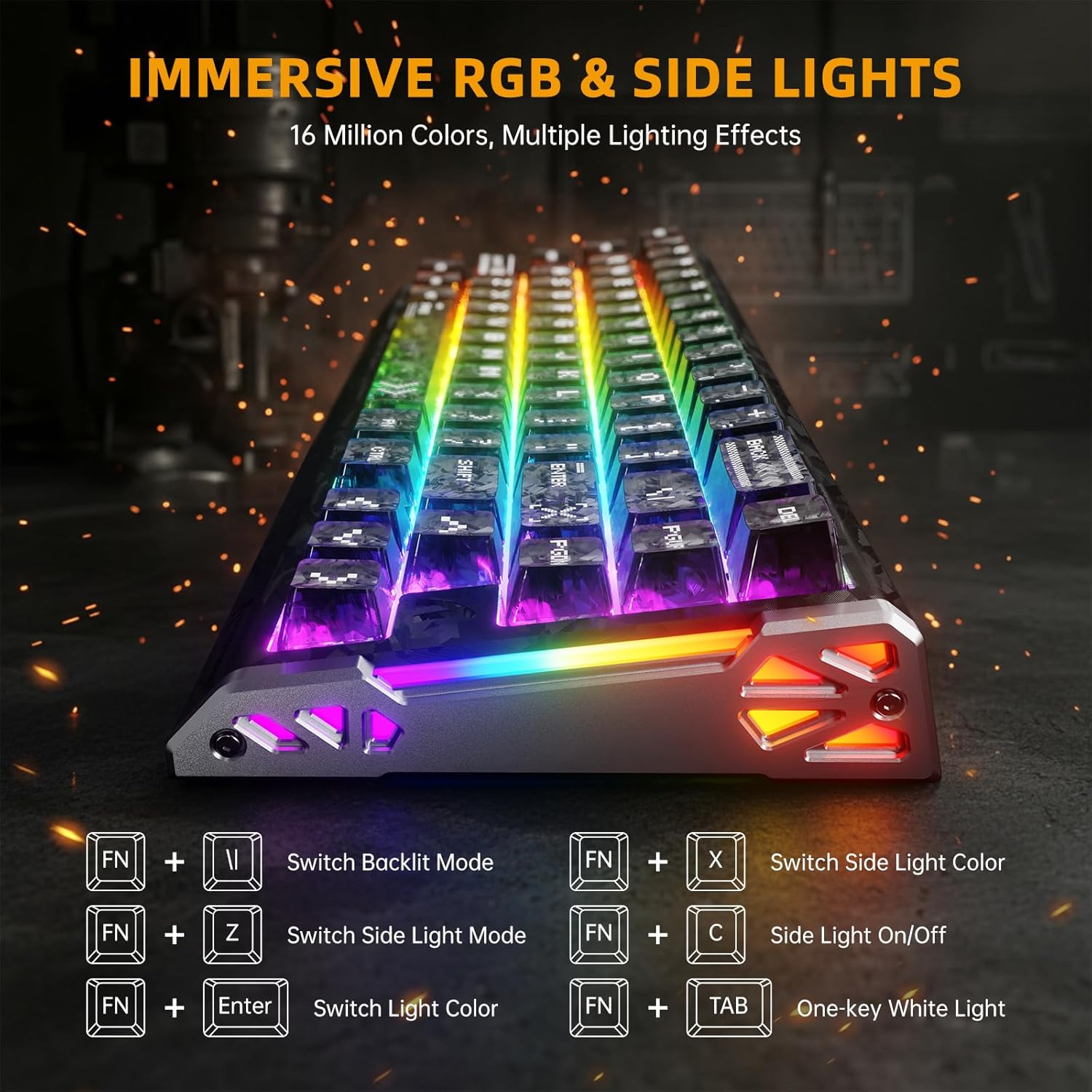
Elevate your setup with dual-sided dynamic RGB light strips and custom per-key RGB featuring 16.8 million colors. Use the following FN key combinations to control the lighting:
- FN + \|: Switch Backlit Mode
- എഫ്എൻ + എക്സ്: Switch Side Light Color
- എഫ്എൻ + ഇസഡ്: Switch Side Light Mode
- FN + C: Side Light On/Off
- FN + നൽകുക: ഇളം നിറം മാറ്റുക
- FN + ടാബ്: One-key White Light
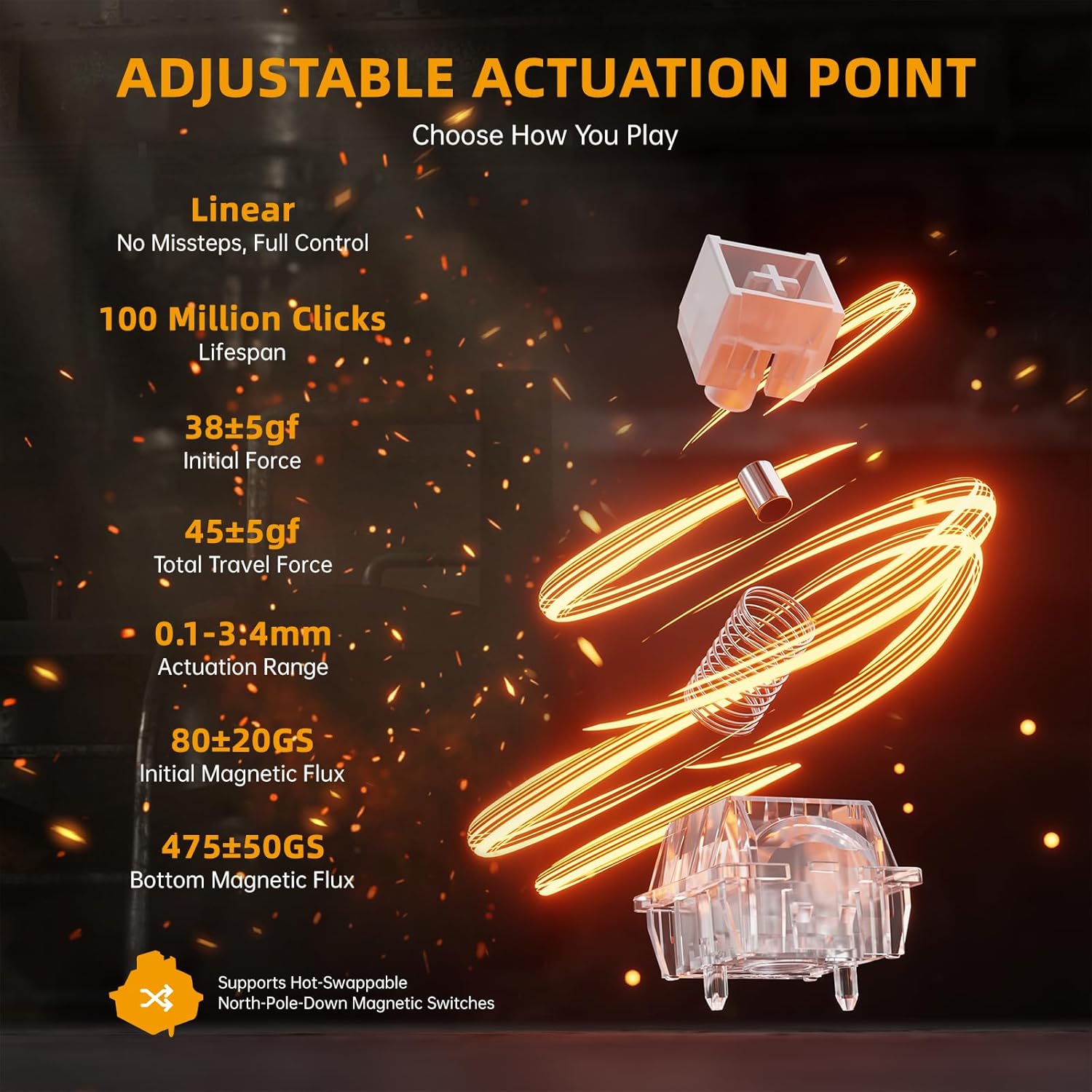
Image: The keyboard displaying various RGB lighting effects, with a diagram of FN key combinations for lighting control.
2.4 Macro Programming and Compatibility
അവബോധജന്യമായ web-based driver or downloaded software allows for full-key macro programming. Create complex macros like Rapid Trigger (RT), SOCD (Simultaneous Opposite Cardinal Directions), and other advanced functions. Your settings are saved even when you switch devices. The keyboard is compatible with Windows and Mac systems.
വീഡിയോ: ഒരു ഔദ്യോഗിക ഉൽപ്പന്ന വീഡിയോ പ്രദർശനംasing the ATTACK SHARK R68 HE keyboard's features, including its rapid trigger, low latency, magnetic switches, and customizable RGB lighting. This video provides a visual demonstration of the keyboard's performance and design.
3. പരിപാലനം
ശരിയായ അറ്റകുറ്റപ്പണി നിങ്ങളുടെ കീബോർഡിന്റെ ദീർഘായുസ്സും പ്രകടനവും ഉറപ്പാക്കുന്നു.
3.1 കീബോർഡ് വൃത്തിയാക്കൽ
നിങ്ങളുടെ കീബോർഡ് വൃത്തിയാക്കാൻ, കമ്പ്യൂട്ടറിൽ നിന്ന് അത് വിച്ഛേദിക്കുക. മൃദുവായ, ലിന്റ് രഹിത തുണി ഉപയോഗിച്ച് ചെറുതായി വൃത്തിയാക്കുക.ampened with water or a mild cleaning solution to wipe down the keycaps and chassis. For dust and debris between keys, use compressed air. Avoid spraying liquids directly onto the keyboard.
3.2 കീക്യാപ്പ്, സ്വിച്ച് കെയർ
The R68 HE features hot-swappable magnetic switches. If you wish to replace keycaps or switches, use the provided keycap puller and switch puller tools. Gently pull keycaps straight up to remove them. For switches, use the switch puller to carefully dislodge them. Ensure proper alignment when reinserting to avoid damage.
ശബ്ദം ഡിampഎനേജിംഗ് സിസ്റ്റം
The keyboard incorporates a 6-layer sound dampening system for an optimal typing sound. This internal structure is not user-serviceable and should not be disassembled.
ചിത്രം: പൊട്ടിത്തെറിച്ച ഒരു view diagram of the keyboard's internal 6-layer sound dampഎനിങ് ഘടന.
4. പ്രശ്നപരിഹാരം
പൊതുവായ പ്രശ്നങ്ങൾക്കുള്ള പരിഹാരങ്ങൾക്കായി ഈ വിഭാഗം കാണുക.
4.1 കീബോർഡ് കണക്റ്റുചെയ്യുന്നില്ല/പ്രതികരിക്കുന്നില്ല
- കേബിൾ കണക്ഷൻ പരിശോധിക്കുക: Ensure the USB-C cable is securely plugged into both the keyboard and your computer. Try a different USB port.
- കമ്പ്യൂട്ടർ പുനരാരംഭിക്കുക: ഒരു ലളിതമായ പുനരാരംഭം പലപ്പോഴും കണക്റ്റിവിറ്റി പ്രശ്നങ്ങൾ പരിഹരിക്കും.
- Driver/Software Check: Verify that the keyboard software is installed correctly and up to date. Reinstall if necessary.
- മറ്റൊരു ഉപകരണത്തിൽ പരീക്ഷിക്കുക: കഴിയുമെങ്കിൽ, പ്രശ്നം കീബോർഡിലാണോ അതോ നിങ്ങളുടെ സിസ്റ്റത്തിലാണോ എന്ന് നിർണ്ണയിക്കാൻ മറ്റൊരു കമ്പ്യൂട്ടറിൽ കീബോർഡ് പരീക്ഷിച്ചു നോക്കുക.
4.2 RGB ലൈറ്റിംഗ് ശരിയായി പ്രവർത്തിക്കുന്നില്ല.
- Check FN Key Combinations: Ensure you are using the correct FN key combinations to cycle through lighting modes and colors (refer to section 2.3).
- സോഫ്റ്റ്വെയർ ക്രമീകരണങ്ങൾ: Open the keyboard software and check the RGB lighting settings. Ensure no profiles are overriding your desired effects.
- ഫേംവെയർ അപ്ഡേറ്റ്: Check for any available firmware updates for your keyboard through the official software.
4.3 കീകൾ രജിസ്റ്റർ ചെയ്യുന്നില്ല അല്ലെങ്കിൽ ഇരട്ട-ടൈപ്പിംഗ് ചെയ്യുന്നില്ല
- കീക്യാപ്പുകൾക്കടിയിൽ വൃത്തിയാക്കുക: Dust or debris under the keycaps can interfere with switch operation. Refer to section 3.1 for cleaning instructions.
- Recalibrate Switches: Perform the travel calibration process as described in section 1.2.
- ശാരീരിക നാശനഷ്ടങ്ങൾ പരിശോധിക്കുക: Inspect the affected switch for any visible damage. If a switch is faulty, it may need to be replaced (refer to section 3.2).
5 സ്പെസിഫിക്കേഷനുകൾ
Detailed technical specifications for the ATTACK SHARK R68 HE keyboard.
| ഫീച്ചർ | വിശദാംശങ്ങൾ |
|---|---|
| ബ്രാൻഡ് | അറ്റാക്ക് സ്രാവ് |
| മോഡൽ | R68 ഹെ |
| കണക്റ്റിവിറ്റി ടെക്നോളജി | USB-C വയേർഡ് |
| കീബോർഡ് വിവരണം | മെക്കാനിക്കൽ |
| സ്വിച്ച് തരം | Linear Hall Effect Magnetic Switch |
| പോളിംഗ് നിരക്ക് | 8KHz |
| ലേറ്റൻസി | 0.08മി.എസ് |
| ആർടി കൃത്യത | 0.005 മി.മീ |
| സ്കാനിംഗ് നിരക്ക് | 256K |
| പ്രവർത്തന ശ്രേണി | 0.1-3.4 മിമി (ക്രമീകരിക്കാവുന്നത്) |
| കീക്യാപ് മെറ്റീരിയൽ | PBT (Forged Carbon Fiber Pattern) |
| ചേസിസ് മെറ്റീരിയൽ | Carbon Fiber (top case), CNC Aluminum Alloy (side accents) |
| ശബ്ദം ഡിampening | 6-Layer Filling System |
| ബാക്ക്ലൈറ്റിംഗ് | Custom Per-Key RGB, Dual-sided Dynamic RGB Strips |
| കീകളുടെ എണ്ണം | 68 |
| കീബോർഡ് ലേഔട്ട് | 60% ANSI (QWERTY) |
| അനുയോജ്യമായ ഉപകരണങ്ങൾ | PC, Mac, Laptop |
| ഓപ്പറേറ്റിംഗ് സിസ്റ്റം പിന്തുണ | Windows 10+, Mac OS 10.15+ |
6. വാറണ്ടിയും പിന്തുണയും
ATTACK SHARK products are manufactured to high-quality standards. This product comes with a standard manufacturer's warranty against defects in materials and workmanship.
6.1 വാറൻ്റി വിവരങ്ങൾ
Please retain your proof of purchase for warranty claims. The warranty period typically covers manufacturing defects under normal use. Damage resulting from misuse, accidents, unauthorized modifications, or improper installation is not covered.
6.2 ഉപഭോക്തൃ പിന്തുണ
For technical assistance, warranty claims, or product inquiries, please contact ATTACK SHARK customer support through their official website or the retailer where you purchased the product. You can also visit the ആമസോണിലെ അറ്റാക്ക് ഷാർക്ക് സ്റ്റോർ കൂടുതൽ വിവരങ്ങൾക്കും പിന്തുണാ ഉറവിടങ്ങൾക്കും.