
ആമുഖം
This manual provides essential information for the safe operation and maintenance of your CHUBORY F89 4K Drone. Please read this guide thoroughly before operating the drone to ensure proper function and to prevent damage or injury. Keep this manual for future reference.
ഉൽപ്പന്നം കഴിഞ്ഞുview
The CHUBORY F89 is a foldable drone equipped with a 2K HD camera, brushless motors, and multiple intelligent flight modes. It is designed for ease of use, making it suitable for beginners.
പ്രധാന സവിശേഷതകൾ:
- ബ്രഷ്ലെസ് മോട്ടോറുകൾ: Provides strong wind resistance, faster, quieter, and more powerful flight, with increased durability.
- 2K HD ക്യാമറ: 120° wide-angle front camera and bottom optical flow camera for capturing high-quality photos and videos.
- ദീർഘിപ്പിച്ച ഫ്ലൈറ്റ് സമയം: Equipped with 3 batteries, offering up to 60 minutes of total flight time (approximately 20 minutes per battery).
- ഫ്ലൈറ്റ് മോഡുകൾ: Optical Flow Positioning, Altitude Hold, First Person View (FPV), One-key Take-off & Landing, One-key Flip & Roll, Follow Me, Trajectory Flight, Headless Mode, Speed Adjustment, Gesture Selfie.
- മടക്കാവുന്ന ഡിസൈൻ: എളുപ്പമുള്ള ഗതാഗതത്തിനായി ഒതുക്കമുള്ളതും പോർട്ടബിൾ.

Image: The CHUBORY F89 drone in its unfolded state, ready for flight.

Image: Detail of the drone's 4K camera, highlighting its wide field of view and remote adjustability.
സജ്ജമാക്കുക
1. ഡ്രോൺ തുറക്കൽ
- Gently unfold the front arms of the drone until they lock into place.
- Unfold the rear arms. Ensure all arms are fully extended and secure.
2. ബാറ്ററി ഇൻസ്റ്റാളേഷനും ചാർജിംഗും
The drone uses rechargeable Lithium-Ion batteries. Ensure batteries are fully charged before each flight.
- Insert a charged battery into the drone's battery compartment until it clicks securely.
- To charge, connect the battery to the provided USB charging cable and plug it into a suitable USB power source (e.g., computer, USB wall adapter).
- Charging indicator lights will show charging status. Refer to the battery for specific light patterns.

Image: Three drone batteries, illustrating the charging process and their contribution to extended flight time.
3. റിമോട്ട് കൺട്രോളർ സജ്ജീകരണം
- റിമോട്ട് കൺട്രോളറിൽ 3 AA ബാറ്ററികൾ (ഉൾപ്പെടുത്തിയിട്ടില്ല) ഇൻസ്റ്റാൾ ചെയ്യുക.
- Extend the phone holder on the remote controller and securely place your smartphone.
4. ആപ്പ് ഇൻസ്റ്റാളേഷനും കണക്ഷനും
- Download the official CHUBORY drone app from your smartphone's app store (iOS or Android).
- ഡ്രോണും റിമോട്ട് കൺട്രോളറും ഓണാക്കുക.
- On your smartphone, connect to the drone's Wi-Fi network (usually named 'CHUBORY-XXXX').
- Open the app to establish a connection and view the live FPV feed.
5. പ്രൊപ്പല്ലർ ഇൻസ്റ്റാളേഷൻ (ആവശ്യമെങ്കിൽ)
- Ensure propellers are installed correctly according to their markings (A and B) on the corresponding motor arms.
- Use the provided screwdriver to secure the propellers with screws.

Image: All components included with the CHUBORY F89 drone, such as the drone, remote controller, batteries, spare propellers, and charging cables.
പ്രവർത്തന നിർദ്ദേശങ്ങൾ
1. പ്രീ-ഫ്ലൈറ്റ് ചെക്ക്ലിസ്റ്റ്
- ഡ്രോണിന്റെയും റിമോട്ട് കൺട്രോളറിന്റെയും ബാറ്ററികൾ പൂർണ്ണമായും ചാർജ് ചെയ്തിട്ടുണ്ടെന്ന് ഉറപ്പാക്കുക.
- പ്രൊപ്പല്ലറുകൾ സുരക്ഷിതമായി ഘടിപ്പിച്ചിട്ടുണ്ടെന്നും കേടുപാടുകൾ സംഭവിച്ചിട്ടില്ലെന്നും പരിശോധിക്കുക.
- Verify a stable Wi-Fi connection between the drone and your smartphone.
- Choose an open area free from obstacles, people, and animals.
2. കാലിബ്രേഷൻ
- ഡ്രോൺ പരന്നതും ലെവൽ ഉപരിതലത്തിൽ വയ്ക്കുക.
- Follow the calibration instructions in the app or remote controller to calibrate the gyroscope and compass. This is crucial for stable flight.
3. ടേക്ക് ഓഫും ലാൻഡിങ്ങും
- One-key Take-off: Press the one-key take-off button on the remote or in the app. The drone will automatically ascend and hover at a safe altitude.
- മാനുവൽ ടേക്ക് ഓഫ്: Push both joysticks down and outwards simultaneously to start the motors. Then, gently push the left joystick up to ascend.
- One-key Landing: Press the one-key landing button. The drone will automatically descend and land.
- മാനുവൽ ലാൻഡിംഗ്: Gently pull the left joystick down to descend. Once landed, push both joysticks down and inwards to stop the motors.
4. ഫ്ലൈറ്റ് നിയന്ത്രണങ്ങൾ
- ഇടത് ജോയിസ്റ്റിക്: ഉയരം (മുകളിലേക്ക്/താഴേക്ക്) ഭ്രമണം (ഇടത്/വലത്) എന്നിവ നിയന്ത്രിക്കുന്നു.
- വലത് ജോയിസ്റ്റിക്: മുന്നോട്ടും പിന്നോട്ടും ഇടത്തോട്ടോ വലത്തോട്ടോ ഉള്ള ചലനങ്ങൾ നിയന്ത്രിക്കുന്നു.
5. ഇൻ്റലിജൻ്റ് ഫ്ലൈറ്റ് മോഡുകൾ
- ആൾട്ടിറ്റ്യൂഡ് ഹോൾഡ്: The drone maintains a stable altitude, allowing easier control of horizontal movement.
- തലയില്ലാത്ത മോഡ്: The drone's orientation is relative to the pilot, eliminating the need to adjust for the drone's front direction. Ensure the drone's head orientation is consistent with the controller during connection and calibration for this mode.
- എന്നെ പിന്തുടരുക: The drone will automatically follow the remote controller or the connected smartphone.
- ട്രാക്ക് ഫ്ലൈറ്റ്: നിങ്ങളുടെ സ്മാർട്ട്ഫോൺ സ്ക്രീനിൽ ഒരു പാത വരയ്ക്കുക, ഡ്രോൺ നിർദ്ദിഷ്ട റൂട്ടിലൂടെ പറക്കും.
- ആംഗ്യ സെൽഫി: ഫോട്ടോ അല്ലെങ്കിൽ വീഡിയോ ക്യാപ്ചർ ട്രിഗർ ചെയ്യുന്നതിന് നിർദ്ദിഷ്ട കൈ ആംഗ്യങ്ങൾ നടത്തുക.
- One-key Flip & Roll: When the drone is more than 5 meters high, press the 360° flip button and push the right joystick in the desired direction to perform a flip.
- വേഗത ക്രമീകരണം: Adjust flight speed (low, medium, high) to suit your skill level and environmental conditions.

Image: The drone showcasing its versatile flight capabilities, including Master-mode, Tap fly, and Palm Gesture Photo.

Image: Visual guide to essential drone functions: One-key start/landing, Headless mode, Altitude hold, and Low battery warning.

Image: Explanation of the Smart Follow feature, where the drone tracks a target figure approximately 2 meters away.

Image: Description of Trajectory Flight, allowing the drone to fly along a path drawn on the screen.
6. ക്യാമറ പ്രവർത്തനം
- Use the dedicated buttons on the remote controller or the app interface to take photos or record videos.
- The camera angle can be adjusted remotely up to 90 degrees.
7. Flight Range
The CHUBORY F89 drone offers an image transmission range of up to 2650 feet (approximately 800 meters) and a maximum control range of 3280 feet (approximately 1000 meters).
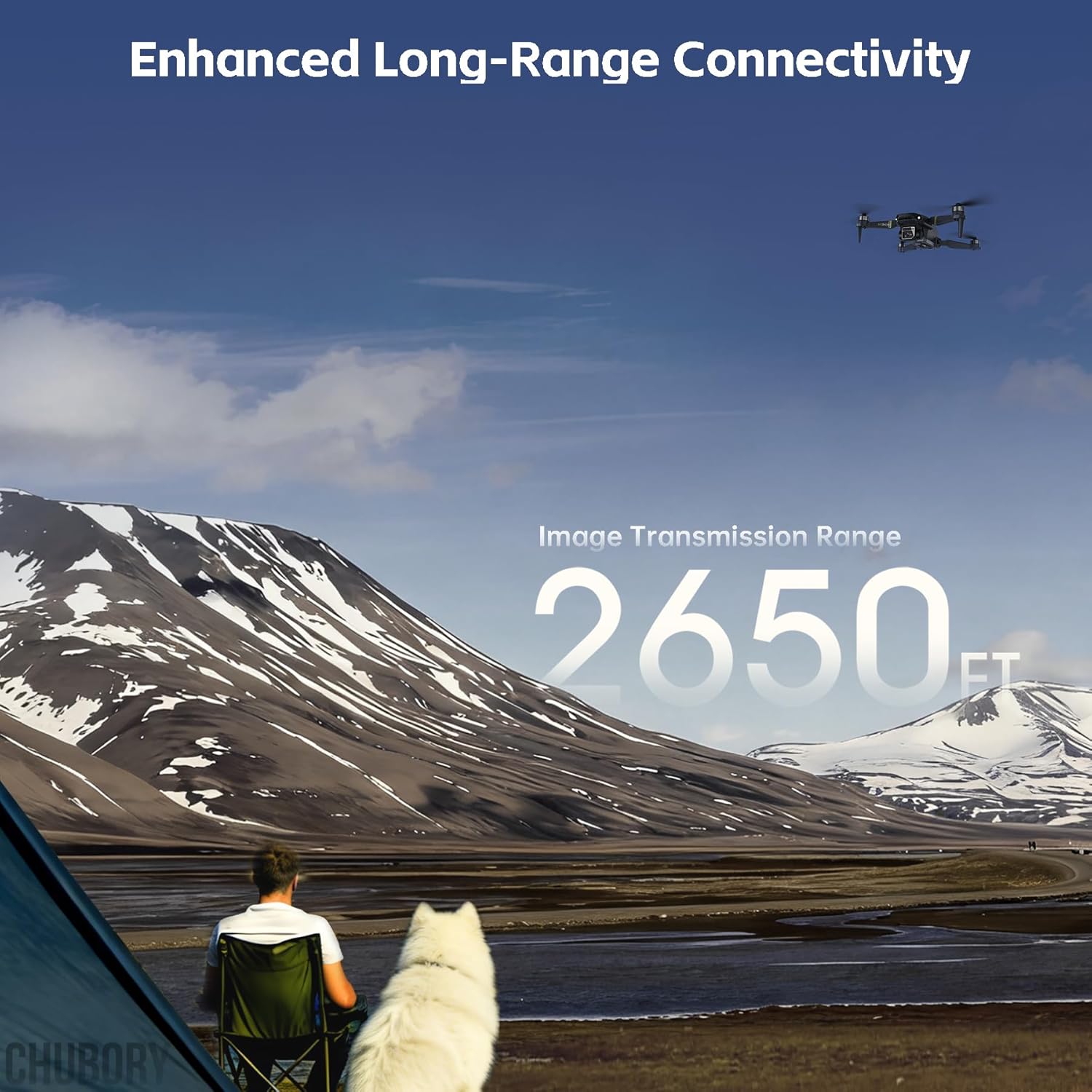
Image: The drone flying high above a scenic landscape, demonstrating its enhanced long-range connectivity up to 2650 feet.
മെയിൻ്റനൻസ്
1. ബാറ്ററി പരിചരണം
- ബാറ്ററികൾ അമിതമായി ചാർജ് ചെയ്യുകയോ ഡിസ്ചാർജ് ചെയ്യുകയോ ചെയ്യരുത്.
- നേരിട്ടുള്ള സൂര്യപ്രകാശത്തിൽ നിന്നും ഉയർന്ന താപനിലയിൽ നിന്നും അകലെ തണുത്തതും വരണ്ടതുമായ സ്ഥലത്ത് ബാറ്ററികൾ സൂക്ഷിക്കുക.
- If not used for extended periods, charge batteries to about 50% capacity every three months.
2. വൃത്തിയാക്കൽ
- Use a soft, dry cloth to clean the drone body and camera lens.
- കഠിനമായ രാസവസ്തുക്കളോ ലായകങ്ങളോ ഉപയോഗിക്കുന്നത് ഒഴിവാക്കുക.
3. പ്രൊപ്പല്ലർ മാറ്റിസ്ഥാപിക്കൽ
- Inspect propellers for cracks or damage before each flight.
- Replace damaged propellers immediately using the provided spare parts and screwdriver. Ensure correct A/B propeller orientation.
ട്രബിൾഷൂട്ടിംഗ്
| പ്രശ്നം | സാധ്യമായ കാരണം | പരിഹാരം |
|---|---|---|
| Drone does not respond to controller | Not paired; low battery; interference | Re-pair drone and controller; charge batteries; move to an area with less interference. |
| Unstable flight/Drifting | Improper calibration; damaged propellers; strong wind | Recalibrate the drone; replace damaged propellers; fly in calm conditions. |
| No FPV feed | No Wi-Fi connection; app issue | Ensure Wi-Fi is connected to the drone; restart the app and drone. |
| ചെറിയ ഫ്ലൈറ്റ് സമയം | Battery not fully charged; old battery | Fully charge batteries; consider replacing old batteries. |
| മോട്ടോറുകൾ കറങ്ങുന്നില്ല | Drone not armed; low battery | Perform manual take-off gesture to arm motors; charge battery. |
സ്പെസിഫിക്കേഷനുകൾ
| ഫീച്ചർ | വിശദാംശങ്ങൾ |
|---|---|
| ബ്രാൻഡ് | ചുബോറി |
| മോഡലിൻ്റെ പേര് | F89 |
| വീഡിയോ ക്യാപ്ചർ റെസല്യൂഷൻ | 2K |
| ഫലപ്രദമായ സ്റ്റിൽ റെസല്യൂഷൻ | 2 എം.പി |
| കണക്റ്റിവിറ്റി ടെക്നോളജി | വൈഫൈ |
| നിയന്ത്രണ തരം | റിമോട്ട് കൺട്രോൾ, ആപ്പ് കൺട്രോൾ |
| Maximum Control Range | 3280 അടി (ഏകദേശം 1000 മീറ്റർ) |
| ഇമേജ് ട്രാൻസ്മിഷൻ ശ്രേണി | 2650 അടി (ഏകദേശം 800 മീറ്റർ) |
| ഇനത്തിൻ്റെ ഭാരം | 115.7 ഗ്രാം |
| ബാറ്ററി ശേഷി | 1600 മില്ലിamp മണിക്കൂർ (ഓരോ ബാറ്ററിക്കും) |
| ബാറ്ററി സെൽ കോമ്പോസിഷൻ | ലിഥിയം അയോൺ |
| മെറ്റീരിയൽ | സംയുക്തം |
| ഇനത്തിന്റെ അളവുകൾ (L x W x H) | 3.74"L x 3.74"W x 1.18"H (മടക്കിയത്) |
ഔദ്യോഗിക ഉൽപ്പന്ന വീഡിയോകൾ
F89 Drone User Guide Video
This video provides a comprehensive user guide for the CHUBORY F89 drone, covering various operational aspects.
CHUBORY F89 Flight Test
Watch the CHUBORY F89 drone in action during a flight test, demonstrating its stability and maneuverability.
CHUBORY F89 Foldable Drone with 84mins Flight Time
This video highlights the extended flight capabilities of the CHUBORY F89 foldable drone, showcasing its 84-minute total flight time with multiple batteries.
CHUBORY F89 Beginner Drone with 84 Minutes of Flight Time
ഒരു ഓവർview of the CHUBORY F89, emphasizing its beginner-friendly features and impressive 84-minute flight duration.
വാറൻ്റിയും പിന്തുണയും
The CHUBORY F89 drone comes with a one-year warranty, ensuring peace of mind for your purchase. We are committed to providing permanent support for our products.
പിന്തുണയുമായി ബന്ധപ്പെടുക:
- ഇമെയിൽ സഹായം: For any inquiries or technical support, please contact us at chubory@qq.com. We offer 24/7 email assistance.
- ഉദ്യോഗസ്ഥൻ Webസൈറ്റ്: ഞങ്ങളുടെ ഉദ്യോഗസ്ഥനെ സന്ദർശിക്കുക website for additional resources and information: www.chubory.com.

Image: Visual representation of available support resources, including the user manual, quick start guide, operation videos, and email assistance.