
1. ഉൽപ്പന്നം കഴിഞ്ഞുview
The TESSAN Power Strip Tower JW402-IT is a versatile power solution designed for home and office use. It features 8 Italian Schuko outlets, 3 USB-A ports, and 1 USB-C port, providing a total of 12 charging options. Equipped with a 5-meter extension cable and independent switches, this power strip offers convenience and safety for multiple devices.

Image: TESSAN Power Strip Tower, showcasing its 8 Schuko outlets and 4 USB ports, ready to power multiple devices.
പ്രധാന സവിശേഷതകൾ:
- 12-ഇൻ-1 പവർ സൊല്യൂഷൻ: 8 Italian Schuko outlets, 3 USB-A ports, and 1 USB-C port.
- 20W PD ഫാസ്റ്റ് ചാർജിംഗ്: USB-C port and one USB-A port (A3) deliver up to 20W for rapid charging of compatible devices.
- 5-Meter Extension Cable: Provides extended reach for flexible placement.
- സ്വതന്ത്ര സ്വിച്ചുകൾ: Two separate ON/OFF switches for controlling groups of outlets, enhancing energy efficiency and safety.
- സമഗ്ര സുരക്ഷാ സംരക്ഷണം: Includes overload protection, short-circuit protection, lightning protection, and over-temperature protection.
- സ്പേസ് സേവിംഗ് ഡിസൈൻ: Vertical tower design with 45-degree angled outlets prevents plugs from blocking each other.
2. സുരക്ഷാ നിർദ്ദേശങ്ങൾ
- Do not exceed the maximum rated power of 2500W (10A, 110-250V~).
- ഈർപ്പമുള്ള അന്തരീക്ഷത്തിൽ ഉപയോഗിക്കരുത്.
- കുട്ടികളിൽ നിന്ന് അകന്നു നിൽക്കുക.
- ഉൽപ്പന്നം വേർപെടുത്തുകയോ പരിഷ്കരിക്കുകയോ ചെയ്യരുത്.
- Ensure plugs are fully inserted into the outlets.
- Unplug the power strip from the wall outlet when not in use for extended periods.
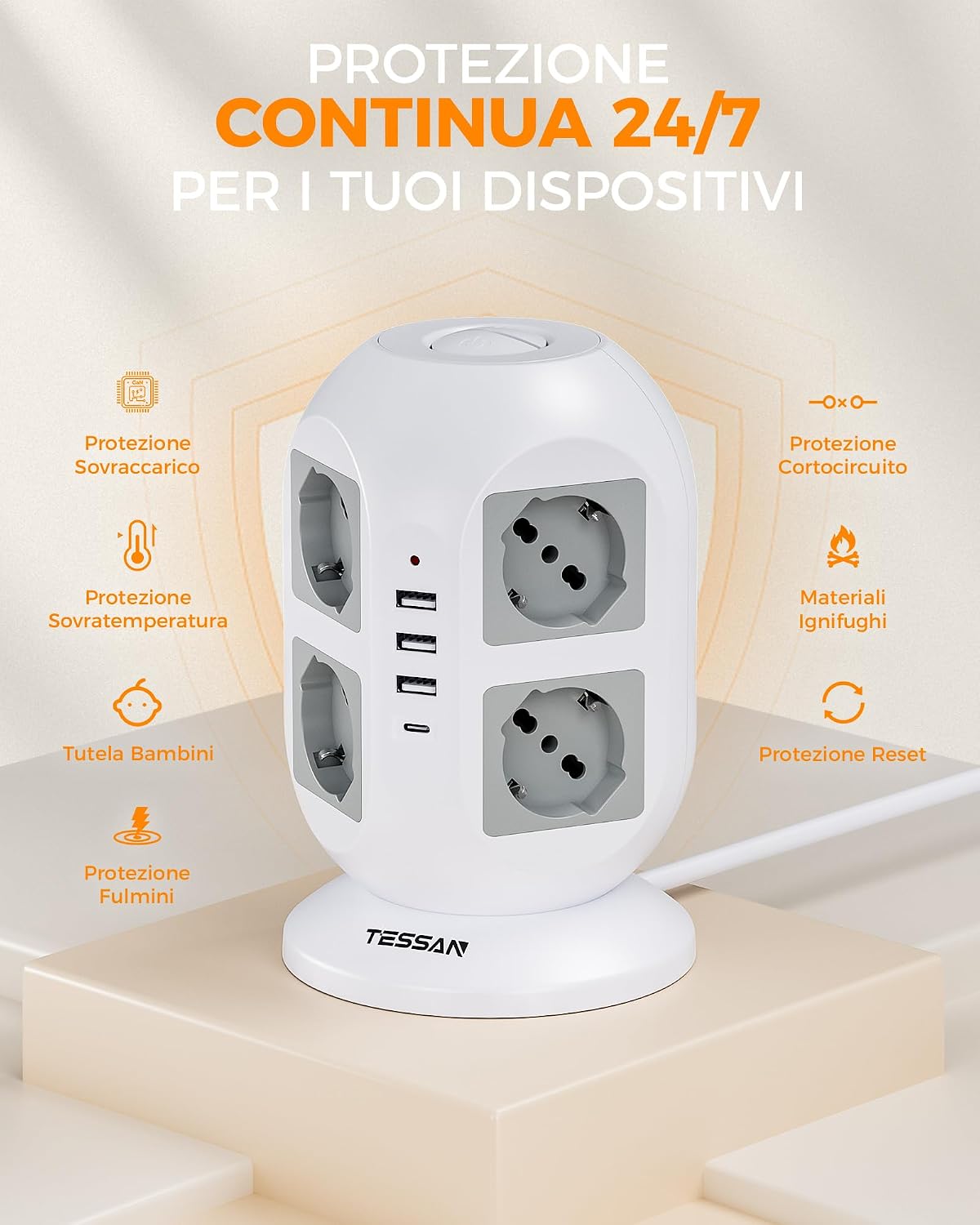
Image: Visual representation of the power strip's continuous 24/7 protection features, including overload, short-circuit, over-temperature, and lightning protection, along with child safety and fire-retardant materials.
3. സജ്ജീകരണം
- അൺപാക്ക്: പവർ സ്ട്രിപ്പ് അതിന്റെ പാക്കേജിംഗിൽ നിന്ന് ശ്രദ്ധാപൂർവ്വം നീക്കം ചെയ്യുക.
- പ്ലേസ്മെൻ്റ്: Place the power strip on a stable, dry surface, away from heat sources and direct sunlight. The 5-meter cable allows for flexible positioning.
- വാൾ ഔട്ട്ലെറ്റിലേക്ക് ബന്ധിപ്പിക്കുക: Plug the power strip's main plug into a grounded wall outlet.
- ഉപകരണങ്ങൾ ബന്ധിപ്പിക്കുക:
- Insert appliance plugs into the 8 Schuko outlets. The 45-degree angled design helps prevent overcrowding.
- Connect USB-powered devices to the 3 USB-A ports or the 1 USB-C port.

Image: The TESSAN Power Strip with its 5-meter extension cable, demonstrating its reach and flexibility for placement in various scenarios, such as a living room setup.
4. പ്രവർത്തന നിർദ്ദേശങ്ങൾ
പവർ ചെയ്യുന്ന ഉപകരണങ്ങൾ:
- After plugging in your devices, press the corresponding ON/OFF switch to activate the outlets. The power strip features two independent switches, allowing you to control different sets of outlets.
- A red indicator light will illuminate when the power strip is active.

Image: Detail of the two independent ON/OFF switches located on the top of the power strip, allowing for separate control of connected devices.
USB ചാർജിംഗ്:
- യുഎസ്ബി-സി പോർട്ട്: Provides up to 20W Power Delivery (PD) for fast charging compatible smartphones, tablets, and other USB-C devices.
- USB-A3 പോർട്ട്: Also provides up to 20W for fast charging compatible devices.
- USB-A1 & USB-A2 പോർട്ടുകൾ: Combined output of up to 12W for standard charging of various USB devices.
- Simply connect your device's USB charging cable to the appropriate port.

Image: The TESSAN Power Strip actively charging a tablet via USB-C and other devices, highlighting the 20W PD fast charging capability and the different USB port outputs.
5. പരിപാലനം
- വൃത്തിയാക്കൽ: വൃത്തിയാക്കുന്നതിന് മുമ്പ് വാൾ ഔട്ട്ലെറ്റിൽ നിന്ന് പവർ സ്ട്രിപ്പ് വിച്ഛേദിക്കുക. ഉപരിതലം തുടയ്ക്കാൻ ഉണങ്ങിയതും മൃദുവായതുമായ തുണി ഉപയോഗിക്കുക. ദ്രാവക ക്ലീനറുകളോ ഉരച്ചിലുകളോ ഉള്ള വസ്തുക്കൾ ഉപയോഗിക്കരുത്.
- സംഭരണം: When not in use, store the power strip in a cool, dry place, away from dust and moisture.
- പരിശോധന: Periodically inspect the power cord and the power strip for any signs of damage. If damage is found, discontinue use and contact customer support.
6. പ്രശ്നപരിഹാരം
| പ്രശ്നം | സാധ്യമായ കാരണം | പരിഹാരം |
|---|---|---|
| No power to outlets/USB ports. |
|
|
| USB വഴി ഉപകരണങ്ങൾ ചാർജ് ചെയ്യുന്നില്ല. |
|
|
| പവർ സ്ട്രിപ്പ് ചൂടായി തോന്നുന്നു. |
|
|
7 സ്പെസിഫിക്കേഷനുകൾ
| ഫീച്ചർ | വിശദാംശങ്ങൾ |
|---|---|
| മോഡൽ നമ്പർ | JW402-IT |
| ബ്രാൻഡ് | ടെസ്സാൻ |
| എസി lets ട്ട്ലെറ്റുകൾ | 8 Italian Schuko Sockets |
| USB പോർട്ടുകൾ | 3 x USB-A, 1 x USB-C |
| USB-C ഔട്ട്പുട്ട് | 20W പരമാവധി |
| USB-A3 ഔട്ട്പുട്ട് | 20W പരമാവധി |
| USB-A1 & USB-A2 Combined Output | 12W പരമാവധി |
| റേറ്റുചെയ്ത പവർ | 2500W (10A, 110-250V~) |
| കേബിൾ നീളം | 5 മീറ്റർ |
| പ്രത്യേക സവിശേഷതകൾ | Independent ON/OFF Switches, Overload Protection, Short-circuit Protection, Lightning Protection, Over-temperature Protection |
| നിറം | ചാരനിറം |
| അനുയോജ്യമായ ഉപകരണങ്ങൾ | General electronic devices |
8. വാറൻ്റിയും പിന്തുണയും
TESSAN products are designed for reliability and performance. This product typically comes with a standard manufacturer's warranty. Please refer to the warranty information provided with your purchase or visit the official TESSAN webവാറന്റി നിബന്ധനകളും വ്യവസ്ഥകളും സംബന്ധിച്ച വിശദാംശങ്ങൾക്ക് സൈറ്റ് സന്ദർശിക്കുക.
For technical support, troubleshooting assistance, or warranty claims, please contact TESSAN customer service through their official website or the retailer from whom you purchased the product. Have your model number (JW402-IT) and purchase details ready when contacting support.
നിർമ്മാതാവ്: Dongguan JunWei Electronics Co.,Ltd