
ആമുഖം
Thank you for choosing the GOBOULT Y1 v2.0 Wireless Earbuds. This manual provides essential information for setting up, operating, and maintaining your earbuds to ensure optimal performance and longevity. Please read it carefully before use.
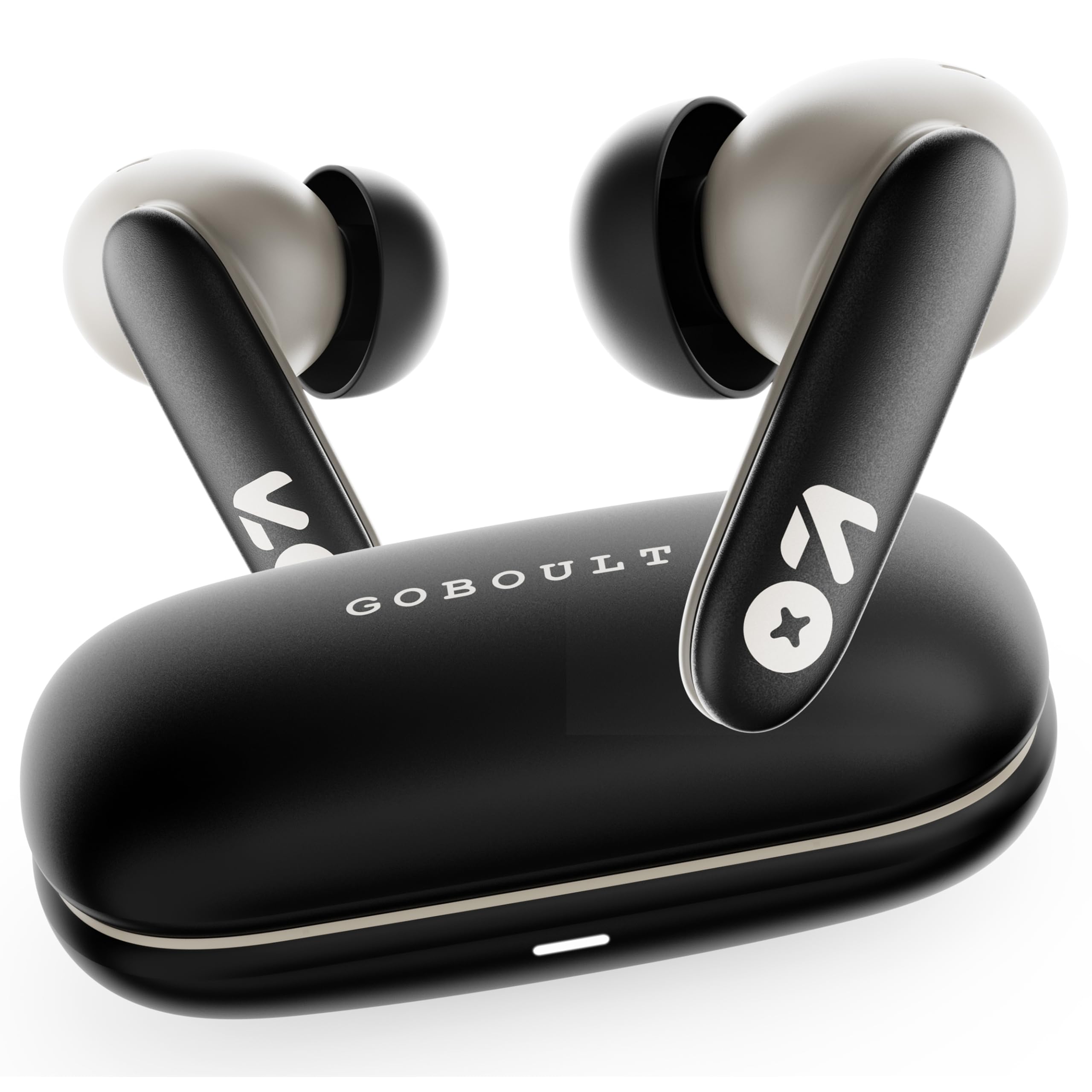
Image: GOBOULT Y1 v2.0 Wireless Earbuds and their charging case, showcasing മിനുസമാർന്ന ഡിസൈൻ.
ബോക്സിൽ എന്താണുള്ളത്
- GOBOULT Y1 v2.0 Wireless Earbuds
- ചാർജിംഗ് കേസ്
- യുഎസ്ബി ടൈപ്പ്-സി ചാർജിംഗ് കേബിൾ
- ഇയർ കുഷ്യനുകൾ (വിവിധ വലുപ്പങ്ങൾ)
- ഉപയോക്തൃ മാനുവൽ
- വാറൻ്റി കാർഡ്
ഉൽപ്പന്ന സവിശേഷതകൾ
The GOBOULT Y1 v2.0 earbuds are designed with advanced features for an enhanced audio experience:
- വിപുലീകരിച്ച കളിസമയം: ചാർജിംഗ് കെയ്സ് ഉപയോഗിച്ച് ആകെ 60 മണിക്കൂർ വരെ പ്ലേടൈം.
- ബ്ലൂടൂത്ത് 6.0: വേഗതയേറിയതും സ്ഥിരതയുള്ളതും കാര്യക്ഷമവുമായ വയർലെസ് കണക്റ്റിവിറ്റി ഉറപ്പാക്കുന്നു.
- Zen Quad Mic ENC: Environmental Noise Cancellation with four microphones for clear calls.
- കുറഞ്ഞ ലേറ്റൻസി: 45ms ultra-low latency for gaming and video synchronization.
- ടച്ച് നിയന്ത്രണം: Intuitive touch sensors for managing music, calls, and voice assistant.
- Dual Device Pairing: Connect and switch seamlessly between two devices.
- 13mm Bass Driver: ശക്തമായ ബാസും വ്യക്തമായ ഓഡിയോയും നൽകുന്നു.
- AMP ആപ്പ് പിന്തുണ: Customize audio settings and controls via the dedicated application.
- IPX5 ജല പ്രതിരോധം: Protection against sweat and light splashes.
- ഫാസ്റ്റ് ചാർജിംഗ്: Type-C port for quick charging of the case.

ചിത്രം: കഴിഞ്ഞുview of GOBOULT Y1 v2.0 features including sleek design, AMP App support, Bluetooth 6.0, 60 hours battery life, and dual device pairing.
സജ്ജീകരണ ഗൈഡ്
1. ഇയർബഡുകളും കേസും ചാർജ് ചെയ്യുന്നു
ആദ്യമായി ഉപയോഗിക്കുന്നതിന് മുമ്പ്, ഇയർബഡുകളും ചാർജിംഗ് കേസും പൂർണ്ണമായും ചാർജ് ചെയ്യുക.
- ഇയർബഡുകൾ ചാർജിംഗ് കേസിൽ വയ്ക്കുക. അവ ശരിയായി സ്ഥാപിച്ചിട്ടുണ്ടെന്ന് ഉറപ്പാക്കുക.
- യുഎസ്ബി ടൈപ്പ്-സി ചാർജിംഗ് കേബിൾ കേസിലെ ചാർജിംഗ് പോർട്ടിലേക്കും ഒരു പവർ സ്രോതസ്സിലേക്കും ബന്ധിപ്പിക്കുക.
- The LED indicator on the case will show charging status. A full charge typically takes approximately 1.5-2 hours.

Image: The GOBOULT Y1 v2.0 earbuds and charging case, highlighting the 60-hour battery life and Type-C fast charging capability.
2. Initial Pairing (Single Device)
- ചാർജിംഗ് കേസ് തുറക്കുക. ഇയർബഡുകൾ സ്വയമേവ ജോടിയാക്കൽ മോഡിലേക്ക് പ്രവേശിക്കും.
- നിങ്ങളുടെ ഉപകരണത്തിൽ (സ്മാർട്ട്ഫോൺ, ടാബ്ലെറ്റ് മുതലായവ), ബ്ലൂടൂത്ത് പ്രവർത്തനക്ഷമമാക്കുക.
- ഇതിനായി തിരയുക available Bluetooth devices and select "GOBOULT Y1 v2.0".
- കണക്റ്റുചെയ്തുകഴിഞ്ഞാൽ, നിങ്ങൾ ഒരു സ്ഥിരീകരണ ടോൺ കേൾക്കും.
3. ഡ്യുവൽ ഡിവൈസ് ജോടിയാക്കൽ
The Y1 v2.0 supports connecting to two devices simultaneously.
- Pair the earbuds with your first device as described in "Initial Pairing".
- ആദ്യത്തെ ഉപകരണത്തിൽ ബ്ലൂടൂത്ത് പ്രവർത്തനരഹിതമാക്കുക. ഇയർബഡുകൾ വീണ്ടും ജോടിയാക്കൽ മോഡിലേക്ക് പ്രവേശിക്കും.
- നിങ്ങളുടെ രണ്ടാമത്തെ ഉപകരണവുമായി ഇയർബഡുകൾ ജോടിയാക്കുക.
- ആദ്യത്തെ ഉപകരണത്തിൽ ബ്ലൂടൂത്ത് വീണ്ടും പ്രവർത്തനക്ഷമമാക്കുക. ഇയർബഡുകൾ രണ്ട് ഉപകരണങ്ങളിലേക്കും സ്വയമേവ കണക്റ്റ് ചെയ്യണം.
- ഉപകരണങ്ങൾക്കിടയിൽ മാറാൻ, ആവശ്യമുള്ള ഉപകരണത്തിൽ ഓഡിയോ പ്ലേ ചെയ്യുക.

Image: The GOBOULT Y1 v2.0 earbuds connected to both a laptop and a smartphone, illustrating the dual device pairing feature.
പ്രവർത്തന നിർദ്ദേശങ്ങൾ
1. ടച്ച് നിയന്ത്രണങ്ങൾ
The earbuds feature intuitive touch controls on their stems:
| ആക്ഷൻ | ഫംഗ്ഷൻ |
|---|---|
| ഒറ്റ ടാപ്പ് (ഇടത്/വലത്) | സംഗീതം പ്ലേ ചെയ്യുക/താൽക്കാലികമായി നിർത്തുക, കോൾ സ്വീകരിക്കുക/അവസാനിപ്പിക്കുക |
| ഡബിൾ ടാപ്പ് (വലത്) | അടുത്ത ട്രാക്ക് |
| ഡബിൾ ടാപ്പ് (ഇടത്) | മുമ്പത്തെ ട്രാക്ക് |
| ട്രിപ്പിൾ ടാപ്പ് (ഇടത്/വലത്) | വോയ്സ് അസിസ്റ്റൻ്റ് സജീവമാക്കുക |
| ദീർഘനേരം അമർത്തുക (ഇടത്/വലത്) | കോൾ നിരസിക്കുക |
| Long Press (Right) | വോളിയം കൂട്ടുക |
| Long Press (Left) | വോളിയം ഡൗൺ |

Image: Visual representation of touch controls for music playback and call management, along with the IPX5 water resistance rating.
2. വോയ്സ് അസിസ്റ്റൻ്റ്
Activate your device's voice assistant (Siri, Google Assistant) by triple-tapping either earbud. You can then issue commands like making calls or playing music.

Image: The GOBOULT Y1 v2.0 earbuds highlighting Bluetooth 6.0 for stable connection and integration with AI voice assistants like Siri and Google Assistant.
3. ഗെയിമിംഗ് മോഡ് (കുറഞ്ഞ ലേറ്റൻസി)
For an optimized gaming experience, activate the 45ms ultra-low latency gaming mode. Refer to the AMP App or specific touch control gestures (if available) for activation.

Image: The GOBOULT Y1 v2.0 earbuds illustrating the 45ms ultra-low latency Gaming Mode.
4. AMP ആപ്പ് പിന്തുണ
Download the GOBOULT AMP App to unlock advanced customization options:
- വ്യക്തിഗതമാക്കിയ ശബ്ദത്തിനായി ഇക്വലൈസർ (EQ) ക്രമീകരണങ്ങൾ ക്രമീകരിക്കുക.
- ടച്ച് നിയന്ത്രണങ്ങൾ ഇഷ്ടാനുസൃതമാക്കുക.
- Access additional features like Water Ejection mode.

Image: Screenshot of the GOBOULT AMP App interface, demonstrating equalizer adjustments and other customization features.
മെയിൻ്റനൻസ്
1. വൃത്തിയാക്കൽ
പതിവായി വൃത്തിയാക്കുന്നത് ശബ്ദ നിലവാരവും ശുചിത്വവും നിലനിർത്താൻ സഹായിക്കുന്നു.
- ഇയർബഡുകളും ചാർജിംഗ് കെയ്സും തുടയ്ക്കാൻ മൃദുവായതും ഉണങ്ങിയതും ലിന്റ് രഹിതവുമായ ഒരു തുണി ഉപയോഗിക്കുക.
- Gently remove any earwax or debris from the ear tips and speaker mesh using a small brush or cotton swab.
- അബ്രാസീവ് ക്ലീനറുകൾ, ആൽക്കഹോൾ, കെമിക്കൽ ലായകങ്ങൾ എന്നിവ ഉപയോഗിക്കരുത്.
2. ജല പ്രതിരോധം (IPX5)
The GOBOULT Y1 v2.0 earbuds are rated IPX5 water resistant, meaning they are protected against low-pressure water jets from any direction. This makes them suitable for workouts and light rain.
- ഇയർബഡുകൾ വെള്ളത്തിൽ മുക്കരുത്.
- ചാർജിംഗ് കേസ് ജലത്തെ പ്രതിരോധിക്കുന്നില്ല.
- കേടുപാടുകൾ ഒഴിവാക്കാൻ ചാർജിംഗ് കേസിൽ തിരികെ വയ്ക്കുന്നതിന് മുമ്പ് ഇയർബഡുകൾ ഉണങ്ങിയിട്ടുണ്ടെന്ന് ഉറപ്പാക്കുക.
ട്രബിൾഷൂട്ടിംഗ്
| പ്രശ്നം | പരിഹാരം |
|---|---|
| ഇയർബഡുകൾ ജോടിയാക്കുന്നില്ല | ഇയർബഡുകൾ ചാർജ് ചെയ്തിട്ടുണ്ടെന്ന് ഉറപ്പാക്കുക. നിങ്ങളുടെ ഉപകരണത്തിൽ ബ്ലൂടൂത്ത് ഓഫാക്കി ഓണാക്കുക. ബ്ലൂടൂത്ത് ക്രമീകരണങ്ങളിൽ ഉപകരണം മറന്ന് വീണ്ടും ജോടിയാക്കുക. |
| ഒരു ഇയർബഡ് മാത്രമേ പ്രവർത്തിക്കൂ | Place both earbuds back in the case, close it, then open again. Ensure both are charged. Reset earbuds if issue persists. |
| കുറഞ്ഞ ശബ്ദം അല്ലെങ്കിൽ മോശം ശബ്ദ നിലവാരം | Clean earbud speaker mesh. Adjust volume on both earbuds and connected device. Try different ear tip sizes for a better seal. |
| ചാർജിംഗ് കേസ് ചാർജുചെയ്യുന്നില്ല | Check USB Type-C cable and power adapter. Ensure connections are secure. |
സ്പെസിഫിക്കേഷനുകൾ
| ഫീച്ചർ | വിശദാംശങ്ങൾ |
|---|---|
| ബ്രാൻഡ് | ഗോബോൾട്ട് |
| മോഡലിൻ്റെ പേര് | Y1 v2.0 (Airbass) |
| ചെവി പ്ലേസ്മെൻ്റ് | ചെവിയിൽ |
| ശബ്ദ നിയന്ത്രണം | പരിസ്ഥിതി ശബ്ദം റദ്ദാക്കൽ (ENC) |
| ബ്ലൂടൂത്ത് പതിപ്പ് | 6.0 |
| ബ്ലൂടൂത്ത് ശ്രേണി | 10 മീറ്റർ |
| ബാറ്ററി ലൈഫ് (ആകെ) | 60 മണിക്കൂർ വരെ |
| ഓഡിയോ ഡ്രൈവർ വലിപ്പം | 13 മില്ലിമീറ്റർ |
| ഓഡിയോ ലേറ്റൻസി | 45 മില്ലിസെക്കൻഡ് (ഗെയിമിംഗ് മോഡ്) |
| ഫ്രീക്വൻസി പ്രതികരണം | 20 ഹെർട്സ് - 20,000 ഹെർട്സ് |
| ജല പ്രതിരോധ നില | IPX5 |
| നിയന്ത്രണ രീതി | Touch Control, App |
| അനുയോജ്യമായ ഉപകരണങ്ങൾ | Android, iOS, Desktops, Laptops, Tablets |
| ഇനത്തിൻ്റെ ഭാരം | 50 ഗ്രാം |

Image: A detailed comparison table showing the specifications of GOBOULT Y1 v2.0 versus the previous Y1 model, highlighting improvements.
വാറൻ്റിയും പിന്തുണയും
The GOBOULT Y1 v2.0 Wireless Earbuds come with a 1 വർഷത്തെ നിർമ്മാതാവിന്റെ വാറന്റി വാങ്ങിയ തീയതി മുതൽ. ഈ വാറന്റി നിർമ്മാണ വൈകല്യങ്ങൾ ഉൾക്കൊള്ളുന്നു.
For warranty claims, technical support, or any product-related inquiries, please refer to the contact information provided on your warranty card or visit the official GOBOULT support webസൈറ്റ്.