
1. ആമുഖം
Thank you for choosing the CHUBORY G9 Pluto GPS Drone. This manual provides essential information for the safe operation, setup, and maintenance of your drone. Please read it thoroughly before first use to ensure proper functionality and to prevent damage.
The G9 Pluto is a lightweight, foldable drone equipped with a high-definition camera featuring Electronic Image Stabilization (EIS), GPS for precise positioning and intelligent flight modes, and a dedicated controller with a 4.5-inch HD screen for real-time viewing.
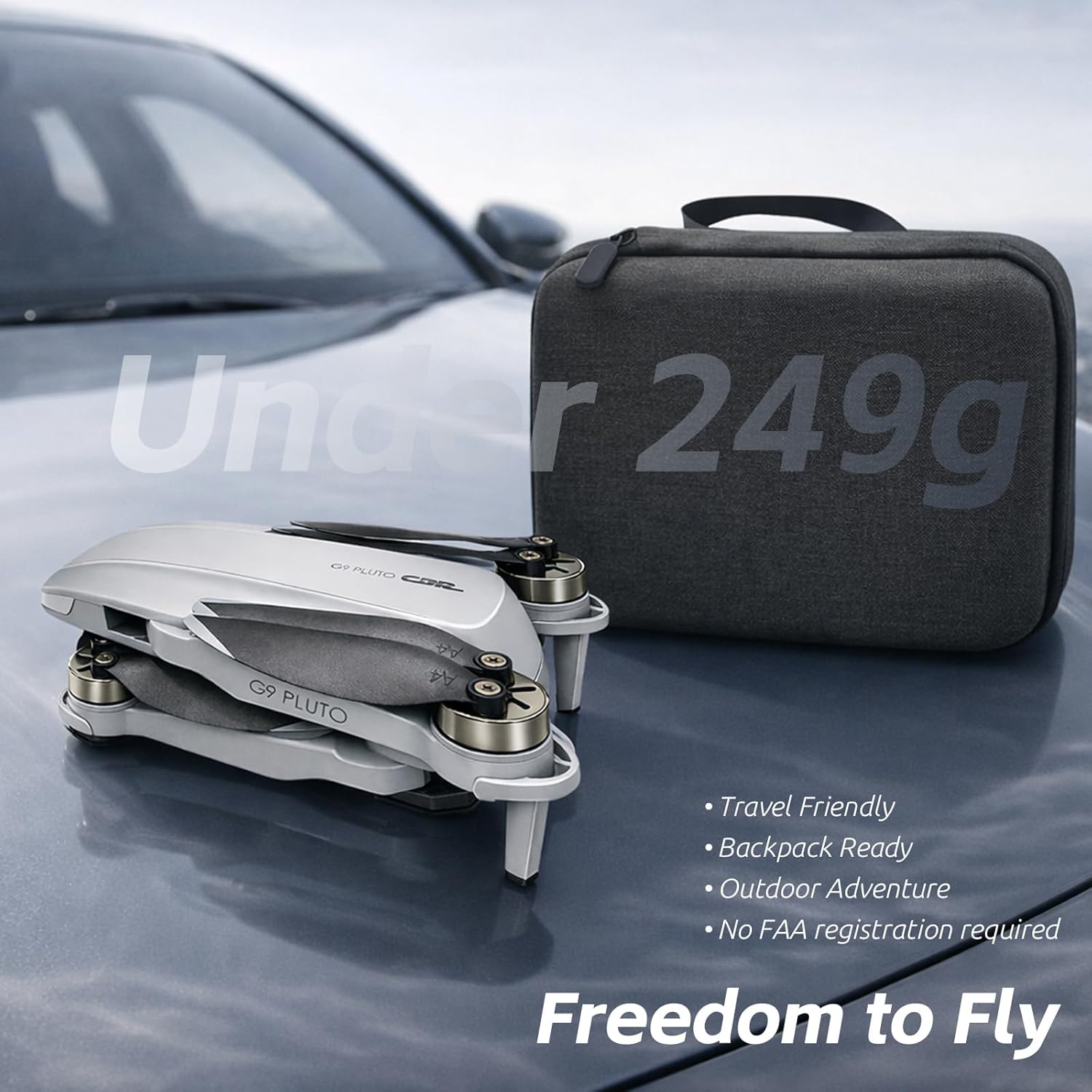
Figure 1: The CHUBORY G9 Pluto drone in its folded state, accompanied by its compact carrying case. This image highlights the drone's portability and its design to be under 249g, which may exempt it from certain registration requirements.
2. സജ്ജീകരണം
2.1 അൺബോക്സിംഗും ഘടക പരിശോധനയും
Carefully remove all components from the packaging. Verify that all items listed in the product contents are present and undamaged.
- CHUBORY G9 Pluto Drone
- Remote Controller with 4.5" HD Screen
- 3 x Nonstandard Drone Batteries
- യുഎസ്ബി ചാർജിംഗ് കേബിൾ
- സ്പെയർ പ്രൊപ്പല്ലറുകൾ
- ഉപയോക്തൃ മാനുവൽ

Figure 2: The CHUBORY G9 Pluto drone fully unfolded, showcasing its propellers and the integrated camera system. A detailed view of the camera highlights its design and placement on the drone's front.
2.2 ബാറ്ററി ഇൻസ്റ്റാളേഷനും ചാർജിംഗും
- ഡ്റോൺ ബാറ്ററി: Insert the drone battery into the designated compartment on the drone until it clicks securely into place.
- ചാർജിംഗ്: Connect the USB charging cable to the drone battery (or external charger if provided) and a suitable USB power adapter (not included). Charge all batteries fully before first use. The charging indicator will change when charging is complete.
2.3 Remote Controller Preparation
Ensure the remote controller is fully charged. The controller features an integrated 4.5-inch HD screen for direct FPV (First Person View) without needing a separate mobile device.
2.4 പ്രൊപ്പല്ലർ ഇൻസ്റ്റാളേഷൻ (ആവശ്യമെങ്കിൽ)
If propellers are not pre-installed, attach them according to the markings (A and B) on the propellers and motor arms. Ensure they are securely fastened.
3. പ്രവർത്തന നിർദ്ദേശങ്ങൾ
3.1 പ്രീ-ഫ്ലൈറ്റ് ചെക്ക്ലിസ്റ്റ്
- Ensure drone and controller batteries are fully charged.
- പ്രൊപ്പല്ലറുകൾക്ക് കേടുപാടുകൾ സംഭവിച്ചിട്ടുണ്ടോയെന്ന് പരിശോധിച്ച് അവ സുരക്ഷിതമായി ഘടിപ്പിച്ചിട്ടുണ്ടെന്ന് ഉറപ്പാക്കുക.
- Select an open, clear area for flight, away from obstacles, people, and animals.
- Power on the drone, then the remote controller. Wait for GPS signal acquisition (indicated on the controller screen).
3.2 ടേക്ക് ഓഫും ലാൻഡിംഗും
- ഓട്ടോമാറ്റിക് ടേക്ക് ഓഫ്: Press the one-key take-off button on the controller. The drone will ascend to a safe height and hover.
- മാനുവൽ ടേക്ക് ഓഫ്: Push both joysticks down and outwards to arm the motors. Slowly push the left joystick up to ascend.
- ഓട്ടോമാറ്റിക് ലാൻഡിംഗ്: ഒറ്റ കീ ലാൻഡിംഗ് ബട്ടൺ അമർത്തുക. ഡ്രോൺ യാന്ത്രികമായി താഴേക്കും താഴേക്കും പോകും.
- മാനുവൽ ലാൻഡിംഗ്: Slowly pull the left joystick down to descend. Once landed, push both joysticks down and inwards to disarm the motors.
3.3 ഫ്ലൈറ്റ് നിയന്ത്രണങ്ങൾ
Use the joysticks on the remote controller to maneuver the drone:
- ഇടത് ജോയിസ്റ്റിക്: Up/Down (Altitude), Left/Right (Yaw/Rotation).
- വലത് ജോയിസ്റ്റിക്: Up/Down (Forward/Backward), Left/Right (Left/Right Sideways Flight).
3.4 GPS Features and Intelligent Flight Modes
The G9 Pluto utilizes GPS for enhanced stability and intelligent flight functions.
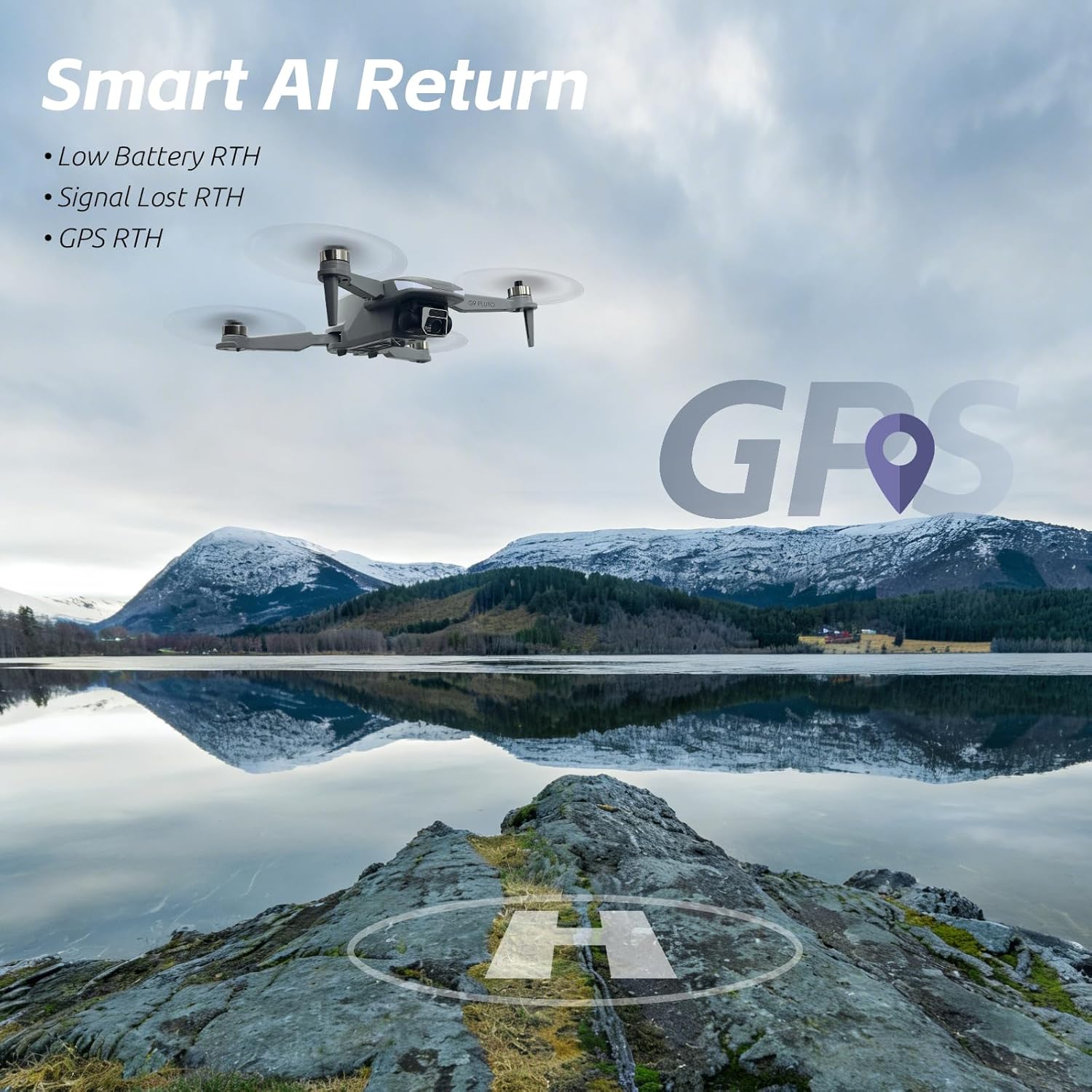
Figure 3: The CHUBORY G9 Pluto drone in flight above a scenic lake and mountains, demonstrating its Smart AI Return capabilities. This feature includes Return-to-Home (RTH) for low battery, signal loss, and GPS-initiated return.
- GPS Auto Return (RTH): The drone will automatically return to its take-off point if the battery is low, signal is lost, or the RTH button is pressed. Ensure a clear landing area.
- AI Follow: This mode allows the drone to automatically follow a designated subject, keeping it centered in the frame.

Figure 4: A close-up of the CHUBORY G9 Pluto remote controller's screen, showing the AI Follow mode actively tracking a person riding a skateboard. This illustrates the drone's ability to autonomously follow and record subjects.
3.5 ക്യാമറ പ്രവർത്തനം
The integrated EIS camera captures smooth HD videos and photos. Use the dedicated buttons on the remote controller to start/stop recording or take pictures. The 4.5-inch HD screen provides a live feed from the camera.
4. പരിപാലനം
4.1 ബാറ്ററി കെയർ
- ബാറ്ററികൾ അമിതമായി ചാർജ് ചെയ്യുകയോ ഡിസ്ചാർജ് ചെയ്യുകയോ ചെയ്യരുത്.
- നേരിട്ടുള്ള സൂര്യപ്രകാശത്തിൽ നിന്ന് അകലെ തണുത്തതും വരണ്ടതുമായ സ്ഥലത്ത് ബാറ്ററികൾ സൂക്ഷിക്കുക.
- If not used for extended periods, charge batteries to approximately 50-60% capacity.
4.2 പ്രൊപ്പല്ലർ പരിശോധനയും മാറ്റിസ്ഥാപിക്കലും
- Regularly inspect propellers for cracks, bends, or chips.
- Replace damaged propellers immediately using the provided spare parts. Ensure correct orientation (A/B) during replacement.
4.3 വൃത്തിയാക്കലും സംഭരണവും
- Clean the drone and controller with a soft, dry cloth. Avoid using solvents.
- Store the drone in its carrying case in a cool, dry environment.
5. പ്രശ്നപരിഹാരം
| പ്രശ്നം | സാധ്യമായ കാരണം | പരിഹാരം |
|---|---|---|
| ഡ്രോൺ പവർ ഓൺ ചെയ്യുന്നില്ല. | ബാറ്ററി ചാർജ് ചെയ്തിട്ടില്ല അല്ലെങ്കിൽ തെറ്റായി ഇൻസ്റ്റാൾ ചെയ്തിട്ടില്ല. | ബാറ്ററി പൂർണ്ണമായും ചാർജ്ജ് ചെയ്തിട്ടുണ്ടെന്നും ശരിയായി ചേർത്തിട്ടുണ്ടെന്നും ഉറപ്പാക്കുക. |
| GPS സിഗ്നൽ ഇല്ല. | Flying indoors or in an area with signal interference. | Fly in an open outdoor area with a clear view of the sky. Wait for GPS lock before take-off. |
| പറക്കലിനിടെ ഡ്രോൺ തെന്നിമാറി. | Improper calibration or strong winds. | Perform IMU and compass calibration. Avoid flying in strong winds. |
| മോശം വീഡിയോ/ഫോട്ടോ നിലവാരം. | Dirty camera lens, insufficient lighting, or high vibration. | Clean the camera lens. Ensure adequate lighting. Check for propeller damage causing excessive vibration. |
6 സ്പെസിഫിക്കേഷനുകൾ
| ഫീച്ചർ | വിശദാംശങ്ങൾ |
|---|---|
| മോഡലിൻ്റെ പേര് | G9 Pluto |
| ബ്രാൻഡ് | ചുബോറി |
| ഉൽപ്പന്ന അളവുകൾ | 12 x 7.5 x 5 സെ.മീ (മടക്കിക്കളയുന്നു) |
| ഇനത്തിൻ്റെ ഭാരം | 180 ഗ്രാം |
| ബാറ്ററികൾ | 3 x Nonstandard Battery (included) |
| ബാറ്ററി സെൽ കോമ്പോസിഷൻ | ലിഥിയം പോളിമർ |
| കണക്റ്റിവിറ്റി ടെക്നോളജി | വൈഫൈ |
| കൺട്രോളർ സ്ക്രീൻ | 4.5 inch HD FPV Screen |
| ക്യാമറ സവിശേഷതകൾ | ഇലക്ട്രോണിക് ഇമേജ് സ്റ്റെബിലൈസേഷൻ (EIS) |
| പ്രത്യേക സവിശേഷതകൾ | GPS Auto Return, AI Follow, Foldable Design |
| നിർമ്മാതാവിൻ്റെ റഫറൻസ് | A-G9-260123 |
| യു.പി.സി | 718027500563 |
7. വാറൻ്റിയും പിന്തുണയും
For warranty information and technical support, please contact the manufacturer, Aerionix Tech Limited. Refer to your purchase documentation for specific warranty terms and contact details.
നിർമ്മാതാവിനെ ബന്ധപ്പെടാനുള്ള വിവരങ്ങൾ: Aerionix Tech Limited