
ആമുഖവും അവസാനിച്ചുview
This manual provides essential instructions for the safe and efficient operation of your BLACK+DECKER EM9P02P9 Countertop Microwave Oven. Please read all instructions carefully before use and retain this manual for future reference.
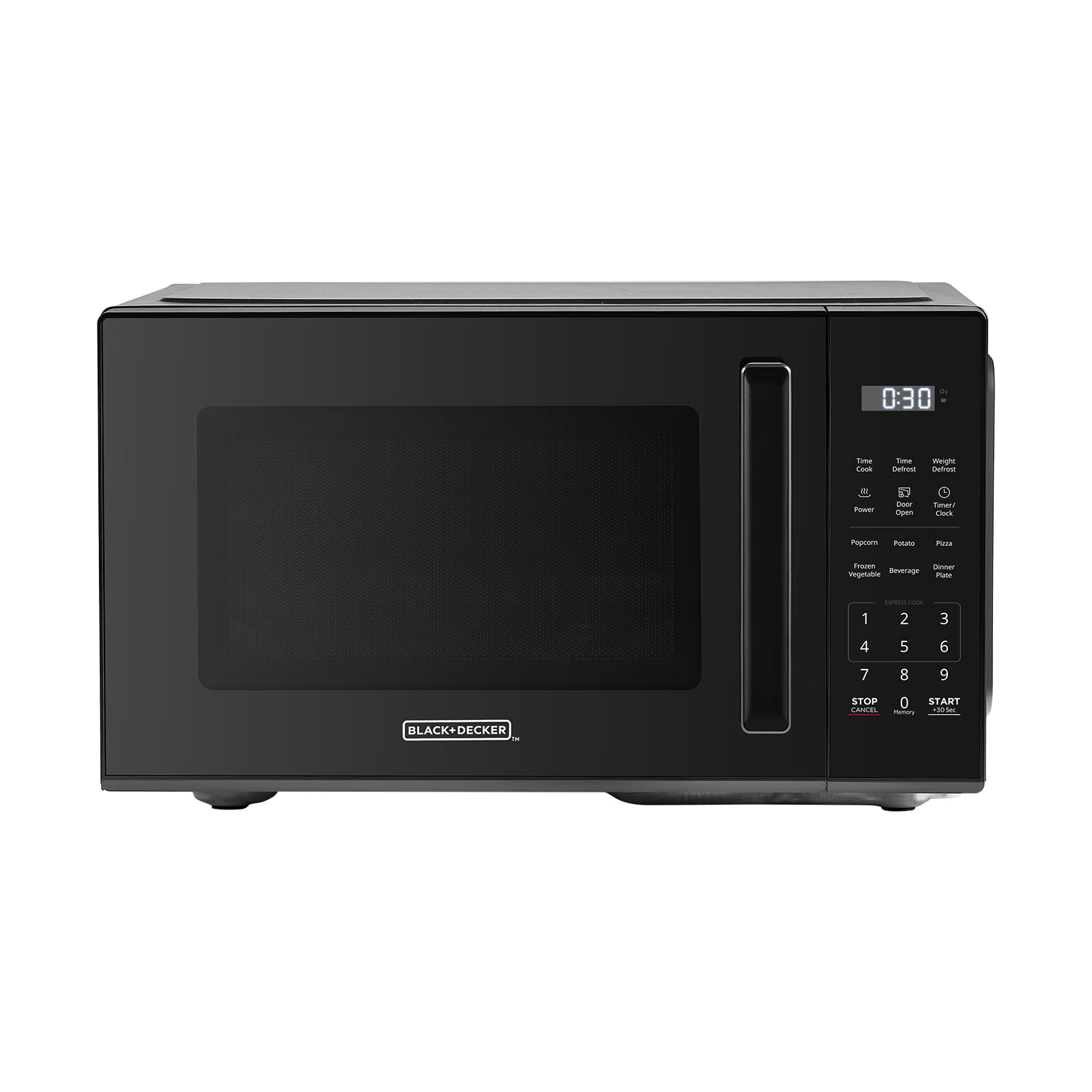
ചിത്രം: മുൻഭാഗം view of the BLACK+DECKER EM9P02P9 Countertop Microwave Oven.
The BLACK+DECKER EM9P02P9 is a 0.9 cubic foot, 900-watt countertop microwave oven designed for residential use. It features 6 one-touch preset menus, 10 power levels, express cooking functions, and a child safety lock for enhanced convenience and safety.
സജ്ജീകരണ നിർദ്ദേശങ്ങൾ
- അൺപാക്ക് ചെയ്യുന്നു: Carefully remove the microwave oven and all packing materials from the carton. Check for any damage. Do not operate if damaged.
- പ്ലേസ്മെൻ്റ്: Place the microwave on a flat, stable surface, such as a countertop, that is strong enough to hold its weight. Ensure adequate ventilation by leaving at least 3 inches of space around the sides, back, and top of the oven. Do not block air vents.
- പവർ കണക്ഷൻ: പവർ കോർഡ് ഒരു ഗ്രൗണ്ടഡ് ഇലക്ട്രിക്കൽ ഔട്ട്ലെറ്റിലേക്ക് പ്ലഗ് ചെയ്യുക. വോള്യം ഉറപ്പാക്കുകtage matches the rating label on the microwave. Do not use extension cords.
- ടേൺടേബിൾ ഇൻസ്റ്റാളേഷൻ: Place the roller ring in the center of the microwave oven cavity. Place the glass turntable on top of the roller ring, ensuring it sits securely.

Image: Dimensions of the microwave oven, showing its compact size suitable for countertops.
പ്രവർത്തന നിർദ്ദേശങ്ങൾ
അടിസ്ഥാന പ്രവർത്തനം
- പാചക സമയം ക്രമീകരിക്കുന്നു: Enter the desired cooking time using the number pads. The maximum cooking time is 99 minutes and 99 seconds.
- പവർ ലെവൽ ക്രമീകരിക്കൽ: Press the 'Power' button, then use the number pads to select a power level from 1 (lowest) to 10 (highest).
- പാചകം ആരംഭിക്കുന്നു: പാചകം ആരംഭിക്കാൻ 'ആരംഭിക്കുക' ബട്ടൺ അമർത്തുക.
- നിർത്തൽ/റദ്ദാക്കൽ: Press the 'Stop/Cancel' button once to pause cooking, or twice to cancel the program and clear the display.
എക്സ്പ്രസ് പാചകം
For quick heating, simply press the 'Start' button. Each press adds 30 seconds of cooking time at 100% power. You can press 'Start' multiple times to increase the cooking duration.
One-Touch Preset Menus
The microwave features 6 convenient one-touch preset menus for common food items:
- പോപ്പ്കോൺ: For standard microwave popcorn bags.
- ഉരുളക്കിഴങ്ങ്: ഉരുളക്കിഴങ്ങ് ബേക്കിംഗിനായി.
- പിസ്സ: പിസ്സ കഷ്ണങ്ങൾ വീണ്ടും ചൂടാക്കാൻ.
- ശീതീകരിച്ച പച്ചക്കറി: ശീതീകരിച്ച പച്ചക്കറികൾ പാചകം ചെയ്യുന്നതിന്.
- പാനീയം: പാനീയങ്ങൾ ചൂടാക്കാൻ.
- ഡിന്നർ പ്ലേറ്റ്: For reheating a full dinner plate.

Image: Visual representation of the six one-touch cooking presets.

ചിത്രം: വിശദമായത് view of the control panel with express cooking and preset options.
ഡിഫ്രോസ്റ്റ് പ്രവർത്തനം
The microwave offers both time defrost and weight defrost options:
- ടൈം ഡിഫ്രോസ്റ്റ്: ആവശ്യമുള്ള ഡീഫ്രോസ്റ്റിംഗ് സമയം നൽകുക.
- ഭാരം കുറയ്ക്കൽ: Enter the weight of the food in pounds. The microwave will automatically calculate the defrosting time.
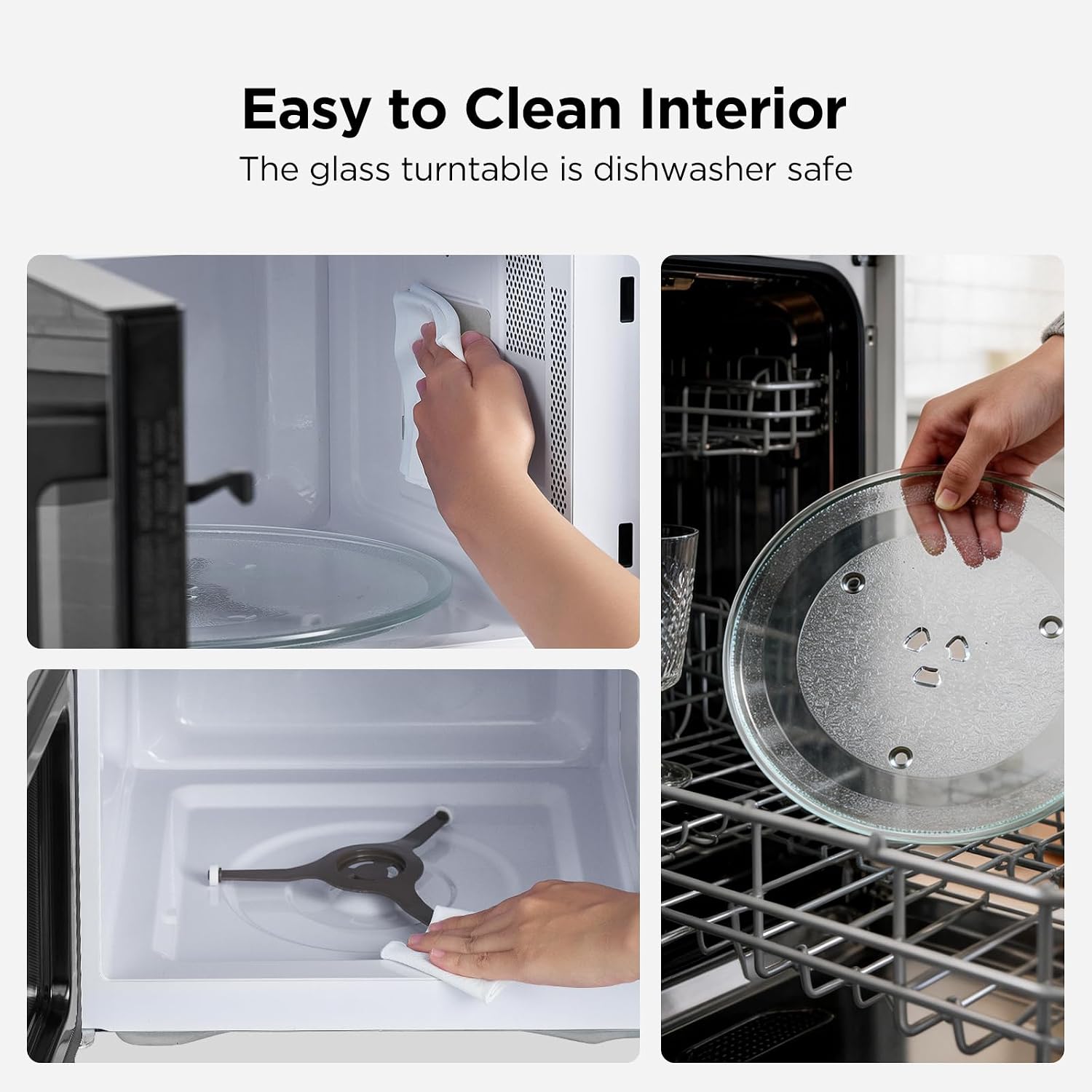
Image: Illustration of the defrosting process, demonstrating even defrosting by time or weight.
കുട്ടികളുടെ സുരക്ഷാ ലോക്ക്
ചൈൽഡ് സേഫ്റ്റി ലോക്ക് സജീവമാക്കാൻ, 'നിർത്തുക/റദ്ദാക്കുക' ബട്ടൺ 5 സെക്കൻഡ് അമർത്തിപ്പിടിക്കുക. ലോക്ക് സജീവമാണെന്ന് ഡിസ്പ്ലേ സൂചിപ്പിക്കും. നിർജ്ജീവമാക്കാൻ, 'നിർത്തുക/റദ്ദാക്കുക' ബട്ടൺ വീണ്ടും 5 സെക്കൻഡ് അമർത്തിപ്പിടിക്കുക.
മെയിൻ്റനൻസ്
മൈക്രോവേവ് ഓവൻ വൃത്തിയാക്കുന്നു
- ഇൻ്റീരിയർ: ഓരോ ഉപയോഗത്തിനു ശേഷവും ഉൾഭാഗത്തെ അറ പരസ്യം ഉപയോഗിച്ച് വൃത്തിയാക്കുക.amp cloth and mild detergent. For stubborn stains, a microwave-safe cleaner can be used. Ensure the interior is dry before next use.
- പുറം: ഒരു മൃദുവായ, ഡി ഉപയോഗിച്ച് ബാഹ്യ പ്രതലങ്ങൾ തുടയ്ക്കുകamp തുണി. ഉരച്ചിലുകൾ ഉള്ള ക്ലീനറുകളോ സ്കോറിംഗ് പാഡുകളോ ഒഴിവാക്കുക.
- Glass Turntable and Roller Ring: The glass turntable and roller ring can be removed for cleaning. They are dishwasher safe. Ensure they are dry and correctly positioned before operating the microwave.

Image: Steps for cleaning the microwave interior and the removable glass turntable.
ട്രബിൾഷൂട്ടിംഗ്
| പ്രശ്നം | സാധ്യമായ കാരണം | പരിഹാരം |
|---|---|---|
| മൈക്രോവേവ് ആരംഭിക്കുന്നില്ല. | Power cord not plugged in; Door not closed properly; Child safety lock active. | Ensure power cord is securely plugged in. Close the door firmly. Deactivate child safety lock (press and hold 'Stop/Cancel' for 5 seconds). |
| ഭക്ഷണം ചൂടാക്കുന്നില്ല. | തെറ്റായ പാചക സമയം/പവർ ലെവൽ; വാതിൽ ശരിയായി അടച്ചിട്ടില്ല. | Verify cooking time and power level settings. Ensure the door is completely closed. |
| ടേൺടേബിൾ കറങ്ങുന്നില്ല. | Turntable or roller ring not positioned correctly; Obstruction. | Check that the turntable and roller ring are correctly seated. Remove any obstructions. |
| പ്രവർത്തന സമയത്ത് അസാധാരണമായ ശബ്ദം. | Food container touching interior walls; Turntable not seated correctly. | Ensure dishes are not touching the microwave interior. Re-seat the turntable and roller ring. |
സ്പെസിഫിക്കേഷനുകൾ
| ഫീച്ചർ | വിശദാംശങ്ങൾ |
|---|---|
| ബ്രാൻഡ് | ബ്ലാക്ക്+ഡെക്കർ |
| മോഡലിൻ്റെ പേര് | EM9P02P9 |
| ശേഷി | 0.9 ക്യുബിക് അടി |
| വാട്ട്tage | 900 വാട്ട്സ് |
| പവർ ലെവലുകൾ | 10 |
| ഉൽപ്പന്ന അളവുകൾ (D x W x H) | 15.1" x 18.6" x 10.7" |
| നിറം | കറുപ്പ് |
| ഇൻസ്റ്റലേഷൻ തരം | കൗണ്ടർടോപ്പ് |
| കൺട്രോളർ തരം | സ്പർശിക്കുക |
| പ്രത്യേക സവിശേഷതകൾ | 6 One-Touch Presets, Express Cooking, Child Safety Lock, Timer Function |
വാറൻ്റി വിവരങ്ങൾ
This BLACK+DECKER EM9P02P9 Countertop Microwave Oven comes with a 1 വർഷത്തെ പരിമിത വാറൻ്റി from the date of purchase. This warranty covers defects in materials and workmanship under normal household use. It does not cover damage resulting from misuse, accident, alteration, or commercial use. Please retain your proof of purchase for warranty claims.
ഉപഭോക്തൃ പിന്തുണ
For technical assistance, warranty service, or to order replacement parts, please contact BLACK+DECKER customer support. Refer to the contact information provided in your product packaging or visit the official BLACK+DECKER webഏറ്റവും കാലികമായ പിന്തുണാ വിശദാംശങ്ങൾക്കായി സൈറ്റ്.
- ഓൺലൈൻ പിന്തുണ: ഔദ്യോഗിക BLACK+DECKER സന്ദർശിക്കുക webസൈറ്റ്.
- ടെലിഫോൺ പിന്തുണ: പ്രാദേശിക കോൺടാക്റ്റ് നമ്പറുകൾക്കായി നിങ്ങളുടെ ഉൽപ്പന്ന ഡോക്യുമെന്റേഷൻ പരിശോധിക്കുക.