1. ആമുഖം
The Elgato Stream Deck Plus is an advanced control surface designed for streamers, content creators, and professionals seeking to streamline their workflow. It combines customizable LCD keys, a dynamic touch strip, and four versatile control dials to provide unparalleled control over applications, audio, and system functions. This manual will guide you through the setup, operation, and maintenance of your Stream Deck Plus.

2. ബോക്സിൽ എന്താണുള്ളത്?
എല്ലാ ഇനങ്ങളും ഉണ്ടെന്ന് ഉറപ്പാക്കാൻ പാക്കേജ് ഉള്ളടക്കങ്ങൾ പരിശോധിക്കുക:
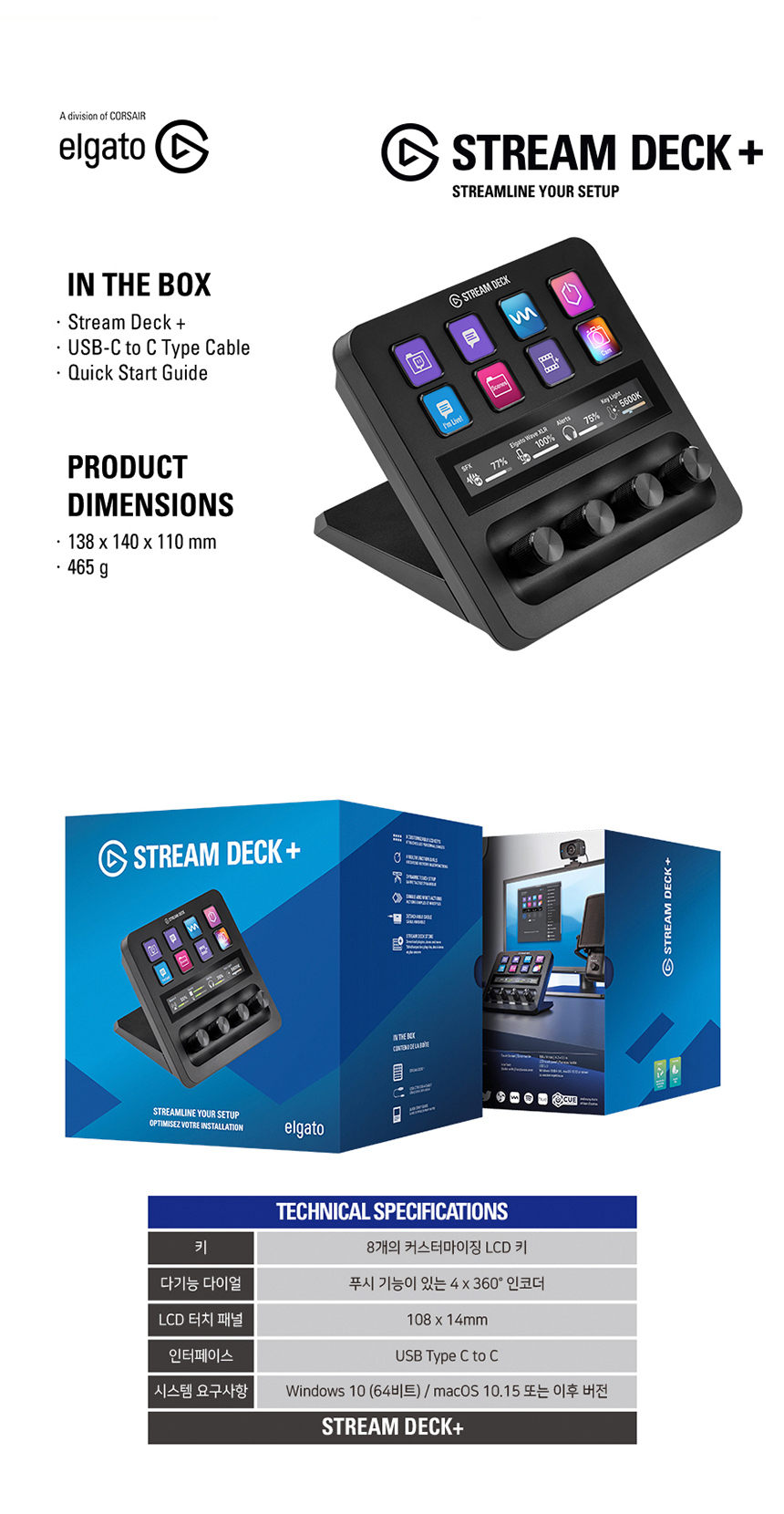
- Elgato Stream Deck Plus device
- USB-C മുതൽ USB-A കേബിൾ വരെ
- ദ്രുത ആരംഭ ഗൈഡ്
3 സാങ്കേതിക സവിശേഷതകൾ
| ഫീച്ചർ | സ്പെസിഫിക്കേഷൻ |
|---|---|
| കീകൾ | 8 customizable LCD keys |
| ഡയലുകൾ | 4 x 360° encoders with push function |
| എൽസിഡി ടച്ച് പാനൽ | 108 x 14 മിമി |
| ഇൻ്റർഫേസ് | USB Type C to C (USB 2.0 compatible) |
| സിസ്റ്റം ആവശ്യകതകൾ | Windows 10 (64-bit) or later, macOS 10.15 or later |
| അളവുകൾ (L x W x H) | 138 x 140 x 110 മിമി |
| ഭാരം | 465 ഗ്രാം |
| അപേക്ഷ | PC |
| ഇൻപുട്ട് | USB |
| ഔട്ട്പുട്ട് | USB |
4. സജ്ജീകരണ ഗൈഡ്
- ഉപകരണം ബന്ധിപ്പിക്കുക: Use the provided USB-C to USB-A cable to connect your Stream Deck Plus to an available USB port on your computer.
- സോഫ്റ്റ്വെയർ ഇൻസ്റ്റാൾ ചെയ്യുക: Download and install the latest Elgato Stream Deck software from the official Elgato webസൈറ്റ് (www.elgato.com). This software is essential for customizing your device.
- സോഫ്റ്റ്വെയർ സമാരംഭിക്കുക: Once installed, launch the Stream Deck software. Your Stream Deck Plus should be automatically detected.
- പ്രാരംഭ കോൺഫിഗറേഷൻ: Follow the on-screen prompts in the software to begin customizing your keys, touch strip, and dials.
5. പ്രവർത്തന നിർദ്ദേശങ്ങൾ
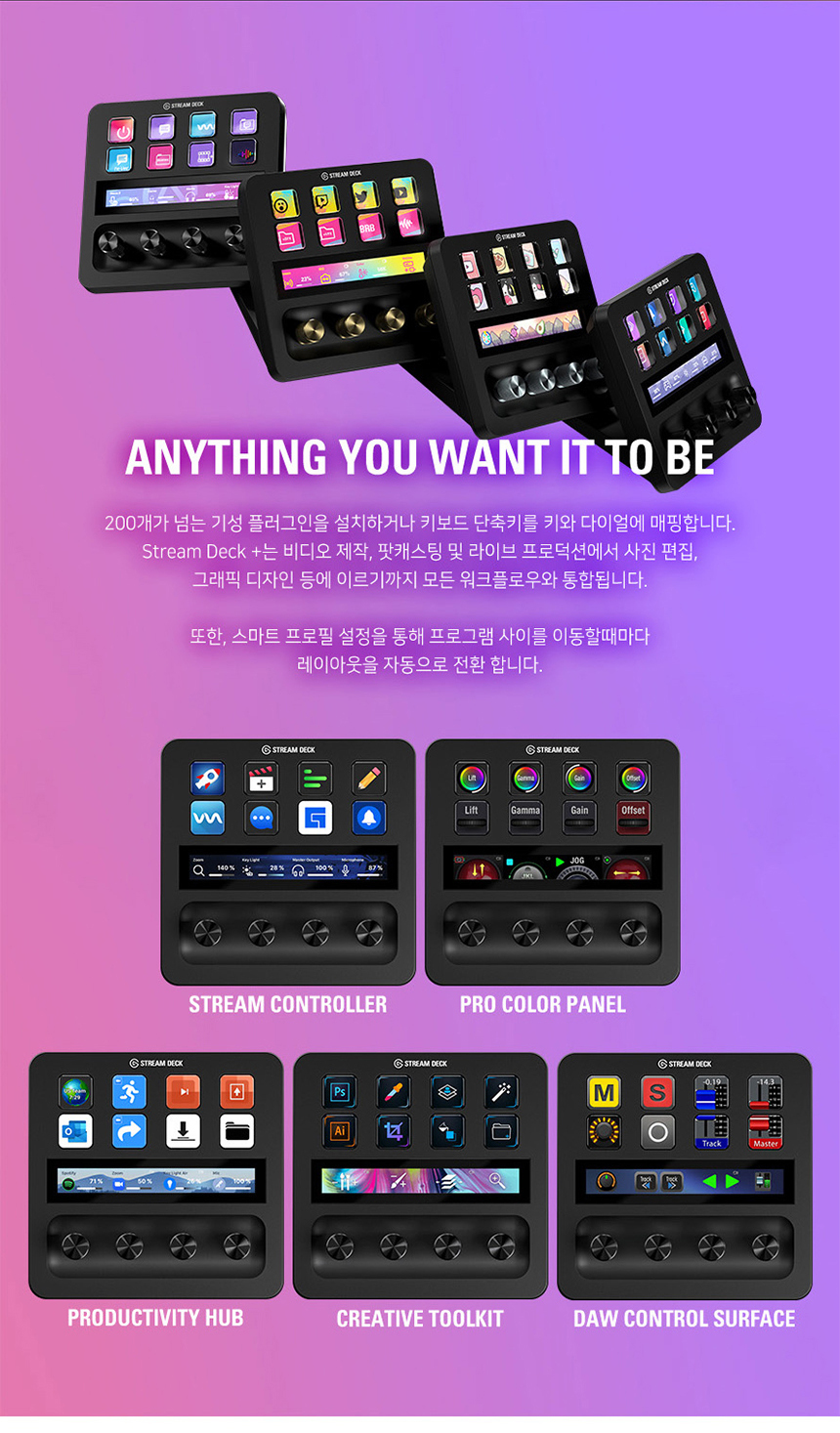
The Stream Deck Plus offers three primary modes of interaction: Tap (buttons), Touch (touch panel), and Turn (dials).
5.1. TAP (LCD Keys)
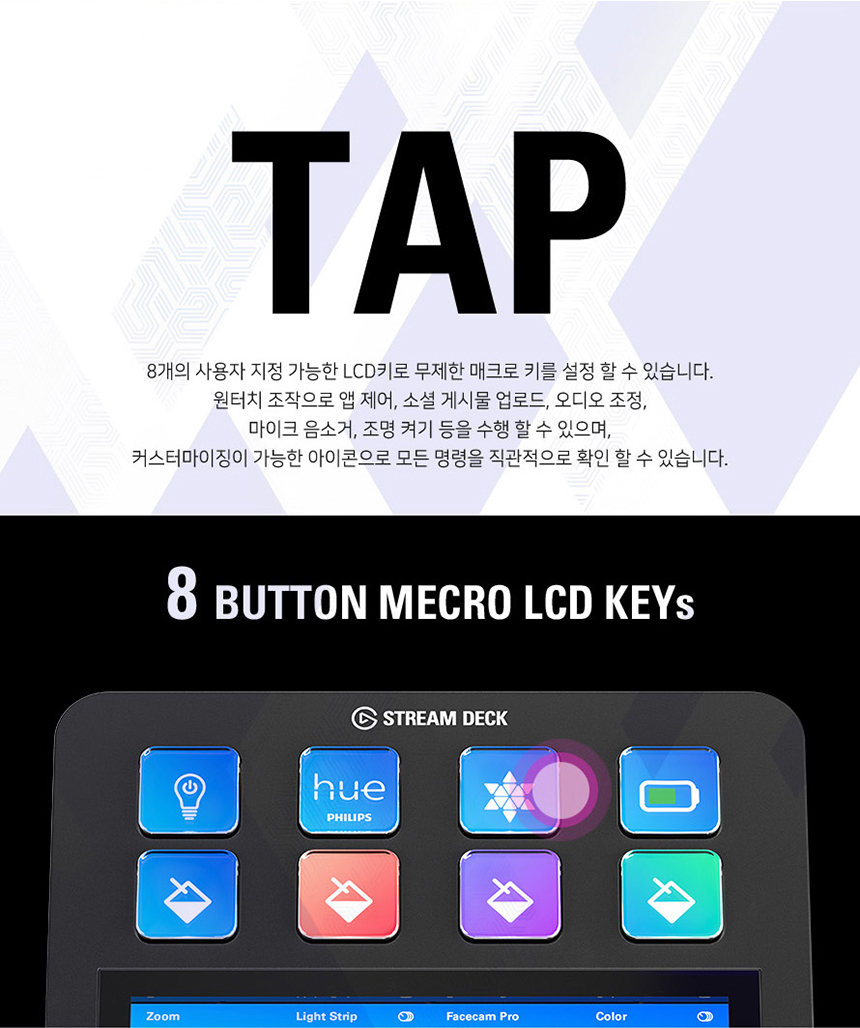
The 8 customizable LCD keys allow you to trigger unlimited macros, launch applications, control audio, adjust microphone settings, toggle lights, and more. Each key can display a custom icon for intuitive command recognition.
5.2. TOUCH (LCD Touch Panel)
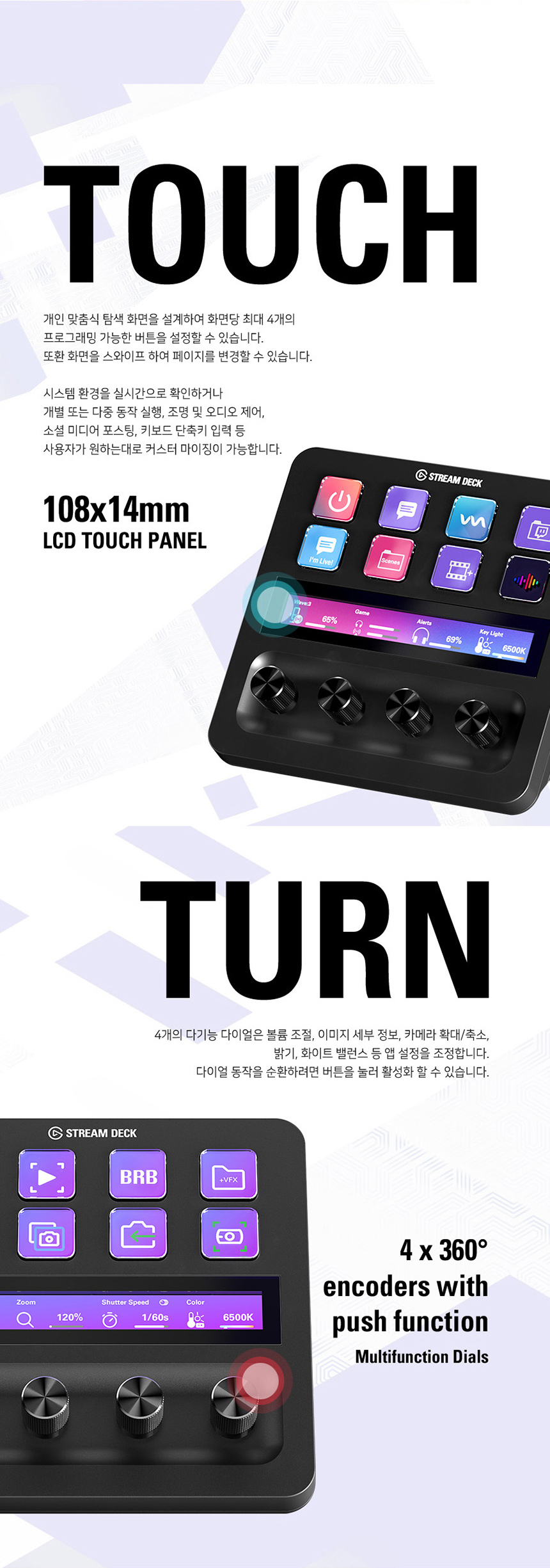
The 108x14mm LCD touch panel provides dynamic feedback and control. It can display system information, lighting controls, audio mixer levels, and more. You can customize it to show up to four program-specific layouts, automatically switching based on your active application.
5.3. TURN (Multifunction Dials)
The four multifunctional dials feature 360° encoders with a push function. These dials are ideal for precise adjustments such as audio mixing, image zooming, brightness control, and other fine-tuned parameters.
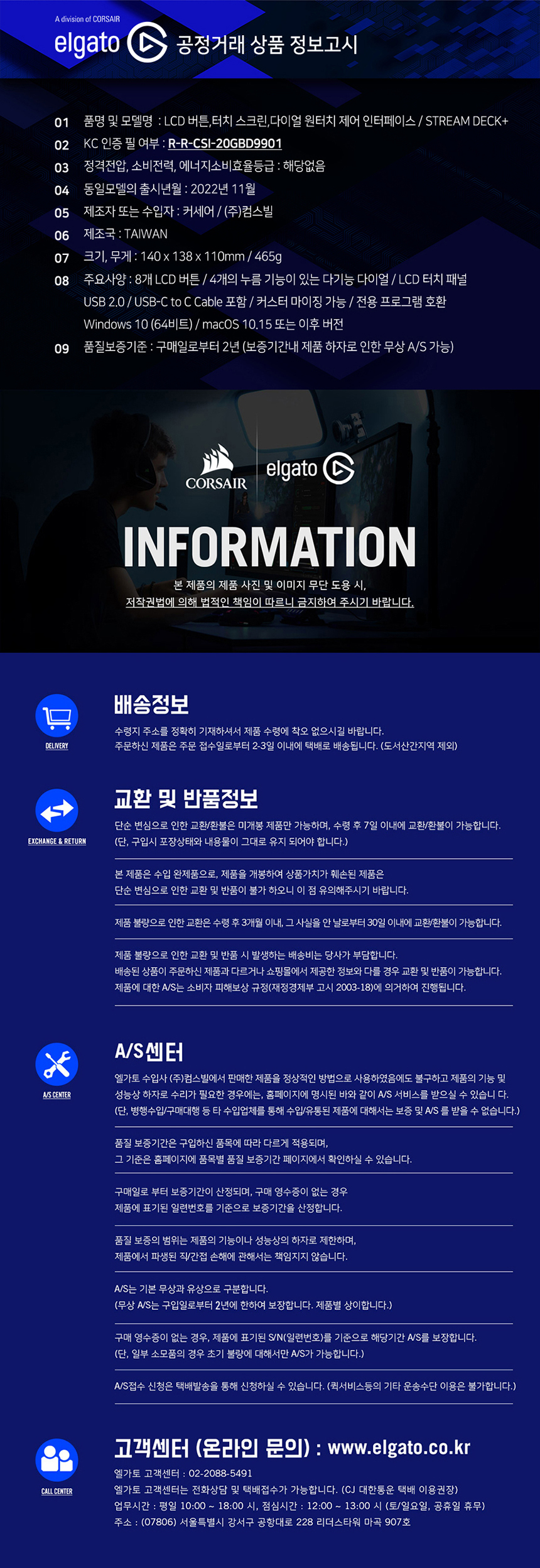
5.4. ഇഷ്ടാനുസൃതമാക്കലും സോഫ്റ്റ്വെയറും
The Stream Deck software is your central hub for customization:
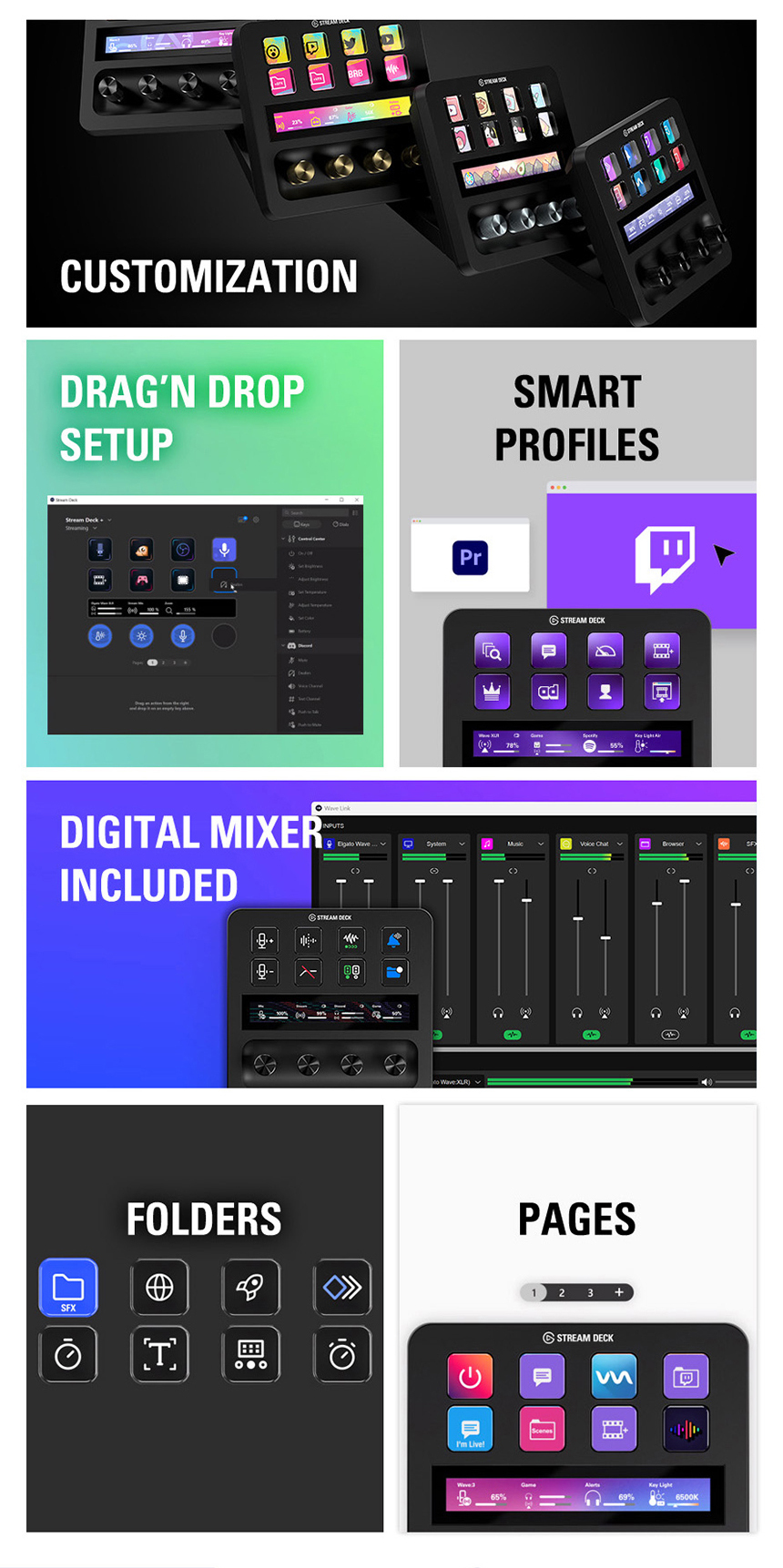
- Drag & Drop Setup: Easily assign actions to keys, touch strip, and dials.
- സ്മാർട്ട് പ്രോfiles: പ്രോ സൃഷ്ടിക്കുകfiles that automatically switch layouts when you open specific applications (e.g., OBS, Photoshop, Spotify).
- Digital Mixer: Integrated digital mixer for audio control.
- Folders and Pages: Organize your actions into folders and multiple pages for extensive control.
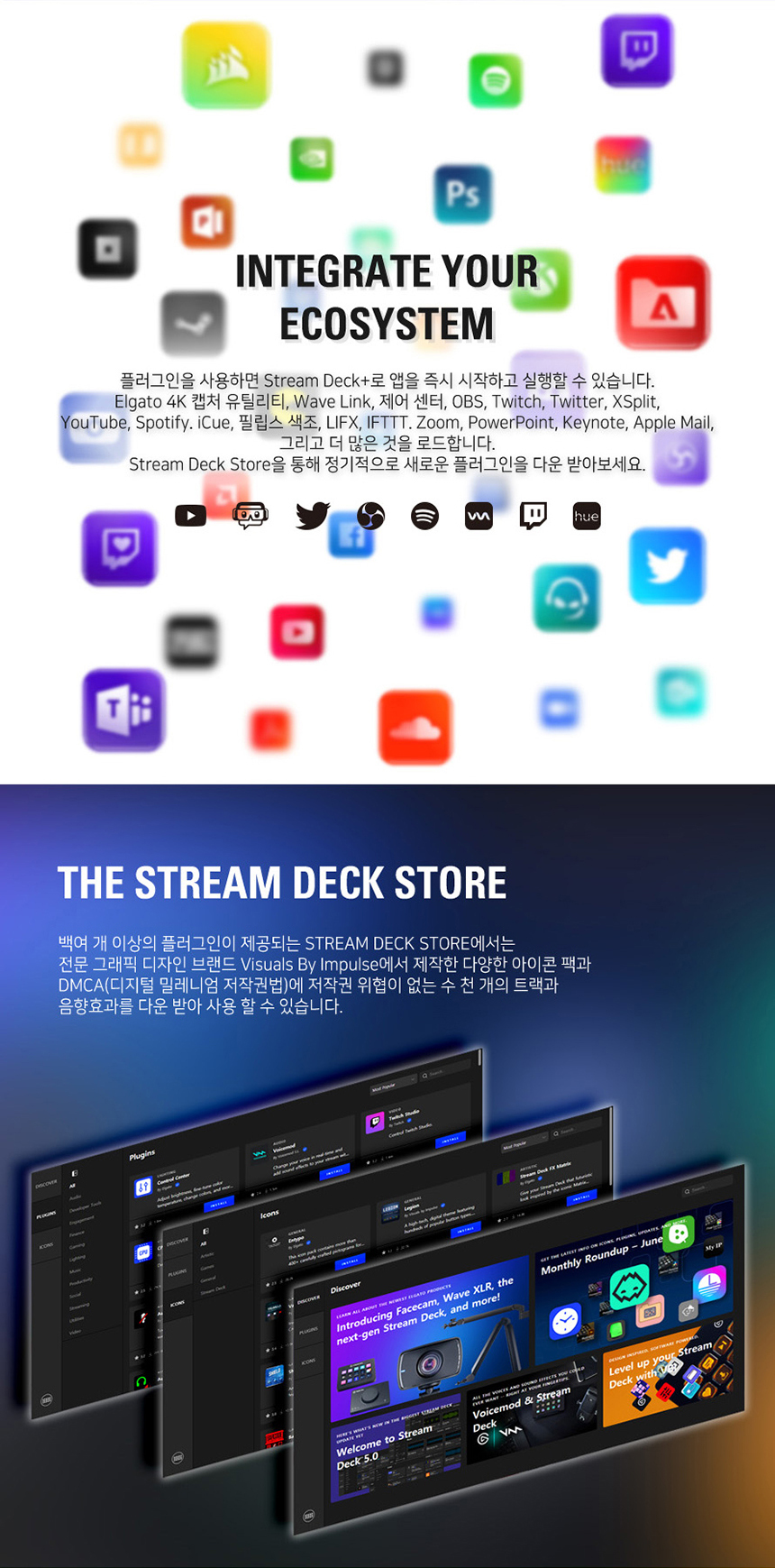
5.5. Plugin Integration and Stream Deck Store
Expand the functionality of your Stream Deck Plus with over 200 plugins available for various applications, including:
- Elgato 4K Capture Utility, Wave Link
- OBS, Twitch, Twitter, XSplit, YouTube, Spotify, iCue
- Philips Hue, Zoom, PowerPoint, Keynote, Apple Mail
- കൂടാതെ പലതും.
The Stream Deck Store provides access to thousands of royalty-free tracks, sound effects, icon packs, and new plugins to enhance your creative workflow.
6 ഉപയോക്തൃ നുറുങ്ങുകൾ
- Explore the Stream Deck Store: Regularly check the Stream Deck Store for new plugins, icon packs, and sound effects to expand your device's capabilities.
- Utilize Smart Profiles: Set up Smart Profiles to automatically switch your Stream Deck layout when you open specific applications, optimizing your workflow for different tasks.
- Organize with Folders and Pages: Use folders and multiple pages to keep your actions organized and easily accessible, especially if you have many commands.
- Experiment with Dials: The dials are highly versatile. Experiment with different assignments, such as adjusting brush size in design software or scrubbing through video timelines.
7. പരിപാലനം
- വൃത്തിയാക്കൽ: ഉപകരണം വൃത്തിയാക്കാൻ മൃദുവായതും ഉണങ്ങിയതുമായ തുണി ഉപയോഗിക്കുക. ഉരച്ചിലുകൾ ഉള്ള ക്ലീനറുകളോ ലായകങ്ങളോ ഉപയോഗിക്കുന്നത് ഒഴിവാക്കുക.
- സോഫ്റ്റ്വെയർ അപ്ഡേറ്റുകൾ: Regularly check for and install software updates for the Stream Deck application to ensure optimal performance and access to new features.
- കേബിൾ കെയർ: Handle the USB cable carefully to prevent damage. Avoid sharp bends or excessive pulling.
8. പ്രശ്നപരിഹാരം
- ഉപകരണം കണ്ടെത്തിയില്ല: Ensure the USB cable is securely connected to both the Stream Deck Plus and your computer. Try a different USB port or cable. Restart the Stream Deck software and your computer.
- Keys/Dials Not Responding: Verify that the Stream Deck software is running. Check your profile settings to ensure actions are correctly assigned. Restart the software.
- സോഫ്റ്റ്വെയർ പ്രശ്നങ്ങൾ: If the software is crashing or behaving unexpectedly, try reinstalling it from the official Elgato webസൈറ്റ്.
- പ്രകടന പ്രശ്നങ്ങൾ: Ensure your computer meets the minimum system requirements. Close unnecessary background applications.
9. വാറൻ്റിയും പിന്തുണയും
The Elgato Stream Deck Plus comes with a 2 വർഷത്തെ വാറൻ്റി from the date of purchase. For technical support, frequently asked questions, and additional resources, please visit the official Elgato webസൈറ്റ്.
Online Inquiry: www.elgato.com


