1. ആമുഖം
The FUTABA R7314SB is a high-performance 2.4GHz FASSTest receiver designed for advanced remote control aircraft, including large fixed-wing models and helicopters. This receiver features a high-gain antenna, a dual Rx link system for enhanced reliability, and supports S.BUS2, S.BUS, and traditional PWM outputs across 14 channels. This manual provides essential information for the proper setup, operation, and maintenance of your R7314SB receiver.
2. സുരക്ഷാ മുൻകരുതലുകൾ
- Always ensure your transmitter and receiver are properly bound before operating any model.
- Verify all control surfaces move correctly and in the correct direction before flight.
- Never operate your model near people, power lines, or other obstacles.
- Ensure the receiver's power supply voltage is within the specified range of 3.5V to 8.4V. Do NOT use dry cell batteries as they may not provide sufficient current or stable voltage.
- Keep antennas clear of metal objects and ensure they are positioned for optimal signal reception.
- Regularly inspect all wiring and connections for damage or loose contacts.
3. പാക്കേജ് ഉള്ളടക്കം
Upon opening your R7314SB receiver package, you should find the following items:
- FUTABA R7314SB 2.4G FASSTest Receiver
- High Gain Antennas (pre-attached)
- നിർദ്ദേശ ഷീറ്റ് (ഈ മാനുവൽ)

Image: Futaba R7314SB receiver in its clear plastic packaging.
4 സ്പെസിഫിക്കേഷനുകൾ
| ഫീച്ചർ | സ്പെസിഫിക്കേഷൻ |
|---|---|
| മോഡൽ നമ്പർ | R7314SB |
| ആവൃത്തി | 2.4GHz-FASSTest |
| ചാനലുകൾ | 14 Channels + S.BUS |
| ഔട്ട്പുട്ട് തരങ്ങൾ | S.BUS2 input/output, S.BUS output, PWM output (ch1-12), Digital 2ch |
| വാല്യംtagഇ റേഞ്ച് | 3.5V - 8.4V (Do not use dry cell batteries) |
| അളവുകൾ (L x W x H) | 50.2 x 37.0 x 15.9 മിമി |
| ഭാരം | 20.0 ഗ്രാം |
| ആൻ്റിന തരം | ഉയർന്ന നേട്ടം ആന്റിന |
| ലിങ്ക് സിസ്റ്റം | ഡ്യുവൽ Rx ലിങ്ക് സിസ്റ്റം |
| മെറ്റീരിയൽ | Metal (housing/internal components) |
| ശുപാർശ ചെയ്യുന്ന പ്രായം | 14+ വർഷം |
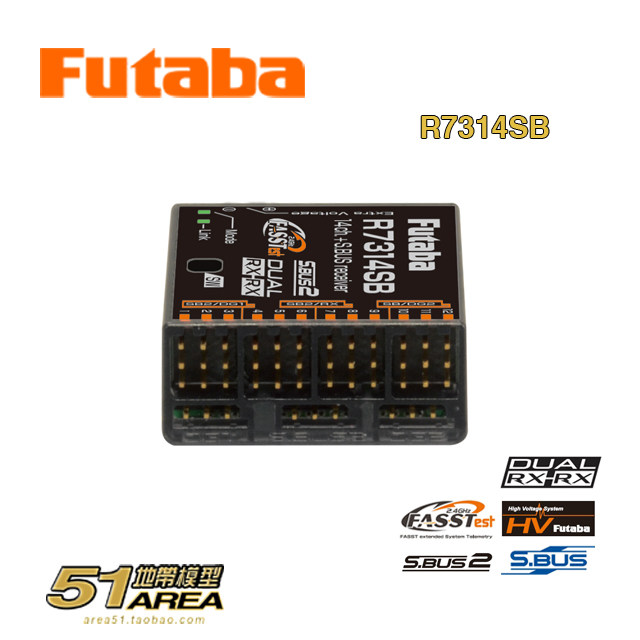
Image: Detailed specifications of the R7314SB receiver, including S.BUS2, PWM outputs, FASSTest modes, dual Rx link, high gain antenna, dimensions (37.0x50.2x15.9mm), weight (20.0g), frequency (2.4GHZ-FASSTest), and voltage (3.5~8.4V, no dry batteries).
5. സജ്ജീകരണം
5.1 Antenna Installation and Placement
The R7314SB receiver is equipped with high-gain antennas. Proper antenna placement is crucial for optimal signal reception and range. Ensure the antennas are:
- Mounted at 90-degree angles to each other to provide diverse polarization and improve signal reliability.
- Kept away from carbon fiber, metal parts, and other conductive materials that can shield the signal.
- Extended fully and not bent sharply.

ചിത്രം: മുകളിൽ view of the R7314SB receiver, illustrating antenna connection points and control labels.
5.2 വയറിംഗ് കണക്ഷനുകൾ
The R7314SB offers versatile connectivity:
- PWM Channels (1-12): Connect your servos and other PWM-controlled devices directly to the corresponding ports.
- S.BUS Port: For connecting S.BUS compatible servos or devices.
- S.BUS2 Port: Provides both input and output for S.BUS2 telemetry sensors and devices.
- അധിക വോളിയംtage Port: For connecting an external voltage sensor (telemetry).

ചിത്രം: താഴെ view of the R7314SB receiver, highlighting the various channel ports for connections.
5.3 Binding Procedure (Linking)
To link the R7314SB receiver to your FASSTest compatible Futaba transmitter:
- Turn on your transmitter and select the FASSTest mode.
- Power on the R7314SB receiver. The LED on the receiver will begin to flash.
- Press and hold the 'Link' button on the receiver for approximately 2 seconds. The LED will change its flashing pattern.
- Follow the binding instructions on your Futaba transmitter.
- Once binding is successful, the receiver's LED will turn solid green.
6. ഓപ്പറേഷൻ
6.1 FASSTest Modes
The R7314SB supports various FASSTest S.BUS modes, including 26-channel, 18-channel, and 12-channel configurations. The specific mode used will depend on your transmitter's capabilities and your model's requirements. Refer to your transmitter's manual for details on selecting and configuring these modes.
6.2 Dual Rx Link System
The integrated dual Rx link system enhances signal reliability by utilizing two independent receiver circuits. This provides a robust connection, especially critical for large or complex models where signal integrity is paramount.
6.3 അപേക്ഷ
This receiver is specifically designed for aerial models, offering multiple PWM channel outputs suitable for large fixed-wing aircraft and helicopters, providing precise control and telemetry capabilities.
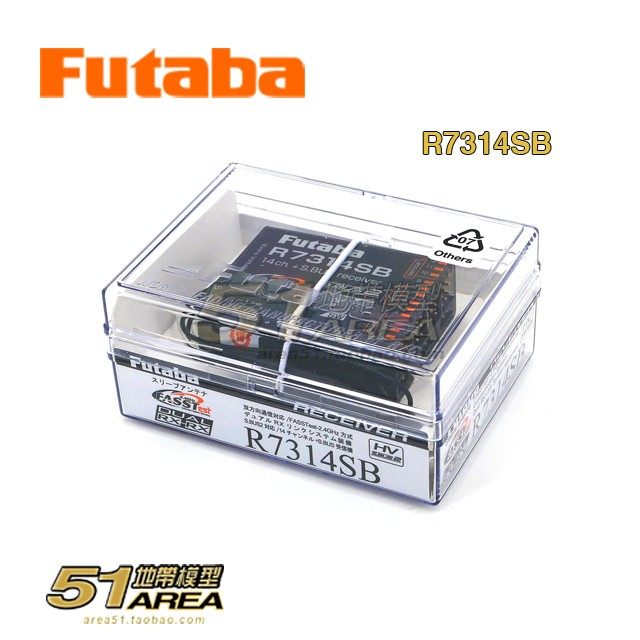
Image: Description of the R7314SB's features, including FASSTest mode for aerial models, dual Rx link system, high-gain antenna, and its suitability for large fixed-wing aircraft and helicopters due to multiple PWM channel outputs.
7. പരിപാലനം
- വൃത്തിയാക്കൽ: റിസീവർ വൃത്തിയായും പൊടി, അഴുക്ക്, ഈർപ്പം എന്നിവയിൽ നിന്ന് മുക്തമായും സൂക്ഷിക്കുക. വൃത്തിയാക്കാൻ മൃദുവായതും ഉണങ്ങിയതുമായ തുണി ഉപയോഗിക്കുക. ലായകങ്ങളോ കഠിനമായ രാസവസ്തുക്കളോ ഉപയോഗിക്കുന്നത് ഒഴിവാക്കുക.
- സംഭരണം: നേരിട്ടുള്ള സൂര്യപ്രകാശത്തിൽ നിന്നും കടുത്ത താപനിലയിൽ നിന്നും മാറി തണുത്തതും വരണ്ടതുമായ സ്ഥലത്ത് റിസീവർ സൂക്ഷിക്കുക.
- പരിശോധന: Periodically check all wires, connectors, and the receiver casing for any signs of damage or wear. Replace damaged components immediately.
- ഫേംവെയർ: Check the Futaba website for any available firmware updates for your receiver to ensure optimal performance and compatibility.
8. പ്രശ്നപരിഹാരം
- No Link/Binding Issues:
- ട്രാൻസ്മിറ്ററും റിസീവറും ഓണാക്കിയിട്ടുണ്ടെന്ന് ഉറപ്പാക്കുക.
- Confirm the transmitter is set to FASSTest mode.
- Repeat the binding procedure carefully.
- മറ്റ് 2.4GHz ഉപകരണങ്ങളിൽ നിന്നുള്ള ഇടപെടലുകൾ പരിശോധിക്കുക.
- Intermittent Signal/Reduced Range:
- Verify antenna placement; ensure they are at 90-degree angles and clear of obstructions.
- Check for damaged antennas or coaxial cables.
- Ensure the receiver is not mounted directly on or near large metal objects.
- സെർവോസ് പ്രതികരിക്കുന്നില്ല:
- Check all servo connections to the receiver.
- Ensure the receiver is receiving adequate power (3.5V-8.4V).
- Test servos individually to rule out faulty servos.
- റിസീവർ LED സ്റ്റാറ്റസ്:
- കട്ടിയുള്ള പച്ച: Normal operation, linked.
- മിന്നുന്ന പച്ച: Waiting for link.
- ചുവപ്പ്: കുറഞ്ഞ വോളിയംtage or error. Check power supply.
9 ഉപയോക്തൃ നുറുങ്ങുകൾ
re-യിൽ നിന്ന് പ്രത്യേക ഉപയോക്തൃ നുറുങ്ങുകളൊന്നുമില്ല.views or Q&A were available for this product. However, general best practices for RC receivers include:
- Always perform a range check before the first flight of the day or after any significant changes to your model.
- Consider using a receiver battery with a higher capacity for extended flight times, ensuring it stays within the specified voltagഇ ശ്രേണി.
- For complex setups, utilize the S.BUS2 system to simplify wiring and enable telemetry data collection.
10. വാറൻ്റിയും പിന്തുണയും
For warranty information, technical support, or service inquiries, please contact your authorized Futaba dealer or visit the official Futaba webസൈറ്റ്. ഏതെങ്കിലും വാറന്റി ക്ലെയിമുകൾക്ക് നിങ്ങളുടെ വാങ്ങലിന്റെ തെളിവ് സൂക്ഷിക്കുക.


