1. ആമുഖം
The ESP32-S3 1.8-inch Knob Display Development Board is a high-performance, highly integrated MCU board designed by Waveshare. It features dual ESP32-S3 and ESP32 microcontrollers, large-capacity Flash and PSRAM, a 1.8-inch capacitive touch LCD screen, and various peripherals including an audio decoder chip and knob encoder. This board is ideal for rapid development of smart voice AI applications and offers multi-functional capabilities such as PC volume control and use as a secondary PC screen.
2 പ്രധാന സവിശേഷതകൾ
- Equipped with ESP32-S3 and ESP32 dual MCUs, offering up to 4 cores and 240MHz main frequency.
- Supports 2.4GHz Wi-Fi (802.11 b/g/n) and Bluetooth 5 (LE) and Classic Bluetooth, with an onboard antenna.
- ബിൽറ്റ്-ഇൻ 512KB SRAM ഉം 384KB ROM ഉം, ഓൺബോർഡ് 16MB ഫ്ലാഷും 8MB PSRAM ഉം.
- Features a 1.8-inch LCD display with 360 × 360 resolution and 262K color.
- Supports capacitive touch control via I2C interface, with interrupt support.
- Includes an onboard audio decoder chip, microphone, knob encoder, vibration motor, TF card slot, and battery recharge management module.
- Housed in a precision CNC process metal case for durability and aesthetic appeal.
3 സ്പെസിഫിക്കേഷനുകൾ
3.1. LCD Display Specifications
| ഫീച്ചർ | വിശദാംശങ്ങൾ | ഫീച്ചർ | വിശദാംശങ്ങൾ |
|---|---|---|---|
| ഡിസ്പ്ലേ പാനൽ | ഐ.പി.എസ് | ഡിസ്പ്ലേ വലിപ്പം | 1.8 ഇഞ്ച് |
| റെസലൂഷൻ | 360 × 360 | ഡിസ്പ്ലേ കളർ | 262K |
| തെളിച്ചം | 600cd/m² | കോൺട്രാസ്റ്റ് റേഷ്യോ | 1200:1 |
| ആശയവിനിമയ ഇൻ്റർഫേസ് | ക്യുഎസ്പിഐ | ഡ്രൈവർ ഐ.സി | ST77916 |
| ടച്ച് തരം | കപ്പാസിറ്റീവ് | ഐസി സ്പർശിക്കുക | CST816 |
3.2 പൊതു സവിശേഷതകൾ
- MCU-കൾ: ESP32-S3 and ESP32 (dual MCUs)
- വയർലെസ് കണക്റ്റിവിറ്റി: 2.4GHz Wi-Fi (802.11 b/g/n), Bluetooth 5 (LE), Classic Bluetooth
- മെമ്മറി: 512KB SRAM, 384KB ROM, 16MB Flash, 8MB PSRAM
- ഓഡിയോ: PCM5100A DAC (I2S interface), Digital MIC, 3.5mm audio jack
- സ്പർശന ലക്ഷണങ്ങൾ: DRV2605 Vibration motor driver (I2C interface)
- സംഭരണം: TF കാർഡ് സ്ലോട്ട്
- ശക്തി: Battery recharge management module, PH1.25 Lithium battery header (for optional battery)
- കണക്റ്റിവിറ്റി: Type-C connector (for ESP32-S3 USB or ESP32 UART), PH1.27 10P SMD Connector
- കേസ്: CNC process metal case
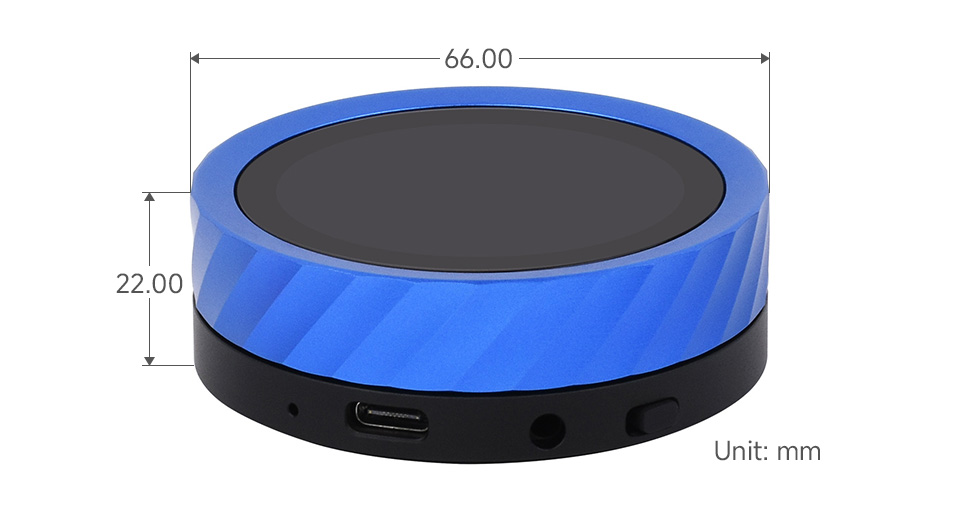
- അളവുകൾ: Approximately 66mm (diameter) x 22mm (height).
4. പാക്കേജ് ഉള്ളടക്കം
The package contents vary depending on the version purchased:
4.1. ESP32-S3-Knob-Touch-LCD-1.8 (with Lithium battery)
- ESP32-S3-Knob-Touch-LCD-1.8 unit × 1 (with pre-assembled 3.7V 102035 800mAh Lithium battery)

4.2. ESP32-S3-Knob-Touch-LCD-1.8-EN (Standard version, without Lithium battery)
- ESP32-S3-Knob-Touch-LCD-1.8-EN unit × 1
- Back cover × 1

* Note: The built-in 3.7V 102035 Lithium battery is optional and only included with the ESP32-S3-Knob-Touch-LCD-1.8 version.
5. സജ്ജീകരണ ഗൈഡ്
5.1. ഘടകം ഓവർview

- ESP32-S3R8: Wi-Fi and Bluetooth SoC, 240MHz operating frequency, with 8MB PSRAM.
- ESP32-U4WDH: Wi-Fi and Classic Bluetooth, 240MHz operating frequency, with 4MB Flash.
- PCM5100A: High-performance stereo DAC with I2S interface.
- USB To UART: For serial communication.
- 16MB Flash: Additional storage.
- Dual encoder: For ESP32-S3 and ESP32 respectively.
- TF കാർഡ് സ്ലോട്ട്: For external storage.
- DRV2605: Vibration motor driver with I2C interface.
- CH445P: 4-SPDT 3.3V low-resistance analog switch IC.
- Digital MIC: ഓഡിയോ ഇൻപുട്ടിനായി.
- Ceramic antenna: വയർലെസ് കണക്റ്റിവിറ്റിക്ക്.
- PH1.27 10P SMD Connector: For expansion.

- വൈബ്രേഷൻ മോട്ടോർ: Provides haptic feedback.
- PH1.27 10P SMD header: For additional connections.
- PH1.25 Lithium battery header: For connecting the optional Lithium battery.
- 3.5 എംഎം ഓഡിയോ ജാക്ക്: For external audio output.
- പവർ ബട്ടൺ: ഉപകരണം ഓൺ/ഓഫ് ചെയ്യാൻ.
- ടൈപ്പ്-സി കണക്ടർ: Used for power and data. It switches between ESP32-S3 USB and ESP32 UART based on the Type-C plug orientation.
- ESP32-S3R8 BOOT button: Press this button and power on again to enter download mode for firmware updates.
5.2. പ്രാരംഭ പവർ ഓൺ
- If your board includes a Lithium battery, ensure it is charged by connecting the Type-C cable to a power source.
- ഉപകരണം ഓണാക്കാൻ പവർ ബട്ടൺ അമർത്തിപ്പിടിക്കുക.
- If your board is the standard version without a battery, connect the Type-C cable to a power source to operate the device.
6. പ്രവർത്തന നിർദ്ദേശങ്ങൾ
6.1. Basic Navigation and Control
- Knob Encoder: Rotate the knob to navigate menus, adjust values (e.g., volume, backlight), or switch between themes.
- Capacitive Touch Screen: Tap or swipe on the 1.8-inch LCD for direct interaction.
- സ്വൈപ്പ് ആംഗ്യങ്ങൾ: Swipe left or right to switch between photos, videos, or pages in e-books.

6.2. Multi-functional Applications
- പോമോഡോറോ ടൈമർ: The device supports three Pomodoro timer themes for productivity.
- ബ്ലൂടൂത്ത് സംഗീത പ്ലേബാക്ക്:
- Connect your smartphone via Bluetooth.
- Connect an external speaker to the 3.5mm audio jack (the device does not have a built-in speaker).
- Upload music lyrics and covers to the device (refer to the Wiki for detailed instructions).
- Adjust volume by sliding the knob.
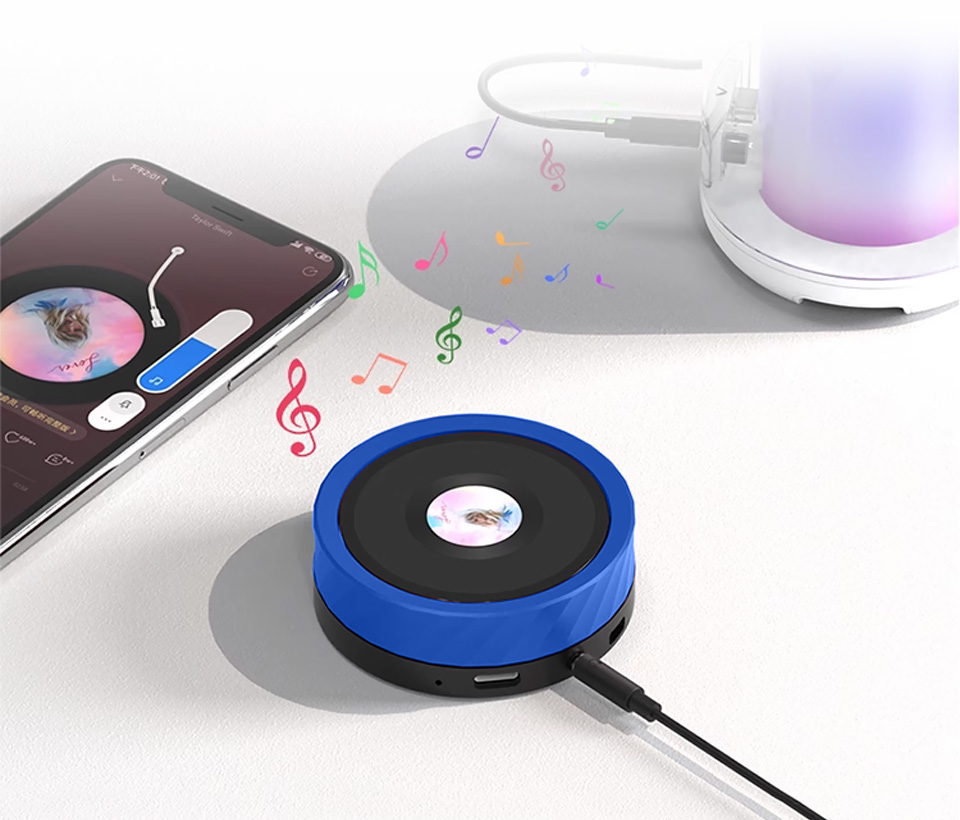
Figure 6.2: Bluetooth Music Playback Setup - Digital Photo Frame & Video Playback: Insert a TF card with images or videos. Use swipe gestures to browse content.
- ഇ-ബുക്ക് റീഡർ: Supports reading TXT files. Swipe to turn pages.
- PC Secondary Screen (AIDA64 Wireless Aux Display):
- നിങ്ങളുടെ പിസിയിലേക്ക് ഉപകരണം ബന്ധിപ്പിക്കുക.
- Monitor CPU and GPU parameters in real-time. Refer to the Waveshare Wiki for software setup.
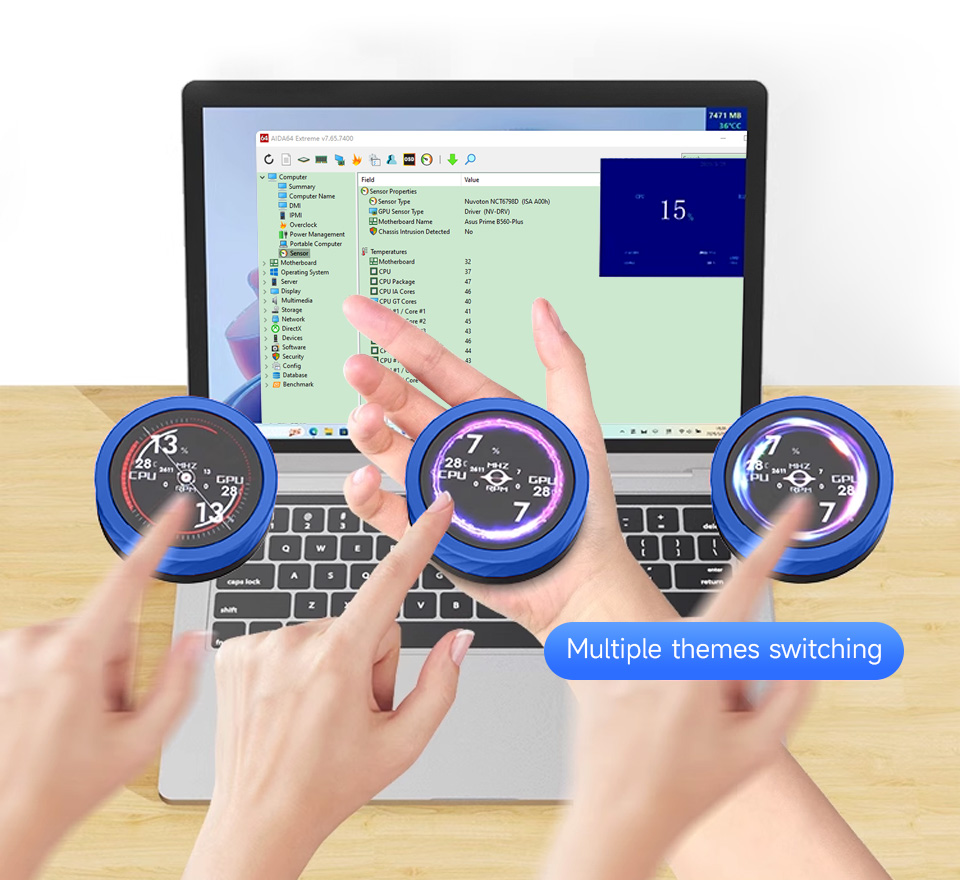
Figure 6.3: PC Secondary Screen Functionality - PC Bluetooth Volume Control:
- Pair the device with your PC via Bluetooth.
- Use the knob to adjust the system volume for movies and music.
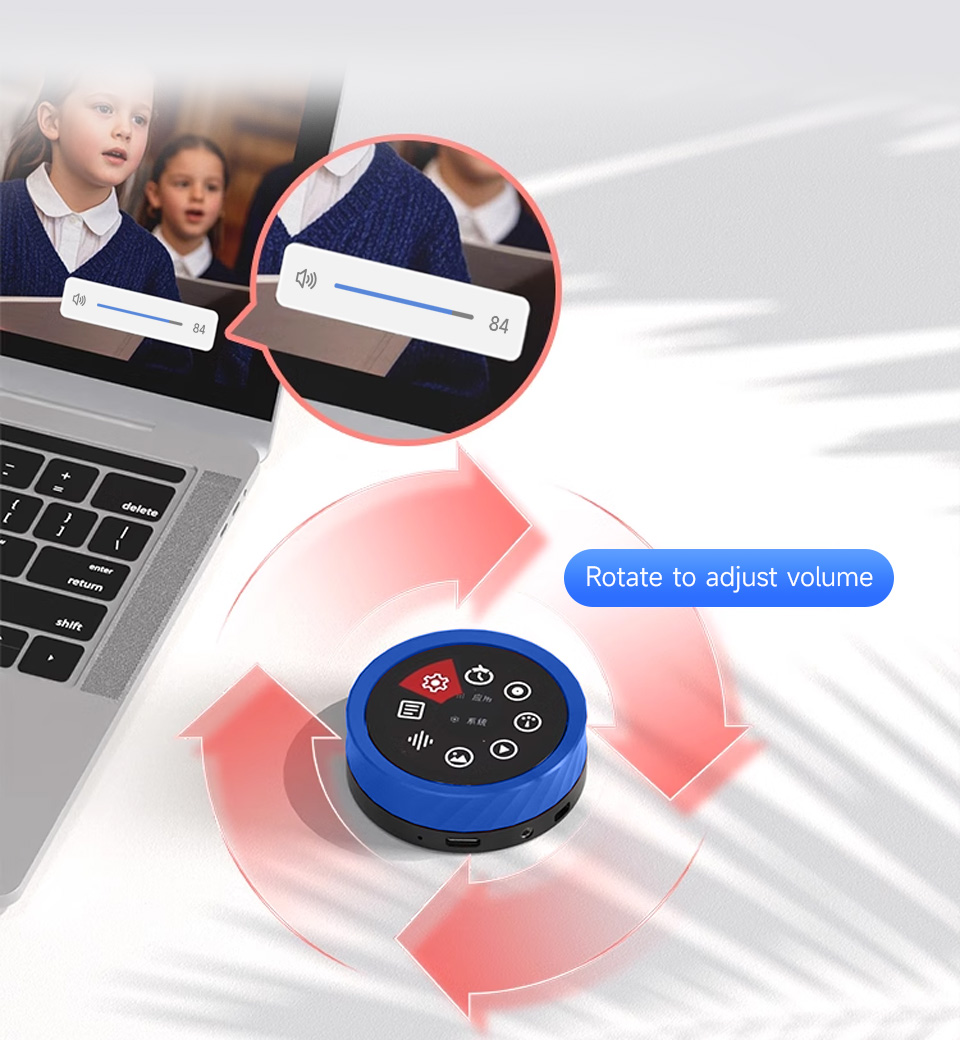
Figure 6.4: PC Bluetooth Volume Control - Real-time Audio Visualization: The built-in microphone captures ambient sounds and displays them as a real-time audio spectrum on the screen.
6.3. ക്രമീകരണങ്ങളും ഇഷ്ടാനുസൃതമാക്കലും
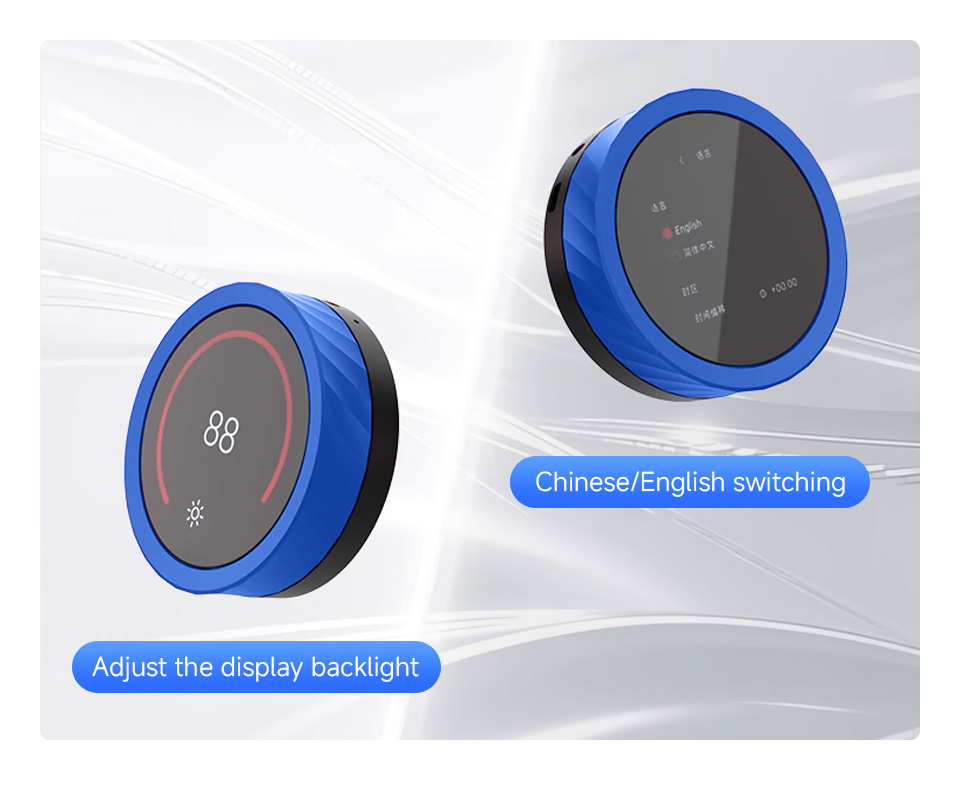
- ബാക്ക്ലൈറ്റ് ക്രമീകരണം: Rotate the knob to adjust the display backlight intensity.
- ഭാഷ മാറൽ: Easily switch between Chinese and English modes.
- Multiple Themes: The device supports switching between various display themes.
7. പരിപാലനം
- വൃത്തിയാക്കൽ: ഉപകരണം വൃത്തിയാക്കാൻ മൃദുവായതും ഉണങ്ങിയതുമായ തുണി ഉപയോഗിക്കുക. ഉരച്ചിലുകൾ ഉള്ള ക്ലീനറുകളോ ലായകങ്ങളോ ഉപയോഗിക്കുന്നത് ഒഴിവാക്കുക.
- സംഭരണം: നേരിട്ടുള്ള സൂര്യപ്രകാശത്തിൽ നിന്നും കടുത്ത താപനിലയിൽ നിന്നും മാറി തണുത്തതും വരണ്ടതുമായ സ്ഥലത്ത് ഉപകരണം സൂക്ഷിക്കുക.
- ബാറ്ററി കെയർ (ബാധകമെങ്കിൽ): If your device has a Lithium battery, avoid fully discharging it for extended periods. Charge it regularly to maintain battery health.
- ഫേംവെയർ അപ്ഡേറ്റുകൾ: Periodically check the Waveshare Wiki for firmware updates to ensure optimal performance and access to new features.
8. പ്രശ്നപരിഹാരം
- ഉപകരണം ഓണാക്കുന്നില്ല:
- Ensure the Type-C cable is securely connected to a power source.
- If equipped with a battery, ensure it is charged.
- കുറച്ച് സെക്കൻഡ് നേരത്തേക്ക് പവർ ബട്ടൺ അമർത്തിപ്പിടിക്കുക.
- Display not showing anything:
- പവർ കണക്ഷൻ പരിശോധിക്കുക.
- ഉപകരണം ഓണാണെന്ന് ഉറപ്പാക്കുക.
- Try adjusting the backlight using the knob.
- ടച്ച് സ്ക്രീൻ പ്രതികരിക്കുന്നില്ല:
- സ്ക്രീൻ വൃത്തിയുള്ളതും അവശിഷ്ടങ്ങൾ ഇല്ലാത്തതുമാണെന്ന് ഉറപ്പാക്കുക.
- ഉപകരണം പുനരാരംഭിക്കുക.
- ബ്ലൂടൂത്ത് കണക്റ്റിവിറ്റി പ്രശ്നങ്ങൾ:
- Ensure Bluetooth is enabled on both the device and the paired host (smartphone/PC).
- ഉപകരണം ജോടി മാറ്റി വീണ്ടും ജോടിയാക്കാൻ ശ്രമിക്കുക.
- Ensure the device is within range.
- ഓഡിയോ ഔട്ട്പുട്ട് ഇല്ല:
- Verify an external speaker is correctly connected to the 3.5mm audio jack.
- Check volume settings on both the device and the connected audio source.
- Unable to enter download mode:
- Ensure you are pressing the ESP32-S3R8 BOOT button while powering on the device.
- Refer to the Waveshare Wiki for specific instructions on entering download mode.
9 ഉപയോക്തൃ നുറുങ്ങുകൾ
- Explore the Wiki: For advanced usage, programming guides, and detailed examples, always refer to the official Waveshare Wiki for this product.
- ഇഷ്ടാനുസൃതമാക്കൽ: Leverage the dual MCUs and open-source nature to develop custom applications and interfaces.
- ബാഹ്യ സംഭരണം: Utilize the TF card slot for expanding storage for media files or project data.
10. വാറൻ്റിയും പിന്തുണയും
For detailed warranty information, technical support, and additional resources, please visit the official Waveshare product Wiki:
www.waveshare.com/wiki/ESP32-S3-Knob-Touch-LCD-1.8
This manual provides general instructions. For specific development and programming details, the Wiki is the primary resource.


