RCA Universal DC Car Adapter
മോഡൽ: AH55
ആമുഖം
This manual provides essential information for the safe and effective use of your RCA Universal DC Car Adapter, Model AH55. This adapter is designed to power a wide range of portable electronic devices from your vehicle's 12-volt cigarette lighter socket.
It features selectable voltage output and includes six commonly used plugs to ensure compatibility with various devices such as portable MP3 players, CD players, and DVD players.
സുരക്ഷാ വിവരങ്ങൾ
- ഈർപ്പം, മഴ, അല്ലെങ്കിൽ തീവ്രമായ താപനില എന്നിവയിൽ അഡാപ്റ്റർ തുറന്നുകാട്ടരുത്.
- Ensure the adapter is disconnected from the power source when not in use or during cleaning.
- ശരിയായ വോളിയം പരിശോധിക്കുകtage and polarity settings for your device before connecting. Incorrect settings can damage your device.
- Do not attempt to disassemble or repair the adapter. Refer all servicing to qualified personnel.
- കുട്ടികൾക്ക് ലഭ്യമാകാതെ സൂക്ഷിക്കുക.
- Avoid placing the adapter in direct sunlight or near heat sources.
പാക്കേജ് ഉള്ളടക്കം
- RCA Universal DC Car Adapter (AH55)
- Set of six interchangeable power tips
- നിർദ്ദേശ മാനുവൽ (ഈ പ്രമാണം)
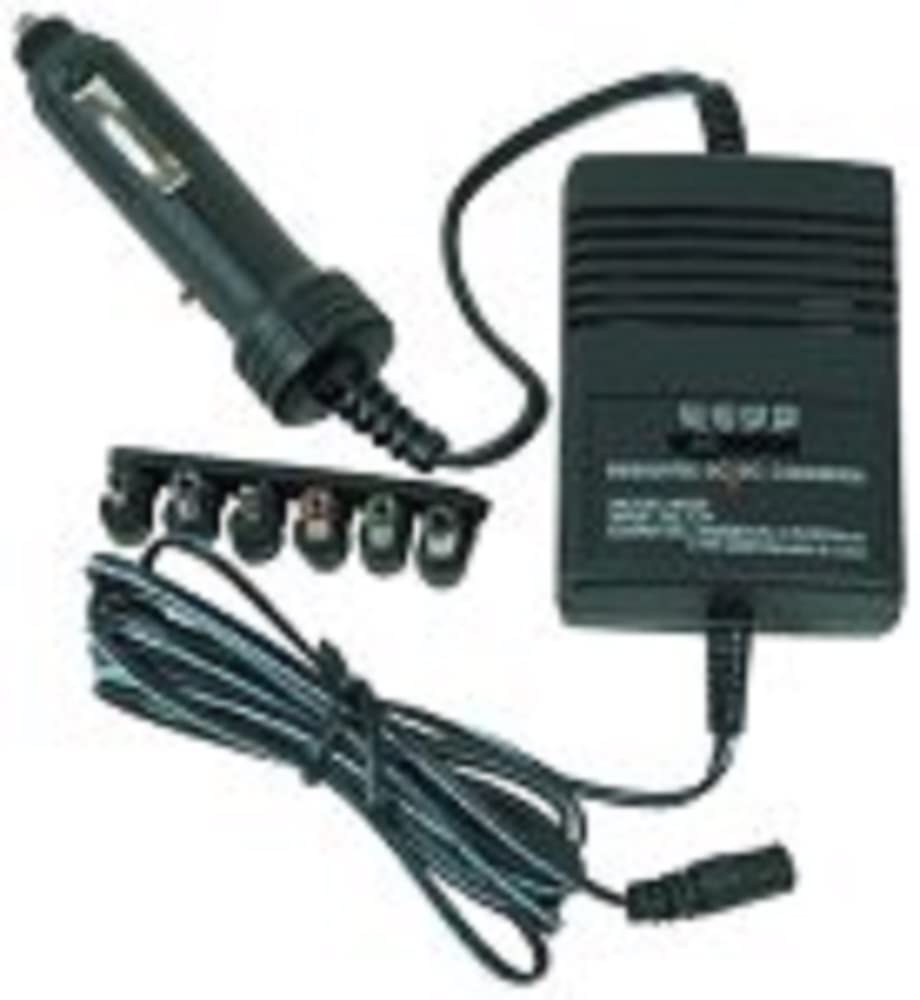
ചിത്ര വിവരണം: A black RCA Universal DC Car Adapter is shown. It consists of a main rectangular power unit, a cigarette lighter plug attached by a cord, and a separate strip holding six different interchangeable power tips. A coiled power cord extends from the main unit, ending in a connector for the power tips.
സജ്ജമാക്കുക
- Identify Device Requirements: Before connecting, determine the correct voltage and polarity (positive or negative center) required by your portable electronic device. This information is usually found on the device itself, its original power adapter, or in its user manual.
- Select Correct Tip: Choose one of the six interchangeable power tips that physically fits your device's power input jack.
- Attach Tip: Firmly attach the selected power tip to the output cable of the RCA Universal DC Car Adapter. Ensure it is securely seated.
- വോളിയം സജ്ജമാക്കുകtage: വോളിയം കണ്ടെത്തുകtage selector switch on the main adapter unit. Adjust the switch to match the required voltage of your device (e.g., 3V, 4.5V, 6V, 7.5V, 9V, 12V).
- Set Polarity: If your device requires a specific polarity (e.g., center positive or center negative), adjust the polarity switch on the adapter accordingly. Incorrect polarity can damage your device.
പ്രവർത്തിക്കുന്നു
- ഉപകരണത്തിലേക്ക് കണക്റ്റുചെയ്യുക: Plug the attached power tip into your portable electronic device's power input jack.
- വാഹനവുമായി ബന്ധിപ്പിക്കുക: Insert the cigarette lighter plug of the adapter firmly into your vehicle's 12-volt accessory socket (cigarette lighter socket).
- പവർ ഓൺ: Your device should now receive power. If your device has a power button, turn it on.
- വിച്ഛേദിക്കുന്നു: To disconnect, first remove the cigarette lighter plug from the vehicle's socket, then unplug the power tip from your device.
പ്രധാനപ്പെട്ടത്: Always ensure the vehicle's engine is running or the ignition is in the accessory position to provide power to the socket. Some vehicles may cut power to the accessory socket when the engine is off.
മെയിൻ്റനൻസ്
- വൃത്തിയാക്കൽ: മൃദുവായതും ഉണങ്ങിയതുമായ തുണി ഉപയോഗിച്ച് അഡാപ്റ്റർ വൃത്തിയാക്കുക. ലിക്വിഡ് ക്ലീനറുകളോ എയറോസോളുകളോ ഉപയോഗിക്കരുത്.
- സംഭരണം: Store the adapter in a cool, dry place when not in use. Keep the power tips organized to prevent loss.
- കേബിൾ കെയർ: Avoid sharp bends or kinks in the power cords. Do not pull on the cord to disconnect the adapter.
ട്രബിൾഷൂട്ടിംഗ്
| പ്രശ്നം | സാധ്യമായ കാരണം | പരിഹാരം |
|---|---|---|
| ഉപകരണം ഓണാക്കുന്നില്ല. | തെറ്റായ വോളിയംtagഇ ക്രമീകരണം. | വോളിയം പരിശോധിച്ച് ക്രമീകരിക്കുകtage selector to match your device's requirements. |
| ഉപകരണം ഓണാക്കുന്നില്ല. | തെറ്റായ പോളാരിറ്റി ക്രമീകരണം. | Check your device's polarity requirements and adjust the adapter's polarity switch. |
| ഉപകരണം ഓണാക്കുന്നില്ല. | അയഞ്ഞ കണക്ഷൻ. | Ensure all connections (cigarette lighter, power tip to device, power tip to adapter) are secure. |
| ഉപകരണം ഓണാക്കുന്നില്ല. | Vehicle's accessory socket is not active. | Ensure the vehicle's ignition is on or the engine is running. Test the socket with another known working device. |
| ഉപയോഗിക്കുമ്പോൾ അഡാപ്റ്റർ ചൂടുള്ളതായി അനുഭവപ്പെടുന്നു. | സാധാരണ പ്രവർത്തനം. | It is normal for the adapter to generate some heat during operation. If it becomes excessively hot or emits smoke/odor, disconnect immediately. |
സ്പെസിഫിക്കേഷനുകൾ
- മോഡൽ: AH55
- ഇൻപുട്ട് വോളിയംtage: 12V DC (from vehicle cigarette lighter socket)
- Putട്ട്പുട്ട് വോളിയംtage: Selectable (e.g., 3V, 4.5V, 6V, 7.5V, 9V, 12V DC)
- അനുയോജ്യമായ ഉപകരണങ്ങൾ: Most portable MP3, CD, or DVD players, and other small electronic devices requiring DC power.
- അളവുകൾ: ഏകദേശം 5.7 x 3.5 x 2 ഇഞ്ച് (പ്രധാന യൂണിറ്റ്)
- ഭാരം: ഏകദേശം 5.3 ഔൺസ്
- കണക്റ്റിവിറ്റി ടെക്നോളജി: RCA (as per product details, though it refers to the brand here, the connector type is typically barrel jack)
- പ്രത്യേക സവിശേഷത: യാത്രാ സൗഹൃദ രൂപകൽപ്പന
വാറൻ്റിയും പിന്തുണയും
For warranty information or technical support regarding your RCA Universal DC Car Adapter (Model AH55), please refer to the warranty card included with your purchase or contact Audiovox customer service. Contact details can typically be found on the manufacturer's official webസൈറ്റ് അല്ലെങ്കിൽ ഉൽപ്പന്ന പാക്കേജിംഗിൽ.
വാറൻ്റി ക്ലെയിമുകൾക്കായി നിങ്ങളുടെ വാങ്ങിയതിൻ്റെ തെളിവ് സൂക്ഷിക്കുക.


