1. ഉൽപ്പന്നം കഴിഞ്ഞുview
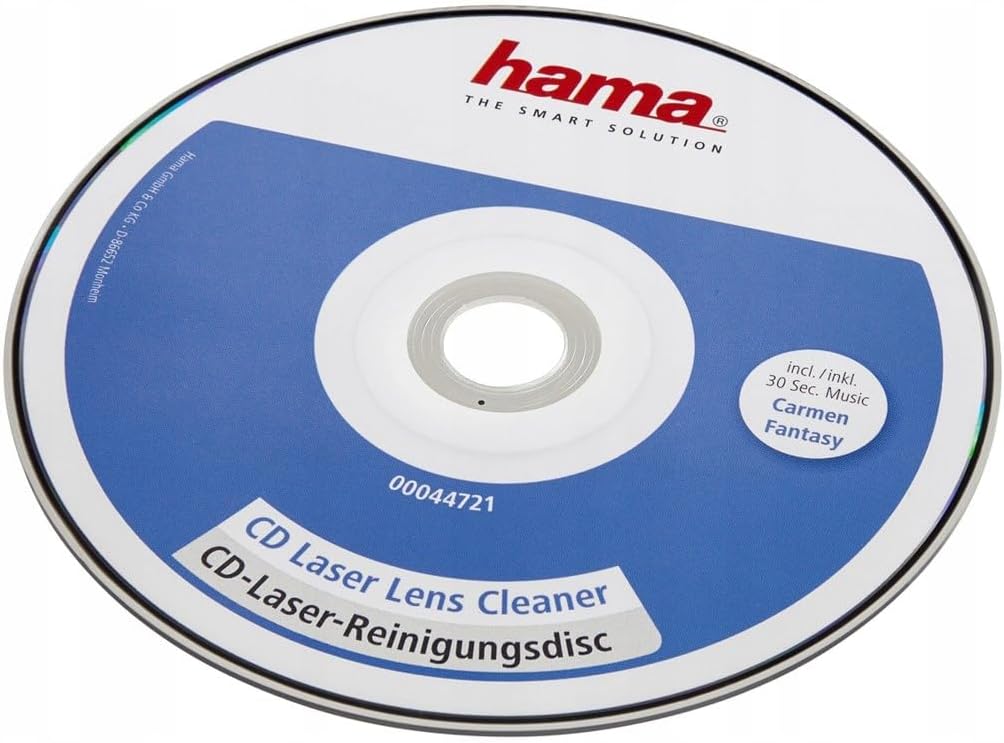
The Hama 00044721 CD Laser Cleaning Disc is designed for the gentle dry cleaning of laser optics in CD players and CD-ROM drives. Regular use helps remove dust and dirt, which can significantly improve playback quality and prevent skipping or reading errors.
This cleaning disc features a specialized brush that effectively cleans the laser lens. It includes a 30-second music track, 'Carmen Fantasy', which plays during the cleaning process to indicate operation.
The package contains one Hama CD Laser Cleaning Disc and a protective CD box for storage.

2. സജ്ജീകരണം
No special setup is required for the Hama CD Laser Cleaning Disc. Simply remove it from its protective case before use.
3. പ്രവർത്തന നിർദ്ദേശങ്ങൾ
പ്രധാന കുറിപ്പ്: This cleaning disc is primarily designed for tray-loading CD players. Do not use this cleaning disc in slot-loading CD players unless explicitly stated by the player's manufacturer, as it may cause damage.
- Insert the Hama CD Laser Cleaning Disc into your CD player or CD-ROM drive as you would a regular audio CD.
- Close the CD tray. The disc will automatically begin to play the integrated 'Carmen Fantasy' music track. During this 30-second period, the cleaning brush on the disc will gently clean the laser lens of your player.
- Once the track finishes, the cleaning process is complete. Open the CD tray and remove the disc from your player.
- For optimal results, use the cleaning disc periodically, especially if you notice skipping, reading errors, or poor playback quality from your audio CDs.

4. പരിപാലനം
- After each use, return the Hama CD Laser Cleaning Disc to its protective CD box to prevent dust accumulation on the cleaning brush and disc surface.
- Store the disc in a cool, dry place away from direct sunlight.
- Periodically inspect the cleaning brush for any visible damage or excessive debris. If the brush appears worn or heavily soiled, the effectiveness of the cleaning disc may be reduced.
5. പ്രശ്നപരിഹാരം
Issue: Disc is not recognized by the player or is ejected.
പരിഹാരം: Ensure your CD player is a tray-loading type. This cleaning disc is not suitable for all slot-loading players. If it's a tray-loading player and still not recognized, try re-inserting it. If the problem persists, the player's laser may be severely damaged, or the disc itself might be faulty.
Issue: Playback quality does not improve after cleaning.
പരിഹാരം: Perform the cleaning process again. If there's still no improvement, the issue might not be related to a dirty laser lens. Other factors like scratched CDs, player malfunction, or severe internal damage may be present.
Issue: Disc makes unusual noises during cleaning.
പരിഹാരം: Immediately remove the disc. Check for any physical damage to the disc or the player's tray mechanism. Do not force the disc into the player.
6 സ്പെസിഫിക്കേഷനുകൾ
| ബ്രാൻഡ് | ഹമാ |
| മോഡൽ | 00044721 |
| ഭാഗം നമ്പർ | 00044721 |
| അനുയോജ്യമായ ഉപകരണങ്ങൾ | CD Players, CD-ROM Drives |
| ഉൾപ്പെടുത്തിയ ഘടകങ്ങൾ | 1 CD Laser Cleaning Disc, 1 CD Box |
| ഉൽപ്പന്ന അളവുകൾ | 12 x 1.8 x 21 സെ.മീ |
| ഇനത്തിൻ്റെ ഭാരം | 78.8 ഗ്രാം |
| മീഡിയ ഫോർമാറ്റ് | CD |
| ബാറ്ററികൾ ആവശ്യമാണ് | ഇല്ല |
7 പ്രധാനപ്പെട്ട സുരക്ഷാ വിവരങ്ങൾ
- Do not attempt to open or modify the cleaning disc.
- കുട്ടികൾക്ക് ലഭ്യമാകാതെ സൂക്ഷിക്കുക.
- Do not use in damaged or malfunctioning CD players.
- As noted in operating instructions, avoid use in slot-loading drives unless confirmed compatible by your player's manufacturer.
8. വാറൻ്റിയും പിന്തുണയും
For warranty information or technical support regarding your Hama 00044721 CD Laser Cleaning Disc, please refer to the official Hama website or contact Hama customer service directly. Please retain your proof of purchase for warranty claims.


