1. ആമുഖം
This manual provides comprehensive instructions for the installation, operation, and maintenance of your HP 72 GB Serial Attached SCSI (SAS) Hard Drive, model 375870-B21. Please read this manual thoroughly before proceeding with installation or operation to ensure proper functionality and to prevent data loss or damage to the device.
2. ഉൽപ്പന്നം കഴിഞ്ഞുview
The HP 72 GB SAS Hard Drive is an internal storage device designed for enterprise environments, offering high performance and reliability. Serial Attached SCSI (SAS) represents the evolution of SCSI technology, integrating its established software advantages with the Serial ATA (SATA) electrical and physical connection interface. This drive is engineered to meet the escalating and complex demands of enterprise storage, including requirements for larger capacity, greater density, enhanced security, scalability, and accessibility. It is suitable for data centers that require continuous online operation, simultaneous user requests, constant growth, and maintenance during operation.
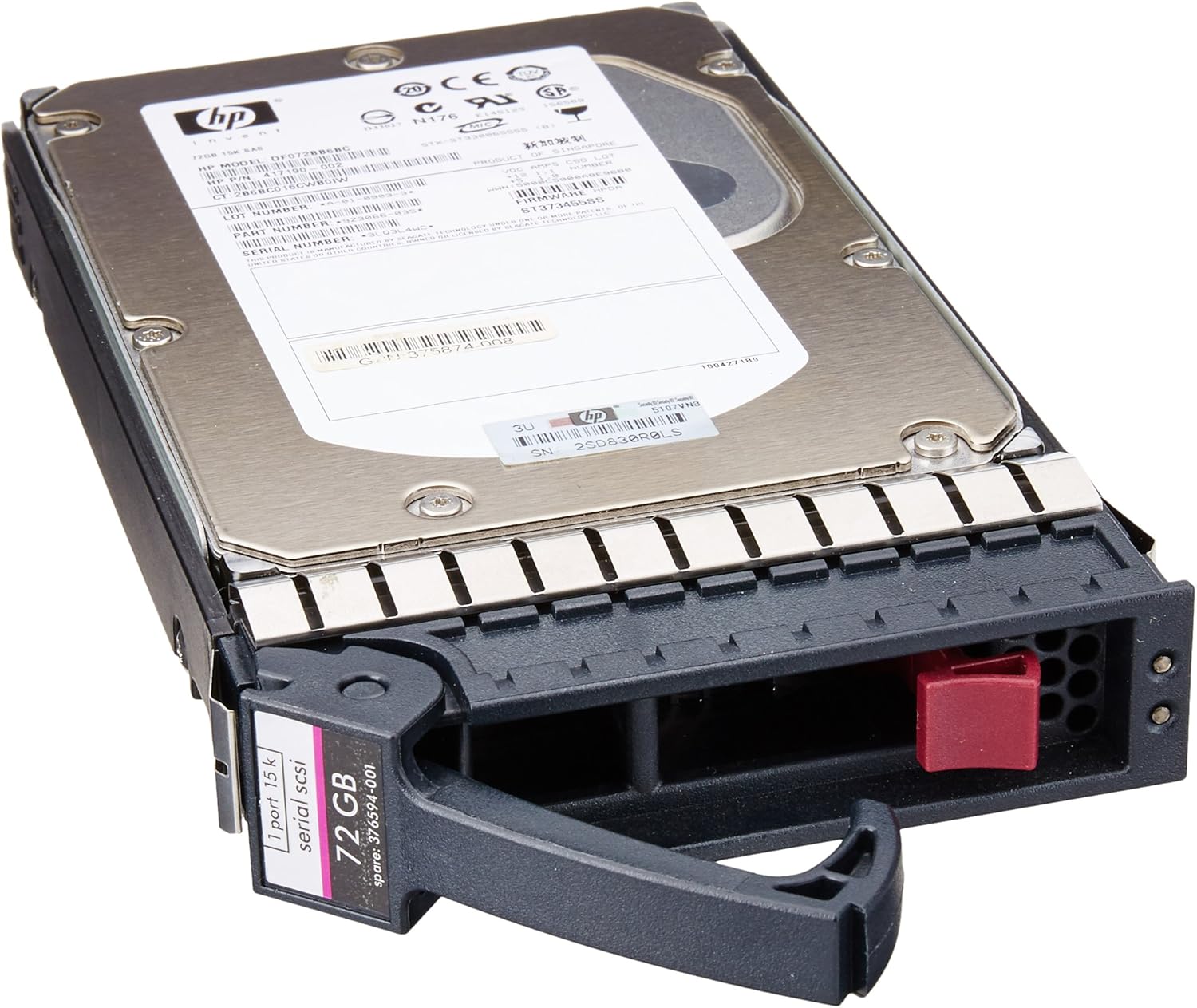
ചിത്രം 2.1: HP 72 GB SAS Hard Drive with its integrated caddy. This image displays the top view of the hard drive, showing the HP branding, model number label, and the SAS interface connector at the rear, along with the drive caddy for server bay installation.
3. സജ്ജീകരണവും ഇൻസ്റ്റാളേഷനും
This hard drive is designed for internal installation within compatible desktop systems or server enclosures. Proper installation is crucial for optimal performance and data integrity.
3.1 സുരക്ഷാ മുൻകരുതലുകൾ
- Always power off and unplug the computer or server before opening the chassis.
- Discharge any static electricity by touching a grounded metal object before handling the hard drive.
- Handle the hard drive by its edges or caddy; avoid touching the circuit board or connectors.
3.2 ഇൻസ്റ്റലേഷൻ ഘട്ടങ്ങൾ
- സിസ്റ്റം തയ്യാറാക്കുക: Power down your computer or server and disconnect all power cables. Open the computer case or server chassis according to the manufacturer's instructions.
- ഒരു ഡ്രൈവ് ബേ കണ്ടെത്തുക: Identify an available 3.5-inch drive bay. For server installations, ensure the bay is compatible with the drive's caddy.
- Mount the Drive: If the drive is not already in a caddy, secure it into a compatible 3.5-inch drive caddy using the provided screws. Slide the caddy with the hard drive into the empty drive bay until it clicks into place or is secured by the locking mechanism.
- കേബിളുകൾ ബന്ധിപ്പിക്കുക: Connect a SAS data cable from the hard drive to an available SAS port on your motherboard or RAID controller. Connect a power cable from the power supply unit (PSU) to the hard drive's power connector.
- അടച്ച് പവർ ഓൺ ചെയ്യുക: Close the computer case or server chassis. Reconnect all power cables and power on the system.
4. പ്രവർത്തന നിർദ്ദേശങ്ങൾ
Once physically installed, the operating system will typically detect the new hard drive. Further steps may be required to make the drive usable.
4.1 Initializing and Formatting
- ഓപ്പറേറ്റിംഗ് സിസ്റ്റം കണ്ടെത്തൽ: Upon booting, your operating system (e.g., Windows, Linux, VMware) should detect the new hardware.
- ഡിസ്ക് മാനേജ്മെൻ്റ്: Access your operating system's disk management utility (e.g., Disk Management in Windows,
fdiskorpartedin Linux). - ഡിസ്ക് ആരംഭിക്കുക: For a new drive, you will need to initialize it (e.g., MBR or GPT partition style).
- Create Partition(s): Create one or more partitions on the drive.
- Format Partition(s): Format the created partition(s) with a suitable file system (e.g., NTFS, ext4, VMFS).
- Assign Drive Letter/Mount Point: Assign a drive letter (Windows) or mount point (Linux) to access the storage.
4.2 Data Storage and Access
After initialization and formatting, the HP 72 GB SAS Hard Drive will function as a standard storage device. You can save, retrieve, and manage files as you would with any other hard drive connected to your system.
5. പരിപാലനം
നിങ്ങളുടെ ഹാർഡ് ഡ്രൈവിന്റെ ദീർഘായുസ്സും മികച്ച പ്രകടനവും ഉറപ്പാക്കാൻ പതിവ് അറ്റകുറ്റപ്പണികൾ സഹായിക്കുന്നു.
- സിസ്റ്റം കൂളിംഗ്: Ensure your computer or server has adequate ventilation and cooling to prevent the hard drive from overheating. High temperatures can degrade performance and shorten the drive's lifespan.
- പതിവ് ബാക്കപ്പുകൾ: Implement a routine backup strategy for all critical data stored on the drive. While SAS drives are reliable, no storage device is immune to failure.
- ഡ്രൈവ് ആരോഗ്യം പരിശോധിക്കുക: Utilize system monitoring tools to periodically check the drive's S.M.A.R.T. (Self-Monitoring, Analysis and Reporting Technology) status. This can provide early warnings of potential drive issues.
- ഫേംവെയർ അപ്ഡേറ്റുകൾ: Periodically check the official HP support website for any available firmware updates for your hard drive model. Firmware updates can improve performance, stability, and compatibility.
6. പ്രശ്നപരിഹാരം
If you encounter issues with your HP 72 GB SAS Hard Drive, refer to the following common troubleshooting steps.
6.1 ഡ്രൈവ് കണ്ടെത്തിയില്ല
- കേബിളുകൾ പരിശോധിക്കുക: Ensure both the SAS data cable and power cable are securely connected to the hard drive and the motherboard/controller/PSU.
- ബയോസ്/യുഇഎഫ്ഐ സജ്ജീകരണങ്ങൾ: Verify that the SAS controller is enabled in your system's BIOS/UEFI settings.
- Controller Drivers: Ensure that the correct and latest drivers for your SAS controller are installed in your operating system.
- മറ്റൊരു പോർട്ട്/കേബിൾ പരീക്ഷിച്ചുനോക്കൂ: If possible, try connecting the drive to a different SAS port or using different data/power cables to rule out faulty connections.
6.2 മന്ദഗതിയിലുള്ള പ്രകടനം
- സിസ്റ്റം ഉറവിടങ്ങൾ: Check if other system components (CPU, RAM) are heavily utilized, which can impact drive performance.
- Drive Fragmentation: While less common with modern file systems, excessive file fragmentation can sometimes affect performance. Consider defragmenting if applicable to your file സിസ്റ്റം.
- സ്മാർട്ട് സ്റ്റാറ്റസ്: Check the drive's S.M.A.R.T. status for any warnings that might indicate impending failure or performance degradation.
- തണുപ്പിക്കൽ: Ensure the drive is not overheating. High temperatures can cause thermal throttling and reduced performance.
6.3 ഡാറ്റ അഴിമതി
- ഡിസ്ക് പരിശോധന പ്രവർത്തിപ്പിക്കുക: Use your operating system's built-in disk checking utility (e.g.,
chkdskin Windows,fsckin Linux) to scan and repair file സിസ്റ്റം പിശകുകൾ. - പവർ സ്ഥിരത: Ensure your system has a stable power supply. Power fluctuations can lead to data corruption. Consider using an Uninterruptible Power Supply (UPS).
7 സ്പെസിഫിക്കേഷനുകൾ
Detailed technical specifications for the HP 72 GB SAS Hard Drive (Model 375870-B21).
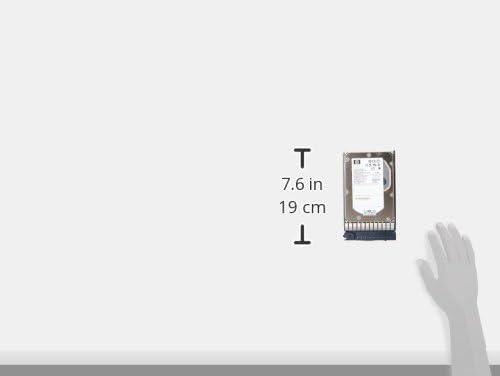
ചിത്രം 7.1: Approximate dimensions of the HP 72 GB SAS Hard Drive. This image illustrates the physical size of the hard drive, indicating a height of approximately 7.6 inches (19 cm).
| ഫീച്ചർ | സ്പെസിഫിക്കേഷൻ |
|---|---|
| മോഡൽ നമ്പർ | 375870-B21 |
| ബ്രാൻഡ് | ഹ്യൂലെറ്റ് പാക്കാർഡ് |
| ഡിജിറ്റൽ സ്റ്റോറേജ് കപ്പാസിറ്റി | 72 ജിബി |
| ഹാർഡ് ഡിസ്ക് ഇന്റർഫേസ് | എസ്എഎസ് (സീരിയൽ അറ്റാച്ച്ഡ് എസ്സിഎസ്ഐ) |
| ഹാർഡ് ഡിസ്ക് ഫോം ഫാക്ടർ | 3.5 ഇഞ്ച് |
| ഇൻസ്റ്റലേഷൻ തരം | ആന്തരിക ഹാർഡ് ഡ്രൈവ് |
| അനുയോജ്യമായ ഉപകരണങ്ങൾ | ഡെസ്ക്ടോപ്പ്, സെർവർ |
| ഉൽപ്പന്ന അളവുകൾ | 9 x 7 x 4.63 ഇഞ്ച് |
| ഇനത്തിൻ്റെ ഭാരം | 1.6 പൗണ്ട് |
| ആദ്യം ലഭ്യമായ തീയതി | ഫെബ്രുവരി 3, 2006 |
8. വാറൻ്റിയും പിന്തുണയും
For information regarding the product warranty, please refer to the official Hewlett Packard (HP) website or the documentation provided at the time of purchase. HP provides various support resources, including technical documentation, drivers, and customer service.
ഔദ്യോഗിക HP പിന്തുണ: For the most up-to-date support information, including warranty details, driver downloads, and troubleshooting guides, please visit the official HP support website. You will typically need your product's model number (375870-B21) to access specific support resources.


