ആമുഖം
This manual provides essential information for the safe and efficient operation of your Wireless Appliance Remote Control Lamp Light Switch. Please read these instructions thoroughly before use and retain them for future reference.
സുരക്ഷാ വിവരങ്ങൾ
- ഇൻഡോർ ഉപയോഗത്തിന് മാത്രം: This device is designed for indoor use in dry locations. Do not expose to water or high humidity.
- ഇലക്ട്രിക്കൽ റേറ്റിംഗ്: Do not exceed the maximum electrical rating of 120V~/60Hz, 10A. Overloading may cause damage or fire.
- ശരിയായ ഉൾപ്പെടുത്തൽ: Ensure the receiver is fully inserted into the wall outlet.
- കുട്ടികളും വളർത്തുമൃഗങ്ങളും: Keep the device and remote control out of reach of children and pets.
- വൃത്തിയാക്കൽ: വൃത്തിയാക്കുന്നതിന് മുമ്പ് വൈദ്യുതിയിൽ നിന്ന് വിച്ഛേദിക്കുക. ഉണങ്ങിയ തുണി മാത്രം ഉപയോഗിക്കുക.
പാക്കേജ് ഉള്ളടക്കം
- 1 x Wireless Remote Control Receiver
- 1 x റിമോട്ട് കൺട്രോൾ ട്രാൻസ്മിറ്റർ
Note: Batteries for the remote control are not included. A 12V 23A battery is required.
സജ്ജമാക്കുക
- Install Battery in Remote Control:

Image: The remote control with its battery cover removed, revealing the slot for a 12V 23A battery. Ensure correct polarity when inserting the battery.
Open the battery compartment on the back of the remote control. Insert one 12V 23A battery, ensuring the correct polarity (+/-). Close the battery compartment securely. - റിസീവർ പ്ലഗ് ഇൻ ചെയ്യുക:

Image: A close-up of the front of the wireless receiver, showing the integrated electrical outlet, a 'RESET' button, an 'ON/OFF' button, and indicator lights.
Plug the wireless receiver directly into a standard 120V AC wall outlet. The receiver may cover both outlets of a duplex receptacle due to its size. - Connect Your Appliance:
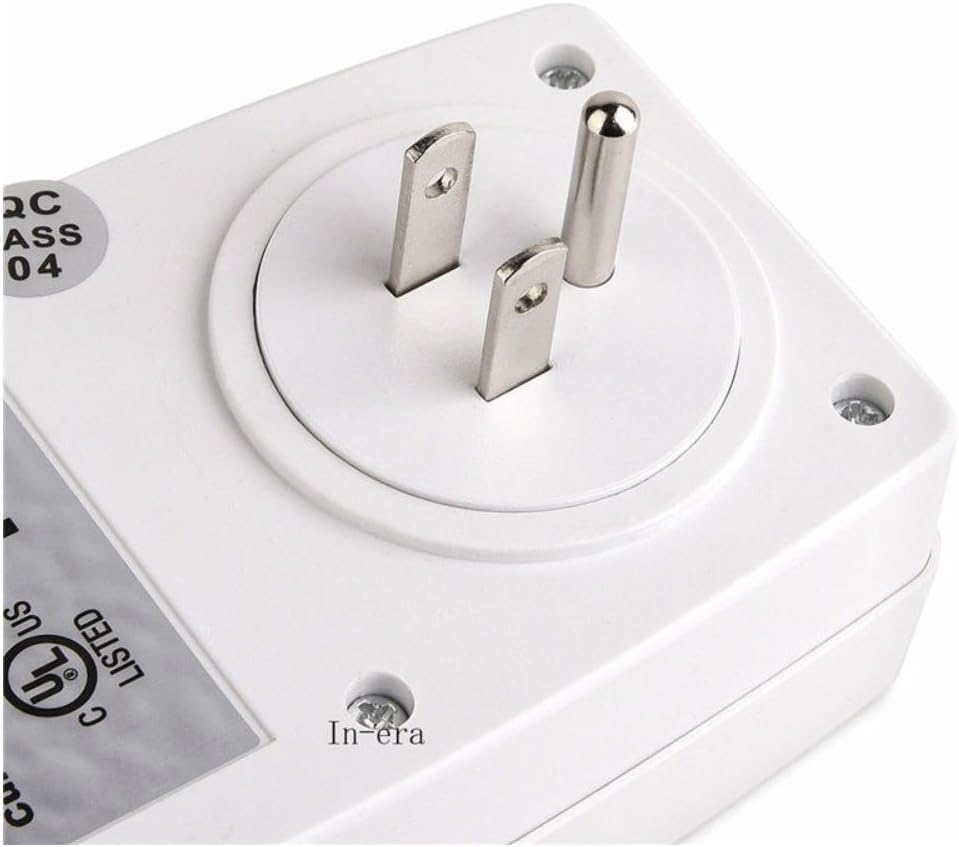
ചിത്രം: വിശദമായ ഒരു ചിത്രം view of the three-prong plug on the back of the receiver unit, designed for insertion into a standard wall outlet.
Plug the appliance you wish to control (e.g., a lamp) into the outlet on the front of the wireless receiver. Ensure the appliance's own switch is in the 'ON' position if it has one, so it can be controlled by the remote.
പ്രവർത്തന നിർദ്ദേശങ്ങൾ
Once the receiver is plugged in and your appliance is connected, you can control it using either the remote control or the manual button on the receiver.
റിമോട്ട് കൺട്രോൾ ഉപയോഗിക്കുന്നു

Image: The remote control unit, featuring distinct 'ON' and 'OFF' buttons for up to three separate channels, along with an indicator light.
- Press the 'ON' button on the remote control to turn on the connected appliance.
- Press the 'OFF' button on the remote control to turn off the connected appliance.
- The remote control typically operates within a range of approximately 50 feet, even through walls, depending on environmental factors.
Using the Manual Button on the Receiver

Image: A user's hand holding the remote control, pointing towards the receiver unit which is plugged into a wall outlet in a room, illustrating the product in action.
- The receiver unit has a manual 'ON/OFF' button. Press this button to toggle the power to the connected appliance directly at the outlet.
- A red indicator light on the receiver will illuminate when the appliance is powered ON.
മെയിൻ്റനൻസ്
- ബാറ്ററി മാറ്റിസ്ഥാപിക്കൽ: When the remote control's range decreases or it becomes unresponsive, replace the 12V 23A battery.
- വൃത്തിയാക്കൽ: Disconnect the receiver from the wall outlet before cleaning. Wipe the surfaces with a soft, dry cloth. Do not use liquid cleaners or solvents.
- സംഭരണം: ദീർഘനേരം ഉപയോഗിക്കാത്തപ്പോൾ ഉപകരണം തണുത്തതും വരണ്ടതുമായ സ്ഥലത്ത് സൂക്ഷിക്കുക.
ട്രബിൾഷൂട്ടിംഗ്
- Appliance does not turn ON/OFF:
- Ensure the receiver is securely plugged into a live wall outlet.
- Verify the appliance is properly plugged into the receiver.
- Check if the appliance's own power switch is in the 'ON' position.
- റിമോട്ട് കൺട്രോളിൽ ബാറ്ററി മാറ്റിസ്ഥാപിക്കുക.
- Try operating the appliance using the manual 'ON/OFF' button on the receiver.
- Remote control range is reduced:
- റിമോട്ട് കൺട്രോൾ ബാറ്ററി മാറ്റിസ്ഥാപിക്കുക.
- Ensure there are no significant obstructions (e.g., large metal objects) between the remote and the receiver.
- Avoid using the device near strong sources of electromagnetic interference.
- Receiver indicator light is off:
- Confirm the wall outlet has power by plugging in another device.
- Ensure the receiver is fully inserted into the wall outlet.
സ്പെസിഫിക്കേഷനുകൾ
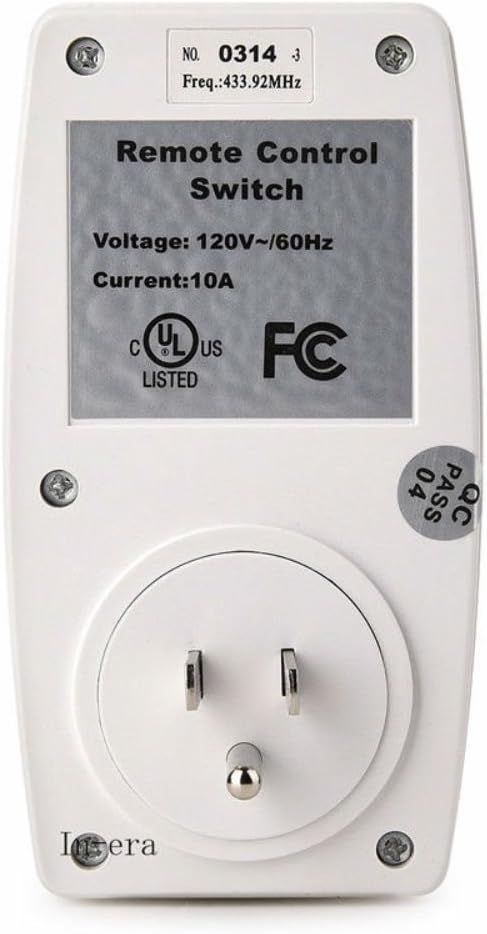
Image: The rear side of the wireless receiver, displaying a label with technical specifications such as voltage, current, and frequency, along with UL and FC certifications.
| സ്പെസിഫിക്കേഷൻ | മൂല്യം |
|---|---|
| മോഡൽ നമ്പർ | CECOMINOD048951 |
| ഓപ്പറേറ്റിംഗ് വോളിയംtage | 120 വോൾട്ട് |
| നിലവിലെ റേറ്റിംഗ് | 10 Amps |
| ആവൃത്തി | 60 Hz |
| കണക്റ്റർ തരം | വയർലെസ് |
| നിയന്ത്രണ രീതി | റിമോട്ട് |
| മൗണ്ടിംഗ് തരം | മതിൽ മൗണ്ട് |
| നിറം | വെള്ള |
| ഇനത്തിൻ്റെ ഭാരം | 10.4 ഔൺസ് |
| പാക്കേജ് അളവുകൾ | 5.6 x 3.9 x 3.1 ഇഞ്ച് |
| റിമോട്ട് ബാറ്ററി തരം | 12V 23A (ഉൾപ്പെടുത്തിയിട്ടില്ല) |
വാറൻ്റിയും പിന്തുണയും
This product is typically covered by a standard manufacturer's warranty against defects in materials and workmanship. For specific warranty details or technical support, please refer to the product packaging or contact the retailer where the product was purchased. Keep your purchase receipt as proof of purchase.


