Ozeri Touch 440 lbs Total Body Weight Scale User Manual
മോഡൽ: ZB13
1. ആമുഖം
Thank you for choosing the Ozeri Touch 440 lbs Total Body Weight Scale. This advanced digital scale is designed to provide comprehensive body composition analysis, including weight, body fat, hydration, muscle mass, and bone measurements. Featuring StepOn technology and auto-recognition for up to 8 users, it offers a convenient and accurate way to monitor your health and fitness progress. Its innovative Infant Tare feature also allows for easy weighing of infants, pets, or luggage.

Image: The Ozeri Touch 440 lbs Total Body Weight Scale, showcasing its sleek black design and illuminated blue LCD display.
2 സുരക്ഷാ വിവരങ്ങൾ
- Always place the scale on a hard, flat surface. Using it on soft surfaces like carpet may affect accuracy.
- The scale's surface is made of tempered glass. While durable, avoid dropping heavy objects on it or subjecting it to strong impacts.
- Keep the scale dry. Do not immerse it in water or use abrasive cleaners. Wipe with a damp തുണി.
- Do not use the scale if you have a pacemaker or other internal medical device. The bioelectrical impedance analysis (BIA) technology may interfere with these devices.
- This scale is intended for household use only and should not be used for commercial or medical purposes.
- ബാറ്ററികൾ കുട്ടികൾക്ക് ലഭ്യമാകാതെ സൂക്ഷിക്കുക. വിഴുങ്ങിയാൽ ഉടൻ വൈദ്യസഹായം തേടുക.
3. സജ്ജീകരണം
3.1. ബാറ്ററി ഇൻസ്റ്റാളേഷൻ
The Ozeri Touch scale requires two CR2032 Lithium batteries (included). To install or replace batteries:
- അടിവശത്തുള്ള ബാറ്ററി കമ്പാർട്ടുമെന്റിലേക്ക് പ്രവേശിക്കാൻ സ്കെയിൽ മറിച്ചിടുക.
- ബാറ്ററി കമ്പാർട്ട്മെൻ്റ് കവർ തുറക്കുക.
- Insert the two CR2032 batteries, ensuring the positive (+) side faces upwards.
- ബാറ്ററി കമ്പാർട്ട്മെൻ്റ് കവർ സുരക്ഷിതമായി അടയ്ക്കുക.
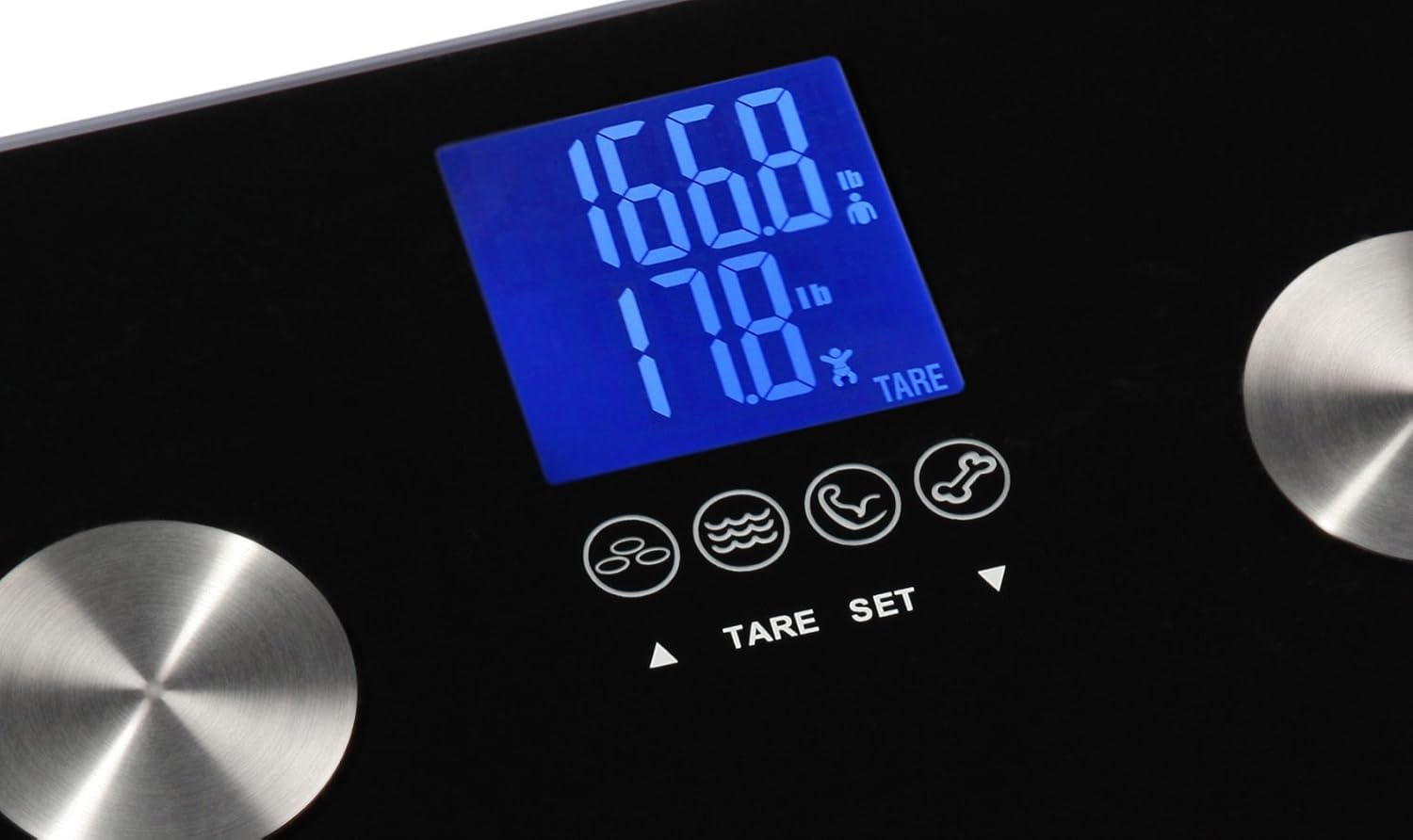
Image: The underside of the Ozeri Touch scale, highlighting the battery compartment and the 'UNIT' switch.
3.2. യൂണിറ്റ് തിരഞ്ഞെടുപ്പ്
You can switch between pounds (lb), kilograms (kg), and stones (st) units. The unit selection switch is located on the underside of the scale, near the battery compartment.
- Locate the 'UNIT' switch on the back of the scale.
- Slide the switch to select your preferred unit of measurement (lb, kg, or st).
3.3. യൂസർ പ്രോfile സജ്ജമാക്കുക
സ്കെയിലിന് 8 ഉപയോക്തൃ പ്രോ വരെ സംഭരിക്കാൻ കഴിയുംfiles. Setting up a profile allows the scale to accurately calculate body composition based on your personal data.
- With the scale off, press the 'SET' button. The display will show 'P1' (Profile 1).
- Use the Up (▲) or Down (▼) arrows to select a user profile (P1-P8). Press 'SET' to confirm.
- Set your gender (male/female), height, and age using the Up/Down arrows and 'SET' to confirm each setting.
- Once all settings are confirmed, the scale will display '0.0' and is ready for use.
For a visual guide on setting up and using the scale, please refer to the official product video below:
Video: An official demonstration of the Ozeri Touch 440 lbs Total Body Bath Scale, highlighting its features for measuring weight, body fat, muscle, bone, and hydration, along with its auto-recognition capabilities.
4. പ്രവർത്തന നിർദ്ദേശങ്ങൾ
4.1. അടിസ്ഥാന തൂക്കം
The Ozeri Touch scale features StepOn technology for instant readings.
- സ്കെയിൽ കട്ടിയുള്ളതും പരന്നതുമായ പ്രതലത്തിലാണെന്ന് ഉറപ്പാക്കുക.
- Step onto the scale with bare feet, ensuring your feet are positioned on the four metal electrodes.
- സ്കെയിൽ യാന്ത്രികമായി ഓണാകുകയും നിങ്ങളുടെ ഭാരം പ്രദർശിപ്പിക്കുകയും ചെയ്യും.

Image: A person standing on the Ozeri Touch scale, demonstrating proper foot placement for accurate readings.
4.2. Body Composition Measurement
After displaying your weight, the scale will proceed to calculate and display your body fat, hydration, muscle mass, and bone measurements. These readings will cycle on the display.
- Ensure your bare feet are in full contact with the four metal electrodes for accurate bioelectrical impedance analysis (BIA).
- The display will show icons for body fat, hydration, muscle, and bone measurements as it cycles through the results.

ചിത്രം: വിശദമായ ഒരു ചിത്രം view of the scale's LCD screen, illustrating the icons that represent body fat, hydration, muscle, and bone measurements.
4.3. Infant Tare Feature
The Infant Tare feature allows you to accurately weigh an infant, pet, or luggage while holding them.
- First, step onto the scale by yourself to record your weight. Step off once your weight is displayed.
- Immediately step back onto the scale while holding the infant, pet, or luggage.
- The scale will display your combined weight, then automatically calculate and display the weight of the infant/pet/luggage separately.

Image: A visual representation of the Infant Tare function, showing how it can be used to weigh infants, pets, or luggage.
5. പരിപാലനം
5.1. വൃത്തിയാക്കൽ
To clean your Ozeri Touch scale:
- മൃദുവായ, ഡി ഉപയോഗിച്ച് ഉപരിതലം തുടയ്ക്കുകamp തുണി.
- Do not use chemical cleaning agents or abrasive materials, as these can damage the glass surface and electrodes.
- Avoid getting water inside the scale.
5.2. സംഭരണം
തണുത്തതും വരണ്ടതുമായ സ്ഥലത്ത് സ്കെയിൽ സൂക്ഷിക്കുക. തീവ്രമായ താപനിലയോ ഉയർന്ന ആർദ്രതയോ ഒഴിവാക്കുക.
6. പ്രശ്നപരിഹാരം
If you encounter issues with your Ozeri Touch scale, please refer to the following common problems and solutions:
| പ്രശ്നം | സാധ്യമായ കാരണം | പരിഹാരം |
|---|---|---|
| "ഇതാ" പ്രദർശിപ്പിച്ചിരിക്കുന്നു | കുറഞ്ഞ ബാറ്ററി പവർ. | ബാറ്ററികൾ മാറ്റിസ്ഥാപിക്കുക (2 x CR2032). |
| "പിശക്" പ്രദർശിപ്പിച്ചിരിക്കുന്നു | Overload or measurement error. | Ensure weight does not exceed 440 lbs (200 kg). Step off and on again. |
| കൃത്യമല്ലാത്ത വായനകൾ | Scale not on a hard, flat surface; feet not properly placed; scale moved. | Place scale on a firm, level surface. Ensure bare feet are on all four electrodes. Do not move scale during measurement. |
| ഡിസ്പ്ലേ ഇല്ല | ബാറ്ററികൾ തീർന്നു അല്ലെങ്കിൽ തെറ്റായി ഇൻസ്റ്റാൾ ചെയ്തു. | ബാറ്ററി ഓറിയന്റേഷൻ പരിശോധിക്കുക അല്ലെങ്കിൽ ബാറ്ററികൾ മാറ്റിസ്ഥാപിക്കുക. |
7 സ്പെസിഫിക്കേഷനുകൾ
- മോഡൽ: ZB13
- ശേഷി: 440 പൗണ്ട് (200 കി.ഗ്രാം)
- യൂണിറ്റുകൾ: 0.2 lbs / 0.1 kg increments
- സെൻസറുകൾ: 4 high precision GX sensors
- ഡിസ്പ്ലേ: ഉയർന്ന ദൃശ്യതീവ്രതയുള്ള എൽസിഡി
- മെറ്റീരിയൽ: Impact-resistant tempered glass
- അളവുകൾ: 12.2 x 12.2 x 0.5 ഇഞ്ച്
- ഭാരം: 4.2 പൗണ്ട്
- ബാറ്ററികൾ: 2 x CR2032 Lithium Metal batteries (included)
- പ്രത്യേക സവിശേഷതകൾ: Infant Tare Button, Auto Recognition, Tare Function
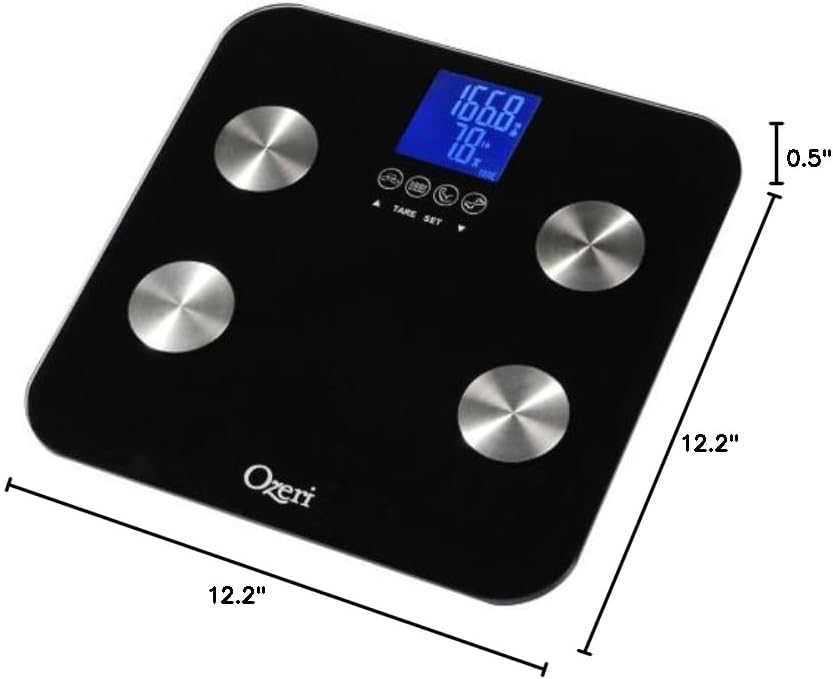
Image: A diagram illustrating the compact dimensions of the Ozeri Touch scale.
8. വാറൻ്റിയും പിന്തുണയും
Ozeri products are manufactured to the highest quality standards. For specific warranty information or technical support, please refer to the documentation included with your purchase or visit the official Ozeri website. You can also find a detailed User Manual in PDF format via this link: Ozeri Touch Scale User Manual (PDF).


