ആമുഖം
This manual provides detailed instructions for the installation, operation, and maintenance of your Antec Kuhler H600PRO H2O Liquid Cooler. This all-in-one liquid CPU cooler is designed to deliver high cooling performance for Intel and AMD processors, featuring an efficient heat transfer system and a quiet PWM fan with blue LED illumination.
ഉൽപ്പന്ന സവിശേഷതകൾ
- High-performance pump with LED status indicator that illuminates during operation.
- Quiet PWM 120 mm blue LED fan with a noise level range of 16-35 dBA (Max) and speed of 600-2400 RPM.
- High-performance 120 mm radiator with 0.28 mm thick heat fins for maximum heat dissipation.
- FEP tubes designed for minimal moisture absorption and high thermal and kinetic tolerances, ensuring prolonged life.
- Large copper plate effectively dissipates heat from the CPU.
- Compatibility with Intel LGA 775, 1150, 1151, 1155, 1156, 1366, 2011 and AMD Socket AM2, AM2+, AM3, AM3+, FM1, FM2.
- Cooling liquid is safe, environmentally friendly, anti-corrosive, and RoHS-compliant.
സജ്ജീകരണവും ഇൻസ്റ്റാളേഷനും
Follow these steps for proper installation of your liquid cooler:
- നിങ്ങളുടെ സിസ്റ്റം തയ്യാറാക്കുക: Ensure your computer is powered off and disconnected from the power source. Remove the side panel of your PC case.
- Install CPU Mounting Bracket: Depending on your CPU socket (Intel or AMD), attach the appropriate backplate and mounting hardware to your motherboard. Refer to the included hardware guide for specific instructions for your socket type.
- തെർമൽ പേസ്റ്റ് പ്രയോഗിക്കുക: നിങ്ങളുടെ സിപിയുവിന്റെ ഇന്റഗ്രേറ്റഡ് ഹീറ്റ് സ്പ്രെഡറിന്റെ (IHS) മധ്യഭാഗത്ത് തെർമൽ പേസ്റ്റിന്റെ നേർത്തതും തുല്യവുമായ ഒരു പാളി പുരട്ടുക.
- Mount CPU Block: Carefully place the pump/cold plate assembly onto the CPU, aligning it with the mounting screws. Secure it evenly with the provided thumb screws or nuts until snug. Do not overtighten.
- Install Radiator and Fan:
- Attach the 120mm fan to the radiator using the provided screws. Ensure the fan is oriented to push air through the radiator (typically exhausting out of the case).
- Mount the radiator assembly to an available 120mm fan mount in your PC case (e.g., rear exhaust, top exhaust).
- കേബിളുകൾ ബന്ധിപ്പിക്കുക:
- Connect the 3-pin pump power cable to an available CPU_FAN or AIO_PUMP header on your motherboard.
- Connect the 4-pin PWM fan cable to a CPU_FAN or SYS_FAN header on your motherboard.
- കേബിൾ മാനേജുമെന്റ്: മറ്റ് ഘടകങ്ങളിലോ വായുപ്രവാഹത്തിലോ ഇടപെടാതിരിക്കാൻ കേബിളുകൾ വൃത്തിയായി റൂട്ട് ചെയ്യുക.
- അന്തിമ പരിശോധനകൾ: Double-check all connections and ensure no cables are obstructing fan blades. Replace the PC case side panel.
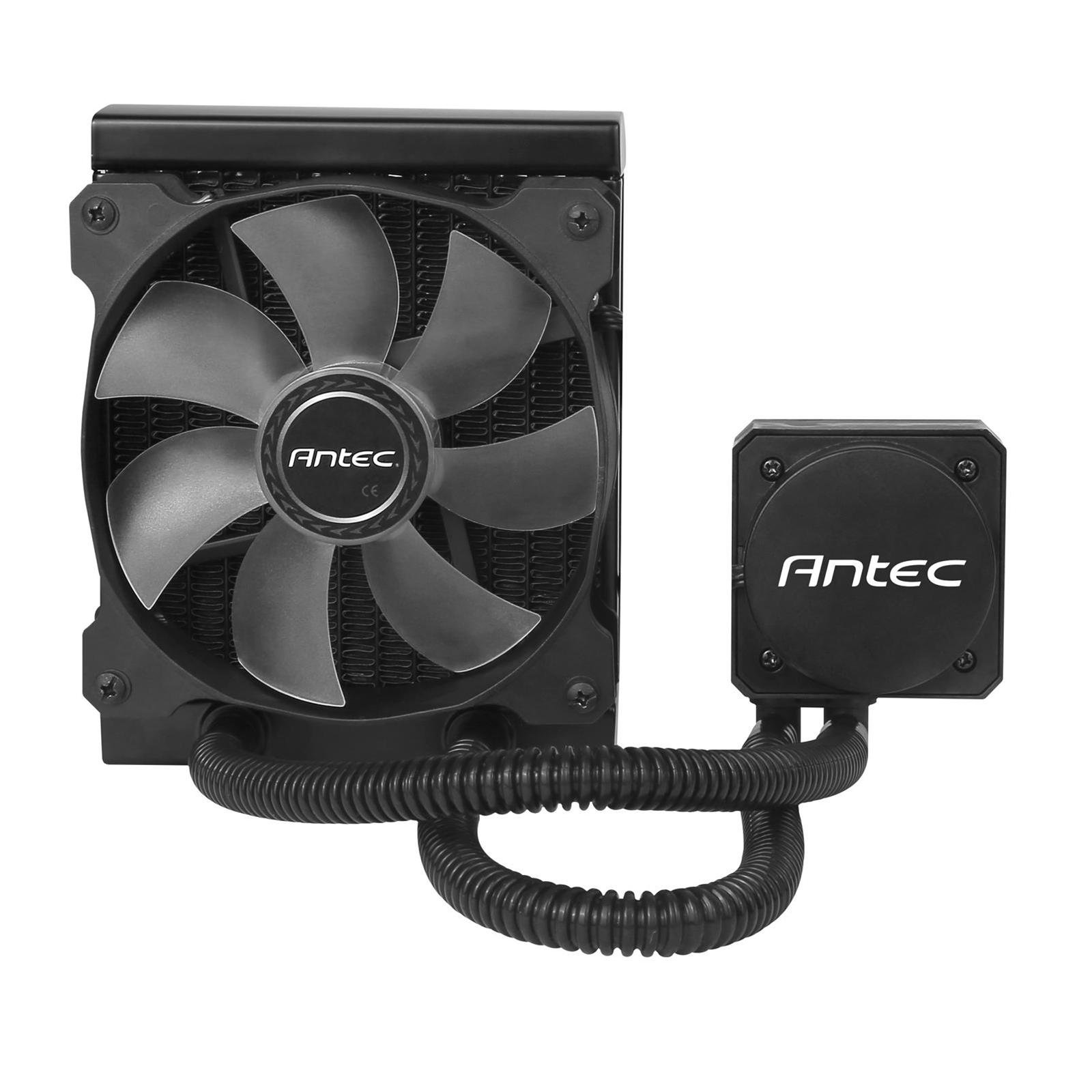
Image showing the Antec Kuhler H600PRO liquid cooler, featuring the radiator, tubing, and the 120mm fan with blue LED illumination.
പ്രവർത്തന നിർദ്ദേശങ്ങൾ
- പ്രാരംഭ പവർ-ഓൺ: Upon first power-on, the pump and fan will activate. The pump features an LED status indicator that illuminates during operation.
- ഫാൻ സ്പീഡ് നിയന്ത്രണം: The 120mm PWM fan's speed is automatically controlled by your motherboard based on CPU temperature. You can typically adjust fan curves in your motherboard's BIOS/UEFI settings for optimal balance between cooling performance and noise levels.
- ശബ്ദ നിലകൾ: The fan operates quietly, with a noise level range of 16-35 dBA (Max), depending on its speed.
- താപനില നിരീക്ഷണം: Monitor your CPU temperatures using system monitoring software to ensure proper cooling performance.
മെയിൻ്റനൻസ്
നിങ്ങളുടെ ലിക്വിഡ് കൂളറിന്റെ മികച്ച പ്രകടനവും ദീർഘായുസ്സും ഉറപ്പാക്കാൻ പതിവ് അറ്റകുറ്റപ്പണി സഹായിക്കുന്നു.
- റേഡിയേറ്റർ ക്ലീനിംഗ്: Periodically inspect the radiator fins for dust buildup. Use compressed air to gently clear dust from the fins, ensuring optimal airflow. Perform this every 3-6 months, or more frequently in dusty environments.
- ട്യൂബ് പരിശോധന: While the FEP tubes are designed for durability, occasionally inspect them for any signs of kinks, leaks, or damage.
- General System Cleanliness: Maintain overall cleanliness of your PC case to prevent dust accumulation on components, which can impact cooling efficiency.
ട്രബിൾഷൂട്ടിംഗ്
If you encounter issues with your Antec Kuhler H600PRO, refer to the following common problems and solutions:
ഉയർന്ന സിപിയു താപനിലകൾ
- Check Thermal Paste: Ensure thermal paste was applied correctly and evenly. Reapply if necessary.
- മൗണ്ടിംഗ് പരിശോധിക്കുക: Confirm the CPU block is securely mounted and making full contact with the CPU.
- ഫാൻ/പമ്പ് പ്രവർത്തനം: Check if the fan is spinning and the pump is operating (listen for a faint hum or check the LED indicator). Ensure all power cables are properly connected.
- റേഡിയേറ്റർ വായുപ്രവാഹം: Ensure the radiator is not obstructed by dust or cables and that the fan is oriented correctly for airflow.
അമിതമായ ശബ്ദം
- ഫാൻ ശബ്ദം: Check for any cables or obstructions hitting the fan blades. Adjust fan speed curves in BIOS/UEFI if the fan is running at unnecessarily high RPMs.
- പമ്പ് ശബ്ദം: A slight hum from the pump is normal. If you hear unusual grinding or gurgling noises, ensure the cooler is properly oriented and there are no air bubbles trapped in the pump. Gently tilt the PC case to help dislodge air bubbles.
LED Not Illuminating
- പവർ കണക്ഷൻ: Verify the pump's power cable is securely connected to the motherboard header.
- Motherboard Settings: Check motherboard BIOS/UEFI settings for any LED control options.
സ്പെസിഫിക്കേഷനുകൾ
| ഫീച്ചർ | വിശദാംശങ്ങൾ |
|---|---|
| മോഡൽ നമ്പർ | H600PRO |
| പവർ കണക്റ്റർ തരം | 3-പിൻ |
| തണുപ്പിക്കൽ രീതി | ദ്രാവകം |
| അനുയോജ്യമായ ഉപകരണങ്ങൾ | ഡെസ്ക്ടോപ്പ് |
| ശബ്ദ നില | 16-35 dBA (Max) |
| മെറ്റീരിയൽ | Copper (Cold Plate) |
| പരമാവധി ഭ്രമണ വേഗത (ഫാൻ) | 2400 ആർപിഎം |
| റേഡിയേറ്റർ അളവുകൾ (LxWxH) | 155 mm x 120 mm x 27 mm |
| ഫാൻ വലിപ്പം | 120 mm x 120 mm x 25 mm |
| Cold Plate Height | 35 മി.മീ |
| Tube Lengths | 315 മി.മീ |
| കൂളിംഗ് ലിക്വിഡ് | Safe, environmentally friendly, anti-corrosive, RoHS-compliant |
| Net Weight (Cooler/Radiator) | 0.63 കി.ഗ്രാം |
| എയർ ഫ്ലോ | 78.9 CFM (പരമാവധി) |
| സ്റ്റാറ്റിക് പ്രഷർ | 2.19 mmH2O (പരമാവധി) |
| പവർ ഡ്രോ | 3.6W |
| യു.പി.സി | 761345109017 |
വാറൻ്റിയും പിന്തുണയും
വാറൻ്റി: The Antec Kuhler H600PRO H2O Liquid Cooler is covered by a one-year national warranty. Please retain your proof of purchase for warranty claims.
സാങ്കേതിക സഹായം: For further assistance, technical support, or warranty inquiries, please visit the official Antec website or contact their customer service department. You can find contact information on the Antec webസൈറ്റ്: www.antec.com/support


